
Most people have dealt with slow Wi-Fi, dead spots, or networks that just can’t keep up with all the devices in the house. Upgrading to gigabit internet is supposed to solve these problems, but your old router often can’t deliver those speeds everywhere you need them.
Choosing a mesh router system for gigabit internet is rarely simple. There are lots of models that sound similar, and it’s hard to know what really makes a difference. The options blur together, with promises of coverage, speed, and device limits, but the right pick depends on more than just numbers.
This guide will help you cut through the noise and pick a mesh system that truly matches your home and habits—no guesswork, no regret.
What Actually Matters When Choosing A Mesh Router
- Think about your home’s layout and size. Mesh systems shine in larger or multi-story spaces.
- Consider how many devices you have. Some systems manage many connections better than others.
- Wired connections can help if you have areas with thick walls or need reliable speed for work or gaming.
- Features like app control or security tools are useful, but not everyone needs them. Focus on what you’ll use.
Common Mistakes When Upgrading For Gigabit Internet
- Assuming all mesh systems deliver full gigabit speed everywhere. Many factors limit real-world speed.
- Overbuying on features you won’t use, or getting too few units to cover your space.
- Forgetting about compatibility with your existing modem or ISP requirements.
Below, you’ll find mesh router options that cover different needs and home types. Each was chosen for their balance of speed, coverage, and real-life usability—so you can match the right system to how you actually use the internet.
Tp-link Deco X55 Wifi 6 Mesh System
A top choice among the Best Mesh Routers for Gigabit Internet, this system stands out for delivering seamless Wi-Fi 6 coverage across large homes.

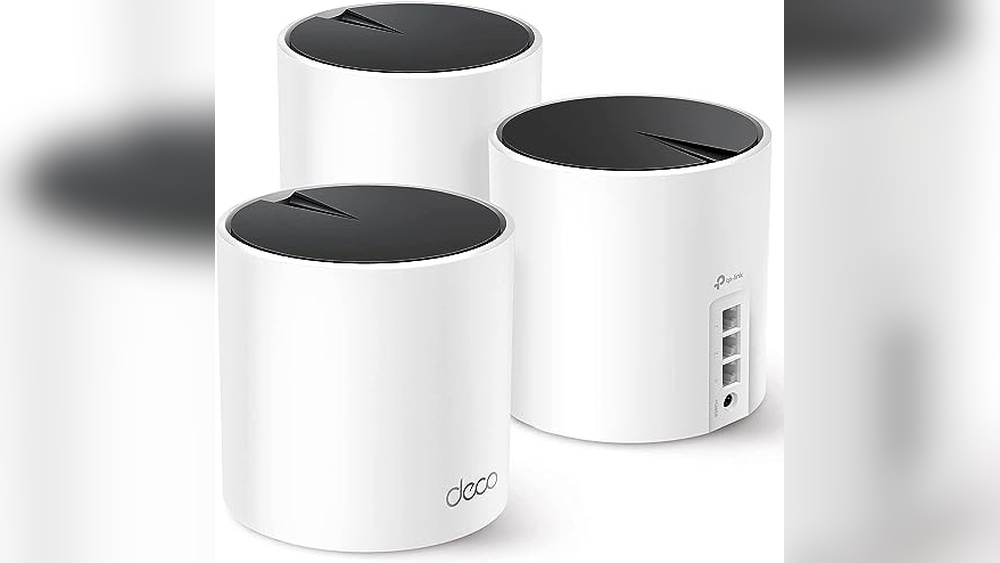
The TP-Link Deco X55 WiFi 6 Mesh System is designed to eliminate dead zones and weak signals in homes up to 6500 square feet. With three units working together, it replaces your old router and extenders, giving you a single, consistent wireless network.
For buyers who need high-speed, reliable internet throughout every room, this system provides a simple, all-in-one solution.
Day-to-day, you get stable Wi-Fi for dozens of devices, so streaming and video calls stay smooth even when the whole family is online. Setup is straightforward, and network management feels effortless thanks to its mesh design. You can move freely from room to room without dropping your connection, which brings real peace of mind if you rely on fast, consistent internet for work or play.
Why It Delivers Strong Home Coverage
- Covers up to 6500 sq. Ft. with seamless Wi-Fi 6
- Handles up to 150 devices without slowing down
- Three Gigabit Ethernet ports on each unit for wired connections
- Supports Ethernet backhaul for more stable speeds
- Designed with advanced security in mind
- Any unit can serve as the main router for flexible setup
Things To Consider Before Buying
- Requires three available power outlets for full coverage
- Not the smallest units—may be visible in open spaces
- No built-in modem, so you still need your ISP’s modem
When I’d Pick This
This system is ideal if you have a larger home, lots of devices, and want to stop worrying about Wi-Fi dead spots. It takes away the hassle of mixing different extenders or troubleshooting weak signals. For families or anyone who works from home, it’s a solid pick that keeps things simple and reliable.
One tip: Use Ethernet backhaul if possible for even better speeds, especially if you stream or game in different rooms. With its security focus and easy setup, you can trust your network will be dependable day after day. Personally, I appreciate how it lets you just forget about Wi-Fi issues and get on with your day.
| Best for | Why |
|---|---|
| Large homes with multiple floors | Mesh coverage eliminates dead zones across big spaces |
| Households with many devices | Handles up to 150 connections smoothly |
| Users needing both wireless and wired options | Three Gigabit ports per unit for flexible connectivity |
| Those prioritizing security in their network | Built with advanced cybersecurity standards |
Tp-link Archer Ax21 Wifi 6 Mesh Router
A top pick among Best Mesh Routers for Gigabit Internet, this model stands out for its strong coverage and WiFi 6 performance in busy homes.

The TP-Link Archer AX21 WiFi 6 Mesh Router is a dual-band solution designed to reduce network congestion and provide faster, more stable internet across your space. It makes streaming, gaming, and downloading smoother thanks to WiFi 6 and mesh support, so multiple users can stay connected without slowdowns.
If you have a large household or lots of smart devices, its ability to handle more connections at once is a real benefit.
Using this router day to day means less hassle with dead zones and dropped connections. Setup is straightforward, and features like beamforming and four high-gain antennas help ensure your devices get a reliable signal even in tricky spots. You can spend more time enjoying fast internet and less time troubleshooting.
Why Users Prefer This Router
- Handles many devices at once without lag
- WiFi 6 support for faster, future-ready speeds
- Mesh-ready for easy network expansion
- Strong coverage with advanced antenna design
- Works with Alexa for convenient voice control
- Enhanced security commitment from the manufacturer
Points To Consider Before Buying
- Requires a separate modem (not included)
- No support for 6 GHz band (not tri-band)
- Performance may vary with walls or long distances
Where This Shines
This router is best for households with many users who need fast, stable internet for streaming, gaming, and everyday work. If you’re tired of WiFi dead spots or slowdowns during busy evenings, the Archer AX21 helps reduce those headaches. It’s especially useful in apartments or homes where lots of devices are online at once.
Setup is straightforward, so you won’t waste time fiddling with complicated settings. For the best performance, place the router in a central spot and consider using the mesh feature if you need to cover more rooms. With its security focus and easy expansion, you can enjoy reliable internet with fewer surprises.
I appreciate that you don’t need to be a tech expert to get solid results here.
| Best for | Why |
|---|---|
| Busy families with many devices | Handles multiple connections at once using WiFi 6 |
| Homes needing strong coverage | Beamforming and 4 antennas reach farther rooms |
| Mesh network beginners | Easy Mesh setup grows with your needs |
| Smart home users | Works with Alexa for hands-free control |
Tp-link Deco S4 Mesh Wifi System
A reliable pick among the Best Mesh Routers for Gigabit Internet, especially for those who want to eliminate WiFi dead zones across a whole home.

The TP-Link Deco S4 Mesh WiFi System is designed to replace your traditional router and extender setup, giving you seamless internet coverage throughout your home. It uses mesh technology to create a single, unified network that eliminates dead zones and keeps your devices connected as you move from room to room.
With coverage up to 5,500 square feet, it’s built for whole-home reliability and supports many devices at once.
In daily use, the Deco S4 feels stable and effortless. There’s no need to remember multiple WiFi names or passwords—just one network for the entire house. You can walk between floors or rooms without losing connection or having to reconnect your devices.
For busy homes with lots of users, this brings peace of mind and saves time troubleshooting network issues.
Where The Deco S4 Stands Out
- Strong, consistent signal across large homes
- Easy, seamless roaming on one network name
- Handles many devices without slowdowns
- Simple setup and management
- No more WiFi dead spots
- Works smoothly with Alexa for smart home integration
Possible Limitations To Note
- Not ideal for those with smaller spaces or only a few devices
- Physical units are a bit taller than some alternatives
- No advanced customization for networking enthusiasts
Who This Fits Best
This mesh system is best for families or anyone with a larger home who wants WiFi that just works—without the hassle of range extenders or complicated setups. It removes the guesswork from managing multiple devices and lets you enjoy consistent speeds everywhere.
If you want to make the most of the Deco S4, place the three units strategically around your living areas for maximum coverage. You’ll notice fewer dropped connections and won’t need to fuss with reconnecting as you move. For me, the biggest benefit is not having to answer constant WiFi complaints from everyone at home.
| Best for | Why |
|---|---|
| Large homes with multiple floors | Extends coverage up to 5,500 sq.ft. with no dead zones |
| Families with many connected devices | Handles up to 100 devices without lag |
| Those wanting simple, unified WiFi | Single network name and password for the whole home |
| Alexa-enabled smart homes | Works smoothly with Alexa for added convenience |
Tp-link Deco X55 Mesh Wifi 6 System
For those seeking the Best Mesh Routers for Gigabit Internet, this system delivers wide coverage and dependable WiFi 6 performance for busy homes.

The TP-Link Deco X55 Mesh WiFi 6 System is designed to replace both your router and WiFi extender, offering a single, seamless network throughout your home. It’s ideal for eliminating dead zones and providing stable, gigabit-speed internet in spaces up to 2500 square feet.
With next-gen WiFi 6 and three gigabit Ethernet ports, it’s well-suited for households that demand fast, reliable connections for streaming, work, and gaming.
Using this mesh system feels effortless—just set it up and enjoy consistent WiFi in every corner. The Deco X55 manages your devices and coverage automatically, so you don’t have to worry about dropouts or slow spots. It’s especially reassuring for larger homes or anyone tired of constant buffering or weak signals.
Why It’s A Smart Home Upgrade
- Reliable whole-home coverage up to 2500 sq. Ft.
- WiFi 6 speeds support multiple devices at once
- Works as a router or mesh node, flexible expansion
- Three gigabit ports for fast wired connections
- Supports Ethernet backhaul for better speeds
- Advanced security design commitment
Consider Before You Buy
- One-pack covers medium homes; larger spaces need more units
- No built-in modem—requires separate modem for internet
- Some advanced networking features may be limited
What I’d Tell A Friend
This mesh system is best for families or individuals who want strong, consistent WiFi throughout a medium-sized home without managing multiple routers or extenders. It takes away the hassle of troubleshooting dead zones and saves time on setup, thanks to its flexible mesh design.
For even better results, consider placing the Deco unit centrally and use Ethernet backhaul if you have high-bandwidth needs. The automatic mesh handling means fewer surprises—WiFi just works, so you can focus on streaming or work calls with peace of mind.
I appreciate when tech just fades into the background, and this system does that well.
| Best for | Why |
|---|---|
| Medium homes needing reliable WiFi | Covers up to 2500 sq. ft. with seamless mesh coverage |
| Busy households with many devices | WiFi 6 handles multiple streams and users smoothly |
| Gigabit internet users | Supports high-speed wired and wireless connections |
| Those upgrading from basic routers | Eliminates dead zones and simplifies network setup |
Tp-link Archer Axe75 Wifi 6e Router
The TP-Link Archer AXE75 is a strong choice among the Best Mesh Routers for Gigabit Internet for buyers who want seamless whole-home coverage and high capacity for many devices.

The Archer AXE75 from TP-Link is a tri-band WiFi 6E router designed for homes that need fast, reliable internet across many rooms and devices. It solves the challenge of lag and congestion by adding a new 6 GHz band and supporting simultaneous high-speed connections, making it ideal for gaming, streaming, and busy households.
If you want to avoid slowdowns during peak hours, the AXE75’s extra bandwidth stands out.
Daily use feels smooth and consistent, whether you’re working, video chatting, or using smart home gear. There’s little need to tweak or troubleshoot—once set up, the router keeps everything connected. The OneMesh support adds flexibility if you want to expand coverage later, and the router’s solid build helps it run cool and stable, even with many devices online.
Where The Axe75 Excels
- Handles many devices at once without lag
- Tri-band WiFi 6E for extra speed and less congestion
- OneMesh support for easy expansion across your home
- Strong security with WPA3 and built-in VPN
- Good for gaming and 4K streaming with low latency
- Reliable performance thanks to the quad-core CPU
Potential Limitations To Know
- Works best with devices that support WiFi 6E
- Larger size may not fit smaller shelves or tight spaces
- Full benefits require a OneMesh extender for bigger homes
Who This Fits Best
This router is a great match for busy households or apartments with many connected devices and gigabit internet. It removes the hassle of dead zones and keeps gaming, streaming, and smart home devices running smoothly without extra effort. If you’re tired of dropped connections or juggling bandwidth, the AXE75 gives you peace of mind with its stable network and room to grow.
To get the most out of it, pair it with a OneMesh extender if you have a multi-story home or thick walls. Once set up, you’ll spend less time troubleshooting and more time enjoying fast, reliable WiFi. I like that it’s built for the future, so you won’t need to upgrade again soon.
| Best for | Why |
|---|---|
| Homes with many devices | Handles multiple simultaneous connections without lag |
| Gigabit internet users | Supports top speeds with tri-band WiFi 6E |
| Gaming and streaming setups | Low latency and reliable bandwidth for smooth performance |
| Expanding coverage later | OneMesh support makes it easy to add more coverage zones |
Tp-link Deco X55 Mesh Wifi 6 System
The TP-Link Deco X55 Mesh WiFi 6 System stands out among the Best Mesh Routers for Gigabit Internet for buyers who want wide coverage and simple setup.

The TP-Link Deco X55 Mesh WiFi 6 System is a two-unit mesh kit designed to cover up to 4500 square feet, solving the common problem of Wi-Fi dead spots in your home. It’s made for those who need strong, reliable Wi-Fi in every room, supporting many devices at once without the need for separate extenders.
If you want a mesh setup that’s easy to install and gives you Ethernet backhaul for maximum speed, this model delivers.
In daily use, you’ll notice stable connections and seamless roaming from room to room. The system keeps your devices connected without interruption, which is especially helpful for video calls, streaming, or smart home setups. You won’t have to worry about guessing where signal drops might happen or juggling multiple networks—the Deco X55 handles it quietly in the background.
Why It’s Easy To Like
- Full home coverage up to 4500 sq.ft. Removes dead zones
- Wi-Fi 6 support means faster, more reliable speeds for modern devices
- Handles up to 150 devices at once—great for busy homes
- Three Gigabit Ethernet ports per unit for flexible wired connections
- Supports Ethernet backhaul to boost speed between units
- Simple setup and management via app
- Commitment to strong security standards
What To Know Before Buying
- No built-in advanced parental controls or custom firewall features
- Only available in white—may not match all décor
- Larger homes may need an extra unit for full coverage
Who This Fits Best
The Deco X55 Mesh WiFi 6 System is ideal for families, remote workers, or anyone who wants a fast, reliable home network without constant tweaks. It removes the hassle of Wi-Fi dead spots and the guesswork of where to place extenders, offering stress-free coverage and smooth streaming everywhere.
If you want a mesh router that just works, is easy to expand, and keeps your connection steady, this is a strong choice. For best results, connect the units with Ethernet cables if possible—this boosts speed and reliability even more.
Once set up, you’ll enjoy peace of mind knowing your network is robust and protected, with fewer surprises.
| Best for | Why |
|---|---|
| Homes with multiple rooms | Eliminates Wi-Fi dead zones across up to 4500 sq.ft. |
| Streaming and video calls | Seamless roaming and strong Wi-Fi 6 performance |
| Smart homes with many devices | Handles up to 150 connected devices reliably |
| Users needing wired connections | Multiple Gigabit Ethernet ports per unit for flexibility |
Tp-link Archer Ax55 Wi-fi 6 Mesh Router
A top pick among Best Mesh Routers for Gigabit Internet, offering reliable high-speed coverage for busy homes.

The TP-Link Archer AX55 is a dual-band Wi-Fi 6 router designed for homes needing fast and stable internet. It solves the common challenge of lag and weak coverage, especially in larger spaces or for families with many devices. With expanded Wi-Fi coverage and strong antennas, this router keeps your whole house connected without dead spots.
Using this router feels seamless—streaming, gaming, and working from home happen without frustrating interruptions. Its responsive tech means less waiting and fewer dropped connections, even when several devices are online at once. Setup is straightforward, and ongoing use is worry-free, thanks to efficient cooling and smart battery management for connected gadgets.
Reliable Features For Everyday Use
- Consistent gigabit Wi-Fi 6 speeds for demanding apps
- Expanded coverage with high-gain antennas and Beamforming
- EasyMesh compatibility for flexible network growth
- Supports both VPN client and server for secure access
- OFDMA and MU-MIMO for smooth multi-device usage
- USB 3.0 for quick file sharing on your network
- Improved cooling design prevents performance drops
Things To Consider Before Buying
- Advanced features may be underused in small setups
- Physical size requires space for placement
- No built-in modem—needs an existing internet connection
Why This Makes Sense
This router is ideal for families or anyone who needs strong, reliable Wi-Fi across multiple rooms and devices. It cuts down on the hassle of dropped connections and slow speeds, making streaming and working from home smoother. If you have gigabit internet, it helps you actually use that speed throughout your house.
With features like EasyMesh and VPN support, it removes the guesswork in network expansion and security. A quick tip: Place the router centrally and use the high-gain antennas for best coverage. You’ll enjoy consistent performance and fewer surprises—no more rebooting the router when things get busy. I found the cooling design especially reassuring; it stays fast even during heavy use.
| Best for | Why |
|---|---|
| Large or multi-room homes | Strong antennas and Beamforming extend coverage |
| Multiple devices/users | OFDMA and MU-MIMO keep connections stable |
| Gigabit internet subscribers | Maximizes speed for streaming and gaming |
| Remote work and privacy | VPN client/server support for secure access |
Eero 6+ Mesh Wifi Router
One of the Best Mesh Routers for Gigabit Internet for buyers who want reliable gigabit speeds without paying a premium.

The eero 6+ Mesh WiFi Router is a compact solution for homes needing fast, reliable wireless coverage on gigabit internet plans. It’s designed to eliminate dead spots, support over 75 devices, and provide strong coverage up to 1,500 sq. Ft.
—all without the high cost of many gigabit routers.
Setting up the eero 6+ is quick and straightforward with the mobile app, making it easy for anyone to get started. Daily use feels smooth and consistent, thanks to its TrueMesh technology that keeps connections stable throughout your home. You spend less time troubleshooting WiFi and more time enjoying fast, uninterrupted browsing and streaming.
Key Advantages For Busy Homes
- Handles gigabit internet speeds affordably
- Expansive coverage for apartments and small homes
- TrueMesh tech reduces drop-offs and dead zones
- Supports 75+ connected devices
- Quick, app-guided setup
- Easy to expand with more eero units
What To Consider Before Buying
- Single unit covers up to 1,500 sq. Ft.—may not suit large houses without add-ons
- No advanced customization for networking enthusiasts
- Does not include built-in modem
Who This Fits Best
The eero 6+ Mesh WiFi Router is ideal for small to mid-sized households on gigabit internet plans who want hassle-free, stable WiFi in every room. It takes away the frustration of dead zones and dropped connections, letting you work, stream, and video chat without worry.
If you’re not a techie, the app setup and management will save you time and confusion.
For best results, place the router centrally and consider adding another eero if you have tricky spaces. You’ll enjoy peace of mind knowing your devices stay connected reliably, even as you add more over time. I appreciate how it quietly keeps everything working so I can focus on what matters.
| Best for | Why |
|---|---|
| Gigabit internet users in apartments | Delivers high speeds and wide coverage in smaller spaces |
| Families with many devices | Handles 75+ device connections without slowdowns |
| Non-technical users | App makes setup and network management easy |
| Expanding WiFi coverage later | Simple to add more eero units as needs grow |
Tp-link Archer A6 Mesh Router
A strong pick in the Best Mesh Routers for Gigabit Internet category for those needing reliable coverage and wired connectivity for modern homes.

The TP-Link Archer A6 Mesh Router is a dual-band WiFi router designed to handle high-speed internet plans up to 1200 Mbps. It solves the common issue of dead zones and weak signals in larger homes by using four external antennas with Beamforming technology.
With support for both 2. 4GHz and 5GHz bands, it keeps streaming smooth and downloads fast for daily use.
In everyday use, coverage feels strong across multiple rooms, letting you move around without worrying about signal drops. Wired connections are easy with its four Gigabit LAN ports, making it convenient for gaming consoles or workstations. You get peace of mind knowing that multiple devices can stay connected at once, thanks to MU-MIMO support.
It helps take the guesswork out of getting reliable WiFi in a busy household.
Reasons To Choose This Router
- Strong WiFi coverage with four antennas and Beamforming
- Handles multiple devices at high speed on 5GHz band
- Full Gigabit LAN ports for fast wired connections
- Easy switch to Access Point Mode for flexible setups
- Good fit for homes using 4K streaming or online gaming
- Lightweight and compact design
Things To Consider Before Buying
- Does not support Wi-Fi 6 (Wi-Fi 5 standard only)
- No built-in advanced parental controls
- Not aimed at very large multi-floor homes
Why This Makes Sense
If your priority is reliable, high-speed internet throughout a mid-sized home, the TP-Link Archer A6 Mesh Router is a solid choice. It’s especially useful for households with many connected devices and those who want both wireless and wired options. You’ll save time troubleshooting dead spots and won’t have to stress about lag during busy streaming or gaming sessions.
This router is best for people who want straightforward setup and consistent speeds without fussing with complex features. As a tip, placing the router in a central location will help maximize its coverage. You can trust it for steady performance—fewer surprises, less hassle, and a smoother online experience.
I appreciate how simple it makes everyday connectivity.
| Best for | Why |
|---|---|
| Homes with multiple devices | MU-MIMO technology supports high speeds for several users at once |
| Streaming and gaming setups | Dual-band speeds and Gigabit ports reduce buffering and lag |
| Users upgrading from basic routers | Simple transition with better coverage and wired options |
| Homes with WiFi dead zones | Four antennas with Beamforming boost coverage in tricky spots |
Tp-link Deco X15 Mesh Wifi 6 System
A strong contender among the Best Mesh Routers for Gigabit Internet, this system excels at filling larger homes with fast, reliable coverage without complicated setup.
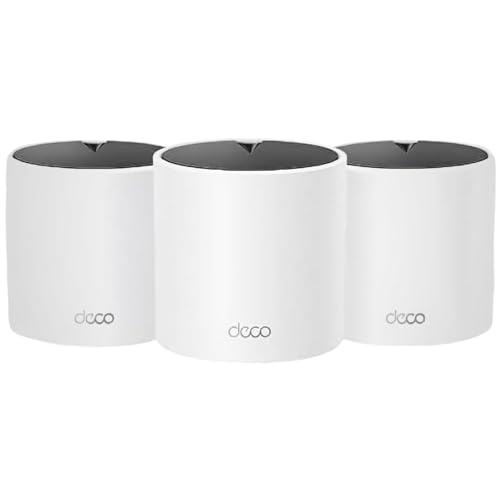
The TP-Link Deco X15 Mesh WiFi 6 System is designed to replace traditional routers and extenders, ensuring seamless coverage throughout your home. It targets weak Wi-Fi spots and dead zones, making it ideal for anyone frustrated by inconsistent internet. With support for up to 120 devices, it’s a practical choice for busy households with lots of smart gadgets.
Day to day, you can expect stable and consistent speeds, even when many devices are connected. The setup is straightforward, and managing your network doesn’t require technical skills. It’s easy to forget about Wi-Fi problems when everything just works in the background.
Why It Stands Out For Whole Home Wifi
- Mesh design eliminates dead zones and buffering
- Covers up to 5,600 sq. Ft. with three units
- Wi-Fi 6 delivers fast, reliable speeds
- Supports up to 120 devices without slowing down
- Each unit includes two Gigabit Ethernet ports for wired connections
- Easy setup and management
- Strong security focus with Secure-by-Design pledge
Consider Before You Buy
- No advanced customization for power users
- AX1500 speed is solid but not top-tier for multi-gigabit connections
- White color may show dust or marks more easily
Who This Fits Best
This system is a great fit for families or anyone in a mid- to large-sized home who wants dependable Wi-Fi everywhere without the hassle of managing multiple devices. If you want to get rid of Wi-Fi dead spots and stop worrying about devices dropping off, this mesh system removes the guesswork and frustration.
To get the best results, place the units evenly around your home and take advantage of wired backhaul if you have Ethernet lines available. Once set up, you can enjoy reliable connections for work, streaming, and smart home devices—without constant troubleshooting.
If you like things simple and hands-off, you’ll appreciate how little attention this system demands.
| Best for | Why |
|---|---|
| Large homes with Wi-Fi dead zones | Mesh coverage fills gaps and ensures seamless roaming |
| Households with many devices | Handles up to 120 devices with consistent speeds |
| Users wanting simple setup | Easy installation and management, even for non-tech users |
| Homes with wired Ethernet | Supports Ethernet backhaul for even faster, reliable performance |
Buying Guide: Choosing A Wi-fi Router Or Mesh System
Assess Your Coverage Needs
Start by considering the size of your home and the number of floors. Mesh systems are best for larger spaces or homes with Wi-Fi dead zones. Single routers may cover small apartments or single rooms well.
Device Capacity And Network Demands
Count how many devices you use at once. If you have many smart devices, look for systems that handle high simultaneous connections. For basic browsing and streaming, a standard router is often enough.
Speed Vs. Stability
Faster speeds are useful for gaming or 4K streaming, but stable coverage matters more for most families. Mesh systems usually offer more consistent signals across all rooms.
Wired Connections And Expansion
If you need wired connections for gaming consoles or work devices, check the number of Ethernet ports. Some mesh kits let you add units later if your needs grow.
Common Buyer Concerns
- Compatibility: Most routers work with any internet provider, but always check for special requirements.
- Setup: Many buyers worry about installation. Most current systems use mobile apps for guided setup.
- Security: Look for updated firmware and security features, especially if you have many smart home devices.
- Upgrade Timing: If your current Wi-Fi is reliable and fast enough, upgrading may not bring big improvements unless your needs have changed.
Who Should Avoid These Products
- Those with very basic internet needs in a small space may find a mesh system unnecessary.
- If your internet plan is slow, a high-end router will not make it faster.
- Users with advanced networking needs (like custom firmware) should check compatibility before buying.
Setup And Usage Tips
- Place units in open areas, away from thick walls and electronics, for best coverage.
- Name your Wi-Fi networks clearly to avoid confusion if replacing an old router.
- Update firmware after installation to improve security and stability.
- Test Wi-Fi speeds in different rooms to adjust unit placement as needed.
Faqs
Can I Mix Different Brands In A Mesh System?
No, mesh units from different brands will not work together. Stick to one brand for all units.
Will These Routers Improve My Internet Speed?
A better router can improve Wi-Fi coverage and stability, but your maximum speed depends on your internet plan.
Is Wi-fi 6 Or 6e Important For Most Users?
Wi-Fi 6 is useful if you have many devices or want future-proofing. Older devices will still work, but only newer ones get full benefits.
Do I Need Technical Skills To Set Up These Products?
Most systems are designed for non-experts. Setup apps guide you step by step.
How Often Should I Replace My Router?
Replace your router if it is over five years old, or if you notice frequent dropouts or slow speeds not caused by your provider.
What Is Ethernet Backhaul?
It means connecting mesh units with cables for faster, more reliable speeds between them. It is optional but helps in large homes.
Summary And Final Thoughts
Choosing between a router and a mesh system comes down to your space and the number of devices you use. Mesh systems solve coverage problems in larger homes, while traditional routers work well for smaller spaces. Focus on your actual needs and avoid overbuying.
Most options today are easy to set up and maintain. Once installed, these systems usually need little attention, letting you enjoy a stable connection throughout your home.