
Setting up a reliable home network can sometimes feel overwhelming. You want smooth internet without dead zones or slowdowns, especially if you use Xfinity as your provider.
Choosing the best mesh router for Xfinity is confusing because there are many options with different features. Some combine modem and router functions, while others focus only on Wi-Fi coverage. You have to consider coverage area, device support, internet speeds, and compatibility. There are trade-offs between all-in-one devices that save space and separate units that might offer more flexibility. Budget matters too, as some models offer advanced performance but come with a higher price, while others are more affordable but may lack some capabilities.
This article will help you understand the options clearly and find the right mesh router solution for your Xfinity connection.
What To Keep In Mind When Choosing A Mesh Router For Xfinity
Not all routers work seamlessly with Xfinity’s service, so compatibility is key. Also, think about the size of your home and the number of devices you connect regularly. Some routers include built-in modems, which can reduce equipment clutter but might limit upgrade options later. Others require a separate modem and router but offer more customization. Balancing speed, coverage, and price will help you make a choice that fits your needs.
The products ahead are grouped by their main features and design types, such as combo modem-router units and standalone mesh systems. Different setups suit different homes and internet plans. This guide aims to match those needs without focusing on rankings, so you can find a fit that works for you.
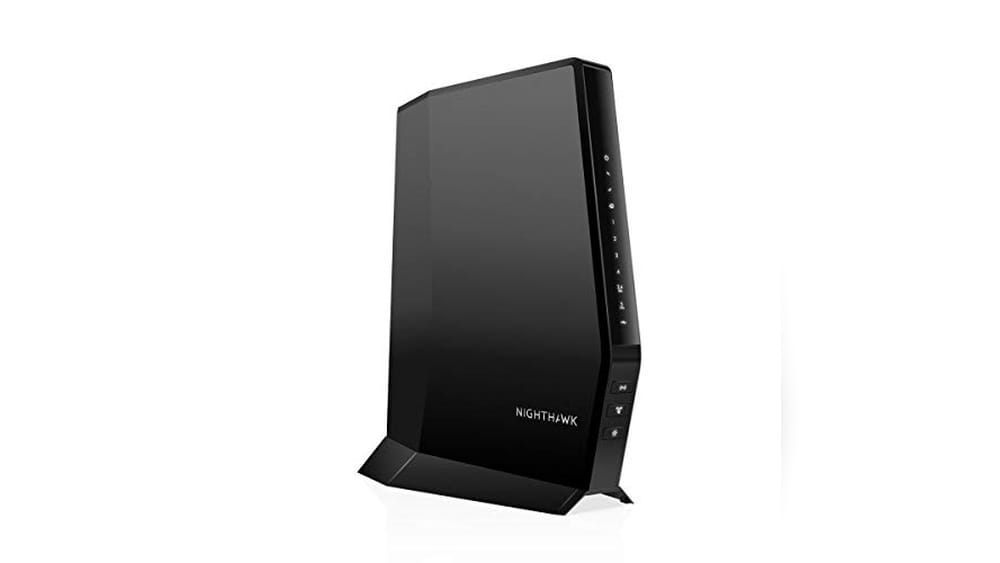
Netgear Nighthawk Modem Router Combo
This NETGEAR device is a top choice among Best Mesh Routers for Xfinity, ideal for users seeking a combined modem and WiFi 6 router solution for reliable cable internet.

The NETGEAR Nighthawk Modem Router Combo is a DOCSIS 3.1 cable modem paired with a WiFi 6 router that combines two essential devices into one, simplifying your home network setup. It solves the common hassle of renting equipment by replacing both your modem and router, offering compatibility with major cable providers like Xfinity and delivering fast AX2700 dual-band speeds covering up to 2,000 sq. ft.
Using this device feels seamless and reliable, supporting up to 25 devices simultaneously without noticeable slowdowns. The setup is straightforward, saving time and avoiding the confusion of managing separate modem and router hardware, giving you confidence in a stable and fast internet connection.
- Compatible with Xfinity, Spectrum, Cox, and other major cable providers
- Dual-band WiFi 6 with AX2700 speed supports up to 25 devices
- Includes 4 Gigabit Ethernet ports with port aggregation and 1 USB 3.0 port
- Replaces both modem and router, saving rental fees annually
- DOCSIS 3.1 technology with 32×8 channel bonding for future-proofing
Who Should Consider This Router Combo
If you want a streamlined, all-in-one solution to replace your cable modem and WiFi router with a device designed for Xfinity and other cable providers, this NETGEAR Nighthawk is a strong candidate. It’s ideal for medium-sized homes needing reliable WiFi 6 coverage without juggling multiple devices.
On the other hand, if you use DSL, Verizon, or bundled voice services, this device is not compatible. Also, users requiring mesh systems to cover very large or complex floor plans may want to consider dedicated mesh routers instead.
This combo removes the confusion of equipment compatibility and rental fees, letting you focus on enjoying fast and stable internet. A practical tip is to register the modem with your internet provider as soon as it’s set up to avoid activation delays. Rest assured, NETGEAR’s reputation and DOCSIS 3.1 standard ensure you’re investing in solid, future-ready technology.
Tp-link Archer Ax21 Wifi 6 Router
Among the Best Mesh Routers for Xfinity, the TP-Link Archer AX21 is ideal for users seeking reliable dual-band WiFi 6 performance to enhance their home network.

The TP-Link Archer AX21 is a dual-band WiFi 6 router designed to improve your home internet experience by providing faster speeds and greater capacity. It addresses common network congestion issues with Wi-Fi 6 technology, delivering smooth streaming and reliable connectivity for multiple devices simultaneously.
Using this router in real life means enjoying stable connections even in larger spaces thanks to beamforming technology and four high-gain antennas that focus signal strength. Setup is straightforward, making it easy to trust the Archer AX21 to keep your devices connected without constant troubleshooting.
- Supports Wi-Fi 6 for improved speed and efficiency over previous generations
- Dual-band design with up to 1.8 Gbps total bandwidth (1200 Mbps on 5 GHz, 574 Mbps on 2.4 GHz)
- Beamforming and advanced antennas extend reliable coverage to distant devices
- Secure-by-Design with strong cybersecurity standards
Who Should Consider This Router
If you want to upgrade your Xfinity network with a modern, dual-band WiFi 6 router that balances speed and extensive coverage, the Archer AX21 is a solid choice. It’s especially suitable for households with multiple devices streaming, gaming, or working simultaneously.
However, if you require tri-band support or need compatibility with the 6 GHz band, this model might not be the best fit. It also requires a separate modem, so it’s not an all-in-one solution.
Choosing this router removes the guesswork about reliable mesh compatibility and security, giving you confidence in your home network’s performance. For best results, position it centrally and update the firmware regularly to maintain optimal security and speed.
Netgear Orbi Cable Modem Router Combo Mesh System
Among the Best Mesh Routers for Xfinity, this combo system is ideal for users who want seamless WiFi coverage and integrated modem convenience for large homes.

The NETGEAR Orbi Cable Modem Router Combo Mesh System combines a DOCSIS 3.1 cable modem with WiFi 6 mesh technology, delivering fast and reliable internet coverage up to 5,000 sq. ft. This system solves the common problem of dead zones and slow speeds by integrating modem and router in one, certified for Xfinity and other major cable providers, ensuring compatibility and high performance.
Using this system feels effortless and reliable, allowing for seamless streaming, gaming, and conferencing across multiple devices without interruptions. The automatic firmware updates and security features provide peace of mind and save time on maintenance, making it a dependable choice for busy households.
Key Benefits
- High-performance WiFi 6 coverage supports over 40 devices simultaneously
- Certified compatibility with Xfinity, Spectrum, and Cox for up to 1Gbps speeds
- Integrated cable modem eliminates the need for separate equipment and rental fees
- Advanced security with NETGEAR Armor software protects all connected devices
Who Should Consider This System
This product is best for homeowners or renters with large spaces who require strong, consistent WiFi coverage without managing separate modem and router devices. It suits users who want to avoid monthly rental fees and those who value easy setup and security features integrated into their networking equipment.
If you have a smaller living space or prefer a standalone modem or router for flexibility, this combo might be more than needed. Also, users who rely on internet plans slower than 900Mbps might find less value in the advanced AX4200 speeds.
Choosing this Orbi system removes the confusion of matching modems and routers for Xfinity service and provides reassurance through automatic updates and a 30-day trial of security software. To get the most from it, consider expanding coverage with additional Orbi WiFi 6 satellites if needed for larger or multi-level homes.
Eero 6 Mesh Wifi Router
One of the Best Mesh Routers for Xfinity, ideal for users wanting reliable whole-home coverage and support for multiple devices.

The eero 6 Mesh WiFi Router is a compact whole-home Wi-Fi 6 system designed to eliminate dead spots and provide seamless internet coverage across up to 1,500 square feet. It supports internet plans up to 900 Mbps and can connect over 75 devices simultaneously, making it a solid solution for busy households and smart homes alike. Its TrueMesh technology intelligently directs traffic to reduce buffering and drop-offs, enhancing overall streaming and gaming experiences.
Setting up the eero 6 is straightforward with its intuitive app, which allows you to manage your network remotely and ensures reliable connectivity throughout your home. The built-in Zigbee smart home hub simplifies device integration with Alexa, reducing the need for multiple hubs. In practice, this router offers consistent speeds and coverage that give peace of mind for video calls, 4K streaming, and smart device connectivity without constant troubleshooting.
- Strengths: Supports Wi-Fi 6 for faster speeds and better device handling; covers up to 1,500 sq. ft.; connects 75+ devices; built-in Zigbee smart home hub.
- Limitations: Best suited for medium-sized homes; may require additional units for larger spaces.
Who Should Consider the eero 6
This router is perfect for Xfinity users who want a hassle-free mesh system that covers a medium-sized home with high-speed internet and supports numerous devices simultaneously. It’s especially useful if you have smart home devices that work with Alexa, thanks to its integrated Zigbee hub.
However, if you live in a very large home or need coverage beyond 1,500 square feet, you might want to explore multi-pack mesh systems or more powerful units. The eero 6 removes confusion around smart home compatibility and network management by providing a simple app and built-in hub, making setup and control less stressful.
A practical tip: use the eero app’s guided setup for the smoothest installation experience, and place the router centrally in your home for optimal coverage. Rest assured, eero’s reliable support and TrueMesh technology help maintain strong connections so you can enjoy your devices without constant interruptions.
Hitron 2.5gbps Cable Modem For Xfinity
Ideal for those exploring the Best Mesh Routers for Xfinity who need a reliable cable modem without built-in WiFi.

The Hitron 2.5Gbps Cable Modem is designed exclusively for cable internet users with providers like Xfinity, Spectrum, and Cox. It solves the problem of outdated or ISP-rented modems by offering support for multi-gigabit speeds up to 2.5 Gbps, making it a strong backbone for high-speed internet plans. Note that this device does not include WiFi, so pairing it with a separate mesh router is essential for wireless coverage.
In daily use, this modem delivers stable and fast wired internet connections without fuss. Its compatibility with top cable providers and straightforward setup means you can rely on consistent performance while freeing yourself from monthly rental fees. I appreciate the clarity on needing a separate router, which avoids confusion about its capabilities.
- Strength: Supports multi-gigabit speeds up to 2.5 Gbps for cable internet users.
- Limitation: No built-in WiFi; requires a separate router for wireless connectivity.
- Use Case: Best for users with cable internet plans seeking a high-speed modem to pair with mesh routers.
Who Should Consider This Modem
If you have a cable internet service like Xfinity and want to maximize your plan’s speed with your own equipment, this modem is a practical choice. It suits those who are comfortable setting up a separate mesh router and desire a future-proof DOCSIS 3.1 modem without extra WiFi features.
However, if you rely on fiber, DSL, or satellite internet, or prefer an all-in-one device with integrated WiFi, this product is not a fit. Also, users expecting immediate wireless capabilities should look elsewhere.
Choosing this modem removes the confusion around compatibility and performance limits, giving you confidence in your cable internet setup. A useful tip: ensure your router has a 2.5 Gbps Ethernet port to unlock full speeds from this modem. Rest assured, once set up, you’ll have a robust and reliable connection foundation for your mesh network.
Tp-link Archer Ax55 Wi-fi 6 Router
A top choice among Best Mesh Routers for Xfinity, ideal for home users seeking reliable, high-speed wireless coverage.

The TP-Link Archer AX55 is a dual-band Wi-Fi 6 router designed to deliver fast and stable wireless internet throughout your home. It solves connectivity issues by supporting next-gen gigabit speeds up to 2402 Mbps on 5 GHz and 574 Mbps on 2.4 GHz bands, ensuring smoother streaming, gaming, and downloads. Its OFDMA technology allows multiple devices to share bandwidth efficiently, reducing lag and improving responsiveness.
Using this router feels seamless with strong, reliable coverage thanks to its 4 high-gain antennas and Beamforming technology. Setup is straightforward, and the improved cooling design keeps it running at peak performance without overheating. Whether streaming 4K videos or handling multiple smart devices, this router offers consistent speed and stability that users can trust.
- Supports VPN server and client for enhanced security
- Target Wake Time feature extends device battery life
- EasyMesh compatibility allows flexible network expansion
Who Should Consider the Archer AX55?
This router is perfect for households looking to upgrade to Wi-Fi 6 with strong coverage and low latency for streaming, gaming, and smart home devices. If you want a router that balances speed, security, and reliable performance without complexity, the Archer AX55 fits well.
However, if you need a mesh system with multiple units for very large homes or complex layouts, you might want to explore dedicated multi-node mesh setups. For typical family use or moderate home office needs, this router removes confusion by combining ease of use with advanced tech.
When setting it up, place the router centrally to maximize coverage and benefit fully from Beamforming. Rest assured, TP-Link’s HomeShield and stable hardware design provide a secure and consistent network experience for daily use.
Tp-link Deco X15 Wifi 6 Mesh System
Among the Best Mesh Routers for Xfinity, the TP-Link Deco X15 is ideal for those seeking reliable whole-home coverage with Wi-Fi 6 technology.

The TP-Link Deco X15 is a dual-band Wi-Fi 6 mesh system designed to replace traditional routers and extenders, providing seamless whole-home coverage up to 5,600 square feet. It solves common connectivity issues such as dead zones and buffering by delivering fast, reliable connections throughout your home. A standout feature is its support for Ethernet backhaul with two gigabit ports per unit, ensuring stable wired connections when needed.
Using this mesh system creates a smooth and consistent Wi-Fi experience, even with many connected devices. Its easy setup and TP-Link’s dynamic backhaul technology make managing up to 120 devices effortless, giving confidence in a reliable network without constant troubleshooting or drops.
- Strengths: Extensive coverage with up to 5,600 sq.ft., Wi-Fi 6 speed improvements, support for Ethernet backhaul, handles many devices simultaneously.
- Limitations: Does not include built-in modem; requires separate Xfinity modem for internet connection.
Who Should Consider This Mesh Router
This TP-Link Deco X15 is well suited for Xfinity users who want a modern Wi-Fi 6 mesh system to cover large homes or multi-level residences with many devices connected at once. If you want to eliminate Wi-Fi dead zones and enjoy faster, more stable internet without upgrading multiple extenders, this system can simplify your network setup.
However, if your home is small or you only have a few devices, this might be more capacity than needed. Also, those wanting a combined modem-router unit should look elsewhere, as this requires a separate modem.
Installing the Deco X15 removes the frustration of weak Wi-Fi spots and buffering, giving peace of mind that your network can keep up with streaming, gaming, and working from home. A practical tip is to place the units evenly around your home for optimal coverage. Once set up, you can confidently rely on this system to maintain a fast and stable connection day after day.
Tp-link Deco Xe75 Wifi 6e Mesh System
Among the Best Mesh Routers for Xfinity, this system suits households seeking reliable, whole-home coverage with the latest WiFi 6E technology.

The TP-Link Deco XE75 is a tri-band WiFi 6E mesh system designed to cover up to 7,200 square feet, eliminating dead zones and buffering throughout your home. Its standout feature is the brand-new 6 GHz band, which reduces interference from older devices and delivers stable, high-speed connections across multiple nodes.
Using this mesh system feels seamless and dependable, with AI-driven technology that adapts to your network needs. Setting it up is straightforward, and the stable connections give confidence for streaming, gaming, or working from home without interruptions.
- Tri-band WiFi 6E with dedicated 6 GHz backhaul for enhanced speed and stability
- Coverage suitable for large homes up to 7,200 sq.ft
- Supports up to 200 devices simultaneously
- Robust cybersecurity aligned with U.S. CISA Secure-by-Design pledge
Who This Is For
This mesh system is ideal for Xfinity users who want cutting-edge WiFi technology to ensure seamless connectivity across large or multi-story homes. If you have many connected devices or experience interference from legacy networks, this router will help simplify your setup and improve performance.
If your home is small or you primarily use older devices without WiFi 6E support, you might not fully benefit from the 6 GHz band and could consider more budget-friendly options.
By choosing the Deco XE75, you reduce the stress of dead zones and buffering, making daily online activities smoother. A practical tip is to place the mesh nodes strategically in open areas to maximize the 6 GHz band’s range. Rest assured, TP-Link’s security and AI-driven mesh technology provide a reliable, future-proof network for your home.
Netgear Nighthawk Wifi 6 Modem Router Combo
Among the Best Mesh Routers for Xfinity, this combo is ideal for users seeking fast, reliable internet with cable plans up to 6Gbps.

The NETGEAR Nighthawk WiFi 6 Modem Router Combo is a high-performance device designed to replace separate modem and router units for cable internet users. It solves connectivity issues by supporting cable plans up to 6Gbps and delivering AX6000 WiFi 6 speeds, making it perfect for fast and stable internet access in homes with multiple devices.
Setting it up is straightforward with the Nighthawk app, allowing easy management of your network settings and monitoring data usage. The reliable dual-band WiFi coverage up to 2,500 sq. ft. and support for 30 devices ensures smooth streaming, gaming, and browsing without interruptions.
- Compatible with major cable providers including Xfinity, Spectrum, and Cox
- Supports ultra-fast AX6000 WiFi 6 speed for up to 6Gbps
- Includes 4 Gigabit Ethernet ports plus a 2.5 Multi-gig LAN port for maximum wired speeds
- Easy setup and management via the Nighthawk app
- DOCSIS 3.1 technology with 32×8 channel bonding for enhanced performance
Who Should Consider This Modem Router Combo
This device is perfect for Xfinity customers who have high-speed cable plans and want to combine their modem and router into one efficient unit. If you value faster WiFi 6 speeds, solid coverage, and simple app-based controls, this combo offers a reliable all-in-one solution.
However, if your internet service is from DSL providers or bundled with voice services like Verizon or AT&T, this product is not compatible and should be avoided. Also, users with smaller coverage needs or fewer connected devices may not fully benefit from its advanced features.
Choosing this combo removes the confusion of buying separate modem and router devices and ensures compatibility with your cable provider. A practical tip: use the 2.5 Multi-gig LAN port with port aggregation to maximize your wired connection speeds for gaming or streaming. Rest assured, the Nighthawk app makes managing your home network simple and efficient.
Motorola Mg7700 Modem Wifi Router Combo
Among the Best Mesh Routers for Xfinity, this combo is ideal for users with cable plans up to 800 Mbps seeking a reliable all-in-one modem and router solution.
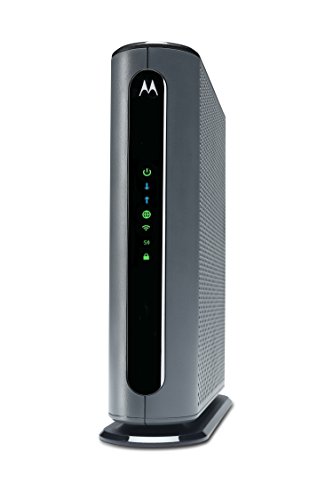
The Motorola MG7700 is a combined modem and Wi-Fi router designed to support cable internet plans up to 800 Mbps, making it a convenient solution for Xfinity users who want to avoid monthly rental fees and simplify their home network setup. Its standout feature is the Wireless Power Boost technology, which enhances Wi-Fi signals for improved speed and coverage across devices.
Using this combo device feels straightforward and dependable, offering solid dual-band Wi-Fi and four Gigabit Ethernet ports for wired connections. Setup is hassle-free, and the amplified signal gives confidence in reliable coverage throughout the home, saving time on troubleshooting connectivity issues.
- Certified for Comcast Xfinity, Cox, and Spectrum cable plans
- Integrated AC1900 dual-band Wi-Fi with Power Boost amplifiers
- Four Gigabit Ethernet ports for wired devices
- Reduces modem rental fees significantly
- Not compatible with fiber, DSL, or satellite internet
Who Should Consider This Device
If you have a cable internet plan up to 800 Mbps with providers like Xfinity, this Motorola MG7700 is a great choice to combine modem and router in one device and avoid monthly rental fees. However, if your service is fiber, DSL, or satellite, this device won’t be compatible, so look elsewhere for those technologies.
This combo removes confusion by offering a single device that’s approved by major cable ISPs, simplifying setup and support. A practical tip is to verify your ISP’s compatibility before purchase to ensure smooth installation. Rest assured, Motorola’s technical support is available to help with connection issues, giving added peace of mind.
How To Choose The Right Router Or Modem Combo For Your Home
Consider your internet plan speed and the size of your home first. Think about the number of devices that will connect regularly. Balance coverage needs with device capacity to avoid paying for features you won’t use. Decide if you want a combo device or separate modem and router for flexibility. Keep in mind compatibility with your internet service provider to prevent issues.
Common Mistakes And Who Should Avoid These Devices
- Expecting a modem router combo to work with fiber or DSL services when it’s designed for cable only.
- Buying a modem without a router if you need wireless internet coverage for multiple devices.
- Choosing a high-end router for a slow internet plan, which won’t improve speeds noticeably.
- Assuming all devices support WiFi 6 or WiFi 6E; older devices may not benefit from newer standards.
- Overlooking the size of your home and the need for mesh systems to cover larger spaces.
Best Mesh Routers For Xfinity: Frequently Asked Questions
Can I use any modem router combo with Xfinity?
Not all modem router combos are compatible with Xfinity. It’s important to check the device supports DOCSIS 3.0 or 3.1 and is certified for Xfinity to ensure proper performance and activation.
Do I need a separate router if I buy a modem only?
Yes, a modem alone does not provide WiFi. You will need a separate router to create a wireless network for multiple devices.
Is WiFi 6 necessary for a typical home?
WiFi 6 offers improvements in speed and device capacity, but it may not be essential if your internet plan or devices don’t support it. It can be a good future-proof choice.
Will a mesh WiFi system improve coverage in a large home?
Mesh systems are designed to extend coverage and reduce dead zones in larger homes. They can provide more reliable WiFi across multiple rooms and floors.
Are modem router combos better than separate devices?
Modem router combos simplify setup and reduce equipment, but separate devices offer more flexibility for upgrades and customization. The choice depends on your preferences and needs.
What does DOCSIS 3.1 mean for internet speed?
DOCSIS 3.1 is the latest cable modem standard supporting faster internet speeds and better performance. It is necessary for gigabit and multi-gigabit internet plans.
Can I connect gaming consoles and smart home devices directly to the modem?
You can connect wired devices directly to the modem router combo’s Ethernet ports. For a modem only, a router with Ethernet ports is needed to connect multiple wired devices.
Final Thoughts On Choosing The Best Modem And Router Setup
Choosing the right modem and router setup involves understanding your internet plan, home size, and device needs. With careful consideration, you can select a solution that fits your lifestyle without overspending on unnecessary features.
There is no one-size-fits-all answer, but focusing on compatibility and coverage will help you make a calm, informed choice. Confidence comes from knowing your equipment matches your actual requirements.