
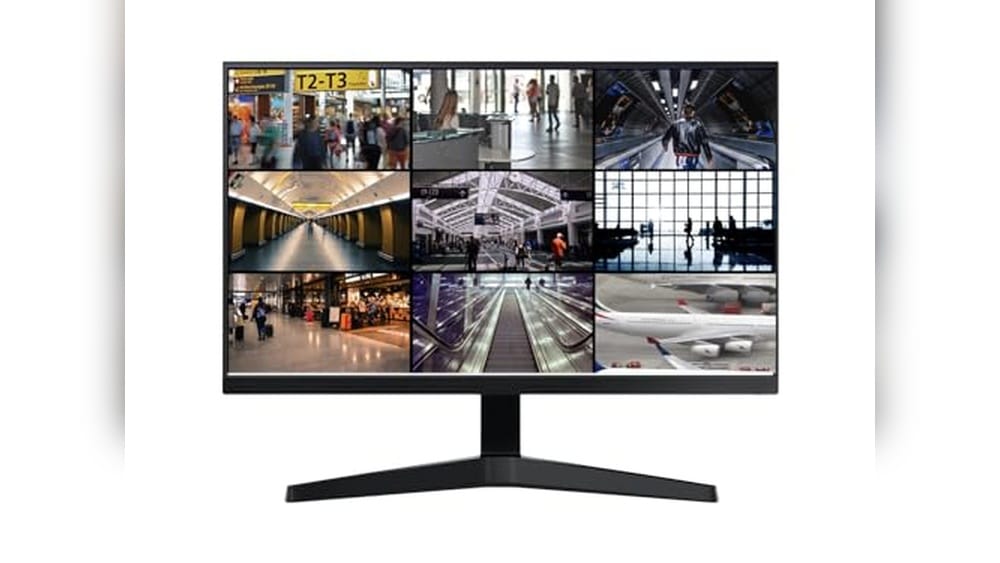
Security camera footage matters most when you need it. Whether you’re watching your home, a small business, or a warehouse, you want your setup to work without fuss. But finding the best monitor for security cameras is not always simple.
There are so many types and sizes. Some people want a large display for a control room. Others need a small, portable option for a desk or vehicle. Inputs and compatibility can be confusing—HDMI, VGA, BNC, and more. Some monitors promise sharp images, but might not run well all day.
Others are tough but basic. Higher price doesn’t always mean better for your situation. You may end up choosing between a monitor that’s easy to set up and one with features you might never use. It’s easy to get lost in the details and still not know what actually matters.
This guide will help you see what to focus on so you can choose a monitor that matches your real needs—without overthinking it.
Below, you’ll see monitors grouped by different sizes, features, and levels of flexibility. Each is suited to a different use, so you can pick what makes sense for your space and setup.
Real Hd 22-inch Security Monitor
Best Monitor for Security Cameras for homeowners and businesses seeking a reliable display for 24/7 CCTV surveillance.

The Real HD 22-Inch Security Monitor is a dedicated display designed specifically for security camera setups. Its Full HD 1080p resolution and enhanced W-LED technology ensure that surveillance footage remains crisp and clear, solving the common problem of blurry or washed-out security images.
With a 75Hz refresh rate and wide 178° viewing angles, it delivers smooth visuals from any direction, making it easy to monitor multiple camera feeds at a glance.
In daily use, this monitor feels reliable and straightforward. Its ultra-slim, edgeless design means it fits neatly on any desk or wall, and connecting to your DVR or NVR is hassle-free with HDMI and VGA ports. It’s built for continuous operation, giving peace of mind for those who need security monitoring day and night, without worrying about technical hiccups or complicated setups.
- Strengths:
- Engineered for 24/7 surveillance—ideal for constant monitoring needs
- Excellent image clarity with 1920×1080 resolution and 16.7M colors
- Wide viewing angle for group or multi-person monitoring
- Easy setup with HDMI, VGA, and headphone jack
- Space-saving, ultra-slim design
- Limitations:
- No Bluetooth or WiFi support—cannot be used with wireless cameras or smart devices
Is This Monitor Right For You?
If you need a dependable, always-on display for your wired security camera system, this Real HD monitor is a solid choice. It’s best for users who value image quality and reliability over smart features like wireless connectivity. Those looking for a monitor for WiFi cameras or smart home integration should look elsewhere, as this model is purely for wired setups.
This monitor takes the guesswork out of choosing a compatible display for DVR and NVR systems, making surveillance easier and less stressful. For optimal results, use high-quality HDMI or VGA cables and position the monitor where the wide viewing angle can be fully appreciated.
You can trust it to keep your property visible and your mind at ease, whether at home or at work.
Zoshing 17″ Wall-mount Security Monitor
The Best Monitor for Security Cameras for anyone seeking a dedicated, versatile display for 24/7 surveillance in homes, offices, or retail environments.
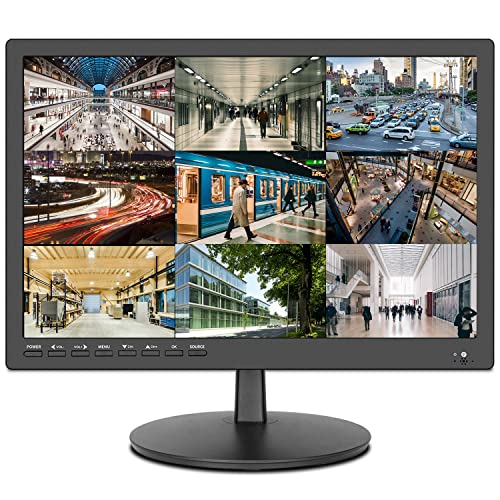
The ZOSHING 17″ Wall-Mount Security Monitor is a dedicated surveillance display designed for seamless integration with CCTV camera systems, DVRs, and other security devices. With its ultra-fine pixel pitch and wide 170° viewing angle, it delivers clear, crisp images—solving the common problem of blurry or limited-angle feeds in security rooms.
In practical use, the built-in speakers and multiple input options (HDMI, VGA, AV, and USB) mean you can connect almost any device without adapters or hassle. Whether mounted on a wall or set on a desk, the monitor feels reliable and simple to use, letting you focus on security rather than setup headaches.
- Strengths:
- Wide viewing angle for effective multi-person monitoring
- Multiple ports ensure compatibility with most security systems
- Wall-mountable design saves workspace
- USB port allows direct video playback for quick reviews
- Comes with remote control for easy adjustments
- Limitations:
- Screen size may be small for large-scale multi-camera setups
- Basic black color only—no design variations
Who Will Benefit Most From This Monitor?
This monitor is a solid choice for homeowners, small business owners, or anyone who needs a compact, reliable display for their surveillance system. If your priority is a plug-and-play solution that works right out of the box with common CCTV and DVR setups, you’ll appreciate the simplicity and compatibility here.
Larger facilities or those needing to view many camera feeds at once may want to consider a bigger screen.
With clear instructions, a remote, and all necessary cables included, there’s little room for confusion during installation. A practical tip: use the USB port to quickly check footage directly from a flash drive, no PC required. Rest assured, ZOSHING’s included support and warranty offer peace of mind for your security investment.
Jexiop 16″ Security Monitor
The Best Monitor for Security Cameras for anyone needing a reliable, wall-mountable display for home or business surveillance setups.

The Jexiop 16″ Security Monitor is a compact, wall-mountable display designed specifically for surveillance camera setups. It solves the problem of limited visibility with its ultra-fine pixel pitch and 170° wide viewing angle, ensuring clear, accurate monitoring in any room layout or security station.
Day-to-day, this monitor feels reliable and straightforward—just plug in your CCTV system or DVR, and you’re ready to go. The built-in speakers and USB media playback add flexibility, making it effortless to review footage or even repurpose the screen for presentations when not in use.
- Strengths:
- Multiple connectivity options: HDMI, AV, VGA, BNC, and USB.
- Wall-mountable with a slim profile for easy placement.
- Comes with remote control and built-in speakers for added convenience.
- Great support and replacement policy if issues arise.
- Limitations:
- 16″ size may be small for those needing a large multi-camera display.
- Not intended for high-end gaming or color-critical tasks.
Who Should Consider This Monitor?
If you need a straightforward, purpose-built monitor for your security cameras, especially in a home, small office, or retail space, the Jexiop 16″ Security Monitor is a worry-free pick. It’s for those who want an easy setup without fussing over compatibility, thanks to its broad range of inputs and simple controls.
If you’re seeking a huge screen for monitoring a large number of cameras at once, you may want a bigger model. But for focused surveillance or as a dedicated monitor for one or a few camera feeds, this is a practical choice. Tip: Wall-mounting helps save valuable desk space and keeps your setup tidy. Rest assured, Jexiop’s solid support and replacement policy mean you’ll have backup if anything goes wrong.
Eyoyo 22-inch Security Camera Monitor
The Best Monitor for Security Cameras for users needing reliable, clear surveillance displays for 24/7 monitoring.

The Eyoyo 22-inch Security Camera Monitor is designed specifically for continuous surveillance needs, offering a Full HD 1080p display with 100% sRGB color accuracy and 300cd/㎡ brightness. It solves the problem of unclear or unreliable footage by providing sharp, vibrant visuals that make monitoring easier and more effective.
Its 75Hz refresh rate ensures smooth, responsive performance ideal for security and CCTV applications.
Using this monitor feels seamless thanks to its multiple input options including HDMI, VGA, AV, BNC, and USB, making it adaptable to various security systems. The dual mounting options add to its convenience, allowing easy integration whether on a desktop or wall mount.
I found it reliable and confidence-inspiring for long hours of monitoring without eye strain or lag.
- Vivid 1080p Full HD with accurate colors and high brightness for clear surveillance
- Versatile connectivity supports multiple security devices and computers
- Mirror flip function adds flexibility for different monitoring setups
- Two mounting options for desktop or VESA wall installation
Who This Monitor Is For
This monitor is ideal for security professionals, small business owners, or homeowners who require a dedicated screen for CCTV or NVR systems. If you need a dependable display that supports multiple input types and offers clear, fluid visuals around the clock, this monitor fits well.
However, if you want a monitor primarily for gaming or color-critical creative work beyond surveillance, there might be better options tailored for those purposes. The Eyoyo excels in surveillance contexts but does not focus on advanced gaming features or professional photo editing.
It removes the stress of unclear camera feeds and complicated setup by providing plug-and-play compatibility with common security systems. A helpful tip is to use the mirror flip function for teleprompter-style setups or multi-monitor arrangements to optimize your workspace.
Overall, you can feel confident in this monitor’s durability and performance for continuous security monitoring, making your surveillance tasks more straightforward and reliable.
Jinswy 10.1″ Security Monitor
The Best Monitor for Security Cameras for anyone needing a compact, versatile screen to keep an eye on multiple surveillance feeds.

The JINSWY 10. 1″ Security Monitor is a small, high-definition display designed to make monitoring CCTV feeds straightforward and reliable. Its multi-port connectivity—HDMI, VGA, BNC, AV, and USB—means you can link up almost any surveillance device, eliminating compatibility headaches for users who work with mixed systems.
In daily use, the monitor’s compact size fits easily on a desk or wall, and the built-in speakers and remote control make operation flexible and stress-free. Whether you’re managing home security or setting up a DVR station, the clear visuals and simple controls let you focus on what matters without technical distractions.
- Strengths:
- Wide compatibility across security and tech devices
- Clear HD resolution for easy feed monitoring
- Portable, lightweight, and durable design
- Flexible installation with desk stand or wall mount
- Limitations:
- Display size may be too small for multi-camera layouts
- Wall mount hardware not included
Who Will Benefit Most
This monitor is ideal for users with limited space who need a reliable screen for security cameras, Raspberry Pi projects, or vehicle displays. If you’re tired of juggling compatibility issues and want a straightforward setup, this model removes the guesswork and delivers dependable performance.
Those needing a larger screen for complex security layouts may want to look elsewhere, but for single or dual camera feeds, or as a backup monitor, it fits perfectly. A tip: make sure your wall mount matches the VESA 75 standard before installation. You can trust this monitor to keep your surveillance clear and your workspace uncluttered.
Real Hd 32 Inch Cctv Monitor
As the Best Monitor for Security Cameras, this model is ideal for anyone needing reliable, high-clarity surveillance in either home or professional environments.

This 32-inch Real HD monitor is purpose-built for security camera setups, offering Full HD resolution and a thin, frameless design. Its compatibility with 4K sources and multiple input options make it easy to integrate with nearly any NVR or DVR system, solving the challenge of finding a display that works seamlessly for continuous surveillance.
In daily use, the wide viewing angle and crisp clarity mean you won’t miss crucial details. The ultra-thin profile saves space and looks professional, and knowing it’s designed for 24/7 operation gives confidence that your security monitoring will remain reliable, day or night.
- Strengths:
- Excellent contrast and color detail for security footage
- Frameless, ultra-thin design—great for multi-monitor setups
- Multiple ports (HDMI, VGA, BNC, audio) for versatile connectivity
- Built for continuous, round-the-clock operation
- Limitations:
- No built-in smart features or apps
- Designed mainly for surveillance, not general entertainment
Is This The Right Security Monitor For You?
If you need a monitor that’s specifically made for 24/7 security camera viewing, this Real HD model is a strong fit. It’s well-suited for homeowners, small businesses, or anyone wanting a clear, dependable surveillance display without extra complications.
On the other hand, if you’re looking for a smart TV or want built-in entertainment features, this monitor won’t fit the bill. Its main focus is reliability and clarity for camera feeds.
Setting it up is straightforward—just connect your system using the included ports and you’re ready to go. You can trust this monitor to reduce stress around missed footage or unclear images, and its slim profile keeps your workspace tidy. For best results, place it in a spot where its wide viewing angle lets you check footage from anywhere in the room.
Haiway 10.1″ Security Monitor
The Best Monitor for Security Cameras for anyone needing a compact, versatile display for simple surveillance setups at home, work, or on the go.
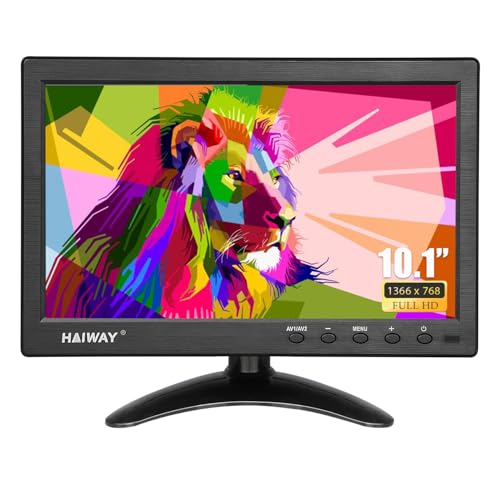
The Haiway 10. 1″ Security Monitor is a compact HD display designed for users who need a reliable and space-saving solution to monitor their security camera feeds. With dedicated BNC/AV ports and a bright, wide-viewing screen, it solves the challenge of quick CCTV connectivity without bulky setups or complicated installation.
Setting up this monitor is straightforward, making it easy to move between home, office, or even your vehicle thanks to its dual power options. Its lightweight build and integrated stand free up desk space, while the simple remote lets you switch sources or tweak settings with confidence—ideal for anyone who values clarity and efficiency in their surveillance tasks.
- Strengths: Multiple input options (HDMI, VGA, BNC, AV, USB), wide 178° viewing angle, built-in dual speakers, and flexible power for indoor or car use.
- Limitations: 10.1″ size may be too small for those who want to monitor many feeds simultaneously; no VESA mount included (compatibility only).
| Screen Size | 10.1 inches |
| Resolution | 1366 x 768 |
| Inputs | HDMI, VGA, BNC, AV, USB |
| Speakers | Built-in Dual |
Who Will Appreciate This Monitor
If you want a straightforward, no-fuss monitor for keeping an eye on a small number of security cameras—whether at home, in a warehouse, or even in your vehicle—this Haiway model is a solid pick. It’s especially well-suited to people with limited desk space or those who prefer plug-and-play solutions over more complex setups.
However, if you need a larger screen to view many feeds at once, or require wall-mounting hardware out of the box, you may want to consider a bigger or more specialized display. For most typical surveillance needs, this monitor simplifies your routine and eliminates guesswork about compatibility or power sources.
For best results, keep the included remote close at hand—it’s useful for quick input switching and volume control. Rest assured, the monitor’s versatile design and tested reliability mean you can focus on what matters, not on fiddling with your gear.
Eyoyo 17-inch Security Camera Monitor
The Best Monitor for Security Cameras for professionals and homeowners who need clear, reliable surveillance display.

The Eyoyo 17-Inch Security Camera Monitor is designed specifically for clear, detailed surveillance monitoring. It addresses the need for high-resolution and precise aspect ratio display with its 1280×1024 resolution and 5:4 view, making it ideal for security environments where image clarity is crucial.
Using this monitor feels reliable and smooth thanks to its 75Hz refresh rate and mirror flip feature, which ensures comfortable viewing angles for long hours. Setup is straightforward with multiple input options, giving confidence that your security feed will stay uninterrupted and sharp throughout the day.
- High resolution (1280×1024) with 5: 4 aspect ratio for detailed surveillance
- Versatile connectivity: HDMI, VGA, AV, BNC, USB ports support various devices
- Mirror flip feature for flexible image rotation and optimal viewing angles
- Reliable 24/7 monitoring capability for critical security environments
- Built-in speaker and remote control enhance usability and convenience
Who Should Consider This Monitor
If you require a dedicated security camera monitor with crisp image quality and flexible connectivity, this Eyoyo model is a strong choice. It suits security professionals, small business owners, and homeowners who need consistent, clear surveillance without complicated setups.
However, if you need a larger screen or higher resolution for multimedia tasks beyond security monitoring, you might want to explore alternatives. This monitor focuses on practical security features rather than entertainment or gaming.
This monitor removes the stress of poor image quality and connection issues by offering a reliable, multi-input solution with 24/7 operational capability. A practical tip is to use the mirror flip function to adjust the view according to your camera placement for maximum efficiency.
Rest assured, its robust design supports long-term use in demanding environments.
Jexiop 12.5″ Security Monitor
Best Monitor for Security Cameras for anyone needing a compact, high-clarity display for efficient surveillance in homes, offices, or warehouses.

The Jexiop 12. 5″ Security Monitor is a compact, Full HD display designed to provide clear visuals for your surveillance camera feeds. With a 1920 x 1080 resolution and wide 178° viewing angle, it delivers sharp images that make monitoring multiple areas easy and effective—even in tight spaces where a large monitor isn’t practical.
Day to day, this monitor is simple to set up and move thanks to its lightweight and ultra-thin design. Its built-in stereo speakers mean you don’t need extra equipment for audio, and the wide range of input options (HDMI, VGA, BNC, RCA) ensures it works with most security systems right out of the box.
I found it especially hassle-free for desktop or wall-mounted use, whether in a home office, a warehouse, or on the go in an RV.
- Strengths:
- Full HD clarity with wide viewing angle for consistent image quality
- Multiple input interfaces—connects to nearly any camera system
- Portable, light, and suitable for both desktop and wall mounting
- Integrated speakers reduce clutter
- Limitations:
- 12.5” size may be too small for large-scale monitoring setups
- No advanced smart features (e.g., touch or app integration)
Is This Monitor A Good Fit For You?
If you need a straightforward, portable monitor to keep an eye on your security cameras—especially in places with limited space—the Jexiop 12. 5″ model is a practical choice. It suits homeowners, small business operators, and anyone who values an easy plug-and-play solution.
However, if you require a larger display for monitoring many cameras at once, or want integrated smart features, you might want to consider a bigger or more advanced model.
Setup is quick and stress-free, and the included VESA mounting option means you can adapt it to almost any environment. For best results, position it where the screen is at eye level to take full advantage of its wide viewing angle.
Rest assured, the Jexiop monitor covers the basics with reliability and clarity—so you can focus on your security, not your equipment.
101av 18.5″ Led Security Monitor
The Best Monitor for Security Cameras for users who want a reliable, purpose-built display for 24/7 CCTV and surveillance needs at home or the office.
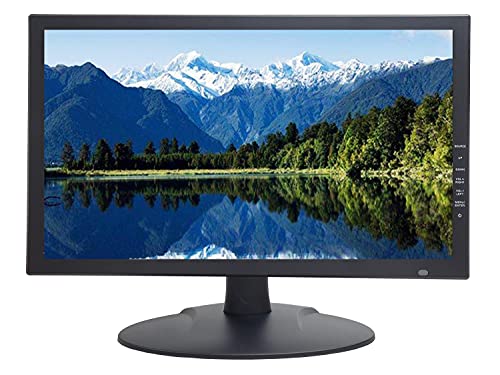
The 101AV 18. 5″ LED Security Monitor is a dedicated surveillance display designed to handle demanding 24/7 security setups. It solves the problem of blurry or pixelated camera footage by supporting downscaled Ultra HD 4K images over HDMI and offering a 178° viewing angle for broad coverage in control rooms or office environments.
In daily use, this monitor lets you quickly and clearly see what’s happening on your cameras, even when you’re sitting close to the screen. The multiple video inputs (HDMI, VGA, BNC) make it easy to connect various DVRs and camera systems without hassle, so you can focus on monitoring instead of fiddling with cables.
- Strengths:
- Purpose-built for continuous 24/7 operation—much longer lasting than standard monitors
- Handles both old and new security camera formats, including downscaled 4K
- Ultra fine pixel pitch for sharper close-up video
- Convenient built-in speaker and VESA mount support
- Auto display recovery after power interruptions
- Considerations:
- Not intended for general entertainment or gaming
- Max resolution depends on input port used
Who Will Value This Monitor
This monitor is ideal for anyone setting up or upgrading a security camera system—whether for a small business, home, or office—who needs long-term reliability and clear video. If you run cameras around the clock, you’ll appreciate not having to worry about your monitor burning out quickly.
It’s not the best fit for those looking for a multi-purpose TV or a monitor for movies or games, but for security, it delivers peace of mind.
One practical tip: use the HDMI input for your highest-resolution cameras, and keep the BNC port as a backup for legacy systems. You can trust this monitor to keep your security setup streamlined and dependable, reducing the stress of missed footage or technical hiccups.
How To Weigh Your Options When Picking A Security Camera Monitor
Start by considering your monitoring environment and how much space you have. Decide if you want a monitor dedicated to security or one that can serve multiple purposes. Think about whether you prefer a bigger screen for detail or a smaller one for flexibility.
Reflect on your comfort with setting up different input types. Be honest about how you’ll actually use the monitor day to day.
Common Mistakes And Who These Monitors Are Not For
- Assuming all monitors support wireless connectivity—many do not.
- Overlooking compatibility with your existing security system’s connections.
- Expecting consumer TV-like features such as smart apps or advanced color tuning.
- Choosing an oversized monitor for a small, cluttered space.
- Using a surveillance monitor as your main entertainment screen may disappoint.
Best Monitor For Security Cameras: Answers To Common Buyer Questions
Do I Need A Special Monitor For Security Cameras, Or Will Any Display Work?
Most security monitors are designed for 24/7 operation and support specific video inputs like BNC or VGA. Using a TV or regular PC monitor can work, but may limit features or reliability.
Can I Use These Monitors For Both Security Footage And My Computer?
Many security monitors support multiple input types, allowing you to switch between camera feeds and computers. However, convenience and image quality may not match dedicated PC monitors.
Are Built-in Speakers On Security Monitors Good Enough?
Built-in speakers are usually basic and intended for simple monitoring. For clear audio, especially in noisy environments, external speakers are often preferred.
What Screen Size Is Best For Small Rooms Or Tight Setups?
Compact monitors around 10 to 17 inches are easier to fit in small spaces. Larger screens can be overwhelming or impractical if space is limited.
Will These Monitors Work With Wireless Or Wifi Cameras?
Most security monitors require a wired video connection. They do not have built-in WiFi or Bluetooth for direct use with wireless cameras.
Do I Need To Worry About Mounting Options?
Check if the monitor supports VESA or wall mounting if you don’t want it on a desk. Not all monitors include mounting hardware, so plan ahead.
Is It Hard To Connect Older Cctv Systems To New Monitors?
Some monitors support legacy connections like BNC or AV, but adapters may be needed. Double-check compatibility with your existing equipment before choosing.
Settling On The Right Monitor For Security Camera Needs
Choosing a security camera monitor is mostly about matching your space, usage habits, and equipment—not chasing the biggest screen or latest features. Take your time weighing how you’ll actually use the monitor and what will fit best in your environment.
With a little reflection and the right expectations, you can feel confident finding a monitor that fits your needs and avoids common frustrations. Your decision can be made with clarity and a sense of calm.