
Trying to find the best PTZ camera for the money feels familiar. Maybe you’ve managed a stream that looked blurry, or struggled to cover a room during a conference. The sheer number of choices—with wildly different prices and features—can leave anyone unsure.
PTZ cameras look similar but serve different needs. Some are built for streaming and events, others for security or classrooms. Deciding means balancing image quality, tracking, zoom, and connectivity. There’s also confusion about which features matter most, and which are just extras.
It’s easy to overpay or buy a camera that doesn’t fit your space.
This guide helps you understand what actually changes your experience, so you can avoid common mistakes and choose confidently.
What Really Matters When Buying A Ptz Camera
- Think about where and how you’ll use it—church, conference, classroom, or outdoor security.
- Consider if you need easy setup, advanced tracking, or higher zoom.
- Don’t assume more expensive means better for your situation.
- Look for compatibility with your streaming software or NVR, if it matters.
- Decide if features like night vision, auto-tracking, or two-way audio are truly useful for you.
Common Buyer Mistakes
- Focusing only on specs and missing real-life usability.
- Ignoring software and platform compatibility.
- Buying more zoom than needed, or not enough for larger spaces.
- Overlooking installation needs—mounting, power, cabling.
The products below were chosen to reflect different use cases and budgets. Each has strengths for certain needs, so you can quickly spot what fits your situation.
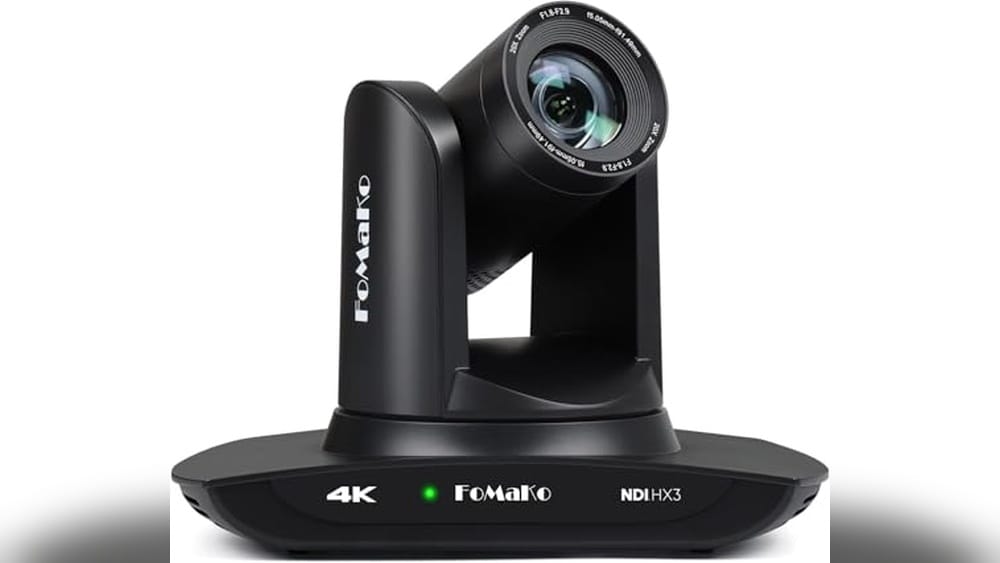
Fomako 4k Ndi Ptz Camera
For those seeking the Best Ptz Camera for the Money, this FoMaKo model stands out with AI auto-tracking and reliable NDI certification.

The FoMaKo 4K NDI PTZ Camera is designed for professional live streaming and event coverage. With advanced AI auto-tracking and official NDI certification, it solves the challenge of capturing high-quality video in large spaces like churches, classrooms, or conference halls.
The 20x optical zoom and UHD resolution ensure clear, detailed footage without manual intervention.
Using this camera feels seamless, especially during live events. Its tracking options let you focus on the experience instead of worrying about camera operation. The remote control makes setup and adjustments quick, so you spend less time troubleshooting and more time getting consistent, smooth video for your streams or recordings.
Key Advantages For Live Streaming And Events
- AI auto-tracking reduces manual camera work
- NDI HX3 certification for stable, high-quality streaming
- 20x optical zoom covers large rooms easily
- Plug-and-play with vMix, OBS, Mac, and PC
- PoE support simplifies cabling and setup
- Remote assistance and lifetime tech support included
- Flexible tracking modes suit different environments
What To Consider Before Buying
- Not ideal for small spaces where zoom and tracking are less needed
- Requires some learning for advanced tracking features
- Higher upfront cost compared to basic webcams
When I’d Pick This
This camera is best for anyone managing live events, church services, or educational sessions where reliable auto-tracking and professional-grade streaming are essential. It removes the stress of missed shots and constant manual adjustments, letting you focus on content and audience engagement.
To get the most from the FoMaKo, experiment with the tracking modes and sensitivity settings to match your environment. You’ll gain peace of mind knowing your stream stays smooth, and support is just a call away if you need help.
Personally, I appreciate how it makes multi-camera setups less overwhelming.
| Best for | Why |
|---|---|
| Church live streaming | AI tracking and high zoom cover large sanctuaries |
| Educational events | Captures speakers and audience with minimal effort |
| Conference broadcasting | NDI certification ensures stable video in demanding setups |
| Multi-camera productions | Compatible with vMix/OBS and easy integration |
Jennov 4k Outdoor Ptz Security Camera
For those seeking the Best Ptz Camera for the Money, this camera stands out with its powerful zoom and all-weather reliability for large area surveillance.

This is a dome-style PTZ security camera designed for outdoor use. It helps homeowners and business owners cover wide areas and spot details at a distance, thanks to its 20X optical zoom. If you want to monitor parking lots, driveways, or commercial spaces without running multiple cameras, this model offers a flexible solution.
Using it feels straightforward, especially with features like auto tracking and customizable detection zones that reduce false alerts. You can check footage or talk to visitors through the app from anywhere, which adds confidence and ease. The camera’s weatherproof build and long-range night vision mean you can rely on it day and night, rain or shine.
Where This Camera Excels
- Captures clear details from long distances with true 4K and 20X zoom
- Auto-tracking follows people for smarter monitoring
- Custom detection zones help reduce unwanted alerts
- 320ft night vision keeps areas visible even in total darkness
- Easy PoE setup with single-cable installation
- Two-way audio for direct communication with visitors
- Durable IP66 housing for reliable outdoor use
Points To Consider Before Buying
- Requires an ONVIF-compliant PoE NVR (not WiFi compatible)
- Auto tracking focuses on one person at a time
- 4K streaming needs a solid network connection
What I’d Tell A Friend
This camera is a great match for anyone needing to monitor large outdoor spaces—like business lots or long driveways—without installing multiple devices. It takes away the guesswork of what’s happening after dark or when you’re away, thanks to its strong night vision and instant mobile alerts.
The setup is simple if you already have a PoE NVR, cutting down on the usual cable mess and confusion.
For the best results, double-check your network speed before installing to ensure smooth 4K video. With features like two-way audio and a weatherproof build, you get real peace of mind and fewer surprises from false alarms. I appreciate having full control from my phone, which means less stress when I’m not at home.
| Best for | Why |
|---|---|
| Monitoring large driveways or parking lots | 20X optical zoom and wide-angle coverage reduce blind spots |
| Outdoor commercial surveillance | Rugged IP66 housing and 320ft night vision perform in all weather |
| Remote property owners | App access, alerts, and two-way audio provide control from afar |
| Reducing false alarms | Human detection and custom zones keep notifications accurate |
Fomako 4k 30x Optical Zoom Ptz Camera
The FoMaKo 4K 30x Optical Zoom PTZ Camera stands out as the Best Ptz Camera for the Money for those who want reliable auto-tracking and smooth streaming in church, education, or conference settings.

The FoMaKo 4K 30x Optical Zoom PTZ Camera is designed for professional live streaming, making it a practical choice for churches, schools, and conferences. With advanced AI auto-tracking and official NDI certification, it ensures stable, high-quality video even over low bandwidth networks.
The camera solves the challenge of capturing dynamic events with minimal manual control.
Using this PTZ camera feels seamless thanks to its customizable tracking modes and compatibility with popular streaming platforms like vMix, OBS, and Zoom. It brings confidence to live production, with easy setup guidance and lifetime technical support. Switching between real-time and regional tracking is straightforward, saving time and reducing stress during broadcasts.
What Sets This Camera Apart
- AI auto-tracking with customizable modes for versatile use
- Official NDI 6 & NDI HX3 certification for stable streaming
- 30x optical zoom and 15x digital zoom for clear, flexible shots
- Full 1080P output up to 60fps with true-to-life colors
- Supports PoE for easy installation
- Compatible with multiple streaming software and platforms
- Lifetime tech support and free setup guidance included
Points To Consider Before Buying
- Professional features may be more than needed for casual users
- Requires compatible software for full streaming capabilities
- Limited color options (only Light Black available)
Why This Makes Sense
This camera is best for churches, educators, and event organizers who need reliable, hands-off tracking and streaming. It takes away the hassle of manual camera operation, letting you focus on the event itself. The official NDI certification and advanced AI tracking ensure fewer surprises during broadcasts.
To get the best results, start with the included setup guidance and use the remote control for quick tracking adjustments. With lifetime support and a warranty, you can trust that your investment is protected and your workflow stays smooth. I appreciate how this camera simplifies complex video production without compromising quality.
| Best for | Why |
|---|---|
| Church live streaming | AI tracking captures speakers and performers without manual operation |
| Educational broadcasts | Stable NDI streaming works well even on limited networks |
| Conference and event coverage | High zoom and smooth pan/tilt handle large spaces and moving subjects |
| Multi-camera productions | Easy integration with video mixers and popular streaming software |
Emeet Pixy Dual-camera Ptz Webcam
Combining advanced AI tracking and dual-camera tech, this is a standout pick for anyone searching for the Best Ptz Camera for the Money.

The EMEET PIXY Dual-Camera PTZ Webcam is built for creators, educators, and streamers who need professional-level video and audio without the hassle of expensive gear. Its dual-camera system and fast autofocus solve the problem of blurry or poorly lit video in challenging environments, making it easier to look your best online.
Using this camera feels effortless. Preset positions and gesture controls let you adjust quickly, while the intelligent tracking keeps you centered even when moving. Whether you’re teaching, live streaming, or presenting, you’ll spend less time fiddling with settings and more time focusing on your content.
The experience is consistent and reliable, even for fast-paced activities.
Key Advantages For Streamers And Presenters
- Dual-camera setup for optimized focus and exposure
- Ultra-fast 0.2s autofocus for sharp video
- AI-powered tracking keeps subjects centered
- Triple-mic array delivers clear, customizable audio
- Gesture control for hands-free operation
- Easy presets and whiteboard detection via software
- Wide compatibility with streaming platforms and devices
Real-world Limitations To Consider
- Tripod mounting requires a separate purchase
- Field of view is locked at certain resolutions
- Remote control sold separately
Who This Fits Best
This camera is ideal for anyone who streams, teaches, or demonstrates products live and needs reliable tracking and high-quality visuals. It removes the hassle of manual adjustments and guesswork, letting you focus on your content instead of technical details. If you move around or change angles often, the fast AI tracking means you won’t have to worry about staying in frame.
For best results, take a few minutes to set up presets in the EMEET STUDIO software. This makes switching angles simple and keeps your framing consistent. You can count on this camera to deliver clear, stable video and audio, reducing the risk of awkward interruptions or missed moments.
If you value ease, consistency, and flexibility, this is a practical solution worth considering.
| Best for | Why |
|---|---|
| Live Streamers | Automatic tracking and sharp focus keep you visible during movement. |
| Online Teachers | Easy presets and whiteboard detection simplify lesson delivery. |
| Fitness or Dance Instructors | AI ensures you stay centered, even with rapid activity. |
| Podcast Hosts | Triple-mic array offers clear, noise-filtered audio for professional sound. |
Reolink 4k Smart Ptz Dome Camera
For those seeking the Best Ptz Camera for the Money, this Reolink model stands out with smart tracking and powerful zoom for reliable security coverage.
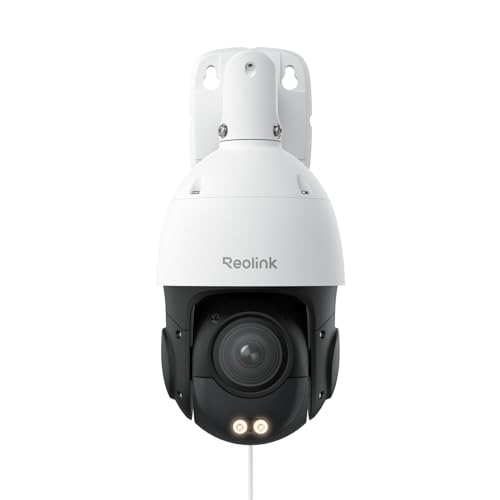
This dome camera from Reolink offers high-resolution 4K monitoring with smooth pan, tilt, and zoom abilities. It is designed to cover large areas and help you keep an eye on people, vehicles, and animals around your property, all while reducing false alarms.
Using this camera, you get clear views both day and night thanks to color and infrared night vision. Its auto-tracking and two-way talk make it simple to interact and feel confident about your home or business security, even when you’re away.
Standout Security Features
- 16X optical zoom for clear details at long distances
- 3D zoom lets you focus quickly on any area
- 4K ultra high definition for sharp video
- Color and infrared night vision for visibility in any lighting
- 360° pan and 90° tilt covers wide spaces
- Person, vehicle, and animal detection helps reduce false alerts
- Two-way talk for real-time communication
Consider Before You Buy
- Requires IEEE802.3at PoE switch for best performance
- May be overkill for very small indoor spaces
- Physical size could be challenging for some mounting locations
Where This Shines
This camera fits best if you want reliable 24/7 coverage for a large yard, driveway, or business lot, and don’t want to miss any important events. Its auto-tracking and smart detection mean less worry about false alarms or missed incidents, so you can focus on what matters most without constant checking.
For best results, place the camera where it has a clear, unobstructed view and pair it with a compatible PoE switch for steady power and video. You’ll gain peace of mind knowing the camera can follow movement and even let you talk to visitors or warn off intruders remotely.
If I were setting up security at a new property, this would take much of the guesswork out of the process.
| Best for | Why |
|---|---|
| Large outdoor areas | Covers wide spaces with 360° pan and 90° tilt |
| Nighttime surveillance | Delivers clear video in both color and infrared night vision modes |
| Active monitoring of driveways or lots | Auto-tracking and smart detection for people, vehicles, and animals |
| Remote interaction | Two-way talk enables real-time communication from afar |
Tongveo 20x Ptz Conference Camera
If you’re seeking the Best Ptz Camera for the Money, this model stands out for reliable auto-tracking and seamless integration with major conferencing platforms.

The TONGVEO 20X PTZ Conference Camera is designed for clear, professional video in meeting rooms, churches, or live events. Its AI-powered auto-tracking keeps presenters or groups in frame, so you don’t have to worry about losing focus during important moments.
The 20X optical zoom delivers sharp images from a distance, making it a practical solution when you need flexibility.
Day-to-day, using this camera means less fiddling and more confidence—once set up, it quietly adjusts its view and remembers your favorite angles. Switching between preset positions with the remote is fast and smooth, letting you focus on your event or meeting without technical distractions.
You’ll notice consistent video quality and reliable connections across different platforms.
Key Advantages For Modern Conferencing
- AI auto-tracking keeps speakers and groups centered automatically
- High-quality 1080P video at 60fps for smooth, detailed streams
- 20X optical zoom preserves clarity even from a distance
- Plug-and-play via HDMI and USB—no drivers needed
- Works with popular platforms like Zoom, OBS, and Teams
- Quiet, precise PTZ movement with up to 255 preset positions
- Remote control allows instant camera angle changes
Things To Consider Before Buying
- Larger and heavier than typical desktop webcams
- Designed for rooms—may be overkill for solo desktop use
- No built-in microphone, so requires separate audio setup
When I’d Pick This
This camera is ideal for anyone running larger meetings, live streams, or events where keeping the focus on speakers matters—like churches, conference rooms, or classrooms. It takes away the stress of manually moving the camera or worrying about out-of-frame moments, especially with multiple people.
Set up your favorite camera angles using the remote and save them as presets; this makes switching views during an event instant and stress-free. You’ll appreciate how the auto-tracking reduces hassle and ensures reliable, steady video every time. If you want to skip technical surprises and keep things simple, this camera delivers peace of mind and professional results.
| Best for | Why |
|---|---|
| Medium to large meeting rooms | AI auto-tracking and PTZ presets keep all participants in view without manual control |
| Churches or live event streaming | 20X optical zoom captures speakers and audiences clearly from a distance |
| Hybrid conferences on Zoom or OBS | Plug-and-play HDMI/USB compatibility and stable video output |
| Multi-angle video production | Remote control and fast preset switching streamline workflow |
Fomako Ai Auto-tracking Ptz Camera
For those seeking the Best Ptz Camera for the Money, this FoMaKo model stands out with reliable auto-tracking and versatile streaming for church, school, and worship settings.

The FoMaKo AI Auto-Tracking PTZ Camera is built for live streaming, worship, and educational events. It solves the challenge of capturing dynamic speakers or performers with its Gen 3 auto-tracking, delivering clear, full HD video even in low light. With official NDI certification, compatibility is smooth for most streaming platforms.
Using this camera feels effortless—tracking modes and sensitivity can be quickly adjusted to suit the environment, saving time and ensuring you don’t miss key moments. The setup is straightforward, and lifetime technical support means confidence in ongoing reliability. For anyone who needs consistent, hands-off coverage, it’s a practical choice.
What Makes This Ptz Camera Stand Out
- Reliable AI auto-tracking for dynamic presentations
- Official NDI 6 & HX3 certification for stable streaming
- Multiple output options: HDMI, LAN, USB3.0, NDI
- Works with popular platforms like Zoom, OBS, vMix
- High SNR CMOS and noise reduction for low-light clarity
- PoE support simplifies installation
- Lifetime technical support and free remote guidance
Things To Consider Before Buying
- No built-in microphone—requires an external mic for audio
- Silvery color may not match all décor preferences
- Tracking features require remote control for full access
Who This Fits Best
This camera is ideal for churches, schools, and anyone needing hands-free video coverage of live events. It removes the stress of manual camera operation, letting you focus on the event itself. The auto-tracking ensures presenters stay in frame, reducing guesswork and technical hassle.
For best results, set up your preferred tracking mode using the remote control—real-time or regional tracking works well depending on your venue. You get peace of mind knowing FoMaKo offers lifetime support and quick setup help. If you value smooth streaming and reliable tracking, this PTZ camera is a smart investment.
I appreciate how it keeps things simple and consistent in unpredictable live scenarios.
| Best for | Why |
|---|---|
| Church live streaming | Auto-tracking keeps speakers centered without manual control |
| School lectures or assemblies | Flexible tracking and easy setup for educational events |
| Multi-platform streaming | Works with OBS, Zoom, vMix, and more |
| Low-light venues | High SNR CMOS and noise reduction deliver clear video |
How To Choose The Right Ptz Camera For Your Needs
- Intended Use: Consider whether you need a PTZ camera for security, live streaming, education, or conferencing. Different models are optimized for different environments and uses.
- Zoom Capabilities: Optical zoom ranges from 16x to 30x across models. Higher zoom is important for large spaces or monitoring distant subjects. For small rooms, lower zoom may suffice.
- Tracking Features: AI auto-tracking is valuable for following moving subjects in presentations or services. For static scenes, this may not be necessary.
- Connectivity: Check available outputs—HDMI, USB, LAN, PoE, and NDI—based on your setup. Compatibility with your existing software and hardware matters more than sheer number of ports.
- Environment Compatibility: Some cameras are built for outdoor use and weather resistance. Indoor models may lack these protections but offer quieter operation and finer control.
Common Mistakes To Avoid
- Overlooking Network Requirements: 4K and NDI streaming need stable, high-bandwidth networks. Underpowered connections can cause delays or dropped feeds.
- Assuming Built-In Audio: Not all PTZ cameras have microphones. Check if you need to provide external audio solutions.
- Ignoring Software Compatibility: Confirm support for your preferred streaming or video conferencing platform before purchase.
- Neglecting Mounting and Placement: Proper camera positioning is critical for full pan/tilt range and optimal coverage.
Who Should Avoid Ptz Cameras
- If you only need a fixed view or single-person webcam use, PTZ cameras are likely overkill.
- Those unwilling to manage initial setup—especially network or software configuration—may find these models complex.
- Environments with severe bandwidth limits may struggle with 4K or multi-camera streaming.
Setup And Usage Tips
- Test your network and software with a demo stream before live events or critical use.
- Save preset positions for frequently used camera angles to speed up operation.
- Regularly check firmware updates for new features or stability improvements.
- For outdoor cameras, ensure weather seals are intact and cables are protected.
Faqs
Do I Need A Special Controller For Ptz Cameras?
Most PTZ cameras include a remote or support control via software. Advanced setups may benefit from dedicated PTZ controllers, but basic operation is usually possible without them.
What Is The Difference Between Optical And Digital Zoom?
Optical zoom uses the camera’s lens for close-ups without losing detail. Digital zoom enlarges the image after capture and may cause pixelation or blur.
Can I Use These Cameras With Zoom Or Teams?
Many PTZ cameras are compatible with popular conferencing platforms via USB or HDMI. Always check for specific compatibility with your operating system and software version.
Are All Ptz Cameras Suitable For Outdoor Use?
No. Only models with weatherproof ratings (such as IP66) are designed for outdoor installation. Indoor cameras are not protected against rain or dust.
How Difficult Is Installation?
Basic setup can be straightforward, especially with USB models. Network and PoE cameras may require more technical configuration.
Do Ptz Cameras Work In Low Light?
Many models feature night vision or low-light sensors. However, performance varies, so check for specific features like infrared LEDs or low-light ratings.
Summary And Final Considerations
PTZ cameras offer flexible monitoring and streaming options for a range of environments, from churches and classrooms to outdoor security. Focus on your actual needs—such as zoom range, tracking, and connectivity—rather than just technical specs. Careful setup and compatibility checks will help you get the most from your investment.