
Misplacing or breaking your Apple TV remote can be surprisingly disruptive. Maybe you’ve tried using your phone, but it’s just not the same as having real buttons in your hand.
Finding a replacement remote sounds simple. But there are more options than you’d expect—different types, features, and prices. Some look nearly identical, but act very differently. There’s a real mix of original, universal, and “almost but not quite” alternatives. It’s not always clear which ones actually work with your setup, or what you lose by spending less.
This guide will help you see the differences, avoid common mistakes, and choose a remote that fits how you actually watch TV.
What Makes These Remotes Different?
There are remotes that work out of the box, and others that need a few steps to set up. Some offer voice control and touchpads; others stick to basic buttons. Compatibility depends on your Apple TV model, your TV brand, and whether you want to control volume or power.
What Matters Most When Choosing?
Think about how you use your remote. Do you want voice search? Are you replacing a lost remote, or just want a backup for guests? If you only need the basics, a simpler remote can be enough. If you have specific TVs or soundbars, make sure the remote supports them.
Price varies a lot, but higher cost doesn’t always mean better for your situation.
Below, you’ll find a range of remotes selected to cover different needs and preferences. Each has its own strengths, depending on what matters most to you.
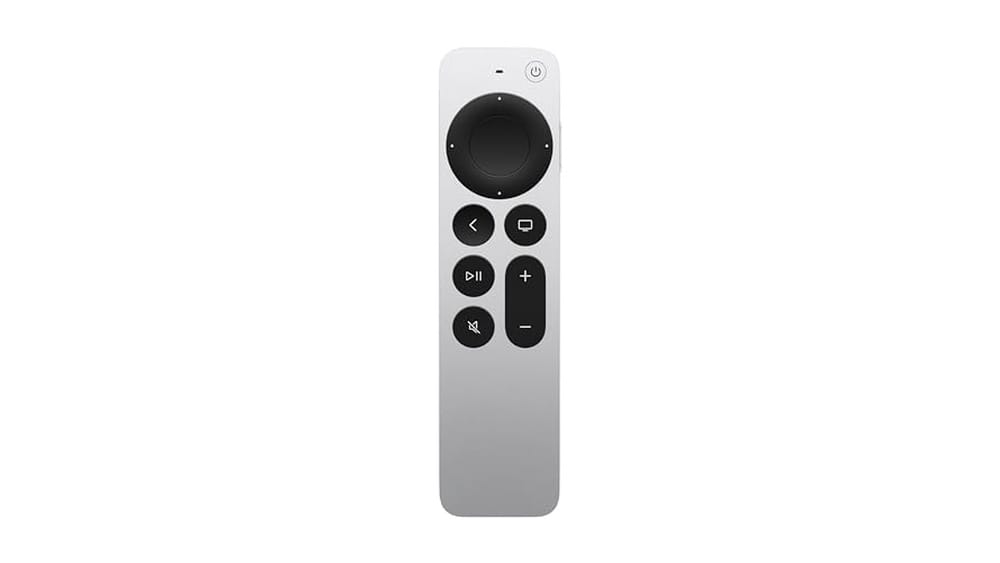
Apple Tv Siri Remote (3rd Gen, Silver)
For anyone seeking the Best Remote Control for Apple Tv, this Siri-powered model delivers intuitive, precise navigation and reliable compatibility.
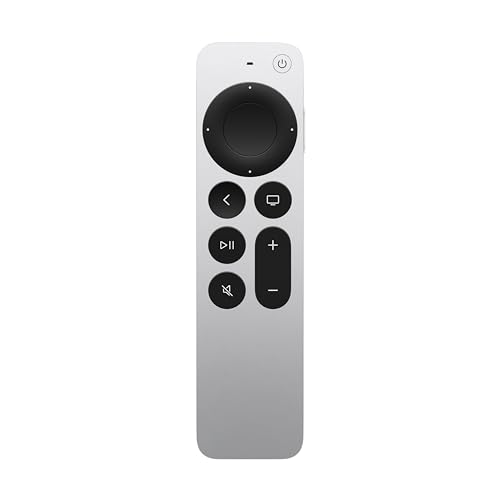
The Apple TV Siri Remote (3rd Gen, Silver) is designed specifically for Apple TV 4K and HD models, solving the hassle of clunky navigation and unreliable controls. Its touch-enabled clickpad and circular gesture ring make finding the right scene or playlist simple, especially for those tired of slow or confusing remotes.
Using this remote feels smooth and confident. Voice search with Siri streamlines browsing, while the responsive touchpad saves time and reduces frustration. The USB-C charging port means you won’t worry about swapping batteries, and the silver finish adds a sleek look to your setup.
Navigation Advantages That Matter
- Touch-enabled clickpad for easy selection and scrolling
- Circular gesture ring helps quickly locate scenes
- Siri voice control eliminates manual searching
- USB-C charging for fast, modern convenience
- Works with multiple Apple TV generations
- Feels sturdy and premium in hand
- Simple, minimalist design for less clutter
Consider Before Buying
- Only compatible with Apple TV 4K and HD models
- No physical number buttons for channel input
- May require occasional software updates for Siri features
Where This Shines
This remote is ideal for Apple TV owners who want seamless, frustration-free control without extra steps. It takes away the guesswork of navigation and the hassle of slow menu selection, making streaming nights smoother and more enjoyable.
If you use Siri, you’ll love the voice search for finding shows with less effort. A quick tip: keep the USB-C cable handy for fast recharging—no more battery runs. The remote’s consistent performance brings peace of mind, so you can relax and focus on your content. Personally, I appreciate the tactile feel and simple layout.
| Best for | Why |
|---|---|
| Apple TV 4K and HD users | Full compatibility and optimized controls |
| Streamers who value quick navigation | Touchpad and gesture ring speed up browsing |
| Voice-control fans | Siri integration reduces manual searching |
| Minimalist setups | Simple design and fewer buttons for easy use |
Moildrh Universal Apple Tv Remote
If you want the Best Remote Control for Apple Tv with simple IR pairing and wide compatibility, this MOILDRH model is a practical choice.

This remote is designed as a replacement for all Apple TV models, including Apple TV 4K and HD. It solves the frustration of lost or broken remotes by offering a straightforward universal option that covers multiple generations. With IR control, pairing is easy and quick—no need for complicated Bluetooth setups.
Using the MOILDRH remote feels reliable and uncomplicated. It works immediately after pairing, letting you switch apps and control your TV without fuss. The silver finish looks clean and fits in with most home setups. You get consistent performance, especially if you prefer traditional button control over touchpads or voice features.
What Makes This Remote Stand Out
- Works with all Apple TV generations (4K, HD, Gen 1–4)
- Simple IR pairing—no Bluetooth hassle
- Can control TV brands like Samsung, LG, Sony, Vizio, Toshiba
- Quick setup with clear instructions
- Reliable button-based navigation
- Universal replacement when original remote is lost or damaged
Consider These Limitations
- No voice control or Siri integration
- Requires line-of-sight (IR only)
- Not compatible with A-Pod/H-Pod devices
- Power key not supported for Roku TVs
Who This Fits Best
This remote is ideal for Apple TV owners who want a straightforward, button-based replacement without extra features. If you’re tired of touchpad issues or losing the original remote, it removes the hassle of searching for a compatible device. Setup is quick—just press two buttons to pair, and you’re ready to go.
It’s especially useful for households with multiple Apple TV generations or those who like to control their TV brand from the same remote. You gain peace of mind knowing the remote is dependable and easy to use. Tip: Make sure you have spare batteries on hand, as they’re not included.
| Best for | Why |
|---|---|
| Apple TV owners needing a basic replacement | Universal compatibility covers all Apple TV models |
| Users who prefer button navigation | Reliable, tactile controls without touchpad |
| Multi-device households | Can operate multiple TV brands alongside Apple TV |
| Anyone avoiding Bluetooth pairing | IR setup is fast and frustration-free |
Loutoc Apple Tv Replacement Remote
For those seeking the Best Remote Control for Apple Tv, this LOUTOC option stands out for its wide model compatibility and straightforward use.

The LOUTOC Apple TV Replacement Remote is designed for users who want a simple, no-fuss way to control their Apple TV without the need for voice or Siri functions. It covers a broad range of Apple TV models, making it a practical solution for anyone with older or newer Apple TV devices.
If you’re tired of searching for a compatible remote or dealing with pairing headaches, this one works by just inserting batteries.
Using this remote feels familiar and straightforward. There’s no learning curve—just point, click, and get back to your entertainment. The included user manual helps you start quickly, and the physical buttons give you reliable, tactile feedback. It’s especially helpful when you want a backup or a simpler alternative to Apple’s official remotes.
What Makes This Remote Stand Out
- Works with a wide range of Apple TV models, from 1st to 3rd generation 4K
- No need for complicated pairing—just insert batteries and go
- Includes a clear user manual for easy setup
- Slim, lightweight design for comfortable handling
- Offers physical, tactile buttons for straightforward navigation
- Ideal as a backup or replacement remote
Points To Consider Before Buying
- Does not support Siri or voice commands
- Power/volume/mute buttons only work with certain TV brands (Samsung, LG, Vizio, Hisense, Sony, Amazon Fire, Toshiba, Insignia Fire)
- Batteries are not included
- Not compatible with unsupported TV brands
Who This Fits Best
This remote is best for Apple TV users who want a reliable, easy-to-use control without extra features like Siri or voice input. It’s ideal if you need a quick replacement or a backup for guests and family, removing the hassle of pairing and guesswork about compatibility.
You’ll gain peace of mind knowing the remote covers most Apple TV models and just works out of the box. My quick tip: “Unlock” your old device with its current remote before switching to this one for smooth setup. For those who value simplicity and consistency, this remote means fewer surprises and more time enjoying your favorite shows.
| Best for | Why |
|---|---|
| Apple TV users without Siri needs | No voice or Siri functions, just basic control |
| Anyone needing a replacement remote fast | No pairing process, insert batteries and use |
| Households with multiple Apple TV generations | Compatible with a wide range of Apple TV models |
| People who prefer physical buttons | Simple layout with tactile feedback |
Besia Universal Apple Tv Remote
If you need the Best Remote Control for Apple Tv without voice control, this universal replacement is a straightforward solution for Apple TV users with compatible TVs.
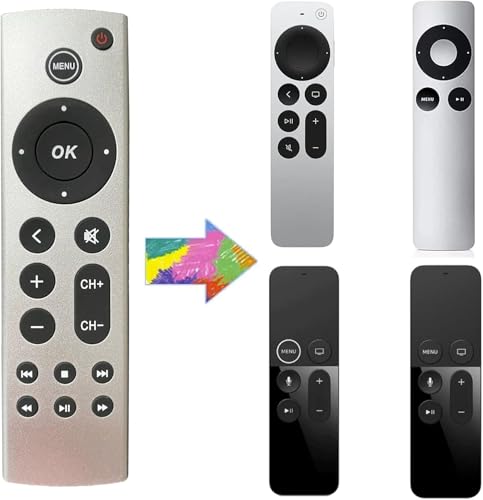
This remote is a universal replacement for Apple TV, designed to work with all Apple TV 4K and HD models. It solves the hassle of lost or broken remotes and offers basic control for your Apple TV and compatible TVs from brands like Samsung, LG, Sony, and others.
Since it uses infrared, you don’t need to pair it—just insert batteries and use it.
Using it feels simple and predictable: line-of-sight operation means you don’t have to worry about pairing or connectivity issues. The volume and power buttons work reliably with supported TV brands, letting you control both your TV and Apple TV from one remote. There’s no learning curve, so you can get back to watching without delay.
What Makes This Remote Stand Out
- Works with all Apple TV 4K and HD generations
- No setup needed—just add batteries
- Controls TV power and volume for major brands
- Reliable IR technology with line-of-sight
- Compact size and lightweight feel
- Easy switch between TV and Apple TV
- Multiple color options to match your setup
Points To Consider Before Buying
- No voice, touchpad, or Siri functions
- Only compatible with select TV brands for volume/power
- Not suitable for Homepod or Roku TV
- Must be used within line-of-sight (IR only)
Why This Makes Sense
This remote is best for Apple TV owners who want a no-fuss replacement for basic controls. It removes the stress of pairing and programming, making it ideal for those who just want to get back to watching quickly. If you have one of the supported TV brands, it also streamlines your setup by letting you control both devices with one remote.
For peace of mind, you don’t have to worry about compatibility across Apple TV generations—this remote covers them all. My tip: check your TV brand before buying to ensure you get full functionality for power and volume. If you prefer simplicity and reliability over extra features, this remote fits the bill.
| Best for | Why |
|---|---|
| Apple TV users needing a quick replacement | No setup, works instantly with all Apple TV models |
| Households with Samsung, LG, Sony, or similar TVs | Controls TV power and volume seamlessly |
| Anyone wanting a simple, non-voice remote | Basic IR operation without extra pairing steps |
| Those who dislike touchpads or voice functions | Traditional button layout for straightforward use |
Gmatrix Silver Apple Tv Replacement Remote
Best Remote Control for Apple Tv users who want a simple, reliable replacement with a solid warranty.
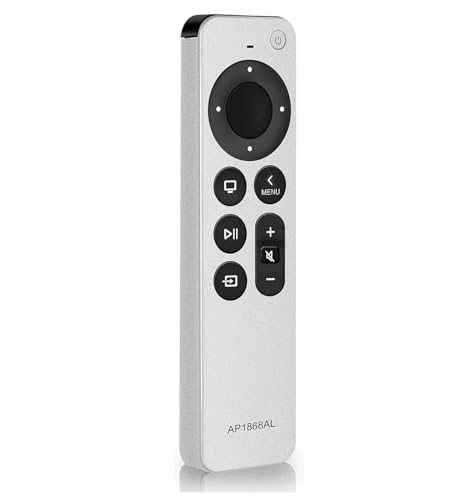
The Gmatrix Silver Apple TV Replacement Remote is designed for those who need a straightforward solution when their original remote is lost or broken. It works as a replacement for your Apple TV remote and comes with a 2-year warranty, so you know it’s built to last.
This remote keeps things simple for anyone who just wants their TV to work again.
Using this remote feels familiar and smooth, with no learning curve. It’s lightweight and easy to handle, making it great for everyday use. You can count on consistent performance, without the frustration of lag or setup hassles. The silver finish gives it a clean look that blends in with your living space.
What Makes It Stand Out
- Simple replacement for Apple TV remote
- 2-year warranty for peace of mind
- Straightforward operation—no pairing headaches
- Lightweight and comfortable to hold
- Consistent, reliable controls
- Blends well with most home setups
- Backed by a known brand (Gmatrix)
Things To Keep In Mind
- No advanced smart features
- Designed strictly as a replacement, not an upgrade
- Silver color may not match all devices
Who This Fits Best
If you want a no-fuss replacement for your Apple TV remote, this Gmatrix option is a strong pick. It removes the stress of searching for compatible remotes or dealing with setup issues. Anyone who prefers reliability over extra features will appreciate how straightforward this remote is.
You’ll save time because it just works—no guesswork or complicated instructions. For best results, keep a spare set of batteries handy so you’re never caught off guard. The 2-year warranty means you can trust it to last, bringing peace of mind to your living room routine.
I like that it keeps things simple and dependable.
| Best for | Why |
|---|---|
| Lost or broken Apple TV remote owners | Quick, hassle-free replacement with no setup issues |
| Users who want reliability | Consistent performance backed by a 2-year warranty |
| Minimalist setups | Simple design that blends into most living rooms |
| Those who dislike complicated remotes | Easy to use with just the basics you need |
Koomoer Apple Tv Remote Replacement
A strong option among Best Remote Control for Apple Tv picks, this KOOMOER replacement offers simple TV compatibility and easy setup for most Apple TV users.

This is a straightforward replacement remote designed for a wide range of Apple TV models, including 4K and HD versions. It solves the hassle of lost or broken original remotes, offering basic functionality with a slim, easy-to-handle design. The remote uses infrared (IR), so it is ideal for users who do not need voice or touchpad features.
Daily use is simple and predictable—just point and click, with dedicated TV control buttons for power and volume. Pairing takes only a few seconds by holding two buttons, so setup is quick even for non-techy users. The lightweight build makes it easy to keep handy, and the silver finish blends in with most home setups.
What Stands Out
- Wide compatibility with Apple TV generations 1–4 and 4K/HD models
- Dedicated TV control buttons for major brands (Samsung, LG, Sony, etc.)
- Very easy pairing process—no complex setup
- Slim, lightweight design for comfortable handling
- No need to learn new controls if you are used to Apple TV remotes
- IR technology offers reliable point-and-click use
Points To Consider
- No Siri, voice, or touchpad functions—strictly basic controls
- Requires line-of-sight to the Apple TV
- Not compatible with ROKU TVs or Apple A-Pod/H-Pod models
- Batteries are not included
What I’d Tell A Friend
This remote is best for anyone who wants a no-fuss, reliable replacement for their Apple TV—especially if voice and touch features are not a priority. It removes the guesswork and annoyance of complicated pairing and works right away with most Apple TVs and leading TV brands.
Just remember to point it directly at your device since it uses IR.
A quick tip: keep spare batteries handy, as it doesn’t include them. The peace of mind here is in its simplicity—less to go wrong, fewer surprises, and no learning curve. I appreciate how it just does the job without distractions.
| Best for | Why |
|---|---|
| Basic Apple TV replacement needs | Works with most Apple TV generations and is easy to set up |
| Users who want TV volume/power on one remote | Includes TV control buttons for major brands |
| Households without voice/touchpad requirements | No Siri or touch functions—just essential controls |
| People who prefer a slim, light remote | Easy to hold and store, blends with modern setups |
Yosun Replacement Remote For Apple Tv
The Best Remote Control for Apple Tv if you want easy setup and wide compatibility without voice features.

This YOSUN Replacement Remote for Apple TV is a straightforward solution if your original remote is lost or broken. Designed for use with a wide range of Apple TV models, it brings essential controls back without the need for pairing or programming.
Just insert two AAA batteries and it’s ready—no extra setup or app required.
Day-to-day use is simple and reliable, with a familiar button layout that makes navigation easy. There’s no confusion about setup or compatibility, which reduces stress if you’re supporting family members or want a backup. It’s a dependable option for those who value ease and want to keep things uncomplicated.
Why People Choose This Remote
- No pairing or programming—just add batteries
- Works with most Apple TV remote models
- Clear instructions included
- Helps replace lost or damaged remotes fast
- Lightweight and easy to hold
- Includes a 1-year warranty for peace of mind
Points To Consider Before Buying
- No Siri or voice control functions
- Power/volume/mute buttons work only with certain TV brands (not all)
- Original remote needed to “unlock” device before first use
What I’d Tell A Friend
If you want a hassle-free replacement for your Apple TV remote and don’t care about voice commands, this is a strong choice. It’s best for people who just want their TV working again without guessing about compatibility or messing with long instructions.
This remote takes away the stress of complicated setup or worrying about whether it will pair.
Just make sure you still have your original remote handy the first time, as you’ll need it to “unlock” your device. After that, using this remote is easy and reliable—no surprises down the road. I like that it does exactly what it says, with no hidden steps.
| Best for | Why |
|---|---|
| Replacing lost or broken Apple TV remotes | Simple setup, no pairing or programming required |
| Homes with multiple Apple TV generations | Compatible with several Apple TV remote models |
| Users who do not need Siri or voice features | Focuses on core controls, no extra tech to learn |
| Anyone who wants a backup remote | Affordable and easy to keep as a spare |
Loutoc Replacement Remote For Apple Tv (2 Pack)
The Best Remote Control for Apple Tv if you need a simple, reliable backup or replacement without Siri or voice features.

This is a straightforward replacement remote for Apple TV users who don’t need Siri or voice control. The LOUTOC (2 Pack) Replacement Remote solves the hassle of lost or broken remotes and is compatible with a wide range of Apple TV models, including 4K and HD generations.
You simply insert two AAA batteries, and it’s ready to use—no pairing headaches for supported devices.
Using this remote day-to-day is about convenience and dependability. The infrared technology gives quick response, letting you control your Apple TV from up to 10 meters away. Having two remotes in the pack means there’s always a backup handy, making it ideal for families or anyone prone to misplacing things.
Why This Remote Stands Out
- Works with many Apple TV generations, both HD and 4K
- No setup required for compatible devices—just add batteries
- Fast response with over 100,000 click durability
- Comes in a two-pack for extra convenience
- Simple, no-fuss design for easy daily use
- Physical buttons for power, volume, and mute (limited TV compatibility)
Things To Consider Before Buying
- Does not support Siri or any voice functions
- Power/volume/mute buttons only work with certain TV brands
- Not compatible with all Apple TV models—check your device first
- Batteries are not included
My Practical Take
This remote is best for Apple TV owners who want a no-frills, reliable backup or replacement without advanced features like voice control. It’s especially useful in homes where remotes frequently go missing or get damaged, removing the stress of being without control.
If you want to avoid setup hassles, just make sure your Apple TV model is listed as compatible before buying.
The peace of mind comes from its quick setup and consistent performance—no pairing issues and a spare ready to go. For best results, unlock your old device with its original remote if you have trouble connecting. I appreciate how it cuts down on confusion and lets you get back to watching without delay.
| Best for | Why |
|---|---|
| Households needing backup remotes | Comes as a two-pack for easy replacement |
| Users who don’t use Siri/voice | No unnecessary features, simple operation |
| People with older or multiple Apple TVs | Compatible with many Apple TV generations |
| Anyone wanting a plug-and-play remote | Works out of the box for listed models |
Universal Ir Remote For Apple Tv
Best Remote Control for Apple Tv users who want a simple, no-setup replacement with essential TV control functions.

This Universal IR Remote for Apple TV is a straightforward replacement for lost or damaged Apple TV remotes. It works with Apple TV 4K (1st, 2nd, 3rd gen), HD, and multiple earlier versions without any programming needed—just pop in a CR2032 battery and start using it.
The major advantage is its compatibility with a wide range of Apple TV models, making it a practical option for many homes.
Using this remote is simple and reliable. The flexible rubber buttons respond quickly, and its ergonomic ABS body feels comfortable in hand for long viewing sessions. There’s no learning curve, so you can control your TV and Apple TV box right away.
If you want a remote that “just works” with no fuss, this keeps daily use smooth and consistent.
What Stands Out
- Works out of the box with no programming
- Compatible with several Apple TV generations
- Controls both TV and Apple TV device
- Fast, responsive button feedback
- Comfortable, lightweight design
- Simple, clear button layout
Consider Before You Buy
- No Siri, voice, or touchpad functions
- Requires direct line-of-sight (IR only)
- Battery not included (needs CR2032)
Who This Fits Best
If you want an easy fix for a missing or broken Apple TV remote, this is ideal—especially if you don’t need advanced features like voice search or Bluetooth. It removes the hassle of set-up and pairing, so you get instant control and less frustration.
This remote is also great as a backup for guests or those who prefer physical buttons.
For best results, keep it pointed at your Apple TV and TV for reliable performance. It’s a peace-of-mind choice if you value consistency and simplicity over extra features. I’d recommend keeping a spare CR2032 battery on hand so you’re never caught off guard.
| Best for | Why |
|---|---|
| Replacing lost or damaged remotes | Works instantly with most Apple TV models, no setup |
| Users who want basic controls | Simple, physical buttons with no learning curve |
| Homes with multiple Apple TVs | Universal compatibility across generations |
| People who don’t use voice or touch features | Straightforward IR remote without unnecessary extras |
Function101 Button Remote For Apple Tv
A top pick for Best Remote Control for Apple Tv, offering instant compatibility and a familiar button layout for easy navigation.

The Function101 Button Remote for Apple TV is a simple replacement remote designed for all Apple TV and Apple TV 4K models. It solves the hassle of pairing or setup—just point it at your device and press. The traditional button layout is easy to use and instantly familiar, which is perfect for anyone tired of touch-based remotes.
Using this remote feels intuitive, with clear buttons for play, pause, rewind, and fast-forward. You can quickly navigate streaming apps or access Apple TV features without confusion. Its straightforward design means you spend less time figuring things out and more time watching your favorite shows.
What Makes Control Effortless
- Works instantly with all Apple TV models—no pairing required
- Traditional button layout for easy navigation
- Direct access to Home Screen and tvOS Control Center
- Controls volume, mute, and power for TV, soundbar, or receiver
- Plug-and-play setup saves time
- US-based phone and email support included
- Dedicated buttons reduce accidental inputs
Things To Consider Before Buying
- Requires line of sight for infrared functions
- One-time IR programming needed for TV/audio control
- Does not support Bluetooth—won’t work if Apple TV is hidden
Where This Shines
This remote is ideal for families or anyone who prefers a classic remote feel and wants a straightforward replacement for Apple TV. It removes setup headaches and accidental swipes, making streaming more relaxed. If you have guests or older users in your home, everyone can use it without instructions.
For best results, set up the IR commands for your TV and audio system right away using the included guide. This ensures you get full control in one remote. You can rely on Function101’s support if you need help, which gives peace of mind for troubleshooting or setup questions.
Personally, I appreciate how it brings back the simplicity of traditional remotes.
| Best for | Why |
|---|---|
| Families with mixed ages | Easy-to-understand layout for all users |
| Apple TV owners seeking no-setup solution | Works instantly without pairing or apps |
| Homes with visible Apple TV | Infrared control needs direct line of sight |
| Users frustrated by touch remotes | Dedicated buttons prevent accidental inputs |
Apple Tv Remote Buying Guide
Ir Vs Siri Remotes
Most replacements use infrared (IR) and require line-of-sight. Siri remotes offer voice and touch controls, but cost more. If you want advanced features, stick with the original Siri remote.
Tv Compatibility
Volume and power buttons may only work with certain TV brands. Check if your TV is supported before buying, especially if you use Roku or HomePod.
Ease Of Use
Button layouts vary. Some have touchpads, others traditional buttons. If you prefer simple navigation, choose a remote with clear, physical buttons.
Pairing And Setup
Most IR remotes need no pairing. Some require you to unlock your Apple TV with the old remote first. Read instructions to avoid setup issues.
Common Mistakes When Replacing Apple Tv Remotes
- Choosing an IR remote expecting Siri or touch features.
- Assuming all remotes will control TV volume and power.
- Not checking battery requirements or compatibility.
- Skipping the “unlock” step with your original remote.
Who Should Avoid Universal Ir Remotes
- If you rely on Siri voice commands or touchpad gestures.
- If your TV is not a supported brand for volume/power control.
- If your Apple TV is hidden or mounted out of sight.
Setup And Usage Tips
- Install batteries as recommended; some remotes use AAA, others CR2032.
- Keep the remote aimed at the Apple TV for IR models.
- For volume/power setup, follow the programming steps in the manual.
- If the remote does not connect, use your old remote to unlock the Apple TV.
Care And Maintenance Notes
- Replace batteries as soon as response slows.
- Keep remotes dry and clean for reliable button action.
- If dropped, check for loose battery covers or jammed buttons.
Frequently Asked Questions
Will Any Remote Work With All Apple Tv Models?
Most IR remotes cover all Apple TV generations. Siri remotes offer the broadest compatibility but require Bluetooth.
Can Replacement Remotes Control Tv Volume And Power?
Only some remotes support TV volume and power, and only for certain brands. Always check compatibility details.
Do Replacement Remotes Offer Voice Control?
No. Only original Siri remotes provide voice control. IR remotes do not support Siri or touchpad gestures.
Is Setup Required For Universal Remotes?
Most IR remotes are plug-and-play. Some require you to unlock your Apple TV or program TV controls.
What Battery Type Do These Remotes Use?
Most use AAA batteries, but some may require CR2032 coin cells. Check the product details before buying.
How Do I Fix A Remote That Won’t Connect?
Try unlocking your Apple TV with the original remote. Replace batteries and follow any setup instructions.
Final Thoughts
Choosing the right Apple TV remote depends on your habits and TV setup. IR remotes are simple and affordable, but lack advanced controls. Siri remotes offer more features if you need them. Always check compatibility and setup details to avoid frustration.
With this information, you can select a remote that fits your needs and enjoy reliable control of your Apple TV.