
Wi-Fi dead zones and unreliable connections are frustrating. Maybe your video call drops, or streaming slows to a crawl in certain rooms. Upgrading to a wireless mesh network promises whole-home coverage, but picking the right system is not as clear as it seems.
There are many mesh routers now. They all claim to solve the same problem, but each approaches it differently. Some focus on speed, others on coverage, some on security, and many combine features in ways that can be hard to compare.
There are newer Wi-Fi 7 systems and more affordable Wi-Fi 6 options, and “mesh” can mean different things depending on your space and needs.
This guide will help you sort through the noise and choose a mesh router setup that fits your home and your habits—without getting lost in jargon or overpaying for features you don’t need.
What Actually Matters When Choosing A Mesh Network
- Think about your home’s size, shape, and any tricky spots where Wi-Fi always seems weak.
- Consider how many devices connect at once—phones, laptops, TVs, and smart gadgets all count.
- Decide if you need the latest Wi-Fi 7 speeds, or if reliable Wi-Fi 6 is enough for your everyday use.
- Look for systems that fit your comfort with setup and management—some are plug-and-play, others need more tweaking.
- Extra features like security controls or parental settings matter more to some households than raw speed.
Mistakes People Often Make
- Paying for more speed than their internet plan or devices can use.
- Underestimating coverage needs in multi-story or dense homes.
- Assuming all mesh kits work together—brand ecosystems are not always compatible.
- Overlooking simple needs, like enough Ethernet ports for wired devices.
Below you’ll find a range of mesh network options. Each fits different needs and budgets, from future-proof setups to value-focused picks. Look for what matches your home and how you use the internet—there’s no single “best,” just the right fit for you.
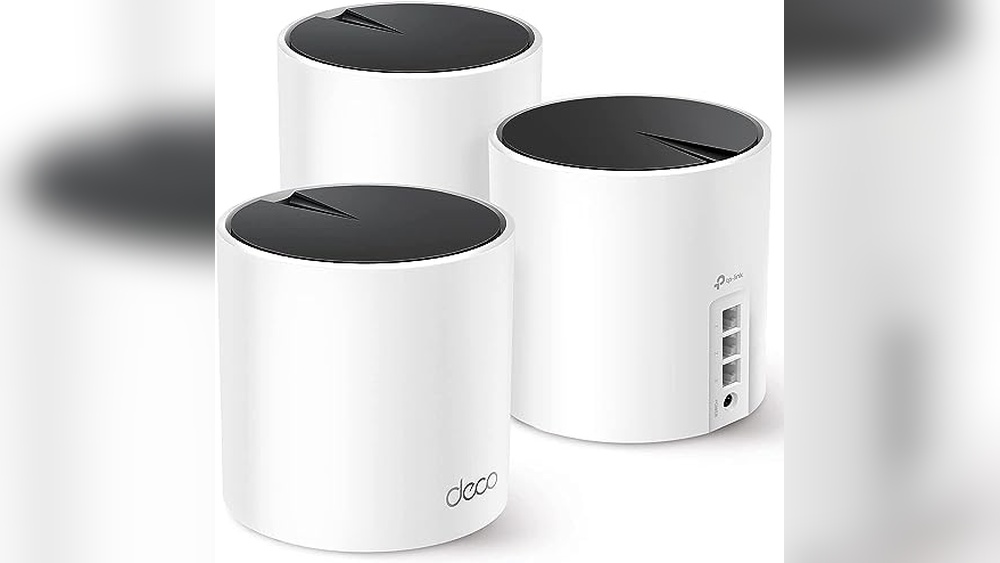
Tp-link Deco X55 Mesh Wifi System
A top choice in Best Routers for Wireless Mesh Networks, this system is ideal for those seeking reliable whole-home coverage without Wi-Fi dead zones.

The TP-Link Deco X55 Mesh WiFi System is designed to cover large homes with consistent, high-speed wireless connectivity. It helps get rid of weak signals and buffering by creating a seamless mesh network, making it a strong alternative to traditional routers and extenders.
Its Wi-Fi 6 support means it’s ready for homes with many connected devices.
Using this mesh system day-to-day is straightforward—devices connect automatically to the best signal as you move around. You can expect stable performance whether you’re working, streaming, or gaming, and setup is simple enough for most users. The extra Ethernet ports on each unit make it flexible for wired connections, giving peace of mind for those who want steady speeds for their most important devices.
Why It Stands Out
- Eliminates Wi-Fi dead zones across up to 6500 sq. Ft.
- Supports up to 150 connected devices reliably
- Includes three Gigabit Ethernet ports per unit for wired options
- Easy expansion for larger homes or complex layouts
- Designed with advanced security as a core feature
- Ethernet backhaul support for faster, more stable connections
Points To Consider
- May be more than needed for small apartments or single rooms
- Requires multiple outlets for each unit
- Only available in a 3-pack, which might not suit every setup
Who This Fits Best
If you have a larger home or struggle with Wi-Fi dead zones, the TP-Link Deco X55 Mesh WiFi System is made for you. It takes away the hassle of juggling extenders and the guesswork of finding a strong signal. For anyone who wants to avoid dropped connections and constant troubleshooting, this system makes a noticeable difference.
To get the most out of it, place each unit on different floors or far ends of your space for optimal coverage. The result is fewer surprises and a more reliable network you can count on, whether you’re working from home or streaming in every room.
I appreciate how this system lets you forget about Wi-Fi issues so you can focus on what matters.
| Best for | Why |
|---|---|
| Large homes with multiple floors | Covers up to 6500 sq. ft. with seamless Wi-Fi |
| Households with many devices | Handles up to 150 connected devices smoothly |
| Users who need wired connections | Each unit offers 3 Gigabit Ethernet ports |
| Security-conscious buyers | Built with advanced security by design |
Tp-link Deco X55 Wifi 6 Mesh (2-pack)
A top pick among Best Routers for Wireless Mesh Networks, the Deco X55 delivers strong whole-home coverage and seamless device connectivity for busy households.

The TP-Link Deco X55 WiFi 6 Mesh (2-Pack) is a whole home mesh system built to end Wi-Fi dead zones and buffering. With coverage up to 4500 square feet and support for up to 150 devices, it replaces both your traditional router and range extenders.
Its Ethernet backhaul and multiple gigabit ports make it a strong fit for users needing reliable wired and wireless connections.
In daily use, this system keeps your home network steady, so you don’t have to troubleshoot slow spots or disconnects. The setup is straightforward and maintenance is minimal, giving you more time to enjoy streaming, gaming, or working without tech headaches.
Most users will notice an instant improvement in Wi-Fi stability and reach, which means less fuss and more confidence in your connection.
What Sets It Apart
- Eliminates Wi-Fi dead zones in large homes
- Handles high device counts (up to 150)
- Seamless, consistent coverage across rooms
- Supports Ethernet backhaul for fast wired connections
- Each unit has three gigabit Ethernet ports
- Simple setup and minimal ongoing management
- Strong security commitment from TP-Link
What To Keep In Mind
- May be overkill for very small apartments
- White design may not suit all interiors
- No built-in advanced parental controls detailed
When I’d Pick This
This mesh system is ideal for families or shared homes where Wi-Fi needs to reach every corner and handle lots of connected devices. It’s especially helpful if you want a single solution for replacing both a router and extenders, cutting down on tech clutter and repeated troubleshooting.
The Deco X55 takes the guesswork out of coverage, letting you focus on your work or entertainment instead of worrying about your signal.
If you want to get the most from it, use Ethernet backhaul where possible for even more stable speeds. Knowing TP-Link’s security focus means fewer worries about vulnerabilities and safer browsing for everyone on your network. For anyone tired of spotty Wi-Fi, this system brings genuine peace of mind—and I appreciate how little attention it needs once installed.
| Best for | Why |
|---|---|
| Large homes with dead zones | Extends fast Wi-Fi to every room and floor |
| Homes with many connected devices | Keeps up with streaming, smart devices, and work setups |
| Users replacing both router and extenders | Simplifies the network with one seamless system |
| People wanting easy setup | Quick installation and minimal ongoing management |
Tp-link Archer Ax21 Wifi 6 Mesh Router
A top pick in Best Routers for Wireless Mesh Networks, the Archer AX21 offers reliable coverage and easy mesh expansion for busy homes.

The TP-Link Archer AX21 WiFi 6 Mesh Router is designed to bring faster speeds and more stable connections to homes with multiple devices. It uses Wi-Fi 6 technology for smoother streaming, gaming, and downloads—even during busy hours. With mesh support, it solves coverage issues and reduces dead zones without complicated setup.
Daily use feels consistent and reliable, with strong signals even in rooms far from the router thanks to Beamforming and four high-gain antennas. Setting up mesh nodes is simple, making expanding your network stress-free. It’s a router that quietly keeps everything running, so you spend less time troubleshooting and more time online.
What Makes It Stand Out For Mesh Networks
- Wi-Fi 6 delivers faster speeds and handles many devices at once
- Easy mesh support for seamless network expansion
- Strong coverage with beamforming and high-gain antennas
- Gigabit ports for fast wired connections
- Works with Alexa for hands-free controls
- Certified Secure-by-Design for peace of mind
- Compact design fits easily in most spaces
Things To Consider Before Buying
- Does not support 6 GHz band (no Wi-Fi 6E)
- Requires a separate modem for internet access
- Performance can vary based on walls and device distance
Who This Fits Best
This router is ideal for families or shared homes where everyone needs reliable Wi-Fi in every room. It’s especially useful if you want to expand coverage easily with mesh without worrying about complicated setup or frequent signal drops.
It takes the guesswork out of network management, letting you focus on work, gaming, or streaming with confidence. For best results, place the router centrally and add mesh nodes in areas where coverage is weak. With advanced security built in, you can trust your network stays safe from the start.
If you value hassle-free reliability and want a mesh-ready router that just works, the Archer AX21 is a smart, low-stress choice.
| Best for | Why |
|---|---|
| Homes with many connected devices | Wi-Fi 6 handles simultaneous data streams efficiently |
| Expanding coverage with mesh | Easy mesh support reduces dead zones |
| Users needing strong signal in distant rooms | Beamforming and high-gain antennas boost reach |
| Anyone prioritizing network security | Certified Secure-by-Design for peace of mind |
Tp-link Deco X55 Wifi 6 Mesh
A top pick in Best Routers for Wireless Mesh Networks for buyers wanting reliable coverage and simple expansion options.

The TP-Link Deco X55 WiFi 6 Mesh is a whole-home mesh system that replaces your old router and extender. It covers up to 2,500 sq. Ft. with strong Wi-Fi, so you can say goodbye to weak signals and dead zones.
With WiFi 6 technology and support for Ethernet backhaul, it delivers fast, stable connections for modern homes.
Day to day, this system gives you seamless internet as you move from room to room—no more dropped video calls or slowdowns. Setup and expanding coverage are easy, so you can focus on what matters instead of troubleshooting. For most homes, it means consistent Wi-Fi and less time worrying about buffering or connectivity issues.
Why People Choose This Mesh System
- Eliminates Wi-Fi dead spots in medium to large homes
- Simple expansion—just add more Deco units for extra coverage
- Built-in WiFi 6 for faster speeds and more devices
- Three Gigabit ports for flexible wired connections
- Works as a standalone router or part of a bigger Deco Mesh
- Strong focus on security, with Secure-by-Design pledge
Consider Before Buying
- One unit may not cover very large or multi-story homes—additional units needed
- No advanced customization for power users
- Design is simple and may not fit all décor
When I’d Pick This
If you need reliable Wi-Fi throughout your home and want to avoid the hassle of dead zones or switching between extenders, the TP-Link Deco X55 WiFi 6 Mesh is a straightforward solution. It’s best for those who want something that “just works” and can grow with their needs.
The clear setup and strong security mean less time spent troubleshooting and more peace of mind.
For the best results, place the Deco unit in a central spot and use Ethernet backhaul if possible for stronger speeds. This system is ideal if you want to stop worrying about connection drops and simply enjoy consistent internet in every room.
I appreciate the stress it removes from daily online life.
| Best for | Why |
|---|---|
| Homes with Wi-Fi dead zones | Mesh system removes weak spots and buffering |
| Families with many devices | WiFi 6 handles multiple connections smoothly |
| Those wanting easy expansion | Adding more units extends coverage with no hassle |
| Users needing wired connections | Three Gigabit ports per unit for direct device hookup |
Netgear Orbi 370 Wifi 7 Mesh System
A top pick for Best Routers for Wireless Mesh Networks, this system stands out for its strong, high-speed coverage across large homes and many devices.

The NETGEAR Orbi 370 WiFi 7 Mesh System is designed to deliver reliable, high-speed wireless throughout your entire home. By combining a router with two extenders, it solves the problem of dead zones and inconsistent signals, especially in larger spaces.
Its WiFi 7 technology provides faster speeds and supports many devices without slowing down.
Using this mesh system means you don’t have to worry about weak spots or dropped connections when moving around the house. The setup is built for busy homes, letting you connect multiple devices and still enjoy steady, secure internet. Automatic firmware updates and built-in security features add peace of mind, so you can focus on your activities without fiddling with settings.
What Makes It Stand Out
- Stable, high-speed WiFi across up to 6,000 sq. Ft.
- Handles up to 70 devices without noticeable slowdowns
- WiFi 7 offers faster speeds and future compatibility
- Dual-band mesh reduces dead zones for seamless roaming
- Built-in security features and automatic firmware updates
- Easy expansion with included extenders
Potential Limitations
- Does not include a built-in modem (router only)
- Best suited for those needing wide coverage—may be overkill for small apartments
- Larger footprint compared to single-unit routers
What I’d Tell A Friend
This system is ideal for families or anyone with a large home who deals with spotty WiFi and lots of connected devices. It takes the guesswork out of where your signal will drop, so you don’t have to stress about buffering during work calls or streaming.
For the best results, place the extenders where your signal starts to fade for even coverage.
Automatic security updates help keep your network safer with less effort, freeing you from manual maintenance. If you want reliable, fast WiFi that simply works throughout your entire home, this is a strong option. Personally, I appreciate not having to think about my connection wherever I am in the house.
| Best for | Why |
|---|---|
| Large homes with many rooms | Consistent coverage up to 6,000 sq. ft. |
| Busy households with many devices | Handles up to 70 connections without slowdowns |
| Users wanting future-ready WiFi | WiFi 7 provides faster speeds and supports new devices |
| Those needing built-in security | Automatic updates and enhanced safety features |
Eero 7 Mesh Wi-fi 7 Router 3-pack
One of the Best Routers for Wireless Mesh Networks, this eero system stands out for reliable, high-speed coverage across large spaces.

This is a 3-pack mesh Wi-Fi system designed to cover up to 6,000 sq. Ft. with fast, stable internet. It’s made for homes where dead spots and network drops are a common headache. By supporting Wi-Fi 7 and backward compatibility, it works whether you’re upgrading or adding to an existing eero setup.
In daily use, you’ll notice fewer disruptions and more consistent connections throughout your home. Setting up and expanding coverage is simple, making it easy to keep all your devices online. You get the confidence that even with many users and devices, your network won’t slow down or leave anyone stranded offline.
What Makes This Mesh System Stand Out
- Covers large homes or spaces (up to 6,000 sq. Ft.) with reliable Wi-Fi
- Supports over 120 devices at once with consistent performance
- Minimizes dead spots and disruptions throughout the house
- Ready for Wi-Fi 7 speeds and backward compatible with older eero units
- Easy to expand or upgrade as your needs change
- Two auto-sensing 2.5 GbE ports for fast wired connections
Points To Consider Before Buying
- Requires a modern internet plan to take advantage of top speeds
- Three units may be more than needed for smaller apartments
- No built-in advanced parental controls included out of the box
Who This Fits Best
The eero 7 Mesh Wi-Fi 7 Router 3-Pack is a solid fit for families, home offices, or anyone with a large living space and lots of connected devices. It removes the hassle of constant network troubleshooting and spotty Wi-Fi, so you can focus on streaming, working, or gaming without interruptions.
With simple expansion and backward compatibility, you don’t have to replace your whole system if you upgrade later.
To get the best results, place each unit in a central location and avoid hiding them behind furniture. This gives you peace of mind that your internet will be fast and reliable in every room, even as your tech needs grow.
If you want a mesh system that just works, this eero set makes network management almost invisible.
| Best for | Why |
|---|---|
| Large homes with Wi-Fi dead zones | Blankets up to 6,000 sq. ft. with steady signal |
| Households with many devices | Supports 120+ devices without slowdowns |
| Upgrading older eero mesh networks | Fully backward compatible with previous eero models |
| Future-proofing for faster internet plans | Handles up to 2.5 Gbps and Wi-Fi 7 speeds |
Tp-link Deco Wifi 6 Mesh System
One of the Best Routers for Wireless Mesh Networks for buyers needing whole-home Wi-Fi 6 coverage without dead zones.

The TP-Link Deco WiFi 6 Mesh System is designed for people tired of weak Wi-Fi signals and dead zones. It replaces traditional routers and extenders with a mesh setup that covers up to 4000 square feet. The system uses Wi-Fi 6 technology, so you get strong, consistent connections throughout your home.
In daily use, it feels reliable and easy to set up. You can connect many devices at once without buffering thanks to its upgraded capacity. Managing family internet access is simple with built-in parental controls, reducing hassle and giving you more control over who gets online and when.
Why It Stands Out For Home Networking
- Eliminates Wi-Fi dead zones across large areas
- Seamless mesh network for uninterrupted connection
- Handles many devices at the same time
- Easy parental controls for safer browsing
- Compatible with all Wi-Fi generations and ISPs
- Expandable system—add more units for wider coverage
Things To Keep In Mind
- May be more than needed for small apartments
- Physical size may not suit all spaces
- No built-in modem—requires separate ISP modem
What I’d Tell A Friend
If you’re struggling with Wi-Fi dead zones or have a lot of devices, the TP-Link Deco WiFi 6 Mesh System is a practical solution. It’s ideal for families who want to stop worrying about weak spots and interruptions, especially in multi-room or multi-level homes.
Parental controls make it easy to manage screen time, which is a nice bonus for households with kids.
Setup is straightforward and expanding coverage is as simple as adding more Deco units. For best results, place the units in open areas away from thick walls. Once it’s running, you’ll notice a more reliable signal and less time spent troubleshooting, so you can just enjoy your connection.
| Best for | Why |
|---|---|
| Large homes with dead zones | Covers up to 4000 sq.ft. with seamless mesh Wi-Fi |
| Families needing parental controls | Built-in features to manage and monitor internet use |
| Homes with many devices | OFDMA and MU-MIMO support smooth connections for all devices |
| Upgrading old routers | Compatible with all Wi-Fi generations and ISPs for easy transition |
Asus Rt-ax1800s Wifi 6 Mesh Router
For anyone searching the Best Routers for Wireless Mesh Networks, the ASUS RT-AX1800S stands out with its WiFi 6 efficiency and AiMesh compatibility.

The ASUS RT-AX1800S WiFi 6 Mesh Router is a dual-band device designed to boost wireless performance for homes needing reliable mesh networking. With WiFi 6 support and MU-MIMO plus OFDMA technology, it helps eliminate slowdowns, even in busy households. Built-in network security and parental controls offer extra peace of mind for families.
Using this router feels straightforward and consistent, especially when connecting multiple devices or expanding coverage with AiMesh. Setup is simple, and features like the built-in VPN and five Gigabit ports make daily streaming, gaming, and smart home use less stressful.
The device stays stable, and you don’t have to worry about paying extra for network security.
Mesh Network Advantages
- WiFi 6 for efficient, high-speed connections
- Expandable coverage with AiMesh compatibility
- Handles multiple devices with MU-MIMO and OFDMA
- Built-in subscription-free network security
- Parental controls for safer browsing
- Five Gigabit ports for fast wired connections
- Built-in VPN for secure remote access
Points To Consider
- Design is basic, not stylish or compact
- No advanced gaming features beyond fast speeds
- Does not include mesh nodes—must buy separately for full mesh setup
Who This Fits Best
This router is ideal for families or households seeking robust mesh network performance without complicated setup. It removes the hassle of dropped connections and provides easy parental controls, making it stress-free for parents and remote workers.
If you want reliable coverage that can grow with your needs, the AiMesh compatibility lets you expand without starting over. Quick tip: Pair it with other ASUS AiMesh routers for seamless coverage and the best results. Built-in security means you can browse and stream with fewer surprises or risks.
In my experience, having simple controls and a stable connection makes daily tasks easier and more predictable.
| Best for | Why |
|---|---|
| Expanding home mesh networks | AiMesh lets you add coverage without replacing your main router |
| Busy households with many devices | WiFi 6 and MU-MIMO handle multiple connections smoothly |
| Parents and remote workers | Parental controls and built-in VPN boost safety and flexibility |
| Users wanting no extra security fees | Network security is included, no subscriptions required |
Eero 7 Dual-band Mesh Wi-fi 7 (2-pack)
A top pick in the Best Routers for Wireless Mesh Networks for buyers who want wide coverage and future-ready Wi-Fi 7 without spending a fortune.
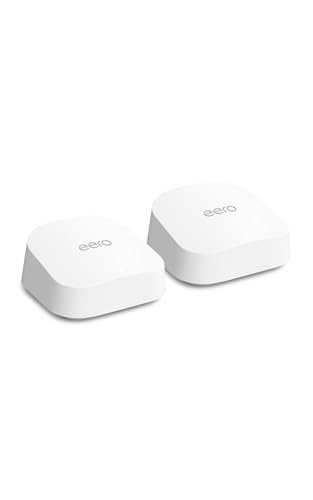
The eero 7 Dual-Band Mesh Wi-Fi 7 (2-Pack) is a flexible mesh networking system designed to cover large spaces and eliminate Wi-Fi dead zones. With support for the latest Wi-Fi 7 standard and compatibility with internet plans up to 2.
5 Gbps, it helps families and home offices stay connected without hassle. If you want to set up a reliable mesh network and avoid complicated installations, this package is a straightforward choice.
Day to day, the eero 7 system quietly delivers fast, stable Wi-Fi to every corner of the house. You won’t need to worry about signal drops or juggling multiple devices—this setup supports 120+ connections and keeps everything running smoothly. It’s especially reassuring for those who value simple setup and ongoing reliability, without having to fiddle with advanced settings.
Where The Eero 7 Excels
- Eliminates Wi-Fi dead spots in large homes
- Supports the latest Wi-Fi 7 standard for faster speeds
- Handles over 120 connected devices
- Easy to expand or upgrade thanks to backward compatibility
- No-fuss setup—works well out of the box
- Excellent coverage up to 4,000 sq. Ft. with two units
Potential Limitations To Note
- No advanced controls for power users
- White color may show dust over time
- Physical size is larger than some compact routers
Why This Makes Sense
The eero 7 Dual-Band Mesh Wi-Fi 7 (2-Pack) is a smart pick if you want fast, reliable Wi-Fi in a big home or apartment—especially if you’re tired of weak signals or moving devices around for better coverage. It’s designed for people who prefer a set-it-and-forget-it system that just works, removing the stress and guesswork from managing a home network.
To get the best results, place the two units in different areas of your home with as few walls between them as possible—this will give you the most consistent coverage. Once installed, you can relax knowing your network is ready for new devices and faster internet plans, and you won’t need to worry about signal drops during video calls or streaming.
Personally, I appreciate how it keeps things simple and dependable for everyday use.
| Best for | Why |
|---|---|
| Large homes with weak spots | Mesh design fills gaps and ends dead zones |
| Busy households with many devices | Handles 120+ connections without slowing down |
| People upgrading to Wi-Fi 7 | Ready for future speeds and device compatibility |
| Anyone wanting simple, reliable setup | Easy to install, requires little maintenance |
Netgear Orbi 360 Wifi 7 Mesh System
For those seeking the Best Routers for Wireless Mesh Networks, this system stands out with its wide coverage and high-speed connectivity for busy homes.
The NETGEAR Orbi 360 WiFi 7 Mesh System is designed to bring seamless internet to every corner of your home. It solves dead zones and lag by using mesh extenders and the latest WiFi 7 standard. With coverage for up to 6,000 sq.
ft. And support for 70 devices, it is built for households with many users and smart devices.
Day-to-day, you get reliable speeds for streaming, video calls, and gaming—all happening at once without hiccups. Setup is straightforward, and built-in security features add peace of mind. You can move freely around your home while staying connected, making it simple to focus on what matters instead of troubleshooting WiFi drops.
Why It Works For Busy Homes
- Handles 70 devices at once—great for families with many gadgets
- Covers large spaces up to 6,000 sq.ft.
- Delivers fast WiFi 7 speeds, even with multiple users
- Automatic security updates for ongoing protection
- Easy to set up and manage
- Reliable for 4K streaming and online gaming
Points To Consider Before Buying
- May be more than needed for small apartments or single users
- Requires WiFi 7 devices to experience top speeds
- Larger footprint with three units
Where This Shines
This mesh system is best for families or shared households where many devices are online at once and everyone expects smooth, fast connections. It removes the hassle of dead spots and constant router resets—letting you focus on work or entertainment instead of WiFi problems.
To get the most out of it, place the extenders in open areas for the strongest signal.
With automatic security updates, you can trust that your network stays protected without extra effort. If you’ve ever juggled video calls while someone else streams or games, you’ll notice fewer headaches and interruptions. I appreciate how it removes the guesswork from staying reliably connected.
| Best for | Why |
|---|---|
| Large homes with many rooms | Covers up to 6,000 sq.ft. using mesh extenders |
| Households with lots of devices | Supports up to 70 connected devices at once |
| Streaming and gaming families | Delivers strong, fast WiFi for multiple 4K streams and online games |
| Users who value network security | Includes automatic updates and advanced router protection |
How To Choose The Right Mesh Wi-fi Or Router System
Home Size And Layout
Consider the total square footage and number of floors. Larger homes or those with thick walls often benefit from multi-unit mesh systems. Smaller spaces may only need a single router or node.
Number Of Devices
Count the devices that need stable connections. Households with many smart devices, streamers, or remote workers need systems that support high device counts without slowing down.
Internet Speed Needs
Match your Wi-Fi system to your internet plan. Entry-level routers may limit gigabit speeds. Wi-Fi 7 and multi-gig ports are only useful if you have a fast enough plan and modern devices.
Security And Parental Controls
If you manage kids’ access or want extra security, check for built-in parental controls and security updates. Not all mesh systems offer the same features here.
Wired Connections
If you need stable, high-speed connections for PCs or smart TVs, look for systems with multiple gigabit Ethernet ports and backhaul support. This can reduce wireless congestion.
Common Mistakes When Buying Wi-fi Systems
- Choosing a system based only on coverage claims without considering your home’s layout or obstacles.
- Overlooking future compatibility—buying older Wi-Fi standards may limit speeds as devices evolve.
- Ignoring Ethernet port needs, especially for gaming or home offices that benefit from wired connections.
- Assuming all security features are the same across brands and models.
- Not considering the number of devices you’ll actually connect, leading to slowdowns.
Who Might Want To Avoid Mesh Wi-fi Systems
- Studio or small apartment dwellers—one traditional router may provide all the coverage you need.
- Those with simple internet needs and only a few devices.
- Buyers on a very tight budget who don’t benefit from features like multi-gig ports or Wi-Fi 7.
- Homes with extensive Ethernet cabling, where a wired network might be more efficient.
Setup And Usage Tips
- Place the main unit near the center of your home, away from obstructions, for best coverage.
- Space mesh nodes evenly rather than clustering them, avoiding thick walls or metal appliances in between.
- Update firmware during setup to access the latest features and security patches.
- Use the app or web interface for initial configuration—most brands guide you step-by-step.
- Label devices in the app for easier management and troubleshooting later on.
Faqs
Is Wi-fi 7 Worth It If My Devices Are Older?
Wi-Fi 7 routers are backward compatible, but you’ll only see speed benefits with compatible devices. For most homes, Wi-Fi 6 is still sufficient if devices are not the latest generation.
Can I Mix And Match Mesh Units From Different Brands?
Generally, mesh units from different brands do not work together. Stick to the same brand and model series for compatibility and best performance.
What’s The Difference Between A Mesh System And A Range Extender?
A mesh system uses multiple units that work together seamlessly, while a range extender simply repeats the signal. Mesh provides more stable coverage and easier management.
How Many Mesh Units Do I Need?
It depends on your home size and layout. Most average homes are covered by two or three units, but larger or multi-story houses may need more.
Do I Need To Replace My Modem?
Mesh systems and routers connect to your existing modem provided by your ISP. You usually do not need to replace it unless it is outdated or incompatible.
Are There Monthly Fees For Using These Wi-fi Systems?
Most mesh and router systems do not require monthly fees. Some advanced features, like added security or parental controls, may offer optional subscriptions.
Summary And Next Steps
Choosing the best mesh Wi-Fi or router system comes down to matching your home’s size, device count, and speed needs with the right features. Focus on compatibility, planned use, and flexibility for future upgrades. With these points in mind, you can select a system that fits your space and provides stable, secure connections for everyone at home.