
Using your iPhone’s built-in assistant is convenient, but there are times when it just doesn’t cut it. Maybe you want to take notes during meetings without distraction. Maybe you need clear calls in the car, or you want hands-free help while walking, driving, or working.
The options go far beyond Siri now, and it’s easy to get lost in the choices.
Picking the best voice assistant device for your iPhone is trickier than it seems. Some tools focus on transcribing conversations, others on adding voice control to your car, or even building smart features into glasses. There are trade-offs between portability, ease of use, privacy, and how well these gadgets fit into daily life.
It’s not always obvious what features matter or what will actually make things easier.
This guide will help you see the real differences, understand what to expect, and decide which type of solution fits your life best.
What Matters Most When Choosing
Think about where and how you’ll use a voice assistant. Are you in meetings, on the road, or just looking for hands-free help around the house? Battery life, audio quality, and seamless syncing with your iPhone all matter, but not equally for everyone.
Some buyers get distracted by extras and miss the basics—like how quick it is to start recording, or whether it works smoothly with your other apps.
Avoiding Common Mistakes
Many people overestimate how often they’ll use advanced features, or assume every device works the same with iPhones. It’s easy to buy something that sounds impressive but ends up collecting dust. Consider your real habits and what actually solves your daily friction points before picking.
Below, you’ll find a range of voice assistant products, each chosen to match different needs and use cases. Some are built for note-taking, others for driving, and some blend into wearable tech. Read on to find the option that fits your routine, not just the specs.
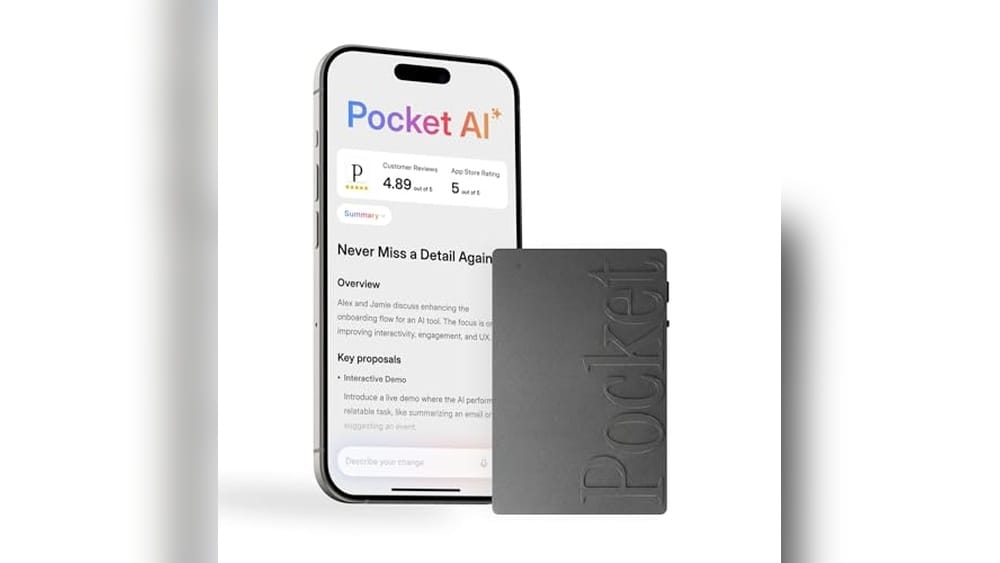
Pocket Ai Voice Recorder & Smart Assistant
Best Voice Assistant for Iphone if you want instant summaries, action items, and hands-free recording built for busy meetings and calls.

The Pocket AI Voice Recorder & Smart Assistant is designed for anyone who needs to capture conversations, meetings, or ideas without missing details. It records with one tap and instantly transcribes, summarizes, and organizes your audio. This means you get actionable notes and key points without manual typing.
Using it on your iPhone feels effortless—just attach it with MagSafe, tap to record, and let the assistant do the organizing. You can quickly review summaries or ask specific questions about your conversations, helping you save time and avoid digging through hours of audio.
This tool helps you stay organized and confident that important information won’t slip through the cracks.
What Sets It Apart
- Instant transcription and summaries for fast review
- One-tap recording—no typing needed during meetings or calls
- Action items and conversation maps generated automatically
- Ask questions to extract insights from your recordings
- MagSafe compatibility for hands-free use with iPhone
- Core features available out of the box
Consider Before Buying
- Advanced tools are optional and may require extra steps
- Physical attachment needed for MagSafe use
- Not a traditional voice assistant for general tasks
What I’d Tell A Friend
This is a great fit for students, professionals, or anyone who’s tired of losing track of meeting notes or call details. It removes the hassle of manual note-taking, lets you focus on the conversation, and gives back your time with automatic summaries and action items.
If you often forget what was agreed during busy days, you’ll appreciate how easy it is to look up key points.
For best results, use the “Ask Pocket” feature to pull out next steps or clarify details—you’ll avoid confusion and stay on top of priorities. You can trust it to keep your notes organized without constant checking. Personally, I’d pick it for days filled with back-to-back meetings where details matter.
| Best for | Why |
|---|---|
| Capturing meeting notes | Instant summaries and action items save time after meetings |
| Recording phone calls | One-tap recording means you never miss details during calls |
| Hands-free note taking | MagSafe attachment keeps your device out of the way |
| Quickly finding key decisions | “Ask Pocket” helps you extract answers and next steps fast |
Pocket Ai Voice Recorder & Smart Assistant
A top pick for Best Voice Assistant for Iphone, this device helps you capture and organize meetings and calls effortlessly.
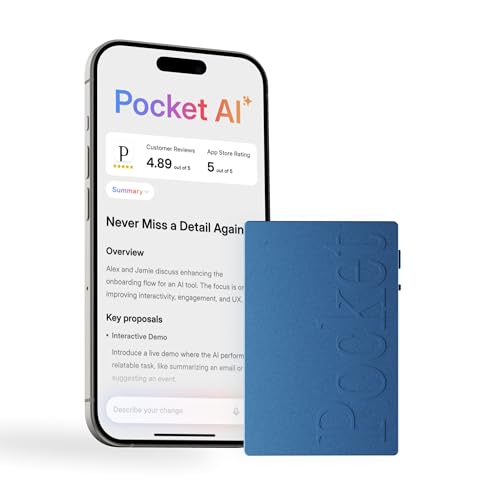
The Pocket AI Voice Recorder & Smart Assistant is designed for anyone who wants to capture conversations, meetings, or calls without the hassle of manual note-taking. Its standout ability is to turn spoken words into organized transcripts and summaries, making it much easier to track key points and action items.
With a single tap, you can record real-life moments and let the device handle the rest.
In daily use, Pocket feels seamless—simply attach it to your iPhone with MagSafe and record hands-free. Its automatic organization means you spend less time searching for details and more time acting on what matters. The straightforward design reduces interruptions, letting you focus on conversations while the assistant manages your notes.
What Makes It Stand Out
- One-tap recording for meetings, calls, and conversations
- Instant transcription and clear summaries of discussions
- Automatically identifies action items for follow-up
- Lets you ask questions to extract insights from recordings
- Hands-free attachment with MagSafe compatibility
- Helps organize and map out conversations for easy review
Consider Before Buying
- Advanced tools are optional and may not be needed by casual users
- Works best with iPhone or MagSafe devices
- Physical size may not suit those wanting ultra-compact solutions
Who This Fits Best
If your days are filled with meetings, interviews, or brainstorming sessions, this voice assistant is built for you. It removes the stress of missing details and the hassle of sorting through long recordings. With automatic summaries and action items, you can stay on top of tasks without spending extra time on notes.
For the most reliable results, use it consistently during every important conversation and take a moment to review the organized summaries after each session. This habit ensures nothing gets lost and you always know the next steps. It’s a simple way to gain peace of mind and keep your productivity on track.
| Best for | Why |
|---|---|
| Frequent meeting participants | Captures and summarizes discussions automatically |
| Professionals on the go | Hands-free MagSafe attachment makes recording effortless |
| Anyone needing instant action items | Extracts key steps and decisions from conversations |
| People managing multiple projects | Organizes conversations for quick review and follow-up |
Pocket Smart Voice Assistant Recorder
Best Voice Assistant for Iphone users who want instant meeting notes and summaries in a compact, easy-to-use device.
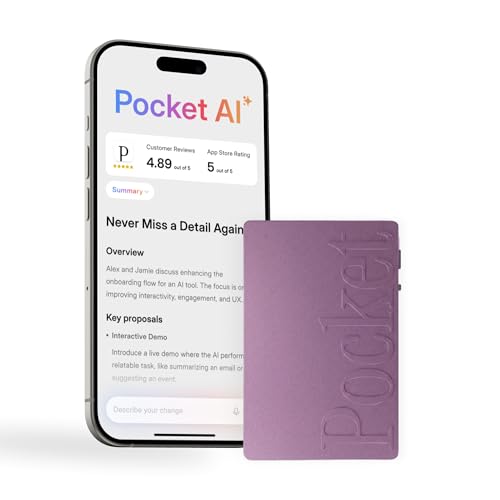
The Pocket Smart Voice Assistant Recorder is a compact tool that captures, transcribes, and summarizes your meetings, calls, and ideas automatically. Designed for those who want clear records without typing, it makes note-taking effortless and accurate, especially in busy or on-the-go situations.
You tap once to start recording, and Pocket handles the rest, converting audio into organized insights.
Using this device feels like having a reliable assistant in your pocket. With MagSafe compatibility, it attaches easily to your iPhone for hands-free use, so you never miss important moments. Reviewing conversations is quick, thanks to automatic summaries and action items.
The experience is smooth and removes the stress of manual note-taking or searching through long audio files.
Why It’s Useful For Everyday Productivity
- Instant one-tap recording for meetings, calls, and conversations
- Automatic transcription and smart summaries save time
- Generates clear action items and conversation maps
- Lets you ask questions and extract key insights from your recordings
- MagSafe compatible—hands-free use with iPhone
- Simple, portable, and easy to use anywhere
Things To Consider Before Buying
- Advanced tools are optional and may require extra setup
- Best results for users who regularly attend meetings or calls
- Physical device may be less useful if you only need a basic app
Where This Shines
This device fits best for iPhone users who want quick, organized notes from meetings, interviews, or brainstorming sessions—without juggling apps or typing. It removes the hassle of manual note-taking and makes it easy to find action items or key moments later.
Anyone who attends frequent calls or needs to document conversations for work or study will find it especially helpful.
For best results, get in the habit of starting a recording at the start of every important call or meeting. This way, you always have a reliable backup. Knowing your conversations are transcribed and summarized automatically brings peace of mind, letting you focus on the discussion instead of worrying about missing details.
I’d recommend this for anyone who values simplicity and accuracy in daily productivity.
| Best for | Why |
|---|---|
| Business meetings | Captures, transcribes, and summarizes discussions for easy follow-up |
| Students recording lectures | Provides clear summaries and action items from class notes |
| Frequent phone call documentation | One-tap recording ensures nothing is missed during calls |
| On-the-go note takers | Portable and hands-free with MagSafe compatibility |
Portable Voice Changer For Iphone
A smart pick for those seeking the Best Voice Assistant for Iphone, this compact device brings real-time voice transformation and playful sound effects to your calls and streams.

This portable voice changer for iPhone is designed to instantly transform your voice with a range of modes and effects. It solves the problem of bland or repetitive audio during gaming, streaming, or calls by offering real-time voice shifts and fun sound effects.
With no complicated setup required, it’s plug-and-play, making it easy for anyone to start using right away.
In practice, using this device feels intuitive and hassle-free. Switching between voices or adding sound effects takes just a tap, letting you focus on your conversation or live session instead of fiddling with settings. It’s small enough to carry anywhere, adding flexibility whether you’re streaming at home or joining a voice chat outdoors.
The simple interface and compatibility with iOS devices mean you spend less time troubleshooting and more time enjoying your content.
Why This Stands Out
- Real-time voice transformation with multiple modes
- Eight built-in sound effects for added fun
- Plug-and-play design with no drivers needed
- Works across iOS, Android, and other platforms
- Compact and easy to carry for mobile use
- Enhances streams, calls, and gaming experiences
Things To Keep In Mind
- Requires an adapter for iPhone or Android use
- Some users may find limited to 3.5mm interface devices
- No built-in rechargeable battery (wired use only)
Who This Fits Best
This voice changer is a good fit for iPhone users who want to add personality to their calls, streams, or gaming sessions without a steep learning curve. It removes the guesswork and hassle of software-based voice changers, giving you instant results with minimal setup.
Whether you’re looking to entertain friends, create content, or just have fun with voice effects, this device keeps things simple and reliable. For best results, make sure you have the right adapter for your iPhone—this avoids any connection issues and ensures smooth operation.
With its portable design and straightforward controls, you can count on consistent performance wherever you use it. If you enjoy playful audio interactions, you’ll probably find yourself reaching for this more often than expected.
| Best for | Why |
|---|---|
| iPhone live streamers | Add real-time voice effects and sound cues easily |
| Gamers on mobile | Shift voices instantly for roleplay or in-game fun |
| Social calls and chats | Make conversations engaging with playful voices |
| Content creators on the go | Portable and works with iPhone using the right adapter |
Tulbeys Bluetooth Smart Glasses
A top pick for Best Voice Assistant for Iphone, these smart glasses offer hands-free control and clear audio for busy multitaskers.

Tulbeys Bluetooth Smart Glasses are wearable tech glasses that blend style and convenience, letting you access voice assistants and manage calls without reaching for your phone. The touch control on the frames gives you quick access for hands-free use, solving the problem of juggling devices while working or relaxing.
In daily life, these glasses feel lightweight and natural, with open ear audio that keeps you aware of your surroundings. The photochromic lenses adjust to light, so you don’t have to swap glasses indoors or out. You’ll experience consistent connectivity and freedom to move, making multitasking smoother and more enjoyable.
Why These Stand Out
- Touch control for instant voice assistant access
- Clear, open ear audio for music and calls
- Photochromic lenses adjust to lighting
- Noise-canceling dual microphones for clear conversations
- Comfortable for all-day wear
- IPX5 water resistance handles sweat and rain
- Bluetooth 5.4 ensures stable connection
Consider Before You Buy
- Battery life is limited to around 4–5 hours active use
- No built-in volume controls on the frame
- May not suit those who prefer traditional headphones
What I’d Tell A Friend
These glasses are best for anyone who wants effortless access to a voice assistant while staying hands-free and aware of their environment—think remote workers, commuters, or those who like taking calls on the go. They take the hassle out of reaching for your phone and eliminate the discomfort of in-ear devices.
To get the most reliable performance, keep the glasses charged and pair them with your iPhone using Bluetooth 5. 4 for a stable connection. Their water resistance gives you peace of mind during outdoor activities or sudden weather changes. If you value comfort, simplicity, and subtle tech, these glasses fit right into a modern daily routine.
| Best for | Why |
|---|---|
| Hands-free iPhone voice commands | Touch controls make accessing Siri simple without holding your phone |
| Outdoor professionals | Photochromic lenses adapt to light and protect eyes |
| Commuters and multitaskers | Noise-canceling mics and open ear audio allow for clear calls on the move |
| People who dislike earbuds | Comfortable open ear design keeps you alert and free from ear fatigue |
Howens Ai Smart Glasses
Best Voice Assistant for Iphone users who want hands-free help, calls, and translation in a single wearable device.

HOWENS AI Smart Glasses combine a built-in voice assistant with hands-free photo and video capture, making them ideal for people who need to stay connected and productive without pulling out their phone. The glasses work with Siri, so you can ask questions, set reminders, and translate speech simply by speaking.
For anyone juggling work, travel, and daily tasks, these smart glasses help you multitask efficiently and keep your hands free.
Wearing these glasses feels natural and comfortable, with open-ear audio that lets you hear your music or podcasts while staying aware of your surroundings. The real-time translation and photo recognition features are especially handy for travelers or those navigating new environments.
Using them saves time and reduces hassle, letting you focus on what matters instead of fumbling with devices.
Why These Glasses Stand Out
- Hands-free voice assistant compatible with iPhone (Siri) and Android
- Instant photo and video capture without a phone
- Real-time translation and object recognition for over 100 languages
- Open-ear design for situational awareness during calls and media
- Noise-canceling microphones for clear communication, even outdoors
- Switchable lenses for indoor and outdoor use
- Water-resistant for reliable use in various conditions
Consider Before Buying
- Requires companion app and internet for translation features
- Photo recognition results display on your phone, not on the glasses
- Small size may not fit all face shapes comfortably
Who This Fits Best
If you spend a lot of time on the move—commuting, traveling, or managing tasks on the go—HOWENS AI Smart Glasses can simplify your routine. They remove the hassle of juggling multiple devices and let you access voice commands, calls, and translation with a simple tap or voice cue.
You won’t need to interrupt your workflow or risk missing important information while outdoors or in busy environments.
For best results, keep the companion app updated and ensure you have a stable internet connection for translation. This will maximize the usefulness of the recognition and language tools. The glasses offer peace of mind by keeping your hands free and calls clear, so you can focus more on the world around you.
I appreciate how much less distracted I feel while using them for travel and daily errands.
| Best for | Why |
|---|---|
| Busy professionals | Voice commands and hands-free reminders help manage tasks efficiently |
| Travelers | Real-time translation and photo recognition make navigating new places easier |
| Outdoor commuters | Open-ear audio and noise-canceling mics keep you aware and connected |
| Frequent callers | Clear calls without holding a phone, even in noisy environments |
Sunitec Bluetooth Car Speaker For Iphone
If you want the Best Voice Assistant for Iphone in your car, this SUNITEC speaker makes hands-free calls and Siri access simple for older vehicles.

The SUNITEC Bluetooth Car Speaker for iPhone is a hands-free kit designed for cars that lack built-in voice assistant or calling features. It solves the problem of safely accessing Siri and making calls without distracting from driving. With a one-touch button, you get instant access to voice dialing and directions.
Using it feels effortless—just hop in, and it powers on automatically. Calls come through clearly, and the dual connection lets you pair two phones at once. It’s consistent and reliable, so you spend less time fiddling with your device and more time focused on the road.
Why This Stands Out For Drivers
- Instant Siri access for hands-free control on iPhone
- Clear calls with stereo speaker and advanced mics
- Auto power on/off with car vibration sensor
- Works with old cars lacking Bluetooth
- Dual phone pairing for family or work use
- Long battery life—22 hours talk, 1000 hours standby
- Compatible with all iPhone models and Android phones
What You Might Miss
- Needs manual charging every few weeks
- Sound quality is best for calls, not music streaming
- Button controls may take a few uses to get familiar
Who This Fits Best
This speaker is perfect for drivers with older cars who want hands-free Siri access and safer calling. It removes the hassle of juggling your phone while driving and brings modern voice assistant features to vehicles without built-in Bluetooth.
For best results, mount it within easy reach and take time to learn the MF-button for quick voice activation. Once set up, you’ll enjoy worry-free calls and navigation, plus peace of mind knowing your focus stays on driving.
If you value simplicity and consistent performance, this speaker is a practical upgrade. I like how it turns on automatically as soon as the door opens.
| Best for | Why |
|---|---|
| Older cars without Bluetooth | Brings hands-free Siri and calling features |
| iPhone users needing safe voice access | One-touch Siri activation for calls and directions |
| Drivers who want automatic operation | Auto power on/off with vibration sensor |
| People sharing vehicles | Dual phone pairing for multiple users |
Yiugae Ai Voice Recorder
The Yiugae AI Voice Recorder stands out as a Best Voice Assistant for Iphone, offering advanced transcription and summarization for busy professionals.

The Yiugae AI Voice Recorder is a portable digital voice recorder designed to capture phone calls, meetings, and interviews with precision. It supports transcription in 126 languages and uses AI to create summaries, mind maps, and to-do lists, helping users organize their notes efficiently.
Using this device is straightforward and reliable, with features like instant highlighting of key moments and multimodal input including photos and notes. It reduces the time spent reviewing recordings by delivering clear, structured insights, making it easier to stay focused and productive.
Key Advantages For Voice Recording
- High-accuracy transcription across 126 languages with speaker identification
- AI-generated summaries and structured notes tailored to your needs
- Multimodal input lets you add photos and notes to enrich recordings
- “ASK AI” feature provides interactive insights and next-step recommendations
- Directional audio recording minimizes background noise for clear voice capture
- Includes magnetic protective case and accessories for convenience
- Free starter plan with flexible upgrade options for transcription time
Considerations Before Buying
- Device is a standalone recorder, not integrated directly into iPhone’s system
- Subscription required for extended transcription beyond free minutes
- More suited for professional or frequent voice recording than casual users
When This Recorder Fits Best
This recorder is ideal for professionals who attend frequent meetings or interviews and need detailed, accurate transcripts without manual effort. It removes the guesswork of note-taking by delivering ready-to-use summaries and insights, saving time and reducing stress.
To get the best results, regularly mark key moments during recordings and complement audio with photos or notes to build context. This approach ensures your records are comprehensive and easy to review. Reliability in capturing clear human voices makes it a trustworthy assistant for busy schedules.
| Best for | Why |
|---|---|
| Business Meetings | Provides accurate transcription and AI summaries to streamline follow-ups |
| Phone Call Recording | Automatically switches modes for clear and directional audio capture |
| Multilingual Users | Supports transcription in 126 languages with speaker recognition |
| Note-Taking Enhancement | Allows adding photos and notes during recording for richer context |
Yiugae Note Ai Voice Recorder
A smart pick for Best Voice Assistant for Iphone users who want effortless transcription, note taking, and meeting summaries on the go.

The Yiugae Note AI Voice Recorder is a compact digital assistant designed to capture, transcribe, and organize your voice notes, meetings, and phone calls. It solves the hassle of manual note-taking by automatically turning speech into accurate text, even distinguishing between speakers and supporting over 120 languages.
Using it feels intuitive and efficient—just press a button to record, highlight important moments, or add images and notes for better context. You can interact with your recordings, ask questions, and get summaries or next steps, making it easy to keep track of details and save time after every conversation.
Why People Choose It
- Transcribes conversations into text accurately in 127 languages
- Recognizes and separates different speakers automatically
- Generates structured summaries, mind maps, and action items
- Lets you interact with audio to pull out key points or draft emails
- Highlights important moments during recording with one tap
- Reduces background noise for clear voice capture
- Includes free transcription minutes each month with upgrade options
What To Keep In Mind
- Requires a subscription for more transcription minutes beyond the free plan
- Best suited for those who regularly record meetings or calls
- Device and app may need some setup to use all features
Who This Fits Best
This recorder is ideal for professionals, students, and anyone who attends frequent meetings or interviews and needs reliable voice-to-text conversion. It removes the stress of missing important details and the hassle of organizing notes after the fact.
A quick tip: use the highlight button during recordings to mark key moments—this makes summaries and follow-ups even faster. You can count on consistent, clear results and fewer surprises, thanks to its noise reduction and automatic speaker detection.
| Best for | Why |
|---|---|
| Recording meetings and calls | Transcribes and summarizes discussions automatically |
| Multilingual note taking | Supports transcription in 127 languages |
| Organizing key moments | Instantly highlight and categorize important points |
| Getting actionable summaries | Generates mind maps, to-dos, and proposals from recordings |
Yorlu Ai Voice Recorder & Note Taker
For those seeking the Best Voice Assistant for Iphone, this device stands out by transforming spoken content into organized notes and summaries.
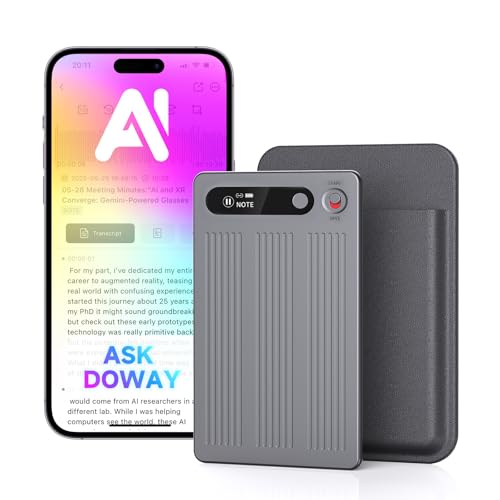
This compact voice recorder helps you capture conversations, meetings, and lectures, then turns them into clear, structured notes. Its AI-powered transcription and summarizing features cut out manual note-taking, making it ideal for busy professionals and students.
Using it feels effortless—just record, and the device handles the rest. The app provides templates for different occasions, so you get consistent outputs every time. With secure storage and noise cancellation, you gain confidence knowing your files are safe and your recordings are clear, even in noisy environments.
Standout Benefits For Voice Recording
- Automatic transcription and summarizing for instant notes
- Secure, private storage with encryption and cloud access control
- Translates and records in 80+ languages for global use
- Compact and lightweight—easy to carry
- Noise cancellation for clear recordings anywhere
- Long battery life and large memory for extended use
- App control with multiple templates to fit your needs
Consider Before You Buy
- Requires use of proprietary app for full features
- Pro plan needed for unlimited transcription and summary time
- Physical device may not suit those wanting only in-phone solutions
What I’d Tell A Friend
This recorder is perfect for anyone who attends frequent meetings, lectures, or interviews and needs reliable, organized notes without manual effort. It removes the hassle of taking handwritten notes, reduces the risk of missing details, and saves hours each week.
If you need consistent transcription accuracy and privacy, this device delivers peace of mind. A quick tip: explore the app’s templates to tailor your notes for different scenarios—it’s a small step that improves your results. I appreciate how it lets me focus on the conversation instead of worrying about documentation.
| Best for | Why |
|---|---|
| Meetings and Conferences | Captures and organizes spoken content automatically |
| Students in Lectures | Transcribes and summarizes complex topics for easy review |
| Multilingual Interviews | Supports 80+ languages, removing language barriers |
| Busy Professionals | Saves time and provides secure storage for sensitive information |
Understanding Common Buyer Needs
- Most buyers want reliable transcription and voice-to-text features for meetings, lectures, and calls.
- Ease of use and portability are valued—devices should be quick to start and simple to manage.
- Privacy and secure storage are important, especially for sensitive conversations.
- Compatibility with phones, computers, and other devices is often required.
- Battery life and memory capacity influence long-term usability.
Decision Checklist: What Matters Most
- Recording Quality: Consider noise reduction and directional microphones if you often work in busy environments.
- Transcription Accuracy: Look for language support and speaker identification if you need notes in multiple languages or from complex meetings.
- Device Compatibility: Check if adapters are needed for your phone or computer.
- Battery and Memory: Choose higher capacity if you need to record all day or store many files.
- Privacy Controls: Opt for devices offering encryption and secure storage if confidentiality is critical.
Who Should Avoid These Products
- If you rarely attend meetings or need transcription, a basic voice recorder may be simpler.
- Those uncomfortable with app-based controls or frequent firmware updates may prefer traditional devices.
- If you have strict privacy requirements, verify device security and data policies before purchase.
Setup And Usage Tips
- Test the device before important events to check audio quality and learn controls.
- Keep firmware and apps updated for optimal performance and security.
- Charge fully before long sessions and clear memory regularly to avoid interruptions.
- For best results, use directional microphones in quiet environments when possible.
Care And Maintenance Notes
- Store devices in protective cases to prevent damage.
- Clean microphones and lenses gently with a soft cloth.
- Keep devices away from moisture unless rated waterproof.
- Back up important recordings and summaries to secure cloud or local storage.
Frequently Asked Questions
Can These Devices Transcribe In Multiple Languages?
Yes, most support a wide range of languages. Check each model for specific language coverage.
Do I Need A Subscription For Advanced Features?
Some devices offer basic functions for free, but advanced transcription or summary plans may require a subscription.
Are Recordings Stored Securely?
Most products use encryption or secure cloud storage. Always review privacy settings and policies before use.
How Long Does The Battery Last?
Battery life varies. Some models last several hours, others up to a full day. Refer to manufacturer details for your use case.
Do These Devices Work With Both Ios And Android?
Most are compatible with both platforms. Adapters may be needed for certain connections.
Can I Record Phone Calls?
Some models support this feature. Ensure legal compliance in your region before recording calls.
What Is Magsafe Compatibility?
MagSafe means the device can attach magnetically to compatible iPhones for easy hands-free recording.
Summary For Final Decisions
Modern voice recorders and smart audio devices offer advanced transcription, summaries, and secure storage. Consider your actual needs—meeting frequency, privacy, device compatibility, and comfort with app-based controls. Review trade-offs between memory, battery, and software features. With careful setup and maintenance, these tools can streamline note-taking and improve productivity.
Choosing the right model depends on balancing your priorities and daily workflow.