
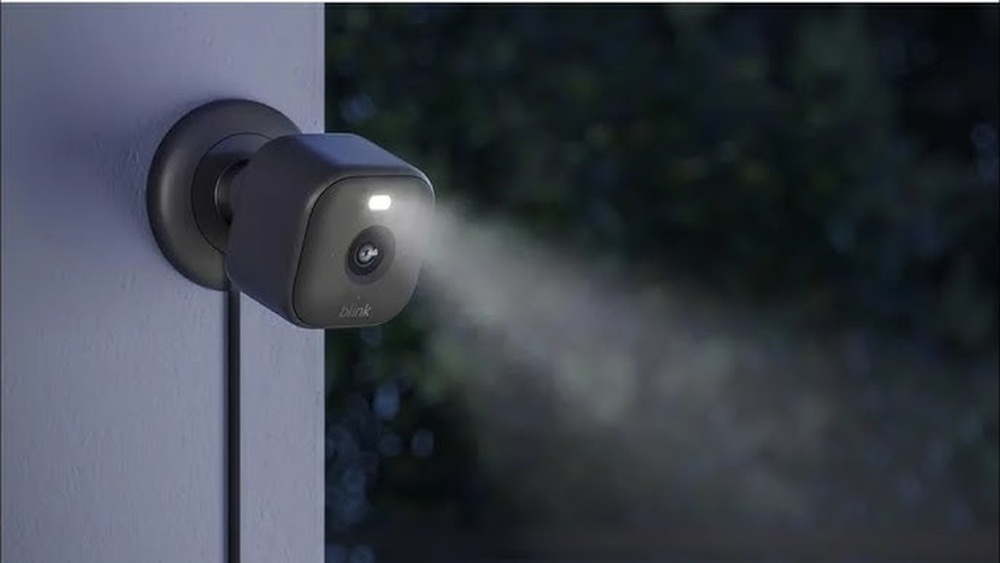
Can Blink Outdoor Cameras Be Used Indoors?
People want easy ways to protect their homes. Cameras are a smart choice, but picking the right one can be confusing. You might see Blink Outdoor cameras everywhere and wonder: Can Blink Outdoor cameras be used indoors? The answer is yes—if you know what you’re doing. Using an outdoor camera inside sounds simple, but there are important details to consider. This article explains everything you need to know, with real examples, tips, and clear advice.
What Makes Blink Outdoor Cameras Unique?
Blink Outdoor cameras are popular for their wireless setup, battery life, and weatherproof design. Here’s what sets them apart:
- Wire-free installation: No wires. You can place them almost anywhere.
- Long battery life: Two AA lithium batteries can last up to two years.
- Weather resistance: They’re built to handle rain, dust, and snow.
- HD video quality: Clear 1080p images day and night.
- Motion detection: Sends alerts when movement is detected.
- Cloud and local storage options: Save footage online or on a USB drive.
Many people use these cameras outdoors, but you can also use them indoors. Let’s look at why you might want to do this, and what you need to keep in mind.
Why Use An Outdoor Camera Indoors?
Most indoor cameras have their own features, but there are times when an outdoor camera works better. Here are some common reasons:
- Durability: Outdoor cameras are tougher. If you have pets or young kids, an outdoor camera can handle bumps, knocks, and spills.
- Flexible placement: Since Blink Outdoor cameras are wireless and weatherproof, you can put them in places that normal indoor cameras can’t reach—like garages, basements, or attics.
- Unified system: If you already use Blink cameras outside, adding another Blink Outdoor camera indoors keeps everything on one app.
- Temporary setups: Need to monitor a room for a short time? Blink Outdoor cameras are easy to move and install.
- Rental homes or apartments: No need to drill holes or run wires. You can set up a camera and take it with you when you move.
Here’s a quick comparison between typical indoor and outdoor cameras:
| Feature | Blink Outdoor | Blink Indoor |
|---|---|---|
| Weatherproof | Yes | No |
| Battery Life | Up to 2 years | Up to 2 years |
| Resolution | 1080p | 1080p |
| Wireless Setup | Yes | Yes |
| Price | Usually higher | Usually lower |
Installation: Using Blink Outdoor Cameras Inside
Installing a Blink Outdoor camera indoors is easy, but there are a few steps to follow for the best results:
- Choose your location: Pick a spot that covers the area you want to monitor. Avoid direct sunlight or areas with strong reflections.
- Mounting: You can use the included mount or simply place the camera on a flat surface. For temporary setups, shelves or countertops work well.
- Connect to Wi-Fi: Make sure your camera is within range of your Wi-Fi router. Blink cameras need a strong signal for smooth video and alerts.
- Sync Module placement: The Blink Sync Module should be placed in the center of your cameras for best performance. If you use more than one camera, keep the Sync Module nearby.
- Power up: Insert the batteries and follow the app instructions to set up the camera.
Here’s a basic installation checklist:
- Check Wi-Fi signal strength in your chosen spot.
- Make sure the camera lens is not blocked by objects.
- Avoid placing the camera near heat sources.
- Install the Blink app and follow the setup steps.
- Adjust camera angle for best coverage.
Performance Differences: Indoor Vs. Outdoor Use
Blink Outdoor cameras are designed for tough conditions. But does using them indoors change how they perform?
Video quality: Indoors, lighting is often dimmer. Blink Outdoor cameras have night vision, so they still capture clear images. If you want the best results, place the camera where there’s some light.
Motion detection: The camera uses a passive infrared sensor. Indoors, this can be triggered by pets, fans, or curtains. Adjust sensitivity in the app to reduce false alerts.
Audio features: Blink Outdoor cameras have basic one-way audio. You can hear sounds, but not speak through the camera. If you need two-way talk, consider the Blink Indoor or Mini models.
Battery life: Indoors, the battery usually lasts longer because there’s less extreme weather. But frequent motion events can drain batteries faster.
Storage options: Cloud storage is the same for indoor and outdoor use. You can also use local storage with the Sync Module 2.
Here’s another comparison table showing feature differences:
| Feature | Indoor Use | Outdoor Use |
|---|---|---|
| Lighting | Varies (often low) | Natural daylight |
| Motion triggers | Pets, appliances | Weather, animals, people |
| Battery drain | Usually slower | Can be faster in cold/heat |
| Camera placement | Flexible | Needs weatherproof mount |
Practical Tips For Indoor Setup
To get the best results from your Blink Outdoor camera inside, try these tips:
- Angle matters: Position the camera to avoid glare from windows or lamps.
- Height: Place the camera at about chest height. This gives a clear view of faces and movement.
- Avoid strong light sources: Direct sunlight or bright lights can cause overexposure. Use natural room light.
- Motion zones: Set up motion zones in the app to cover only areas you care about.
- Test alerts: Walk in front of the camera to check if notifications work correctly.
- Hide wires and mounts: For a cleaner look, use adhesive mounts or place the camera behind objects.
- Privacy: Make sure the camera doesn’t point at private spaces like bathrooms.
Many people miss that pet movement can trigger false alerts. Lower the sensitivity or set motion zones away from the floor.
Common Mistakes When Using Outdoor Cameras Indoors
Even experienced users make mistakes. Avoid these problems:
- Too high or too low placement: Placing the camera too close to the ceiling or floor limits its view. Middle height is best.
- Ignoring Wi-Fi strength: Thick walls and furniture can block signals. Always check Wi-Fi before setting up.
- Wrong motion sensitivity: High sensitivity means more alerts. Adjust settings to suit your room.
- Not updating firmware: Blink releases updates for security and performance. Keep your camera updated.
- Overlooking privacy: Make sure guests know there’s a camera. It’s respectful and sometimes required by law.
- No storage backup: If you use local storage, check your USB drive regularly. Cloud backups are safer.
Here’s a quick list of what beginners often forget:
- Test camera angle before finalizing placement.
- Use the app to fine-tune motion detection.
- Keep batteries handy for easy replacement.
- Review saved footage to check quality.
Security And Privacy Concerns
Using cameras indoors raises privacy questions. Blink Outdoor cameras are secure, but you should use them responsibly:
- Encrypted video: Blink cameras encrypt footage during transmission.
- User control: Only you can access your camera’s live feed.
- Privacy zones: You can set up privacy zones in the app to block certain areas from being recorded.
- Guest awareness: Tell family or visitors about cameras in common spaces.
A non-obvious insight: Privacy zones are often overlooked. They let you block parts of the camera’s view, so you don’t record sensitive areas. This is useful in shared homes.
For more info on privacy and security, visit the official Blink Privacy Policy.
Comparison: Blink Outdoor Vs. Blink Indoor Vs. Blink Mini
Should you use a Blink Outdoor camera inside, or pick a dedicated indoor model? Here’s a clear comparison:
| Camera Model | Weatherproof | Battery Life | Audio | Motion Detection | Video Quality | Price |
|---|---|---|---|---|---|---|
| Blink Outdoor | Yes | Up to 2 years | One-way | Yes | 1080p | Higher |
| Blink Indoor | No | Up to 2 years | One-way | Yes | 1080p | Medium |
| Blink Mini | No | Plug-in only | Two-way | Yes | 1080p | Lowest |
Blink Outdoor is best for flexible placement and durability. Blink Indoor is simpler and less expensive, but not as tough. Blink Mini is affordable, has two-way audio, but needs a power outlet.

Credit: www.amazon.com
User Experiences: Real Examples
Many people use Blink Outdoor cameras inside with good results. Here are some real situations:
- Pet monitoring: Users place the camera in living rooms to watch pets while they’re away. The camera’s durability is useful when pets knock it over.
- Garage security: Blink Outdoor cameras are used in garages and basements, where humidity and dust are common. Indoor cameras might fail here, but outdoor models work fine.
- Rental apartments: Renters use Blink Outdoor cameras for temporary setups. No drilling, easy to move when changing apartments.
- Small businesses: Owners place cameras in shops, offices, and storage rooms. The weatherproof build is useful in areas with fluctuating temperatures.
One user shared that their Blink Outdoor camera survived being knocked off a shelf by a cat, while their old indoor camera stopped working after a similar accident.
Advanced Features You Can Use Indoors
Blink Outdoor cameras come with extra features that help inside:
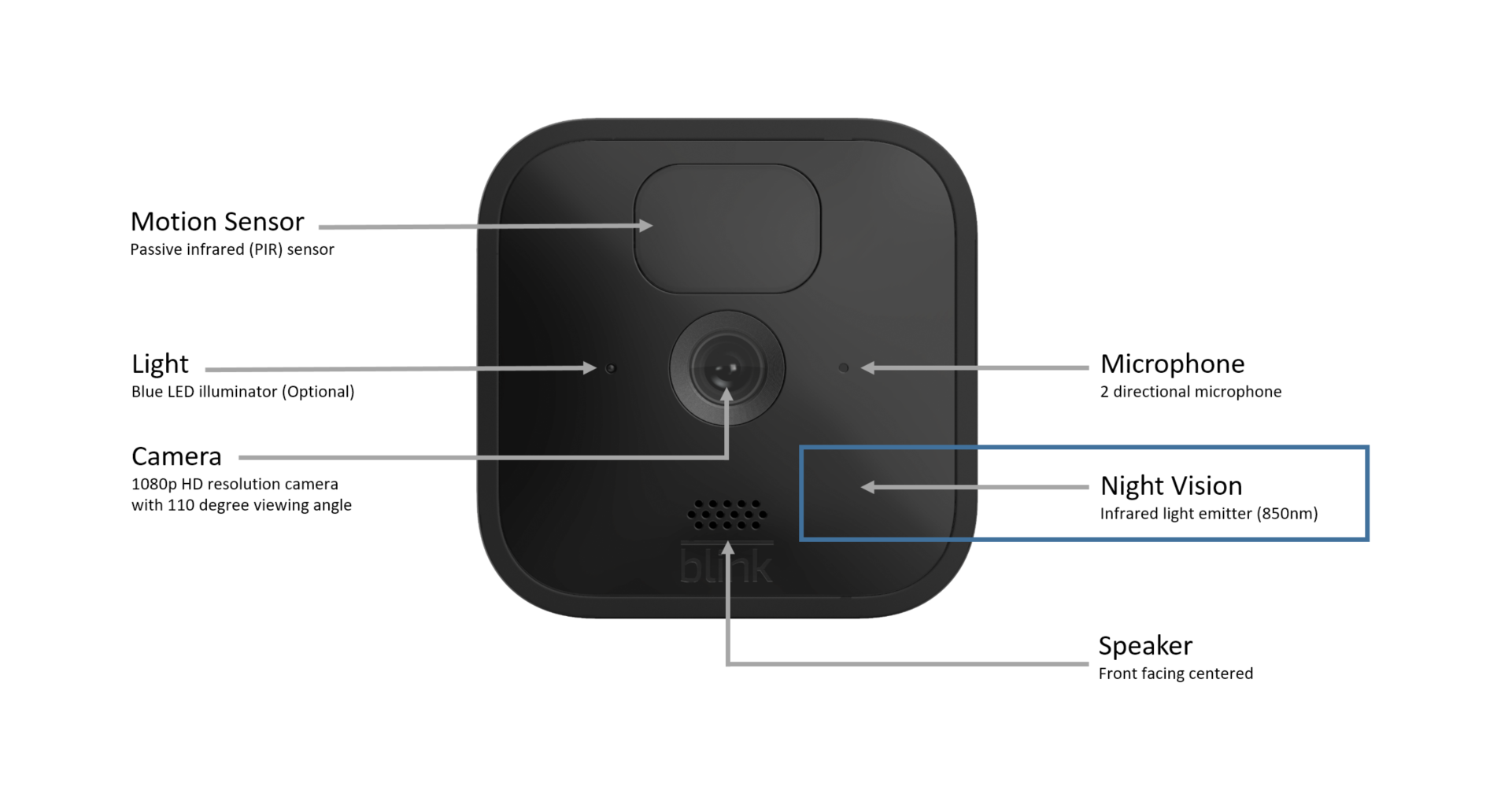
- Temperature sensor: Monitors room temperature. Useful in basements, attics, or garages.
- Night vision: Infrared lights let the camera see in total darkness.
- Smart home integration: Works with Alexa for voice control.
- Scheduling: Set times for the camera to be active or inactive.
- Multiple camera support: Monitor different rooms with one app.
A non-obvious tip: The temperature sensor helps you spot heating or cooling issues in rooms where you don’t spend much time.

Credit: www.youtube.com
Technical Limitations: What You Should Know
Blink Outdoor cameras work well indoors, but there are a few limits:
- One-way audio: You can hear, but not speak through the camera.
- No pan/tilt: The camera is fixed. You must move it manually to change view.
- Battery-only power: No plug-in option (unless you use rechargeable batteries).
- No continuous recording: Blink cameras record only when motion is detected.
- Limited smart home integration: Works with Alexa, but not all smart home systems.
If you need features like continuous recording or two-way audio, consider the Blink Mini.
Cost Considerations: Is It Worth It?
Blink Outdoor cameras are usually more expensive than indoor models. Is it worth using them inside?
Pros:
- Tough build lasts longer in busy homes.
- Flexible placement without wires.
- Can be reused outdoors later.
Cons:
- Higher price for features you may not need indoors.
- No two-way audio.
- Fixed view (no pan or tilt).
If you plan to use the camera both inside and outside, the Blink Outdoor is a smart investment. If you only need basic indoor monitoring, the Blink Indoor or Mini might be better.
How To Get The Best Value
To maximize your investment:
- Use Blink Outdoor cameras in rooms where durability matters (kitchens, garages, playrooms).
- Move the camera outside when you need outdoor security.
- Combine with Blink Indoor or Mini for extra features (like two-way audio).
- Take advantage of Blink’s app for easy control.
Troubleshooting: Common Issues And Solutions
Here are problems you might face when using Blink Outdoor cameras indoors, and how to fix them:
Motion alerts are too frequent: Lower sensitivity in the app. Set motion zones away from busy areas.
Blurry video: Clean the lens. Adjust lighting. Check if the camera is focused on the right spot.
Poor Wi-Fi connection: Move the camera closer to your router. Avoid thick walls and metal objects.
Battery drains quickly: Reduce motion detection. Use higher-quality batteries. Keep the camera away from heat sources.
Sync Module issues: Restart the module. Update firmware. Contact support if problems continue.
Smart Home Integration
Blink Outdoor cameras connect easily with Alexa. You can:
- View live feed on Echo Show devices.
- Arm/disarm the system with voice commands.
- Get motion alerts through Alexa routines.
To set up, link your Blink account in the Alexa app. For more details, visit the official Amazon Alexa site.
Environmental Factors: Indoor Challenges
Even inside, cameras face challenges:
- Humidity: Garages, basements, and bathrooms can be humid. Blink Outdoor cameras handle moisture better than indoor models.
- Dust and dirt: In busy rooms or workshops, dust can build up. Clean the camera lens regularly.
- Heat and cold: Near heaters or windows, extreme temperatures can affect performance. Blink Outdoor cameras are less sensitive to temperature swings.
A practical tip: Check the camera’s temperature readings in the app. If rooms get too hot or cold, move the camera or improve ventilation.
Credit: support.blinkforhome.com
Maintenance And Upkeep
To keep your Blink Outdoor camera working well indoors:
- Clean the lens monthly.
- Check battery levels in the app.
- Update firmware regularly.
- Review saved footage for quality.
- Test motion alerts after moving the camera.
If you place the camera in high-traffic areas, check for bumps or drops.
Alternatives: When To Choose Indoor Cameras
Sometimes, using a dedicated indoor camera is better:
- If you want two-way audio: Blink Mini lets you talk and listen.
- Continuous power: Plug-in models never need battery changes.
- Lower cost: Indoor models are less expensive.
- Discrete size: Indoor cameras are often smaller and less noticeable.
Choose Blink Outdoor for durability and flexibility. Choose indoor models for extra features and lower price.
Frequently Asked Questions
Can Blink Outdoor Cameras Record Continuously Indoors?
No. Blink Outdoor cameras only record when motion is detected. They don’t support continuous recording. If you need always-on recording, consider other brands or models.
How Long Do Batteries Last When Used Inside?
Usually, batteries last longer indoors—often up to two years. Less extreme temperatures and fewer motion events mean slower battery drain. If you get frequent alerts, battery life may be shorter.
Is It Safe To Use Blink Outdoor Cameras In Humid Indoor Areas?
Yes. Blink Outdoor cameras are weatherproof, so they handle humidity well. They’re a good choice for garages, basements, or bathrooms where moisture is common.
Can I Move My Blink Outdoor Camera From Inside To Outside Easily?
Yes. Blink Outdoor cameras are designed for flexible placement. You can move them between indoor and outdoor locations as needed. Just make sure to adjust settings for each environment.
Do Blink Outdoor Cameras Have Privacy Features For Indoor Use?
Yes. You can set privacy zones in the Blink app to block parts of the camera’s view. This is helpful for areas like bedrooms or shared spaces. Always let people know if you have a camera indoors.
Final Thoughts
Blink Outdoor cameras can be used indoors, and they offer durability, flexible placement, and reliable performance. They’re especially useful in busy homes, garages, or rental spaces. While they cost more than indoor models, their tough build and easy setup make them a smart choice for many people.
Always consider your needs, and use privacy features to protect everyone in your home. With proper setup and regular maintenance, Blink Outdoor cameras give you peace of mind—whether you use them inside, outside, or both.