

Can You Use Zigbee Without A Hub?
Smart home technology is changing the way we live. Devices can talk to each other, automate tasks, and make life easier. One of the most popular communication standards for smart devices is Zigbee. Many people want to use Zigbee for their home, but a common question comes up: Can you use Zigbee without a hub?
You may have seen Zigbee used in smart lights, sensors, thermostats, and more. Most guides and packages mention a hub or gateway. For beginners, this can be confusing. Is a hub always needed, or can Zigbee devices work on their own?
This article will clear up the confusion, explain how Zigbee works, and guide you through your options for using Zigbee devices without a hub. Whether you are a smart home enthusiast or just starting, you’ll find practical answers and advice here.
What Is Zigbee And How Does It Work?
Zigbee is a wireless communication protocol designed for smart devices. It allows devices like bulbs, switches, and sensors to talk to each other. Zigbee is not Wi-Fi or Bluetooth. It uses a different frequency (2.4 GHz) and is made for low-power, reliable communication over short distances.
Zigbee Network Structure
A Zigbee network is called a mesh network. This means devices can pass messages to each other, not just directly to one central point. There are three main device types in Zigbee networks:
- Coordinator: Starts and manages the network. Usually, this is the hub or gateway.
- Router: Extends the network range. Smart plugs or bulbs often act as routers.
- End Device: Uses the network but doesn’t pass messages. Sensors, remotes, etc.
Without a coordinator, Zigbee devices cannot form a network. This is why hubs are often needed. However, some Zigbee devices can work in a limited way without a hub.
Why Zigbee Is Popular
- Low power: Good for battery devices.
- Reliable: Mesh means devices can cover bigger areas.
- Secure: Uses encryption to protect communication.
- Interoperable: Many brands use Zigbee.
Zigbee is used in smart home products like Philips Hue, IKEA TRÅDFRI, Samsung SmartThings, and Amazon Echo Plus.
What Is A Zigbee Hub?
A Zigbee hub (or gateway) is a device that acts as the coordinator. It connects Zigbee devices to each other and often to your Wi-Fi or the internet. The hub lets you control devices from your phone, automate actions, and integrate with voice assistants.
Main Functions Of A Zigbee Hub
- Network management: Creates and maintains the Zigbee mesh.
- Device discovery: Finds and adds new Zigbee devices.
- Automation: Sets up rules and schedules.
- Remote access: Lets you control devices from anywhere.
- Integration: Connects Zigbee with other smart home systems.
Popular Zigbee hubs include SmartThings Hub, Amazon Echo Plus, and Hubitat Elevation.

Credit: www.reddit.com
Can Zigbee Devices Work Without A Hub?
This is the big question. The answer depends on the type of device and your goals. Let’s look at what is possible.
Standalone Zigbee Devices
Some Zigbee devices can work standalone or with a direct connection. For example:
- Zigbee remote + bulb: Some kits allow a remote to control a bulb directly, without a hub. The remote acts as a simple controller.
- Zigbee switches: Certain switches can be paired with bulbs or outlets for basic control.
However, most standalone setups are limited:
- No automation: You can’t set schedules or rules.
- No app control: You can’t use your phone to manage devices.
- No integration: Devices can’t work with Alexa, Google Assistant, or other platforms.
Direct Device-to-device Pairing
Some Zigbee devices support device-to-device pairing. For example, you can pair a motion sensor directly with a light bulb. When the sensor detects movement, it turns on the light. This setup does not require a hub, but:
- Pairing can be tricky.
- Only simple actions are possible.
- Devices from different brands may not pair directly.
Using Zigbee With A Computer Or Usb Dongle
Tech-savvy users sometimes use a USB Zigbee dongle (like ConBee or Zigbee2MQTT) plugged into a computer or Raspberry Pi. This can act as a coordinator, replacing a traditional hub. It requires software and setup, but lets you control Zigbee devices without a commercial hub.
Zigbee Devices That Do Not Require A Hub
Some products are designed to work without a hub. Examples include:
- Philips Hue Dimmer Switch + Hue Bulb: The switch can control the bulb directly.
- IKEA TRÅDFRI Remote + Bulb: Similar direct control.
- Certain Zigbee smart plugs: Can be used with a remote.
But even here, the range of features is limited compared to a hub-based setup.
Zigbee Without A Hub: Pros And Cons
Let’s compare the benefits and drawbacks of using Zigbee devices without a hub.
| Feature | With Hub | Without Hub |
|---|---|---|
| Remote Control (App) | Yes | No |
| Automation & Schedules | Yes | No |
| Voice Assistant Integration | Yes | No |
| Device Pairing Flexibility | High | Limited |
| Setup Complexity | Medium | Low |
| Cost | Higher | Lower |
Pros Of No Hub
- Lower cost: No need to buy a hub.
- Simple setup: Pair two devices directly.
- Less technical: No app or Wi-Fi setup.
Cons Of No Hub
- Limited control: Only basic actions possible.
- No remote access: Must be nearby to use.
- Few automation options: No schedules or advanced rules.
- Poor integration: Devices may not work together well.
Common Zigbee Devices And Their Hub Requirements
Understanding which Zigbee devices need a hub helps you plan your smart home. Here are some common devices and their typical requirements:
| Device Type | Hub Required? | Direct Pairing Possible? | Example Product |
|---|---|---|---|
| Smart Bulb | Usually Yes | Sometimes | Philips Hue |
| Motion Sensor | Yes | Rarely | Samsung SmartThings |
| Remote/Dimmer Switch | No | Yes | IKEA TRÅDFRI Remote |
| Smart Plug | Yes | Sometimes | Centralite Plug |
| Door/Window Sensor | Yes | No | Hive Sensor |
Not All Zigbee Devices Are Equal
Some brands design their Zigbee products to require a hub. For example, most Philips Hue bulbs need the Hue Bridge for full features. Others, like IKEA TRÅDFRI, allow direct pairing in certain cases.
Non-obvious insight: Even if a device can pair directly, firmware updates and advanced functions may only be available with a hub. Beginners often overlook this, leading to frustration later.
How To Set Up Zigbee Devices Without A Hub
If you want to use Zigbee devices without a hub, you need to follow certain steps. Here’s a practical guide:
1. Choose Compatible Devices
Not all Zigbee devices can work without a hub. Check product manuals or manufacturer websites for direct pairing features.
- Look for kits that include a remote and bulb.
- Avoid devices marked “requires hub” or “gateway needed.”
2. Pair Devices Directly
Most direct pairing follows a simple process:
- Power up both devices (bulb, switch, etc. ).
- Put both devices in pairing mode. Usually, you press a button or toggle the power.
- Wait for confirmation (light blinks, beep, etc. ).
- Test control (use the remote or switch to control the bulb).
If pairing fails, reset both devices and try again.
3. Use Device Documentation
Manufacturers often provide pairing guides. Follow them carefully. Some devices require a special sequence or timing.
4. Limitations To Expect
- Only basic on/off or dimming.
- No app or remote (outside the included remote).
- No automation or advanced scenes.
5. Troubleshooting Tips
- Keep devices close during pairing.
- Avoid interference from Wi-Fi or Bluetooth.
- Reset devices if pairing fails.
- Check battery levels for remotes or sensors.
Non-obvious insight: Some Zigbee devices can only remember one paired device. If you pair a bulb with a new remote, it forgets the old one. This can cause confusion for beginners.
Using Zigbee With Usb Dongles And Computers
For tech enthusiasts, USB Zigbee dongles provide more options. They can replace a hub, letting you build your own smart home system.
What Is A Zigbee Usb Dongle?
A Zigbee USB dongle is a small device that plugs into a computer or Raspberry Pi. It acts as a coordinator for Zigbee devices. Popular dongles include ConBee II and CC2531.
Software For Usb Dongles
You need software to manage the dongle and Zigbee devices:
- Zigbee2MQTT: Open-source, works with many dongles.
- Home Assistant: Popular smart home platform.
- DeCONZ: Official software for ConBee.
These tools let you control Zigbee devices, set automation, and integrate with other smart home tech.
Setup Steps
- Plug in the USB dongle.
- Install software (Home Assistant, Zigbee2MQTT, etc. ).
- Add Zigbee devices using the software interface.
- Configure automation and remote access.
This setup is more advanced than direct pairing. It requires some computer knowledge and network setup.
Advantages Of Usb Dongle Approach
- No commercial hub needed.
- Full control: Automation, remote access, integration.
- Customizable: You decide how your smart home works.
Drawbacks
- More complex setup.
- Requires a computer or Raspberry Pi.
- May need troubleshooting.
Non-obvious insight: Many beginners do not realize that this approach can be cheaper and more flexible than buying a commercial hub, but it needs more tech skills. Also, updates and support are often community-driven.
Zigbee Vs. Other Protocols Without A Hub
How does Zigbee compare to other smart home protocols when no hub is used?
| Protocol | Hub Required? | Direct Pairing Possible? | Integration Features |
|---|---|---|---|
| Zigbee | Usually Yes | Limited | Good with hub |
| Wi-Fi | No | Yes | Excellent (app, cloud) |
| Bluetooth | No | Yes | Limited (range) |
| Z-Wave | Yes | No | Excellent (with hub) |
Zigbee Strengths
- Mesh network: Good for large homes.
- Low power: Great for sensors.
Zigbee Weaknesses Without A Hub
- Limited direct pairing.
- Few integration features.
Wi-Fi devices, for example, often allow full app control without a hub. Zigbee is more limited in this area.
When Should You Use Zigbee Without A Hub?
There are cases where using Zigbee without a hub makes sense:
- Simple setups: One or two devices, like a remote and bulb.
- Budget constraints: Avoid extra costs.
- Beginner users: Want easy, basic control.
- Testing or temporary setups: Trying Zigbee before investing in a hub.
But for larger smart homes or automation, a hub is usually needed.
Real-world Example
Suppose you want to control a bedside lamp with a wireless remote. Buying a Zigbee bulb and remote allows direct pairing. You can turn the lamp on and off from bed. No app or hub needed. But if you want to schedule the lamp or control it from your phone, you’ll need a hub or dongle setup.
Common Mistakes When Using Zigbee Without A Hub
Beginners often make mistakes when trying to use Zigbee devices without a hub. Here are some to watch out for:
- Assuming all Zigbee devices can pair directly: Many require a hub.
- Ignoring brand compatibility: Devices from different brands may not work together.
- Missing advanced features: Direct pairing offers only basic control.
- Skipping documentation: Always read the manual for pairing steps.
- Expecting app control: You won’t get app or remote access without a hub.
- Overlooking firmware updates: Updates often require a hub.
Non-obvious insight: Some Zigbee devices can be “locked” to a hub after initial setup. Removing the hub can make the device useless until reset, which is tricky for beginners.
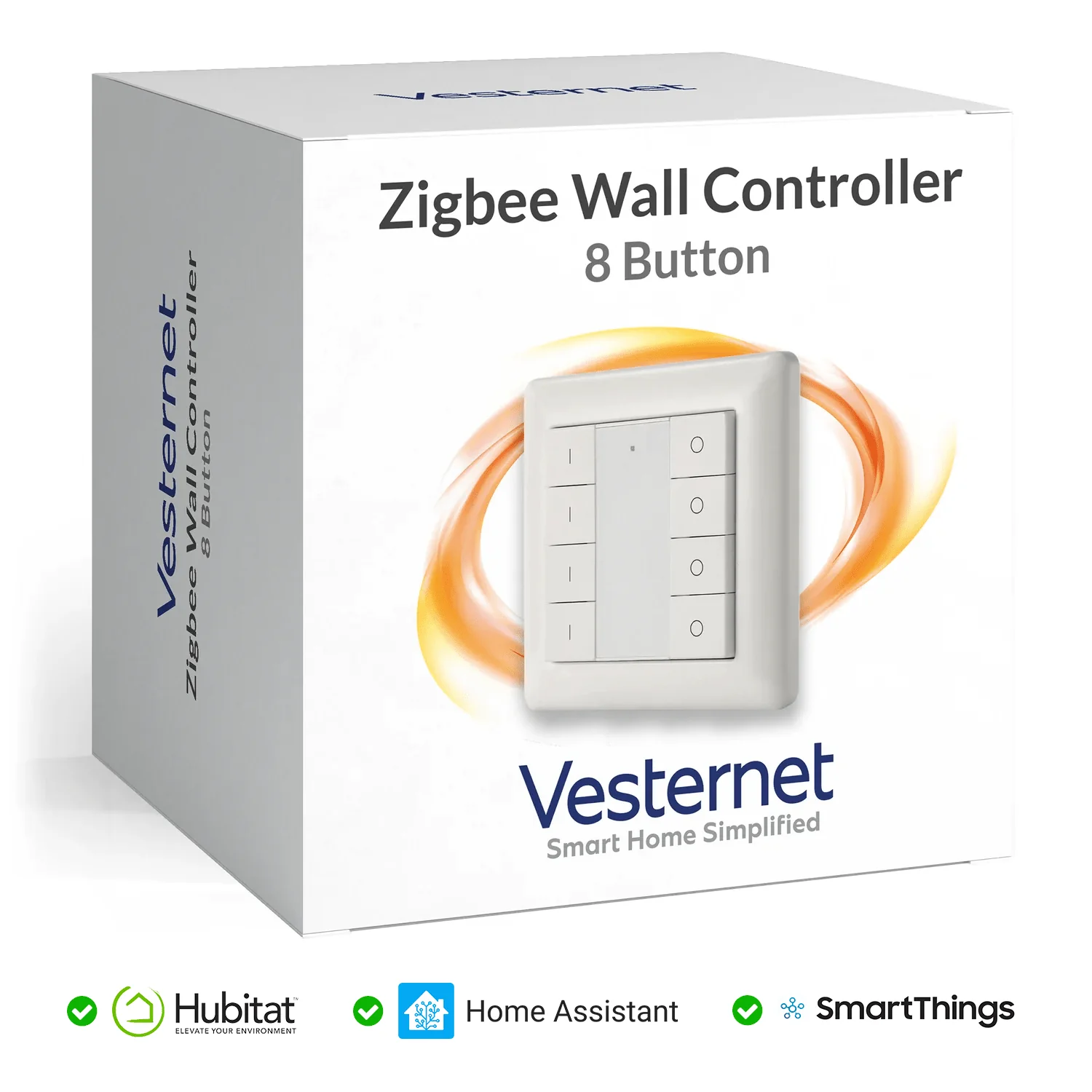
Credit: www.vesternet.com
Zigbee Device Security Without A Hub
Security is important in any smart home. Zigbee uses encryption, but without a hub, you lose some security features.
Security Features With A Hub
- Encryption: Protects device communication.
- Access controls: Limits who can control devices.
- Firmware updates: Fix security bugs.
Without A Hub
- Basic encryption remains.
- No access controls.
- No firmware updates.
If you use direct pairing, keep devices updated and reset them if you suspect problems.
Upgrading From No Hub To Hub-based Zigbee
If you start with Zigbee devices without a hub, you can upgrade later. Here’s how:
1. Choose A Compatible Hub
Select a hub that supports your devices. Popular options:
- SmartThings Hub
- Amazon Echo Plus
- Hubitat Elevation
2. Reset Devices
Most Zigbee devices need to be reset before adding to a hub. Check manuals for reset steps.
3. Add Devices To The Hub
Use the hub’s app or interface to add devices. Follow pairing instructions.
4. Set Up Automation
Once devices are added, create scenes, schedules, and automations as needed.
Non-obvious insight: Some hubs allow importing device settings from direct pairing, but others require a full reset and re-pairing.
Zigbee Without A Hub: Who Is It For?
This setup is best for:
- Small apartments: Simple lighting or sensor control.
- Renters: No permanent installation needed.
- Tech beginners: Easy entry to smart home tech.
- Budget-conscious users: Save money on hardware.
But anyone wanting advanced automation, app control, or integration should consider a hub or USB dongle.
Future Of Zigbee And Hubless Smart Homes
The smart home industry is moving toward hubless solutions. New standards like Matter aim to make devices work together without hubs. Some Zigbee products are being updated to support Matter, which may allow more features without a hub.
For now, Zigbee remains mostly hub-centric, but the trend is changing. Keep an eye out for new devices and standards that make smart homes easier and more flexible.

Credit: www.the-ambient.com
Frequently Asked Questions
Can I Control Zigbee Devices With My Phone Without A Hub?
No. App control for Zigbee devices usually requires a hub or gateway. Without a hub, you can only use direct pairing (like a remote or switch), not your phone.
Is Zigbee Better Than Wi-fi For Smart Home Devices?
It depends. Zigbee is low-power and good for sensors and mesh networks. Wi-Fi devices usually offer app control without a hub and are easier to set up for beginners. For larger homes or battery devices, Zigbee is often better.
Can Zigbee Devices Work With Amazon Alexa Or Google Assistant Without A Hub?
No. Voice assistant integration requires a Zigbee hub or compatible device (like Amazon Echo Plus). Without a hub, Zigbee devices cannot be controlled by Alexa or Google Assistant.
What Is The Easiest Zigbee Device To Use Without A Hub?
Remotes and bulbs from brands like IKEA TRÅDFRI and Philips Hue are the easiest. They allow direct pairing for basic on/off or dimming control.
How Many Zigbee Devices Can I Pair Without A Hub?
Usually, only a few devices can be paired directly. Complex setups or large numbers require a hub or USB dongle for proper management.
For more technical details, visit the Zigbee Wikipedia page.
Smart homes are exciting, but understanding the limits and strengths of Zigbee is key. If you want simple control, Zigbee without a hub can work. For automation, app access, and integration, a hub or USB dongle is essential. The right setup depends on your needs, budget, and tech skills.
As the industry evolves, more hubless options will become available, but for now, knowing these basics helps you make the best choice for your smart home.