

Mesh routers are changing the way we connect to the internet at home and in the office. Many people want to know: do all mesh routers need Ethernet? The answer is not simple, and understanding it can help you make better choices for your network. Mesh routers promise to remove dead zones, boost Wi-Fi signal, and support many devices at once. But how they connect—wirelessly or with Ethernet cables—affects their speed, reliability, and setup.
Most people are familiar with traditional routers. They send Wi-Fi from one spot, and if you’re far away, the signal drops. Mesh routers use several units, or “nodes,” working together to cover a large area. You see these small devices on desks, shelves, or plugged into walls. But behind the scenes, there’s a big question: do these nodes need Ethernet cables to work their best?
This article will explain how mesh routers work, when Ethernet is required, the real benefits and downsides of using cables, and what happens when you use only Wi-Fi. You’ll learn about the different types of mesh systems, what to consider before buying, and how to set up your network for the best performance.
We’ll break down technical terms, compare popular models, and clear up common myths. If you want fast, reliable Wi-Fi everywhere, this guide will help you understand the role of Ethernet in mesh networks.
What Is A Mesh Router?
A mesh router system is a group of devices that create one large, seamless Wi-Fi network. Unlike a single router, which broadcasts from one point, mesh systems use multiple devices spread around your space. Each device is called a node. One node connects to your internet source, and the others link to it, either wirelessly or with Ethernet cables.
Mesh routers are smart because they talk to each other. If one device is far away from the main unit, it can still get a strong signal by connecting to the nearest node. This creates a “mesh” of Wi-Fi coverage.
The system automatically picks the fastest route for your data, so you get a strong connection in every room, even through walls or on different floors.
A big benefit is easy roaming. As you walk around, your phone or laptop switches smoothly from one node to another without dropping the connection. Mesh routers are great for large homes, offices, or places with Wi-Fi dead spots.
How Mesh Routers Work: Wireless Vs Ethernet Backhaul
Mesh routers use two main ways to connect their nodes: wireless backhaul and Ethernet backhaul.
Wireless Backhaul
With wireless backhaul, each mesh node talks to the others using Wi-Fi. There are no cables between the units. Data “hops” from one device to another until it reaches your modem and the internet. This setup is simple—just plug in the nodes, follow the app instructions, and you’re done.
However, wireless backhaul has some limits. Each “hop” can reduce speed, especially if there are walls or long distances between nodes. If you have many devices or need high speeds for gaming or streaming, wireless connections may slow things down.
Ethernet Backhaul
Ethernet backhaul means connecting mesh nodes with Ethernet cables. The cables carry data faster and more reliably than Wi-Fi. This setup creates a wired network between your mesh units. The Wi-Fi signal to your devices stays strong, but the nodes themselves use Ethernet for communication.
Ethernet backhaul gives you the fastest speeds and the most stable connection. It’s ideal for large homes, offices, or places with thick walls. The downside is that you need to run cables to every node, which can be tricky or expensive in some buildings.
Comparing Wireless And Ethernet Backhaul
Here’s a side-by-side look at both methods:
| Feature | Wireless Backhaul | Ethernet Backhaul |
|---|---|---|
| Setup | Easy, no cables | Requires running cables |
| Speed | Can slow with distance/hops | Fastest possible |
| Reliability | Affected by walls, interference | Very stable, less interference |
| Flexibility | Place nodes anywhere with power | Need Ethernet ports/outlets |
| Cost | Usually cheaper | May need extra cabling |
Most modern mesh routers can use both methods. You can start with wireless and add Ethernet later if you want better performance.

Credit: www.amazon.com
Do All Mesh Routers Need Ethernet?
The short answer is no, not all mesh routers need Ethernet. Most mesh systems are designed to work wirelessly out of the box. You can set them up without any Ethernet cables between the nodes. But there are important details to know:
- Main node always needs Ethernet: The first mesh node, called the “main” or “primary” node, must connect to your modem or gateway using an Ethernet cable. This is how your internet enters the mesh system.
- Other nodes can be wireless: The rest of the nodes usually connect wirelessly. You only need Ethernet for them if you want the highest speeds or most reliable network.
Some mesh systems, especially older or cheaper models, don’t support Ethernet backhaul at all. They only work wirelessly. Others, often higher-end models, let you choose between wireless and wired connections for the extra nodes.
Pro insight: Some people think mesh routers are always “plug-and-play” with no cables, but for the best speeds, Ethernet makes a big difference. If you’re happy with regular Wi-Fi speeds, you might never need Ethernet for your mesh nodes.
Advantages Of Using Ethernet With Mesh Routers
Choosing Ethernet backhaul for your mesh network gives several real benefits.
1. Maximum Speed
Ethernet cables can handle much more data than Wi-Fi. With a wired connection between nodes, you avoid the speed loss that happens with wireless “hops. ” This is important if you have gigabit internet, work from home, or stream 4K video.
2. Reliability
Wi-Fi signals can be blocked or slowed by walls, microwaves, or other networks. Ethernet is not affected by these problems. Your network stays strong, even if your house is full of electronics or thick walls.
3. Lower Latency
Latency is the “delay” you feel when gaming or making video calls. Ethernet connections have lower latency than wireless. This means faster response times and fewer lags.
4. Less Wireless Interference
Busy Wi-Fi channels can cause interference, especially in apartments or cities. Using Ethernet for your mesh nodes frees up the airwaves for your devices, making everything run smoother.
5. Future-proofing
As you add smart TVs, cameras, and other devices, your network can get crowded. Ethernet backhaul helps your mesh system handle more devices without slowing down.
Downsides Of Using Ethernet With Mesh Routers
While Ethernet brings top performance, it isn’t always practical.
1. Installation Difficulty
Running Ethernet cables can be a big job. You might have to drill holes, hide wires, or even hire a professional. In some homes, it’s not possible without major work.
2. Extra Cost
Buying cables, tools, or paying for installation adds to the cost. If you move or change your setup, you might need new cables.
3. Less Flexibility
With wireless mesh, you can move nodes anywhere there’s a power outlet. Ethernet limits you to places with cable access.
4. Appearance
Cables can look messy if not hidden well. This matters if you care about neatness or design.
Types Of Mesh Routers And Their Ethernet Support
Not all mesh routers are built the same. Some are designed for wireless only, while others support Ethernet backhaul or even a mix of both.
Wireless-only Mesh Systems
These are the simplest to set up. They do not have Ethernet ports on the extra nodes, or the ports are for connecting devices (like a TV), not for linking nodes.
Examples:
- Google Nest Wifi (satellite units do not support Ethernet backhaul)
- Some basic TP-Link Deco models
These are good for renters, apartments, or places where you can’t run cables. However, you sacrifice some speed and reliability.
Hybrid Mesh Systems
Most popular mesh routers today are hybrid: they support both wireless and Ethernet backhaul. You can start wirelessly and upgrade to Ethernet later.
Examples:
- Netgear Orbi
- Eero Pro 6
- TP-Link Deco X60/X90
These systems have Ethernet ports on each node. You can mix and match—some nodes wired, some wireless—depending on your home’s layout.
Dedicated Wired Mesh Systems
A few high-end systems are designed to be wired for the best performance. These are used in offices, large homes, or places where speed is critical.
Examples:
- Business-grade mesh systems (like Cisco Meraki)
- Some advanced Asus AiMesh setups
You need Ethernet ports where you want to place each node. These systems are less common for home use.
How To Know If A Mesh Router Supports Ethernet Backhaul
Check the product’s specs or look at the ports on the units. If you see multiple Ethernet ports on each node, it likely supports Ethernet backhaul. Also, the product manual or website will say if “wired backhaul” is an option.
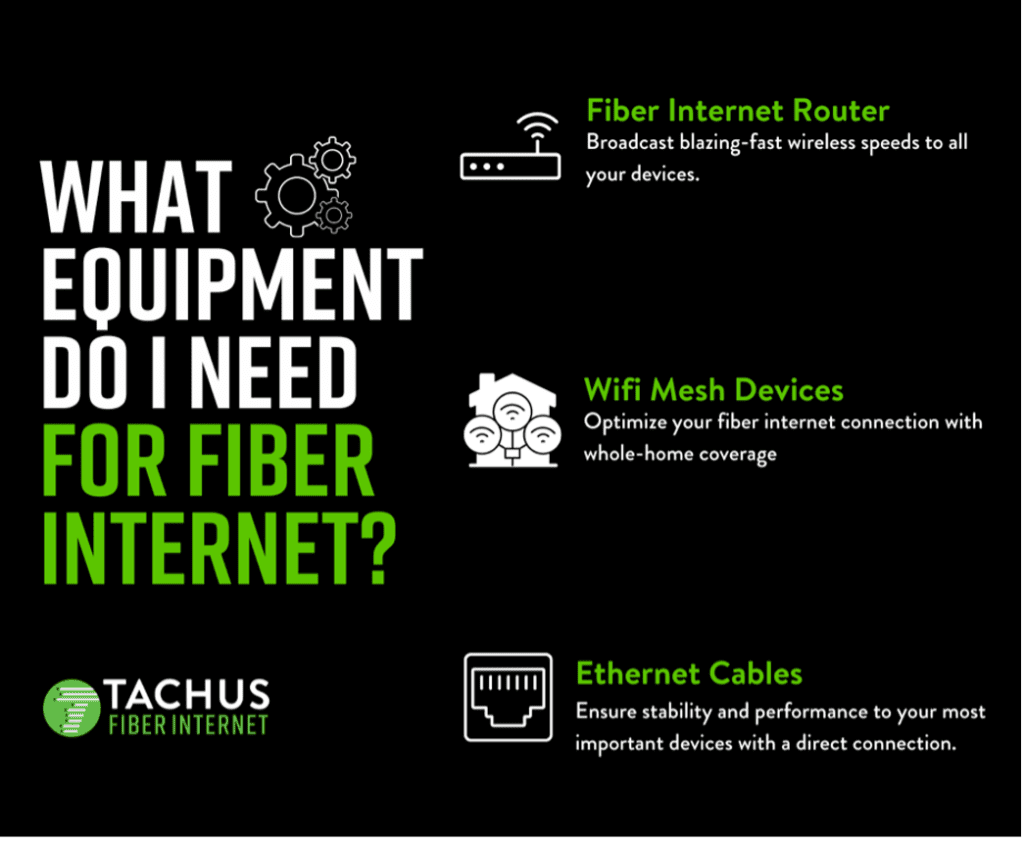
Credit: tachus.com
Popular Mesh Routers Compared: Ethernet Features
Let’s compare some top mesh routers and their Ethernet support.
| Model | Ethernet Backhaul | Ports per Node | Best For |
|---|---|---|---|
| Google Nest Wifi | Main only | 2 (main), 0 (satellites) | Simple wireless mesh |
| Netgear Orbi RBK50 | Yes | 3-4 | High-speed, large homes |
| Eero Pro 6 | Yes | 2 | Flexible, mixed backhaul |
| TP-Link Deco X60 | Yes | 2 | Affordable gigabit mesh |
| Asus ZenWiFi XT8 | Yes | 2 | Power users, advanced features |
Tip: If you want to use Ethernet for backhaul, always check the specs before buying. Some mesh systems look similar but have very different backhaul options.
When Do You Really Need Ethernet For Mesh Routers?
Not every setup requires Ethernet, but in some cases, it makes a big difference.
You Need Ethernet If:
- You have gigabit or faster internet and want to use the full speed throughout your home.
- Your home is large or has thick walls that block Wi-Fi signals.
- You have many “hops” (more than two nodes between the main unit and farthest point).
- You need stable connections for gaming, video calls, or work.
- You live in a crowded Wi-Fi area (apartments, condos).
You Don’t Need Ethernet If:
- Your internet speed is below 200 Mbps and you don’t use heavy streaming/gaming.
- Your home is small or open, so Wi-Fi can reach everywhere easily.
- You want a simple, cable-free setup.
- You’re OK with occasional slowdowns during busy times.
Pro tip: You can start with wireless, and if you notice slow speeds or dropped connections, add Ethernet only where needed.
Real-world Example: Mesh Router Performance With And Without Ethernet
Let’s look at a real example. A typical three-story house tries both setups:
- Wireless mesh: Main node on the ground floor, one node on the second, one on the third.
- Speed at main node: 800 Mbps
- Speed at second node: 500 Mbps
- Speed at third node: 120 Mbps (due to two wireless “hops”)
- Occasional drops during video calls on top floor
- Ethernet backhaul: All nodes connected by cable through the house.
- Speed at every node: 750–800 Mbps
- No drops or slowdowns, even with streaming on every floor
This shows how Ethernet backhaul keeps speeds high everywhere. In the wireless setup, each hop cuts speed, especially on the farthest node.
Common Myths About Mesh Routers And Ethernet
There’s a lot of confusion about how mesh routers use Ethernet. Let’s clear up a few myths.
Myth 1: Mesh Routers Only Work Wirelessly
Fact: Most modern mesh systems support both wireless and Ethernet backhaul. You can choose what fits your needs.
Myth 2: You Must Wire Every Node
Fact: Many systems let you mix and match. You might wire nodes on the main floor and use wireless for others.
Myth 3: Ethernet Is Always Faster
Fact: Ethernet is almost always more reliable, but some high-end mesh routers use a special “dedicated backhaul” Wi-Fi band to keep speeds high, even without cables. Still, Ethernet wins for consistency.
Myth 4: Using Ethernet Is Complicated
Fact: On most mesh systems, just plug in the cable. The app or system will detect and use the wired connection automatically.
Non-obvious insight: Some older mesh routers need a settings change to use Ethernet backhaul. Always check the manual.
How To Set Up Ethernet Backhaul On Your Mesh Router
Setting up Ethernet backhaul is usually simple, but a few steps ensure you get the best results.
1. Plan Node Placement
Decide where you want each mesh node. Choose spots with Ethernet access if possible. Nodes should be near power outlets and in central locations for best coverage.
2. Run Ethernet Cables
You can use existing Ethernet wiring, or run new Cat5e, Cat6, or Cat6a cables. The higher the “Cat” number, the more speed it can handle. For gigabit internet, Cat6 is a safe choice.
3. Connect Each Node
Plug one end of the Ethernet cable into your main router or a network switch, and the other into the mesh node’s Ethernet port. Do this for each wired node.
4. Configure In The App
Most mesh systems automatically detect Ethernet backhaul. Some need you to select “wired backhaul” in the app or web interface. Look for options in network settings.
5. Test Your Network
Check speeds at each node using a laptop or phone. You should see fast, consistent performance everywhere.
Non-obvious insight: For the best results, avoid using “daisy chaining” (one node connects to another, which then connects to the main). If possible, run each node back to a central switch or the main router.
What To Consider Before Choosing A Mesh Router
If you’re shopping for a mesh router, think about these factors:
1. Ethernet Backhaul Support
Look for systems with Ethernet ports on every node if you plan to wire them. Some cheaper models skip this feature.
2. Number Of Nodes Needed
Map your space. Large homes or offices may need 3–6 nodes. Fewer nodes mean simpler setup but can leave dead zones.
3. Speed And Wi-fi Standard
Choose Wi-Fi 6 or Wi-Fi 6E mesh routers for faster speeds and better device support. Older Wi-Fi 5 systems are cheaper but slower.
4. App And Setup Experience
Some mesh systems have easy, user-friendly apps. Others are more technical. Pick what matches your comfort level.
5. Expandability
Can you add more nodes in the future? Some systems lock you into a fixed number, while others let you grow.
6. Device Compatibility
Check if the mesh system works with your modem, smart devices, or voice assistants.
7. Price
High-end mesh routers can cost $400 or more for a 3-pack. But for many homes, a $150–$250 system is enough.

Credit: www.amazon.com
Mesh Router Alternatives: When Not To Use Mesh
Mesh routers are powerful, but not always necessary.
When To Skip Mesh Routers
- Small apartments: A single good router may cover your space.
- Simple needs: If you just browse and check email, mesh may be overkill.
- Wired homes: If every room has Ethernet ports, use simple access points instead.
Alternatives
- Wi-Fi extenders: Cheaper but less seamless than mesh.
- Powerline adapters: Use your home’s electrical wiring to extend the network.
- Professional-grade access points: For offices or advanced users.
Note: Mesh routers are best when you need seamless Wi-Fi in big spaces or tough layouts.
Tips For Getting The Most From Your Mesh Router
Whether you use Ethernet or not, these tips help you get top performance.
- Place nodes in open areas, not behind furniture or inside closets.
- Keep nodes off the floor for better signal.
- Limit the number of wireless “hops.” Try to keep each device within one hop of the main node.
- Update your firmware regularly for security and performance.
- Use quality cables (Cat6 or better) for wired backhaul.
- Avoid too many smart home devices on the same band—spread them out if possible.
How Ethernet Impacts Smart Home Devices
Many people wonder if Ethernet backhaul helps with smart lights, speakers, or security cameras. The answer is yes—especially for devices far from your main router. A strong mesh network with Ethernet backhaul ensures your smart home gear stays connected, updates smoothly, and responds faster.
Extra insight: Some smart cameras and doorbells only use 2.4 GHz Wi-Fi, which can get crowded. Ethernet backhaul keeps these devices running well by freeing up Wi-Fi for them, while the mesh nodes talk over cables.
The Future Of Mesh Routers And Ethernet
Technology is always changing. Newer mesh routers are getting better at wireless backhaul, using extra radio bands and Wi-Fi 6E. But for now, Ethernet is still the gold standard for reliability and speed.
Some experts predict that as homes get more connected (with dozens of smart devices), Ethernet backhaul will become more popular, especially in new construction where cables can be installed during building.
If you want to learn more about the technical side of mesh networking, visit the official Wikipedia page on wireless mesh networks.
Frequently Asked Questions
Do I Have To Use Ethernet Cables With My Mesh Router?
No, most mesh routers can work wirelessly for all nodes except the main one, which connects to your modem with Ethernet. However, using Ethernet for the other nodes can boost speed and reliability.
What Happens If I Mix Wired And Wireless Mesh Nodes?
Most modern mesh systems allow you to mix and match. Wired nodes will perform better, but wireless nodes still work fine. The system chooses the best path for your data.
Can I Use Existing Ethernet Wiring For Mesh Routers?
Yes, if your home already has Ethernet ports in different rooms, you can use them to connect mesh nodes for Ethernet backhaul. This gives you top performance without running new cables.
Is Ethernet Backhaul Always Better Than Wireless?
Ethernet backhaul is more reliable and faster, especially for large homes or high-speed internet. However, some high-end mesh routers have special wireless backhaul bands that can come close to Ethernet speeds.
Do All Mesh Routers Support Ethernet Backhaul?
No, some cheaper or older mesh routers only support wireless backhaul. Always check the product details before buying if Ethernet support is important to you.
Mesh routers are powerful tools for better Wi-Fi, but Ethernet backhaul is not a must for everyone. By understanding your needs, home layout, and internet speed, you can choose the right setup for the best experience. Whether you go wireless, wired, or a mix of both, a smart mesh network can make dead zones a thing of the past.