
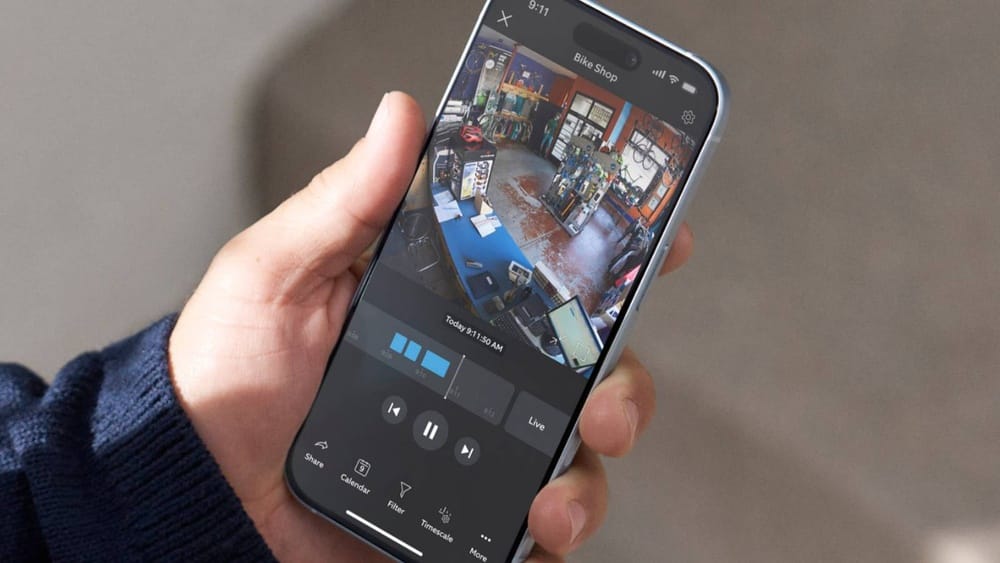
Many people want to keep their homes and offices safe using smart cameras. The Ring Indoor Camera is a popular choice, but there’s one question that often comes up: *Do Ring Indoor Cameras record 24/7?* This article goes deep into what you can expect from Ring’s indoor cameras, what features they offer, and 24 essential facts everyone should know before buying or using one. Whether you’re a first-time user or considering an upgrade, you’ll find real answers and practical comparisons here.
Do Ring Indoor Cameras Record 24/7?
The simple answer is no, Ring Indoor Cameras do not record video 24 hours a day, 7 days a week. Unlike some security systems, Ring cameras use motion-activated recording. This means the camera starts recording when it detects movement or a user starts a live view. The camera does not continuously record every second of the day.
But there’s more to the story. Many users want to understand why, what alternatives exist, and how to get the most out of a Ring Indoor Camera. The next sections cover 24 key facts and features, with details, comparisons, and insider tips.
1. Motion-activated Recording
The main recording mode for Ring Indoor Cameras is motion detection. When the camera’s sensor sees movement, it creates a video clip. This helps save storage space and makes it easier to review important moments.
Example: If your pet walks through the room, the camera will start recording. But if the room is empty, it won’t record anything.
Motion detection is not just about movement. The camera’s sensor is designed to notice changes in infrared energy. This means it can detect people, animals, or objects moving—even in low light. However, very fast movements or movements far away from the camera may not always trigger recording.
Some users adjust the sensitivity to balance between too many alerts and missing events.
2. No Native 24/7 Continuous Recording
Ring does not offer true 24/7 continuous recording on its indoor cameras. Even with a subscription, you only get motion-based clips and live view recordings, not a full-time stream saved to the cloud.
This is different from some other brands that let you record everything, all the time, but usually require extra hardware or a special plan.
Continuous recording is helpful if you want to capture every detail, such as in a business setting or a busy home. But Ring focuses on simplicity and lower costs, so the camera only records what it thinks is important. This keeps video history manageable and makes searching for events easier.
3. Live View Feature
You can open the Live View at any time using the Ring app. This lets you watch a real-time video feed. If you want, you can record or take screenshots during Live View, but these are not saved automatically unless you press record.
Live View is useful if you want to check in on your home without waiting for a motion alert. For example, you can see if your kids arrived home safely or check on a pet. However, Live View does not create a video history unless you actively record it.
Many users forget that Live View sessions are not stored unless you manually save them.
4. Cloud Storage Of Clips
All recorded videos are uploaded to Ring’s cloud servers (with a subscription). You can watch, download, or share these clips from your phone or computer. Without a subscription, you can only see live video and motion alerts, but you cannot review old video clips.
Cloud storage is convenient because your clips are safe even if the camera is stolen or damaged. You can access your video history from anywhere, but only if you have the Ring Protect Plan. Make sure your account has a strong password and two-factor authentication to keep your clips private.
5. Subscription Required For Saving Videos
To store and access recorded clips, you need a Ring Protect Plan. The basic plan covers one camera, and the Plus plan covers all your Ring devices at one address. Without a plan, the camera only gives live alerts.
Tip: Many new users don’t realize that without a subscription, their camera will not store any video history.
Subscriptions also unlock extra features, such as extended storage time, snapshot capture, and rich notifications. If you cancel your plan, your video history is deleted after a short grace period. It’s smart to download important clips before canceling or changing plans.
6. Clip Length Limits
Each motion event creates a video clip. The default length is about 30 seconds, but you can adjust it up to 120 seconds in the settings. Longer clips use more bandwidth and storage.
If there’s constant movement, the camera may create several clips back-to-back, but there could be short gaps between them.
For busy rooms, setting longer clips can help capture more activity, but it can also fill up your storage faster. If you set the clip length too short, you might miss important parts of an event. Experiment with the settings to match your daily routine.
7. Snapshot Capture
Ring cameras offer a snapshot capture feature. The camera takes still images at set intervals (for example, every 30 seconds or 1 minute) even when there’s no movement. This gives you a timeline of images, but not a full video.
Snapshots help fill in gaps between motion events. For example, if someone enters a room quietly, you may see their presence in a snapshot even if no motion clip was triggered. Some users check snapshots to see if pets or people were present during times with no motion alerts.
8. Privacy Concerns
Because Ring cameras do not record 24/7, there is less risk of capturing private moments by accident. Some users prefer this, as it reduces the amount of personal footage stored online.
Event-based recording means your camera is only active when something happens. This gives you more control over what is captured and stored. If you’re worried about privacy, you can turn off the camera or schedule it to pause during certain hours.
9. No Local Storage Option
Ring Indoor Cameras do not support local storage using SD cards or USB drives. All saved videos go to the cloud. If your internet or Wi-Fi is down, motion events are not recorded or uploaded.
Local storage gives more control and privacy, but Ring chose cloud-only for easy access and sharing. If you need local backup, consider other brands or combine Ring with a separate recorder.
10. Internet Requirement
A stable internet connection is essential. If the camera loses Wi-Fi, it cannot upload clips, and you lose access to live view and alerts. Some competitors offer local storage as a backup, but Ring does not.
Slow internet can cause problems like delayed alerts, blurry video, or missed events. If your home has Wi-Fi dead spots, place the camera close to your router or use a Wi-Fi extender.
11. Data Usage And Bandwidth
Since Ring doesn’t record all the time, it uses less data bandwidth compared to 24/7 systems. This is helpful for homes with limited internet speeds or data caps.
Insider tip: If you have many cameras or use high video quality, data usage can still add up, especially with lots of movement.
Motion-based recording is efficient, but every clip is uploaded to the cloud. If you live in an area with slow internet or pay for data by the gigabyte, keep track of your usage. Lowering video quality or clip length helps reduce data.
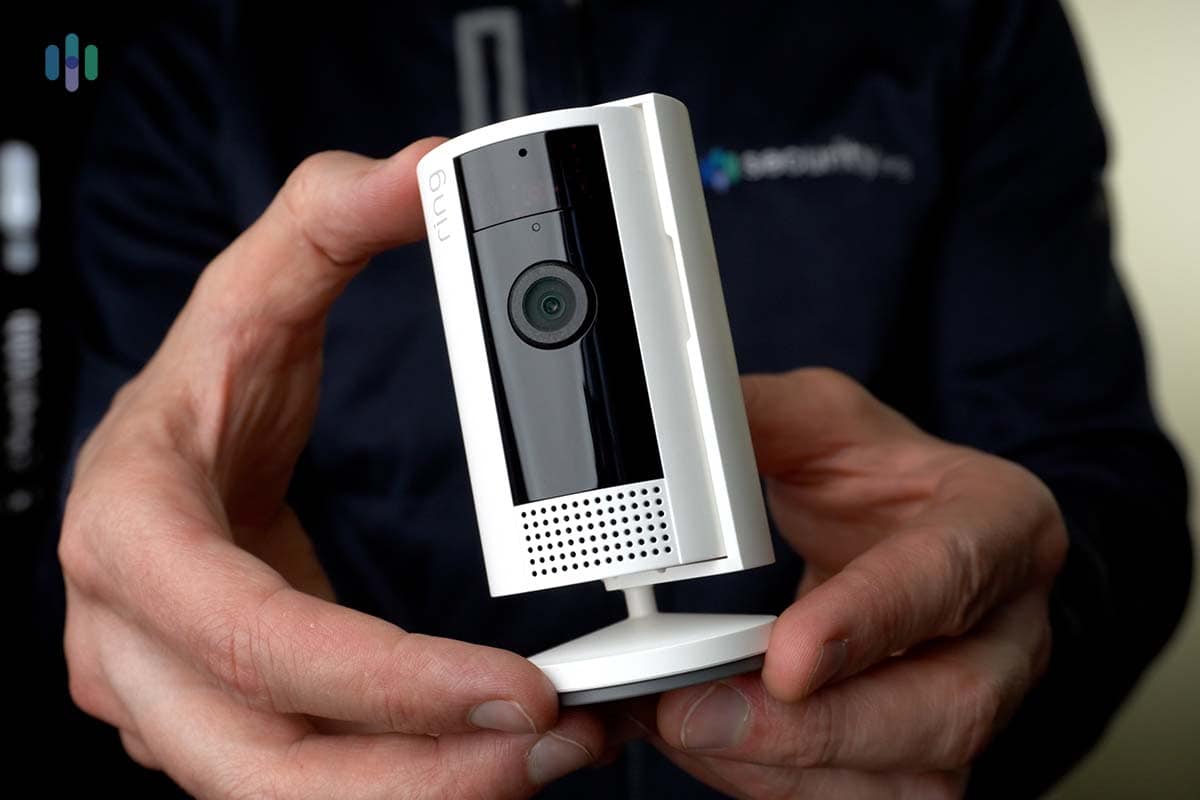
Credit: www.security.org
12. Video Quality
Ring Indoor Cameras record in 1080p HD. The image is clear for most situations, but video quality can drop if your internet is slow or unstable.
1080p is enough for identifying faces and details in most homes. If you need higher resolution for large spaces, you may want to look at cameras that offer 2K or 4K options. Remember, higher quality means larger files and more bandwidth.
13. Night Vision
The camera has infrared night vision. It records in the dark when motion is detected, but only as clips—not continuous night footage.
Night vision is automatic and works up to a certain distance (usually about 10–15 feet). If your room is very large or has many dark corners, placing the camera closer to the action helps improve results.
14. Two-way Audio
You can listen and talk through the camera using the Ring app. This is useful for checking on pets or talking to family, but these conversations are not recorded unless you manually save a video during Live View.
Two-way audio can also scare off intruders or help you guide delivery people. If you want to keep a record of conversations, press record during Live View or use another device.
15. Smart Alerts
Ring’s smart alerts can tell the difference between people and other movement (like pets or shadows). You can change settings to reduce unwanted notifications and recordings.
Customizing motion zones and alert types helps prevent false alarms. For example, you can set the camera to ignore movement from a busy street or tree branches outside a window.
16. Camera Scheduling
Ring allows you to schedule when your camera is active. For example, you can pause motion recording during certain hours for privacy or to save data.
Scheduling is good for homes with regular routines. You can set the camera to record only at night, when you’re away, or during work hours. This feature is often missed by beginners who just leave the camera on all the time.
17. Integration With Alexa
You can connect Ring Indoor Cameras to Amazon Alexa devices. You can ask Alexa to show you the live feed, but Alexa cannot make the camera record 24/7.
Alexa integration is handy for hands-free control. You can say “Alexa, show the living room camera” to see what’s happening. However, Alexa does not manage recordings or settings—those must be done in the Ring app.
18. Multiple User Access
You can share camera access with family or roommates. Each user can view the live feed and get alerts, but only the account owner can change advanced settings.
Guest users can help monitor your home, but make sure you trust everyone with access. Only the main account can manage subscriptions, privacy zones, and scheduling.
19. Limited History Retention
With a Ring Protect Plan, you can store video clips for up to 180 days (or less, depending on your region and settings). After this, old clips are deleted automatically.
Some users set shorter retention periods for privacy. If you want to keep clips longer, download them before they expire. Ring does not offer extended storage beyond 180 days.
20. No Battery Backup
The Ring Indoor Camera uses a power cord and does not have a built-in battery. If the power goes out, the camera stops working and recording.
In homes with frequent outages, consider adding a small UPS (uninterruptible power supply) or choosing a battery-powered camera. Without power, your security system is offline until electricity returns.
21. Security And Encryption
All video clips are encrypted during upload and storage. Ring uses industry-standard security, but storing video in the cloud always has some risk.
Always update your camera’s firmware and use strong passwords. Enable two-factor authentication for extra protection. Be careful about sharing access and review your account’s security settings regularly.
22. Multi-camera Management
You can control and view several Ring cameras from the same app. However, each camera only records based on its own motion sensors—none record 24/7.
Managing multiple cameras is easy with the Ring app. You can view live feeds, check motion alerts, and download clips from all your devices. Grouping cameras by room or area helps organize your security system.
23. Cost Comparison With 24/7 Systems
Cameras that record all the time often cost more and need more expensive storage plans or equipment. Ring’s motion-based approach keeps costs down, but you trade off full-time coverage.
Here is a comparison of Ring and two major 24/7 competitors:
| Brand | 24/7 Recording | Storage Type | Subscription Needed | Bandwidth Use |
|---|---|---|---|---|
| Ring Indoor Camera | No | Cloud only | Yes | Low to Moderate |
| Arlo Pro 4 | Optional | Cloud & Local | Yes | High (if 24/7 enabled) |
| Google Nest Cam | Yes (with plan) | Cloud only | Yes | High |
Ring’s lower price and simple subscription model are attractive for most users. But, if you need total coverage, be ready to pay more for hardware and storage.
24. Alternative Solutions For 24/7 Recording
If you need continuous video coverage, you have options:
- Choose a different camera brand that supports 24/7 recording, such as Google Nest Cam or some models from Arlo and Reolink.
- Use a separate Network Video Recorder (NVR) system that works with continuous recording cameras.
- Combine Ring for smart alerts and another system for full-time recording.
Non-obvious insight: Many users buy motion-based cameras thinking they get full 24/7 coverage, then discover gaps during important events. Always check the camera’s recording method before buying.
If you’re not sure, look for cameras that say “continuous recording” or “NVR compatible” in their features. Some advanced systems let you mix and match, so you get both smart alerts and full-time coverage.
Real-life Example: Missed Events
Imagine you’re away, and something happens in your living room. If the camera’s motion sensor misses it—for example, someone moves very slowly or the sensor is blocked—there may be no video at all. This is a key difference from 24/7 recording systems.
Another scenario: If a camera is facing a window and sunlight changes quickly, the sensor may trigger too many false alarms, causing important clips to be lost among useless ones. Adjusting motion sensitivity and placement helps reduce missed events.

Credit: sajdikovehumence.sk
Why Doesn’t Ring Offer 24/7 Recording?
There are three main reasons:
- Bandwidth and storage: 24/7 video uses a lot of data and storage, which would mean higher costs for users and Ring.
- Privacy: Many people prefer cameras that only record when needed, not all the time.
- Technical limits: Ring’s cloud system is built for event-based clips, not endless streams.
Ring’s design is based on balancing security and convenience. Constant recording would require larger servers, more internet bandwidth, and more expensive subscription plans. For most users, event-based clips are enough.
How Does Ring Compare To Other Brands?
Here’s a quick look at how Ring’s motion-based recording stacks up against two popular alternatives.
| Feature | Ring Indoor Camera | Google Nest Cam Indoor | Arlo Pro 4 |
|---|---|---|---|
| Recording Mode | Motion only | 24/7 (with plan) | Motion or 24/7 (with base station) |
| Storage Type | Cloud | Cloud | Cloud/Local |
| Subscription | Required for history | Required for 24/7 | Required for cloud |
| Price Range | Low | Medium | High |
Ring is simple, affordable, and great for basic security. Nest and Arlo are better for advanced users needing full-time recording or local backup.
What Matters Most When Choosing A Camera?
- Recording type: Do you need 24/7 coverage, or are motion clips enough?
- Storage: Cloud vs. local storage can make a big difference in privacy and reliability.
- Subscription costs: Some brands charge much more for full features.
- Ease of use: Ring is simple, but less flexible for power users.
- Privacy: Consider how much video you want stored online.
Also think about your home’s layout, internet speed, and who needs access. Some families prefer cameras only in public spaces, not bedrooms or bathrooms. If you work from home, you may want cameras with scheduling or privacy zones.
Common Buyer Mistakes
- Assuming all cameras record 24/7: Many smart cameras, including Ring, do not.
- Ignoring subscription costs: Saving videos almost always requires a monthly fee.
- Overlooking Wi-Fi needs: Weak or unreliable internet means missed recordings.
- Not considering power outages: Without battery backup, cameras stop working if the power goes out.
Another common mistake is placing cameras behind glass or in bright sunlight, which can confuse motion sensors. Test your camera placement before final installation.

Credit: oliverstudios.com.br
Insider Tips To Get The Most From Ring Indoor Cameras
- Place cameras where they can see main entry points and movement paths.
- Adjust motion zones so the camera focuses only on important areas.
- Regularly test your system to make sure it’s recording and alerting as expected.
- Download important clips soon, before they are deleted from Ring’s cloud.
One overlooked tip: Clean your camera lens regularly. Dust or smudges can lower video quality and motion detection. Also, check for firmware updates—these often improve performance or add new features.
What To Do If You Need 24/7 Recording
If continuous video is a must, Ring may not be the right fit. Look for systems that clearly state “continuous recording” or “NVR support” in their features. Some users combine motion-based Ring cameras for notifications with a traditional wired camera system for full-time recording.
For more details on other brands and how they compare, check out this IP camera overview.
Frequently Asked Questions
Can Ring Indoor Cameras Record 24/7 If I Pay For A Subscription?
No, even with a Ring Protect Plan, the cameras only record based on motion or live view events. The subscription lets you store and review these clips, but it does not enable 24/7 continuous recording.
How Long Are Motion Clips Stored?
With a Ring Protect Plan, video clips are stored for up to 180 days (or less, depending on region and settings). After this period, clips are deleted from the cloud.
Is There Any Way To Make Ring Cameras Record All The Time?
Currently, Ring does not offer a way to enable 24/7 recording, even with third-party apps or special settings. If you need nonstop coverage, you’ll need to use a different camera brand.
Does Ring Indoor Camera Work If My Internet Goes Down?
No, the camera depends on an internet connection to upload clips and send alerts. If your Wi-Fi or internet is down, no videos are recorded or stored.
Are There Privacy Risks With Cloud Storage?
Ring uses strong encryption and security protocols, but any cloud system carries some risk. Always use a strong password, enable two-factor authentication, and share access only with trusted users.
Final Thoughts
Ring Indoor Cameras are easy to use and offer smart features for everyday home security. But they do not record 24/7—they only create clips when something happens. This saves space and protects privacy but may miss events that happen outside motion detection. If you need full-time video, look at other brands that support continuous recording. Always match your security camera to your real needs and comfort level. With the right setup, you can keep your home safe and your video history under control.