
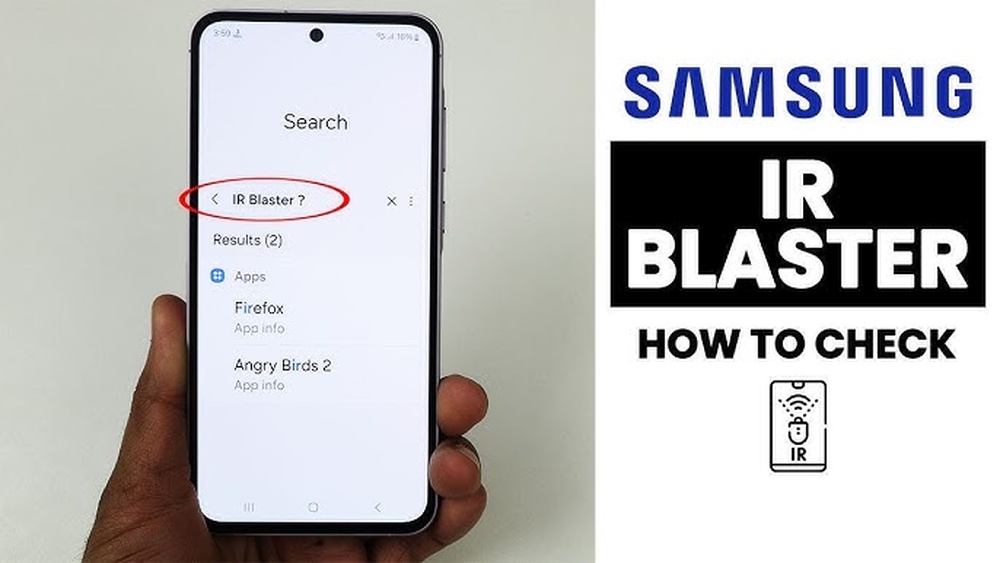
Many people remember a time when using a smartphone as a remote control was a cool trick. With a few taps, you could change the TV channel, adjust the air conditioner, or control your projector. This was possible because of a tiny hardware feature called the IR blaster. For years, Samsung stood out by putting IR blasters in some of their most popular phones. But is this feature still available on Samsung phones today? And if not, why did it disappear? Let’s explore the evolution, current status, and alternatives for IR blasters in Samsung devices, so you can decide what’s possible with your next smartphone.
What Is An Ir Blaster?
Before we look at Samsung’s choices, it’s important to understand what an IR blaster actually does. “IR” stands for infrared, a kind of invisible light. An IR blaster is a small piece of hardware that sends out infrared signals, similar to a TV remote. When your phone has an IR blaster, it can control almost any device that uses an infrared remote—like TVs, set-top boxes, air conditioners, or even some cameras.
IR blasters need special apps to work. These apps act like a universal remote, storing codes for different brands and types of devices. You select your device, and the app sends the correct signal through the IR blaster.
Many people loved IR blasters because they made life easier—no more searching for lost remotes or juggling several at once.
The History Of Ir Blasters On Samsung Phones
Samsung was one of the first big brands to add IR blasters to their smartphones. For a while, this feature was found in several Galaxy models, especially in the popular Galaxy S and Galaxy Note series.
Let’s look at some examples of Samsung phones with IR blasters:
- Samsung Galaxy S4 (2013)
- Samsung Galaxy S5 (2014)
- Samsung Galaxy Note 3 (2013)
- Samsung Galaxy Note 4 (2014)
- Samsung Galaxy Tab 4 (2014, tablet)
These devices could control TVs, Blu-ray players, and other home devices. Samsung even pre-installed a remote app called WatchON, making it simple to start using the feature.
Timeline: The Rise And Fall Of Ir Blasters
The IR blaster was a standard feature on Samsung flagships from about 2013 to 2015. But after the Galaxy S6 and Galaxy Note 5 were released, Samsung quietly removed IR blasters from their new phones.
Here’s a simple timeline showing when IR blasters appeared and disappeared from Samsung’s top models:
| Model | Release Year | IR Blaster |
|---|---|---|
| Galaxy S4 | 2013 | Yes |
| Galaxy S5 | 2014 | Yes |
| Galaxy S6 | 2015 | No |
| Galaxy Note 3 | 2013 | Yes |
| Galaxy Note 4 | 2014 | Yes |
| Galaxy Note 5 | 2015 | No |
As you can see, after 2015, IR blasters disappeared from Samsung’s main phones.
Credit: blog.easyacc.com
Why Did Samsung Remove Ir Blasters?
Many Samsung fans were disappointed when the company stopped including IR blasters. There are a few reasons for this change.
- Low Usage: Most people used their phones for calls, messaging, photos, and social media. Only a small group used the IR blaster often. Samsung likely decided that keeping the feature was not worth the extra cost and space.
- Changing Technology: TVs and other home devices are getting smarter. Many now use Wi-Fi or Bluetooth instead of infrared. This means you can control them with apps over your home network, making IR blasters less necessary.
- Design Pressure: As phones became thinner and more powerful, every millimeter of space mattered. Removing less-used features like the IR blaster let Samsung add bigger batteries, better cameras, or new sensors.
- Security and Compatibility: Some newer devices don’t support IR control, or have security features that block it. This made the IR blaster less useful over time.
- Cost Saving: Every hardware feature adds to the cost. By removing the IR blaster, Samsung could save money or spend it on features that more users wanted.
Do Any Current Samsung Phones Have Ir Blasters?
As of mid-2024, no new Samsung flagship phones have an IR blaster. This includes the latest Galaxy S and Galaxy Note models, as well as the Galaxy Z foldable series.
This is a common question for people who liked the feature. To be clear, if you buy a new Samsung phone today—like the Galaxy S24, S24 Ultra, or Z Fold5—you will not find an IR blaster.
Here’s a look at some recent Samsung phones and whether they have IR blasters:
| Model | Release Year | IR Blaster |
|---|---|---|
| Galaxy S22 Ultra | 2022 | No |
| Galaxy Z Fold4 | 2022 | No |
| Galaxy S23 | 2023 | No |
| Galaxy A54 | 2023 | No |
| Galaxy S24 Ultra | 2024 | No |
Key insight: Even mid-range and budget Samsung phones have dropped the IR blaster. This is not just a flagship-only change.
Which Brands Still Use Ir Blasters?
If you need an IR blaster in your next smartphone, you’ll need to look at other brands. Some Chinese companies still include this feature, especially in their mid-range models.
Popular brands with IR blasters include:
- Xiaomi: Many Redmi and Mi series phones
- Huawei: Several models, especially in China
- Poco: A sub-brand of Xiaomi, often keeps IR blasters
- Honor: Some models in select markets
These brands include IR blasters because they are popular in countries where many TVs and devices still use infrared remotes.
Here is a quick comparison of popular brands and their IR blaster support (as of 2024):
| Brand | Flagship Models | Mid-range Models | IR Blaster? |
|---|---|---|---|
| Samsung | No | No | No |
| Xiaomi | Some | Most | Yes |
| Huawei | Some | Many | Yes |
| Apple | No | No | No |
| OnePlus | No | No | No |
Non-obvious insight: Even though IR blasters are rare in the US and Europe, they are still common in Asian markets where device compatibility is a bigger issue.
How To Check If Your Samsung Phone Has An Ir Blaster
If you have an older Samsung phone, you might wonder if it has an IR blaster. Here’s how to check:
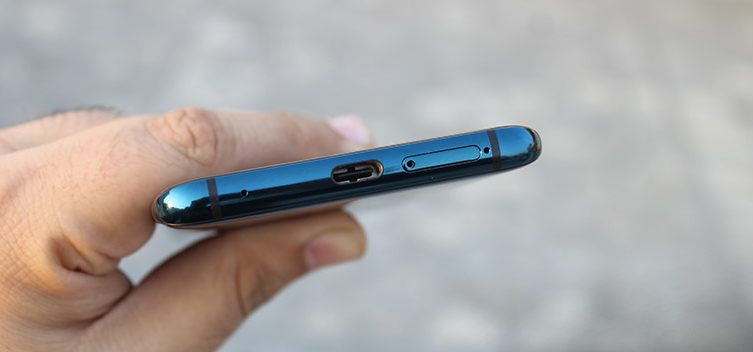
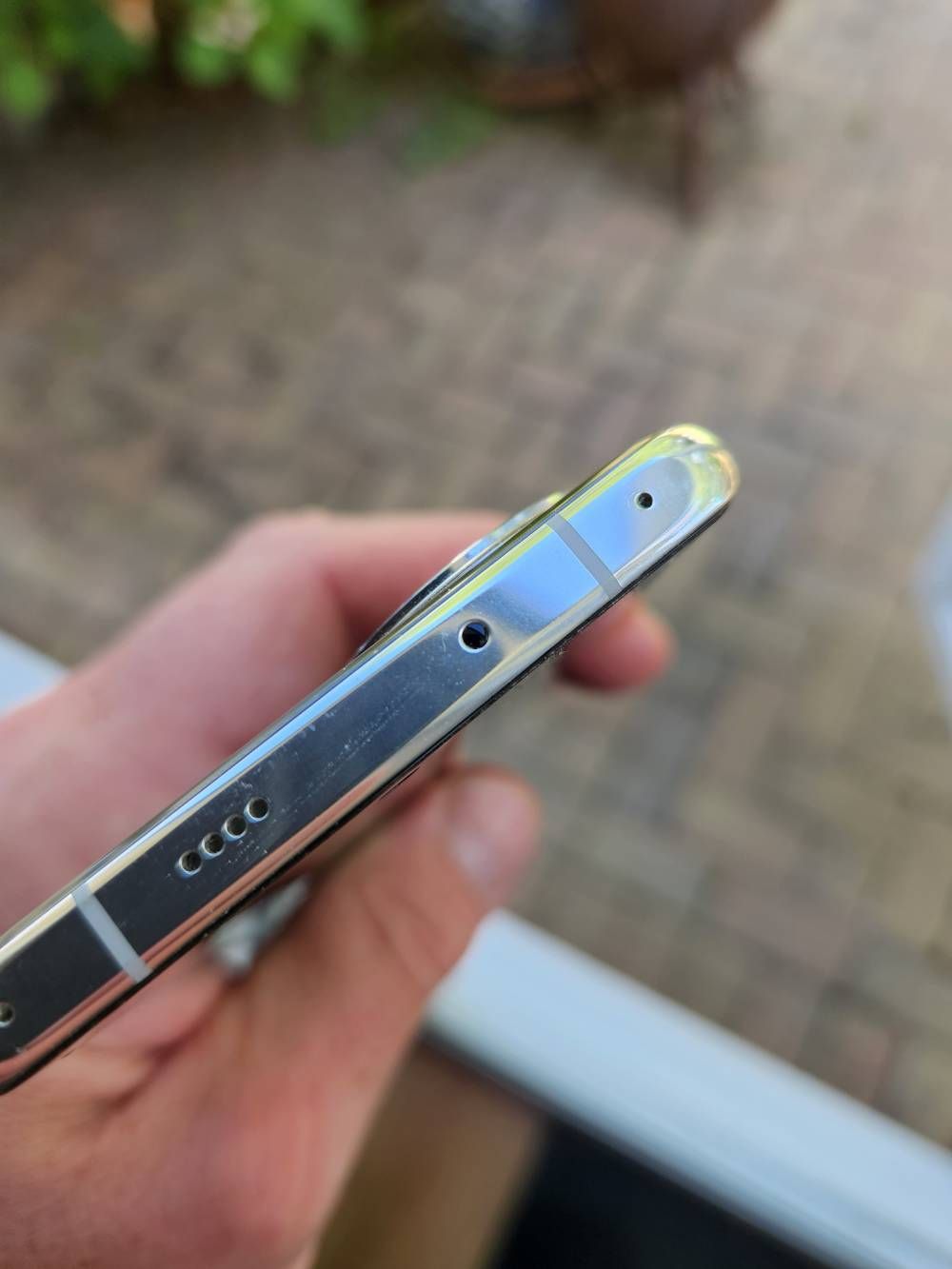
- Look for a small black window on the top edge of your phone. It’s usually round or oval.
- Check your phone’s specs online. Search for “[your model] IR blaster” or visit the official Samsung site.
- Try a remote app like Peel Smart Remote or AnyMote. If your phone has an IR blaster, the app should recognize it and guide you through setup.
- Check your user manual or the box. IR blasters are usually listed in the hardware features.
If you don’t find any mention or can’t see a sensor, your phone probably does not have an IR blaster.
Can You Add An Ir Blaster To A Samsung Phone?
Some users try to add IR control to their new Samsung phones. While you can’t add an IR blaster inside the phone, there are a few possible solutions.
1. External Ir Blaster Dongles
These are small devices that plug into your phone’s USB-C or headphone jack (if it has one). They have their own IR LED and let you control devices using a special app. Some well-known brands include Zaza Remote or Broadlink.
Pros:
- Works with most Android phones
- Often supports a wide range of devices
Cons:
- Adds bulk to your phone
- App compatibility may vary
- Doesn’t feel as “integrated” as a built-in blaster
2. Smart Home Hubs
If your TV or device supports Wi-Fi or Bluetooth, you can use a smart hub like Google Home or Amazon Echo. Some hubs, like the Broadlink RM Mini, act as a bridge—they receive commands from your phone over Wi-Fi and send out IR signals to your devices.
Pros:
- Controls many devices in your home
- Works with voice assistants
Cons:
- Needs a separate device and setup
- More expensive than a built-in solution
3. Universal Remotes With Smartphone Integration
Some universal remotes have their own IR blaster and connect to your phone using Bluetooth or Wi-Fi. You use your phone as a touchscreen remote, but the physical device sends the IR signal.
Key insight: These methods are workarounds. They are not as simple as having an IR blaster built into your Samsung phone, but they can fill the gap if you really need this feature.
Alternatives To Ir Blasters For Remote Control
Even without an IR blaster, you can still control many smart devices with your Samsung phone. Here are some modern alternatives:
- Wi-Fi Control Apps: Many TVs, streaming boxes, and air conditioners now offer their own apps. These apps let you control the device over your home network.
- Bluetooth Remote Control: Some devices (like smart TVs) support Bluetooth pairing. Your phone connects directly and acts as a remote.
- Voice Assistants: With Google Assistant, Amazon Alexa, or Samsung’s Bixby, you can use voice commands to control many smart devices—no IR needed.
- Smart Home Systems: Using platforms like SmartThings (Samsung’s own system), you can control lights, TVs, and more. These systems work over Wi-Fi or Zigbee, not infrared.
Example: If you have a Samsung TV from 2017 or newer, you can probably control it with the SmartThings app—even if your phone does not have an IR blaster.
Most Common Devices Controlled By Ir Blasters
If you’re still using IR blasters, you probably want to control these kinds of devices:
- TVs and set-top boxes
- Air conditioners
- Projectors
- Fans
- DVD/Blu-ray players
- Some cameras
- Soundbars and home theater systems
Note: Newer models of these devices often support Wi-Fi or Bluetooth, but older models may still require infrared.
Why Do Some Users Still Want Ir Blasters?
The IR blaster may feel old-fashioned, but it solves some unique problems:
- Universal compatibility: Works with almost every brand and model, even very old devices
- No Wi-Fi needed: Controls devices even during a network outage
- Quick access: No need to install multiple apps for each brand
Non-obvious insight: In hotels, offices, or schools, you can control many different devices with a single phone if it has an IR blaster. This level of convenience is hard to match with Wi-Fi-based apps, which often require setup on every device.
Common Problems With Ir Blasters
If you’re using a phone with an IR blaster (Samsung or otherwise), you might run into some issues:
- Limited range: Usually works within 5-10 meters and requires direct line-of-sight.
- App support: Some remote control apps are no longer updated, or may not recognize newer devices.
- No feedback: IR is one-way. The phone can send commands, but it can’t “know” if the device actually responded (unless the device itself gives feedback).
- Interference: Bright sunlight or strong lighting can sometimes block IR signals.
- Hardware faults: If the blaster is damaged, it’s difficult or expensive to repair.
If you run into problems, first check if the app and device are compatible. Try different apps, and make sure nothing is blocking the sensor.
How To Use A Samsung Phone As A Remote (without Ir Blaster)
If your Samsung phone does not have an IR blaster, you can still turn it into a remote for many devices. Here are some practical methods:
Using The Smartthings App
Samsung’s own SmartThings app lets you control compatible TVs, smart lights, and other devices over Wi-Fi. Setup is usually fast:
- Install SmartThings from the Google Play Store.
- Open the app and sign in with your Samsung account.
- Add your device (TV, soundbar, etc.) By following the on-screen instructions.
Tip: Your device and phone must be on the same Wi-Fi network.
Using Manufacturer Apps
Many TV and device brands offer their own apps (e. g. , LG ThinQ, Sony TV Remote, Mi Remote). Check the Play Store for an app that matches your device.
Using Universal Remote Apps With External Ir
If you buy an external IR dongle, use an app like AnyMote or ZaZa Remote. Follow the dongle instructions for setup.
Credit: eu.community.samsung.com
Security And Privacy: Are Ir Blaster Apps Safe?
Most IR blaster apps are safe if downloaded from the official Google Play Store. However, some apps ask for extra permissions (like location or contacts), which are not needed for sending IR signals.
Tips to stay safe:
- Only download well-known apps with good reviews.
- Deny any permissions that don’t make sense.
- Uninstall apps you don’t use.
Insight: Some free IR remote apps show ads or collect data. Always read the privacy policy if you’re concerned.
The Future: Will Samsung Bring Back Ir Blasters?
So far, there’s no sign that Samsung will add IR blasters back to their flagship phones. The company is focused on smart home features, AI, and better integration with Wi-Fi or Bluetooth devices.
Reasons why IR blasters are unlikely to return:
- Most new home devices use Wi-Fi/Bluetooth control.
- Adding IR hardware takes up space.
- Few users demand the feature.
But if there’s a strong demand in certain markets (like Asia or the Middle East), Samsung might consider adding it back to some models. For now, users who need IR blasters should look at other brands or use external solutions.

Credit: www.youtube.com
Summary: Should You Worry About The Missing Ir Blaster?
For most Samsung users, the missing IR blaster is not a big problem. Modern devices can be controlled with apps, voice assistants, or smart home systems. If you have older devices that need infrared, you can buy an external dongle or a smart hub.
But if you want a phone with a built-in IR blaster, Samsung is no longer the right choice. You’ll need to look at brands like Xiaomi, Huawei, or Poco.
Final advice: Think about what devices you want to control. If you only use smart TVs or Wi-Fi gadgets, you won’t miss the IR blaster. If you want universal control over older electronics, consider your alternatives carefully.
For more technical background on IR blasters and their uses, see this detailed article from Wikipedia.
Frequently Asked Questions
What Is An Ir Blaster, And How Does It Work?
An IR blaster is a hardware feature in some phones that sends out infrared signals. It works just like a TV remote. When you use a remote control app, the phone’s IR blaster sends the same signals as your device’s remote, letting you control TVs, ACs, and other electronics.
Which Samsung Phones Had Ir Blasters?
Popular Samsung phones with IR blasters include the Galaxy S4, Galaxy S5, Note 3, and Note 4. These were released between 2013 and 2015. Newer Samsung phones do not have this feature.
Can I Use My Samsung Phone As A Remote Without An Ir Blaster?
Yes, you can! Many smart TVs and devices support Wi-Fi or Bluetooth control. Apps like SmartThings let you control compatible devices. For older devices, you can buy an external IR dongle that plugs into your phone.
Why Did Samsung Remove The Ir Blaster?
Samsung stopped including IR blasters because most people didn’t use them, new devices use Wi-Fi or Bluetooth for control, and removing the blaster saved space and money for more important features.
Are There Any Samsung Phones In 2024 With Ir Blasters?
As of 2024, no new Samsung phones come with IR blasters. If you want this feature, you’ll need to buy an older Samsung model or choose another brand like Xiaomi or Huawei.
Smartphones are always changing, and features come and go. While IR blasters are rare today, there are still many ways to control your home devices with your Samsung phone. The key is choosing the solution that fits your needs and your devices.