
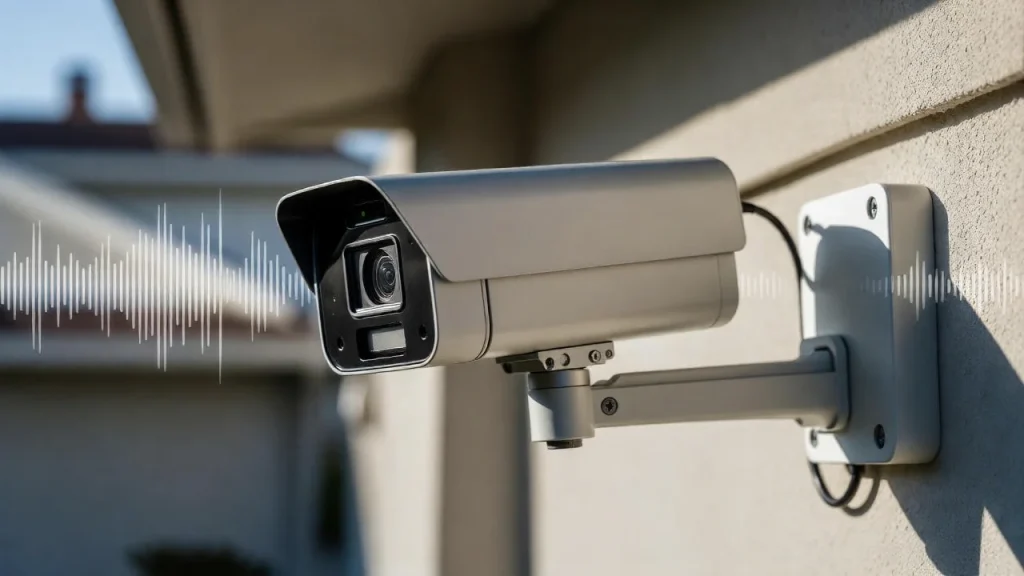
Have you ever wondered if security cameras can hear what’s happening around them? When you think about protecting your home or business, it’s natural to ask if these devices capture sound as well as video.
Knowing whether your security camera records audio can make a big difference in how you monitor your space and respond to events. You’ll discover the truth about security cameras and sound, what features to look for, and how it impacts your privacy and safety.
Keep reading to find out everything you need to know to make the best choice for your security needs.
Types Of Security Cameras
Security cameras come in many types. Each type suits different needs and places. Understanding these types helps you pick the right camera. This guide covers the main types of security cameras.
Knowing the differences can improve your home or business security. Some cameras record video only. Others also capture sound. Let’s explore the types.
Wired Vs Wireless Models
Wired cameras connect through cables. These cables provide power and send video signals. They offer stable and clear video quality. Installation takes more time and effort.
Wireless cameras use Wi-Fi or radio signals. They are easier to install and move. Battery-powered options exist, so no cables are needed. Wireless cameras may face signal or battery issues.
Indoor And Outdoor Options
Indoor cameras protect inside spaces. They are smaller and less rugged. Indoor cameras often have better image quality.
Outdoor cameras resist weather like rain and dust. They are usually bigger and stronger. Outdoor cameras include night vision and motion sensors.
Common Features
Most cameras record video in HD quality. Many have night vision to see in the dark. Motion detection alerts you to movement.
Some cameras include two-way audio. This lets you hear and speak through the camera. Cloud storage and mobile apps help you watch remotely.
Sound Capabilities In Security Cameras
Security cameras often capture more than just video. Many models include sound features that add extra security layers. Sound capabilities improve monitoring by recording voices or noises around the camera. These features help identify events clearly. Understanding these sound options can guide you to choose the right camera.
Built-in Microphones
Many security cameras come with built-in microphones. These microphones record sounds near the camera. They capture voices, footsteps, or other noises. This audio helps give context to the video footage. Not all cameras have microphones, so check before buying. The microphone’s range varies by model and placement.
Two-way Audio
Two-way audio lets you listen and speak through the camera. This feature works like a phone call. You can hear sounds from the camera’s area. You can also talk to people near the camera. This helps in many situations, like warning intruders. Two-way audio requires a speaker and microphone in the camera.
Audio Quality Factors
Audio quality depends on several factors. Microphone type and placement affect sound clarity. Background noise can reduce audio quality. Some cameras have noise-canceling features to improve sound. Distance from the sound source also matters. Clear audio helps in understanding events better.
Legal Considerations For Audio Recording
Audio recording with security cameras raises many legal questions. Rules differ depending on where you live. Knowing these rules helps avoid legal trouble. It also protects everyone’s privacy rights. Let’s explore key legal points about audio recording.
Privacy Laws By Region
Privacy laws about audio recording change by country and state. Some places allow recording in public areas. Others ban recording without clear permission. Private spaces usually have stricter rules. Check local laws before using cameras with sound. This prevents breaking privacy rules accidentally.
Consent Requirements
Many regions require consent to record audio. Consent can be one-party or all-party. One-party means only one person in the conversation agrees. All-party means everyone must agree to record. Not knowing consent rules can lead to fines or lawsuits. Always get permission before recording sound.
Using Audio In Evidence
Audio recordings can serve as evidence in court. But courts often require legal recording methods. Illegal recordings might be rejected. Proper consent and clear audio help prove facts. Keep recordings safe and secure. Use audio carefully to support your case.
Benefits Of Cameras With Sound
Cameras with sound offer more than just video footage. They capture audio, adding a vital layer of information. This feature helps users understand situations better and act faster. Sound can reveal hidden details that video alone might miss.
Enhanced Security Monitoring
Audio helps detect unusual sounds like breaking glass or shouting. This alerts security personnel quickly. It improves response times and helps prevent incidents. Cameras with sound give a fuller picture of events.
Deterring Criminal Activity
Sound recording can discourage criminals from acting. Knowing their voices and words are recorded can stop crimes. It adds a psychological barrier. This helps keep homes and businesses safer.
Improved Communication
Some cameras allow two-way audio. This lets users talk directly through the camera. It is useful for giving instructions or warnings remotely. It also helps check on family members or employees easily.
Limitations And Challenges
Security cameras with sound add an extra layer of monitoring. Yet, they face several limitations and challenges. These affect their performance and user experience. Understanding these issues helps set realistic expectations.
Sound Interference Issues
Sound quality can suffer from interference. Background noise like traffic or wind can make audio unclear. Microphones may pick up unwanted sounds. This reduces the effectiveness of recorded audio. Outdoor cameras face more interference than indoor ones.
Storage And Bandwidth
Audio takes up extra space in storage. Video with sound requires more bandwidth for streaming. This can slow down systems with limited internet speed. Users may need larger storage plans. Managing both video and audio files can be costly and complex.
False Alarms And Privacy Risks
Sound sensors can trigger false alarms. Loud noises like dogs barking or doors slamming may cause alerts. This leads to unnecessary disturbances. Recording audio also raises privacy concerns. Some places have strict laws about audio surveillance. Users must be careful about where and how they use audio features.
Choosing The Right Camera For Your Needs
Choosing the right security camera for your needs is important. The right camera can protect your home or business effectively. Some cameras include sound features, while others do not. Understanding your needs helps you pick the best option. Consider what matters most for your security setup.
Assessing Audio Importance
Decide if hearing sound is crucial for your security. Audio can capture voices and noises nearby. It adds an extra layer of information beyond video. For example, you may hear alarms or conversations. If sound helps in your situation, choose a camera with a microphone.
Budget Considerations
Set a clear budget before buying a camera. Cameras with sound features usually cost more. Balance cost with the benefits of audio recording. Avoid spending too much if sound is not essential. A simple video-only camera can still offer strong security.
Compatibility With Security Systems
Check if the camera works well with your current setup. Some cameras connect easily to existing security systems. Others may require extra devices or apps. Make sure the camera supports your network and storage needs. Compatibility saves time and avoids technical problems.
Setting Up And Maintaining Audio Features
Setting up and maintaining audio features on security cameras is important for clear sound recording. Proper setup ensures the microphone works well and captures sound accurately. Regular care helps avoid problems and keeps audio quality high over time.
Installation Tips
Place the camera where sound is clear and not blocked. Avoid noisy areas like near fans or air conditioners. Connect the microphone securely to prevent loose connections. Check the camera’s settings to enable audio recording. Use cables that support both video and audio if needed.
Testing Audio Functionality
Test audio after setup by speaking near the camera. Play back the recording to check sound quality. Adjust volume levels in the camera settings if sound is too low or loud. Repeat tests at different distances to ensure clear audio capture. Confirm the microphone works during live viewing and playback.
Regular Maintenance
Clean the microphone area gently to remove dust and dirt. Check cables and connectors for damage or wear. Update the camera firmware to fix bugs and improve audio features. Test audio regularly to catch issues early. Replace faulty microphones or parts promptly to maintain sound quality.
Frequently Asked Questions
Do Security Cameras Record Audio Along With Video?
Many security cameras do record audio, but not all models have this feature. Audio recording depends on the camera’s design and local laws. Always check the specifications before purchasing to ensure it supports sound recording.
Are Security Cameras With Sound Legal To Use?
Laws on audio recording vary by location. In some places, recording sound requires consent from all parties. Always research local regulations to ensure your security camera complies with audio recording laws.
Can Security Cameras Capture Clear Sound In Noisy Environments?
Security cameras with built-in microphones can capture sound, but clarity depends on microphone quality and environment noise. Loud or distant sounds may be unclear. For better audio, consider cameras with advanced microphones or external audio devices.
How Does Sound Improve Security Camera Effectiveness?
Audio adds context to video footage, helping identify incidents more accurately. It can capture conversations, alarms, or other sounds that video alone misses. Sound enhances overall security and evidence quality in investigations.
Conclusion
Security cameras often record video but not always sound. Some models include microphones for audio capture. Sound can help understand events better and add security. Yet, laws about recording sound vary by place. Choose a camera that fits your needs and follows rules.
Knowing these facts helps you pick the right system. Sound adds value but is not always required. Think about privacy and purpose before buying. This way, you get clear video and useful audio when needed.