
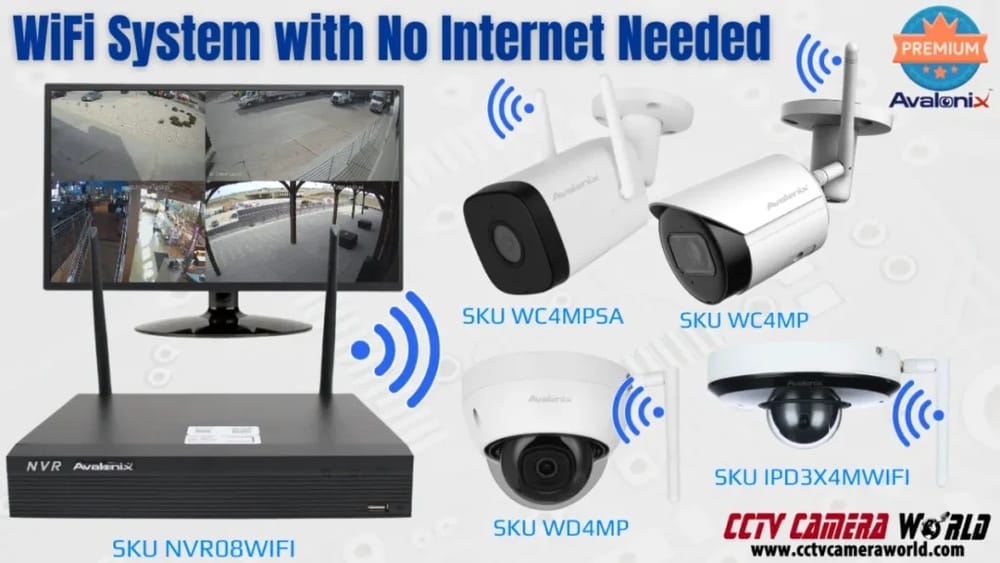
The world is more connected than ever, and home security is no exception. You see security cameras on doorsteps, offices, and even small shops. But a common question keeps coming up: Do security cameras need WiFi to work? For many people, the answer seems simple—most think you just plug in a camera and connect it to the internet. But the truth is, security cameras are more flexible than many expect.
This article takes a close look at how security cameras work with and without WiFi. You’ll discover the different types, their main features, and real-life examples. We’ll also cover why WiFi is important for some cameras, and when it’s not needed at all.
By the end, you’ll know exactly which kind of camera fits your needs, even if your internet connection is weak or unreliable.
How Security Cameras Work
Security cameras come in different designs, but they share the same basic job: record video and help you keep an eye on what matters. Some cameras are simple, recording on a loop to a memory card. Others are smart, sending alerts to your phone over the internet. Understanding how they work helps you decide if you need WiFi.
Basic Camera Components
All security cameras, whether for homes or businesses, have a few key parts:
- Lens and sensor: Capture the video.
- Processor: Handles video data, sometimes adds smart features.
- Storage: Saves recordings, often on SD cards or cloud storage.
- Power supply: Plug-in, battery, or solar.
- Transmission method: Sends video to where you can see it—this can be wired, wireless, or both.
How Cameras Connect
Security cameras send video in one of three ways:
- Wired (Analog/Digital): Uses cables to transfer video to a recorder or monitor.
- Wireless (WiFi): Uses your home WiFi network to send video to a phone or computer.
- Cellular: Uses a SIM card and mobile data, just like a smartphone.
Some modern cameras even mix these methods for flexibility.
Types Of Security Cameras And Their Connection Needs
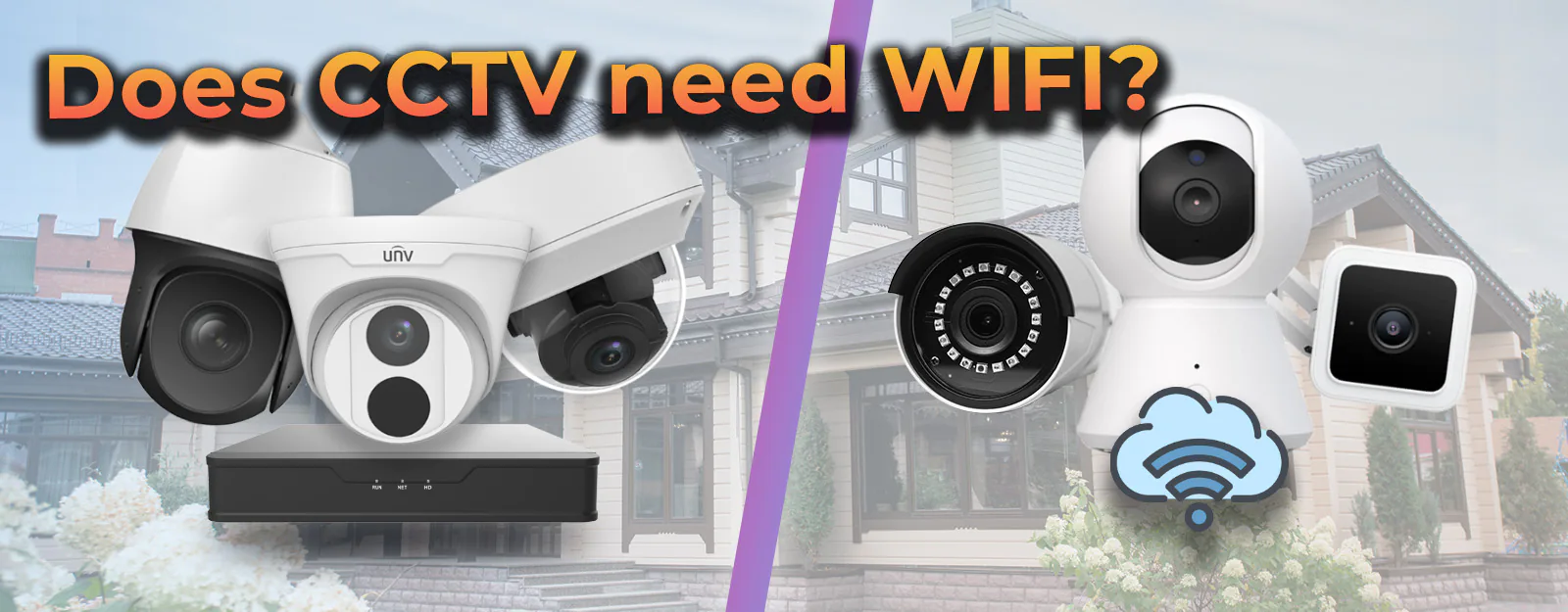
Let’s look at the main types of cameras and see how they handle connectivity.
Wired Security Cameras
These are the oldest and most reliable type. Wired cameras connect with cables—usually coaxial for analog, or Ethernet for digital (IP cameras). They don’t need WiFi at all.
Key Points
- Stable connection: Little chance of interference or signal loss.
- Continuous power: No batteries to replace.
- Local storage: Usually record to a DVR (digital video recorder) or NVR (network video recorder).
- Setup: Can be difficult to install in finished homes due to wiring.
Example: Businesses often use wired systems for 24/7 recording and high reliability.
Wireless (wifi) Security Cameras
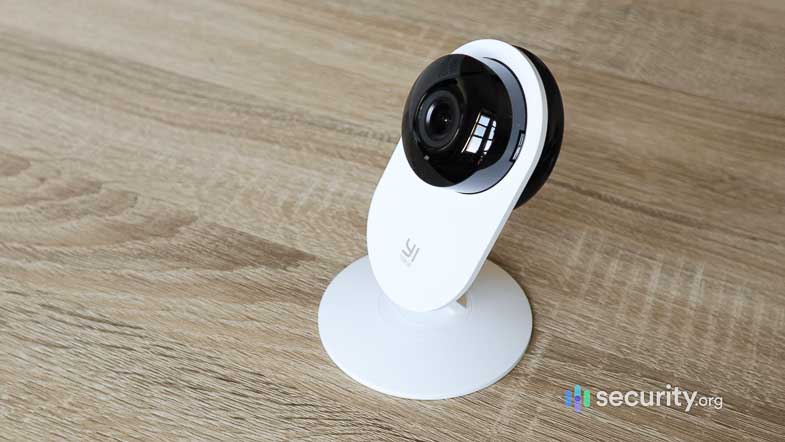
These are popular for homes because they’re easy to install. They connect to your WiFi, sending video to an app or cloud server.
Key Points
- Quick setup: No wires beyond power.
- Remote access: Watch live video on your phone, anywhere.
- Cloud storage: Save recordings online, sometimes for a monthly fee.
- Can be affected by WiFi issues: Slow internet or weak signal causes problems.
Example: A doorbell camera that alerts you when someone is at the door, even if you’re at work.
Cellular Security Cameras
These cameras work where there’s no WiFi or wired internet. They use a SIM card and connect to 4G or 5G networks.
Key Points
- Fully wireless: Great for remote areas, farms, or construction sites.
- Cost: Need a mobile data plan.
- Battery or solar powered: No wires at all.
- Limited storage: May use SD cards due to data limits.
Example: Monitoring a cabin in the woods, far from any internet or power lines.
Local-only Cameras
Some cameras are designed to record locally only, with no internet access at all. They save footage to a built-in SD card or a connected hard drive.
Key Points
- Privacy: No data leaves your property.
- No remote viewing: You must collect the video in person.
- Good for basic needs: Watching a garage, storage room, or small office.
Example: A camera inside a storeroom, where you just want a record of what happens.
Credit: www.xlrsecurity.com
When Security Cameras Need Wifi
WiFi brings a lot of features that many users expect from modern security cameras. Here’s when WiFi is a must:
Remote Monitoring
If you want to see live video on your phone or computer from anywhere, you need WiFi or another internet connection. This is the main reason people choose WiFi cameras.
Cloud Storage
Many cameras save video to the cloud. This protects your data even if the camera is stolen or broken. Cloud storage always needs an internet connection.
Smart Features
Features like motion alerts, facial recognition, or automatic backups depend on cloud services. These need constant internet access.
Integration With Other Smart Devices
If your camera works with smart home systems (like Alexa, Google Home, or Apple HomeKit), WiFi is required for smooth integration and voice commands.
Real-time Notifications
Want an instant alert when someone is at your door? That depends on a live internet connection.
When Security Cameras Do Not Need Wifi
Some situations call for cameras that don’t depend on WiFi. Here’s when it’s possible—and sometimes smarter—to go offline.
Local-only Recording
If you just need a record of events, and don’t care about remote viewing, local-only cameras are perfect.
- SD card cameras: Footage is saved to a memory card.
- Standalone DVR/NVR systems: Wired cameras connect to a local recorder.
No Internet Areas
In places with poor or no internet—like remote cabins, boats, or construction sites—WiFi cameras simply won’t work. Wired or cellular cameras are better choices.
Enhanced Privacy
Some people don’t want footage sent outside their home for privacy reasons. Local-only cameras guarantee your data stays with you.
Network Security Concerns
WiFi cameras can be hacked if not set up correctly. Wired systems are less vulnerable, especially if they’re not connected to the internet.
Comparing Camera Types: Do They Need Wifi?
Here’s a quick comparison to show which cameras need WiFi and which don’t:
| Camera Type | Needs WiFi? | Key Features |
|---|---|---|
| Wired Analog/Digital | No | Reliable, local recording, high quality |
| Wireless (WiFi) | Yes | Remote access, cloud storage, smart features |
| Cellular (SIM card) | No | Works anywhere with cell signal |
| Local-Only (SD Card) | No | Simple, private, no remote viewing |
Pros And Cons Of Wifi Cameras
WiFi cameras are everywhere, but they’re not right for everyone. Here’s a closer look at their strengths and weaknesses.
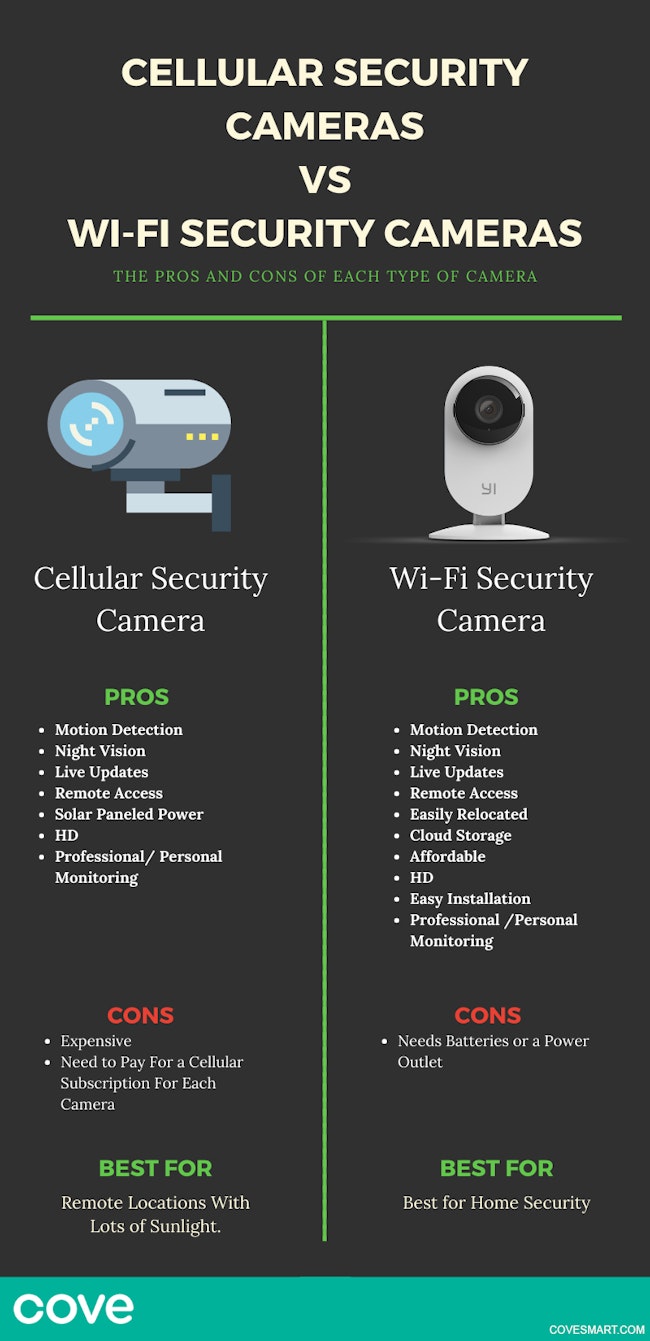
Pros
- Easy to install: No need to run cables through walls.
- Remote monitoring: Check in from anywhere in the world.
- Smart alerts: Get notifications for motion, faces, or packages.
- Cloud backup: Video is safe from theft or damage.
Cons
- WiFi reliability: Poor signal leads to missed footage or false alerts.
- Bandwidth use: Multiple cameras can slow your internet.
- Privacy concerns: Data is sent over the internet.
- Possible fees: Cloud storage often costs extra.
- Vulnerable to hacking: Weak passwords or old firmware can expose your camera.
Non-obvious insight: Many WiFi cameras still have a “local recording” option (to SD card) as backup if the internet fails. But remote access won’t work until WiFi returns.
Pros And Cons Of Non-wifi Cameras
Non-WiFi cameras are a strong option in certain cases. Here’s why.
Pros
- No dependence on internet: Always records, even if WiFi is down.
- More private: Footage stays local.
- Stable: Wired connections rarely fail.
- No monthly fees: No cloud storage charges.
Cons
- No remote viewing: You can’t check live video from far away.
- Harder installation: Wired cameras can be tough to set up.
- Limited smart features: Most local systems don’t do facial recognition or smart alerts.
- Manual video retrieval: You must access the SD card or DVR directly.
Non-obvious insight: Local-only cameras can sometimes be upgraded to support remote access later, by connecting their recorder (NVR/DVR) to the internet if your needs change.
Real-world Scenarios: Which Camera Works Best?
Let’s look at practical examples to see when WiFi is necessary—and when it’s not.
Homeowners With Reliable Internet
If your home has fast, stable WiFi, a modern WiFi camera offers the best mix of convenience and features. You’ll get remote access, smart notifications, and easy installation. Just be sure to use strong passwords and keep the firmware updated to protect your privacy.
Renters Or Apartment Dwellers
WiFi cameras are ideal for renters. They’re easy to move, require no drilling, and often run on batteries. If your landlord doesn’t allow wiring, a WiFi camera is usually your only choice.
Rural Areas Or Farms
In rural areas with poor or no internet, cellular cameras or wired local systems are smarter. Cellular cameras can send alerts over 4G, while wired systems record everything locally for later review.
Businesses And Offices
Most businesses use wired digital systems for reliability. These systems record 24/7 and don’t depend on WiFi. Some add internet access for remote viewing, but the core system works fine without it.
Temporary Installations
For construction sites, pop-up shops, or events, cellular cameras are perfect. They’re portable, need no WiFi, and run on batteries or solar power.
Credit: www.security.org
What If My Wifi Is Unstable?
Not everyone has perfect internet. Here’s what to consider if your WiFi is weak or unreliable:
- Choose cameras with local storage: These record to an SD card when WiFi drops, so you don’t lose everything.
- Use range extenders: WiFi boosters can improve signal to outdoor cameras.
- Limit resolution: Lowering video quality reduces bandwidth use.
- Consider hybrid systems: Some NVRs can store video locally and upload to the cloud when WiFi returns.
Pro tip: Some systems let you schedule uploads. They save high-quality video locally, then send it to the cloud at night when your network is less busy.
Power And Storage: What Else Matters?
WiFi is just one part of the equation. Two other factors matter a lot: how the camera is powered, and where the video is stored.
Power Options
- Plug-in cameras: Need a power outlet. Reliable, but less flexible.
- Battery-powered: Good for places without wiring, but batteries need changing.
- Solar-powered: Great for remote spots, but need sunlight.
Storage Choices
- SD card: Easy, but limited space. When full, old video is erased.
- Cloud storage: Keeps video safe but may cost extra and requires WiFi.
- NVR/DVR: Large hard drives, good for 24/7 recording, often used in businesses.
Example: A battery-powered WiFi camera with SD card backup is perfect for a shed or garage without outlets.
Security And Privacy Concerns
No matter which camera you choose, security is critical. Here’s what to watch for:
For Wifi Cameras
- Change default passwords: Hackers often know the factory default.
- Update firmware: Old software can have vulnerabilities.
- Use strong encryption: Look for cameras that support WPA2 or higher.
- Secure your network: Keep your WiFi password private.
For Non-wifi Cameras
- Physical security: Make sure SD cards or recorders are locked up.
- Backup plans: If footage is important, copy it regularly to a safe place.
Non-obvious insight: Even without WiFi, some wired systems can be hacked if connected to a network. If you want total privacy, keep your system “air-gapped”—never connect it to the internet.
Cost Comparison: Wifi Vs Non-wifi Cameras
People often wonder if WiFi cameras cost more or less than other types. The answer depends on your needs.
| Type | Initial Cost | Ongoing Fees | Installation |
|---|---|---|---|
| WiFi Camera | Low to Medium ($30-$200 each) | Cloud storage fees ($3-$10/month) | DIY, easy |
| Wired System | Medium to High ($200-$1000+ for full kit) | None | Professional often needed |
| Cellular Camera | Medium to High ($100-$400 each) | Data plan ($5-$20/month) | DIY or simple install |
| Local-Only Camera | Low ($20-$100 each) | None | DIY, easy |
Note: Prices vary by brand and features. WiFi cameras are cheap to start, but cloud fees add up. Wired systems cost more up front but have no ongoing costs.
Common Buyer Mistakes
Choosing the wrong camera can be frustrating and costly. Here are mistakes to avoid:
- Assuming all cameras need WiFi: Many cameras work without any internet at all.
- Ignoring power needs: Placing a camera where there’s no outlet or charging plan.
- Skipping storage planning: Running out of space on an SD card, or forgetting to pay for cloud storage.
- Weak WiFi signal: Putting a camera too far from your router leads to dropped video.
- Overlooking privacy: Not changing passwords or securing local storage.
Pro tip: Before you buy, check the camera’s specs. Look for “works offline,” “SD card storage,” or “local recording” if you want a non-WiFi setup.
How To Set Up A Camera Without Wifi
If you want to use a camera without WiFi, here’s how to do it:
- Choose the right camera: Look for “standalone,” “SD card,” or “wired” in the product name.
- Install the camera: Mount it and connect power (plug-in or battery).
- Insert storage: Put in a blank SD card (usually 16-128GB).
- Set recording mode: Most cameras have “continuous” or “motion-only” recording options.
- Check video: After a day, remove the SD card and watch the video on a computer.
- Maintain storage: When the card is full, old footage is overwritten. Copy important clips often.
Non-obvious insight: Some local-only cameras can be “networked” later by connecting the recorder to your router—so you can add remote access if your internet improves.
Credit: www.covesmart.com
Future Trends: Will All Cameras Need Wifi Soon?
The security camera market is changing fast. Here’s what’s coming:
- More cellular cameras: 5G networks are making these cameras faster and more affordable.
- Smarter local cameras: AI chips now let even offline cameras recognize faces or cars.
- Hybrid storage: Some cameras save video locally and upload only important events when WiFi is available.
- Better privacy tools: People are demanding more control over their footage, and manufacturers are listening.
Takeaway: WiFi is important for some features, but it’s not going away for everyone. There will always be a need for cameras that work offline, especially for privacy and reliability.
Frequently Asked Questions
Can Security Cameras Work Without Wifi?
Yes, many security cameras do not need WiFi. Wired cameras, cellular cameras, and local-only cameras can record video without any internet connection. However, you will not get remote access or cloud features.
What Happens If My Wifi Goes Down?
If your WiFi camera has SD card backup, it will keep recording locally but won’t send alerts or let you view live video remotely. When WiFi returns, some cameras upload missed footage. Wired or local-only cameras are not affected by WiFi problems.
Are Wifi Cameras Secure?
WiFi cameras can be very secure if you use strong passwords and update their software. However, they can be vulnerable if left with default settings. Always secure your home WiFi network and check for camera updates regularly.
What Is The Best Camera For A Place With No Internet?
A cellular camera or a wired system with local recording is best for places without internet. Cellular cameras use mobile data, while wired systems record to a DVR or SD card. Both work well for remote sites, farms, or cabins.
Can I Use A Wifi Camera Without Internet?
Some WiFi cameras can still record to an SD card even if the internet is down, but you lose features like remote viewing and cloud backup. Check the camera’s specs to be sure—some will only work when connected to WiFi.
Security is personal, and the right camera depends on your needs, your location, and your budget. Whether you have fast WiFi, no internet at all, or something in between, there is a security camera that will work for you. By understanding your options, you can protect your home, office, or property with confidence.
For more technical details about how security cameras work, see the Wikipedia entry on Security Cameras.