
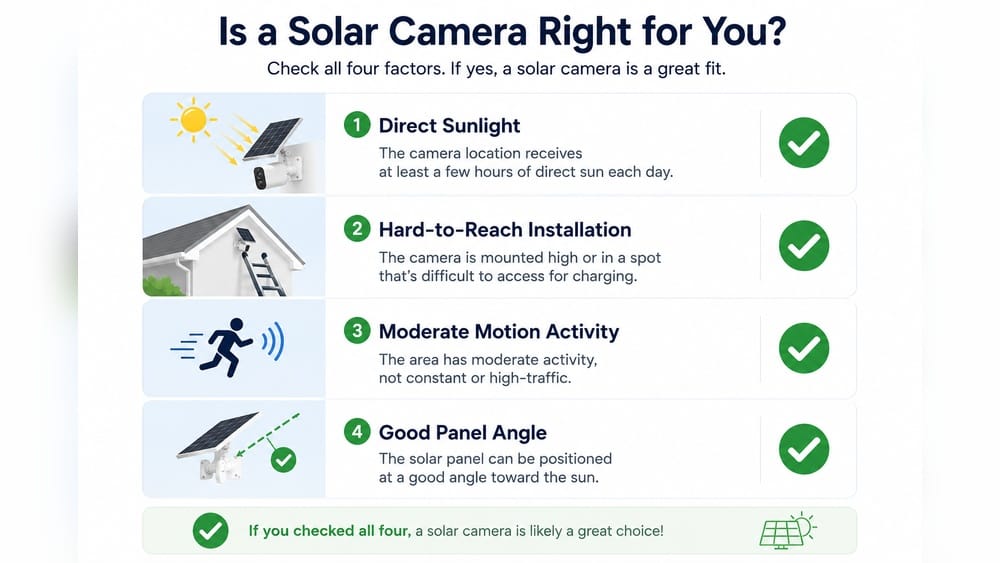
Solar security cameras are becoming a popular choice for homeowners and businesses who want extra safety without high energy bills. But many people have one big question: Do solar security cameras need direct sunlight to work well? If you’ve wondered about this, you’re not alone. Solar power feels simple—just add sunlight, and things work. But the truth is a bit more complex. Let’s dive into how these cameras really function, what kind of sunlight they need, and how you can get the best performance from your solar security system.
When you think of solar panels, you probably imagine them soaking up strong sunlight all day. You might worry if your camera will fail on cloudy days, in shaded spots, or during winter. Many buyers also ask if their location is even suitable for solar-powered devices.
In this article, you’ll discover the facts behind these concerns. We’ll explain how much sun is enough, what happens when there’s less light, and how solar cameras compare to traditional wired and battery-powered options. You’ll learn how to install and maintain your system for reliable, year-round security—without guesswork.
How Solar Security Cameras Work
Solar security cameras use a simple idea: they turn sunlight into energy. But to understand their sunlight needs, you first need to know how the main parts work together.
Key Components
A typical solar security camera system has these main parts:
- Solar panel: Captures sunlight and converts it to electricity.
- Rechargeable battery: Stores energy so the camera can work at night or during cloudy weather.
- Camera unit: Records video and connects to your network (usually through Wi-Fi).
- Charge controller: Regulates the power coming from the panel to the battery, protecting both.
When the sun shines, the solar panel charges the battery. The camera can run directly off this power or use the battery if sunlight is weak. At night, the system depends fully on stored energy.
The Role Of Sunlight
Solar panels use photovoltaic cells to make electricity. These cells work best with direct sunlight, but can still generate some power with indirect sunlight (such as on cloudy days or in partial shade). The important question is: how much sunlight does your camera actually need to run reliably?
Do Solar Security Cameras Require Direct Sunlight?
Here’s the short answer: direct sunlight is best, but not always required. Let’s break down what this means in practice.
Direct Vs Indirect Sunlight
- Direct sunlight means the sun’s rays hit the solar panel without anything blocking them. Power output is highest.
- Indirect sunlight happens on cloudy days or when something (like a tree or building) partially blocks the sun. Panels generate less power, but often enough for basic needs.
A solar camera will work with indirect sunlight, but the battery may not charge as fast. Over several days of poor light, the battery could run low, especially if the camera uses a lot of power (for example, with frequent motion alerts or night vision).
Real-world Performance
Most solar security cameras are designed for outdoor use in variable weather. Many brands say their products need at least 2-3 hours of direct sunlight per day to stay charged. If your camera gets less than this, it may still work, but features like 24/7 recording or frequent live viewing could drain the battery.
Solar panels do NOT work in total darkness. At night, the camera must rely on stored battery power. If the battery is drained and there’s no sun the next day, the camera may stop working until it recharges.
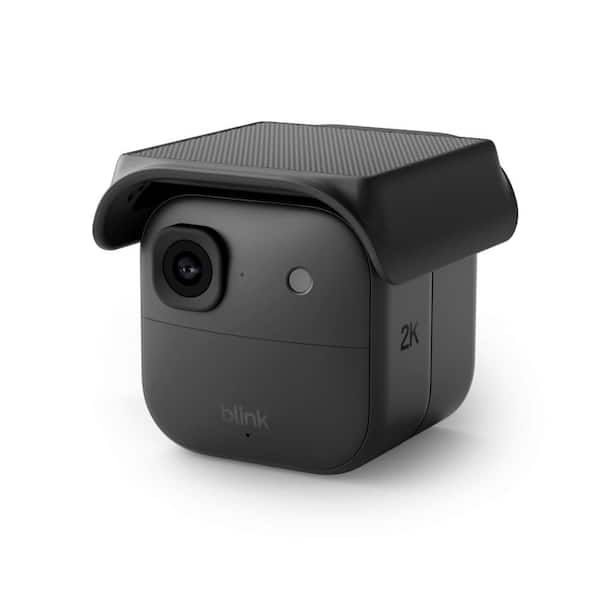
Credit: www.homedepot.com
Factors Affecting Solar Camera Performance
Not all homes or businesses have the same sunlight conditions. Here are the most important factors that affect whether your solar camera will work well.
1. Location And Sunlight Hours
Your geographic location matters. Areas closer to the equator get more intense and consistent sunlight. In the northern US, Canada, or northern Europe, winter days are shorter and cloudier, so solar charging is slower. The best solar cameras are designed to handle a range of weather, but you should check the average daily sunlight in your area.
2. Panel Placement And Angle
Where you install the panel is critical. For maximum power:
- Face the panel south (in the Northern Hemisphere) to catch the most sun.
- Tilt the panel at an angle equal to your latitude (for example, 35° if you’re at 35° latitude).
- Avoid shade from trees, buildings, or eaves, especially during midday.
Even small shadows can cut power output by 20-50%. Many users miss this and wonder why their batteries don’t stay charged.
3. Weather And Seasons
Cloudy, rainy, or snowy days mean less sunlight. In winter, days are shorter and the sun is lower in the sky. If you live somewhere with long winters, you may need a larger panel or a camera with a bigger battery.
Dust and snow on the panel can also reduce charging—clean panels work better.
4. Power Consumption Of The Camera
Not all cameras use the same amount of power. Features that increase power use include:
- Continuous recording (instead of motion-activated)
- Night vision or infrared lights
- Wi-Fi streaming for live view
- Frequent motion alerts
If your camera has these features and you use them often, you’ll need more sunlight or a larger battery.
5. Battery Size And Quality
A bigger battery stores more energy, so the camera can run longer through bad weather. Cheap batteries may lose capacity over time, so look for brands that use good-quality, lithium-ion batteries.
6. Panel Size And Efficiency
Larger panels or more efficient solar cells collect more power in less time. Some brands offer upgrade panels or multiple panels for tough locations.
7. Obstructions And Installation Mistakes
It’s common for users to mount their panels under eaves, near gutters, or behind tree branches for convenience. These small obstructions often cause weak charging. Always check for shade, especially during midday.
How Much Sunlight Is Enough?
The answer depends on the camera and your local conditions. But here’s a practical guideline:
- Most solar cameras need 2-4 hours of direct sunlight daily to keep the battery charged for typical use (motion recording, occasional live view).
- For continuous recording or heavy use, 4-6 hours is safer.
In areas with less sun, choose a camera with a bigger battery and/or a larger panel.
Here’s a comparison of how much energy you might get in different conditions:
| Condition | Daily Sunlight (Hours) | Estimated Power Output | Camera Run Time |
|---|---|---|---|
| Direct sun (clear sky) | 6-8 | 100% | 24+ hours |
| Partial sun (some clouds) | 3-5 | 60-80% | 12-18 hours |
| Cloudy/indirect sun | 1-3 | 30-50% | 6-12 hours |
| Heavy shade/overcast | <1 | 10-20% | 2-4 hours |
This table is a guideline—actual results depend on your camera’s power use and battery size.
Solar Cameras Vs. Wired And Battery-powered Cameras
Let’s compare the main types of security cameras to see the real benefits and limitations of solar models.
| Type | Power Source | Installation | Maintenance | Best For |
|---|---|---|---|---|
| Solar | Sunlight + battery | Easy, wireless | Clean panel, check battery | Remote/outdoor, no wiring |
| Wired | AC power | Needs outlet/wiring | Low, but fixed location | Permanent, indoor/outdoor |
| Battery-only | Rechargeable battery | Easy, wireless | Frequent recharging | Short-term, indoor/outdoor |
Solar cameras are great for places where running wires is hard or expensive—like driveways, barns, gates, or remote buildings. They need less maintenance than battery-only cameras, but more than wired ones (mainly cleaning the panel and checking the battery). Wired cameras never run out of power, but can’t be installed just anywhere. Battery-only cameras are flexible, but you must recharge or replace batteries often, especially in cold weather.
Common Myths And Mistakes
Many first-time buyers believe some common myths about solar security cameras. Here’s the truth behind them.
Myth 1: Solar Cameras Only Work In Hot, Sunny Places
Fact: Solar panels work anywhere there is daylight, not just in hot climates. Even in Alaska, solar panels generate some power during the day. However, more sunlight means faster charging.
Myth 2: They Stop Working On Cloudy Days
Fact: Most solar cameras can run for several days on a full battery, even if it’s cloudy. Indirect light does charge the battery, just more slowly.
Myth 3: Bigger Panels Are Always Better
Fact: Oversized panels are not always needed. The right size depends on your camera’s power use and local sunlight. Too large a panel is costly and may not fit your space.
Myth 4: Any Location Is Fine
Fact: Even small shadows or wrong angles can reduce charging a lot. Always check for midday shade and place the panel at the correct angle.
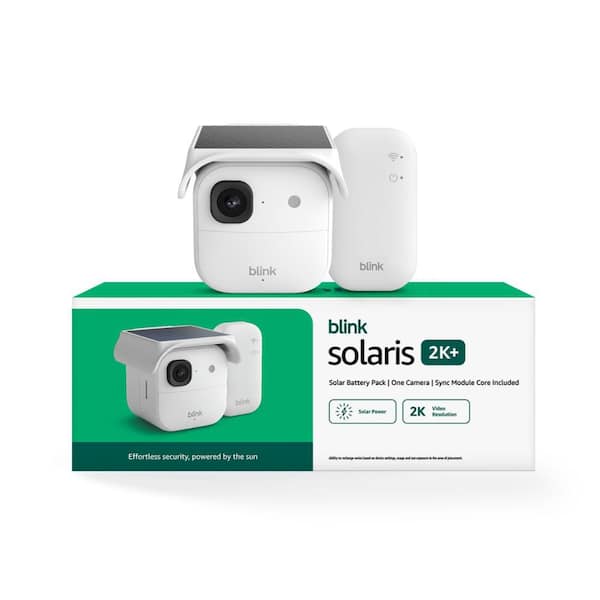
Credit: www.homedepot.com
How To Install Solar Security Cameras For Maximum Sunlight
Proper installation can make the difference between a reliable camera and one that runs out of power. Here’s how to get it right.
1. Choose The Right Location
Pick a spot where the panel will get the most unobstructed sunlight from 10am to 4pm. This is when the sun is highest and strongest. Avoid mounting panels under overhangs, gutters, or near fast-growing trees.
2. Set The Correct Angle
Use the right tilt angle for your location. In the US, a tilt equal to your latitude works well. For example, if you live at 40° north, tilt the panel about 40° from horizontal.
3. Avoid Common Obstructions
Check the panel’s location every season. Summer trees may be fine in winter, but leaves can block sun in summer. Snow or dust can cover the panel—keep it clean.
4. Secure The Panel
Wind or animals can shift the panel. Make sure it’s firmly attached and check the mounting brackets at least twice a year.
5. Test Before Final Mounting
Before drilling holes, test the camera and panel in the chosen spot. Use the camera’s app to check battery status after a full day. If the battery drops, look for more sun.
Maintenance Tips For Reliable Solar Security Cameras
Even the best solar cameras need some maintenance to keep working well, especially in tricky climates.
1. Clean The Solar Panel
Dirt, dust, pollen, and bird droppings can block sunlight. Clean the panel every few months with a soft cloth and water. Avoid harsh chemicals.
2. Check Battery Health
Most cameras show battery status in their app. If you notice the battery drains faster than before, it may be time to replace it (after 2-3 years for many models).
3. Inspect For Damage
Look for cracks, loose wires, or water damage after storms. Solar cameras are weatherproof, but extreme weather can cause problems.
4. Update Software
Manufacturers release updates to fix bugs and improve performance. Check for firmware updates every few months.
5. Watch For False Alerts
If the camera sends many motion alerts (from trees, passing cars, etc. ), it uses more power. Adjust the sensitivity to save battery.
When Solar Security Cameras May Not Be The Best Choice
While solar security cameras are a good solution for many, they are not perfect for every situation.
- Heavily shaded areas: If your site gets less than 2 hours of sun per day, a solar camera may not stay charged.
- Indoor use: Solar panels don’t work well through windows, so indoor locations are better served by wired or battery-only cameras.
- High-security needs: For places that need 24/7 recording and cannot risk downtime, a wired system is more reliable.
- Extreme climates: In very cold areas, battery performance drops. Look for cameras rated for low temperatures or consider alternative power sources.
How To Boost Performance In Low-sunlight Areas
If you live in a place with frequent clouds or long winters, don’t give up on solar cameras. Here are some ways to improve their reliability:
- Upgrade to a larger panel if your camera supports it.
- Add a second panel for more charging power.
- Choose a camera with a bigger battery for longer backup.
- Reduce power use by lowering video quality, reducing motion alerts, or disabling unnecessary features.
- Use a backup battery pack during long storms.
Some users even pair solar cameras with small wind turbines or plug-in backup options for maximum uptime.
Environmental Impact And Cost Savings
People often choose solar cameras for energy savings and the environment. How much difference does it really make?
- Zero electricity cost: Solar cameras use sunlight, so you don’t pay for power.
- Lower carbon footprint: Using solar reduces your home’s energy use.
- No trenching or wiring: Save money on installation, especially in remote areas.
While the upfront cost of a solar camera is higher (around $100–$200 more than battery-only models), you save time and money by not changing batteries or running wires. Many users break even in 1–2 years.
According to the U.S. Department of Energy, residential solar systems can reduce energy bills by 50-70% over their lifetime (Source). While a single camera’s impact is small, every bit helps.
Case Studies: Real-world Solar Camera Use
Let’s look at some real-life examples to see how solar security cameras perform.
Example 1: Rural Farm Entrance
A farm owner in Kansas installed a solar camera at a gate half a mile from the house. The camera receives about 5 hours of direct sun daily. It records motion events and sends alerts to the owner’s phone. After a year, the camera still works well, with the battery only dropping below 20% during a week of storms.
Example 2: Urban Backyard With Partial Shade
A homeowner in Seattle installed a solar camera facing his back alley. The panel gets 2–3 hours of sun due to tree cover. The camera works, but the owner had to lower motion alert frequency to avoid battery drain. During winter, the battery sometimes runs low after several cloudy days.
Example 3: Construction Site Security
A contractor used solar cameras to monitor a temporary job site. With no power lines nearby, solar was the only option. The cameras ran motion-activated only, with panels facing south. Even with some cloudy days, the system provided reliable coverage for months.
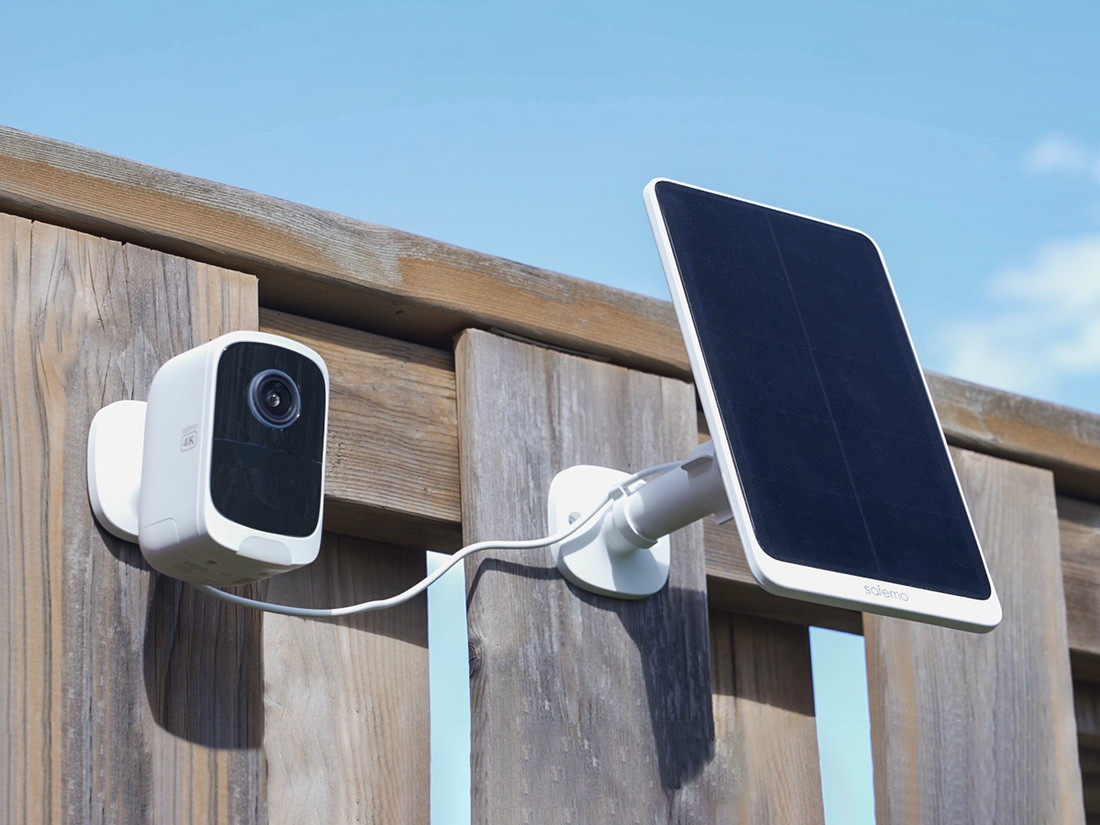
Credit: safemo.com
Technical Innovations: Modern Solar Camera Features
Solar security cameras are improving rapidly. Here are some features that help them work better in less-than-ideal sunlight:
- High-efficiency solar cells: Newer panels capture more energy even on cloudy days.
- Low-power standby modes: Cameras use almost no power until motion is detected.
- Dual power options: Some cameras can switch between solar and plug-in power if needed.
- Advanced batteries: Lithium iron phosphate (LiFePO4) batteries last longer and handle cold better.
- App-based optimization: Mobile apps let you track battery status, solar input, and get low-battery alerts.
These innovations make solar cameras more practical for a wider range of locations.
How To Choose The Right Solar Security Camera
When picking a solar camera, don’t just look at price. Consider these factors:
- Panel size and efficiency: Larger panels collect more power, but must fit your space.
- Battery capacity: Bigger is better for low-sunlight areas.
- Weather rating: Look for at least IP65 (waterproof and dustproof).
- Camera features: Night vision, motion alerts, video quality.
- App quality: Easy setup, battery monitoring, and alert controls.
- Expandability: Option to add panels or batteries if needed.
- Warranty and support: Good brands back their products for 1–2 years or more.
Ask about real-world battery life, not just “ideal” claims. User reviews can reveal common issues.
Non-obvious Insights For Solar Camera Buyers
Most guides repeat the basics, but here are two important tips that many beginners miss:
- Install the solar panel separately from the camera if possible. This lets you place the camera in the best spot for viewing, and the panel in the sunniest location. Many brands offer extension cables for this purpose.
- Monitor battery status weekly in the first month. This helps you spot charging problems early—before you miss an important recording. Many users forget to check until the camera stops working.
Frequently Asked Questions
Can Solar Security Cameras Work Indoors?
Solar panels need direct or strong daylight, which is blocked by most windows. While you can use the camera indoors, the solar panel should be mounted outside for reliable charging. For indoor use, a plug-in or battery-only camera is usually better.
How Long Do Solar Security Cameras Last At Night?
Most solar cameras can run all night on a full charge. The exact time depends on battery size, temperature, and camera use. Frequent motion alerts or live streaming use more power. With a good battery, 12–24 hours is typical.
Will Solar Cameras Work During Winter?
Yes, but performance may drop due to shorter days and low sun angle. Choose a camera with a larger battery or panel for winter use. Cold also reduces battery efficiency. Clean snow off the panel for best results.
What Happens If The Battery Runs Out?
The camera will stop recording and sending alerts until the battery recharges. Most solar cameras show battery status in their app. If you often run out of power, move the panel to a sunnier spot or upgrade your system.
Do Solar Cameras Need Wi-fi To Work?
Most solar cameras use Wi-Fi for remote viewing and alerts. Some can record to an SD card without Wi-Fi, but you won’t get real-time alerts. Always check the product details to match your needs.
Solar security cameras offer a smart, eco-friendly way to protect your property, but they’re not magic. They work best with direct sunlight, but can still function with less—if you plan and install them right. Choose the right camera, place your panel wisely, and keep it clean. With a little attention, your solar security system will deliver reliable performance, whatever the weather.