
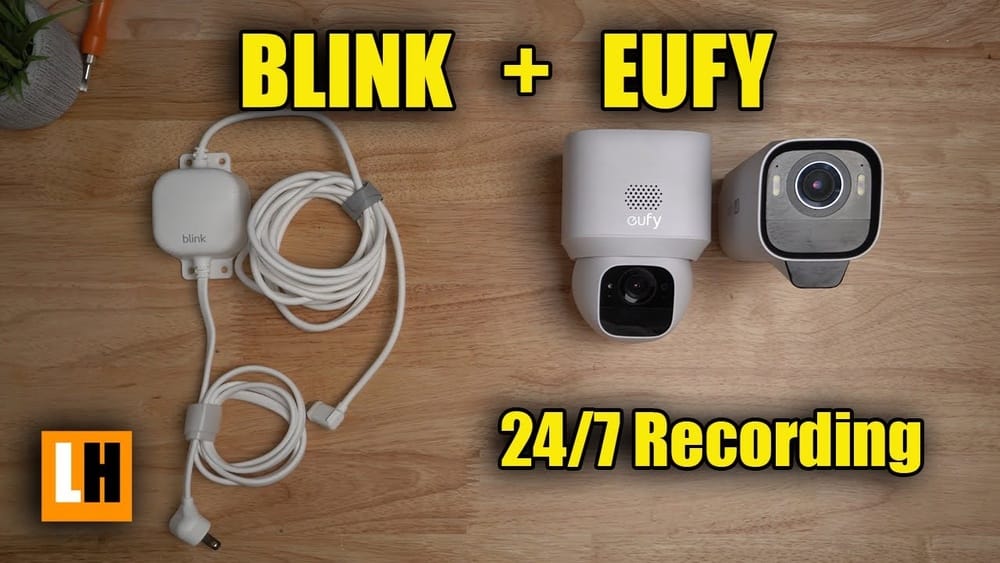
If you’re thinking about buying a Blink Outdoor Camera for your home, one of the most important questions is: *Does Blink Outdoor Camera record 24/7?* It’s a simple question, but the answer leads to many details about how Blink works, what it can and can’t do, and how it compares to other cameras. Many people assume all security cameras record non-stop, but that’s not always true. Before you spend your money, it’s smart to know exactly what you’re getting.
This article will give you a deep look at the Blink Outdoor Camera’s recording features, especially around 24/7 recording. We’ll break down 24 different aspects, from how motion detection works to cloud storage limits, to help you understand what makes Blink different. Along the way, you’ll see real examples, helpful data, and expert insights that most beginners miss. If you want to keep your home safe but avoid surprises, keep reading.
1. Continuous Recording: Does Blink Really Record 24/7?
The first thing to know is that Blink Outdoor Camera does not record 24/7. Instead, it uses a motion-activated recording system. This means the camera only records video clips when it detects movement in its field of view. If there’s no motion, the camera does not record anything.
This design helps save battery life and reduces how much storage you need. While some people expect a security camera to be always-on, Blink’s system is different. If you need continuous video recording, Blink is not the right choice. Some brands, like Arlo or Nest, do offer this feature, but they require wired power and sometimes more expensive subscriptions.
2. How Motion Detection Works
Blink’s recording is triggered by motion sensors built into each camera. When the sensor detects movement, the camera wakes up and starts recording a short video clip. The sensitivity of the motion sensor can be adjusted in the app, so you can make it more or less likely to trigger.
For example, if you live on a busy street, you might want to lower the sensitivity so passing cars don’t set off recordings all day. If you want to catch every movement, you can raise the sensitivity. This helps avoid unnecessary recordings and keeps your notifications relevant.
3. Clip Length Limitations
A key detail about Blink is that video clips have a maximum length. For most Blink Outdoor Cameras, you can set the clip length anywhere from 5 seconds to 60 seconds. After the clip ends, the camera stops recording, even if the motion continues.
There is also a “retrigger time”—a short pause before the camera can record again. This means if someone moves in front of your camera for two minutes, you might only get a 60-second clip, a pause, then another clip if motion continues. This design helps preserve battery, but it means there can be gaps in your recordings.
4. Retrigger Time Explained
Retrigger time is the delay between the end of one recording and the start of the next. With Blink, you can adjust this setting between 10 and 60 seconds. During retrigger time, the camera will not record, even if there’s motion.
This can be a problem if you want to capture everything happening in quick succession. For example, if someone walks by, leaves, and comes back within the retrigger window, only the first event will be recorded. Understanding this limit is key for people who want every movement captured.
5. Battery Life And Its Impact On Recording
One reason Blink avoids 24/7 recording is battery life. Blink Outdoor Cameras use two AA lithium batteries, which can last up to two years under normal conditions. However, this estimate is based on short, motion-triggered clips.
If the camera were to record 24/7, the batteries would drain in just a few days. For people who want a set-it-and-forget-it system, the current design makes sense. But it’s important to know that more motion means more recordings and shorter battery life.
6. Cloud Storage: What’s Saved And For How Long?
With Blink, your video clips can be stored in the cloud. The length of time your videos are saved depends on your subscription plan:
- Basic Plan: Stores clips for up to 60 days
- No Subscription: Local storage only (using a Sync Module 2 and USB drive)
There is no unlimited storage, and older clips are deleted as new ones are saved. If you want to review events from weeks ago, you’ll need to download them before they’re deleted. If you want every second recorded, you’ll quickly run out of storage space.
7. Local Storage Options
Blink offers local storage if you buy the Sync Module 2 and connect a USB flash drive. This lets you store clips without a subscription. However, just like with the cloud, only motion-activated clips are saved. There’s still no 24/7 continuous recording, even if you use local storage.
Local storage gives you more control over your data, but it doesn’t change how the camera records. If you want both local storage and continuous recording, you’ll need to look at other brands.
8. Live View Limitations
Blink cameras offer a Live View feature, where you can watch the camera feed in real time from your phone. However, this is not the same as recording 24/7. Live View sessions are limited—usually up to five minutes at a time—and you must open the app to start watching.
Some plans let you save Live View sessions, but this still requires you to manually activate and save the video. There is no way for the camera to automatically record everything it sees, all the time.
Credit: smarthomescope.com
9. Subscription Plans And Their Effects
Blink has a few subscription options:
- No Subscription: Only local storage with Sync Module 2
- Basic Plan: Cloud storage for one device
- Plus Plan: Cloud storage for all Blink devices at your home
None of these plans enable 24/7 recording. They only affect how long and where your motion-activated clips are saved.
10. Comparison With Other Camera Brands
How does Blink compare to other brands? Here’s a quick look:
| Brand | 24/7 Recording | Power Source | Storage Type |
|---|---|---|---|
| Blink Outdoor | No | Battery | Cloud/Local (motion) |
| Arlo Pro 4 | Yes (with subscription, wired) | Battery/Wired | Cloud/Local |
| Nest Cam | Yes (with subscription, wired) | Wired/Battery | Cloud |
| Ring Stick Up Cam | No (motion only) | Battery/Wired | Cloud |
As you can see, most battery-powered cameras do not record 24/7. Continuous recording usually requires a wired connection and a higher-level subscription.
11. Privacy Considerations
Some users like that Blink does not record 24/7 for privacy reasons. Since the camera is only active when it senses motion, there’s less risk of capturing private family moments by accident. This can be important if you install cameras inside your home.
However, it also means you might miss events that happen out of view, or if the motion sensor doesn’t trigger. If privacy is a big concern, Blink is a safer choice than always-on cameras.
12. Security Risks Of Motion-only Recording
A common worry with motion-only recording is missed events. If someone moves quickly, or if the motion sensor isn’t sensitive enough, the camera may not record an important event. There can also be blind spots where motion isn’t detected.
For example, packages stolen from a porch might not be captured if the thief moves fast or stays in a blind spot. To reduce these risks, place your camera carefully and test different motion settings.
13. Integrations With Smart Home Systems
Blink Outdoor Cameras work with Amazon Alexa, so you can ask your Echo Show to display the camera feed. However, integrations do not change how the camera records. Even with smart home connections, you cannot enable 24/7 recording. Motion detection remains the trigger for all recordings.
14. Impact Of Weather And Outdoor Conditions
Blink Outdoor Cameras are designed to handle rain, snow, and hot or cold weather. However, extreme conditions can affect motion detection and battery life. For example, heavy rain or snow might block the sensor, leading to missed recordings. Extremely cold weather can reduce battery performance, causing shorter operating times.
If you live in a tough climate, check the camera regularly and consider using the battery extender accessory.

Credit: www.youtube.com
15. Real-world Recording Examples
Let’s look at a scenario: You install a Blink Outdoor Camera facing your driveway. Over a week, the camera might record 30 short clips—each one triggered by a car, person, or animal. There are no hours of empty footage.
Compare this to a continuous recording camera, which would capture every second, filling up storage quickly. With Blink, you only see the important events, but you might miss context before or after the motion.
16. Data Usage And Internet Bandwidth
Blink’s design helps reduce data usage. Since the camera only uploads short clips, it uses much less internet bandwidth than a system that streams video 24/7. This is helpful if you have a data cap or a slower connection.
For example, a 24/7 camera can use hundreds of gigabytes per month, while Blink might use only a few gigabytes, depending on activity.
17. Firmware Updates And New Features
Blink sometimes releases firmware updates that add new features or improve performance. However, as of now, there is no update that enables 24/7 recording. If you buy a Blink Outdoor Camera, don’t expect this feature to be added in the future.
Firmware updates are more likely to improve motion detection, add new integrations, or fix bugs.
18. Video Quality And Resolution
Blink Outdoor Cameras typically record in 1080p HD, which is clear enough for faces, license plates, and other details. However, because the clips are short and motion-triggered, you might miss things that happen just before or after the recording.
For the best results, make sure your camera has a clear view and isn’t blocked by trees or other objects.
19. Night Vision And Low Light Recording
Blink Outdoor Cameras include infrared night vision, allowing them to record in darkness. The motion sensor also works at night, but sometimes with less accuracy. Night recordings are still short clips, not continuous.
Make sure your camera is positioned to avoid glare from lights, which can affect night vision quality.
20. App Notifications And Alerts
When Blink detects motion and records a clip, you’ll get an instant notification on your phone. This is helpful for catching events quickly, but it also means you may get many alerts during busy times.
You can adjust alert settings to reduce notifications, but remember: no alert means no recording unless motion is detected.
21. Power Options And Wired Alternatives
Blink Outdoor Cameras are designed for wire-free use, powered by AA batteries. There is no official wired power option for continuous recording. Some users try using rechargeable batteries or solar panels, but this does not enable 24/7 recording.
If you need a camera that records all the time, consider a wired system instead.
22. Recording Audio: What’s Included?
Blink Outdoor Cameras record video with audio during each clip. However, audio is only saved during motion-triggered events. There is no option to record audio continuously.
If you want to record conversations or ambient sounds all day, Blink is not the right choice.

Credit: www.amazon.com
23. Legal And Regulatory Considerations
Some states and countries have laws about recording video and audio. For example, you might need to post a sign or get permission to record people in certain places. Blink’s motion-only system can help avoid legal trouble, but it’s still your responsibility to follow local laws.
Always check rules in your area before setting up any security camera.
24. User Reviews And Satisfaction
Most Blink Outdoor Camera owners are satisfied with motion-only recording, especially for homes and small businesses. The main complaints are about missed events or limited storage, not the lack of 24/7 recording. For people who want a battery-powered, easy-to-use system, Blink is a popular choice.
However, if you absolutely need 24/7 recording, Blink is not the answer. Think carefully about your needs before buying.
Frequently Asked Questions
Can I Make Blink Outdoor Camera Record 24/7 With Third-party Tools?
No, there is no way to enable 24/7 recording, even with third-party software or hacks. The camera hardware and firmware are not designed for continuous operation.
Does Blink Outdoor Camera Record While I Am Watching Live View?
Live View shows real-time video, but it does not automatically record unless you tap the “Save” button (available with some plans). Even then, recordings are limited to the session length.
What Happens If My Internet Goes Out? Will The Camera Still Record?
Without internet, Blink Outdoor Camera cannot upload clips to the cloud. With local storage (Sync Module 2 and USB drive), it can save motion clips during outages. However, it will not record 24/7 in any case.
Are There Any Security Cameras That Record 24/7 On Battery Power?
Currently, no major consumer cameras can record 24/7 on battery power alone. Continuous recording uses too much energy for small batteries. Wired cameras are required for true 24/7 recording.
Where Can I Find More Technical Details About Blink Outdoor Camera?
For more in-depth specs and up-to-date features, visit the official Blink website or check out this Blink Support Portal.
If you’re shopping for a security camera, knowing whether it records 24/7 is crucial. The Blink Outdoor Camera is made for people who want simple, battery-powered security with motion-triggered clips, not always-on video. For some, this is a perfect fit; for others, a wired camera may be better. Take a close look at your needs, understand the strengths and limits of Blink, and you’ll be more confident in your choice.