
Smart home technology continues to evolve, and devices like the Echo Show 8 have become popular for their versatility. Many people wonder: Does Echo Show 8 have Zigbee hub capabilities? Understanding this feature is crucial for anyone looking to control smart devices seamlessly. If you want to build a connected home, knowing whether your smart display can act as a hub for Zigbee devices (like lights, sensors, and plugs) affects your buying decision and setup process.
This article dives deep into the Echo Show 8’s Zigbee compatibility, how it compares to other Echo devices, and what it means for your smart home. We’ll look at eight key items to help you fully understand Zigbee support, alternatives, and practical solutions.
Whether you’re new to smart homes or already have some devices, you’ll find clear answers and helpful advice here.
What Is Zigbee And Why Does It Matter?
Zigbee is a wireless protocol designed for smart home devices. It lets gadgets communicate efficiently and securely, often using less power than Wi-Fi or Bluetooth. Zigbee is popular because it supports mesh networking, meaning devices can relay signals to each other, expanding coverage and reliability.
If a smart device supports Zigbee, it can connect to bulbs, sensors, locks, and switches from many brands. A Zigbee hub acts as a central controller, so you don’t need multiple apps or bridges. This makes controlling your smart home easier and more reliable.
For example, Philips Hue bulbs, some Samsung SmartThings sensors, and many smart plugs use Zigbee. Without a Zigbee hub, you often need brand-specific bridges or rely on cloud connections, which can be slower or less secure.
Echo Show 8: Zigbee Hub Capability Explained
The Echo Show 8 is a popular smart display, known for its 8-inch screen, Alexa integration, video calling, and smart home control. But does it have a built-in Zigbee hub?
To answer simply: No, the Echo Show 8 does not have a Zigbee hub built in. Unlike some Echo models, the Show 8 cannot directly connect to Zigbee devices without extra hardware. This is important to know before you buy or try to set up Zigbee gadgets.
Let’s break down the technical details:
- Echo Show 8 (1st, 2nd, and 3rd Gen): None of these models have Zigbee radios inside.
- Smart home support: The Show 8 can control smart devices using Alexa, but only those that connect via Wi-Fi, Bluetooth, or cloud APIs—not Zigbee.
- Zigbee alternatives: To use Zigbee devices with Echo Show 8, you need an external Zigbee hub (like SmartThings or Philips Hue Bridge).
Many buyers assume all Echo devices act as smart hubs. This is not true; only certain Echo models have Zigbee built in. This confusion often leads to frustration when Zigbee devices don’t pair.
Eight Key Items: The Full Zigbee Picture For Echo Show 8
You need to understand eight important aspects to make the best smart home decisions. Each item answers a common question or solves a practical problem.
1. Built-in Zigbee Support: Which Echo Devices Have It?
Not all Echo devices are equal. Only some models feature built-in Zigbee hubs. Here’s how the main Echo products compare:
| Device | Zigbee Hub? | Smart Home Control |
|---|---|---|
| Echo Show 8 | No | Wi-Fi, Bluetooth |
| Echo Show 10 | Yes | Wi-Fi, Bluetooth, Zigbee |
| Echo Plus | Yes | Wi-Fi, Bluetooth, Zigbee |
| Echo (4th Gen) | Yes | Wi-Fi, Bluetooth, Zigbee |
| Echo Dot | No | Wi-Fi, Bluetooth |
| Echo Show 5 | No | Wi-Fi, Bluetooth |
The Echo Show 10, Echo Plus, and Echo (4th Gen) are the only Amazon devices with built-in Zigbee hubs. This means you can connect Zigbee devices directly to them. All other models—including Echo Show 8—require a separate hub.
Many beginners miss this detail and buy the wrong model for their needs.
2. Echo Show 8’s Smart Home Compatibility Without Zigbee
Even though Echo Show 8 doesn’t have Zigbee, it still controls many smart devices. Alexa’s ecosystem is broad, and most popular smart home brands offer Wi-Fi or Bluetooth options.
Supported device types include:
- Smart bulbs (Wi-Fi, like TP-Link Kasa, LIFX)
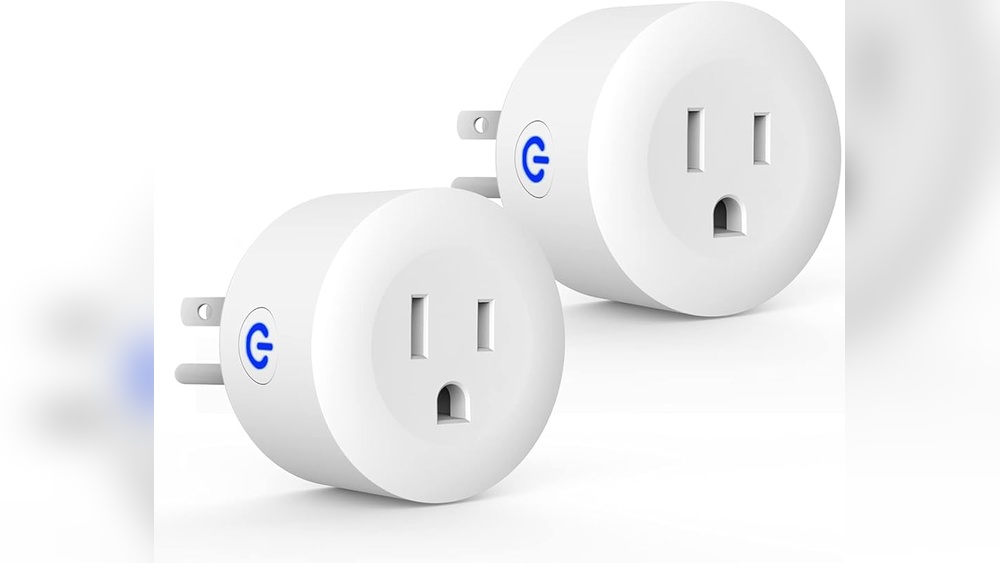
- Plugs and switches (Wi-Fi, like Wemo, TP-Link)
- Thermostats (Nest, Ecobee)
- Cameras (Ring, Arlo)
- Locks (August, Yale via cloud integration)
You can control these devices by voice or touchscreen. The Alexa app makes it easy to add new devices, create routines, and set schedules.
However, Zigbee-only devices (like some sensors and bulbs) won’t pair directly. You’ll need a Zigbee hub or bridge.
Some users think Echo Show 8 can act as a universal smart hub. In reality, it’s a controller—not a hub—for most setups.
3. Using External Zigbee Hubs With Echo Show 8
If you want to use Zigbee devices, you need an external Zigbee hub. The most common are:
- SmartThings Hub: Supports Zigbee, Z-Wave, and Wi-Fi devices.
- Philips Hue Bridge: For Hue bulbs and accessories.
- Aqara Hub: Works with sensors, switches, and Xiaomi devices.
Here’s how it works:
- Connect the Zigbee hub to your router (usually via Ethernet).
- Pair Zigbee devices (bulbs, sensors) with the hub.
- Link the hub to Alexa using the Alexa app.
- Control devices through Echo Show 8 (voice, routines, touch).
This setup lets you use Alexa commands, but the Show 8 is not the hub—it’s the interface. The real Zigbee communication happens through the external hub.
A practical tip: If you already have a Hue Bridge or SmartThings Hub, linking them to Alexa is straightforward. But if you’re starting from scratch, consider buying a hub before Zigbee devices.
Many beginners overlook the need for a separate hub and get stuck during setup.
4. Voice Control And Routine Creation With Echo Show 8
The Echo Show 8 excels at voice control and creating routines, even without Zigbee. You can use Alexa to manage devices, set schedules, and automate actions.
Examples:
- “Alexa, turn on the living room lights.”
- “Alexa, lock the front door.”
- “Alexa, start my morning routine.”
Routines combine multiple actions, like turning on lights, playing music, and adjusting thermostats. You can trigger routines by voice, time, or sensor input (if your external hub supports sensors).
If you use Zigbee devices via an external hub, you can include them in routines. For example, a motion sensor triggers a Zigbee bulb, and Alexa announces a message.
Voice control is seamless, but the Echo Show 8 relies on cloud integrations. This can introduce slight delays compared to direct Zigbee control from a built-in hub.
A non-obvious insight: For large homes, cloud routines may lag if your Wi-Fi is slow. Direct Zigbee control (with a built-in hub) is faster.
5. Security And Privacy Considerations With Zigbee Integration
Smart home devices raise security and privacy concerns. Zigbee is generally safer than Wi-Fi, because it uses local communication and AES encryption. However, if you use an external Zigbee hub with Echo Show 8, device control often passes through the cloud.
This means:
- Device status and actions may be stored online.
- Alexa routines and voice commands are processed by Amazon’s servers.
- Some hubs (like SmartThings) offer local processing, but many rely on cloud.
To improve security:
- Choose hubs with local processing (like Hue Bridge).
- Keep firmware updated on your hub and devices.
- Use strong passwords for your accounts.
- Review Alexa’s privacy settings and voice history.
Many beginners miss the privacy settings in Alexa. You can manage voice history and set permissions for third-party skills.
A practical tip: If you want maximum privacy, use hubs that keep data local and minimize cloud reliance.
6. Setup And Troubleshooting: Zigbee With Echo Show 8
Setting up Zigbee devices with Echo Show 8 is a multi-step process. Here’s a clear guide:
- Buy an external Zigbee hub (SmartThings, Hue Bridge).
- Connect the hub to your network.
- Pair your Zigbee device with the hub (follow the hub’s instructions).
- Enable the hub’s skill in the Alexa app.
- Discover devices in Alexa (automatic or manual).
- Test voice commands and routines.
Common troubleshooting steps:
- If Alexa can’t find a device, check if it’s paired with the hub.
- Make sure the hub’s skill is enabled and linked to your account.
- Update firmware on your hub and Echo Show 8.
- Restart your router and hub if devices go offline.
A non-obvious insight: Zigbee devices sometimes fail to pair if they’re too far from the hub. Try moving them closer during setup.
For large homes, mesh Zigbee devices (like repeaters or bulbs) can extend signal range.
7. Alternatives To Zigbee For Smart Home Control
If Zigbee feels complicated, consider alternatives. Echo Show 8 supports many Wi-Fi and Bluetooth devices. These are often easier to set up and control.
Popular Wi-Fi smart home brands:
- TP-Link Kasa
- LIFX
- Wemo
- Ring
- Nest
Bluetooth devices are less common but may include plugs and sensors.
Comparison of Zigbee and Wi-Fi smart home control:
| Feature | Zigbee | Wi-Fi |
|---|---|---|
| Power Usage | Low | High |
| Mesh Networking | Yes | No |
| Device Range | Extends via mesh | Limited by router |
| Setup Complexity | Requires hub | Simple |
| Brand Choice | Wide | Very wide |
A practical tip: If you have a small number of devices and a strong Wi-Fi network, Wi-Fi gadgets are easier. For larger setups, Zigbee offers reliability and lower interference.
8. Future-proofing Your Smart Home: Should You Get Zigbee?
With smart home tech changing fast, future-proofing matters. If you plan to expand your system, consider these points:
- Amazon often updates Echo devices, adding new features.
- Zigbee remains popular for sensors and low-power devices.
- Matter—a new smart home standard—is coming soon and will unify Zigbee, Wi-Fi, and other protocols.
The Echo Show 8 does not support Zigbee directly, but future versions may add Matter support. Matter is designed to work across brands, making device setup easier.
If you want flexibility, buy devices that support both Zigbee and Matter. For now, Echo Show 8 users should use external hubs for Zigbee or choose Wi-Fi devices.
A non-obvious insight: Some Zigbee hubs (like SmartThings) are now adding Matter support. This means your Zigbee devices may work with new standards in the future.
Real-world Examples: Smart Home Setups With Echo Show 8
To make things clearer, let’s look at some real-world setups.
Example 1: Wi-Fi Only Home
Anna has Echo Show 8 and uses TP-Link Kasa bulbs, plugs, and a Ring doorbell. All devices connect via Wi-Fi and Alexa. No external hubs are needed. She controls everything by voice and touch.
Example 2: Zigbee and Alexa Integration
Sam wants to use Zigbee sensors and bulbs. He buys a SmartThings hub, pairs Zigbee devices, and links the hub to Alexa. Now, Echo Show 8 controls Zigbee devices through the hub. Sam creates routines using motion sensors and lights.
Example 3: Philips Hue Bridge Setup
Mike loves Hue bulbs. He connects a Hue Bridge to his router, pairs bulbs, and links the bridge to Alexa. Echo Show 8 now controls his Hue lights with voice and routines.
These setups show that Echo Show 8 can be flexible, but for Zigbee, you always need an external hub.

Credit: community.smartthings.com
Comparison: Echo Show 8 Vs Other Smart Displays
If you’re deciding between Echo Show 8 and other smart displays, Zigbee support is a key factor. Here’s a comparison:
| Feature | Echo Show 8 | Echo Show 10 | Google Nest Hub |
|---|---|---|---|
| Zigbee Hub | No | Yes | No |
| Smart Home Control | Alexa (Wi-Fi/Bluetooth) | Alexa (Wi-Fi/Bluetooth/Zigbee) | Google Assistant (Wi-Fi) |
| Screen Size | 8″ | 10.1″ | 7″ |
| Camera | Yes | Yes (motion) | No |
| Price Range | $85–$130 | $250–$280 | $80–$100 |
If Zigbee is essential, Echo Show 10 is the better choice. For most users, Wi-Fi control is enough, and Echo Show 8 offers a good balance of features and price.
Hidden Details: Things Beginners Often Miss
Beginners often overlook several key points:
- Not all Echo devices have Zigbee. The assumption that “Alexa = Zigbee” leads to setup frustrations.
- Alexa routines can include Zigbee devices only if linked through a hub.
- Device pairing range: Zigbee devices must be close to the hub during setup.
- Firmware updates: Keeping hubs and devices updated prevents bugs and security issues.
- Matter support: The new standard may make Zigbee and Wi-Fi devices more compatible in the future.
- Brand compatibility: Some Zigbee devices are locked to their own ecosystem, even with a hub.
A practical tip: Always check device compatibility lists before buying. Not all Zigbee gadgets work with every hub.

Credit: www.youtube.com
Expert Guidance: Buying Smart Home Devices For Echo Show 8
If you own Echo Show 8 and want to expand your smart home, follow these tips:
- Choose Wi-Fi devices for simple setups.
- Buy a Zigbee hub (SmartThings, Hue Bridge) for Zigbee device support.
- Check Alexa skill support: Make sure the hub’s skill is available in your region.
- Future-proof with Matter-ready devices: These will work with newer standards.
- Read reviews and compatibility guides: Avoid devices with poor Alexa integration.
Many users regret buying Zigbee devices before checking hub compatibility. Always research before purchasing.
Frequently Asked Questions
Does Echo Show 8 Have A Built-in Zigbee Hub?
No, the Echo Show 8 does not have a built-in Zigbee hub. To use Zigbee devices, you need an external hub like SmartThings or a Hue Bridge. Only Echo Show 10, Echo Plus, and Echo (4th Gen) have Zigbee radios built in.
Can I Control Zigbee Devices With Echo Show 8?
Yes, but only if you use an external Zigbee hub. Pair your Zigbee devices with the hub, then link the hub to Alexa. Echo Show 8 can control them by voice or routines, but it’s not the hub itself.
What Are The Best Alternatives To Zigbee For Echo Show 8?
Wi-Fi smart devices are the best alternatives. Brands like TP-Link Kasa, LIFX, Wemo, and Ring offer easy setup and direct Alexa integration. Bluetooth devices are also supported, but less common.
How Do I Set Up Zigbee Devices With Echo Show 8?
- Buy an external Zigbee hub.
- Connect the hub to your router.
- Pair your Zigbee devices with the hub.
- Enable the hub’s Alexa skill.
- Discover devices in the Alexa app.
- Control devices with Echo Show 8.
Is Echo Show 8 Future-proof For Smart Homes?
Echo Show 8 is flexible but does not support Zigbee directly. For future-proofing, choose Wi-Fi or Matter-ready devices. If you want Zigbee support, use an external hub or consider Echo Show 10.
If you want more details about Zigbee and smart home standards, see the official Zigbee Wikipedia page.
Smart home technology is evolving quickly. By understanding Zigbee support and alternatives for Echo Show 8, you can build a reliable, flexible system that fits your needs today and tomorrow.

Credit: www.aboutamazon.com