
Smart home devices are becoming more popular every year. People want to control lights, locks, and thermostats with simple voice commands or taps. The Google Nest Hub is one of the most well-known smart displays. It can show photos, play music, help with recipes, and control smart home gadgets. But many buyers have one big question: Does Google Nest Hub have Zigbee?
If you’re not sure what Zigbee is, or why it matters, you’re not alone. This article will explain everything you need to know, from basic concepts to real-life examples. By the end, you’ll understand exactly how Google Nest Hub works with Zigbee, what alternatives exist, and how to build your smart home with confidence.
What Is Zigbee?
Zigbee is a wireless communication standard. It helps smart devices talk to each other without Wi-Fi or Bluetooth. Zigbee is used in many smart home products like light bulbs, sensors, locks, and plugs.
Key Features Of Zigbee
- Low power usage: Zigbee devices can run for years on small batteries.
- Mesh network: Each device can pass messages to others. This means your devices cover a larger area.
- Reliable connection: If one device fails, others can still communicate.
- Fast response: Zigbee is designed for quick, local control.
- Interoperability: Many brands use Zigbee, so devices can work together.
Common Zigbee Devices
- Philips Hue bulbs
- Samsung SmartThings sensors
- IKEA smart plugs
- Honeywell thermostats
Zigbee is popular because it’s stable and easy to use. It’s especially good for homes with lots of smart devices.
Google Nest Hub: Overview
The Google Nest Hub is a smart display made by Google. It has a touchscreen, speakers, and a microphone. You can use it to:
- View photos and videos
- Listen to music
- Ask questions (using Google Assistant)
- Control smart home devices
- Follow recipes with step-by-step instructions
There are several versions: Nest Hub (1st Gen), Nest Hub (2nd Gen), and Nest Hub Max. All are similar but have some differences in features and hardware.
Google Nest Hub Key Features
- Voice control: Speak to Google Assistant for hands-free help.
- Smart display: Shows information, photos, and videos.
- Home automation: Controls lights, thermostats, and more.
- Entertainment: Plays music and streams video.
- Routine management: Sets alarms, timers, and reminders.
The Nest Hub connects to your devices mainly through Wi-Fi and Bluetooth. But does it support Zigbee? Let’s look closely.
Does Google Nest Hub Have Zigbee?
The short answer: No, Google Nest Hub does not have built-in Zigbee support. This means you cannot connect Zigbee devices directly to the Nest Hub.
Why Doesn’t Nest Hub Have Zigbee?
Google chose to focus on Wi-Fi and Bluetooth for their smart displays. Zigbee needs special hardware—a radio chip—to work. None of the Nest Hub models include this chip.
Here is a comparison of popular smart home hubs and their Zigbee support:
| Device | Zigbee Support | Other Connectivity |
|---|---|---|
| Google Nest Hub | No | Wi-Fi, Bluetooth |
| Amazon Echo (4th Gen) | Yes | Wi-Fi, Bluetooth |
| Samsung SmartThings Hub | Yes | Wi-Fi, Zigbee, Z-Wave, Bluetooth |
| Apple HomePod Mini | No | Wi-Fi, Bluetooth, Thread |
You can see that some hubs, like Amazon Echo and SmartThings, have Zigbee built-in. Google Nest Hub does not.
What Does This Mean For Users?
If you want to use Zigbee devices with Google Nest Hub, you need an extra step. Zigbee gadgets cannot connect directly. But there are ways to make them work together.
How To Use Zigbee Devices With Google Nest Hub
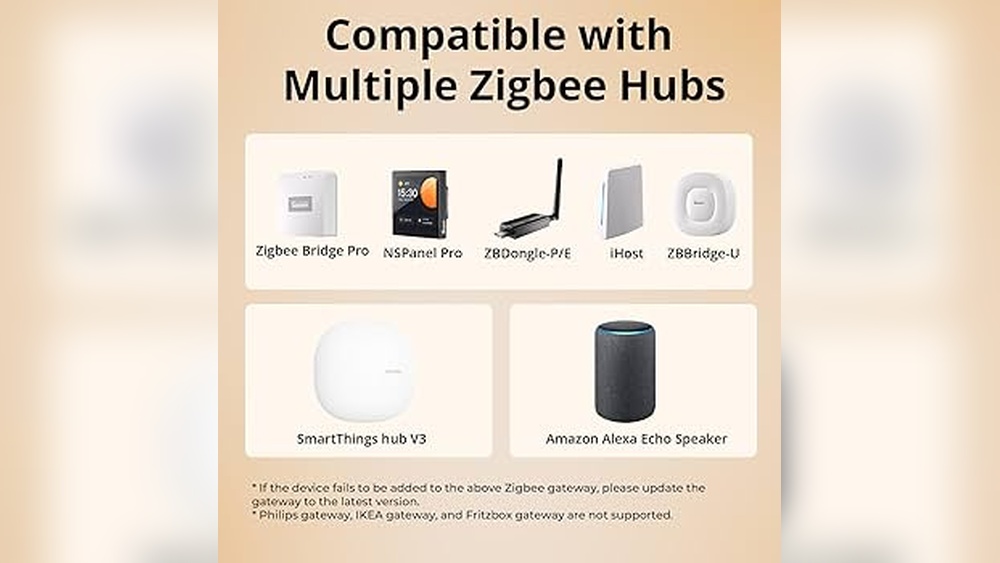
Even though the Nest Hub doesn’t have Zigbee, you can still control Zigbee devices. The secret is using a bridge or hub.
Understanding Zigbee Bridges
A Zigbee bridge (sometimes called a hub or gateway) is a device that connects Zigbee gadgets to your Wi-Fi network. The bridge talks to Zigbee devices using Zigbee radio, and talks to your Nest Hub over Wi-Fi.
Common Zigbee bridges include:
- Philips Hue Bridge
- Samsung SmartThings Hub
- IKEA TRÅDFRI Gateway
Connecting Zigbee Devices Via A Bridge
Here’s how it works:
- Set up the Zigbee bridge: Plug it into your router and connect it to power.
- Add Zigbee devices: Use the bridge’s app to pair bulbs, sensors, or plugs.
- Link the bridge to Google Home: In the Google Home app, add the bridge as a new device.
- Control devices with Nest Hub: Once linked, you can control Zigbee gadgets by voice or touchscreen.
For example, with a Philips Hue Bridge, you can add Hue bulbs, then connect the bridge to Google Home. Now, your Nest Hub can turn lights on or off—even though it’s not directly speaking Zigbee.
Real-life Example
Imagine you have a Philips Hue bulb in your bedroom. You set up the Hue Bridge, pair the bulb, and link the bridge to Google Home. You can now say, “Hey Google, turn off the bedroom light,” and your Nest Hub will do it. The command goes from Nest Hub → Google Home → Hue Bridge → Zigbee bulb.
This system works for many brands. Just remember, the bridge is essential.
Zigbee Vs. Other Smart Home Protocols
Zigbee is not the only protocol for smart homes. Let’s compare it with others:
| Protocol | Range | Power Usage | Devices Supported | Reliability |
|---|---|---|---|---|
| Zigbee | Up to 100 meters | Very low | Bulbs, sensors, locks, plugs | High |
| Wi-Fi | Up to 50 meters | Medium to high | Cameras, speakers, appliances | Medium |
| Bluetooth | Up to 10 meters | Low | Wearables, speakers | Medium |
| Z-Wave | Up to 100 meters | Low | Locks, sensors, thermostats | High |
Zigbee and Z-Wave are both good for smart home gadgets. Wi-Fi is common but uses more power. Bluetooth is short-range. Each protocol has strengths and weaknesses.
Zigbee Advantages
- Mesh networking: Devices relay messages, so coverage is wide.
- Low power: Great for battery devices.
- Many brands: Lots of options for buyers.
Zigbee Drawbacks
- Needs a bridge for Nest Hub.
- Devices must be compatible with your bridge.
Google Nest Hub Smart Home Compatibility
Google Nest Hub works with many smart home brands. The main protocols it supports are:
- Wi-Fi
- Bluetooth
- Matter (new standard, supported by Nest Hub 2nd Gen and Nest Hub Max)
Matter: The New Protocol
Matter is a new smart home standard. It aims to make devices work across brands and ecosystems. Nest Hub (2nd Gen and Max) support Matter, which may include Zigbee-like devices in the future.
However, Zigbee is not Matter. You still need a bridge for most Zigbee gadgets.
Supported Devices And Services
Nest Hub can control:
- Lights (Philips Hue, LIFX, TP-Link)
- Thermostats (Nest, Ecobee)
- Cameras (Nest, Arlo)
- Plugs and switches (TP-Link, Kasa)
- Sensors (via bridges)
The full list changes over time. You can check compatibility in the Google Home app.
Alternatives For Zigbee Support
If you want direct Zigbee control, consider other hubs. Let’s compare options:
Amazon Echo (4th Gen)
- Has Zigbee built-in
- Can control Zigbee bulbs, plugs, and sensors directly
- Works with Alexa voice assistant
Samsung Smartthings Hub
- Supports Zigbee, Z-Wave, Wi-Fi
- Controls many smart devices directly
- Requires SmartThings app
Home Assistant
- Open-source platform
- Supports Zigbee with USB dongles
- Advanced automation
Each has pros and cons. Nest Hub is easy to use but needs a bridge for Zigbee. Others offer direct Zigbee but may be harder to set up.
Buying Zigbee Devices: What Matters?
If you plan to use Zigbee with Google Nest Hub, keep these things in mind:
- Check device compatibility: Make sure your Zigbee device works with your chosen bridge.
- Choose a reliable bridge: Philips Hue Bridge, SmartThings Hub, or IKEA Gateway are good options.
- Consider automation needs: Some bridges offer advanced routines and schedules.
- Think about future expansion: Will you add more devices later? Pick a bridge with room to grow.
Common Buyer Mistakes
- Buying Zigbee devices without a bridge
- Assuming Nest Hub can control Zigbee directly
- Ignoring compatibility between devices and bridges
- Choosing a bridge that doesn’t support Google Home integration
Make sure to research before buying. Check the bridge’s compatibility with Google Home and your devices.

Credit: www.amazon.com
Setting Up Zigbee Devices With Nest Hub: Step-by-step Guide
Here’s a simple setup process:
- Buy a Zigbee bridge: Pick one compatible with Google Home (e.g., Philips Hue Bridge).
- Install the bridge: Plug it into your router and power outlet.
- Add Zigbee devices: Use the bridge’s app to pair each device.
- Download Google Home app: Create or log in to your account.
- Link the bridge to Google Home: Add the bridge as a new device in the app.
- Control devices with Nest Hub: Use voice or touchscreen to manage your Zigbee gadgets.
Example: Setting Up Philips Hue
- Set up the Hue Bridge
- Pair Hue bulbs in the Hue app
- Open Google Home app, link Hue account
- Say, “Hey Google, turn on the living room light”
Your Nest Hub now controls Zigbee bulbs through the bridge.
Advanced Tips For Smart Home Users
Building a smart home can be tricky. Here are some tips:
1. Place Zigbee Devices Wisely
Zigbee uses mesh networking. Devices relay signals, so placing them evenly boosts coverage. Avoid putting Zigbee gadgets far from the bridge or each other.
2. Avoid Wi-fi Interference
Zigbee operates on the 2. 4 GHz band, like Wi-Fi. Too many Wi-Fi devices can cause interference. If you notice slow response, try moving the bridge or using less crowded channels.
3. Use Scenes And Routines
Bridges like Hue and SmartThings offer scenes (preset lighting, temperature, etc.) and routines (automatic actions based on time or events). Link these to Google Home for powerful automation.
4. Update Firmware
Smart home devices need updates for security and new features. Keep your bridge and Zigbee gadgets updated.
5. Test Compatibility
Before buying new Zigbee devices, check if your bridge supports them. Some bridges only work with certain brands.
Zigbee Security And Privacy
Smart home security is important. Zigbee uses AES 128-bit encryption for data. This makes it hard for hackers to control your devices.
Privacy Considerations
- Zigbee devices don’t send data to the internet directly.
- The bridge connects to your Wi-Fi and may send info to its cloud service.
- Always use strong passwords for your bridge and Google Home account.
If you are worried about privacy, choose bridges that let you control data sharing.
The Future Of Zigbee And Google Nest Hub
Smart home technology is changing fast. Matter is a new standard that aims to replace Zigbee and Z-Wave by making devices work together easily. Google is supporting Matter in newer Nest Hub models.
However, Zigbee is still widely used, especially for lighting and sensors. It’s likely that bridges will remain important for Nest Hub users for years.
Will Google Nest Hub Ever Support Zigbee Directly?
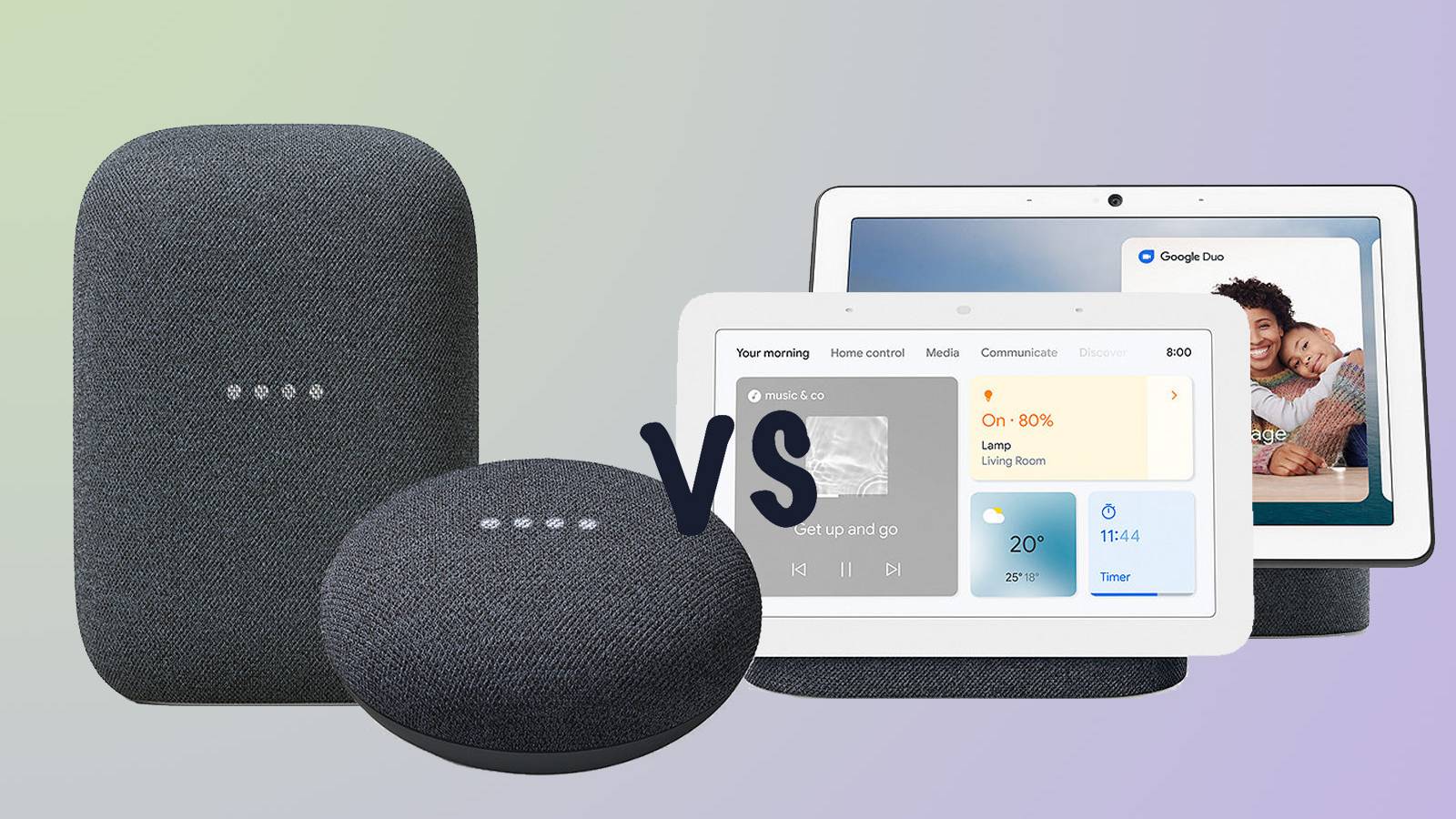
There is no official announcement from Google about adding Zigbee hardware to Nest Hub. They focus on Wi-Fi, Bluetooth, and Matter. If you want Zigbee now, a bridge is the best solution.
Credit: www.pocket-lint.com
Practical Scenarios: Using Zigbee With Nest Hub
Let’s look at some real-life situations:
Scenario 1: Smart Lighting
You want to control Philips Hue bulbs with your Nest Hub. Buy the Hue Bridge, connect it to your Wi-Fi, pair the bulbs, and link the bridge to Google Home. Now, you can use voice commands to adjust brightness and color.
Scenario 2: Smart Sensors
You have Samsung SmartThings sensors (motion, door, temperature). Set up the SmartThings Hub, pair the sensors, and link to Google Home. You can check sensor status from your Nest Hub display.
Scenario 3: Smart Locks
If you own a Zigbee-compatible lock (like Yale), set it up with a compatible bridge (SmartThings or Yale). Link the bridge to Google Home. Now, you can lock/unlock doors via your Nest Hub.
Troubleshooting Zigbee With Google Nest Hub
Sometimes, things don’t work smoothly. Here’s how to solve common issues:
Problem: Device Not Responding
- Check bridge connection to Wi-Fi
- Make sure Zigbee device is paired correctly
- Restart the bridge and Nest Hub
Problem: Device Missing In Google Home App
- Re-link bridge to Google Home
- Update bridge and Nest Hub firmware
- Check compatibility (some devices may not appear)
Problem: Slow Response
- Move bridge closer to Zigbee devices
- Reduce Wi-Fi interference
- Add more Zigbee devices to strengthen mesh network
If problems continue, check support pages for your bridge and Google Nest Hub.
Comparing Google Nest Hub And Zigbee Hubs
If you want to decide between Nest Hub and a Zigbee hub, look at this comparison:
| Feature | Google Nest Hub | Zigbee Hub (e.g., SmartThings) |
|---|---|---|
| Display | Yes (touchscreen) | No |
| Voice control | Yes (Google Assistant) | Depends (usually not) |
| Zigbee support | No (needs bridge) | Yes (built-in) |
| Smart home integration | Wide (via Wi-Fi, Bluetooth, Matter) | Wide (Zigbee, Z-Wave, Wi-Fi) |
| Ease of use | Very easy | Moderate |
| Automation | Basic routines | Advanced automation |
Nest Hub is ideal for beginners and families. Zigbee hubs offer advanced features but require more setup.
Choosing The Right Setup For Your Home
Your choice depends on your goals:
- Easy control and routines: Nest Hub with a Zigbee bridge
- Advanced automation: Dedicated Zigbee hub (SmartThings, Home Assistant)
- Direct Zigbee control: Amazon Echo (4th Gen) or SmartThings Hub
For most people, Nest Hub plus a bridge is enough. You get voice control, display, and compatibility with many devices.

Credit: www.pcworld.com
Expert Insights: What Beginners Often Miss
Many beginners believe all smart devices work together. But protocols matter. Zigbee, Wi-Fi, and Bluetooth are different. Always check which protocol your devices use.
Another mistake is thinking the Nest Hub is a universal hub. It’s powerful, but lacks built-in Zigbee. You must use a bridge. Also, not all Zigbee devices work with all bridges. Compatibility is key.
If you want to future-proof your home, consider devices with Matter support. Matter aims to make setup easier and reduce bridges, but Zigbee is still important today.
Frequently Asked Questions
Is Google Nest Hub A Zigbee Hub?
No, the Nest Hub does not have Zigbee hardware. It cannot control Zigbee devices directly. You need a separate Zigbee bridge for integration.
Can I Control Zigbee Devices With Nest Hub?
Yes, but only through a Zigbee bridge (like Philips Hue or SmartThings). The bridge connects Zigbee devices to your Wi-Fi, allowing the Nest Hub to control them.
Which Zigbee Bridges Work With Google Nest Hub?
Popular options include Philips Hue Bridge, Samsung SmartThings Hub, and IKEA TRÅDFRI Gateway. These bridges can be linked to Google Home for voice and display control.
Does Nest Hub Support Matter?
Yes, Nest Hub (2nd Gen) and Nest Hub Max support Matter. Matter is a new protocol, but most Zigbee devices still require a bridge.
Is Zigbee Better Than Wi-fi For Smart Home Devices?
For sensors and bulbs, Zigbee is often better. It uses less power and offers mesh networking. Wi-Fi is good for cameras and appliances, but uses more energy.
Final Thoughts
The Google Nest Hub is a powerful smart display and home controller. It does not have built-in Zigbee, but with the right bridge, it can control Zigbee devices easily. Always check compatibility, and use a reliable bridge for best results.
Zigbee remains a top choice for smart lighting and sensors, while Matter may shape the future of smart homes.
If you want more details on Zigbee technology, visit Wikipedia for technical information. Smart home setups can be complex, but with clear planning and the right tools, you can create a home that’s easy to control and fun to use.