

For many people, home security is a top priority. Products like the Ring Outdoor Camera have changed how we protect our homes. These cameras are small, smart, and easy to install. They let you see what happens outside your house from anywhere using your phone. But one question often comes up: Does the Ring Outdoor Camera record 24/7? The answer is not as simple as “yes” or “no.” Many buyers assume these cameras work like traditional CCTV systems that record all the time. In reality, Ring cameras use a different method based on smart features and cloud storage.
If you want to understand how Ring cameras record, what their limitations are, and what options you have for around-the-clock monitoring, this article will help. We’ll break down the 24 key aspects you need to know about Ring Outdoor Camera recording.
You’ll learn about recording modes, subscriptions, privacy, and real-life examples. Whether you’re a new user or thinking of buying, you’ll find clear answers and practical advice here.
1. What Is The Ring Outdoor Camera?
The Ring Outdoor Camera is a smart security camera designed for outdoor use. It connects to your Wi-Fi and streams live video to your phone, tablet, or computer. Ring offers several outdoor models, like the Ring Stick Up Cam, Ring Floodlight Cam, and Ring Spotlight Cam. These cameras are weather-resistant, have motion detection, two-way talk, and night vision. They help you monitor your yard, driveway, or any outdoor area. Unlike older security cameras, Ring is part of the “smart home” family, working with voice assistants and mobile apps.
2. How Does Ring Camera Recording Work?
Ring cameras do not record video all the time. Instead, they use event-based recording. This means the camera starts recording when it detects motion or when you manually start a live view. Each video clip is stored in the cloud, where you can view, download, or share it. The camera is always ready to sense movement, but it only saves footage when something happens. This approach saves storage space and makes it easier to review important events.
3. Is 24/7 Continuous Recording Supported?
No, the standard Ring Outdoor Camera does not support true 24/7 continuous recording. All current Ring cameras use motion-activated or on-demand recording. If you want a camera that records every second, like a traditional DVR, Ring is not designed for that use. Some users are surprised by this, but it is a key difference from many wired surveillance systems. This limitation is set by Ring, likely due to bandwidth, storage costs, and battery life concerns.
4. What Does Motion-activated Recording Mean?
Motion-activated recording means the camera starts saving video when its sensors detect movement. This could be a person walking by, a car driving in, or even a pet in your yard. The camera uses infrared sensors or video analysis to spot motion. When activated, it records a short clip, usually between 20 and 120 seconds, depending on your settings and subscription. This way, you only keep the moments that matter.
5. How Long Are Motion Clips Stored?
If you have a Ring Protect subscription, your motion clips are saved in the cloud for up to 180 days (in the US). Without a subscription, you can watch live but you cannot save or review past clips. The storage period can be changed in your app settings if you want to delete older clips sooner. After the storage period, clips are automatically deleted.
6. Can You Manually Record Or Save Live View?
Yes, you can manually record when you open the camera’s live view in the Ring app. If you have a Ring Protect Plan, you can save and download these manual recordings. Without a plan, you can watch live but not save the footage. This manual feature is useful if you spot something important in real time and want to keep a record.
7. What Is Ring Protect Subscription?
Ring Protect is an optional subscription plan. It unlocks video recording, video sharing, and extra features. There are two main plans:
- Ring Protect Basic: Covers one device, allows video recording and sharing.
- Ring Protect Plus: Covers all Ring devices at one location, adds extra benefits like extended warranties.
Without a subscription, your Ring camera can send alerts and show live video, but does not save clips.
8. Does Subscription Change Recording Behavior?
The subscription does not make your Ring Outdoor Camera record 24/7. It only enables saving, reviewing, and downloading motion-activated clips and manual recordings. The camera’s basic recording method stays the same. Some users expect the subscription to unlock continuous recording, but this is not the case.

Credit: ring.com
9. Battery Life And Continuous Recording
If Ring cameras recorded all the time, battery-powered models would run out of power quickly. Battery life is a big reason why continuous recording is not available. Even for wired models, streaming and saving video 24/7 would use a lot of data and storage. Ring’s event-based system helps battery models last for months instead of days.
10. Internet Bandwidth And Data Usage
Continuous recording would use a lot of your home’s internet bandwidth. Ring cameras upload motion clips to the cloud. Recording 24/7 would mean constant uploading, which could slow down your network and quickly use up any data caps. Most homes have limited upload speeds, so Ring’s system is designed to be efficient and avoid these problems.

Credit: www.amazon.com
11. Wired Vs Battery-powered Models
Ring offers both wired and battery-powered outdoor cameras. Neither supports 24/7 recording. Wired models, like the Ring Floodlight Cam, have unlimited power, but still use motion-based recording. Battery models must be recharged every few months (or weeks, if triggered often). Choosing wired over battery gives more reliability, but does not change how recordings are made.
12. Smart Motion Zones And Privacy
Ring lets you set up motion zones—areas where the camera will detect movement. For example, you can ignore the street and only watch your driveway. This not only reduces unwanted alerts, but also focuses recordings on what matters most. Smart motion zones help with privacy, so you don’t record neighbors or passing cars. For privacy, Ring does not record audio or video unless motion is detected or you start a live view.
13. How Long Are Ring’s Motion Clips?
The length of each motion clip depends on your settings. By default, clips are about 20 to 60 seconds. With a subscription, you can set the maximum clip length (up to 120 seconds for some models). Shorter clips save battery and storage, while longer clips give more context. However, even the maximum is much shorter than 24/7 recording.
14. What Happens Between Motion Events?
A big concern for some users is what happens between motion events. If your Ring camera does not detect motion, it does not record. That means you might miss things that happen outside the motion sensor’s range or if the sensor is blocked. Some users add extra cameras or adjust their motion zones to cover blind spots. It’s important to test your setup so you don’t miss important activity.
15. Can Ring Cameras Be Hacked Or Disabled?
No camera is 100% hack-proof, but Ring uses encryption and security features to protect your footage. Like all smart devices, you should use strong passwords and two-factor authentication. However, if someone physically covers or damages the camera, or cuts power, it will stop recording. Because Ring does not record 24/7, you may miss these events unless motion is detected first.
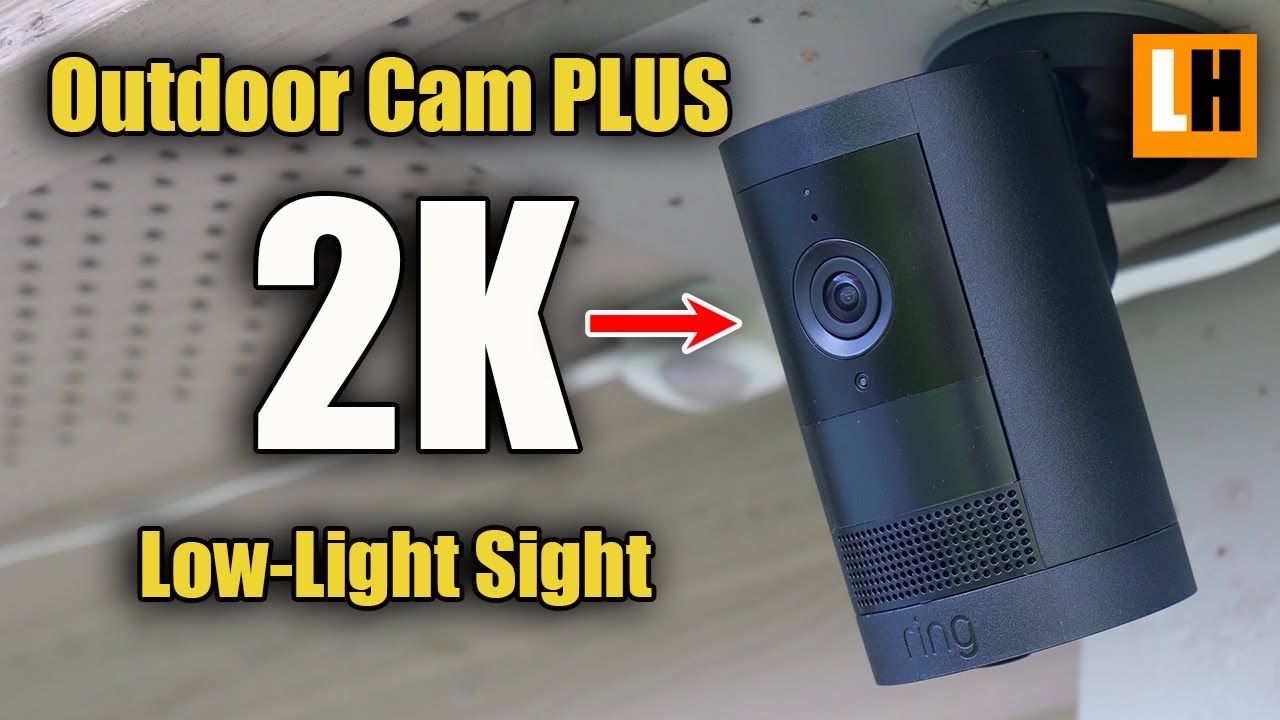
16. Night Vision And Low Light Recording
Ring Outdoor Cameras have infrared night vision. This means they can record clear black-and-white video in low light or darkness when motion is detected. Night vision is triggered automatically at night or in shadowed areas. This feature works for motion events, but does not enable 24/7 recording.
Credit: www.youtube.com
17. Can You Download And Share Clips?
With a Ring Protect subscription, you can download video clips to your phone or computer. You can also share them with neighbors, police, or on social media. Downloading is easy in the Ring app. Without a subscription, you can only watch live—you can’t go back or save clips.
18. Integration With Other Smart Devices
Ring Outdoor Cameras work with other smart home systems like Alexa. You can ask your Echo device to show the camera feed or use routines to trigger smart lights when motion is detected. However, these integrations do not enable continuous recording. They do make your security system more flexible and responsive.
19. Cloud Vs Local Storage
Ring uses cloud storage for all saved videos. There is no local SD card or hard drive option. This means your clips are safe even if the camera is stolen or destroyed. But it also means you need a good internet connection and, for most features, a paid subscription. Some other brands do offer local storage for 24/7 recording, but Ring does not.
20. Data Privacy And Access
Ring stores your video clips securely in the cloud. Only you (and those you share with) can access your clips. Ring employees do not watch your videos unless you give permission for support reasons. You can delete clips anytime. For more details, you can check their privacy policy on their official site.
Privacy is a common concern, so always read the fine print before buying.
21. What Are The Alternatives For 24/7 Recording?
If you need true 24/7 recording, you may want to consider other brands or systems. Some options:
- Network Video Recorders (NVRs): Wired cameras that record non-stop to a hard drive.
- Google Nest Cam (wired): Offers optional 24/7 cloud recording with a subscription.
- Arlo Pro (with base station): Certain models can record continuously to local storage.
Ring is best for smart alerts and easy use, not for full-time surveillance. If you need a record of every second, check if other systems fit your needs better.
22. How Does Ring Compare To Other Cameras?
Here’s a quick comparison of Ring Outdoor Camera recording vs other popular brands:
| Brand | 24/7 Recording | Motion Clips | Local Storage Option |
|---|---|---|---|
| Ring Outdoor Camera | No | Yes | No |
| Google Nest Cam (wired) | Yes (with subscription) | Yes | No |
| Arlo Pro 4 | Yes (with base station) | Yes | Yes |
| EufyCam 2C | No | Yes | Yes |
23. Real-world Scenarios: What You Might Miss
Some users only discover the limits of event-based recording after an incident. For example, if someone walks just outside the motion zone, or moves very slowly, the camera may not trigger. Similarly, if the camera is blocked, nothing is recorded.
In cases like vandalism or theft, you might not have footage if the motion sensor was not triggered. A common beginner mistake is not testing the sensitivity and coverage fully after installation.
24. Tips To Maximize Your Ring Camera’s Effectiveness
To get the most out of your Ring Outdoor Camera, follow these tips:
- Adjust motion zones so only important areas are monitored.
- Increase motion sensitivity if you’re missing events.
- Test your camera at different times of day and night.
- Mount the camera at a height and angle that covers entry points.
- Keep the lens clean for best video quality.
- Update your Ring app regularly for new features and security fixes.
- Check Wi-Fi signal to prevent missed recordings.
- Enable notifications so you know when events happen.
- Review and download important clips right away.
- Consider extra cameras for full coverage if needed.
Frequently Asked Questions
1. Does The Ring Outdoor Camera Record Audio As Well As Video?
Yes, Ring Outdoor Cameras record both audio and video during motion events or live view. You can turn off audio recording in the settings if you prefer more privacy.
2. Can I Use Ring Outdoor Camera Without A Subscription?
Yes, you can use basic features like live view and motion alerts without a subscription. But you won’t be able to save, review, or share video clips unless you have a Ring Protect Plan.
3. How Secure Is My Video Footage With Ring?
Ring uses encryption to protect video clips. Only you and people you share with can access your clips. For extra safety, enable two-factor authentication in your account.
4. Will Ring Ever Add 24/7 Recording In The Future?
As of now, Ring has not announced plans to offer 24/7 recording for outdoor cameras. They focus on event-based recording for battery life, bandwidth, and storage reasons. If this feature is important, consider checking Ring’s official updates or competitor products.
5. Where Can I Learn More About Smart Home Security Systems?
You can find more information about smart cameras and privacy at the Wikipedia Surveillance page.
Choosing the right security camera is about balancing your needs, privacy, and budget. Ring Outdoor Cameras are powerful for motion alerts and smart features, but they do not record 24/7. Understanding these 24 key details helps you make a smart choice and get the most from your device.
If constant recording is a must, look at alternative solutions. For most homeowners, Ring’s event-based system offers a flexible, easy, and reliable way to watch over your property—day and night.