
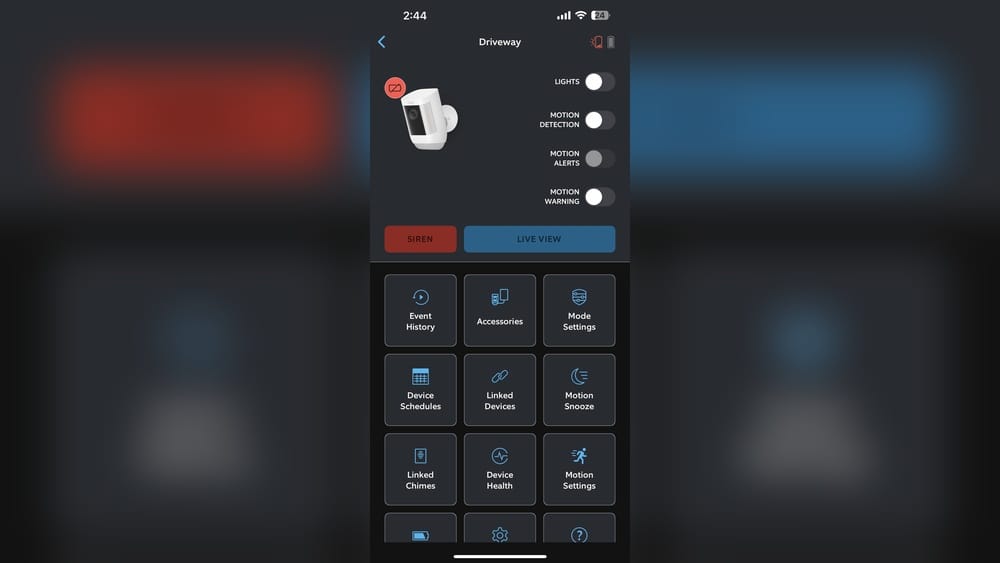
The world of home security is changing fast. People want smarter, easier ways to protect their homes. Devices like the Ring Camera give peace of mind. But many users ask: Does the Solar Panel charge the Ring Camera? Let’s explore this question in detail. We’ll break down how solar panels work with Ring cameras, what you need to know before buying, and how to get the best results. If you’re thinking about solar power for your security camera, this guide will help you make a smart choice.
What Is The Ring Camera?
The Ring Camera is a smart security device. It lets you see, hear, and talk to visitors from anywhere using your phone. You can get motion alerts, view live video, and record events. Ring offers several types:
- Ring Stick Up Cam (battery or wired)
- Ring Spotlight Cam
- Ring Floodlight Cam
- Ring Indoor Cam
Most people use the battery-powered models outside. These are popular because they don’t need wiring. But batteries run out, so you need to recharge them. That’s where the solar panel comes in.
Why People Want Solar Power For Ring Cameras
Charging batteries is not fun. You may need a ladder, and the camera stops working while charging. With a solar panel, the camera can stay powered all the time, using sunlight. It’s eco-friendly and convenient.
How Solar Panels Work With Ring Cameras
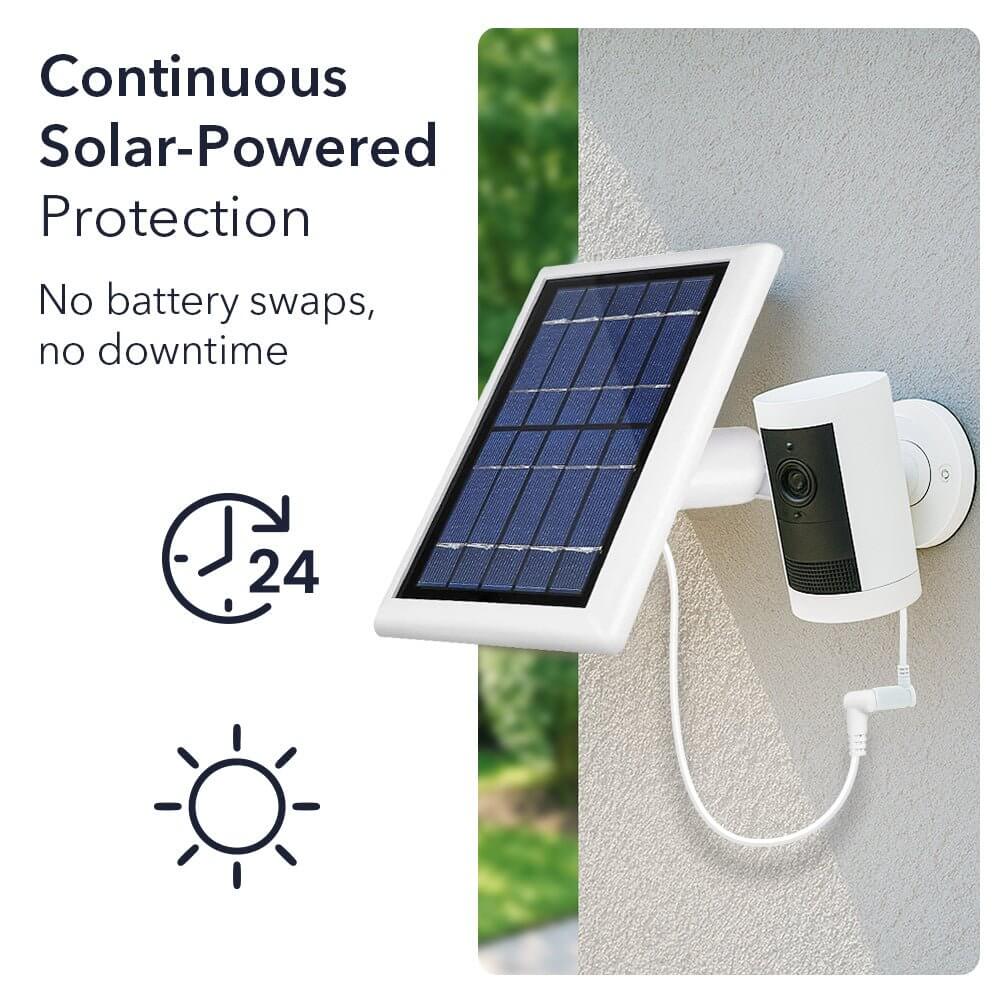
Solar panels convert sunlight into electricity. This energy can recharge the battery in your Ring camera. But it’s important to know: the solar panel does not directly power the camera—it keeps the battery charged.
Which Ring Cameras Work With Solar Panels?
Not all Ring cameras can use a solar panel. Only some models support it:
- Ring Stick Up Cam Battery
- Ring Spotlight Cam Battery
- Ring Spotlight Cam Plus Battery
- Ring Spotlight Cam Pro Battery
Wired cameras and the Ring Floodlight Cam do not work with Ring’s solar panels. Always check the model before buying.
How The Ring Solar Panel Connects
The Ring Solar Panel has a special connector. You plug it into the camera’s charging port. The panel mounts nearby, facing the sun. When sunlight hits the panel, it sends power to the battery.
Solar Panel Types And Compatibility
There are several Ring-branded solar panels:
- Ring Solar Panel (standard size)
- Ring Super Solar Panel (larger for more power)
- Ring Solar Panel for Stick Up Cam
- Ring Solar Panel for Spotlight Cam
Third-party panels also exist, but Ring recommends its own panels for best performance.
Solar Panel Specifications
Here’s a quick look at the main Ring solar panels:
| Solar Panel Model | Size (inches) | Power Output (watts) | Compatible Cameras |
|---|---|---|---|
| Ring Solar Panel | 7 x 5 | 2.2 | Stick Up Cam, Spotlight Cam |
| Ring Super Solar Panel | 11.4 x 7.6 | 4.2 | Stick Up Cam, Spotlight Cam |
| Ring Solar Panel for Stick Up Cam | 7 x 5 | 2.2 | Stick Up Cam Battery |
| Ring Solar Panel for Spotlight Cam | 7 x 5 | 2.2 | Spotlight Cam Battery |
The Super Solar Panel gives more power. It’s useful for places with less sunlight or heavy camera use.
Does The Solar Panel Fully Charge The Ring Camera?
This is the big question. Many people expect the panel to keep their camera at 100% all the time. The answer depends on several factors.
Factors That Affect Charging
1. Sunlight Hours
The more direct sunlight, the more power the panel produces. Cloudy days, shade, or north-facing walls reduce charging.
2. Camera Usage
Frequent motion events, live viewing, or recording drains the battery faster. If your camera is busy, the panel may not keep up.
3. Panel Size And Type
Larger panels produce more energy. If you choose a smaller panel for a busy camera, charging may be slow.
4. Location And Angle
Panels must face south (in the US) and tilt to catch maximum sun. Poor placement can cut charging by half.
5. Temperature
Very hot or cold temperatures affect battery performance and panel output.
Typical Results
If you place the panel well and your camera isn’t too busy, it can keep the battery charged most of the year. In winter, or with lots of activity, you may need to recharge manually.
Real-world Example
A Ring Stick Up Cam with a standard solar panel in California (6 hours of sun daily) can stay fully charged with average use. In Minnesota (3 hours sun in winter), battery may drop below 100%.
How To Install The Ring Solar Panel
Setting up the panel is easy, but a few tips help get the best results.
Step-by-step Installation
1. Choose The Location
Find a spot with lots of direct sun. Avoid shade from trees, roofs, or walls.
2. Mount The Panel
Use the included screws and bracket. Tilt the panel toward the sun. South-facing is best in the US.
3. Connect The Cable
Plug the panel’s cable into the camera’s charging port. Make sure it clicks in place.
4. Check The Camera App
Open the Ring app. Look for the battery icon and “Solar Panel Connected” message.
5. Monitor Battery Level
Watch battery levels for a few days. If it drops, check the panel’s position.
Installation Tips
- Keep the cable tight, avoid bends.
- Clean the panel every few months for best performance.
- If you move, relocate the panel for better sun.
Solar Panel Performance: Data And Insights
How well does the solar panel really work? Let’s look at numbers and user experiences.
Power Output Data
A standard Ring solar panel gives about 2.2 watts in full sun. This can charge a camera battery from 0% to 100% in 2-3 days if the camera is off. With average use, it keeps the battery topped up.
A busy camera (10+ motion events daily) uses about 20-30% of battery per day. The panel replaces this if it gets 4-6 hours of sun.
User Reviews And Experiences
- Users in sunny regions report battery stays near 100%.
- Users in cloudy climates or shaded spots see batteries drop.
- Larger panels help in tough conditions.
Comparison: Solar Vs. Manual Charging
Here’s a simple comparison:
| Charging Method | Effort Required | Camera Downtime | Cost |
|---|---|---|---|
| Solar Panel | Install once | None (if sun is enough) | $35–$60 |
| Manual Charging | Charge every 2–3 months | 1–6 hours | $0 |
Solar is easier for most people, especially if you hate climbing ladders.
Common Mistakes When Using Solar Panels
Many users don’t get the results they expect. Here are mistakes to avoid:
1. Mounting In Shade
Even a small shadow can cut power by 80%. Check sun pattern before installing.
2. Wrong Camera Model
Not all Ring cameras support solar. Check compatibility.
3. Expecting 100% Battery Always
Panels help, but heavy use or bad weather can drain batteries.
4. Loose Cable Connections
If the cable isn’t tight, charging stops.
5. Ignoring Panel Cleaning
Dust and dirt block sunlight. Clean the panel every 2–3 months.
Is Solar Charging Right For You?
Should you use a solar panel for your Ring camera? Let’s weigh the pros and cons.
Benefits
- Convenience: No need to remove the camera to charge.
- Continuous power: Camera stays active, fewer gaps in security.
- Eco-friendly: Uses renewable energy.
- Cost-effective: After buying the panel, no extra cost.
Limitations
- Depends on sunlight: Not ideal for shaded or cloudy locations.
- Doesn’t work with all cameras: Only battery models support it.
- May not keep up with heavy use: Busy cameras may still need manual charging.
Who Should Use Solar?
- People in sunny climates
- Users with battery Ring cameras
- Homeowners who don’t want to climb ladders
- Those who want to reduce electricity use

Credit: www.amazon.com
Choosing The Right Solar Panel For Your Ring Camera
Picking the best panel can save time and money. Here’s what to consider:
Key Factors
1. Camera Model Compatibility
Check Ring’s list to see if your camera supports solar.
2. Panel Size
Larger panels charge faster. If your camera gets lots of activity, go bigger.
3. Installation Location
If your wall is shaded, solar may not work well.
4. Cable Length
Make sure the panel’s cable reaches your camera.
Comparison: Standard Vs. Super Solar Panel
| Feature | Standard Panel | Super Solar Panel |
|---|---|---|
| Size | 7 x 5 inches | 11.4 x 7.6 inches |
| Power Output | 2.2 watts | 4.2 watts |
| Price | $35–$45 | $55–$60 |
| Best for | Average use, sunny places | High activity, less sun |
If you’re unsure, the Super Solar Panel is safer for tough locations.
How Ring Cameras Manage Power
The Ring app shows battery level and tells you if the solar panel is connected. But how does the camera decide when to charge?
Battery Management
- Trickle Charging: Solar panels charge slowly over the day. The camera uses power for events and recording.
- Charge Priority: If the battery drops, the panel works harder (when sun is strong).
- Low Battery Alerts: The Ring app sends notifications if battery falls below 20%.
What Happens If Solar Can’t Keep Up?
If the battery drains faster than the panel can recharge, you must charge manually. The panel helps, but isn’t magic.
Troubleshooting Solar Panel Charging
If your camera’s battery drops, try these steps:
1. Check Panel Placement
Is the panel getting full sun? Move it if needed.
2. Inspect Cable
Make sure the cable is tight and undamaged.
3. Clean The Panel
Dust, leaves, or bird droppings block sunlight.
4. Review Camera Usage
Too many events drain the battery. Adjust motion sensitivity.
5. Check App Status
The Ring app shows “Solar Panel Connected. ” If not, reconnect.
Advanced Tips For Maximum Charging
Want to get the most from your solar panel? Try these expert tips:
1. Angle The Panel Correctly
Tilt the panel about 30–45 degrees, facing south.
2. Use The Super Solar Panel
If you have frequent events or less sun, upgrade to the bigger panel.
3. Reduce Camera Activity
Lower motion sensitivity or set specific zones to reduce battery drain.
4. Check For Seasonal Changes
In winter, sun is lower. Adjust panel angle twice a year.
5. Monitor Battery Trends
Watch battery levels weekly. If they drop, adjust panel or camera settings.
6. Pair With Backup Batteries
If you travel, keep a spare battery for emergencies.
Credit: glasmrkojevica.me
Real-life Case Studies
Let’s look at how real users manage solar charging for Ring cameras.
Case Study 1: Suburban Home In Texas
- Setup: Ring Spotlight Cam Battery with standard solar panel
- Sunlight: 7 hours per day, south-facing wall
- Camera Usage: 5–8 events daily
- Result: Battery stays at 90–100% year-round, zero manual charging
Case Study 2: Apartment Balcony In New York
- Setup: Ring Stick Up Cam Battery with standard solar panel
- Sunlight: 2–3 hours per day, east-facing balcony
- Camera Usage: 12–15 events daily
- Result: Battery drops to 40–60% in winter, needs manual recharge every 1–2 months
Case Study 3: Rural House In Oregon
- Setup: Ring Spotlight Cam Battery with Super Solar Panel
- Sunlight: 4 hours per day, some shade from trees
- Camera Usage: 20+ events daily (animals, cars)
- Result: Battery stays above 80% most days, needs manual charging in cloudy months
These examples show how sunlight and camera activity affect battery performance.
Cost Analysis: Is Solar Worth It?
Solar Panels Cost Money Upfront. Is It A Good Investment?
Upfront Costs
- Standard Panel: $35–$45
- Super Panel: $55–$60
Long-term Savings
- Manual charging: No cost, but time and effort.
- Solar: Saves effort, keeps camera active, uses free sunlight.
If you value convenience, solar is worth it. For some, the effort of manual charging isn’t a big deal. Think about your needs.
Environmental Impact
Using solar panels is good for the planet. It reduces electricity use and lowers carbon footprint.
- Ring Solar Panels use renewable energy.
- Less battery waste: Batteries last longer if charged slowly and regularly.
- Green security: Eco-friendly homes are a trend.
If you care about the environment, solar is a smart choice.
Comparing Ring Solar Panel To Other Brands
Some Users Try Third-party Solar Panels. How Do They Compare?
- Ring panels are designed for Ring cameras. They fit better and are tested.
- Third-party panels may be cheaper or have longer cables. But they can have compatibility issues.
Ring warns that warranty may not cover problems from third-party panels. For reliable charging, use official panels.

Credit: www.reddit.com
Safety And Maintenance
Solar panels are safe and easy to use. Just follow a few steps:
- Install securely: Use all screws and brackets.
- Check cables: Prevent tripping hazards.
- Clean panels: Wipe with a damp cloth every few months.
- Inspect after storms: Make sure the panel and camera are still secure.
Ring’s panels are weather-resistant, but not indestructible.
Frequently Asked Questions
Can I Use A Solar Panel With Any Ring Camera?
No, only battery-powered Ring cameras support solar panels. Models like the Ring Stick Up Cam Battery and Ring Spotlight Cam Battery work. Wired models or the Floodlight Cam do not.
How Long Does It Take For The Solar Panel To Charge The Ring Camera?
In full sun, a Ring solar panel can recharge a battery from 0% to 100% in 2–3 days (if the camera is not used). With normal use, the panel keeps the battery topped up daily. Charging speed depends on sunlight and camera activity.
What Happens If My Solar Panel Doesn’t Keep The Battery Charged?
If your battery drops below 20%, you’ll need to charge it manually. Check the panel’s placement, clean it, and reduce camera activity if possible. In tough climates, use the Super Solar Panel for more power.
Are Third-party Solar Panels Safe To Use With Ring Cameras?
Some third-party panels work, but Ring recommends its own panels for best results. Using unofficial panels may void the warranty or cause compatibility issues. For reliable charging, stick with Ring-branded panels.
How Can I Check If My Solar Panel Is Working?
Open the Ring app and check the battery icon. If the panel is connected, you’ll see “Solar Panel Connected. ” Watch battery levels for a few days—if they stay steady or rise, the panel is working.
Final Thoughts
Solar panels are a powerful way to keep your Ring camera charged. They offer convenience, eco-friendliness, and less maintenance. But results depend on sunlight, camera activity, and panel placement. If you live in a sunny area and want a hassle-free security solution, a Ring solar panel is a smart investment. If you have shade or heavy camera use, consider the Super Solar Panel or be ready for some manual charging. Always check compatibility and follow best practices. With the right setup, you can enjoy non-stop security and peace of mind—powered by the sun.
For more detailed technical information, visit the official Ring Support Page.