
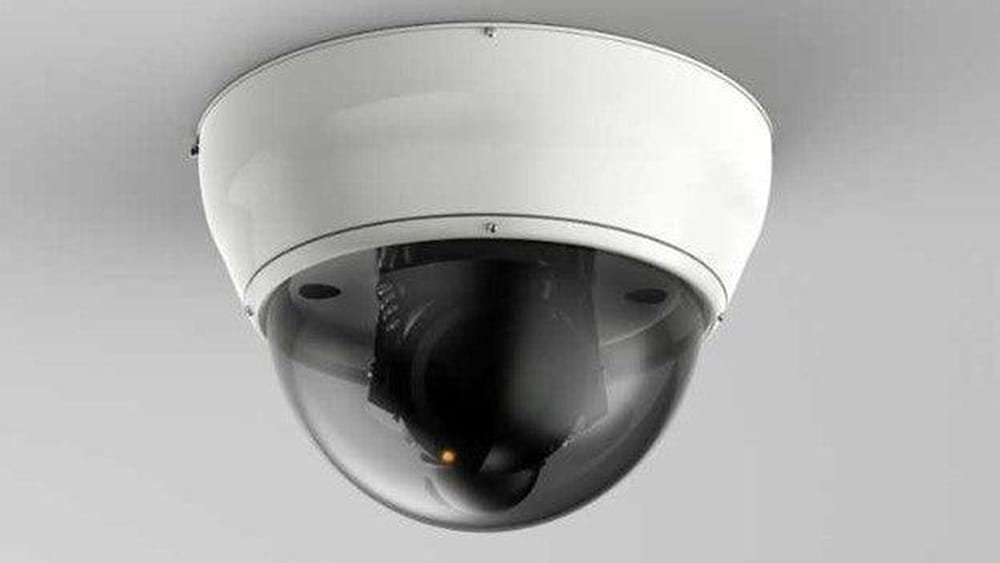
How Do Outdoor Cameras Work
Keeping your home or business safe is a top priority for many people. As technology improves, more homeowners and business owners are choosing outdoor cameras to watch over their property. These devices offer real-time video, motion alerts, and even remote access through smartphones. But have you ever wondered how outdoor cameras actually work? What technology is inside these small devices that lets them capture clear images in rain or sun, day or night? This article will walk you through the working principles, main features, and practical uses of outdoor cameras. Whether you are planning to install your first camera or just want to understand the basics, you’ll find clear and practical information here.
The Basics: What Is An Outdoor Camera?
An outdoor camera is a security camera specially designed to work outside. It must handle different weather, dust, bugs, and sometimes even attempts of vandalism. Most outdoor cameras are used for security, but they can also be used to watch wildlife, monitor a garden, or check on deliveries.
The main job of any outdoor camera is to capture video footage of a defined area. This video can be watched live, saved for later, or sent to your phone or computer. Some cameras also capture audio.
Key Differences From Indoor Cameras
- Weatherproof housing: Outdoor cameras are built with special materials to resist rain, snow, wind, and sun.
- Higher durability: They’re designed to work in both hot and cold conditions, and to survive impacts.
- Wider field of view: To cover larger areas like yards or driveways.
- Night vision: Most outdoor cameras can see in the dark using infrared lights.
Core Components Of Outdoor Cameras
Understanding what’s inside an outdoor camera can make it easier to choose the right one and set it up successfully. Here are the main parts that help these cameras work reliably in outdoor conditions.
1. Camera Lens
The camera lens gathers light and focuses it on the sensor. Outdoor cameras usually have lenses with a wide-angle to cover more ground. Some high-end models have varifocal lenses which can zoom in and out.
2. Image Sensor
This part changes the light into a digital signal. Most outdoor cameras use either CMOS (complementary metal-oxide-semiconductor) or CCD (charge-coupled device) sensors. CMOS sensors are more common because they use less power and are cheaper.
3. Housing
The outside shell, or housing, protects the camera from water, dust, and damage. Many outdoor cameras are rated with an IP (Ingress Protection) number, which tells you how well it keeps out water and dust.
4. Infrared Leds
Infrared LEDs allow the camera to see in the dark. When the sun goes down, these LEDs turn on automatically and shine invisible light that the sensor can see, but humans cannot.
5. Microphone And Speaker
Some models include a microphone to record sound and a speaker for two-way talk. This is useful if you want to talk to someone at your door.
6. Network And Storage
Outdoor cameras need a way to send video to your phone or computer. They usually connect by Wi-Fi or a wired Ethernet cable. Videos can be saved on a microSD card, a network video recorder (NVR), or a cloud service.
7. Power Source
Cameras need power. Some plug into an outlet, others use batteries, and some get power through their Ethernet cable (called Power over Ethernet, or PoE).
How Outdoor Cameras Capture And Process Video
Let’s break down the actual steps that happen when an outdoor camera records and sends video:
- Light enters the lens and falls on the image sensor.
- The sensor changes the light into an electrical signal.
- The camera’s processor turns this signal into a video file, usually in formats like H.264 or H.265 to save space.
- The video is either saved locally (on the camera or NVR) or sent over the internet.
- You can watch the video live or play it back later, depending on your camera’s features.
Day Vs. Night Operation
During the day, cameras use normal light. At night, they automatically switch to infrared mode. The image turns black and white because the sensor is now using infrared light, which is invisible to us but clear to the camera.
Example: How Motion Is Detected
Most outdoor cameras have motion detection. Here’s how it works:
- The camera’s processor watches for changes between frames.
- If a big change happens (like a person walking by), the camera sends an alert or starts recording.
- Some advanced models use AI to tell the difference between people, cars, and animals.
Types Of Outdoor Cameras
Not all outdoor cameras are the same. Here are the main types you’ll find in stores and online.
1. Bullet Cameras
These are shaped like a tube or bullet. They point in one direction and are easy to aim. Bullet cameras are popular for driveways or gates because they can see far.
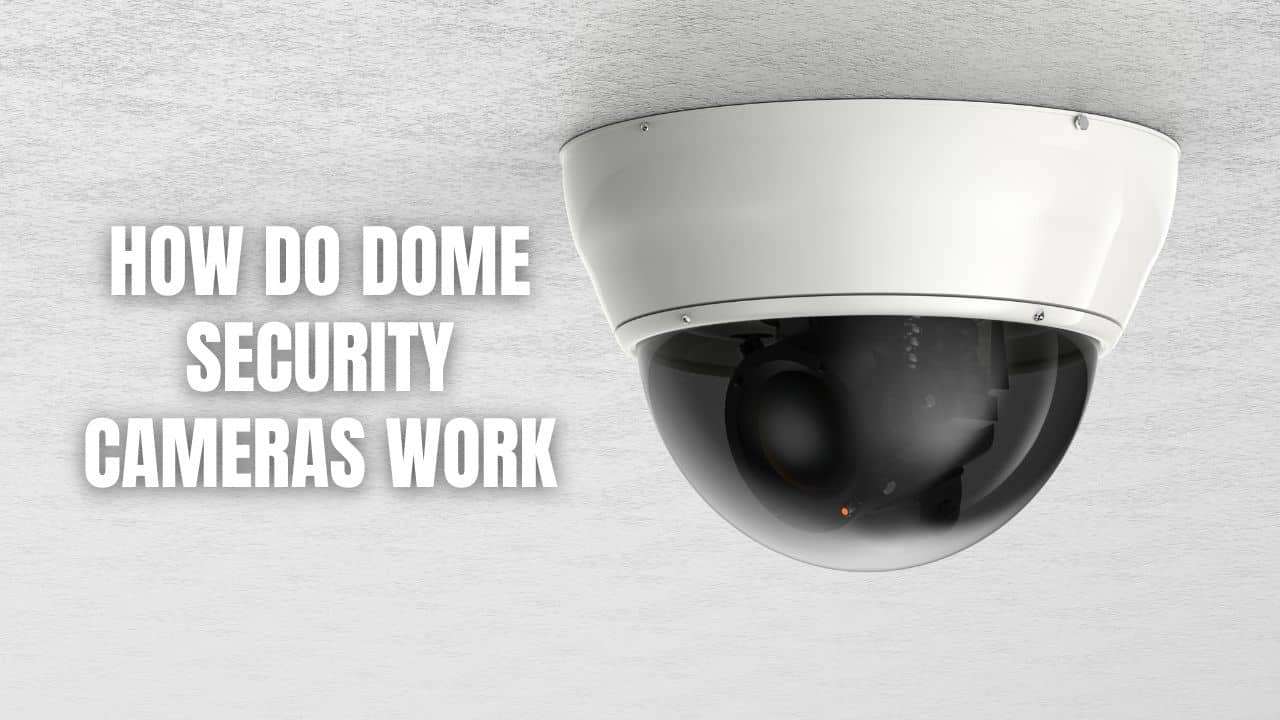
2. Dome Cameras
These cameras are inside a dome-shaped cover. They’re harder for someone to move or break. Dome cameras are common for businesses and public places.
3. Ptz Cameras
PTZ stands for pan-tilt-zoom. These cameras can move left and right, up and down, and zoom in and out, either automatically or by remote control. They’re great for large yards or parking lots.
4. Wireless Outdoor Cameras
These don’t need an Ethernet cable. They connect by Wi-Fi and often use batteries. Installation is easier, but you need to check battery life and Wi-Fi signal.
5. Floodlight Cameras
These combine a camera and a bright light. When they detect motion at night, the light turns on, and the camera records. They’re good for driveways and backyards.
6. Solar-powered Cameras
These use a small solar panel to charge their battery. Solar-powered cameras are useful for areas without power outlets, like fences or far corners of a yard.
| Camera Type | Best For | Power Source | Special Feature |
|---|---|---|---|
| Bullet | Long driveways, gates | Wired | Long range |
| Dome | Porches, business entrances | Wired | Tamper-resistant |
| PTZ | Large yards, parking lots | Wired | Remote movement |
| Wireless | Quick installs, renters | Battery or wired | No cables needed |
| Floodlight | Backyards, garages | Wired | Built-in light |
| Solar-powered | Remote areas | Solar/battery | No outlet required |
How Outdoor Cameras Connect And Send Video
The way your camera sends video is just as important as how it records. There are three main ways outdoor cameras connect and share footage.
1. Wired Connection (ethernet/poe)
With wired cameras, a cable connects the camera directly to your network or recorder. This is very reliable and allows for higher video quality. PoE (Power over Ethernet) means the same cable gives power and sends video, making installation simpler.
2. Wireless Connection (wi-fi)
Most modern cameras use Wi-Fi to send video. You don’t need to run cables, but you must have a strong Wi-Fi signal where the camera is placed. Wireless cameras are popular for DIY setups.
3. Cellular/lte Cameras
Some outdoor cameras use a cellular connection, like a mobile phone. These are useful in places without Wi-Fi, such as construction sites or rural properties. You need a SIM card and a data plan.
Video Storage Options
Where your footage is saved affects how you access it and how safe it is from tampering.
- Local Storage: Video is saved on a memory card in the camera. Easy to set up, but footage can be lost if the camera is stolen.
- NVR/DVR: Footage is sent to a central recorder in your house or office. Offers more storage and easy playback.
- Cloud Storage: Video uploads to a secure server online. You can access it from anywhere. Some services offer free storage for a few days; others require a monthly fee.
| Storage Type | Pros | Cons |
|---|---|---|
| Local (SD Card) | Simple, no fees | Limited space, risk of theft |
| NVR/DVR | Large capacity, easy to manage | Needs extra device, wires |
| Cloud | Access anywhere, safer | Monthly fees, needs internet |
Main Features Of Modern Outdoor Cameras
Today’s outdoor cameras are much more than just a simple video recorder. Here are the features that matter most:
1. High-definition Video
Most cameras now record in 1080p HD or even 4K. Higher resolution means you can see faces and details more clearly. However, higher quality also needs more storage space and bandwidth.
2. Night Vision
Infrared night vision lets cameras see in total darkness. Some cameras can see up to 100 feet (30 meters) at night. Color night vision is also available on some models, using a small white LED light.
3. Motion Detection
Cameras watch for movement and send alerts to your phone. Smart cameras use advanced algorithms to tell people apart from pets, cars, or tree branches.
4. Two-way Audio
Two-way audio lets you speak to someone near the camera, such as a delivery person or a visitor. This feature is found in many doorbell and porch cameras.
5. Mobile App Control
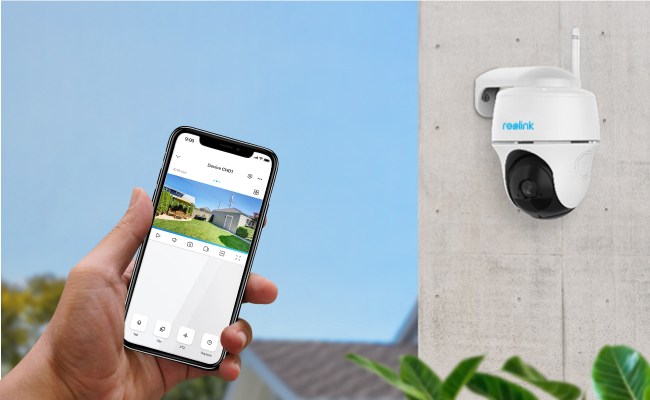
You can view live video, get notifications, or even adjust the camera’s view from an app on your phone. Some apps also let you share video clips with family or the police.
6. Weatherproof Ratings
Outdoor cameras are usually rated IP65, IP66, or IP67. The higher the number, the better the camera is at blocking water and dust. IP66 or IP67 is best for very wet or dusty places.
7. Integration With Smart Home
Many outdoor cameras work with Amazon Alexa, Google Assistant, or other smart systems. You can ask your smart display to show the camera’s live feed.
8. Privacy Masking
Some cameras let you block out parts of the view to protect your neighbors’ privacy. This is important for following local laws.
How Power And Weather Affect Outdoor Cameras
Most outdoor cameras are built to handle rain, wind, heat, and cold. But you still need to consider a few things for best performance:
- Wired cameras need a power outlet or PoE cable.
- Battery cameras must be recharged or have their batteries changed every few weeks or months.
- Solar-powered cameras need enough sunlight to keep their battery charged.
Weather Challenges
- Extreme heat or cold can affect battery life and video quality. Check the camera’s specs for its operating temperature range.
- Heavy rain or snow may block the lens or cause condensation. Cameras with a heater or wiper are available for extreme climates.
- Lightning and power surges can damage cameras. Surge protectors or lightning arrestors help protect your equipment.
Vandal-resistant Features
For high-risk areas, choose cameras with IK10 rating, meaning they can survive impacts from rocks or attempts to break them.
Common Uses For Outdoor Cameras
Outdoor cameras are useful in many situations, not just for catching criminals. Here are some popular uses:
- Home Security: Watching doors, windows, garages, and driveways. Helps deter burglars and package thieves.
- Business Surveillance: Monitoring entrances, parking lots, and loading docks. Reduces theft and improves safety for customers and staff.
- Wildlife Watching: Recording birds, deer, or other animals in your yard or a remote area.
- Checking on Deliveries: Notifying you when packages arrive or if someone tampers with them.
- Vacation Home Monitoring: Keeping an eye on property you don’t visit often.
- Construction Sites: Watching workers, equipment, and deliveries.
Real-world Example
A 2023 study found that homes with visible outdoor cameras are 50% less likely to be broken into compared to homes without any cameras. Many police departments also recommend cameras as part of a basic home security plan.
Common Myths And Mistakes About Outdoor Cameras
Even though outdoor cameras are popular, there are still some common misunderstandings and mistakes to avoid.
Myth 1: Cameras Prevent All Crime
Truth: Cameras can deter criminals, but they don’t stop all crime. They’re best used with good locks, lights, and alarms.
Myth 2: Wireless Cameras Don’t Need Any Wires
Some “wireless” cameras still need a power cable. Only battery or solar-powered cameras are truly wire-free.
Myth 3: All Cameras Are The Same
Cameras vary widely in video quality, night vision, and reliability. Cheaper cameras might not perform well in bad weather or at night.
Mistake 1: Placing Cameras Too High Or Too Low
For best images, mount cameras at 8–10 feet above the ground, angled slightly down. Too high, and you’ll miss faces; too low, and the camera can be blocked.
Mistake 2: Ignoring Privacy Laws
In many areas, you can’t point a camera at your neighbor’s windows or private spaces. Always check local rules before installing.
Mistake 3: Not Securing The Camera’s Network
Unprotected cameras can be hacked. Always use strong passwords and update the camera’s software regularly.
Advanced Technologies In Outdoor Cameras
Modern outdoor cameras use smart technology to do more than just record video. Here are some of the most exciting advances:
1. Artificial Intelligence (ai)
AI lets cameras recognize people, vehicles, or even animals. Some can tell the difference between a delivery truck and a dog, so you get fewer false alerts.
2. Face Recognition
Some high-end cameras can recognize faces and send special alerts if someone new appears. This is useful for businesses or busy homes.
3. License Plate Recognition
Businesses and parking lots use cameras that can read license plates automatically. This helps with security and managing parking.
4. Cloud Analytics
Cloud-based cameras can analyze video for unusual activity, like someone loitering or a package being left behind. They can send alerts based on patterns, not just motion.
5. Integration With Alarm Systems
Many cameras now connect directly to alarm systems. If a camera detects movement, it can trigger a siren, light, or even call the police automatically.
Credit: callawaysecurity.com
How To Choose The Right Outdoor Camera
Selecting the best outdoor camera depends on your needs, budget, and location. Here’s a step-by-step way to decide:
- Define Your Main Goal: Is it to catch package thieves, watch your car, or monitor a gate?
- Check Your Internet Speed: Higher video quality needs faster internet.
- Consider Power Options: Can you run a wire, or do you need a battery or solar camera?
- Think About Storage: Do you want to save video in the cloud, on a local card, or on a recorder?
- Check Weather and Durability: Make sure the camera’s IP rating and temperature range match your climate.
- Look for Smart Features: Do you want AI, face recognition, or alerts on your phone?
- Set Your Budget: Prices range from $50 for basic models to $500+ for advanced PTZ or AI cameras.
Non-obvious Tips
- Lens Cleaning: Outdoor cameras get dirty fast. Choose models with a lens hood or self-cleaning feature if possible.
- Field of View Matters: A camera with a 120-degree lens can cover most yards, but too wide an angle may distort faces.
- Hidden Cables: Conceal power and network cables to prevent tampering and improve appearance.
How To Install Outdoor Cameras
Installation varies by camera type, but here are the main steps:
- Pick the Right Spot: Choose a location with a clear view, away from direct sunlight and where Wi-Fi or power is available.
- Mount Securely: Use the screws and brackets provided. For brick or concrete, you may need special anchors.
- Angle Properly: Point slightly downward and avoid facing directly into the sun or bright lights.
- Connect Power and Network: Plug in power and connect to Wi-Fi or Ethernet as needed.
- Test the Camera: Check the video feed on your phone or computer before tightening all screws.
- Adjust Motion Zones: Most cameras let you set which areas trigger alerts, so you don’t get false alarms from passing cars or trees.
- Secure the System: Change default passwords and update firmware.
Common Installation Mistakes
- Mounting too close to lights (causes glare).
- Placing cameras where rain can run down the lens.
- Not checking Wi-Fi signal before installing.

Credit: www.amazon.com
Comparing Popular Outdoor Camera Brands
Here’s a brief comparison of some leading brands in the outdoor camera market:
| Brand | Video Quality | Power Options | Special Features |
|---|---|---|---|
| Arlo | 1080p/4K | Battery, Solar | AI detection, cloud storage |
| Ring | 1080p | Wired, Battery | App alerts, works with Alexa |
| Reolink | 1080p/4K | PoE, Battery, Solar | Local/cloud storage, PTZ models |
| Google Nest | 1080p | Wired, Battery | Smart detection, Google Home |
| Hikvision | 1080p/4K | PoE | Advanced analytics, commercial use |
Security And Privacy Concerns
While outdoor cameras offer safety, they also raise some privacy issues:
- Data Security: Hackers can target poorly secured cameras. Always change default passwords and enable encryption.
- Privacy Laws: Many countries have rules about where you can record video. Usually, you can record your own property but not public areas or neighbors’ private spaces.
- Cloud Risks: Cloud storage is convenient but can be hacked. Choose a provider with strong security and two-factor authentication.
For more guidance on privacy and laws, check the official resources from the Federal Trade Commission.
Credit: reolink.com
Cost Of Outdoor Cameras
Prices vary widely, depending on features and brand:
- Basic models: $50–$100. Good for simple needs.
- Mid-range cameras: $100–$250. Offer HD video, night vision, and app control.
- Advanced cameras: $250–$500+. Include 4K video, AI, PTZ, and smart home integration.
Don’t forget to budget for:
- Cloud storage fees: $3–$15/month.
- Installation costs: $100–$300 if you hire a pro.
- Extra cables or mounts: $10–$50 each.
The Future Of Outdoor Cameras
Outdoor cameras are evolving fast. Soon, expect even better video quality, longer battery life, and smarter AI features. Cameras may connect with other smart devices to trigger lights, alarms, or even call emergency services automatically. Privacy and cybersecurity will also become bigger priorities, with more secure cloud storage and advanced user controls.
Frequently Asked Questions
What Is The Difference Between Analog And Ip Outdoor Cameras?
Analog cameras send video through a coaxial cable to a recorder and are common in older systems. IP cameras (Internet Protocol) send digital video over a network cable or Wi-Fi. IP cameras usually offer better video quality, easier remote access, and more smart features.
How Long Do Outdoor Camera Recordings Last?
How long your camera stores video depends on storage type and settings. A 32GB SD card can hold about 2–5 days of HD video. Cloud plans may keep clips for 7–30 days. NVR systems can store weeks or months of footage, depending on hard drive size and video quality.
Can Outdoor Cameras Work Without Internet?
Yes, many outdoor cameras can record to an SD card or NVR without internet. However, you won’t get remote access or cloud storage unless the camera is online. Some features, like AI alerts, may also need an internet connection.
How Do I Stop My Outdoor Camera From Being Hacked?
Use strong, unique passwords for your camera and Wi-Fi network. Keep your camera’s firmware updated. Enable encryption if available, and don’t share access with people you don’t trust. Choose brands with a good reputation for security.
Are Outdoor Cameras Legal?
In most places, it’s legal to use cameras to watch your own property, but you cannot record private areas like neighbors’ yards or windows. Always check local laws to avoid fines or legal issues.
Outdoor cameras are a powerful tool for keeping your property safe, but understanding how they work helps you get the most from your investment. With the right setup, you can enjoy peace of mind, whether you’re at home or away.