
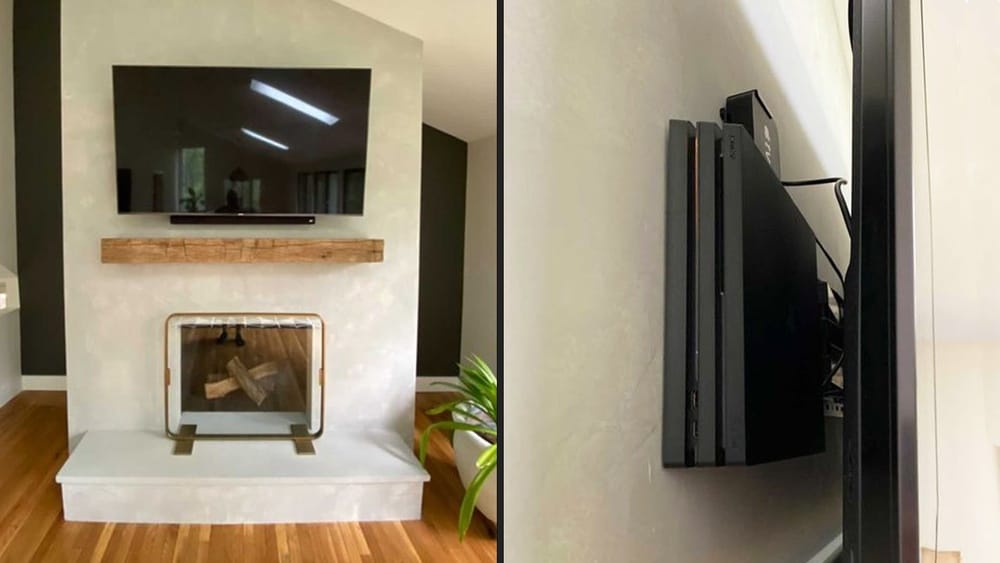
Mounting your TV on the wall is one of the best ways to create a clean, modern look in your living room, bedroom, or office. However, after you hang the TV, you’re often left with a messy tangle of cords hanging down.
Power cables, HDMI wires, soundbar connections, streaming sticks, and more can quickly turn your sleek setup into a visual headache. Whether you want a minimalist design or just wish to keep cords out of reach of pets and kids, hiding these wires is essential.
The good news is that there are several effective ways to hide cords when you mount a TV. Each method has its own pros and cons, and the right choice depends on your space, budget, and how much DIY work you want to do.
This article will guide you through all the main options, offer practical tips, compare products, and help you avoid common mistakes. By the end, you’ll know exactly how to achieve that neat, professional look you see in magazines and showrooms.
Why Hiding Tv Cords Matters
TV wires aren’t just unsightly—they can be a safety issue and even affect your enjoyment of the room. Exposed cords can:
- Distract from your décor and make the space look cluttered
- Create tripping hazards, especially for children and pets
- Collect dust and become hard to clean
- Get damaged more easily, leading to poor connections or even electrical issues
A well-hidden cord setup not only looks better but also extends the life of your electronics and makes your space easier to use and clean. Many people underestimate the value of a tidy installation until they experience it themselves.
Main Methods To Hide Tv Cords
There are several ways to hide cords when mounting a TV. Here’s a breakdown of the most popular methods, including their strengths, weaknesses, and ideal situations.
1. In-wall Cable Management System
This is the most seamless and professional-looking solution. It involves running the cables through the wall behind your TV, then bringing them out near your power outlet or media center.
How it works: You cut two holes in your drywall: one behind the TV and one near the floor. Special kits (often called in-wall cable management kits) include grommets and sometimes tubes that let you fish the cables through the wall.
Pros:
- Completely hides cords for a clean look
- Safe and up to code when done properly
- Adds value to your home
Cons:
- Requires tools and some DIY skill
- Not possible in all walls (concrete, brick, or walls with plumbing/electric inside)
- May require an electrician for power cables
Who should choose this: Homeowners or renters who have permission to modify walls, and anyone aiming for the most invisible look.
2. Paintable Cord Covers (raceways)
Cord covers, also called raceways, are plastic or metal channels that stick to the wall and enclose your cables. They can be painted to match your wall color.
How it works: You stick or screw the raceway to the wall, place the cords inside, and snap it shut. Most covers are paintable, so you can blend them into your wall.
Pros:
- Quick and easy installation
- No wall cutting required
- Removable (good for renters)
- Affordable
Cons:
- Slightly visible on the wall
- May require painting for best results
Who should choose this: Anyone who wants a fast, non-destructive solution and doesn’t mind a small, neat cover on the wall.
3. Concealing Cords Behind Furniture
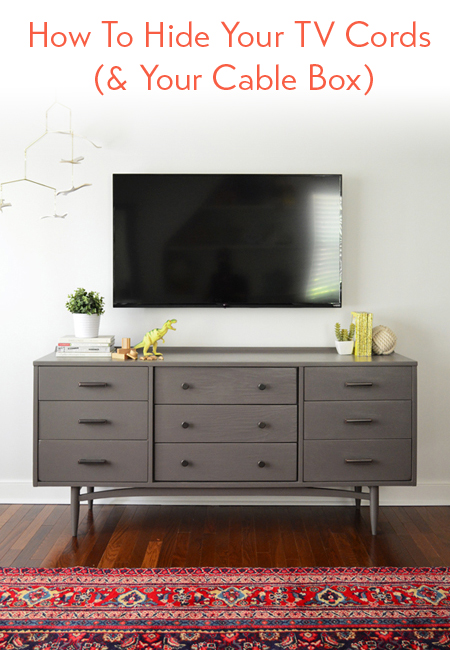
Sometimes the simplest solution is to use your existing furniture. If your TV is above a console, cabinet, or shelf, you can route the cords behind or through these pieces.
How it works: Run the cables down behind the furniture. Some TV stands have holes or channels for cable management.
Pros:
- No installation or tools needed
- Completely reversible
- Zero cost if you already have suitable furniture
Cons:
- Only works if you have furniture directly below the TV
- May still leave cords visible from certain angles
Who should choose this: Renters, those with large TV units, or anyone who wants the easiest fix.
4. Wireless Hdmi And Streaming Devices
Some modern setups can reduce or eliminate visible cords by using wireless technology.
How it works: Devices like wireless HDMI kits send the video signal from your media player to your TV without a physical cable. Streaming sticks (like Roku or Fire TV) can plug directly into the TV’s HDMI port, needing only a small power cable.
Pros:
- Reduces the number of visible cords
- Cleaner look for wall-mounted TVs
Cons:
- Not truly “cordless”—power is still needed
- Wireless kits can be expensive
- Possible signal lag or interference
Who should choose this: Tech-savvy users or those willing to spend more for fewer wires.
5. Behind-the-wall Power Solutions
Running power cords inside walls is tricky and can be a code violation if not done properly. Special kits let you safely add an outlet behind your TV.
How it works: An electrician or DIYer installs a power outlet directly behind the mounted TV, so the cord never needs to show.
Pros:
- No visible power cord at all
- Code-compliant when installed correctly
Cons:
- Requires electrical work (may need a professional)
- More expensive than surface solutions
Who should choose this: Homeowners doing renovations or those who want a truly invisible installation.
Step-by-step Guide: Hiding Tv Cords Using Raceways
For most people, paintable cord covers (raceways) hit the sweet spot between ease, cost, and appearance. Here’s how to do it like a pro.
What You’ll Need
- Cord cover kit (raceway)
- Tape measure
- Pencil
- Level
- Hacksaw (for cutting raceway to length)
- Double-sided tape or wall anchors/screws (as included)
- Paint (optional, to match wall)
- Screwdriver or drill
Step 1: Plan Your Route
Decide the path the cords will take from your TV to your outlet or media unit. Keep it as straight as possible for a clean look.
Step 2: Measure And Cut The Raceway
Measure the length you need. Most kits are easy to cut with a hacksaw. Test-fit before attaching to the wall.
Step 3: Attach To Wall
Stick or screw the raceway to the wall. Use a level to keep it straight. If using adhesive, make sure the wall is clean and dry.
Step 4: Insert Cables
Snap open the raceway and place the cords inside. Don’t overload; only run the cables you need.
Step 5: Snap Shut And Paint
Close the raceway, then paint it to match your wall for a barely-there look.
Step 6: Tidy Up At The Ends
Use the end caps provided to cover rough edges for a finished look.
Pro tip: Don’t forget to leave a little slack in cables for future changes or if you need to move the TV slightly.
Diy Vs. Professional Installation
Many people can handle basic cord-hiding projects like raceways or even in-wall kits. However, certain situations (like adding outlets or working with plaster/concrete) may require a licensed electrician or handyman.
When to DIY:
- Basic cord covers or behind-furniture solutions
- In-wall kits in drywall, if you’re comfortable with small repairs
When to hire a pro:
- Adding electrical outlets
- Cutting into plaster, brick, or concrete walls
- If you’re unsure about code compliance
Trying to save a few dollars can lead to bigger headaches if you damage walls or violate building codes.
Comparing The Main Cord Hiding Methods
Not sure which method suits you? Here’s a comparison to help you decide.
| Method | Appearance | Difficulty | Cost | Best For |
|---|---|---|---|---|
| In-Wall Kit | Invisible | Medium-High | $$-$$$ | Homeowners, permanent installs |
| Raceway | Low-Profile | Easy | $ | Renters, easy upgrades |
| Behind Furniture | Hidden from most angles | Very Easy | $ | Anyone with TV stands |
| Wireless HDMI | Fewer cords | Medium | $$$ | Tech lovers |
| In-Wall Power | Invisible | High | $$-$$$ | Renovations, new homes |
Mistakes To Avoid When Hiding Tv Cords
Many people make simple mistakes that can ruin their TV wall or create safety issues. Here’s what to watch out for:
- Running power cords inside walls without a proper kit. Standard power cords are not rated for in-wall use. Always use a code-approved kit.
- Overloading raceways. Too many cables can cause overheating or make the cover bulge.
- Ignoring future needs. Leave a way to add or swap cables later.
- Forgetting to check for studs, pipes, or wires inside the wall before cutting.
- Using weak adhesives. Heavy cords can pull loose covers off the wall.
A little planning goes a long way to a clean, safe setup.

Credit: inmyownstyle.com
Example: Real-world Cord Hiding Scenarios
Let’s look at some typical situations and how to handle them.
Scenario 1: Apartment Renter, Tv Above Console
You can’t cut into walls, but you have a TV stand under your mounted TV. Run the TV’s power and HDMI cables down behind the console. If a few inches are visible, use a short, paintable raceway (about 2 feet) and paint it to match.
This makes the cords almost disappear.
Scenario 2: Family Living Room, No Furniture Below Tv
You want everything hidden and have drywall. Use an in-wall cable kit for the HDMI and audio/video cables, but have a licensed electrician add an outlet behind the TV for power. This is the gold standard for a floating TV look.
Scenario 3: Bedroom Tv, Minimal Cables
You only need power and a streaming stick. Use a slim raceway painted to match your wall. The result is neat and cost-effective, and you can remove it if you move.
Scenario 4: Concrete Or Brick Wall
In-wall kits aren’t an option. Use a surface-mount raceway, but choose a metal model for more durability and a sleek look. If possible, run the raceway along the edge of the wall or in a corner for less visibility.
Popular Cord Management Products Reviewed
There are many products on the market. Here’s a quick comparison of some common choices:
| Product | Type | Key Features | Best For |
|---|---|---|---|
| Legrand Wiremold Cordmate | Raceway | Paintable, adhesive backing, easy snap-on | Quick DIY jobs |
| Datacomm In-Wall Cable Kit | In-Wall Kit | All-in-one, code compliant, easy instructions | Seamless wall look |
| D-Line Cable Raceway | Raceway | Half-round design, paintable, strong adhesive | Modern or curved walls |
| PowerBridge ONE-CK | In-Wall Power Kit | Includes power outlet, code safe, professional quality | Hiding power cables |
| Nyrius Wireless HDMI Kit | Wireless HDMI | 1080p support, plug and play, 100 ft range | Minimizing cables |
Insight: Not all raceways are created equal. Choose models with strong adhesive and included end caps for the neatest results.
How To Hide Tv Cords With Minimal Tools
If you’re not handy or don’t have many tools, you can still get a great result.
- Use self-adhesive raceways—no drills or screws needed
- For power cables, coil extra length and secure with Velcro ties
- Use cable clips to keep cords flat against the wall or baseboard
- Hide cords behind curtains if the TV is near a window
- For very short runs, colored zip ties can bundle cords tightly and neatly
Tips For Hiding Tv Cords In Different Room Types
Living Room
This is usually the most visible place for a TV. Go for the most hidden solution you can manage—either an in-wall kit or a well-painted raceway. For large TVs, consider a behind-the-wall power outlet for the cleanest look.
Bedroom
Often, a small raceway is enough. If the TV is close to the floor, you can run cables along the baseboard for less visibility.
Office
Choose raceways with space for both TV and computer cables. Use under-desk trays to manage wires from your computer and TV together.
Kids’ Room
Safety first. Secure all cords with covers and keep everything out of reach. Avoid loose cables, which children can pull.
Credit: www.younghouselove.com
What To Do When You Can’t Hide Cords In The Wall
Not everyone can or wants to cut into walls. Here are alternatives:
- Use decorative cable covers that look like molding or trim
- Hide cords in fake plants or decorative boxes
- Paint cords the same color as your wall for a camouflaged look
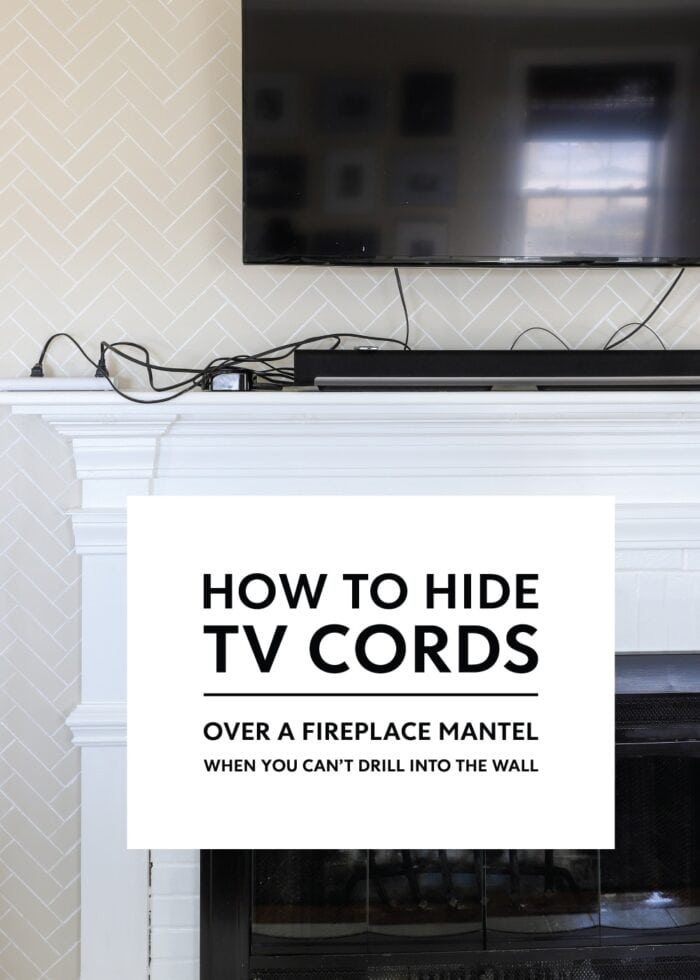
- Use a wall-mounted shelf below the TV to hide cables and hold devices
Non-obvious insight: Some people use fabric sleeves to bundle multiple cords together. These can be matched to your wall or décor and are easy to install or remove.
Safety Tips For Tv Cord Management
- Never run regular extension cords inside walls—this is a fire hazard.
- Use products that are UL listed or meet local electrical codes.
- Don’t force thick cables into small covers; overheating is possible.
- Check cord lengths before starting, so you don’t come up short mid-project.
- If using adhesive covers, make sure the wall is clean, and avoid placing over textured or wallpapered surfaces for best adhesion.
Cost Breakdown: What To Expect
Prices can vary widely depending on the method:
- Raceway kits: $10–$30 for most setups
- In-wall cable kits: $30–$70, not including tools
- In-wall power outlet kits: $60–$150, plus possible electrician fees
- Wireless HDMI kits: $100–$300
- Professional installation: $100–$300 or more, depending on wall type and complexity
Tip: Always buy a little extra length for raceways and cables—you can cut off what you don’t need.
The Hidden Value Of A Clean Tv Setup
A tidy TV installation does more than just look good. It can:
- Increase your home’s resale value
- Make cleaning easier (no dust traps)
- Reduce accidents or cable damage
- Help you focus on what’s on the screen, not what’s around it
Non-obvious insight: Well-hidden cords can actually improve your TV’s performance by reducing electromagnetic interference between power and signal cables.
Credit: thehomesihavemade.com
Where To Find More Resources
For more detailed guides, building codes, or reviews of specific products, check resources like CNET, which offers up-to-date advice and safety tips.
Frequently Asked Questions
How Do I Hide Tv Cords If I’m Renting And Can’t Cut The Wall?
Use paintable cord covers (raceways) that stick to the wall with adhesive. You can remove them later with minimal damage. Running cords behind furniture or using decorative covers also works well for renters.
Is It Safe To Put Tv Power Cords Inside The Wall?
Not with standard cords. Only use in-wall rated power kits or have a licensed electrician install a new outlet. Running regular extension cords or power cables inside walls is a fire hazard and against building codes.
What’s The Best Way To Hide Cords If I Have Brick Or Concrete Walls?
Surface-mount raceways are usually best. Choose models with strong adhesive or wall anchors. You can also route cords along corners or baseboards and paint them to blend in.
How Many Cables Can I Put In One Raceway?
Most raceways are designed for 2–4 typical TV cables (power, HDMI, audio). Don’t overcrowd—check the product’s rating for maximum capacity and avoid forcing thick bundles.
Can I Use Wireless Devices To Eliminate Tv Cords?
Wireless HDMI kits or streaming sticks can reduce video/audio cables, but you’ll still need a power cord. For a totally wireless look, combine wireless devices with an in-wall or raceway solution for power.
Mounting your TV is just the first step—hiding the cords is what makes your setup truly impressive. With the right method for your space and a little planning, you can enjoy your TV without the mess. Whether you go for a quick fix or a professional finish, your room will thank you every time you turn on the screen.