
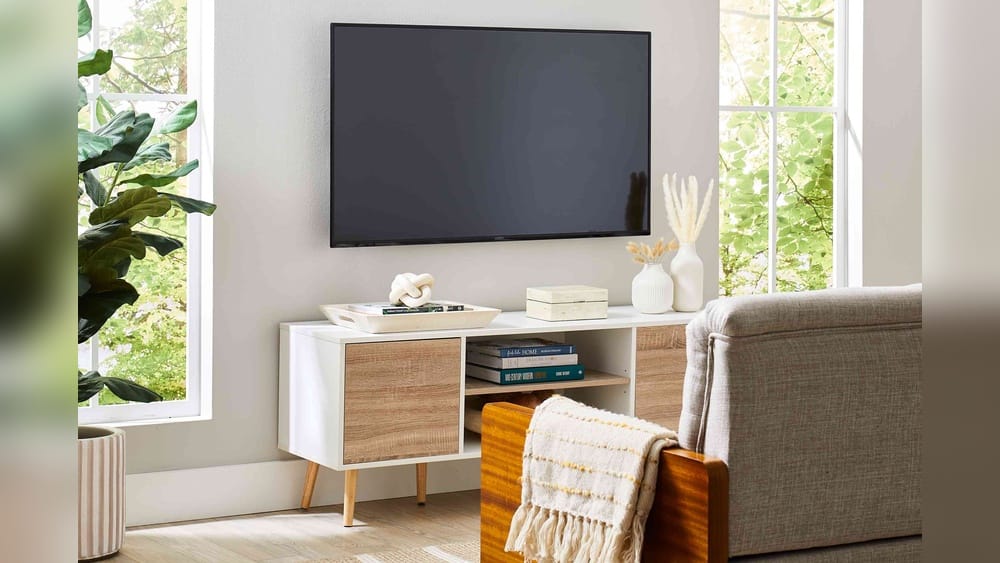
Mounting a TV may seem simple, but getting the height right makes a huge difference in your daily comfort and viewing experience. If you mount your TV too high or too low, you can end up with neck pain, eye strain, or an awkward living room layout.
Many people start with guesswork and later regret their choice. In this article, you’ll learn how to find the perfect mounting height for your TV, get expert tips, see real-world examples, and avoid common mistakes. You’ll also see data, comparisons, and answers to the most frequent questions about TV placement.
Why Tv Height Matters
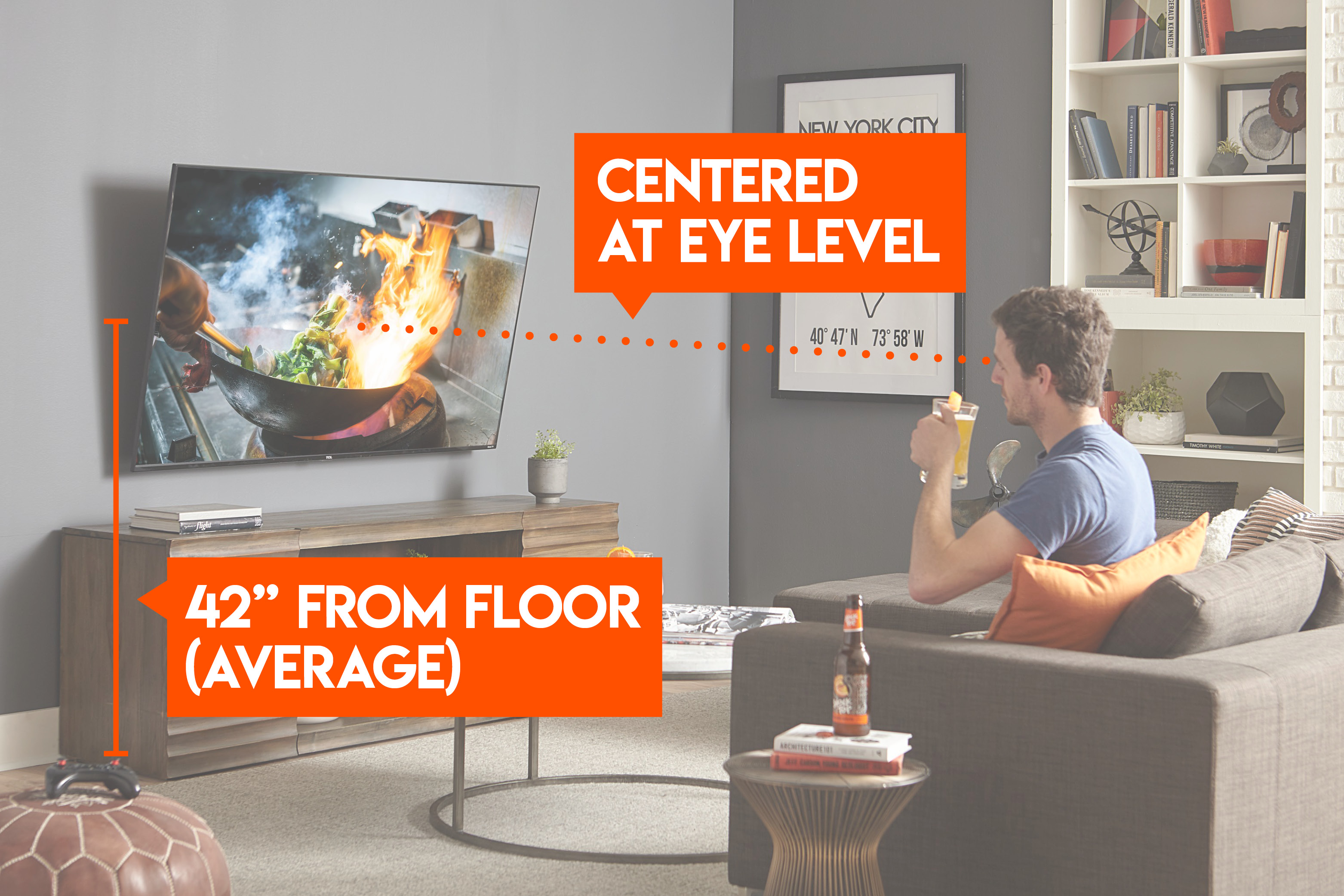
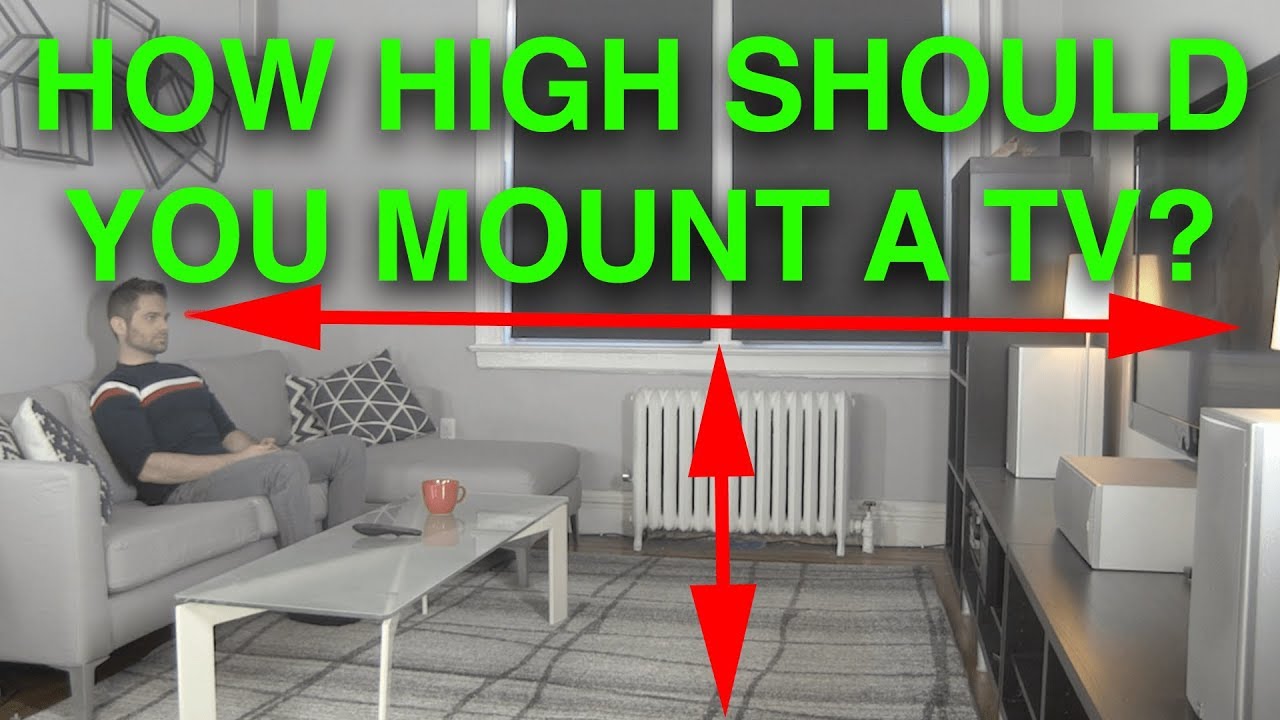
The height at which you mount your TV affects how you watch it. If your TV is too high, you might tilt your head back and feel uncomfortable after a while. If it’s too low, you’ll slouch or strain your eyes. Ideally, the center of your screen should align with your eyes when you’re seated. This simple rule helps prevent discomfort and improves your viewing experience.
Studies show that poor TV placement can lead to neck and shoulder pain. According to the American Chiropractic Association, improper viewing angles are a leading cause of home-related neck strain. Also, a well-placed TV looks better in your room and makes it easier to arrange furniture.
The Recommended Tv Mounting Height
Most experts suggest that the center of the TV should be at eye level when seated. For the average person, eye level is between 42 and 48 inches from the floor. This measurement works for most living rooms and seating arrangements.
But the ideal height depends on several factors:
- TV size
- Seating distance
- Room layout
- Type of mounting (wall, stand, fireplace, etc.)
Here’s a table showing recommended mounting heights for common TV sizes:
| TV Size (inches) | Recommended Height (inches from floor to center) | Best Viewing Distance (feet) |
|---|---|---|
| 32 | 42 | 4-6 |
| 40 | 43 | 5-7 |
| 50 | 44 | 6-8 |
| 55 | 45 | 7-9 |
| 65 | 46 | 8-10 |
| 75 | 47 | 9-11 |
These numbers give you a starting point. For most people, 45 inches from the floor to the center of the screen is comfortable.
How To Calculate Your Perfect Tv Height
Finding the right height isn’t just about following a chart. You need to measure your own room and seating. Here’s a step-by-step process:
1. Sit Where You Usually Watch Tv.
Relax in your normal spot—sofa, recliner, or bed.
2. Measure Your Eye Level.
Use a tape measure and note the distance from the floor to your eyes when seated.
3. Find The Tv’s Vertical Center.
Measure the height of your TV, then divide by two. For example, a 50-inch TV is about 25 inches high, so its center is 12. 5 inches from the top or bottom.
4. Calculate The Mounting Height.
Add your eye-level measurement to the difference between your eye level and the TV’s center. The goal is for the screen center to line up with your eyes.
Example:
- Your eye level: 42 inches
- TV height: 28 inches (center at 14 inches)
- Mounting height = 42 inches (eye level)
So, mount the TV so its center is at 42 inches from the floor.
Common Mistakes In Calculating Height
Many people only measure the bottom of the TV, not the center. Others forget to account for the thickness of the TV mount or base. Some ignore their seating height and use general numbers. These mistakes can lead to uncomfortable viewing.
Always measure your own eye level, not just use a chart.
Room Types And Tv Height Guidelines
Different rooms have different needs. Let’s look at best practices for each:
Living Room
Most people watch TV from couches or chairs. The ideal height is between 42 and 48 inches from the floor to the center of the screen. If you have deep sofas or recliners, measure your eye level while sitting.
Bedroom
People often watch TV while lying down. The ideal height is slightly higher—48 to 60 inches from the floor to the screen center—so you can see easily when lying back. However, avoid mounting too high, or you’ll strain your neck.
Home Theater
For home theaters, comfort matters most. Use reclining seats for measurement. The TV center should be at eye level for your main seats. If you have tiered seating, mount a bit higher for the back rows.
Kitchen Or Office
If you watch TV standing up or from stools, mount higher—50 to 65 inches from the floor to the screen center. Consider your average standing eye level.
Above A Fireplace
Many people mount TVs above fireplaces. This is a tricky spot: the height is often 55 to 65 inches from the floor, which is higher than ideal. If you must use this spot, angle the TV downward with a tilting mount to reduce neck strain.
Credit: www.echogear.com
Tv Mount Types And Their Impact
The type of mount you use affects how high you can place your TV:
- Fixed mounts: The TV stays flat against the wall. You must get the height right because you can’t adjust the angle.
- Tilting mounts: Let you angle the TV down. Useful if you must mount higher, like above a fireplace.
- Full-motion mounts: Let you tilt, swivel, and extend. Good for rooms with multiple viewing spots.
Here’s a quick comparison:
| Mount Type | Best for | Height Flexibility | Adjustability |
|---|---|---|---|
| Fixed | Living rooms, home theaters | Low | None |
| Tilting | Fireplaces, bedrooms | Medium | Vertical tilt |
| Full-motion | Offices, open spaces | High | Swivel, tilt, extend |
Choosing the right mount can help solve height problems. For tricky spots, a tilting or full-motion mount is best.
Seating Distance And Viewing Angle
The distance from your seat to the TV is as important as height. Sitting too close or too far affects your experience.
THX recommends a viewing angle of 36 degrees for immersive viewing. For most people, the best distance is 1.5 to 2.5 times the diagonal size of the TV. For example:
- 55-inch TV: Best viewed from 6–9 feet away.
- 65-inch TV: Best viewed from 8–10 feet away.
If you sit farther away, you may want to mount the TV a bit higher. If you sit closer, keep the TV lower.
Wall Size And Tv Placement
Many people ignore wall space when mounting their TV. Large walls can make a TV look small if placed too high or too low. Small walls can feel crowded if the TV is too close to the ceiling.
For a balanced look:
- Place the TV at least 6 inches from the ceiling.
- Leave space below for a console, speakers, or decor.
- Center the TV on the wall, both vertically and horizontally.
Here’s a table showing minimum spacing guidelines:
| Wall Size | Minimum TV Height (inches from floor) | Ceiling Clearance (inches) | Bottom Clearance (inches) |
|---|---|---|---|
| Small (under 8 ft) | 42 | 8 | 12 |
| Medium (8–10 ft) | 44 | 10 | 14 |
| Large (10+ ft) | 46 | 12 | 16 |
Leaving space improves airflow and makes cable management easier.
The Role Of Tv Size
Bigger TVs have larger screens, so their centers can end up higher or lower if you only measure from the bottom. Always measure from the center. For example, a 65-inch TV may have a center 32 inches from the bottom, while a 32-inch TV’s center may be only 16 inches up.
If your TV is very large, mount slightly lower to avoid neck strain. For smaller TVs, mounting a bit higher can improve visibility, especially in kitchens or offices.
Eye Level: The Most Important Factor
When you watch TV, your eye level is the most critical measurement. The average seated eye level for adults is 42 inches. But this can change based on your height and your furniture.
- Tall people: Eye level may be 44–48 inches
- Short people: Eye level may be 40–42 inches
- Kids: Eye level is lower, around 36–38 inches
Always measure for your main viewers. If multiple people watch, use the average.
Mounting Above Furniture
If you have a console, cabinet, or shelf below your TV, consider the height of the furniture. The TV should be mounted 6–12 inches above the furniture, so the screen isn’t blocked and the space doesn’t look crowded.
If you have a soundbar, leave enough space for airflow and easy access to cables.
Tv Height For Gaming
Gamers often sit closer to the TV and sometimes on the floor or bean bags. For gaming, it’s best to mount the TV lower, so the center is at eye level while seated. This may be 40–42 inches from the floor.
Many gaming setups use adjustable mounts, so you can tilt the TV for multiplayer or solo gaming.
Mounting Tv In Commercial Spaces
Restaurants, offices, waiting rooms, and gyms often mount TVs higher so people can see from a distance or while standing. In these spaces, the center of the TV is usually 55–65 inches from the floor. But avoid mounting too high, or you’ll lose image quality and cause strain.
In hotels, the TV is often mounted at 48–54 inches to suit both sitting and lying down.
Tv Height For Kids’ Rooms
For children’s rooms, mount the TV lower—36–40 inches from the floor to the center. This makes it easy for kids to see and reduces the risk of neck strain. If kids use beanbags or small chairs, measure their eye level.
Always secure the mount so it can’t be bumped or pulled.
Practical Tips For Mounting A Tv
Here are some practical tips that many beginners miss:
1. Use A Cardboard Template.
Cut out a template the size of your TV and tape it to the wall. Sit and see if the height feels comfortable before drilling.
2. Check Glare And Lighting.
Mount your TV away from windows or lights that cause glare. If you must mount near a window, use anti-glare screens or curtains.
3. Plan Cable Management.
Leave space for cables, power outlets, and HDMI connections. If you mount too close to the ceiling, cable access can be difficult.
4. Test With Multiple Seating Spots.
If your room has several chairs or sofas, test the height from each spot.
5. Use A Level.
Always check your TV is straight before final mounting.
6. Consider Future Upgrades.
If you plan to buy a bigger TV, leave extra space for mounting.
Data: Tv Mounting Height Preferences
A survey by the Consumer Technology Association found:
- 61% of homeowners mount TVs too high (above 50 inches from the floor)
- Only 27% use eye level as their main guide
- 12% mount based on furniture height
Another study showed that viewers who mount their TVs at eye level report 30% less neck strain and 25% higher satisfaction with their room setup.
Advanced Considerations
Viewing Angle
TVs look best when viewed straight on. Modern TVs have wide viewing angles, but colors and brightness can fade if you look from below or above. The ideal angle is 0–15 degrees above or below eye level.
If you must mount higher, use a tilting mount to direct the screen downward.
Screen Reflection
Glossy screens can reflect light from windows and lamps. Mount your TV where light sources don’t hit the screen directly.
Accessibility
If you use streaming devices, DVD players, or game consoles, make sure you can reach ports and controls easily. Mounting too high can make access difficult.
Examples: Real-world Tv Mounting
Let’s look at three examples:
- Family Living Room
- TV size: 55 inches
- Sofa seat height: 18 inches
- Eye level: 42 inches
- Mounting height: TV center at 42 inches
- Bedroom
- TV size: 40 inches
- Bed height: 25 inches
- Eye level lying down: 48 inches
- Mounting height: TV center at 48 inches
- Home Theater
- TV size: 75 inches
- Recliner seat height: 20 inches
- Eye level: 45 inches
- Mounting height: TV center at 45 inches
These examples show that measuring your own space is more accurate than using general rules.
Common Mistakes And How To Avoid Them
Many people make mistakes when mounting their TV:
- Mounting too high: Causes neck pain and poor viewing.
- Ignoring eye level: Leads to discomfort.
- Not using a tilting mount: Makes high placements worse.
- Forgetting cable access: Leads to messy setups.
- Poor measuring: Results in uneven or tilted TVs.
To avoid mistakes:
- Always measure eye level.
- Use a template before drilling.
- Plan for cables and future upgrades.
- Choose the right mount for your space.
Expert Recommendations
Most installers recommend mounting the TV so the center of the screen is at your seated eye level. If you have to mount higher, use a tilting mount to angle the screen down. For bedrooms or spaces with unusual seating, measure eye level in your usual position.
A professional installer will use a laser level and measure from multiple spots to ensure the TV is comfortable for everyone.
Tv Mounting Height Vs. Tv Size
Bigger TVs need careful placement. Here’s how height changes with size:
- A 32-inch TV is 16 inches tall—center at 8 inches.
- A 55-inch TV is 27 inches tall—center at 13.5 inches.
- A 75-inch TV is 38 inches tall—center at 19 inches.
If you mount all TVs with their bottom at 30 inches, the center will be higher for bigger TVs. Always use the center of the screen as your reference.
Mounting Above A Fireplace: Pros And Cons
Mounting above a fireplace is popular but risky. The TV is usually too high for comfortable viewing. Heat can damage electronics, and the angle is often wrong.
Pros:
- Saves space
- Creates a focal point
Cons:
- Causes neck strain
- Risk of heat damage
- Difficult cable access
If you must mount above a fireplace, use a tilting mount and measure the height carefully.
Tv Mounting Height For Different Brands
Some brands have different screen heights due to bezel size. For example, a Samsung 65-inch TV may be taller than a Sony 65-inch TV. Always check the actual height and measure the screen center.
Visual Balance And Design
Mounting your TV at the right height improves the look of your room. If the TV is too high, it looks disconnected from furniture. If too low, it can be blocked by decor.
For best results:
- Center the TV with your main seating area.
- Leave space above and below for accessories.
- Align with artwork or shelves if possible.
Non-obvious Insights
- TV height is not just about comfort—it affects sound quality. If you mount too high, sound may bounce off the ceiling or walls, reducing clarity. Keep speakers at ear level.
- Mounting lower can improve picture quality. Viewing from below can cause color shifts, especially on older LCD TVs. Mounting at eye level gives the best image.
- Leave room for future upgrades. If you plan to buy a bigger TV, mount a bit lower and leave space for a larger screen.
Credit: www.youtube.com
Step-by-step Tv Mounting Guide
Here’s a practical process for mounting your TV:
1. Choose Your Spot.
Pick a wall with minimal glare and easy cable access.
2. Measure Eye Level.
Sit in your usual spot and measure from the floor to your eyes.
3. Mark The Tv Center.
Use the TV height to find its center.
4. Use A Template.
Tape a cardboard template to the wall at your chosen height.
5. Check Visibility.
Sit and watch from several spots.
6. Mark Drill Holes.
Use a level to ensure straight mounting.
7. Install Mount.
Follow the manufacturer’s instructions.
8. Attach Tv.
Lift and secure the TV onto the mount.
9. Check Cables.
Connect power, HDMI, and other cables.
10. Test Viewing Angle.
Watch from your main spot and adjust if needed.
Safety And Security
Mounting a TV requires secure fixing. Use wall anchors or studs for heavy TVs. Never mount on drywall alone. For kids’ rooms or public spaces, use safety straps.
Test the mount by gently pulling to check stability.
Professional Installation Vs. Diy
Hiring a professional costs $100–$300 but ensures accurate measurement and safe installation. DIY is cheaper but requires careful planning.
If you’re unsure, hire a pro. If you do it yourself, double-check measurements and use the right tools.
When To Adjust Tv Height
You may need to adjust your TV height if:
- You buy new furniture
- You add new seating spots
- You upgrade your TV
- You notice neck or eye strain
Regularly check your setup and adjust as needed.

Credit: www.youtube.com
Frequently Asked Questions
What Is The Ideal Height To Mount A Tv In The Living Room?
The ideal height is 42–48 inches from the floor to the center of the screen. Measure your seated eye level for the most comfortable viewing.
Can I Mount A Tv Above A Fireplace?
Yes, but it is usually too high for comfortable viewing. If you must mount above a fireplace, use a tilting mount to angle the screen downward and ensure proper clearance from heat sources.
Does Tv Size Affect Mounting Height?
Yes. Larger TVs have taller screens, so their centers are higher. Always measure from the center of the screen, not the bottom.
How Do I Prevent Glare When Mounting A Tv?
Mount your TV away from windows and direct light sources. Use anti-glare screens or blackout curtains if glare is a problem.
Is It Better To Hire A Professional For Tv Mounting?
If you’re unsure about measurements, wall strength, or cable management, hiring a professional ensures safe and accurate installation. DIY is possible with careful planning.
Mounting your TV at the right height improves comfort, picture quality, and the look of your room. Always measure your own space, use the screen center as your reference, and consider seating, wall size, and mount type. If you need more tips or want to see expert guides, visit CNET’s TV mounting guide for detailed instructions and examples.
Take your time, measure carefully, and enjoy your new setup. The right TV height can transform your viewing experience for years to come.