
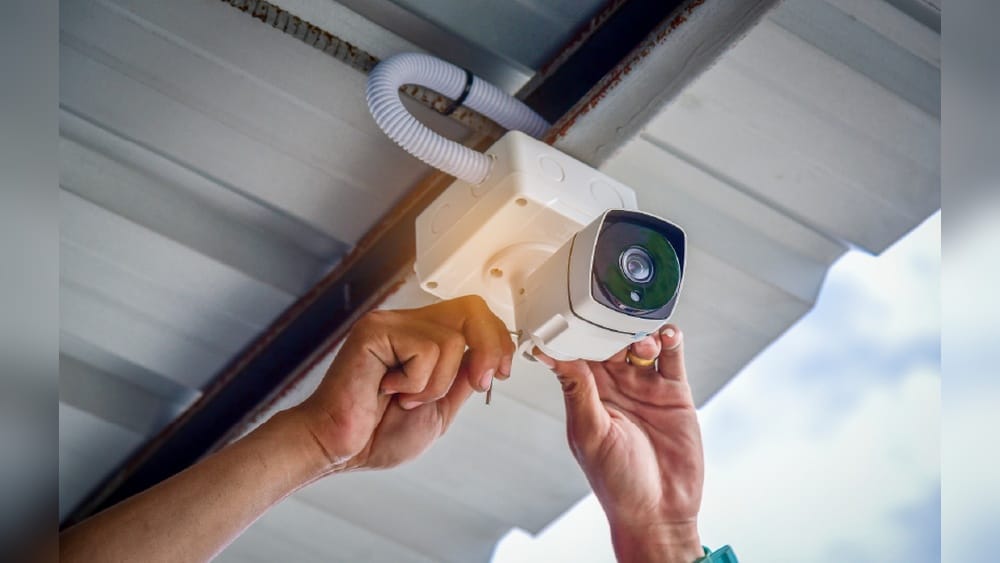
Security cameras are everywhere today. From banks and airports to homes and shops, they quietly watch over us, collecting video footage day and night. But have you ever wondered—how long do security cameras keep footage? Does it vanish after a day, or can it stay stored for months or years?
If you need to find old video evidence, knowing the answer is crucial. This guide explains everything about security camera footage retention, from basic factors to advanced storage systems. You’ll discover how different camera types, storage options, legal rules, and technical limits all affect how long video is kept.
By the end, you’ll know what to expect—and how to make the most of your own security system.
What Determines Security Camera Footage Retention?
Many people think security camera footage is kept for a standard time everywhere. In reality, footage retention depends on several factors, and the differences can be surprising for new users.
Camera Type
Different security cameras have their own storage limits:
- Wired cameras (like traditional CCTV) often connect to a Digital Video Recorder (DVR) or Network Video Recorder (NVR). Their retention depends on the recorder’s storage capacity, which can be upgraded in many cases. Some older CCTV systems might only support low-resolution storage, making footage last longer, but the video will be grainy if you need to review it.
- IP cameras can store footage on local devices, servers, or the cloud. Their retention varies widely because you can set them to upload only important clips or full-time video. Some higher-end IP cameras support external hard drives or network storage, allowing for weeks or months of backup.
- Wireless cameras (often used at home) usually have smaller storage and shorter retention. They might only keep a few days of footage unless you pay for expanded cloud space.
A detail many people miss: some hybrid cameras let you set different retention times for different events. For example, you could keep motion-triggered clips for 30 days but regular footage for just 7.
Storage Method
Where the footage is stored matters:
- Local storage uses hard drives or memory cards. Once full, the system overwrites old footage. The advantage is quick access and higher privacy, but you risk losing everything if the hardware breaks or is stolen.
- Cloud storage depends on the plan you pay for. It can be days, weeks, or even months, depending on your subscription. Cloud storage is useful if you want to access footage from anywhere or share it easily with authorities.
- Hybrid storage (a mix of local and cloud) can extend retention. For example, some systems keep basic footage locally but upload important events to the cloud, letting you preserve key moments without filling up your hard drive.
Video Quality And Compression
The higher the resolution (like 4K), the more space each minute of footage takes. Compression formats (like H.264, H.265) can reduce storage needs, but too much compression may lower quality. Many modern systems let you pick a balance between quality and space, but beginners often overlook this setting, causing them to fill up storage more quickly than needed.
Number Of Cameras
More cameras mean more data. If you have 16 cameras recording full time, storage fills up faster than with just one. Even small increases—like adding one or two cameras—can cut your retention time in half if you don’t increase storage.
Recording Mode
- Continuous recording keeps footage for the maximum time allowed by storage. It’s useful for high-risk areas but uses space quickly.
- Motion-activated recording only saves when something happens, stretching storage further. This is a great way to save costs for home or business users where activity is low at night or during off-hours.
A small tip: Some cameras support “event-based” recording, where only specific triggers (like sound or a door opening) start the recording. This can extend retention even more.
Legal And Business Requirements
Some companies or laws require keeping footage for a certain time. For example, casinos may need to store video for weeks due to regulations. In some countries, public locations must keep footage for a set period, while private homes have no such rules.
User Settings
System owners often set their own retention period—from 1 day to several months—based on needs and storage. If you’re not sure how your camera is set up, check the app or manual—some systems default to short retention for privacy.
Typical Footage Retention Periods
Let’s look at common retention periods for different setups. These are averages; your system may differ due to your settings, your storage, or changing requirements.
| Camera Type | Typical Retention | Notes |
|---|---|---|
| Home Wireless Camera | 3–7 days | Depends on cloud/local storage plan |
| Small Business CCTV | 7–30 days | Depends on DVR/NVR capacity |
| Large Enterprise System | 30–90 days | Often required by policy/law |
| Public Places (Airports, Banks) | 30–180 days | Strict regulations; high storage |
| Cloud-Only Camera | 7–30 days | Limited by subscription plan |
Why Does Retention Vary So Much?
Some places only need to see what happened recently, like a shop checking for theft yesterday. Others, like airports, must be able to go back months to investigate incidents. Busy environments with a lot of movement (like shopping malls) might need more footage, while quiet offices can get by with less.
An important insight: longer retention means higher storage costs. Many beginners ignore this. More days of footage means buying bigger hard drives or paying for larger cloud plans. Some users only realize this when their system stops recording new footage, or they get a surprise bill for extra cloud storage.
Another thing people miss is the value of “event bookmarks”—marking important clips so they’re never overwritten, even if the rest of the footage is erased.

Credit: www.eufy.com
How Storage Capacity Impacts Retention
Storage is the main limit for footage retention. Cameras record nonstop, so storage fills up quickly, and this often surprises new owners.
Calculating Storage Needs
Here’s a simple way to estimate how long your footage will last:
- Find your camera’s bitrate (data per second).
- Multiply by the number of cameras.
- Multiply by recording hours per day.
- Divide your storage size by the total daily usage.
For example:
- One 1080p camera: 2 Mbps bitrate
- 24 hours: 2 Mbps × 3600 sec × 24 hours = ~21 GB/day
- 1 TB hard drive: 1,000 GB / 21 GB = about 47 days
If you add more cameras or higher resolution, retention drops fast. Many users forget to adjust for motion recording—if your system only saves when something moves, storage can last much longer. For example, a camera in a quiet hallway might only use 10% as much space as one in a busy lobby.
A practical tip: Always check if your system lets you see real-time storage use. Some recorders show you exactly how many days are left at your current settings.
Storage Table Example
Let’s compare storage needs for different setups:
| Setup | Camera Count | Resolution | Storage (TB) | Estimated Retention |
|---|---|---|---|---|
| Home | 2 | 1080p | 0.5 | ~10 days |
| Small Office | 6 | 1080p | 2 | ~14 days |
| Warehouse | 12 | 4K | 8 | ~18 days |
| Retail Chain | 24 | 1080p | 16 | ~30 days |
Tip: Always plan for future storage expansion. It’s cheaper to add more storage now than to scramble when you need old footage. Also, check if your recorder supports external drives or network-attached storage (NAS) for easy upgrades.
Another overlooked point: Some systems let you set different retention for different cameras. For example, you might keep footage longer for entrances but use shorter retention for hallways.
Legal And Regulatory Requirements
Laws often decide how long footage is kept. This is especially true for businesses and public spaces, and failing to follow these can lead to big problems.
Common Legal Retention Periods
- Banks: Often required to keep footage for 90 days or longer.
- Casinos: May need to store video for up to 180 days.
- Schools: Usually 30 days, but can vary.
- Hospitals: Often 30–90 days, depending on state rules.
Some countries have unique rules. For example, in the UK, public CCTV must follow strict guidelines about retention and public notification.
Why These Laws Exist
Authorities want to ensure evidence is available if crimes or disputes happen. If a company deletes footage too soon, they could face fines or lose their license. In some industries, insurance policies also require a minimum retention period for claims to be valid.
Privacy Laws
Some places limit how long you can keep footage to protect people’s privacy. For example, Europe’s GDPR law requires companies to justify long retention. If you don’t need the footage, you must delete it. This helps prevent misuse or accidental leaks.
A non-obvious insight: Some states in the US have no retention laws, so businesses set their own policies. But this can be risky—if an incident happens, short retention may mean losing important evidence. It’s always smart to keep at least 14 days of footage, even if not required, to cover weekends and holidays when incidents may be noticed late.

Credit: www.backstreet-surveillance.com
Cloud Storage Vs Local Storage
Where you store footage changes everything. Let’s break down the pros and cons, and see how each option affects real retention.
Local Storage
- Hard drives or memory cards store footage onsite. This gives you control, but physical damage or theft can wipe out everything.
- Good for privacy—no footage leaves your property.
- Limited by physical space; once full, old footage is erased.
- Easy access if you need video quickly. Some users set up a dedicated monitor to review footage instantly.
Cloud Storage
- Footage stored on remote servers.
- Retention depends on your subscription plan.
- Often more secure—backups protect against theft or fire.
- Can access footage from anywhere. Sharing video with police or insurance is as simple as sending a link.
Comparison Table
| Storage Type | Retention Limit | Cost | Security | Accessibility |
|---|---|---|---|---|
| Local | Depends on hard drive size | One-time purchase | Physical theft risk | Onsite only |
| Cloud | Depends on plan (7–30 days common) | Monthly subscription | Encrypted, remote backup | Anywhere with internet |
A tip many miss: Cloud plans can limit retention even if you have plenty of storage. For example, some plans only let you keep footage for 14 days, no matter how much data you upload. Always check your plan’s fine print—some budget plans only keep video for 3 days!
Another hidden detail: Some cloud services let you set “priority events” to keep certain clips longer. Use this for important incidents.
Managing And Extending Footage Retention
If you want to keep footage longer, you need a smart approach. Here’s how to maximize retention:
Adjust Recording Settings
- Use motion detection: Only record when something happens. This can double or triple retention. In quiet areas, this is the easiest way to stretch your space.
- Lower resolution: If you don’t need super high quality, use 720p instead of 4K. For most home or office uses, 1080p is clear enough.
- Shorten frame rate: Fewer frames per second save space. For example, lowering from 30fps to 15fps often makes no visible difference for security use.
A practical example: A small shop switched from 24/7 1080p recording to motion-activated 720p. Their retention jumped from 10 days to over 30 days without buying new drives.
Expand Storage
- Upgrade your hard drive or add new drives.
- For cloud storage, buy a higher-tier plan, or look for discounts for annual payment.
- Consider network storage (NAS) for flexible, scalable solutions.
Archive Important Footage
If something critical happens—like a break-in—save that clip permanently. Most systems let you export video to a USB drive or cloud folder. Make sure you label files with date and time for easy search later.
Regular Maintenance
Check your storage status every month. Delete unnecessary clips, back up important events, and make sure your system isn’t running out of space. Some systems can send you alerts when storage is almost full.
Common Mistakes
Many beginners:
- Forget to backup footage, risking loss if the drive fails.
- Set retention too short, missing evidence after a week.
- Don’t check legal requirements for their area.
- Assume cloud backups are automatic for all events—always double-check.
Examples From Real-world Scenarios
Let’s see how footage retention plays out in different places.
Home Security
Most home cameras keep footage for about 7 days by default. If you buy more cloud storage, you can extend this to 30 days or more. Homeowners often only need recent video to check for package theft or break-ins.
A real-life example: A homeowner noticed a missing parcel five days after delivery. Because their cloud storage kept 7 days of footage, they found the video and shared it with police.
Retail Stores
Small shops usually keep footage for 14–30 days. Larger stores may go up to 90 days, especially if they deal with frequent theft or have insurance requirements.
Some chains schedule weekly downloads of important clips to avoid overwriting. This is especially useful during busy seasons.
Offices
Offices might store footage for 30–60 days. This helps in investigating workplace incidents, vandalism, or disputes.
A tip: In offices with high staff turnover, longer retention can help resolve HR issues that surface weeks later.
Schools
School systems often keep video for 30 days, unless an incident happens. Then, they archive relevant clips for longer.
School administrators often train staff to download and save footage after fights or accidents.
Public Transport
Buses and trains may keep footage for 7–30 days. Some cities require longer retention if there are frequent passenger complaints.
A unique insight: Some transit systems use cameras with removable memory cards. Drivers swap cards weekly to ensure nothing is lost.
Technical Limits And Challenges
Security cameras aren’t perfect. Their retention depends on more than just storage.
Overwriting
Most systems use a loop recording method. When storage is full, new footage replaces the oldest video. If you need video from months ago, it may no longer exist. Always export key clips before they’re lost.
System Failure
Hard drives can fail. Cloud accounts can be hacked or canceled. Without backups, footage can vanish. Consider RAID or cloud redundancy for critical systems.
Bandwidth
Cloud storage relies on good internet speed. Slow upload means gaps in footage, or failure to save video at all. In rural areas, local storage may be more reliable.
Compatibility
Upgrading cameras or software can sometimes erase old footage. Always check compatibility before updating. Make regular exports before big system changes.
Data Management
Large systems produce huge amounts of data. Managing, indexing, and searching footage is a challenge, especially for businesses. Some advanced systems use smart search tools or AI tagging, but these features often cost extra.
How To Choose The Right Retention Period
Picking the right retention period isn’t just about storage—it’s also about risk, cost, and legal needs.
Steps To Find Your Ideal Retention Period
- Identify your risks. Are you worried about theft, vandalism, or workplace disputes? High-risk locations need longer retention.
- Check legal requirements. See if your city, state, or country has rules.
- Estimate your storage needs. Use calculators or ask your camera provider. Many offer free tools online.
- Consider your budget. Longer retention means higher costs.
- Set your retention policy. Make sure all staff know the rules, and post signs if required by law.
Example Calculation
Suppose you run a small shop with 4 cameras:
- Each camera uses 15 GB/day.
- Total: 60 GB/day.
- For 30 days: 60 GB × 30 = 1,800 GB (1.8 TB).
You need at least a 2 TB drive to keep footage for one month. Always round up for safety.
If you switch to motion detection and cut recording by 50%, you could stretch the same drive to two months.
Security And Privacy Considerations
Keeping footage longer isn’t always better. You must balance security with privacy and follow local laws.
Protecting Footage
- Use encryption for cloud storage.
- Limit access to footage—only trusted staff should view or export video.
- Set up regular audits to check for unauthorized access.
- Use strong passwords and enable two-factor authentication for cloud accounts.
Respecting Privacy
- Only record in public areas; avoid private spaces (bathrooms, changing rooms).
- Delete footage as soon as it’s no longer needed.
- Inform people if cameras are in use. Many countries require visible signs.
A non-obvious insight: Some privacy laws require you to notify people when you keep footage longer than a few days. Failure to do so can lead to fines. Always review the privacy policy of your camera brand—some systems automatically delete footage to help you comply.
Advanced Retention Solutions
Large businesses sometimes need custom retention setups.
Raid Storage
RAID systems use multiple hard drives for backup and speed. They can keep footage for months, and protect against drive failure. Some RAID setups allow “hot swapping” to replace drives without stopping recording.
Offsite Backup
Some companies send footage to remote servers or storage sites. This ensures video survives disasters like fire or theft. Offsite storage is common in banks and government offices.
Automated Archiving
Modern systems can automatically save footage based on events—like alarms or motion detection. This keeps important clips longer without filling storage. Some even sort footage by type of incident for fast search.
Ai-based Management
Some advanced systems use artificial intelligence to identify important footage. AI can tag, index, and archive events, making it easier to find relevant video. For example, AI can detect people, vehicles, or unusual activity and keep those clips longer.
For large-scale setups, these solutions save time and cut costs by avoiding endless manual review.
The Future Of Security Camera Footage Retention
Technology is changing fast. Here are some trends to watch:
- Cheaper cloud storage: As prices drop, longer retention becomes more affordable, even for small businesses and homes.
- AI-powered compression: Smart compression keeps quality high while reducing file size. Some AI tools can even skip “boring” scenes, saving only what matters.
- Legal changes: New privacy laws may limit how long footage is kept. Keep an eye on news in your region.
- Integration with smart devices: Cameras link with alarms, lights, and other devices to automate retention. For example, if a break-in alarm sounds, the system could lock footage so it’s never deleted.

Credit: birdseyesecurity.com
Frequently Asked Questions
How Can I Check How Long My Security Camera Keeps Footage?
Most systems display retention time in their settings or software. Log in to your camera or recorder, and look for “storage” or “retention” options. If you use cloud storage, check your provider’s plan details. Some systems even show a countdown of how many days of footage are available.
Can I Recover Deleted Or Overwritten Footage?
Once footage is overwritten, it’s usually gone. Some advanced systems keep backups, but most standard cameras do not. If you accidentally delete footage, contact your provider quickly—sometimes cloud services can restore files within a short window. Forensic recovery from hard drives is possible but expensive and not guaranteed.
Is It Legal To Keep Footage Forever?
It depends on local laws. Some places allow indefinite storage, but others require deletion after a set time to protect privacy. Always check your state or country’s rules, and explain your policy to anyone recorded.
What Happens If My Storage Is Full?
When storage fills up, most systems overwrite the oldest footage automatically. To prevent losing important video, export or back up clips regularly, or expand your storage. Some systems send alerts before deleting old footage—set these up if available.
Do All Security Cameras Have The Same Retention?
No. Retention varies by camera type, storage capacity, recording mode, and legal requirements. Always check your system’s manual, and adjust settings to fit your needs.
Security camera footage retention is a complex topic, but understanding the basics helps you protect your property—and your privacy. Whether you’re a homeowner, a small business, or a large enterprise, balancing storage, cost, and legal rules is key. With smart settings and regular maintenance, you can make sure important footage is always available when needed. For more technical details, visit Security.org.