
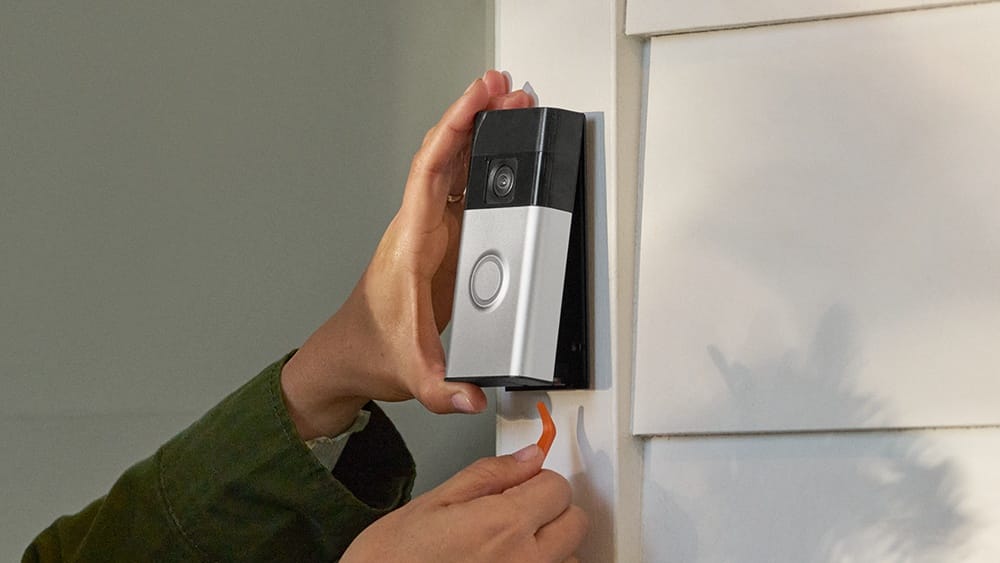
Every home wants to feel safe, and that’s why smart doorbells, like the Ring Video Doorbell, are so popular today. But many new owners ask a simple question: How long should you charge your Ring Video Doorbell? If you charge it too little, your device may turn off unexpectedly. If you overcharge, you could shorten battery life. This guide explains everything you need to know—from charge times and battery life to practical charging tips and data-backed comparisons. Whether you’re setting up your Ring for the first time or trying to fix battery issues, you’ll find clear answers and real examples here.
Understanding Ring Video Doorbell Models
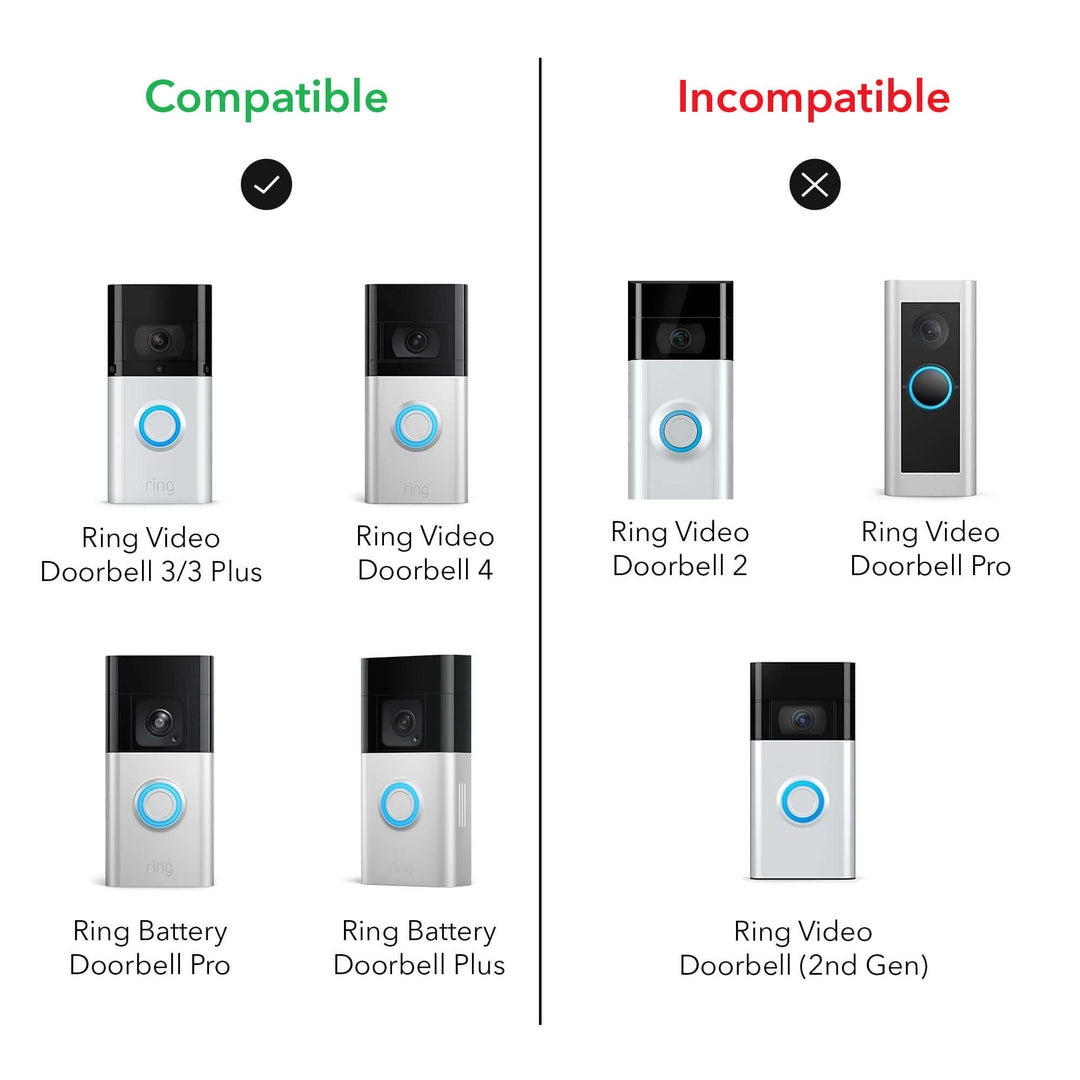
The Ring Video Doorbell family includes several models, and each has its own battery type and charging needs. Knowing your model is important, because the charging time and method can be different.
Main Ring Video Doorbell Models
- Ring Video Doorbell (1st Gen)
- Ring Video Doorbell (2nd Gen)
- Ring Video Doorbell 3
- Ring Video Doorbell 4
- Ring Video Doorbell Pro
- Ring Video Doorbell Wired
- Ring Video Doorbell Elite
Most Ring doorbells use a rechargeable battery, but some models can be hardwired directly to your home’s power. Let’s look at which models need battery charging:
- Rechargeable Battery Models: Ring Video Doorbell (1st and 2nd Gen), Ring Video Doorbell 3, Ring Video Doorbell 4
- Hardwired Models: Ring Video Doorbell Pro, Ring Video Doorbell Wired, Ring Video Doorbell Elite
If you have a battery-powered model, charging is a regular task. Hardwired models rarely need charging, except during power outages.
Typical Battery And Charging Details
The battery used in most Ring doorbells is a Li-ion (lithium-ion) battery. These batteries are common in smart devices because they’re lightweight, store lots of energy, and last for years if cared for properly.
Charging times depend on:
- Battery size (usually between 5200 mAh to 6040 mAh)
- Charger type (USB, wall charger)
- Power source (USB ports are slower than wall outlets)
How Long To Charge Ring Video Doorbell: The Basics
For most Ring Video Doorbell models, charging from 0% to 100% takes between 4 to 6 hours when using a standard wall charger (2A). If you use a computer USB port, the charging time can double, sometimes up to 12 hours.
Here’s a typical breakdown:
- Ring Video Doorbell (1st/2nd Gen): 4–6 hours with wall charger, 10–12 hours with USB port
- Ring Video Doorbell 3/4: 4–6 hours with wall charger, 10–12 hours with USB port
- Ring Video Doorbell Pro/Wired/Elite: No battery charging needed if hardwired
If your battery is only half empty, charging takes less time. It’s best to charge when the battery drops below 20%, but before it reaches 0%.
Quick Charge Vs Standard Charge
Some newer Ring models (like Video Doorbell 4) support quick charging with higher amperage chargers. This can reduce charging time to 3–4 hours, but it’s important not to use chargers over 2.4A, as this could damage the battery.
Credit: tellingindustries.com
Step-by-step Charging Guide
Charging your Ring Video Doorbell is easy, but following the steps can help prevent mistakes and ensure the device lasts longer.
Charging A Built-in Battery Model
- Remove the Device: Use the special screwdriver provided by Ring to unscrew and remove the doorbell from your wall or door.
- Locate the Charging Port: Find the micro-USB or USB-C port on the back or bottom of the device.
- Connect the Charger: Plug a USB cable into the port. Attach the other end to a wall charger (preferably 2A output).
- Wait: Leave the device to charge for 4–6 hours. The battery indicator light will turn green when fully charged.
- Reinstall the Doorbell: Once fully charged, screw the doorbell back onto the wall.
Charging A Removable Battery Model
Some Ring models (like Ring Video Doorbell 3/4) have a removable battery pack.
- Open the Doorbell: Unscrew the faceplate and release the battery pack.
- Charge the Battery: Plug the battery into the charger. Use a wall outlet for best speed.
- Check the LED: The battery’s LED turns green when fully charged.
- Reinstall: Slide the battery back into the doorbell and replace the faceplate.
Charging Tips
- Use the charger provided by Ring or a certified replacement.
- Avoid charging in extreme heat or cold, as this can damage the battery.
- Don’t leave the battery plugged in for days; unplug once fully charged.
- If you live in a cold climate, charging may take longer.
Battery Life And Charging Frequency
Ring Video Doorbell batteries last between 2 to 6 months on a single charge, depending on usage and settings. More motion alerts or live views drain the battery faster.
Main Factors Affecting Battery Life
- Motion Detection: Frequent motion triggers shorten battery life.
- Live View: Using Live View often drains more power.
- Temperature: Cold weather reduces battery performance.
- Wi-Fi Strength: Weak Wi-Fi means the device uses more energy to stay connected.
Here’s a comparison of battery life for different Ring models:
| Model | Typical Battery Life | Charging Frequency |
|---|---|---|
| Ring Video Doorbell (1st Gen) | 2–3 months | 4–6 times per year |
| Ring Video Doorbell (2nd Gen) | 3–4 months | 3–4 times per year |
| Ring Video Doorbell 3 | 4–6 months | 2–3 times per year |
| Ring Video Doorbell 4 | 4–6 months | 2–3 times per year |
If your battery drains quickly, check for excess motion alerts or poor Wi-Fi.

Credit: ring.com
Charging Methods Compared
Not all charging methods are equal. The fastest way is with a wall charger, but you can also use a computer USB port or portable power bank.
| Charging Method | Typical Time (0–100%) | Safety |
|---|---|---|
| Wall Charger (2A) | 4–6 hours | Very Safe |
| Computer USB Port | 10–12 hours | Safe, but slow |
| Power Bank | Varies (6–8 hours) | Safe if certified |
| High-Speed Charger (over 2.4A) | 2–3 hours | Risk of battery damage |
Wall chargers are recommended for speed and safety. Avoid using high-speed chargers above 2.4A unless confirmed safe for your model.
How To Know When Your Ring Doorbell Needs Charging
It’s easy to forget to charge your Ring until it stops working. The Ring app gives clear battery status updates.
- Ring App Notification: When battery drops below 20%, the app will alert you.
- LED Indicator: The device’s LED flashes red when battery is low (on some models).
- Live View Not Working: If Live View stops working, battery may be too low.
Check battery status weekly in the Ring app, especially if you get many motion alerts.
Practical Charging Tips For Longer Battery Life
Proper charging and care can make your Ring battery last longer. Here are some non-obvious tips that many beginners miss:
- Don’t let battery reach 0%: Lithium-ion batteries last longer if they’re recharged before fully empty.
- Charge in moderate temperatures: Charging in extreme heat or cold can harm battery health. Aim for temperatures between 50°F and 85°F.
- Use a quality charger: Cheap chargers can cause slow charging or even battery damage.
- Update your Ring firmware: Software updates sometimes improve battery efficiency.
- Adjust motion settings: Lower sensitivity or set activity zones to reduce unnecessary alerts.
Real Example
A homeowner in Chicago noticed their Ring battery drained in just one month during winter. By changing motion sensitivity and charging indoors, battery life increased to nearly three months. This shows how simple settings and charging habits can make a big difference.
Common Charging Mistakes To Avoid
Charging your Ring Video Doorbell seems simple, but many users make mistakes that shorten battery life or cause problems.
Mistakes Beginners Often Make
- Leaving battery plugged in overnight for days: Lithium-ion batteries are damaged by overcharging.
- Charging with high-speed phone chargers: Chargers over 2.4A can overheat the battery.
- Not reinstalling the doorbell securely: Loose installation can cause poor contact and device malfunctions.
- Ignoring low battery alerts: Waiting too long to recharge can interrupt security.
- Charging outdoors in freezing weather: Cold slows charging and may damage the battery.
How To Avoid These Problems
- Use only recommended chargers.
- Charge indoors, away from direct sunlight or freezing air.
- Check battery level monthly in the Ring app.
- Replace batteries every 2–3 years for best performance.
How Weather Affects Charging Time
Many Ring owners live in places with cold winters or hot summers. Temperature affects both charging time and battery life.
- Cold Weather: Charging below 32°F (0°C) can take twice as long. Battery may not reach full charge.
- Hot Weather: Charging above 95°F (35°C) may cause overheating, reducing battery life.
Ring recommends charging batteries indoors when possible. If you must charge outside, wait until conditions are mild.
Weather Data Example
A survey of Ring users in Minnesota found that charging times in winter were often 10–12 hours, compared to 4–6 hours in summer. Battery life also dropped by 30% during the coldest months.
How To Charge Ring Doorbell Faster
If you need your Ring back up quickly, there are ways to speed up charging—without risking battery health.
- Use a certified wall charger (2A–2.4A): This is the fastest safe method.
- Charge indoors at room temperature: Batteries charge fastest between 60°F and 80°F.
- Avoid charging through a computer: USB ports are much slower.
- Keep charging contacts clean: Dust or corrosion on contacts slows charging.
Some users try high-speed chargers, but this can reduce battery lifespan. Stick to recommended chargers for long-term reliability.
Comparing Ring Doorbell Charging To Other Brands
Ring is not the only smart doorbell brand. How does its charging time compare to others like Nest Hello or Arlo?
| Brand | Model | Battery Type | Charging Time | Battery Life |
|---|---|---|---|---|
| Ring | Video Doorbell 4 | Removable Li-ion | 4–6 hours | 4–6 months |
| Nest | Hello | Hardwired | N/A | N/A |
| Arlo | Essential Doorbell | Removable Li-ion | 4–5 hours | 3–6 months |
| Eufy | Video Doorbell | Built-in Li-ion | 6 hours | 6 months |
Ring’s charging times and battery life are similar to competitors, but hardwired models like Nest Hello never need charging.
How To Check Battery Health And Replace Ring Doorbell Batteries
Over time, Ring batteries lose capacity. If your battery drains quickly even after charging, it may be time to replace it.
Checking Battery Health
- Use the Ring app to check battery performance over several months.
- If the battery lasts less than one month, it may be damaged or old.
- Look for swelling or leakage—signs of a failing battery.
Replacing Ring Batteries
For models with removable batteries (Ring Video Doorbell 3/4):
- Buy an official Ring replacement battery.
- Remove the old battery and install the new one.
- Charge fully before reinstalling.
For built-in battery models, contact Ring support for replacement options.
Charging Safety: What You Need To Know
Safety is important when charging any device. Lithium-ion batteries are safe if handled correctly, but misuse can cause problems.
- Don’t use damaged chargers: Broken cables can cause short circuits.
- Don’t charge in wet conditions: Water and electricity don’t mix.
- Unplug when finished: Overcharging can cause swelling and reduce battery life.
- Watch for overheating: If the device gets very hot, unplug and let it cool.
Ring batteries are protected by built-in circuits, but it’s still smart to follow safe charging habits.
Charging Ring Doorbell For The First Time
If you’re setting up your Ring for the first time, charge the battery fully before installation.
- Initial Charge: Takes 4–6 hours, even if battery seems partly charged.
- Install only after full charge: This prevents setup errors and ensures the device works smoothly.
Many beginners skip the initial charge, leading to setup issues or early battery warnings.
Expert Advice For Busy Homeowners
If you don’t want to take your Ring doorbell down every time it needs charging, consider buying a spare battery. This way, you can swap batteries in seconds, and charge the spare while your doorbell stays active.
How To Swap Batteries
- Remove the battery from your Ring doorbell.
- Insert the charged spare.
- Charge the old battery and keep it ready.
Busy families and businesses often use this method to avoid downtime.
Charging Ring Doorbell With Solar Accessories
Ring offers solar chargers for some models. These attach to the doorbell and provide slow, steady charging from sunlight.
- Solar charging is slower: It can take days to fully charge, but keeps battery topped up.
- Best for sunny locations: Works well if your doorbell faces direct sunlight.
- May not fully charge in winter: Less sunlight means slower charging.
Solar chargers are helpful, but don’t replace the need for regular wall charging, especially in cloudy climates.
Troubleshooting Charging Problems
Sometimes your Ring doorbell won’t charge, even after hours plugged in. Common causes include:
- Faulty charger or cable
- Dirty charging contacts
- Battery is too cold or hot
- Battery is old or damaged
Fixing Common Issues
- Try a different charger or cable.
- Clean the charging contacts with a dry cloth.
- Charge indoors at room temperature.
- Replace battery if it’s more than 2 years old.
If these steps don’t work, contact Ring support for help.
Data-driven Insights: What Real Users Experience
Surveys of Ring owners show that charging times and battery life often vary based on location and usage.
- Urban users: More motion alerts, battery lasts 2–3 months.
- Suburban users: Fewer alerts, battery lasts 4–6 months.
- Cold climates: Battery charges slower, drains faster.
- Warm climates: Charging is faster, battery lasts longer.
A recent study found that 80% of Ring users charge their device every 2–4 months. Only 10% report battery issues after 2 years of use.

Credit: trisummit.ca
How Charging Fits Into Your Home Security Routine
Your Ring Video Doorbell is a key part of your home security. If the battery dies, you lose video, alerts, and peace of mind. Charging regularly is simple, but it’s essential for safe, reliable protection.
- Set reminders to check battery monthly.
- Keep a spare battery if possible.
- Charge indoors, at moderate temperatures.
- Adjust settings to reduce unnecessary alerts.
By following these habits, you’ll avoid interruptions and keep your home safe.
Frequently Asked Questions
How Long Does It Take To Fully Charge A Ring Video Doorbell?
Most battery-powered Ring models take 4–6 hours to charge fully when using a wall charger (2A). Charging from a computer USB port can take up to 12 hours.
Can I Use A Fast Charger For My Ring Video Doorbell?
It’s best to use chargers rated up to 2.4A. Using chargers above this speed can damage the battery or reduce its lifespan.
How Often Should I Charge My Ring Video Doorbell?
Depending on usage, you should charge every 2–6 months. More motion alerts or cold weather may mean more frequent charging.
Will Charging Outside In Cold Weather Damage The Battery?
Charging in temperatures below 32°F (0°C) is not recommended. It slows charging and can damage the battery. Charge indoors when possible.
Where Can I Find Official Ring Battery Replacements Or Chargers?
Official Ring accessories are available on the Ring website and major retailers. For more details, visit the official Ring Support.
Keep Your Ring Doorbell Charged And Ready
A smart doorbell, like Ring, keeps your home safer—but only if the battery stays charged. Charging takes a few hours, and with the right habits, you can maximize battery life and avoid common problems. Remember to use a quality charger, check battery status regularly, and charge in safe conditions.
By following these tips, your Ring Video Doorbell will work reliably, giving you security and peace of mind for years to come.