
Many people install security cameras to protect their homes or businesses. But after the cameras are running, a new question appears: How much data does a security camera use? If you store video on the cloud, use Wi-Fi, or want to avoid slow internet, understanding data usage is critical. Data use affects everything from your storage costs to your choice of internet plan.
The answer is not simple. Data usage depends on camera settings, resolution, how often the camera records, and where the video is stored. Even two cameras in the same place can use very different amounts of data. In this article, you’ll learn how data usage works, what factors matter most, and how to estimate your real-world needs.
You’ll also get practical tips for saving data without losing important footage.
Let’s explore what you need to know so you can choose the right security camera and storage setup—without surprises on your internet or cloud storage bill.
What Is Data Usage In Security Cameras?
When people ask about data usage, they usually mean the amount of digital information (measured in megabytes or gigabytes) that a security camera sends or stores. This could be video sent to the cloud, stored on a memory card, or transmitted to a remote viewer over the internet.
Data usage is important for several reasons:
- Storage costs: Cloud services often charge based on how much video you store.
- Internet bandwidth: High data usage can slow other devices on your network.
- Mobile plans: If you use a mobile hotspot or cellular connection, data usage can get expensive.
- Performance: Too much data can cause buffering, delays, or lost footage.
Most people focus on video footage because it uses much more data than audio or images. The amount of data depends on how the camera captures, compresses, and sends the video.
Key Factors That Affect Data Usage
Not all security cameras use the same amount of data. Several factors have a big impact:
1. Video Resolution
Resolution means how clear and detailed the video image is. Common resolutions include:
- 720p (HD): 1280 x 720 pixels
- 1080p (Full HD): 1920 x 1080 pixels
- 2K: 2560 x 1440 pixels
- 4K (Ultra HD): 3840 x 2160 pixels
Higher resolution means a clearer image, but it also means more data. For example, a 4K camera records four times as much detail as a 1080p camera—and uses much more data.
2. Frame Rate
Frame rate is how many video images (frames) are captured each second, measured in frames per second (fps). Common options are 15, 20, or 30 fps. Higher frame rates make video smoother but increase data usage.
3. Video Compression
Cameras use compression to shrink video files. The most common formats are:
- H.264 (AVC)
- H.265 (HEVC)
- MJPEG
H. 265 is more efficient than H. 264, which means you get similar quality but use less data. MJPEG is less efficient and uses much more data.
4. Recording Mode
How often your camera records makes a big difference:
- Continuous recording: The camera saves everything, 24/7.
- Motion-based recording: The camera only saves video when it detects movement.
- Scheduled recording: The camera only records at set times.
Motion-based recording can reduce data use by 70% or more, especially in quiet areas.
5. Audio
If your camera records audio as well as video, it uses a little more data. But for most users, video is the main factor.
6. Scene Complexity
A camera watching a busy street will use more data than one watching an empty hallway. More motion and detail means more data to store.
7. Storage Location
Where you store the video affects data use:
- Local storage (SD card, hard drive): Only data transfer inside your camera system.
- Cloud storage: Video is sent over the internet, using your upload bandwidth.
If you only view recordings locally, your internet is not affected much. If you use the cloud or remote viewing, data usage can be high.
Data Usage Examples: How Much Data Do Security Cameras Use?
Let’s look at some real-world examples. The numbers below are for one camera, recording 24 hours per day. Actual numbers may vary based on motion, compression, and your camera settings.
Data Usage By Resolution And Compression
Here’s a comparison for different resolutions, using H.264 compression, at 24/7 recording and 15 fps:
| Resolution | Bitrate (Average) | Hourly Data | Daily Data | Monthly Data |
|---|---|---|---|---|
| 720p | 1 Mbps | 450 MB | 10.5 GB | 315 GB |
| 1080p | 2 Mbps | 900 MB | 21.6 GB | 648 GB |
| 2K | 4 Mbps | 1.8 GB | 43.2 GB | 1,296 GB |
| 4K | 8 Mbps | 3.6 GB | 86.4 GB | 2,592 GB |
Key insight: At 4K, a single camera can use over 2.5 terabytes per month if recording non-stop.
Impact Of Compression Format
H.265 (HEVC) is more efficient than H.264. It can reduce data usage by about 40–50% for the same quality.
For example, a 1080p camera at 2 Mbps (H. 264) might need only 1. 2 Mbps (H. 265) for similar video quality.
Effect Of Motion-based Recording
If your camera only records when it detects motion—and you average 4 hours of movement per day—the numbers drop sharply.
Example: 1080p, H.264, 2 Mbps, 4 Hours/day
- Hourly: 900 MB x 4 = 3.6 GB/day
- Monthly: 3.6 GB x 30 = 108 GB
That’s much less than 648 GB/month for continuous recording.
Real-world Data Usage For Popular Cameras
Manufacturers often share average data use. Here are a few examples:
- Nest Cam (1080p, continuous): 60–300 GB per month
- Arlo Pro 4 (2K, motion only): 30–150 GB per month
- Reolink 4K PoE (motion only): 100–200 GB per month
These numbers show how settings and usage matter. In busy areas, data use will be higher.
How To Estimate Your Security Camera’s Data Usage
You can estimate your data usage with this formula:
Data usage (MB/hour) = (Bitrate in Mbps x 60 x 60) / 8
For example, a 1080p camera at 2 Mbps:
2 X 60 X 60 = 7,200 Megabits/hour
7,200 / 8 = 900 Megabytes/hour
Multiply by the hours your camera records each day, and then by 30 for the month.
How To Find Your Camera’s Bitrate
Most camera apps or manuals list the bitrate (data rate) for each recording mode. If not, here are rough estimates:
- 720p: 0.5 – 1.5 Mbps
- 1080p: 1.5 – 3 Mbps
- 2K: 3 – 6 Mbps
- 4K: 6 – 15 Mbps
If you can adjust bitrate, lower settings will reduce data use but may make video less clear.
Example: Calculate Data Use For A Home System
Suppose you have:
- 2 cameras at 1080p, motion-based, 3 hours of movement per day each
- Using H.264 compression, 2 Mbps per camera
For each camera: 900 MB/hour x 3 hours = 2.7 GB/day
Both Cameras: 2.7 Gb X 2 = 5.4 Gb/day
Monthly: 5.4 Gb X 30 = 162 Gb/month
If you switch to H. 265, you might cut that in half to about 80 GB/month.
Non-obvious tip: Real usage may be less if the camera only saves short clips per event. Check your camera’s event duration settings.

Credit: www.backstreet-surveillance.com
Data Usage For Cloud Vs Local Storage
Where you store video changes how data flows:
Local Storage (sd Card, Nvr, Dvr)
- Video is stored on a memory card or hard drive.
- Data travels only inside your camera system.
- Internet usage is minimal unless you view footage remotely.
Cloud Storage
- Video is sent from the camera to the internet.
- Uses your upload bandwidth.
- Can affect other online activities if your internet is slow.
Important: Many Wi-Fi cameras upload only when they detect motion, not 24/7. Some upload low-quality previews and full-quality clips only on request.
Table: Local Vs Cloud Data Flow
| Storage Type | Data Stays Local? | Uses Internet? | Good For |
|---|---|---|---|
| SD Card/NVR/DVR | Yes | Only for remote viewing | Privacy, slow internet |
| Cloud Storage | No | Yes, uploads video | Easy access, backup |
If you have a data cap, cloud storage can quickly use it up—especially with high-resolution cameras.
Bandwidth: How Security Cameras Affect Your Internet
Bandwidth is the speed and capacity of your internet connection. If a camera uses a lot of data, it can slow down your other devices or even make video choppy.
Upload Vs Download
Security cameras mainly use upload bandwidth—the speed your network sends data out to the internet. Many home connections have much slower upload than download speeds.
For example:
- Typical home download: 100 Mbps
- Typical home upload: 10 Mbps
If your camera uploads at 4 Mbps, that’s almost half your upload capacity.
How Many Cameras Can You Run?
If you have several cameras, total up their bitrates:
- 2 x 1080p cameras at 2 Mbps = 4 Mbps total
- 1 x 4K camera at 8 Mbps = 8 Mbps total
If your upload speed is 10 Mbps, running more than one 4K camera may cause problems.
Non-obvious insight: Many cameras let you set a substream—a lower quality video for remote viewing. This uses less bandwidth than streaming the full-quality recording.
How To Reduce Security Camera Data Usage
You can keep your data use under control with a few smart choices:
1. Lower The Resolution
Most people don’t need 4K video for basic security. Dropping from 4K to 1080p can cut data use by 75% with little loss in everyday detail.
2. Use Motion Detection
Set your camera to record only when it detects movement. In quiet areas, this can cut data use by 80% or more.
3. Adjust Frame Rate
Lowering from 30 fps to 15 fps can reduce data by half, and most security footage still looks smooth enough.
4. Use Better Compression
Choose H. 265 compression if your camera supports it. This can shrink files by 40–50% compared to H. 264.
5. Set Clip Lengths
Limit how long each event is recorded. For example, a 10-second clip per motion event uses less data than recording for 1–2 minutes each time.
6. Control Audio Recording
If you don’t need audio, turn it off to save a little more data.
7. Use Local Storage When Possible
Storing footage on a memory card or hard drive avoids cloud upload data use. You can still access video on your local network.
8. Limit Remote Viewing
Watching live feeds remotely uses extra bandwidth. Only view when needed, or use lower resolution streams.
9. Schedule Recording Times
If you only need security at night, set your cameras to record during those hours only.
10. Regularly Delete Old Footage
Don’t keep unnecessary video. Many systems let you auto-delete after 7 or 30 days.
Security Camera Data Usage: Wired Vs Wireless
Wired cameras (like PoE or analog) usually send video to a recorder over a cable. Wireless cameras use Wi-Fi or cellular networks. The way they use data can be different.
Wired Cameras
- Data stays on your local network (unless you set up remote viewing).
- No Wi-Fi congestion.
- Good for large systems.
Wireless Cameras
- Use your Wi-Fi or sometimes a mobile data plan.
- Can cause network slowdowns if you have many cameras or high resolution.
- Easier to install but watch your internet usage.
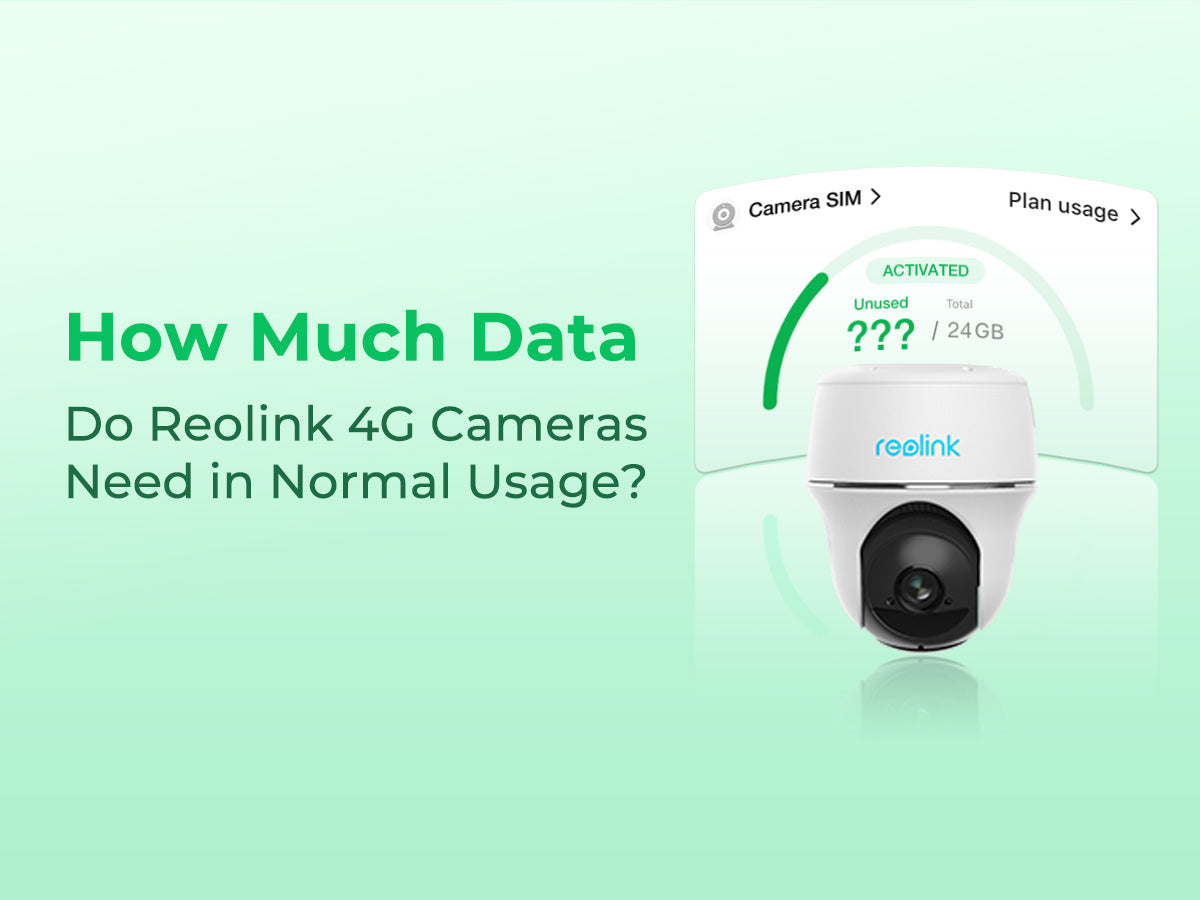
Cellular Cameras
- Use a SIM card and mobile data (like 4G/5G).
- Data usage matters a lot—cellular plans can be expensive.
- Motion-based recording is almost always necessary.
Pro tip: For rural or remote areas, choose cameras with good compression and aggressive motion detection to keep mobile data affordable.
Credit: www.eiotclub.com
Special Cases: Smart Doorbells And Battery Cameras
Video doorbells and battery-powered cameras are popular but use data differently.
- Most only record short clips (10–30 seconds) when motion is detected.
- Data use is much lower than continuous cameras.
- Battery-powered cameras often use even more aggressive data-saving methods to extend battery life.
For example:
- A Ring Video Doorbell (1080p) might use 1–4 GB per month with normal activity.
- A battery-powered Arlo camera could use even less if set to record briefly.
Data Usage And Privacy
Data usage is not just a technical issue—it’s also about privacy. The more data you send to the cloud, the more chances for breaches or leaks. Local storage keeps video inside your home or business.
If privacy is a top concern:
- Choose cameras with strong encryption.
- Store video locally or on a private server.
- Limit cloud uploads to only what’s necessary.
How Internet Service Providers Handle Security Camera Data
Some ISPs have monthly data caps. If you go over, you might pay extra or have your speed reduced.
- In the US, common home plans have 1–1.5 TB per month.
- Just two 4K cameras (continuous recording) can use more than this.
If you plan to use cloud recording, check your data cap and choose your settings carefully.
Using Security Cameras With Mobile Hotspots Or Limited Data
Some people use cameras with a mobile hotspot or a rural internet connection. In these cases, data is precious.
- Always use motion-based recording.
- Choose lower resolution (720p or 1080p).
- Set short clip lengths.
- Use H.265 compression.
For example, with a 10 GB per month hotspot plan, a camera recording only 10 minutes of motion per day at 720p might stay within your limit.
How To Monitor And Control Your Camera’s Data Usage
Most modern cameras and apps let you see data usage statistics. Look for these features:
- Monthly usage charts
- Clip length settings
- Compression options
- Quality or bitrate settings
If your camera doesn’t show data usage, you can track it with your router’s usage logs.
Non-obvious insight: Some cameras upload video only during certain hours to avoid peak internet times. Check your camera’s advanced settings.
Comparison: Data Usage For Popular Camera Brands
Here’s how some top brands compare for typical data usage per camera, recording at 1080p with motion-based recording (4 hours/day):
| Brand | Compression | Data per Day | Data per Month |
|---|---|---|---|
| Nest Cam | H.264 | 3.6 GB | 108 GB |
| Arlo Pro | H.265 | 2.2 GB | 66 GB |
| Reolink | H.264/H.265 | 2.5 GB | 75 GB |
| Ring | H.264 | 1.5 GB | 45 GB |
Your real numbers may vary, but this gives a good starting point for planning your storage and internet needs.
Credit: honeyoptics.com
Frequently Asked Questions
How Much Data Does A 1080p Security Camera Use Per Month?
A 1080p camera recording continuously can use 600–900 GB per month (H.264 compression). If set to motion-based recording (about 4 hours/day), it uses about 100–150 GB per month. Actual usage depends on motion, bitrate, and compression.
Do Security Cameras Use Data When Not Recording?
Most cameras use very little data when not recording, just enough to stay connected (a few MB per day). However, if you check the live feed often, this will use extra data.
Can I Use Security Cameras With A Limited Data Plan?
Yes, but you must use motion-based recording, lower resolution, and short clip lengths. Avoid continuous recording. Battery-powered and smart doorbell cameras are best for limited data.
How Many Cameras Can My Internet Handle?
Add up the total bitrate for all cameras. For example, if you have 4 cameras at 2 Mbps each, you need at least 8 Mbps upload speed for smooth cloud recording. Leave extra room for other devices.
Does Watching My Camera’s Live Feed Use Extra Data?
Yes, watching live video—especially from outside your home network—uses your download bandwidth and can add up quickly. Consider using lower-quality streams for remote viewing.
If you want to dive deeper, the Wikipedia page on network video recorders offers more technical details about how video is stored and transmitted.
Understanding how much data a security camera uses is key to avoiding hidden costs, slow internet, or missed footage. By adjusting your camera’s settings and choosing the right storage method, you can balance security and data use. Whether you want the sharpest video or need to save bandwidth, the right strategy will keep your system reliable and affordable. Take time to plan, and you’ll avoid surprises—and keep your property safe.