
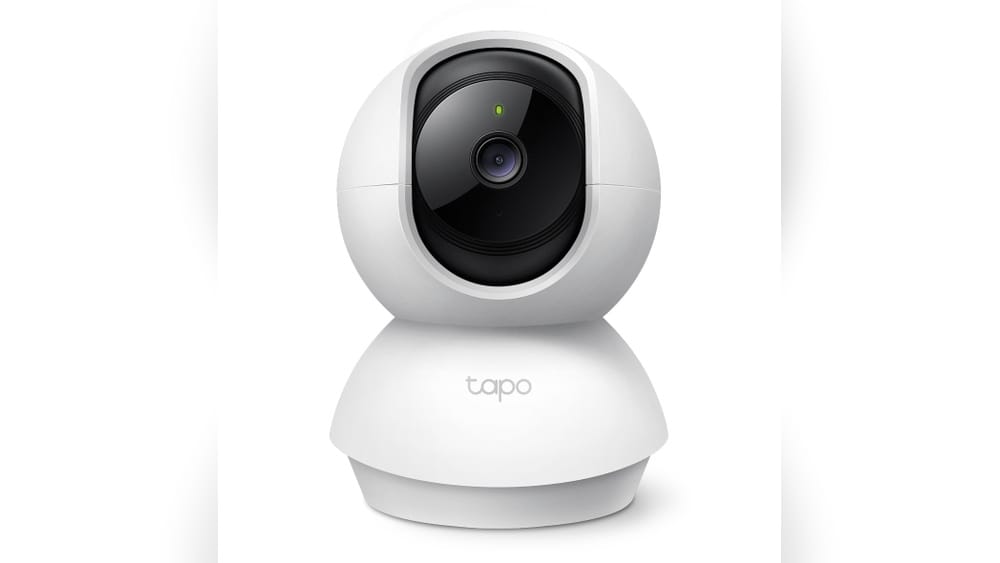
How Secure Is Tapo Camera
Smart cameras are everywhere today. You see them in homes, offices, shops, even outside buildings. Tapo Camera, made by TP-Link, is one of the most popular brands in this space. Many people choose it because it’s affordable, easy to use, and packed with features. But one big question always comes up: How secure is Tapo Camera? In this article, we’ll dive deep into security aspects of Tapo Camera. We’ll look at how it protects your privacy, what risks exist, and how it compares with other brands. If you are thinking about buying a Tapo Camera, or already own one, you’ll find practical advice and real data to help you stay safe.
What Makes A Camera Secure?
Before we look at Tapo specifically, it’s important to understand what makes a camera secure. Security isn’t just about passwords or encryption. It covers:
- Data protection: How your video and audio are stored and transmitted
- User authentication: Who can access your camera and how
- Firmware updates: How often the camera receives security patches
- Network safety: How the camera interacts with your Wi-Fi and other devices
- Physical safety: Preventing someone from tampering with the camera
A secure camera should protect you from hackers, leaks, and unauthorized access. It should also offer easy ways to update its software and set strong passwords.
Tapo Camera Security Features
Tapo Cameras come in several models, like Tapo C200, C210, C310, and others. While features vary, most Tapo Cameras share core security technologies. Let’s break down their main protections.
Encryption And Data Security
Tapo Cameras use AES 128-bit encryption for transmitting video data. AES (Advanced Encryption Standard) is a widely trusted protocol. It’s used by banks and governments to protect sensitive information. When you view your camera stream on the app, the data travels in an encrypted form. This means outsiders cannot easily intercept or read your footage.
For cloud storage, Tapo relies on SSL/TLS protocols. These protocols create a secure tunnel between your device and the cloud server, making sure your data stays private during transfer.
User Authentication
When setting up a Tapo Camera, you need to create a TP-Link ID. This account is required to manage your camera. TP-Link enforces password complexity rules: minimum length, mix of characters, and no common words. Some models also support two-factor authentication (2FA), adding another layer. With 2FA, even if someone gets your password, they cannot log in without a special code sent to your phone.
Firmware Updates
TP-Link regularly releases firmware updates for Tapo Cameras. These updates fix bugs and patch security holes. The Tapo app notifies you when a new update is available, making it easy to keep your device secure. You can update the firmware with just a few taps.
Network Security
Tapo Cameras connect to your Wi-Fi. They support WPA2 encryption, which is the standard for secure wireless networks. This means your camera cannot be accessed by others unless they have your Wi-Fi password. Some models also allow you to hide the camera from public device lists, reducing exposure.
Physical Security
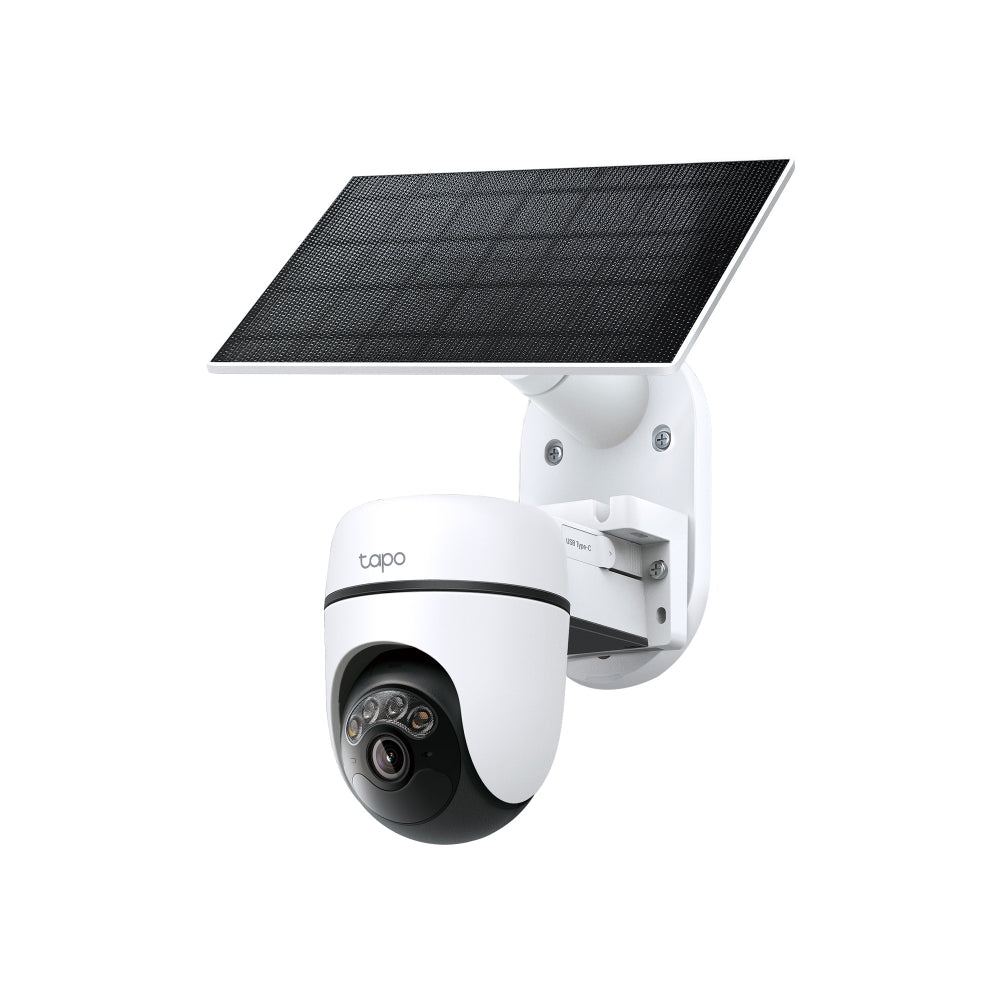
Most Tapo Cameras come with tamper detection. If someone tries to move or cover the camera, you get an alert on your phone. This feature is especially useful for outdoor models.

Credit: uk.store.tapo.com
Tapo Camera Privacy Controls
Privacy is a big concern for users. Tapo Cameras offer several controls to protect your personal space.
- Privacy mode: You can turn off the camera lens remotely using the app. This disables video and audio recording.
- Custom zones: Set up motion detection only for certain areas. For example, you can ignore the street and focus on your front door.
- Access logs: The app keeps a record of who viewed footage and when. This helps you spot unauthorized access.
These tools make it easy to limit what the camera sees and who can watch.
Comparing Tapo Camera Security With Other Brands
How does Tapo stack up against the competition? Let’s look at three popular brands: Tapo, Wyze, and Arlo.
| Feature | Tapo | Wyze | Arlo |
|---|---|---|---|
| Encryption | AES 128-bit | AES 128-bit | AES 256-bit |
| Cloud Security | SSL/TLS | SSL/TLS | SSL/TLS + End-to-End |
| 2FA Support | Available (selected models) | Available | Available |
| Firmware Updates | Automatic or manual | Manual | Automatic |
| Privacy Zones | Yes | Yes | Yes |
| Price Range | $25–$60 | $29–$55 | $90–$250 |
Tapo Cameras have strong security, but Arlo has higher encryption (AES 256-bit). However, Tapo offers almost all the same privacy tools at a much lower price. For most home users, Tapo’s level of protection is more than enough.

Credit: www.tp-link.com
Common Tapo Camera Security Risks
No system is perfect. Here are some risks Tapo Camera owners should know.
Weak Passwords
If you use a simple password, your camera can be hacked. Attackers often try common words or numbers. Always use a unique, strong password.
Outdated Firmware
An old firmware version may have bugs or security holes. Some users forget to update, leaving their camera exposed. Always check for updates at least once a month.
Unsecured Wi-fi
If your Wi-Fi is open or uses weak encryption, anyone nearby can access your camera. Make sure your router uses WPA2 or WPA3 security.
Shared Accounts
Sharing your TP-Link ID with others can lead to privacy leaks. If someone you trust loses their password, your camera could be at risk.
Cloud Storage Risks
Cloud storage is convenient, but it carries risks. If TP-Link’s servers are breached, your video could leak. This is rare, but it’s wise to keep sensitive footage off the cloud.
Real-world Security Incidents
Tapo Cameras have not been involved in any major public data breaches. However, there have been reports of individual hacks. Most cases are due to user mistakes, like weak passwords or unpatched firmware.
In 2022, a security researcher showed that some TP-Link cameras could be accessed if users left default passwords. TP-Link responded quickly, issuing patches and reminders to change passwords. This shows that while Tapo is proactive, users must also play their part.
Another issue was found in the Tapo app’s permission settings. Some users accidentally gave too much access to third-party apps. TP-Link fixed this in later versions, but it reminds us to be careful when linking apps.
How To Make Your Tapo Camera More Secure
You can greatly improve your Tapo Camera’s security with a few simple steps.
- Change default passwords: Always set a strong, unique password.
- Enable two-factor authentication: Add this feature if your camera supports it.
- Update firmware regularly: Check for updates every month.
- Secure your Wi-Fi: Use WPA2 or WPA3, and don’t share your password.
- Limit app permissions: Only link trusted apps to your camera.
- Use privacy mode: Turn off the camera when not needed.
- Check access logs: Review who has viewed footage.
If you follow these steps, you reduce your risk of hacking or leaks.
Tapo Camera Security For Different Users
Different users have different needs. Let’s look at three common groups.
Home Users
Homeowners mostly want to protect their family and property. For them, Tapo’s encryption, privacy mode, and motion zones are perfect. The price is affordable, so you can install several cameras.
Small Businesses
Shops and offices need more control. Tapo’s access logs and tamper alerts help them track who enters and leaves. Regular firmware updates are important to stay safe.
Advanced Users
Tech-savvy users may want deeper control. Tapo allows integration with home automation systems. You can set custom triggers, but remember to secure your network and devices.
Security Certifications And Compliance
Security isn’t just about technology; it’s also about standards. Tapo Cameras comply with several international standards:
- CE Marking: Meets European safety requirements
- FCC Certification: Approved for US markets
- ISO/IEC 27001: TP-Link’s cloud service follows this data security standard
These certifications mean Tapo Cameras are tested for both software and hardware safety.
Data Storage: Local Vs Cloud
Tapo Cameras offer two main storage options.
Local Storage
You can save footage to a microSD card inside the camera. This keeps your data on-site and away from the internet. Local storage is safer from online hacks, but if someone steals the camera, they get your footage.
Cloud Storage
Cloud storage lets you view footage from anywhere. Tapo’s cloud uses SSL/TLS encryption. However, your data is stored on TP-Link’s servers. While TP-Link is a trusted company, there’s a small risk of server breaches.
| Storage Option | Security Level | Accessibility | Risk |
|---|---|---|---|
| Local (microSD) | High | On-site only | Physical theft |
| Cloud | Medium-High | Anywhere (internet) | Online breach |
It’s smart to use both options: keep sensitive footage local, and use cloud for easy access.
Credit: uk.store.tapo.com
Tapo App Security
Your camera is managed through the Tapo app. The app itself has several security layers:
- Encrypted login: Uses SSL/TLS for login credentials
- Permission controls: Lets you choose what data the app can access
- Regular updates: Fixes bugs and adds new security features
A non-obvious insight: many security leaks happen not in the camera, but in the app. Always download the latest Tapo app from official sources, and avoid third-party app stores.
Tapo Camera Security In Smart Home Ecosystems
Many people connect their Tapo Cameras to other smart devices, like Alexa or Google Home. This adds convenience, but also new risks.
When integrating, always:
- Use official integrations only
- Check permissions before linking devices
- Keep your smart home hub updated
If a hacker gets into your smart home hub, they could access your camera. Always secure every device in your network, not just the camera.
Security Settings You Should Check
When you set up your Tapo Camera, review these settings:
- Password strength: Use at least 12 characters, mix letters, numbers, symbols
- 2FA: Enable if possible
- Motion detection zones: Limit what the camera watches
- Privacy mode: Turn on when you don’t want recording
- Access logs: Review regularly
These settings are easy to find in the Tapo app. Adjust them to fit your needs.
How Tapo Handles Security Vulnerabilities
TP-Link has a dedicated security response team. When a vulnerability is found, they:
- Investigate the issue quickly
- Release a firmware patch
- Notify users through the app
TP-Link also encourages researchers to report bugs. This open approach helps keep Tapo Cameras safe. For more about TP-Link’s security policy, visit their official site: TP-Link Security.
Practical Tips For Everyday Security
Here are some practical tips that many beginners miss:
- If you move your camera to a new location, reset your password. The device may be exposed to new risks.
- Don’t use public Wi-Fi to view your camera feed. Public networks are less secure.
- If you sell or give away your camera, factory-reset it first. This erases your data and settings.
Many users forget these steps, but they make a big difference.
Tapo Camera Security: Pros And Cons
Let’s summarize the strengths and weaknesses.
Pros
- Strong AES encryption
- Affordable price
- Easy-to-use privacy controls
- Regular firmware updates
- Certified for international standards
Cons
- No end-to-end encryption (like Arlo)
- 2FA not available on all models
- Risk of user error (weak passwords, outdated firmware)
- Cloud storage depends on TP-Link’s server security
Overall, Tapo Cameras offer excellent protection for home and small business users. But advanced users may want higher encryption or more frequent updates.
Is Tapo Camera Secure Enough For You?
Security is not “one size fits all. ” For most people, Tapo Cameras are secure enough. They use strong encryption, offer privacy controls, and get regular updates. If you follow best practices—use strong passwords, enable 2FA, and update firmware—you will be well protected.
For highly sensitive locations (like banks or labs), you may need cameras with end-to-end encryption. But for homes and offices, Tapo offers a good balance of security and price.
If you want to learn more about smart camera security, check out Consumer Reports.
Frequently Asked Questions
How Can I Tell If My Tapo Camera Has Been Hacked?
Look for signs like the camera moving unexpectedly, unknown devices connected to your app, or footage missing. Check access logs in the Tapo app. If you see suspicious activity, reset your password and update firmware.
Is Local Storage Safer Than Cloud Storage?
Local storage (microSD card) is safer from online hacks, but can be stolen if someone takes the camera. Cloud storage is protected by encryption, but depends on TP-Link’s server security.
Can Tapo Cameras Be Used Outdoors Securely?
Yes, Tapo outdoor models have tamper detection and weatherproofing. Always mount them in a visible spot and update firmware regularly. Use strong Wi-Fi encryption.
Does Tapo Camera Work With Alexa Or Google Home?
Yes, Tapo Cameras can be linked to smart home hubs. Always use official integrations, check permissions, and keep your hub updated to prevent leaks.
What Should I Do Before Selling My Tapo Camera?
Factory-reset the camera to erase all data and settings. Remove your account from the device in the Tapo app. This prevents the new owner from accessing your footage.
Smart camera security is always changing. By staying informed and taking practical steps, you can enjoy the convenience of Tapo Cameras without risking your privacy.