
Mounting your phone on the driver side windshield is a common practice for many drivers. It keeps navigation visible, allows for hands-free calls, and lets you change music without looking away from the road. But one question often comes up: how do you charge your phone while it’s mounted in this location? Charging your phone with a mount on the driver side windshield seems simple, but the details matter. Choosing the right charger, managing cables, and ensuring safety are all crucial. Let’s take a detailed look at how to do this efficiently, safely, and with minimal distraction.
Why Charging While Mounted Matters
Your phone is probably your navigation tool, music player, and communication device. All these tasks drain the battery quickly, especially with the screen on and GPS running. If your phone dies mid-trip, you could lose your way or miss important calls.
Charging while mounted ensures your phone stays powered, and you remain connected throughout the journey.
But charging in this setup is not just about plugging in a cable. The position of the mount, the type of charger, cable management, and even the car’s interior design play important roles. Poor charging setups can be distracting, lead to damaged cables, or even create safety hazards.
Choosing The Right Mount For The Driver Side Windshield
Picking a good mount is the first step. Not all mounts are made equal, and not all are designed with charging in mind.
Key Features To Look For
- Sturdy Suction: The mount must stay secure on the windshield, even on bumpy roads.
- Adjustable Arms: To fit your phone size and allow access to charging ports.
- Cable Management Hooks: Some mounts include small hooks or clips for holding the charging cable.
- Gap for Charging Port: Make sure the phone holder leaves space so a charging cable can plug in easily.
Types Of Windshield Mounts
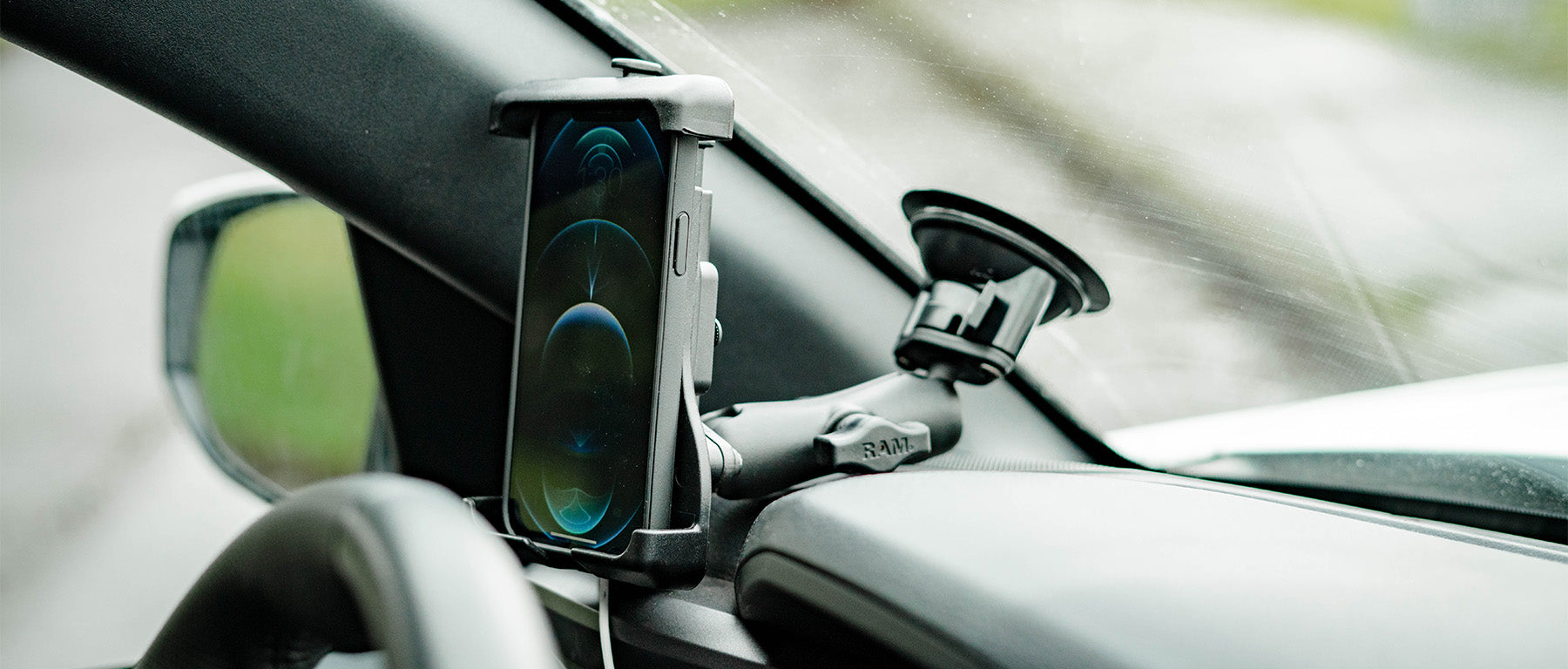
- Suction Cup Mounts: Stick directly to glass, easy to install and reposition.
- Magnetic Mounts: Use magnets to hold the phone in place; make sure your phone or case supports this.
- Cradle Mounts: Grip the phone from the sides or bottom, often with adjustable arms.
A quick comparison of popular mount types:
| Mount Type | Pros | Cons |
|---|---|---|
| Suction Cup | Easy to move, strong hold | Can lose suction in heat |
| Magnetic | Quick attach/release, minimal design | Needs metal plate, may block wireless charging |
| Cradle | Secure grip, fits most phones | Bulkier, may press buttons |
A non-obvious tip: Choose a mount with a built-in charging feature (such as wireless charging). This reduces cable clutter and makes charging automatic when you place your phone.
Picking The Best Charging Solution
After the mount, you need to decide how to get power to your phone. There are several ways to do this, each with its own pros and cons.
Car Charger Types
- USB Car Adapter (Cigarette Lighter Adapter)
- Most common method
- Plugs into the 12V socket (formerly used for cigarette lighters)
- Provides one or more USB ports
- Built-in USB Ports
- Many modern cars have USB ports near the dashboard or center console
- Often slower charging than dedicated adapters
- Wireless Car Chargers
- Use Qi wireless charging technology
- Built into some mounts
- Require a phone that supports wireless charging
- Hardwired Solutions
- Some advanced mounts can be wired directly into the car’s electrical system
- Professional installation required
What To Consider
- Charging Speed: Look for adapters that support Quick Charge or Power Delivery for faster charging.
- Compatibility: Ensure the charger matches your phone (USB-A, USB-C, Lightning).
- Number of Ports: If you charge multiple devices, get an adapter with extra ports.
- Safety Features: Overcurrent, overvoltage, and temperature protection are important for both your phone and car.
A comparison of charging options:
| Charger Type | Max Power | Ease of Use | Ideal For |
|---|---|---|---|
| USB Car Adapter | 18–45W | Plug and play | Most users |
| Built-in USB | 5–10W | Convenient, but slower | Short trips |
| Wireless Charger | 7.5–15W | Just place phone | Modern phones, no cable hassle |
| Hardwired | Varies | Always ready, hidden cables | Frequent drivers, fleet vehicles |
An extra insight: Not all USB ports in cars support fast charging. Sometimes, the factory USB port is limited to 0.5A–1A. Using a quality adapter can make charging much faster.
Managing The Charging Cable
A common problem with windshield mounts is cable mess. The cable often dangles across the dashboard or steering wheel, which can be annoying and even dangerous.
Smart Cable Routing
- Route Along the Edge: Run the cable from the phone down the edge of the windshield to the dashboard, then tuck it under trim pieces if possible.
- Use Clips: Cable clips or adhesive cable holders can keep the cable in place.
- Coiled Cables: Some charging cables are coiled like a telephone cord, which makes them less likely to tangle or get in the way.
- Short Cables: Use the shortest cable that reaches from your charger to your phone without excess slack.
Example: Attach a cable clip to the edge of the dashboard, then run the cable straight down to the charger. This keeps the cable from flapping or interfering with the steering wheel.
Common Mistakes To Avoid
- Letting the cable dangle across controls or the gear shift
- Using a cable that’s too short, which can pull on the phone or mount
- Not securing the cable, leading to distraction or even accidental unplugging
A non-obvious tip: Velcro ties can help bundle extra cable length, so it doesn’t tangle underfoot.
Step-by-step: Setting Up Charging With A Windshield Mount
Let’s walk through the whole process from start to finish. Following these steps ensures you have a safe, neat, and efficient charging setup.
Step 1: Choose The Mount And Charger
- Pick a windshield mount that fits your phone and leaves the charging port accessible.
- Select a car charger (USB adapter, wireless, or hardwired) that matches your phone’s charging needs.
Step 2: Position The Mount
- Place the mount on the driver side windshield where it’s easy to see but does not block your view of the road.
- Clean the glass before attaching for a stronger hold.
- Adjust the mount so your phone screen is visible without looking away from the road.
Step 3: Connect The Charger
- Plug your adapter into the 12V socket or use the built-in USB port.
- For wireless charging mounts, connect the power cable to the mount first.
Step 4: Attach The Cable
- Plug the charging cable into the adapter and your phone.
- Route the cable neatly along the windshield edge, dashboard, and down to the charger.
- Use cable clips or holders to keep everything tidy.
Step 5: Test And Adjust
- Make sure the phone charges reliably.
- Check that the cable does not interfere with driving.
- Adjust the mount or cable route if needed.
Example Setup
Imagine you drive a Toyota Camry, and you want your phone on the left side near the A-pillar. You choose a suction cup cradle mount, a USB-C car adapter with 18W output, and a 3-foot right-angle cable. You mount the holder, run the cable down the edge of the windshield using two adhesive clips, and plug it into the adapter. The cable never crosses the steering wheel or gear shift, and your phone charges quickly.
Safety And Legal Considerations
When mounting and charging your phone, safety is the most important factor. Distracted driving causes thousands of accidents every year. In many states, there are specific laws about where you can place your phone mount.
Windshield Mounting Laws
- Some US states ban windshield mounts or restrict their placement. For example, California allows mounts only in the lower corners of the windshield.
- Always check your local laws before mounting anything on your windshield.
Avoiding Distractions
- Set up navigation or music before you start driving.
- Use voice controls or steering wheel buttons when possible.
- Never adjust the phone or charger while moving.
Heat And Sun Exposure
Phones and mounts on the windshield can get very hot in direct sunlight. Overheating can slow down charging, damage your phone, or even cause the battery to swell.
- Use a sunshade when parked.
- Remove the phone from the mount if you leave your car in the sun for long periods.
Electrical Safety
- Use chargers and cables from reputable brands to avoid overheating or fire risks.
- Avoid using frayed or damaged cables.
- Do not overload the car’s power socket with too many devices.
Credit: armor-x.com
Wireless Charging With Windshield Mounts
Wireless charging is becoming more popular, especially for drivers who want a clean and easy setup. Here’s what you need to know:
How Wireless Car Charging Works
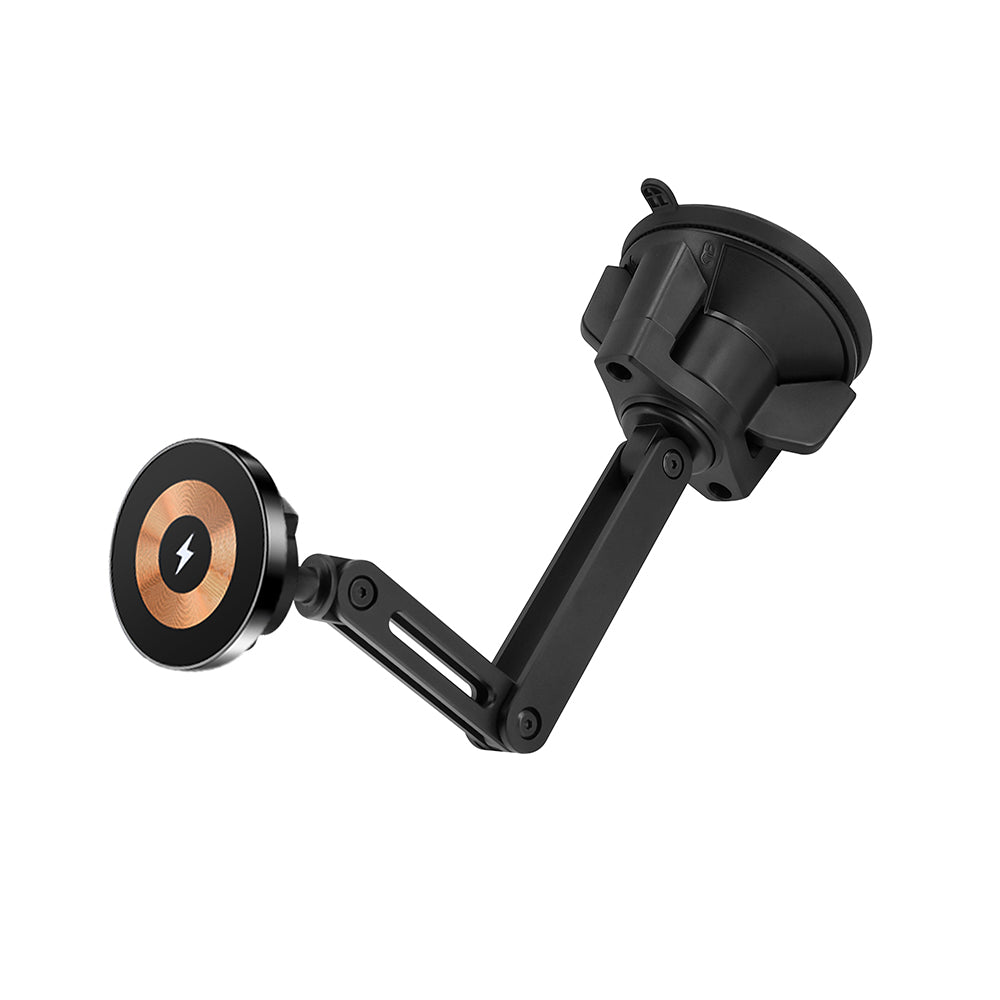
Wireless chargers use Qi technology to transfer power from the mount to your phone through electromagnetic fields. You simply place your phone on the mount, and it begins charging automatically.
Benefits
- No plugging or unplugging cables
- Less wear on your phone’s charging port
- Tidy, cable-free look
Downsides
- Slower charging compared to wired (usually 7.5–15W)
- Phone may heat up more in direct sun
- Mount must line up with phone’s wireless charging coil
Compatibility
- Your phone must support wireless charging (many modern iPhones, Samsung Galaxy, etc.)
- Metal cases or magnetic plates can block charging
Example: Setting Up A Wireless Charging Mount
- Install the mount on the driver side windshield.
- Connect the wireless charger’s cable to a fast USB adapter.
- Place your phone on the mount and check the charging indicator.
- Adjust the phone’s position if charging does not start.
Tip: Some wireless mounts have automatic arms that grip your phone when you place it on the pad.
Cable Vs. Wireless: Which Is Better For Windshield Mounts?
To help you decide, here’s a direct comparison:
| Feature | Wired Charging | Wireless Charging |
|---|---|---|
| Charging Speed | Up to 45W (fastest) | 7.5–15W (slower) |
| Setup Complexity | Needs cable management | Less cable hassle |
| Heat Buildup | Lower | Higher in sun |
| Wear on Port | Possible over time | None |
| Cost | Lower | Higher (special mount) |
Wired charging is best if you want the fastest charging speed and don’t mind managing a cable. Wireless charging is great for short trips, or if you want convenience and a cleaner look.
Tips For A Clean And Professional-looking Setup
A messy cable or a wobbly mount can make your car look cluttered. Here’s how to keep your setup looking sharp:
- Use black or neutral-colored cables to blend in with most car interiors.
- Hide cables under trim or along seams where possible.
- Choose a mount that matches your car’s style.
- Avoid running cables across air vents or controls.
- Clean the mount and your windshield regularly for better grip and appearance.
A hidden insight: Right-angle charging cables (with an “L” shaped connector) reduce cable strain and look neater, especially in tight spaces.
Common Problems And How To Solve Them
Many drivers run into small issues when charging their phone with a windshield mount. Here’s how to fix the most common ones:
Mount Falls Off
- Clean both the suction cup and the windshield with alcohol before attaching.
- Warm up the suction cup in your hands before sticking it on cold days.
- Replace the suction cup if it’s old or cracked.
Phone Not Charging
- Check both ends of the cable for a tight connection.
- Try a different cable or charger to rule out a broken accessory.
- For wireless charging, make sure the phone is centered on the pad.
Cable Gets In The Way
- Use shorter or coiled cables.
- Reroute the cable to avoid controls and pedals.
- Secure with extra clips or adhesive holders.
Slow Charging
- Use a higher-wattage adapter.
- Avoid using the car’s built-in USB port if it’s slow.
- Remove any case or accessory that might block charging contacts.
Overheating
- Move the mount lower on the windshield, away from direct sunlight.
- Turn on air conditioning vents aimed at the phone.
- Take breaks from charging if the phone feels hot.
Credit: rammount.com
Advanced Options: Hardwiring And Integrated Mounts
For those who want a truly clean setup, consider advanced solutions:
Hardwired Charging
This involves connecting a USB charger directly to your car’s fuse box or electrical system. It hides all cables and frees up the 12V socket.
- Pros: Super tidy, always ready, no visible cables
- Cons: Requires technical skill or professional installation, may void warranty
Integrated Mounts
Some cars and aftermarket systems offer built-in phone mounts with charging. These are often part of the dashboard design.
- Pros: Professional look, stable, less distraction
- Cons: Usually expensive, less flexible if you change phones
A practical example: Many ride-share drivers use hardwired solutions to keep their cars neat and make charging automatic for every ride.
Practical Examples From Real Drivers
Let’s look at how real people use windshield mounts and charging solutions in their daily driving.
Example 1: The Delivery Driver
Sarah delivers food with her smartphone as her main tool. She uses a magnetic windshield mount on the driver side, a 30W USB-C adapter, and a coiled USB-C cable. She routes the cable along the A-pillar using adhesive clips and keeps a spare cable in her glove box.
She prefers wired charging for speed, especially when making many short stops.
Example 2: The Sales Professional
Mike spends hours on the road for client meetings. He uses a wireless charging mount for his iPhone, attached to the windshield. His car has a built-in USB port, but he uses a high-power adapter for faster charging. Mike values the clean look and avoids plugging and unplugging his phone throughout the day.
Example 3: The Daily Commuter
Jenna commutes 30 minutes each way. She uses a standard cradle mount, a right-angle Lightning cable, and a low-profile USB adapter. She hides the cable along the dashboard edge. Her setup is simple, but it keeps her phone charged and navigation visible.
A key insight: Different driving habits call for different charging setups. There is no one-size-fits-all.
Keeping Your Setup Safe Over Time
A good charging and mounting system should last for years. Here’s how to maintain it:
- Replace cables at the first sign of fraying.
- Check the mount’s suction or adhesive regularly.
- Wipe down the mount and cable to avoid buildup of dust and grime.
- Update your phone’s software for better battery management.
- If you switch cars, consider reusable mounts and cable holders.
A non-obvious tip: Heat is the enemy of both mounts and phone batteries. Parking in the shade or using a sunshade can extend the life of your equipment.
Upgrading Your Setup As Technology Changes
Phone and car tech are always improving. Wireless charging is getting faster, mounts are becoming smarter, and new connector types are appearing.
- Watch for new standards like USB Power Delivery (PD), which allows much faster charging.
- Some mounts now include automatic clamping or voice-activated release.
- Wireless charging speeds are improving, but check your phone’s compatibility before upgrading.
- Consider future-proofing by choosing multi-port adapters or mounts that work with different phones.
If you’re interested in the latest car tech trends, the Cars.com guide is a good resource for up-to-date reviews and tips.
Frequently Asked Questions
How Do I Stop My Charging Cable From Dangling Across The Dashboard?
Use adhesive cable clips or holders to guide the cable along the edge of the windshield and down to the charger. Coiled cables or shorter cables also help reduce slack, so the cable does not hang loosely or interfere with driving controls.
Credit: thumperfab.com
Is It Safe To Use A Wireless Charger With A Windshield Mount In Hot Weather?
Wireless charging can generate extra heat, and direct sunlight through the windshield can make your phone even hotter. To avoid overheating, place the mount lower on the windshield, use air conditioning, or remove the phone from the mount when parked in the sun.
Will A Magnetic Mount Affect My Phone’s Charging Or Battery?
Most magnetic mounts are safe for your phone, but some may block wireless charging if the metal plate is placed between your phone and the charging coil. If you use wireless charging, choose a mount designed for it, or stick the metal plate away from the charging area.
What Is The Best Charging Speed For Phones While Driving?
Most modern smartphones support fast charging at 18W or higher. Using a high-quality USB-C or Lightning cable with a compatible adapter is recommended. Wireless charging usually tops out at 7. 5–15W, which is slower but enough for most trips.
Are Windshield Mounts Legal Everywhere In The Us?
No, windshield mount laws vary by state. Some states restrict where you can place a mount, or ban them completely. Always check your local laws and consider mounting on the dashboard or using a vent mount if windshield mounting is restricted.
Charging your phone with a mount on the driver side windshield is easy when you choose the right tools and take a little care in setup. With smart choices and good cable management, you’ll keep your phone powered, your car looking neat, and your attention where it belongs—on the road.