
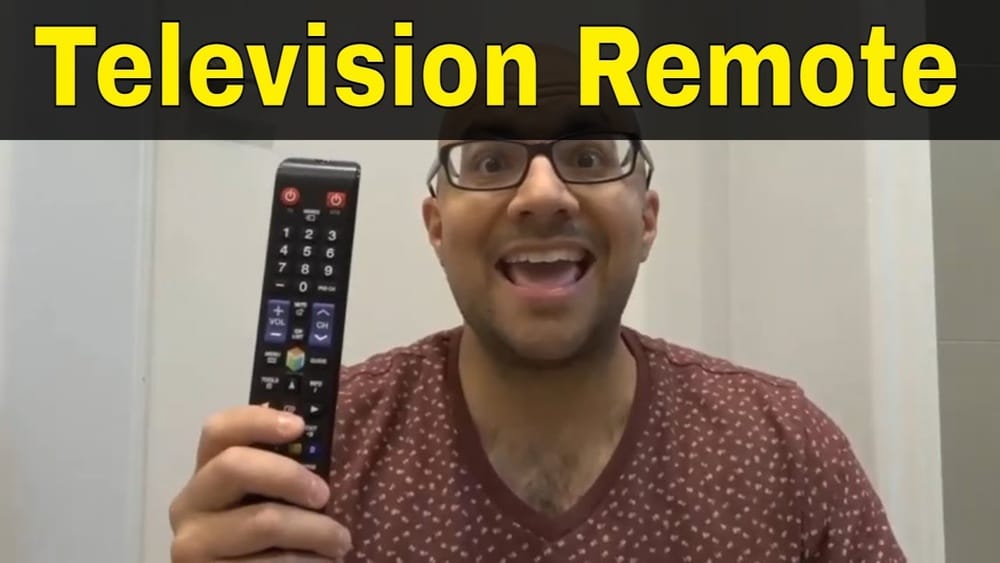
Losing a remote control can turn a relaxing evening into a frustrating search mission. The device is small, easy to misplace, and often disappears just when you want to watch your favorite show. If you live with kids, pets, or in a busy household, the mystery deepens.
But don’t worry—finding a lost remote is not impossible. With the right approach, you can recover it faster and even prevent it from vanishing again.
This article will guide you step by step on how to find a lost remote control. You’ll learn practical search methods, clever tricks, and prevention strategies that really work. Whether your remote controls the TV, air conditioner, or another gadget, these tips will help you save time and avoid stress.
Understand Why Remotes Get Lost
Before you start searching, it helps to know why remote controls disappear so easily. Remotes are designed to be small and lightweight for convenience. But these features also make them easy to slide under cushions, get covered by blankets, or blend into clutter.
Some common reasons for lost remotes:
- Busy environments: Living rooms with lots of activity mean more chances for the remote to be moved or misplaced.
- Multiple users: Different family members may use the remote and forget where they left it.
- Unintentional movement: Pets and children often carry or knock remotes to new places without you noticing.
- Similar objects: Remotes often look like other household items, making them hard to spot.
Understanding these causes helps you search smarter, not harder.
Quick Checks: The First Places To Look
Start with the most obvious locations. Many lost remotes are found in simple spots that we overlook when in a hurry.
- Couch and Sofa: Check between and under the seat cushions. Lift every cushion and feel for the remote.
- Blankets and Throws: Folded or crumpled blankets can easily hide a remote.
- Under Furniture: Slide your hand or a stick under sofas, chairs, and tables.
- Coffee and Side Tables: Look under magazines, books, or papers on these surfaces.
- Nearby Electronics: Sometimes, remotes are left near other devices like DVD players, gaming consoles, or soundbars.
- Unusual Places: Kitchen counters, bedroom nightstands, or even bathrooms—remotes sometimes travel far.
Don’t just look—feel with your hands. Sometimes the remote blends in with the color of your furniture or hides under a layer of dust.
Deep Search: Advanced Search Methods
If the quick search fails, it’s time to get systematic. A thorough search increases the odds of finding your lost remote.
Divide The Room Into Zones
Break the space into smaller sections. Search each zone completely before moving to the next. This method prevents you from missing spots or searching the same place twice.
Use A Flashlight
A flashlight can reveal a remote hiding in shadowy spots. Shine it under furniture, inside baskets, and behind objects. The light makes the remote’s edges and buttons stand out.
Get Low To The Ground
Changing your perspective helps. Get down on your hands and knees to look under sofas, cabinets, and TV stands. The remote may be in a place you can’t see from above.
Move Furniture Carefully
If you suspect the remote fell behind or under heavy furniture, slide it gently forward. Check the floor and any gaps. Be careful not to scratch your floor or hurt your back.
Ask Others
Family members or roommates may have used the remote last. Ask them directly if they’ve seen it or moved it. Sometimes, kids or guests forget to return it to the usual spot.
Unusual Places Remotes Often Hide
You might be surprised where remotes end up. Here are some unexpected spots to check:
- Toy boxes or under toys: Children may grab the remote to play with it.
- Pet beds: Dogs and cats sometimes carry objects to their resting places.
- Laundry baskets: The remote can fall into a pile of clothes by accident.
- Refrigerator or freezer: People sometimes carry items while getting snacks and forget the remote there.
- Trash cans: It happens—especially if the remote was hidden under papers or napkins.
- Drawers and shelves: Someone might tidy up and put the remote away “safely.”
Don’t ignore these locations, especially if you have young children or pets.
Technology Solutions: Using Gadgets To Help
Modern problems need modern solutions. Technology can help you find a lost remote, or at least prevent it from getting lost in the future.
Bluetooth And Smart Remotes
Some new remotes have Bluetooth or Wi-Fi features. If your remote came with a smart TV or a streaming device, check if there’s a “find my remote” feature in the TV’s settings. This function makes the remote beep or flash.
Tracking Devices
You can attach a small Bluetooth tracker (like Tile or AirTag) to your remote. These devices connect to your phone and help you locate the remote with sound or GPS. This is especially useful for expensive or often-lost remotes.
Here’s a quick comparison of popular tracking options:
| Tracker | Battery Life | Range | Sound Alert | Price (approx.) |
|---|---|---|---|---|
| Tile Mate | 1 year | 200 ft | Yes | $25 |
| Apple AirTag | 1 year | Ultra Wideband + Find My Network | Yes | $29 |
| Chipolo One | 2 years | 200 ft | Yes | $25 |
Remote Control Apps
If you lose your physical remote often, consider using your smartphone as a remote. Many TVs and set-top boxes offer free apps that let you control the device. While this doesn’t help you find the physical remote, it gives you a backup solution.
What To Do If You Still Can’t Find It
Sometimes, the remote is truly lost—maybe thrown out, taken outside, or fallen into a hard-to-reach place. If you’ve searched everywhere and still can’t find it, try these options:
Universal Remote Controls
A universal remote can control most TVs and devices. They’re affordable, easy to program, and available at electronics stores or online. Just make sure the model you buy is compatible with your device.
Replacement Remotes
You can order an exact replacement from the device manufacturer or a trusted retailer. Some replacements are generic but work the same way. Check the model number of your device before buying.
Use Device Buttons
Most TVs and devices have basic control buttons on the side or back. You can use these to turn the device on, adjust volume, or change channels until you get a new remote.
How To Prevent Losing Your Remote Again
After the search, you’ll want to avoid repeating the same problem. Prevention is easier than another long search. Here’s how:
Assign A Home For Your Remote
Pick a designated spot for your remote, such as a small basket, tray, or box on the coffee table. Make it a habit to return the remote there every time.
Use Bright Or Custom Covers
A bright-colored cover makes the remote easier to see. You can buy silicone sleeves in bold colors, or decorate your remote with stickers. This reduces the chance of it blending into your furniture.
Attach A Tracking Device
As mentioned earlier, a Bluetooth tracker makes finding the remote much simpler. If you often lose remotes, this small investment pays off.
Limit Remote Users
If possible, keep remotes out of reach of young children or pets. Explain to everyone in the house the importance of returning the remote to its home.
Tidy Up Regularly
Clutter makes it easier to lose things. Keep your living room organized, and clear unnecessary items from tables and couches.
The Psychology Behind Losing Things
It’s easy to get frustrated when you lose a remote, but understanding how the brain works can help you find it faster.
Inattentional Blindness
When you’re focused on something else—like a conversation, a game, or your phone—you might not notice where you put the remote. This is called inattentional blindness. You can walk past the remote several times and never see it.
Memory Gaps
Stress, multitasking, or tiredness can cause memory gaps. You might forget putting the remote in an unusual place, or confuse today’s actions with yesterday’s.
The “last Place” Myth
We often say, “I always find things in the last place I look. ” That’s true because you stop searching once you find the item! But it also means you may miss obvious places early on.
Being aware of these patterns helps you stay calm and search more effectively.
Common Mistakes When Searching
Many people repeat the same errors when searching for a remote. Avoid these mistakes for better results.
- Searching in a hurry: Moving too fast means you miss spots.
- Checking the same place repeatedly: If it wasn’t there the first time, try another location.
- Not moving objects: Remotes hide under, behind, or inside things.
- Ignoring other rooms: The remote may have been carried to another part of the house.
- Not asking for help: Someone else may remember or have moved the remote.
Real-life Examples
Sometimes, hearing about others’ experiences can help you learn new tricks. Here are a few true stories:
- Remote in the fridge: One person found their remote in the refrigerator after getting a snack during a movie.
- Remote in the car: A family member took the remote outside by accident and left it on the car seat.
- Remote under the pet: A cat was lying on the remote, keeping it warm and hidden.
The lesson: Remotes travel to unexpected places, so don’t rule anything out.
Organizing Your Search: A Step-by-step Plan
If you want a systematic approach, follow these steps:
- Pause and retrace your steps: Think about the last time you used the remote.
- Check the most common spots first: Sofa, coffee table, and nearby surfaces.
- Expand to less obvious spots: Under furniture, behind cushions, in blankets.
- Search other rooms: Kitchen, bedroom, bathroom, and even outside.
- Ask others: Someone else may remember.
- Use technology: Try tracking devices or apps if you have them.
- Do a final sweep: Look in bins, drawers, and places where small items get swept away.
- Accept and replace: If all else fails, consider a universal or replacement remote.
Should You Buy A Backup Remote?
Some people keep a spare remote just in case. Is this a good idea? It depends.
Pros
- Immediate access: No waiting if the remote is lost or broken.
- Less frustration: You can watch TV or use your device without delay.
Cons
- Extra cost: Buying a second remote is an added expense.
- More clutter: Another object to keep track of.
A backup makes sense if you lose remotes often, have a large family, or run a business (like a hotel or Airbnb) where guests misplace remotes.
Comparing Replacement Options
Here’s a look at the main ways to replace a lost remote:
| Option | Pros | Cons | Cost (approx.) |
|---|---|---|---|
| Universal Remote | Works with many devices | May need setup | $10–$30 |
| Official Replacement | Exact match, full features | More expensive, must order | $20–$60 |
| Remote App | Always available if you have a smartphone | Some features may be missing | Free–$5 |
When To Give Up And Buy New
If days go by and you still can’t find the remote, it’s okay to move on. Some signs it’s time to replace:
- The remote was lost outside the home.
- You suspect it was thrown away by mistake.
- Heavy cleaning and moving furniture didn’t reveal it.
- The device is unusable without it.
If you buy a new remote, consider the prevention tips above to avoid losing it again.
Special Cases: Unique Remotes
Not all remotes are the same. Some are harder to replace or more expensive. Here’s what to consider:
Air Conditioner And Fan Remotes
These remotes are often smaller and lighter. They can hide in drawers or slip into small gaps. Some brands are hard to replace, so take extra care.
Streaming Device Remotes
Remotes for Roku, Fire TV, or Apple TV are very small. They’re easy to lose but often have tracking or app-based solutions.
Projector And Soundbar Remotes
These are less common and sometimes not sold in stores. You may need to order a replacement from the manufacturer.
How Often Do People Lose Remotes?
You’re not alone. Studies show that Americans spend an average of 2.5 days each year looking for lost items, and the TV remote is the most commonly misplaced object. According to a 2017 survey by the market research firm Statista, about 45% of people admit to losing their remote at least once a week.
Losing a remote is a normal part of modern life, but with good habits, you can reduce how often it happens.

Credit: www.amazon.com
Fun Facts About Remote Controls
- The first TV remote was invented in 1950 and connected to the TV by a wire.
- The average American household has two or more remotes.
- Some hotels attach remotes to a large object, like a block of wood, to prevent loss.
- The word “remote” comes from the Latin “remotus,” meaning “removed” or “distant.”
These facts show that remote controls are an important part of daily life—and have been for decades.
Remote Control Etiquette In Shared Spaces
If you share your space with others, respect helps prevent lost remotes.
- Always return the remote to its home after use.
- Don’t take the remote to another room unless necessary.
- If you move the remote, let others know where it is.
- For guests, explain where the remote is stored.
Small changes in behavior can save everyone time and frustration.

Credit: www.wikihow.com
The Role Of Design In Losing Remotes
Remote controls are often black or gray, which makes them easy to lose on dark furniture. Some companies now make colorful or glow-in-the-dark remotes to help. If you buy a new remote, consider one with a bright color or unique design.
What If Your Remote Is Broken?
Sometimes, you find the remote, but it’s not working.
- Try replacing the batteries.
- Clean the battery contacts with a dry cloth.
- Check for cracks or water damage.
If it’s still broken, see if your device maker offers repair tips or buy a replacement.
For more about the history and types of remote controls, you can read the article at Wikipedia.

Credit: support.apple.com
Frequently Asked Questions
How Can I Find My Lost Remote Fast?
Start by checking the most common spots: sofa cushions, under tables, and around your main seating area. Use your hands to feel in hard-to-see places. If possible, ask others if they’ve seen it. The faster you start, the easier it is to remember where you last used it.
Are There Gadgets To Help Me Find A Lost Remote?
Yes. Bluetooth trackers like Tile or AirTag can be attached to remotes. Some smart remotes have built-in “find my remote” features. Also, many TVs offer apps that let you control the device from your phone if the remote is missing.
What Should I Do If I Never Find My Remote?
If you can’t find the remote after a thorough search, buy a universal remote, an official replacement, or use a smartphone app if available. Meanwhile, most TVs and devices have buttons you can use for basic functions.
How Do I Stop Losing My Remote?
Assign a home for your remote, use a bright or custom cover, and consider attaching a tracker. Keep your living space organized and talk with family members about returning the remote to its spot.
Why Do I Keep Losing Remotes So Often?
Busy homes, distractions, and clutter make it easy to lose small objects like remotes. Changing daily habits, like always returning the remote to the same place, can help prevent loss.
Losing a remote control happens to everyone, but with these tips, you’ll spend less time searching and more time enjoying your favorite shows. Remember, a little organization goes a long way!