
Mounting a TV on the wall can change the look and feel of your living space. It saves space, makes your room look modern, and can even improve your viewing experience. But hanging a TV mount is more than just drilling a few holes and hoping for the best.
If you get it wrong, you risk damaging your wall, your TV, or even hurting someone. Whether you just bought a new flat-screen or you want to move your old one, this guide will show you how to hang a TV mount step by step.
You’ll also learn the small details that most people miss—so your TV is not just secure, but perfectly positioned for comfort and safety.
Understanding Tv Mount Types
Before you start, you need to choose the right TV mount for your needs. Not every mount is the same, and picking the wrong one can lead to frustration later.
Fixed Mount
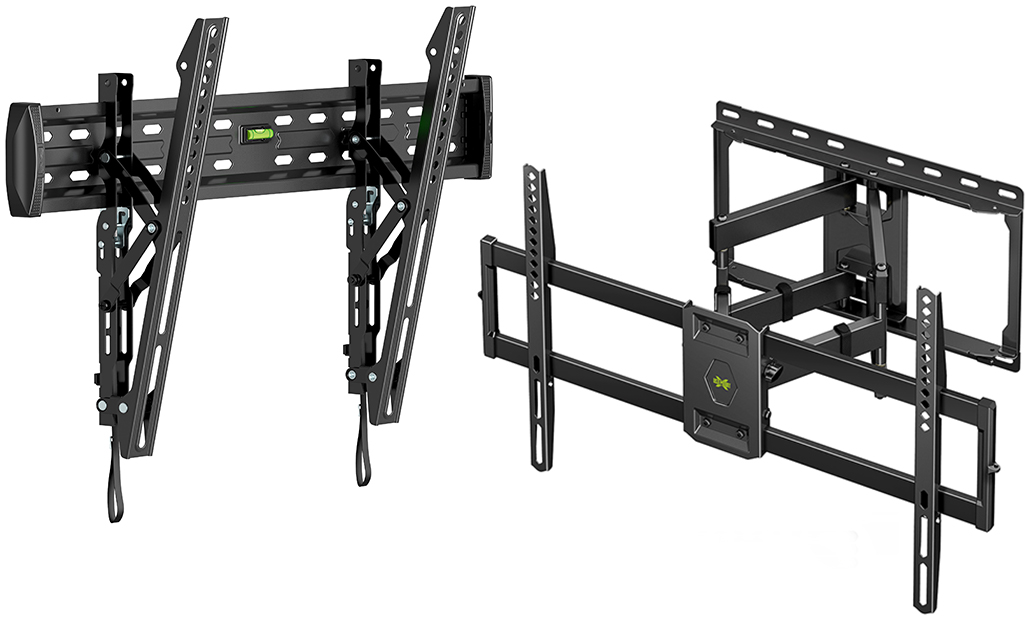
A fixed mount keeps your TV flat against the wall. It’s a great choice if you always watch TV from the same place and don’t need to move the screen.
Tilting Mount
A tilting mount lets you angle the TV up or down. This is useful if you want to mount the TV higher on the wall, like above a fireplace.
Full-motion Mount
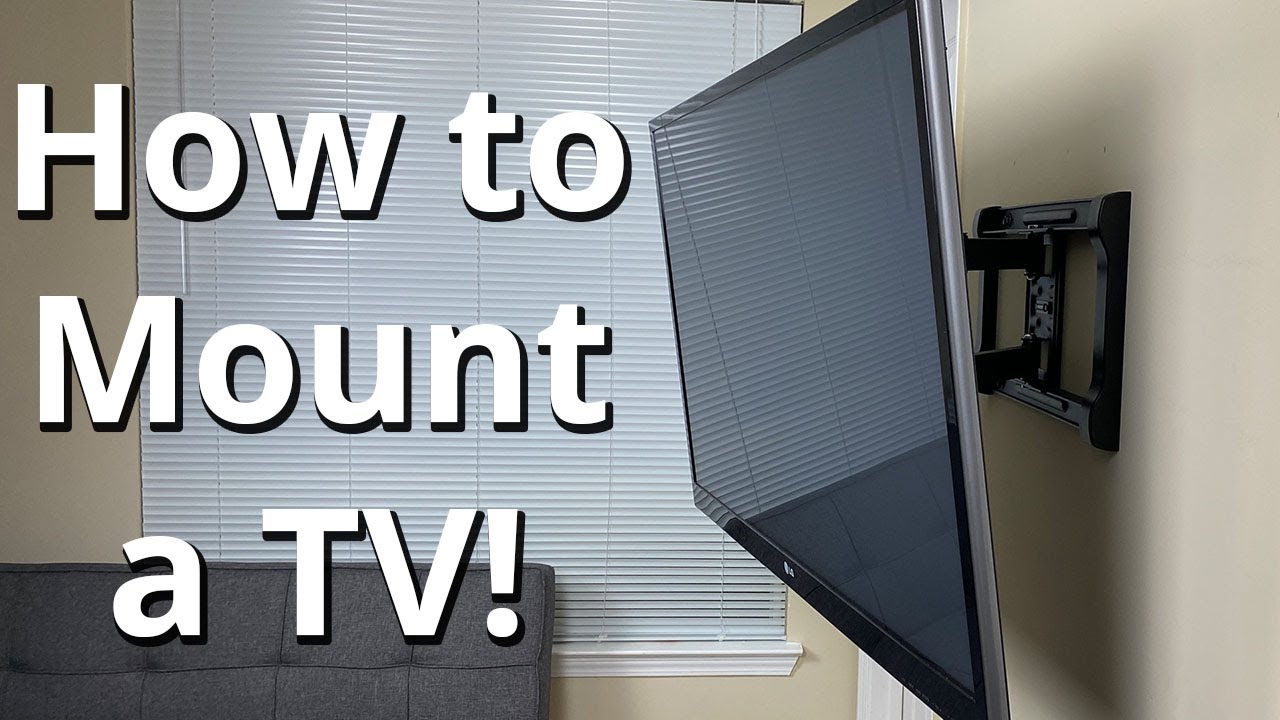
A full-motion mount (sometimes called an articulating mount) allows you to pull the TV away from the wall and turn it left or right. It’s perfect for rooms with several viewing areas.
Table: Comparing Mount Types
| Mount Type | Movement | Best For | Price Range |
|---|---|---|---|
| Fixed | None | Single viewing spot | $15–$50 |
| Tilting | Up and down | High mounting positions | $25–$80 |
| Full-Motion | Left, right, up, down, out | Multiple viewing spots | $40–$250 |
Non-obvious insight: Some tilting and full-motion mounts need extra space behind the TV. Measure your wall-to-TV distance before buying, especially in tight rooms.
Tools And Materials You’ll Need
Hanging a TV mount requires the right tools. Many people try to use whatever they have at home, but using the wrong tool can lead to mistakes.
- Stud finder (for finding wall studs)
- Drill with bits (usually 1/4″ or 5/16″ for most mounts)
- Level (preferably a long one for accuracy)
- Tape measure
- Socket wrench or adjustable wrench
- Screwdriver (Phillips or flathead)
- Pencil
- Masking tape (optional for marking)
- Lag bolts (often included with your mount)
- Wall anchors (only if mounting to drywall without studs—generally not recommended for large TVs)
- Safety goggles and gloves
- Vacuum or broom for cleanup
Pro tip: If you’re mounting onto concrete, brick, or stone, you’ll need a masonry drill bit and concrete anchors instead of regular lag bolts.

Credit: www.tomsguide.com
Choosing The Best Wall Location
Not every wall is a good choice for mounting your TV. Take time to plan the perfect spot.
Find The Right Height
Most experts suggest the center of your TV screen should be at eye level when you’re sitting down. For most people, this is around 42–48 inches from the floor to the center of the TV. However, if you have a large couch or recliners, you might need to adjust.
Non-obvious insight: The larger the TV, the lower you should mount it. Large screens mounted high can cause neck strain.
Consider Viewing Distance
The ideal distance from your TV depends on its size and resolution. Here’s a quick way to calculate it:
- 1080p TV: Sit 1.5 to 2.5 times the diagonal screen size away.
- 4K TV: You can sit closer—about 1 to 1.5 times the screen size.
For example, with a 55-inch 4K TV, sitting about 4. 5–7 feet away works well.
Avoid Sunlight And Glare
Don’t mount your TV where sunlight hits the screen directly. Glare makes it hard to see and can damage the TV over time. Test your spot at different times of day.
Make Room For Cables
Leave space for HDMI, power, and other cables. If your TV has rear-facing ports, make sure the mount allows enough gap for easy plugging and unplugging.
How To Find Wall Studs
A solid mount depends on anchoring into wall studs. Never trust drywall alone for a heavy TV.
Using A Stud Finder
- Turn on the stud finder and place it flat against the wall.
- Slowly slide it horizontally. Most stud finders beep or light up when they find a stud.
- Mark both edges of the stud with a pencil. Repeat to find the next stud.
Tip: Most wall studs are spaced 16 or 24 inches apart. If your mount’s holes don’t line up with studs, you may need a different bracket or an adapter.
Manual Method
If you don’t have a stud finder:
- Tap the wall lightly and listen for a solid (not hollow) sound.
- Look for electrical outlets—studs are often beside them.
- Insert a small finishing nail where you think a stud is, then patch the hole if you’re wrong.
Important: Mounting into metal studs is different and may require special hardware.
Marking And Measuring For Your Tv Mount
Once you know where the studs are and what height you want, it’s time to get precise.
Steps For Perfect Placement
- Measure the height from the floor to where you want the TV’s center.
- Measure your TV: Find the vertical center by dividing the TV’s height by two.
- Subtract the mount’s offset: Some mounts position the TV slightly above or below the bracket. Check the instructions.
- Mark the top holes: Use a pencil and a level to draw a straight line across the wall at the correct height.
- Double-check stud positions: Make sure your marks line up with the studs you found.
Non-obvious insight: Check with a level even if your floors seem straight—many homes have slightly sloped floors, which can make your TV look crooked.
Table: Tv Size Vs. Recommended Height
| TV Size (inches) | Recommended Center Height (inches) | Ideal Viewing Distance (feet, 4K) |
|---|---|---|
| 43 | 42 | 3.5–5.5 |
| 50 | 44 | 4–6.5 |
| 55 | 45 | 4.5–7 |
| 65 | 47 | 5.5–8 |
| 75 | 48 | 6.5–9.5 |
Preparing The Mount And Tv
Before you drill into your wall, prepare your mounting bracket and TV.
Attach The Mount To The Tv
- Lay the TV face down on a soft surface (like a blanket or carpet).
- Line up the mounting holes on the back of your TV with the bracket.
- Attach the mount arms using the screws provided. Use washers if included.
- Do not overtighten—stop when snug. Too much force can crack the TV.
Check: Some TVs have different screw sizes. Check the manual for the right ones (usually M4, M6, or M8).
Pre-assemble The Wall Bracket
Most mounts have two parts—one for the TV, one for the wall. Pre-assemble the wall side as much as possible before holding it up.
Tip: If the mount feels heavy, ask a friend to help. Dropping it can damage both the mount and your floor.
Credit: www.youtube.com
Drilling Holes And Securing The Wall Bracket
Now comes the part most people worry about: making holes in your wall. Here’s how to do it right.
Drill With Care
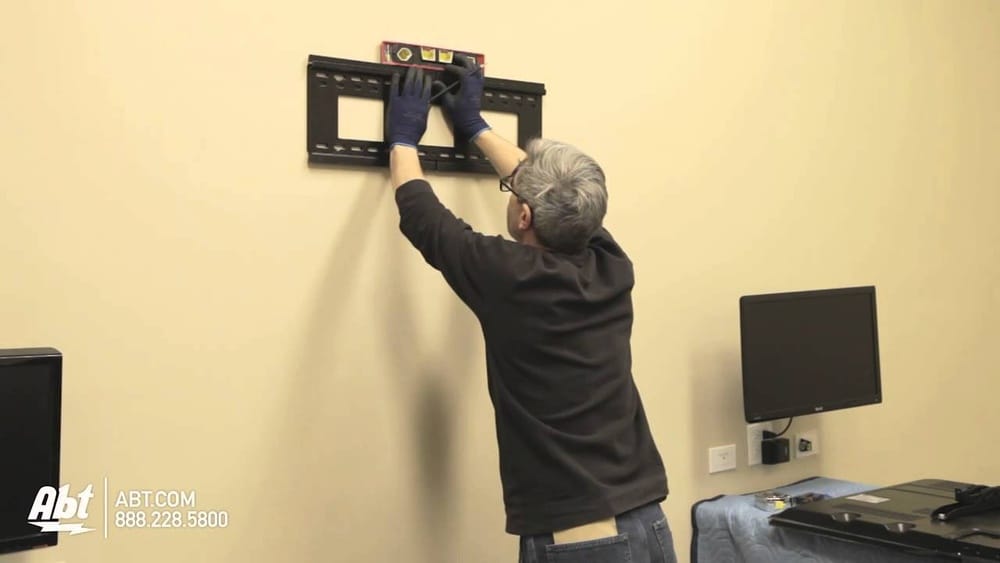
- Hold the wall bracket up to your marked spots. Double-check it’s level.
- Mark the drill holes through the bracket onto the wall.
- Put on safety goggles before drilling.
- Drill pilot holes into the studs at your marks. Use the bit size suggested in your mount’s instructions—usually 1/4″ or 5/16″.
- Vacuum dust from the holes for a tight fit.
Pro tip: If your wall is plaster over lath (common in old homes), go slow and use a smaller bit first to avoid cracking.
Secure The Bracket
- Hold the bracket in place and line up the holes.
- Insert the lag bolts through the bracket and into the pilot holes.
- Tighten with a wrench until snug—but don’t overtighten, which can strip the wood.
- Check for level one last time before finishing.
Non-obvious insight: If your bracket spans two studs, tighten both bolts halfway first, then finish tightening both. This keeps the bracket from twisting.
Mounting The Tv And Final Adjustments
You’re almost done! Now it’s time to hang your TV on the wall.
Lifting And Securing The Tv
- Lift the TV with two people—one holds each side.
- Align the mount arms with the wall bracket.
- Hook or lock the arms onto the bracket according to your mount’s manual. Some brackets click into place; others need screws or locking tabs.
- Check stability: Gently pull the TV to make sure it’s locked in.
Tip: Don’t rush this part. Rushing leads to mistakes and accidents.
Cable Management
- Connect cables before pushing the TV flat against the wall. It’s easier than reaching behind later.
- Use cable covers or raceways if you want a clean look.
- Avoid tight bends in HDMI or power cords; they can fail over time.
Adjusting Tilt And Swivel
If you have a tilting or full-motion mount:
- Adjust the tilt for the best viewing angle. Tighten the adjustment screws once you’re happy.
- Test the swivel to make sure the TV moves smoothly and stays level.
Pro tip: Write down your favorite angle settings. If the TV is bumped or moved, you can easily reset it.
Safety Checks And Troubleshooting
Before you celebrate, do a few final checks.
Weight Check
- Gently push and pull the TV from different directions.
- If it moves more than a little, check your bolts and bracket tightness.
Check For Crookedness
- Use your level again. Walls and floors can play tricks on your eyes.
- If the TV is slightly off, some mounts have micro-adjustment screws. If not, you may need to loosen bolts and re-level.
Common Problems And Fixes
- TV feels loose: Check if bolts are fully tightened and in solid wood.
- Can’t find studs: Use a better stud finder, or try the manual method. Never mount a large TV on drywall alone.
- Mount doesn’t fit TV: Double-check VESA pattern (the bolt hole spacing) on both your TV and bracket.
VESA Patterns Explained: Most TVs use standard VESA patterns like 200×200, 400×400, or 600×400 mm. Your mount must match your TV’s pattern.
Hiding Cables For A Professional Look
Nothing ruins a sleek wall-mounted TV like a tangle of wires. Here’s how to clean up your setup.
On-wall Cable Covers
- Buy plastic cable raceways that attach to the wall.
- Cut to length and stick with adhesive or screws.
- Paintable covers blend in with your wall color.
In-wall Cable Management
- For a true no-cable look, run wires inside the wall.
- Use an in-wall rated power kit for safety. Never run regular power cords inside walls.
- This usually requires cutting two holes—one behind the TV, one near the outlet.
Important: If you’re not comfortable with electrical work, hire a licensed electrician.
Wireless Options
Some soundbars and streaming devices work wirelessly. Consider these for fewer cables.
Pro tip: Use short, high-quality HDMI cables to avoid signal loss.
Special Wall Types: Concrete, Brick, And Metal Studs
Not all walls are drywall with wood studs. Special walls need special methods.
Concrete Or Brick Walls
- Use a masonry drill bit and concrete anchors (not regular lag bolts).
- Drill holes to match the anchor size, then tap anchors in before lag bolts.
- Tighten carefully—don’t overtighten into brittle material.
Metal Studs
- Use toggle bolts or special metal stud anchors.
- Never rely on just the thin metal—toggle bolts spread weight over a larger area.
Table: Wall Types And Fasteners
| Wall Type | Best Fastener | Notes |
|---|---|---|
| Drywall w/ Wood Studs | Lag bolts | Strongest method for heavy TVs |
| Drywall Only | Heavy-duty anchors (not recommended for >50 lbs) | Use only for small TVs |
| Concrete/Brick | Masonry anchors | Drill with masonry bit |
| Metal Studs | Toggle bolts | Special hardware required |
Tip: Always check your wall material before buying a mount. Some kits include hardware for multiple wall types.
When To Hire A Professional
DIY is rewarding, but sometimes it’s safer to call an expert.
- If your TV is over 75 inches or weighs more than 100 lbs.
- If you’re not sure about your wall type.
- If you need in-wall wiring or want a super-clean look.
- If you’re mounting above a fireplace or on a tricky surface.
Data point: According to the National Association of Home Builders, improper TV mounting is a leading cause of wall damage in new homes. A pro can avoid costly mistakes.
Credit: www.homedepot.com
Maintenance And Safety Tips
Once your TV is up, a little care keeps it safe and looking great.
- Check bolts once a year to make sure nothing has loosened.
- Dust behind the TV occasionally to keep air vents clear.
- Avoid hanging items from the TV or mount.
- Be careful with kids and pets—never let them pull on the TV or cords.
Pro tip: If you ever move, keep the original mount hardware and instructions in a labeled bag.
Environmental And Health Considerations
Mounting your TV safely means thinking about more than just hardware.
- Avoid mounting above heat sources, like radiators or fireplaces. Heat can damage TV electronics.
- Check for hidden pipes or wires before drilling. Use a wire detector or hire a pro if you’re unsure.
- Use a surge protector to prevent damage from power spikes.
Upgrading Or Removing A Tv Mount
If you ever need to change or remove your TV mount:
- Unplug everything first.
- Remove the TV with help—never try to do it alone.
- Unscrew the wall bracket.
- Patch holes with spackle or wall repair paste.
- Touch up paint for a clean look.
Non-obvious insight: If you plan to reuse the mount, keep all extra screws and spacers in a labeled bag.
Real-world Example
Let’s walk through a quick real-life scenario.
Anna, in Boston, wanted to hang her 65-inch TV above a fireplace. She measured the height and found it would be too high for comfortable viewing. Instead, she chose the wall next to the fireplace. She used a stud finder and found studs at 16-inch intervals. Anna used a tilting mount, drilled pilot holes, and secured the bracket with lag bolts. With a friend’s help, she lifted the TV, locked it in place, and used a cable cover for a neat finish. The result: a safe, beautiful setup with no neck pain.
External Resource
For more detailed specs on VESA patterns and mount compatibility, you can visit the Flat Display Mounting Interface Wikipedia page.
Frequently Asked Questions
How Do I Know If My Wall Can Support A Tv Mount?
Most walls with wood studs can support a TV mount if you use the right hardware. Use a stud finder to make sure you’re attaching the mount to solid wood, not just drywall. For concrete or brick, use masonry anchors.
For metal studs, use toggle bolts.
What Is A Vesa Pattern, And Why Does It Matter?
The VESA pattern is the distance between the mounting holes on the back of your TV, measured in millimeters. Your mount must match this pattern for a secure fit. Common patterns include 200×200, 400×400, and 600×400 mm.
Can I Mount A Tv On Drywall Without Studs?
You can mount small TVs (under 50 lbs) with heavy-duty wall anchors, but it’s not recommended for larger TVs. For safety, always anchor into studs or use special hardware for metal or masonry walls.
How High Should I Mount My Tv?
A good rule is to place the center of the TV at eye level when seated—usually 42–48 inches from the floor. Adjust for your room and seating. Mounting too high can cause neck strain.
Is It Safe To Run Cables Inside The Wall?
Yes, but only use cables rated for in-wall use. Never run regular power cords inside walls. For safety and to meet code, use an in-wall power kit or hire a licensed electrician.
Hanging a TV mount is a project you can do yourself with the right tools, some planning, and a bit of care. Take your time, measure twice, and don’t be afraid to ask for help. A well-mounted TV not only looks great—it keeps your family safe and lets you enjoy your favorite shows in comfort for years to come.