
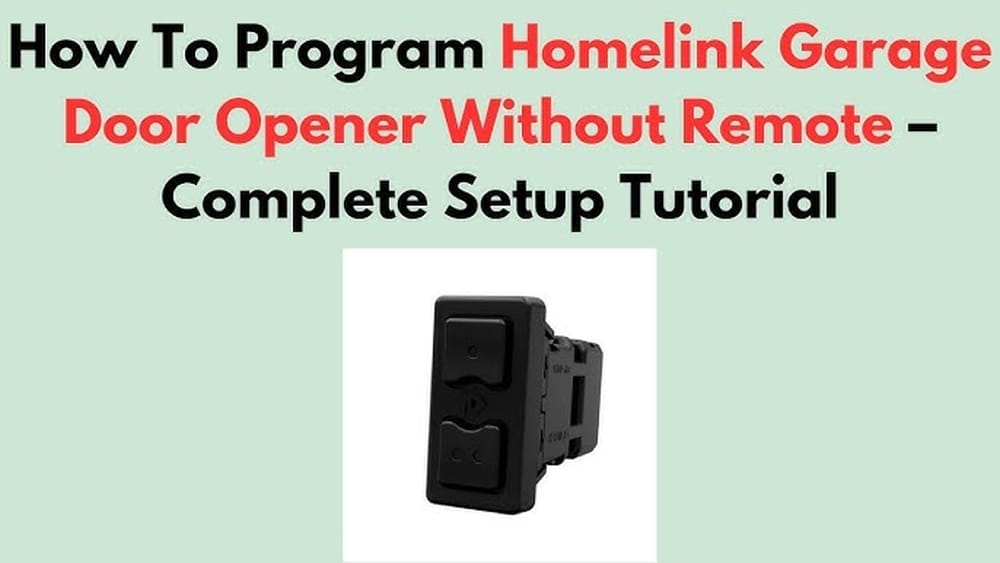
Many car owners enjoy the convenience of Homelink, a built-in wireless system found in many vehicles. Homelink allows you to control garage doors, gates, lights, and even smart home devices from the comfort of your car. Usually, programming Homelink is straightforward: you use your garage door remote to teach the buttons in your vehicle. But what if you lost your remote, or it stopped working? Is it still possible to program Homelink without a remote control?
The answer is often yes—but the process can be a bit more technical, and it varies depending on your car and your garage door opener. This guide takes you step-by-step through the best methods for programming Homelink without a remote.
It covers common situations, gives practical advice, and explains what to do if you hit a roadblock. If you want to make the most of your Homelink system—even without the original remote—keep reading. You’ll find detailed instructions, practical tips, and solutions for many common problems.
Understanding Homelink And Your Garage Door Opener
Before you start, it helps to know how Homelink works. Homelink is a universal transmitter. It can “learn” the signal from most garage door openers, gates, and even some lighting or security systems. Typically, Homelink copies the signal from your original remote. But many modern garage doors use a “rolling code” system. This means the code changes every time you use the remote, making your garage more secure.
When you don’t have the remote, you must program Homelink directly from the garage door opener itself. This usually involves a “learn” or “smart” button located on the opener unit in your garage. The process is a bit different from using a remote, but it’s often just as reliable—if you follow the right steps.
Types Of Garage Door Openers
Not all garage door openers are the same. Here are the most common types:
- Fixed code openers: These use a single code, set by switches or dip switches inside the opener or remote. Most openers before the mid-1990s use this system.
- Rolling code openers: These are more secure and common on openers made after 1996. The code changes after each use.
- Smart openers: Some newer models connect to Wi-Fi and can be controlled by smartphone apps. These may also support Homelink, but the setup can be different.
Check your garage door opener’s model and year. If it was made before 1996, you probably have a fixed code system. After 1996, most openers use rolling codes for better security.
Where To Find The Learn Button
The “learn button” is the key to programming Homelink without a remote. This button is usually on the garage door opener motor unit, mounted on the ceiling of your garage. It may be under a light cover or next to the wire terminals. The learn button is often colored (yellow, red, orange, green, or purple) to make it easy to spot.
Manufacturers use different colors and locations, so check your manual or look for labels. Pressing this button puts your opener into “learning mode” for about 30 seconds.
Can You Program Homelink Without A Remote?
Many people wonder if it’s truly possible to program Homelink without the remote. The answer depends on both your car and your garage door opener. Here’s when it works:
- Most rolling code openers (post-1996): Yes, you can use the learn button method.
- Fixed code openers: Sometimes possible, but often easier with a remote.
- Very old or very new openers: May require special steps, adapters, or even a replacement remote.
It’s important to note that not all car models and openers are compatible. Some Homelink systems (usually those made before 2012) may not work with newer rolling code openers without a Homelink repeater or bridge. Always check your car manual and the Homelink website for compatibility information.
Preparation: What You Need Before You Start
Programming Homelink without a remote is easier if you’re prepared. Here’s what you should have ready:
- Access to your garage door opener motor in the garage (you may need a ladder)
- Your vehicle parked close to the garage
- Your car’s ignition key (some vehicles require the ignition to be on)
- The car owner’s manual (for Homelink button locations and special steps)
- A friend or family member (optional, but helpful for timing)
If your garage has a keypad entry, you may also be able to use it for programming, but the steps are different and less common.
How To Program Homelink Without A Remote: Step-by-step Guide
This section provides a clear, step-by-step process for most rolling code garage door openers (the most common scenario). If your system is older or much newer, there are extra tips below.
Step 1: Clear Existing Homelink Codes
Start with a clean slate. If your car’s Homelink buttons have been programmed before, clear them:
- Turn your vehicle’s ignition to the ON position (do not start the engine).
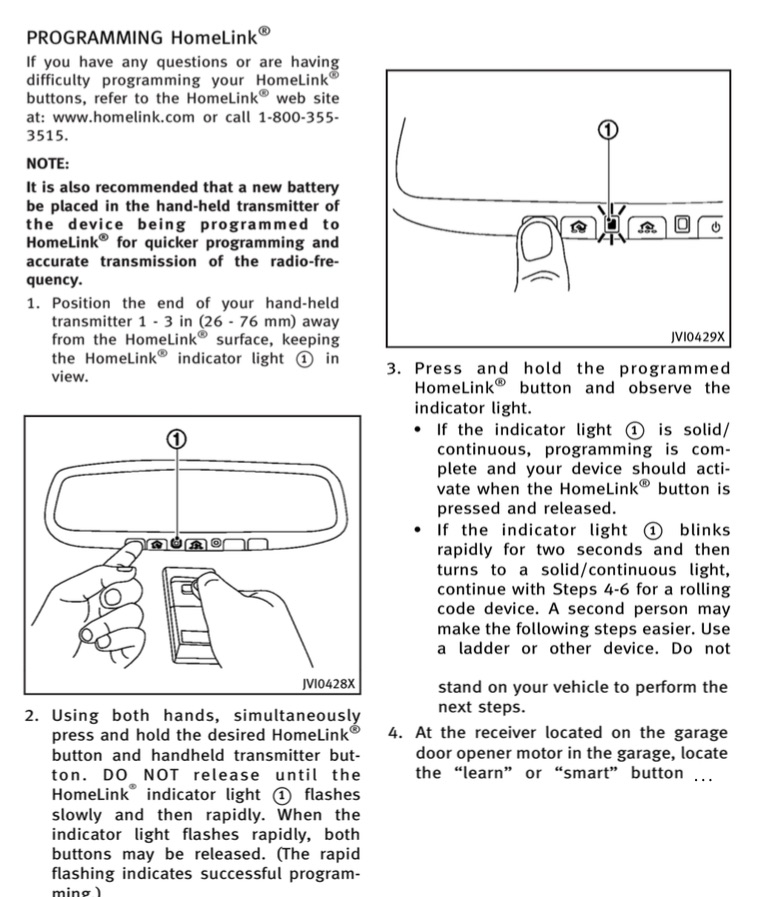
- Hold the two outer Homelink buttons (usually on your car’s visor, headliner, or rearview mirror) for about 20 seconds.
- The Homelink indicator light will start blinking quickly, then turn off. This means the codes are cleared.
- Release both buttons.
*Note: Clearing codes erases all previous programming. If you have other doors programmed, you’ll need to re-program them too.*
Step 2: Locate The Homelink Button You Want To Program
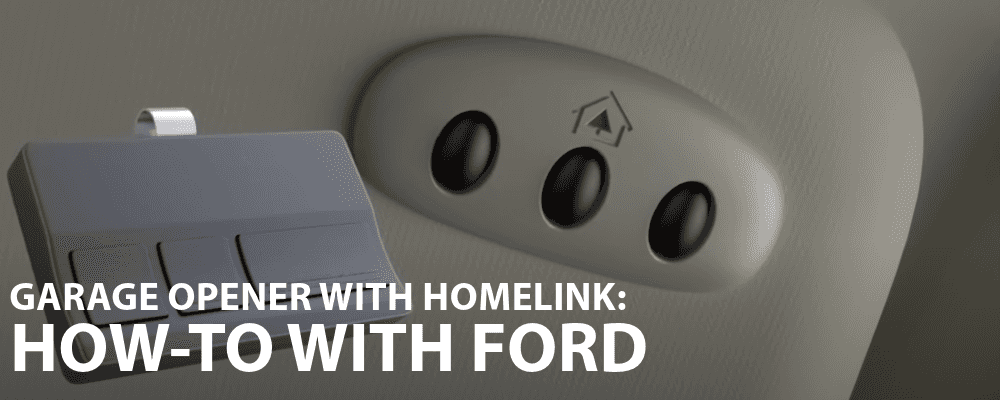
Decide which Homelink button will control your garage door. There are usually three buttons. Choose one and remember its position.
Step 3: Put The Garage Door Opener Into Learning Mode
- Climb a ladder (if needed) to reach your garage door opener.
- Find the learn button on the opener. It’s often colored and may be under a light cover.
- Press and release the learn button. Do not hold it down—just a quick press.
- A small LED light will start blinking, showing the opener is in learning mode. You now have about 30 seconds to complete the next steps.
Step 4: Program The Homelink Button
- Get into your car quickly (or have a helper in the car).
- Hold down the Homelink button you want to program.
- Continue holding until the indicator light on Homelink starts to blink slowly, then quickly. This can take 15–30 seconds.
- Release the button.
If you did everything correctly, your garage door opener should respond (the light on the opener may flash, or you may hear a click).
Step 5: Test The Homelink System
- Press the programmed Homelink button.
- The garage door should move (open or close).
- If it works, you’re done!
If it doesn’t work, try the process again. Timing is important—if you wait too long after pressing the learn button, the opener will exit learning mode.
Step 6: Repeat For Other Doors (if Needed)
If you want to program more than one door, repeat the steps above for each Homelink button and each opener.
Common Problems And How To Solve Them
Even if you follow all the steps, you might run into issues. Here’s how to troubleshoot the most common problems:
Homelink Light Blinks But Door Doesn’t Move
This usually means the Homelink system is transmitting, but the garage door opener didn’t accept the code. Possible causes:
- You missed the timing window (took too long after pressing the learn button)
- The opener is not compatible with your car’s Homelink system
- The opener memory is full (some units can only store 5–8 remotes/Homelink codes)
Solution: Try the process again, being quicker between steps. If that fails, check compatibility or clear the opener’s memory (see your opener manual).
Homelink Only Works Up Close
If you have to park very close to the garage for Homelink to work, it may be a signal issue.
- Check for interference from LED light bulbs in the opener (some can block signals)
- Try replacing the opener’s light bulbs with standard or garage-rated bulbs
- Make sure your car’s battery is strong
Homelink Will Not Program At All
Some Homelink systems (especially before 2012) may not work with certain rolling code openers. In this case, you may need a Homelink repeater. This is a small device that bridges the gap between your car and your opener. It’s available from Homelink or your opener manufacturer.
Example: Many 2013 and older Toyota, Honda, and Nissan models require a repeater to work with Chamberlain, LiftMaster, or Craftsman openers made after 2012.
Lost Your Owner’s Manual?
If you don’t have your car or opener manual, you can often find instructions and diagrams on the Homelink official website or your car brand’s support page.
Special Cases: Programming Without Learn Button Or With Keypads
Not every garage door opener has a learn button, and not every car has Homelink. Here’s what to do in these less common situations.
No Learn Button On Opener
If your opener is very old (pre-1996) or uses dip switches, you may need the original remote, or you’ll have to set the Homelink code manually. In rare cases, you can open the remote, copy the dip switch positions, and set them on Homelink if your car supports this.
Using A Keypad To Program Homelink
Some keypads allow you to program Homelink by using the keypad’s “learn” feature. This is less common, and the steps vary by brand. Usually, you’ll need the keypad’s manual.
Using A Universal Remote As A Bridge
If you can’t program directly, you can sometimes buy a cheap universal remote, program it to your opener, and then use it to teach Homelink. This is often easier than buying a full-price original remote.
Homelink Compatibility: What To Check
Not every car and garage door opener are compatible. Here’s how to check:
- Go to the Homelink official compatibility tool
- Enter your car’s make, model, and year, plus your garage door opener brand and model
- The tool will tell you if you need a repeater or special steps
If your car isn’t compatible, you may need an adapter or repeater. These cost about $25–$50 and are easy to install.
Table: Learn Button Colors And Their Meanings
Here’s a quick guide to help you identify your garage opener’s learn button color and what it means.
| Learn Button Color | Brand Examples | Technology Type | Notes |
|---|---|---|---|
| Yellow | Chamberlain, LiftMaster (2011+) | Security+ 2.0 | Most require repeater for cars before 2012 |
| Purple | Chamberlain, LiftMaster (2005–2011) | Security+ Rolling Code | Works with most cars 2007+ |
| Red/Orange | Chamberlain, Sears, Craftsman | Security+ Rolling Code | Works with most 2002+ Homelink |
| Green | Genie, Overhead Door | Intellicode | Check manual for compatibility |
| White/Grey | Older brands (pre-1996) | Fixed Code | Often requires original remote |
Table: Homelink Programming Methods By Opener Type
This table summarizes the best way to program Homelink depending on your opener’s age and technology.
| Opener Type | Year Range | Main Method | Alternative |
|---|---|---|---|
| Fixed Code | Pre-1996 | Manual/dip switch | Use remote or universal remote |
| Rolling Code | 1996–2011 | Learn button | Universal remote as bridge |
| Security+ 2.0 | 2011–present | Learn button + repeater (for older cars) | Smartphone app (if supported) |
| Smart/Wi-Fi Opener | 2017–present | Learn button or app | Check for firmware updates |
Practical Tips For Success
Programming Homelink without a remote can be tricky. Here are some practical tips to improve your chances:
- Have a helper: One person presses the learn button, the other programs Homelink in the car. This helps you beat the 30-second timer.
- Write down steps: Keep a list of steps nearby, so you don’t forget the order.
- Stay safe: If using a ladder, make sure it’s stable. Don’t rush and risk falling.
- Test during the day: Good lighting helps you see buttons and indicator lights.
- Clear garage door area: Make sure no one is under the door while testing.
Non-obvious Insights
- Some garage door openers limit the number of remotes/Homelink buttons that can be programmed (often 5–8). If you reach this limit, new codes won’t be saved until you clear the opener’s memory.
- Older Homelink systems (pre-2012) may not support newer openers without a repeater—even if the learn button method seems to work. Always test before assuming it’s programmed.
Credit: www.myg37.com
What If Nothing Works? Other Solutions
If you’ve tried everything and Homelink still won’t program, you have some options:
- Buy a replacement remote: Most garage door opener brands sell replacement remotes online or at hardware stores. Once you have a remote, programming Homelink is much easier.
- Use a universal remote: These cost $15–$30 and work with most openers. You can program the universal remote, then use it to teach Homelink.
- Contact Homelink or your opener manufacturer: They may have special instructions or firmware updates for your system.
- Upgrade your opener: If your opener is very old, consider upgrading to a new model. Modern openers are more secure, quieter, and fully compatible with Homelink.
- Use a smart home device: Newer openers can be controlled by smartphone apps (like MyQ from Chamberlain). This adds flexibility if Homelink isn’t an option.
Table: Cost Comparison For Common Solutions
If you need to buy extra equipment, here’s a cost comparison.
| Solution | Approximate Cost | Pros | Cons |
|---|---|---|---|
| Replacement remote | $20–$40 | Simple, reliable | Extra device to carry |
| Universal remote | $15–$30 | Works with most openers | May require programming steps |
| Homelink repeater | $25–$50 | Allows older cars to work with new openers | Extra installation step |
| New opener | $150–$400 | Modern features, quiet operation | High cost, installation needed |
| Smartphone app | Free–$40 (if needed) | Remote access, flexible | Requires Wi-Fi model |
Avoiding Common Mistakes
Mistakes can waste time and cause frustration. Here’s what to avoid:
- Waiting too long after pressing the learn button: The opener leaves learning mode after 30 seconds.
- Programming with the car too far away: Park inside or just outside the garage for best signal.
- Not clearing old Homelink codes first: Old codes can block new programming.
- Trying with incompatible systems: Always check compatibility before spending money on repeaters or new remotes.
- Overlooking interference: LED bulbs and Wi-Fi routers near the opener can sometimes block signals.
When To Call A Professional
If you’ve tried everything and still can’t program Homelink, it may be time to call a garage door professional. They can check for compatibility issues, fix wiring problems, or recommend upgrades. The cost for a service call is usually $50–$100, but it can save you hours of frustration.
Credit: www.wendlefordsales.com
Benefits Of Using Homelink
Once programmed, Homelink offers many advantages:
- No extra remotes needed: Everything is built into your car.
- More security: Rolling code systems are hard to hack.
- Convenience: Open gates, garages, and even turn on house lights without leaving your car.
- Multiple devices: Most cars can store up to three devices.
- Cleaner dashboard: No need for bulky clip-on remotes.
Final Thoughts
Programming Homelink without a remote control is possible for many car and garage door opener combinations, especially if you have a rolling code system and access to the learn button. The process requires patience, good timing, and sometimes a bit of trial and error. Remember to check compatibility, clear old codes, and ask for help if you get stuck. For most people, this method saves money and keeps your garage access simple and secure.
If you find that your system isn’t compatible, or nothing works, don’t give up. There are affordable solutions, from universal remotes to repeaters or even smart home upgrades. With the right approach, you can enjoy all the benefits of Homelink—no remote required.
Credit: www.reddit.com
Frequently Asked Questions
How Do I Find Out If My Car’s Homelink Is Compatible With My Garage Door Opener?
Check the Homelink website’s compatibility tool. Enter your car’s make, model, and year, plus your opener brand and model. It will tell you if you need extra equipment, like a repeater.
What If My Homelink Only Works When I’m Inside The Garage?
This usually means a weak signal. Try replacing LED bulbs in your opener with regular bulbs and make sure your car’s battery is fully charged. Move the car closer during programming.
Can I Erase Just One Homelink Button, Or Do I Have To Clear All Of Them?
You can reprogram one button at a time by holding it until the indicator light blinks. Clearing all codes (holding both outer buttons) will erase everything.
Is It Safe To Program Homelink Without A Remote?
Yes, as long as you follow the steps carefully. Don’t rush if using a ladder, and make sure no one is under the garage door during testing.
Where Can I Get Help If I Can’t Program Homelink Myself?
Check your car manual, the Homelink official website, or your garage door opener’s support page. If you’re still stuck, a local garage door professional can help.
For more detailed compatibility information, visit the Homelink official website.