
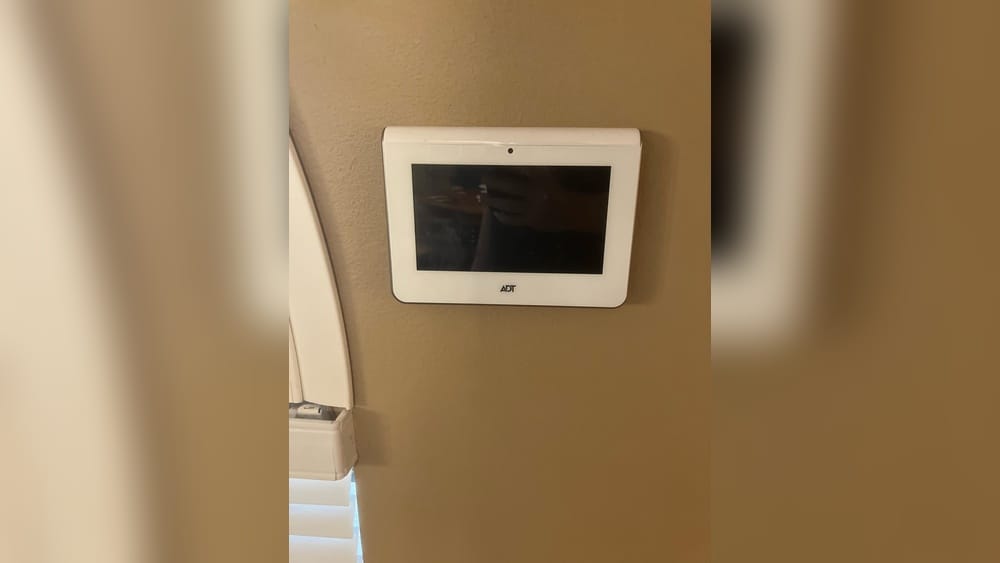
Removing an ADT touch screen panel from the wall may seem intimidating, especially if you’ve never handled alarm systems before. Many people worry about damaging the wall, triggering a false alarm, or even voiding their security contract. The truth is, with the right approach, tools, and patience, you can remove the panel safely without professional help.
This guide will walk you through the process step by step, explain what to expect, and help you avoid common mistakes. Whether you’re upgrading your home security, moving to a new house, or simply replacing your panel, this article will make the task clear and manageable.
Understanding The Adt Touch Screen Panel
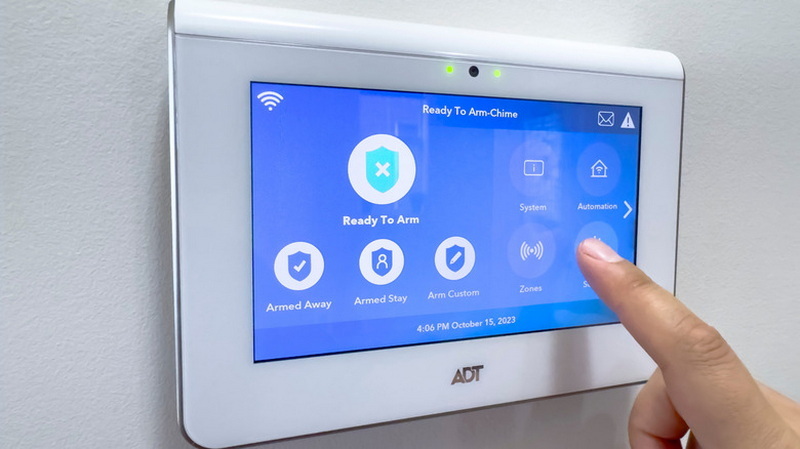
Before getting started, it’s important to know what you’re dealing with. The ADT touch screen panel is the central control device for many modern ADT security systems. It’s a thin, tablet-like device mounted on your wall, connected to sensors, cameras, and other smart home features. Most panels are powered by both a wall adapter (AC power) and a backup battery inside. Some also have cellular connections for emergency alerts.
ADT panels come in several models, including the ADT Command, Pulse, and older models like the Safewatch Pro. While the removal process is similar across these versions, there are small differences in mounting, wiring, and security features.
Some panels are more complex, with built-in microphones, speakers, and even home automation controls. For example, the ADT Command panel can control smart lights, thermostats, and door locks. Knowing your model’s capabilities helps you understand what wires or connections you may find behind the panel.
Why Remove The Panel?
People remove ADT touch panels for different reasons:
- Upgrading to a newer model
- Moving to a new home
- Canceling or changing service providers
- Repairing or repainting the wall
In some cases, homeowners also remove panels during renovations or when switching to a fully wireless system. For renters, removing the panel can be required before moving out, especially if the landlord requests the wall be returned to its original state.
Whatever your reason, proper removal avoids extra costs and damage. Rushed or careless removal can lead to exposed wires, broken drywall, or fees from ADT.
Safety First: Preparation Steps
Taking a few minutes to prepare can prevent accidents and headaches later.
Gather The Right Tools
You’ll need some basic tools:
- Small Phillips and flathead screwdrivers
- Plastic pry tool or spudger (to avoid scratching)
- Needle-nose pliers (optional)
- Tape (masking or painter’s tape)
- Flashlight
- Soft cloth
If your panel is in a dark hallway or corner, a headlamp or portable light can be especially helpful. The plastic pry tool is much safer than a metal one, as it won’t chip the wall or scratch the panel.
Having these ready will keep the process smooth. It’s also smart to have a small bowl or container for screws and parts, so nothing gets lost during the process.
Check For Active Monitoring
If your panel is still actively monitored by ADT, removing it suddenly can trigger an alarm or a call from the monitoring center. To avoid this:
- Call ADT and notify them you’re removing or relocating the panel.
- Ask them to put your system in “test mode” or temporarily disable monitoring.
- If you’re canceling service, confirm your end date.
If you skip this step, the panel might send a tamper alert, which could lead to a call from ADT or even dispatching emergency services. Always double-check your contract to see if there are any fees for false alarms.
Power Down The System
Never try to remove the panel while it’s powered. You risk electrical shock or damaging internal parts.
- Unplug the power adapter from the wall outlet first.
- Remove the backup battery inside the panel (more on this below).
If you’re unsure which outlet powers the panel, follow the cable from the panel to the wall. Sometimes, the adapter is hidden behind furniture or in a closet.
Document Your Setup
Take photos of the panel’s connections before unplugging anything. This helps if you need to reinstall or return the equipment.
A good tip is to also write down any model numbers or serial numbers visible on the panel or its mount. If you need technical support later, this information will be valuable.

Credit: www.reddit.com
How To Remove The Adt Touch Screen Panel: Step-by-step
Follow these steps closely for a safe and clean removal.
1. Locate The Power Source
Most ADT panels are powered by a small “wall wart” adapter plugged into a nearby outlet. Trace the cable from the panel to the outlet. Sometimes, the adapter is inside a low-voltage electrical box, or the wire runs behind the wall.
- Unplug the adapter from the outlet.
- If you can’t find the adapter, shut off the circuit breaker for that area (as a last resort).
In some homes, power wires may run through the attic or basement before reaching the panel. If you suspect hidden wiring, use caution and avoid pulling too hard on cables.
2. Remove The Backup Battery
The panel’s battery keeps it running during power cuts. You need to disconnect it to fully power down.
- Look for a small tab, latch, or screw on the panel’s bottom or side.
- Use a screwdriver or plastic pry tool to open the battery compartment.
- Carefully unplug the battery connector—don’t pull by the wires.
Some batteries slide out easily, while others are held in with a clip. If you feel resistance, double-check for extra screws or locks. For hard-to-remove batteries, gently wiggle them free.
Tip: Some panels beep or flash when losing power. This is normal and stops after a few minutes. If your panel continues to beep, press and hold the “reset” or “silence” button if available.
3. Detach The Panel From The Wall Mount
ADT panels are usually attached with a mounting plate or bracket. The design varies:
Snap-in Mounts
- Press a release tab or button (usually at the bottom or side).
- Gently pull the panel forward.
Screw Mounts
- Look for screws securing the panel (often hidden under a cover or sticker).
- Remove the screws with the right screwdriver.
Magnetic Mounts
- Some newer panels use magnets. Hold the panel firmly and pull straight out.
If you’re unsure, check your model’s manual or search for a diagram online. Forcing the panel can crack the casing.
Extra insight: Occasionally, wall mounts are painted over, making it harder to find release tabs or screws. If you can’t see the mounting style, gently run your fingers along the edges to feel for bumps or indents.
4. Disconnect Wires And Cables
Behind the panel, you’ll see several wires or a plug connector. These may include:
- Power wires (usually red and black)
- Ethernet or telephone cables
- Wireless antenna wires
Gently unplug or unscrew these connections. If wires are attached with spring clips, press the clip to release. Use tape or labels to mark each wire if you plan to reinstall.
Some connectors have locking tabs—don’t force them. If a wire seems stuck, press or squeeze the connector as you pull. If you see corrosion or frayed ends, make a note in case you need to repair or replace wires later.
5. Remove The Wall Plate Or Mounting Bracket
The wall plate is usually held by 2–4 screws. Remove these with your screwdriver. If the bracket is painted over, score the edges with a blade first to avoid peeling paint.
Tip: Place all screws and small parts in a cup so you don’t lose them.
Sometimes, wall anchors are used for heavier panels. If you want a perfectly smooth wall, gently remove anchors with needle-nose pliers and fill the holes.
6. Clean Up The Wall
After removal, you may see small holes or marks. Use wall putty or spackle to fill holes. Wipe dust with a soft cloth. If you plan to repaint, let the putty dry fully first.
For textured walls, try to match the pattern with a sponge before painting. A damp cloth can help blend minor marks for a cleaner finish.
Table: Common Adt Panel Models And Their Wall Mount Types
Here’s a quick reference for the most popular ADT panel models and how they attach to the wall.
| ADT Panel Model | Mounting Type | Battery Location |
|---|---|---|
| ADT Command | Snap-in or screw bracket | Back of panel, slide-out tray |
| ADT Pulse | Screw bracket (under cover) | Inside, bottom panel |
| Safewatch Pro | Screw bracket | Front, behind cover |
| TS Panel | Magnetic or screw | Left side compartment |
Knowing your model helps you avoid damage during removal. If you can’t identify your panel, take a clear picture and ask ADT support for help—they can often tell by sight.

Credit: help.adt.com
Practical Tips For A Damage-free Removal
Removing the panel is only half the job; keeping your wall neat matters too.
- Use painter’s tape around the panel before prying to protect the wall finish.
- Don’t rush—if the panel is stuck, double-check for hidden screws or tabs.
- Slide a thin plastic card (like an expired credit card) between the panel and wall to loosen paint or adhesive.
- If paint peels, touch up with matching paint later.
If you’re dealing with wallpaper, cut around the panel with a sharp utility knife before removal to avoid tearing. For panels mounted over tile or glass, use extra caution and do not pry aggressively.
Non-obvious tip: If your panel was installed in a rental property, document the condition of the wall before and after removal. This can help if there are questions about your security deposit.
What To Do With The Old Panel
Once removed, you have several options:
Return To Adt
If you’re ending your contract or upgrading, ADT may require you to return the panel. Ask for their shipping instructions. Use bubble wrap to protect the screen.
Check if you need to include mounting hardware, power adapters, or batteries. Some contracts require all original parts.
Recycle Responsibly
Panels contain batteries and electronics that shouldn’t go in the trash. Look for an e-waste recycling center near you.
Many cities offer drop-off days for electronics. Remove the battery before recycling, as lithium batteries can be hazardous if damaged.
Repurpose Or Sell
Some panels can be reused with other systems or sold online. Before selling, erase all personal data and reset the panel.
If you plan to donate, provide the model number and condition to the recipient. Some schools or community centers use old panels for training.
Table: Power Adapter And Wire Color Codes
To help you identify wires during removal, here’s a quick look at common adapter and wire colors.
| Wire Color | Common Use | Notes |
|---|---|---|
| Red | Positive power (+) | Usually 12V DC |
| Black | Negative/ground (-) | Always disconnect first |
| Green | Data or communication | Varies by model |
| Yellow | Auxiliary devices | Check manual |
| White | Alarm or chime circuit | Sometimes present |
Always double-check before disconnecting wires. If you’re unsure, take a photo and ask a technician for advice before proceeding.
Advanced: Removing A Panel With Hidden Or In-wall Wiring
Some ADT installations have wires running inside the wall, making removal trickier.
Steps:
- After removing the panel, gently pull the wires out. If they don’t move, they may be stapled or tied inside.
- If you’re not reinstalling another panel, secure wire ends with electrical tape to prevent shorts.
- Push unused wires back into the wall and cover the hole with a blank wall plate from a hardware store.
For older homes, beware of brittle wires or loose insulation. If you see damaged wiring, consider having an electrician check the area for safety.
Non-obvious insight: Sometimes, panels are connected to dedicated circuits in the electrical panel. If you lose power in other devices after unplugging the panel, check your breakers. Some newer homes use low-voltage wiring standards—if you see a cluster of thin wires, label each before removing.
Handling Security Features And Tamper Alerts
ADT panels have tamper sensors to detect if someone removes the panel. If you’re still under contract, removing the panel may send a tamper alert.
- If you see a “tamper” warning, call ADT to clear the alert.
- Don’t force the panel open—use the release method for your model.
Some panels have a reset button inside to silence tamper alarms.
If the panel continues to alert after removal, check for hidden tamper switches on the mounting bracket or inside the battery compartment.
Reinstalling Or Upgrading: What To Know
If you plan to install a new panel, keep these points in mind:
- Use the same mounting holes if possible to avoid extra wall damage.
- Check if the new panel needs different power or wire connections.
- Update your monitoring service with the new panel’s serial number.
Pro tip: Take photos of each step during removal. This makes it easier to reverse the process or help a technician later.
If your new panel is from a different brand, compare the power adapter voltage and amperage. Using the wrong adapter can damage the new panel.
Table: Diy Removal Vs. Professional Removal
Here’s a comparison to help you decide if you should remove the panel yourself or call a pro.
| Factor | DIY Removal | Professional Removal |
|---|---|---|
| Cost | Free (just time & tools) | $75–$200 service fee |
| Time Needed | 30–60 minutes | 15–30 minutes |
| Risk of Damage | Medium if careful | Low (insured work) |
| Warranty Impact | Possible if not careful | Preserved |
| Peace of Mind | DIY satisfaction | Professional guarantee |
Most people can do the job themselves, but if you’re unsure, it’s okay to call ADT.
Extra insight: If your panel is part of a business security system or includes fire alarm connections, professional removal is strongly recommended.
Troubleshooting: Common Problems And Fixes
Even with care, you might face issues. Here’s how to handle them.
Panel Won’t Detach
Double-check for hidden screws under covers or stickers. Some panels have a small release pinhole—press with a paperclip.
If you’re still stuck, search online for your panel’s exact model and “removal instructions. ” There are often videos or diagrams that can help.
Loud Beeping Or Flashing
This is a tamper or power loss alert. Silence it by removing the battery or pressing the reset button.
If the sound persists, check for a backup siren or secondary battery. Some panels have separate sounders that need to be unplugged.
Wires Are Stuck
Don’t yank. Wiggle gently, and use needle-nose pliers if needed. For stubborn wires, call a technician.
If you see adhesive or caulk holding wires, use a sharp blade to free them. Never force old or brittle wires—they can break and make future upgrades harder.
Wall Damage
If paint peels, use matching paint. For large holes, apply wall putty and sand smooth before repainting.
If the hole is larger than a quarter, use a patch kit for best results. For textured walls, lightly dab the putty with a sponge before it dries.
Legal And Contract Considerations
ADT contracts sometimes specify that equipment is leased, not owned. Removing or damaging the panel could result in fees if you’re not careful.
- Read your contract terms before starting.
- Return all equipment if required.
- Keep documentation of your removal in case of disputes.
If you plan to use a new security provider, ask them if they support your existing panel. Some companies can reprogram ADT equipment.
If you’re a renter, notify your landlord before removing the panel to avoid misunderstandings. It’s wise to get approval in writing.
When To Call A Professional
While most people can remove an ADT panel themselves, you should call a pro if:
- The panel is hardwired to your electrical system
- You’re unsure about wiring
- The wall is delicate (old plaster, wallpaper, etc.)
- You want to avoid any risk of damage or contract issues
ADT offers removal services, but independent electricians or alarm techs can also do the job.
If you have a multi-unit system (like in an office or apartment complex), professional help is strongly advised. Complex setups often have hidden connections or networked devices that require expert handling.
Upgrading Your Security After Removal
Once your old panel is gone, consider your next step for home security. Modern options include:
- Wireless DIY security kits
- Smart home integration (Alexa, Google Home)
- Cellular backup systems
Some systems work with your smartphone, letting you control alarms, lights, and cameras from anywhere. Wireless sensors are also much easier to install—no drilling or fishing wires.
Research the latest features before buying. For unbiased reviews and comparisons, check the Consumer Reports website.
Key insight: Many new systems allow you to reuse existing sensors and wiring, saving money on upgrades. If your home already has door and window sensors, choose a system that supports them to reduce costs and installation time.
Before buying a new system, measure the location where the old panel was installed. This ensures your new panel covers any old holes or marks.
Frequently Asked Questions
How Long Does It Take To Remove An Adt Touch Screen Panel?
Most panels can be removed in 30–60 minutes if you have the right tools and follow the steps. Older or hardwired panels may take longer. If you encounter stuck screws or hidden wires, plan for extra time.
Will Removing The Panel Set Off The Alarm?
If you disconnect power without notifying ADT, the system may send a tamper alert or alarm. Always call ADT first and ask them to put your system in test mode.
Forgetting this step is a common mistake and can cause unnecessary stress or even police dispatch.
Can I Reuse The Panel With A Different Company?
Some panels are locked to ADT and can’t be used with other providers. Others can be reset or reprogrammed. Check with your new provider for compatibility.
Before selling or donating the panel, perform a factory reset to remove your personal information.
What Should I Do With The Wires After Removing The Panel?
Secure loose wires with electrical tape and push them back into the wall. Cover the hole with a blank wall plate for a clean look.
If you plan to install a new panel soon, leave the wires labeled and accessible.
Do I Need To Return The Panel To Adt?
If you’re ending your contract or leasing equipment, ADT may require you to return the panel. Contact them for instructions to avoid extra fees.
Keep your shipping receipt and any tracking numbers as proof of return.
Removing an ADT touch screen panel from the wall is a manageable task with the right information and preparation. By following these steps, you can protect your wall, your home, and your peace of mind. Remember to take your time, document each step, and don’t hesitate to ask for professional help if you’re unsure.
Your home security should always be in your control—starting with the panel on your wall.
Credit: www.kelaidisplay.com