
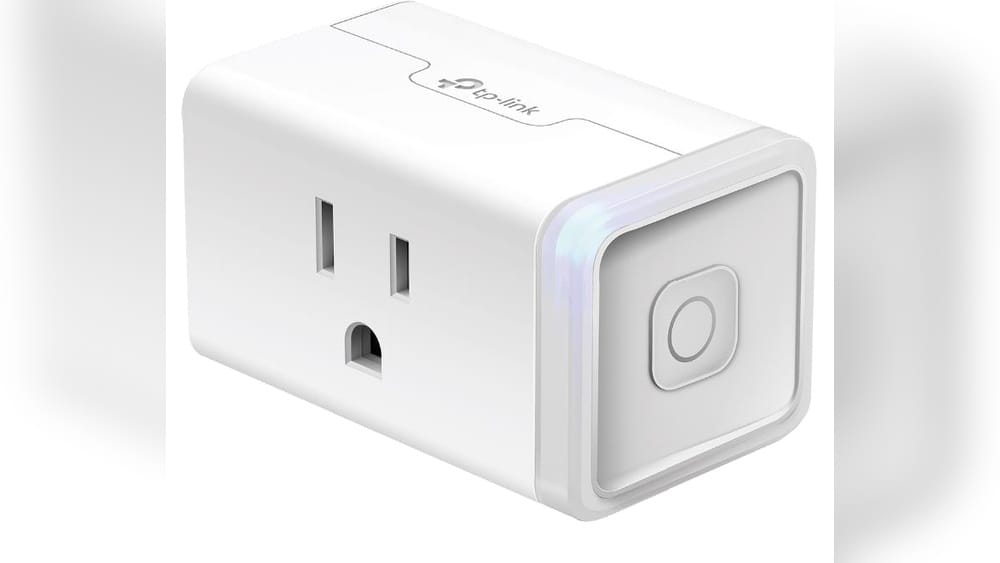
Are you having trouble with your Kasa Smart Plug? Maybe it’s not responding or connecting like it used to.
Resetting your Kasa Smart Plug can fix these issues quickly and get your smart home back on track. In this guide, you’ll learn simple, step-by-step instructions to reset your device easily. By the end, you’ll feel confident managing your smart plug and avoiding common headaches.
Keep reading to discover how to make your Kasa Smart Plug work like new again.

Credit: www.tp-link.com
Why Reset Your Kasa Smart Plug
Resetting your Kasa Smart Plug is a useful step to fix problems or start fresh. It clears old settings and errors. This helps the device work better and connect properly to your network.
Sometimes, a reset is needed to solve issues that affect how the plug operates. It also helps when you want to set up the plug again for a new network or user.
Common Issues Requiring Reset
Smart plugs may stop responding to commands. They might fail to connect to Wi-Fi. The app might show errors or not find the device. Sometimes, the plug turns on and off by itself. These problems often need a reset to fix.
Benefits Of Resetting
Resetting removes old data that causes trouble. It makes the plug ready for new settings. This improves connection to Wi-Fi and the app. It also helps to pair the plug with other smart devices. A reset ensures the plug runs smoothly and reliably.
Types Of Resets For Kasa Smart Plug
Kasa Smart Plugs offer two main types of resets. Each reset serves a different purpose. Knowing which reset to use helps fix common issues quickly. It also helps avoid losing important settings.
Soft resets clear minor glitches without deleting saved data. Factory resets erase all settings and restore the plug to original state. Both resets improve the plug’s performance in different ways.
Soft Reset
A soft reset restarts the Kasa Smart Plug without deleting settings. It fixes small bugs or connectivity problems. To do this, press and hold the power button for about 5 seconds. Release the button when the LED light blinks. The plug will restart and keep your Wi-Fi settings.
Factory Reset
A factory reset erases all your saved data. This reset returns the plug to its original factory state. Use this reset if the plug does not respond or connect properly. To perform a factory reset, press and hold the power button for 10 seconds. Wait until the LED flashes rapidly. Then release the button. You must set up the plug again after this reset.
Preparing For The Reset
Preparing for the reset is an important step before you start. It helps avoid problems and saves time. You need to get ready by gathering the right tools and saving your current settings. This way, the process goes smoothly.
Gathering Necessary Tools
First, have your smartphone or tablet ready. The Kasa app must be installed and up to date. Keep the Kasa Smart Plug nearby and plugged in. A stable Wi-Fi connection is essential during the reset. Also, have a paper and pen to note down any important details.
Backing Up Your Settings
Backing up your settings protects your preferences. Open the Kasa app and review your smart plug settings. Write down schedules, timers, and any custom names. This helps you restore your setup after the reset. Without a backup, you might lose all your saved data.
Step-by-step Soft Reset
Resetting your Kasa Smart Plug can fix many small issues. A soft reset clears temporary settings without deleting your device from the app. This process is simple and fast. Follow these steps to perform a soft reset safely.
Power Cycle Method
Unplug the Kasa Smart Plug from the power outlet. Wait for 10 seconds to let the device fully turn off. Plug it back in and wait for the LED light to blink. This blinking means the plug is restarting. The soft reset is complete when the light stops blinking.
Using The Kasa App
Open the Kasa app on your smartphone. Find your smart plug in the device list. Tap on the plug’s settings icon. Look for the reset option and select “Soft Reset.” Confirm the action. The app sends a restart command to the plug. Wait a moment for the device to refresh its connection.
Step-by-step Factory Reset
Resetting your Kasa Smart Plug can solve many common issues. It clears any previous settings and restores the device to factory defaults. This helps if the plug is not responding or if you want to connect it to a new network. Follow these simple steps to reset your Kasa Smart Plug easily.
Manual Button Reset
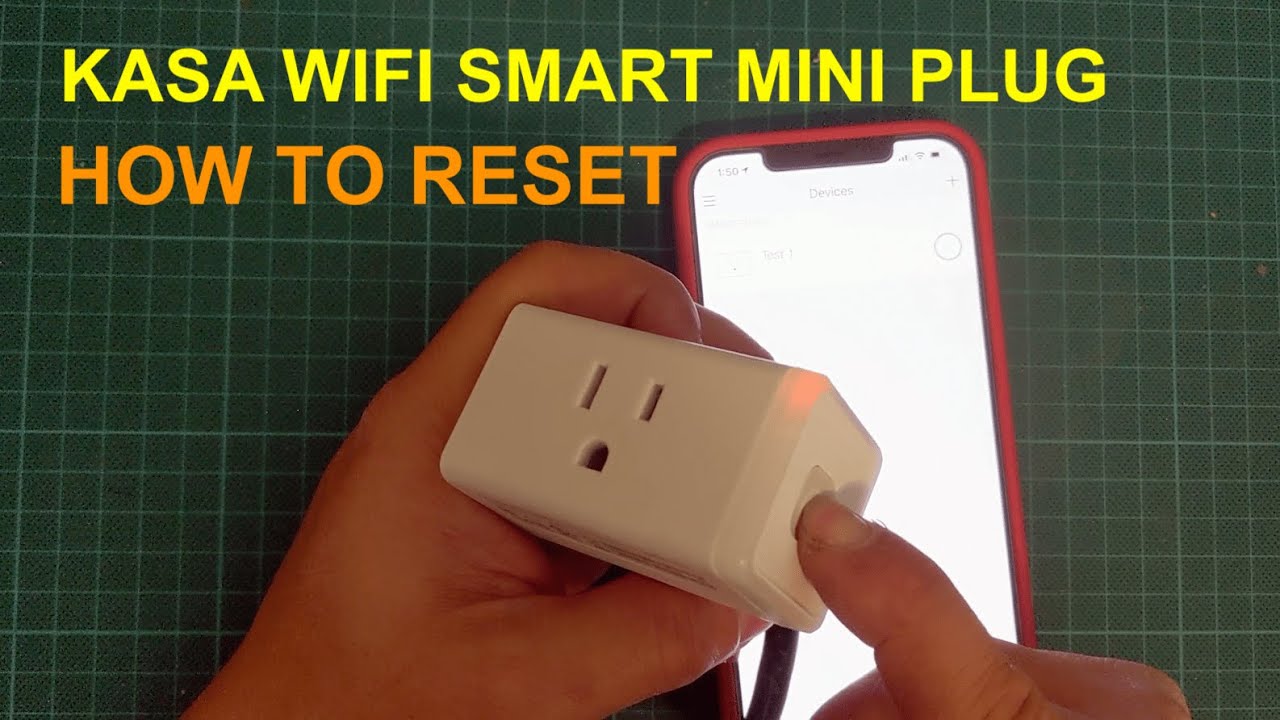
Find the physical button on your Kasa Smart Plug. Press and hold the button for about 5 seconds. Release it when the LED light starts blinking rapidly. This blinking means the plug is resetting. Wait until the light turns solid or stops blinking. The plug is now reset and ready to set up again.
Reset Via Kasa App
Open the Kasa app on your smartphone. Select your smart plug from the device list. Tap on the settings or device options menu. Choose the option labeled “Reset” or “Factory Reset.” Confirm your choice by tapping “Yes” or “OK.” The app will send the reset command to your plug. Wait a few moments for the reset to complete.
Reconnecting Your Kasa Smart Plug
Reconnecting your Kasa Smart Plug after a reset ensures it works smoothly. This step is important to restore control over your devices. Follow simple instructions to get your plug back online quickly.
Setting Up Wi-fi Connection
Start by plugging in your Kasa Smart Plug. Open the Kasa app on your phone. Select “Add Device” and choose your smart plug model. The app will search for the plug’s Wi-Fi signal. Connect the plug to your home Wi-Fi network. Enter your Wi-Fi password carefully. Wait for the app to confirm the connection. A steady light on the plug shows it is connected.
Configuring Device Settings
After connecting, name your smart plug for easy identification. Set schedules to turn devices on or off automatically. Adjust settings like energy monitoring if your model supports it. Customize notifications for device status updates. Save all changes in the app. Test the plug by turning it on and off remotely. This confirms the setup is complete and working.
Troubleshooting Reset Problems
Resetting your Kasa Smart Plug can solve many issues. Sometimes, the reset process itself causes problems. Troubleshooting helps fix these reset problems quickly. This section guides you through common errors and when to seek help.
Common Errors And Fixes
The reset button might not respond. Press it firmly for 5 seconds or more.
LED light not blinking? Check the plug’s power connection first.
Reset fails if the plug is too far from the router. Move it closer.
Network issues can block reset completion. Restart your Wi-Fi router.
Use the Kasa app to check if the plug appears offline. Reboot your phone or app.
When To Contact Support
If reset problems persist after these steps, contact Kasa support.
Support can help with hardware issues or firmware updates.
Keep your device model and purchase details ready.
Explain the exact reset steps you tried and any error messages.
:max_bytes(150000):strip_icc()/KasaSmartPlug-42e19c6f17f9499ab8dd50085497658d.jpg)
Credit: www.lifewire.com
Tips For Maintaining Your Kasa Smart Plug
Maintaining your Kasa Smart Plug ensures it works well for a long time. Simple care steps can prevent problems. Follow these tips to keep your device in good shape.
Good maintenance helps avoid frequent resets and connection issues. It also improves safety and energy efficiency.
Regular Updates
Keep the Kasa app updated to get the latest features. Updates fix bugs and improve security. Check for updates at least once a month. This helps your smart plug run smoothly and safely.
Proper Usage Practices
Do not overload the smart plug with devices that use too much power. Use it only with compatible appliances. Avoid placing the plug in damp or dusty areas. Unplug the device during storms to protect it from power surges. Handle the plug gently to prevent damage. These steps extend the life of your smart plug.
Credit: www.youtube.com
Frequently Asked Questions
How Do I Reset A Kasa Smart Plug?
To reset a Kasa Smart Plug, press and hold the power button for about 5 seconds. The LED will blink rapidly, indicating a successful reset. This restores factory settings and removes all saved networks and schedules.
Why Reset My Kasa Smart Plug?
Resetting your Kasa Smart Plug helps fix connectivity issues. It also clears old settings when you want to reconfigure or share the device. This ensures smooth operation with fresh setup options.
Can I Reset Kasa Smart Plug Without The App?
Yes, you can reset the Kasa Smart Plug manually. Just press and hold the physical button on the device for 5 seconds until the LED blinks quickly. No app is needed for a factory reset.
What Happens After Resetting Kasa Smart Plug?
After resetting, the plug returns to factory settings. All saved Wi-Fi and schedules are deleted. You will need to set it up again using the Kasa app for normal use.
Conclusion
Resetting your Kasa Smart Plug is simple and quick. Just follow the clear steps explained above. This helps fix many common problems. It also prepares the plug for new setups. Keep your device working smoothly by resetting when needed. Now, you can enjoy better control over your smart home.
No stress. Just easy and effective solutions. Try it today and see the difference yourself.