
Security cameras are everywhere today. You see them in stores, parking lots, offices, and even in homes. They help keep places safe, prevent crime, and give people peace of mind. But sometimes, you might wonder if a camera is actually working or just there for show.
Maybe you want to know if your boss is watching, or if a camera in your apartment building is really recording. Figuring this out is not always easy, but it’s possible with a careful look and some basic knowledge.
In this guide, you’ll discover reliable ways to tell if a security camera is on, what signs to look for, and how different types of cameras behave. You’ll also learn about common mistakes people make when checking cameras, and get answers to questions that often come up.
Whether you’re a business owner, renter, or simply curious, this article will give you the tools to check cameras with confidence.
Why It Matters To Know If A Security Camera Is On
There are many reasons you might want to know if a security camera is active. If you’re worried about privacy, you may want to avoid being recorded. Businesses need to make sure their cameras work to protect assets. Renters and homeowners want to know if their property is being watched. In some cases, fake cameras are used just to scare off thieves, and these don’t actually record anything.
Understanding if a camera is on can also help you feel safer, or warn you if something is wrong with your system. For example, if your home camera is off when it should be on, you might need to fix it before leaving for vacation.
Or, if you’re a worker and want to protect your privacy, you may wish to avoid areas with active cameras. This knowledge is not just technical—it’s practical in everyday life.
Basic Signs A Security Camera Is On
Most security cameras show some clear signs when they are operating. These signs are the first things you should check before doing anything more technical.
1. Visible Led Lights
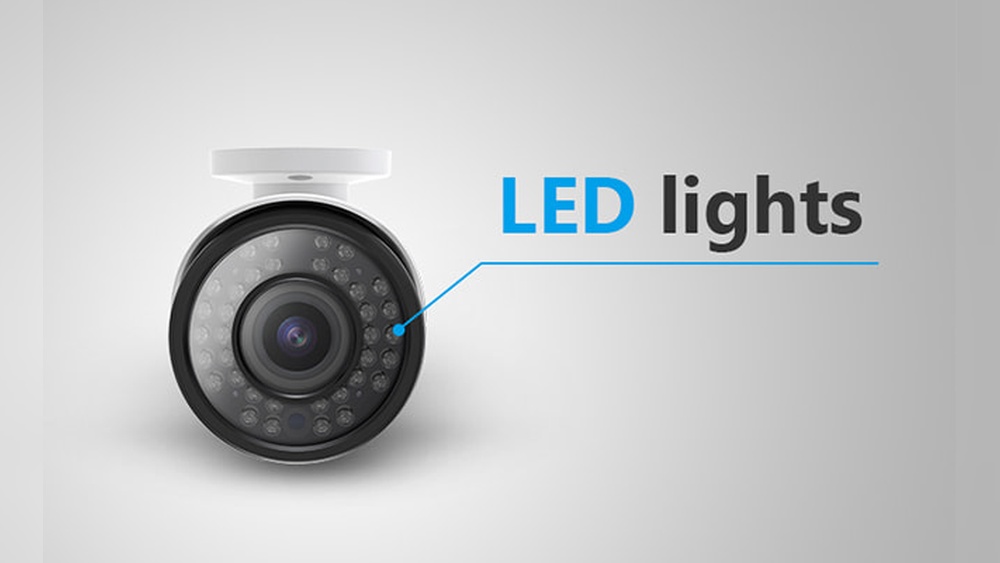
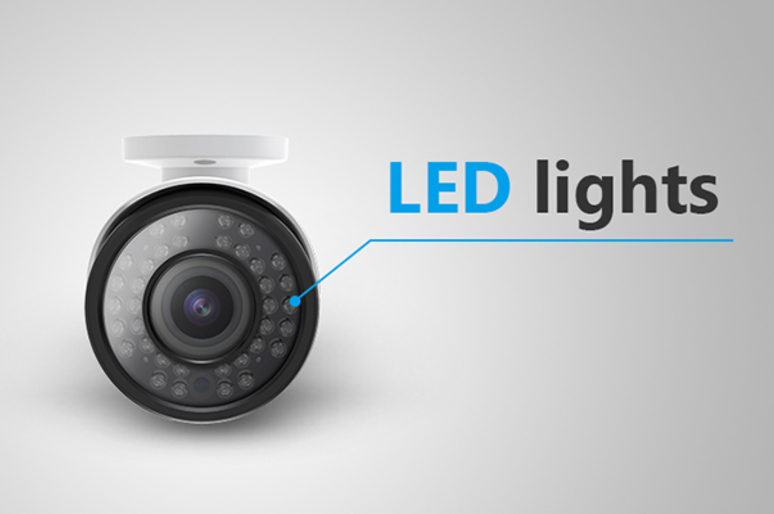
Many cameras have small LED lights that turn on when the camera is active. These may be red, green, blue, or white, depending on the model.
- Red LEDs: Often used to show power or recording, especially on older cameras.
- Blue/Green LEDs: Sometimes signal a camera is connected to Wi-Fi and working.
- Infrared LEDs: These are usually visible as small faint red dots around the lens, especially in low light or at night.
If you see any of these lights when you look closely, there’s a good chance the camera is on.
2. Camera Movement
Some cameras, like PTZ (Pan-Tilt-Zoom) cameras, move automatically to follow motion or scan a room.
- If you see a camera moving or hear a faint motor sound, it is probably active.
- Some cameras move to a preset position when turned on.
If a camera never moves and seems stuck, it could be off or a dummy unit.
3. Wires And Power Indicators
For wired cameras, check if the power cable is plugged in. Some cameras have a small power light at the back. If the camera is connected to a wire, and the wire is plugged into a wall or network, it’s more likely to be working.
4. Heat
Active cameras often get warm to the touch after being on for a while. If it’s safe, gently touch the camera housing. If you feel warmth, it’s probably powered.
5. Sounds
Some cameras make a soft click when switching between day and night modes. Others may have a low hum from the internal electronics. These are subtle but can be a clue.
6. Network Activity
For IP cameras (those connected to the internet), check the blinking lights on the network port. Flashing lights usually mean the camera is sending data.
Dummy Cameras Vs. Real Cameras: How To Tell The Difference
Fake cameras, also called dummy cameras, are common in stores and parking lots. They look real but don’t actually record anything. Here’s how you can spot the difference.
Signs Of A Dummy Camera
- Single Blinking Light: Many fake cameras have a single, always-blinking red light. Real cameras rarely have just one blinking light in a visible spot.
- Cheap Plastic Build: Dummy units often feel light and flimsy, unlike the sturdy build of real cameras.
- No Wires: Real cameras (except for some wireless models) need power and/or data cables. Fake ones sometimes have no wires at all.
- No Brand or Model: Real cameras usually have a manufacturer’s name or model number. Dummy cameras often skip this.
- No Lens: Some fakes have a dark, flat surface instead of a real glass lens.
Why Fake Cameras Are Used
Businesses use dummy cameras to scare off criminals at a lower cost. However, experienced thieves can often tell which cameras are fake. If you want real security, always invest in real, working cameras.
Types Of Security Cameras And Their Indicators
Security cameras come in several types, and each has different signs to tell if they’re on. Knowing the type helps you check more accurately.
| Type | Common Location | On Indicator | Notes |
|---|---|---|---|
| Analog CCTV | Older stores, banks | Red LED, wires | Often always on if powered |
| IP Camera | Homes, offices | Network lights, app connection | May send alerts if accessed |
| Wireless Battery | Homes, temporary setups | Short LED blink, app status | May sleep when not recording |
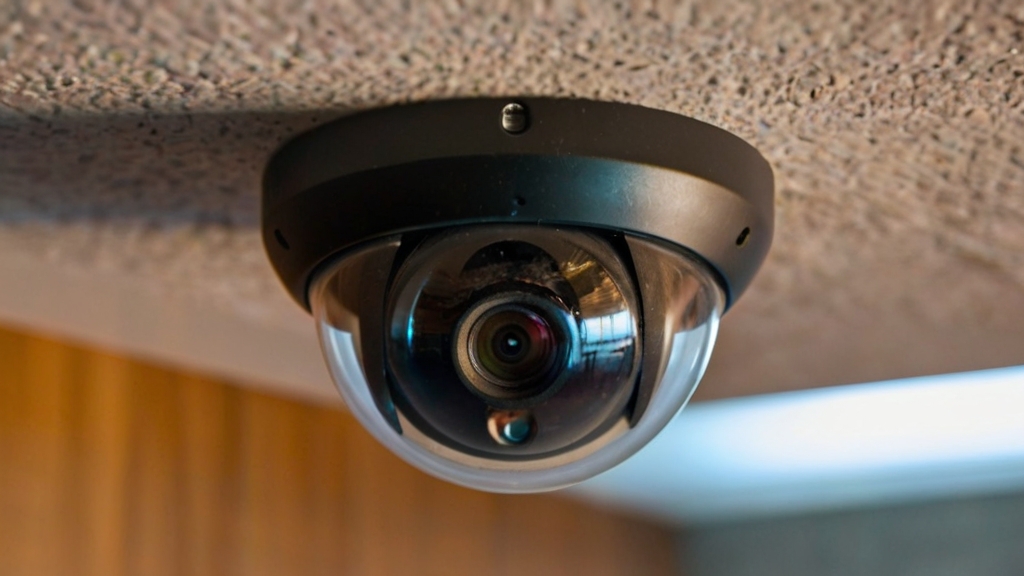
| Dome Camera | Ceilings, elevators | Hard to see LEDs | Lens may be hidden |
| PTZ Camera | Parking lots, malls | Moves, motor sound | May return to home position |
Credit: reolink.com
Checking Cameras At Night: Special Tips
At night, cameras often behave differently. Some turn on infrared LEDs for night vision, which you can sometimes see as faint red dots. Others may be harder to spot. Here’s how to check if a camera is on in the dark:
- Use Your Phone Camera: Most phone cameras can see infrared light that your eyes cannot. Point your phone camera at the security camera—if you see glowing dots on your screen, the camera’s night vision is on.
- Check for Recording Signs: Some cameras blink or show a different color LED when recording at night.
- Listen for Clicks: Many cameras make a clicking sound as they switch to night mode.
Non-obvious Insight
Some newer cameras hide their infrared LEDs behind dark glass, so you won’t see a red glow at all. In these cases, using a phone camera is often the only way to spot them.
How To Check Security Cameras Remotely
If you have access to the camera’s system, you can check its status without being near it.
Using Apps And Software
Most modern security cameras let you check their status through an app or computer software.
- Open the app and look for a live video feed. If you see real-time video, the camera is on.
- Some apps show a green dot or “online” status for each camera.
- For home cameras like Arlo, Ring, or Nest, you can check battery level, last activity, and connection status.
Checking Network Traffic
Advanced users can check if the camera is sending data over the network.
- Log in to your router and look for connected devices.
- If the camera’s IP address is using data, it’s likely on and streaming.
Email Or Push Alerts
Some cameras send alerts when they detect motion or when someone accesses the feed. If you receive these, the camera is active.
Non-obvious Insight
Some cameras have a privacy mode or “standby” setting where they look like they’re on but aren’t recording or streaming. Always check the app or admin panel to be sure.
Physical Inspection: What To Look For
A close look at the camera and its setup can give you extra clues.
Inspecting The Lens
- Reflection Test: Shine a small flashlight at the camera lens. If you see a glass reflection, it’s likely a real camera.
- Condensation or Dust: Real cameras often have minor dust or moisture on the lens—dummy cameras stay cleaner.
Checking Wiring And Power
- Wired cameras need both a power cable and, often, a data cable.
- If you see a camera with no wires, and it’s not a battery-powered model, be suspicious.
Looking For Recording Devices
- Find the DVR or NVR box if you can. Lights on these boxes often show which cameras are active.
How To Tell If A Camera Is Recording Or Just On
A camera can be powered but not actually recording. Here’s how to tell the difference.
Live View
If you can access a live view from a monitor or app, the camera is not only on but likely recording.
Recording Lights
Some cameras have a separate recording indicator light. This is often a steady or blinking red light near the lens.
Storage Devices
Check if there’s a memory card or hard drive connected. If full, the camera may stop recording.
Legal Notices
In some places, it’s required to post a sign if a camera is recording. Look for “CCTV in operation” or similar warnings.
Credit: www.zetronix.com
Using Technology To Test Cameras
If you want to get more technical, there are tools and tricks you can use to test if a camera is active.
1. Wireless Network Scanner
Apps like Fing or Angry IP Scanner can show devices on a Wi-Fi network. If you see a device with a camera’s brand (like Hikvision, Dahua, or Nest), it’s likely active.
2. Signal Detectors
Special devices can pick up wireless signals from cameras. These are often used by privacy experts in hotels or offices.
3. Laser Pointers
A laser pointed at a camera lens will usually reflect back as a bright spot. This shows the lens is real and glass, not just plastic.
4. Radio Frequency (rf) Detectors
For hidden wireless cameras, an RF detector can pick up transmissions. If you hear a beep near a suspicious object, it could be a camera.
Security Camera Indicators: What They Mean
Here’s a handy summary of the most common indicators and what they mean:
| Indicator | What It Means |
|---|---|
| Solid Red Light | Power on, sometimes recording |
| Blinking Red Light | Recording or motion detected |
| Infrared Dots | Night vision mode active |
| Green/Blue LED | Network connected, working |
| No Lights | Off, standby, or stealth mode |
| Camera Movement | Camera is active and scanning |
Common Mistakes When Checking Security Cameras
People often make errors when trying to tell if a camera is on. Avoid these common mistakes:
- Relying only on visible lights: Some cameras run with all lights off.
- Assuming all cameras have wires: Many modern models are wireless.
- Ignoring app/remote checks: If you have access, always check through the software for true status.
- Trusting signs or stickers: Just because there’s a sign doesn’t mean the camera is active.
- Believing all cameras make noise: Many are silent, especially newer ones.
Privacy And Legal Considerations
Before you check or try to disable any camera, remember privacy laws. In most places, tampering with cameras or spying on others is illegal. If you’re in a private or public space, always respect the rules. In some jobs, you may be monitored for safety reasons. If you believe a camera is being used in a way that violates privacy laws, speak to a manager or call local authorities.
For more on camera privacy and laws, you can visit the ACLU’s guide to surveillance cameras.
Advanced Tips: Detecting Hidden Or Covert Cameras
Some cameras are designed to be hidden. These are much harder to spot, but there are still clues you can use.
1. Look For Small Holes
Hidden cameras need a clear view. Look for unusual holes in walls, clocks, smoke detectors, or even stuffed animals.
2. Unusual Objects
If you see an object that seems out of place—like a digital clock in a bathroom—check it carefully. Many hidden cameras are disguised as common items.
3. Use A Flashlight
Shine a flashlight around the room. A camera lens will often reflect light back as a tiny bright spot.
4. Use A Network Scanner
Some hidden cameras connect to Wi-Fi. Use a network scanner to find unknown devices.
5. Rf Detector
As mentioned, an RF detector can help you find wireless or transmitting cameras.
Special Situations: Public Spaces, Offices, And Rentals
How you check a camera can depend on where you are.
In Public Spaces
- Cameras are usually out in the open.
- Look for city or company logos.
- Assume cameras are always on; most public cameras run 24/7.
In Offices
- Ask IT or security staff if you’re unsure.
- Cameras in offices may be hidden or in smoke detectors.
- Check for small holes or LED lights in ceiling corners.
In Rentals Or Airbnb
- Hosts must disclose cameras in most countries.
- Check for devices in common areas.
- Use a network scanner to see all connected devices.
Credit: livepatrol.com
Security Camera Myths Debunked
There are many myths about security cameras. Here’s the truth about a few common ones:
- All cameras have visible red lights: Not true. Many modern cameras have no visible lights.
- Dummy cameras are always obvious: Some are very convincing and may even have fake wires.
- Wireless cameras can run forever: Battery-powered models need regular charging.
- You can always hear a camera: Newer models are silent.
- Apps always show the right status: Sometimes a camera appears online but isn’t recording due to software issues.
What To Do If You Discover A Camera Is Off
If you find a camera that’s off when it should be on (for example, in your business), take these steps:
- Check power and cables: Make sure everything is connected.
- Restart the camera or system: Sometimes a simple reboot fixes the problem.
- Check the app or software: Look for alerts or errors.
- Replace batteries if needed: For wireless cameras, dead batteries are common.
- Call support: If you can’t fix it, contact the manufacturer or installer.
If you’re a tenant or guest and find a hidden camera, contact the property owner or local police right away.
Why Some Cameras Appear Off
Some security cameras have settings that make them look like they’re off, but they’re still recording.
- Stealth or privacy mode: The camera records with no lights.
- Motion-activated: Only records when something moves.
- Scheduled on/off: Only works during certain hours.
Always check with the owner or the camera’s app to be sure.
How To Test Your Own Security Cameras
If you have cameras at home or work, test them regularly to make sure they work.
- Walk in front of the camera: Check if the camera records or sends an alert.
- View the live feed: Make sure the video is clear and up-to-date.
- Check storage: Look at the memory card or DVR/NVR to see if video is being saved.
- Update software: Keep the camera’s firmware up to date for best performance.
Testing helps catch problems before you need the camera in an emergency.
When You Should Call A Professional
Sometimes, you can’t tell if a camera is on, or you find signs of tampering. In these cases, it’s best to call a professional installer or security expert. They have the right tools and knowledge to test, repair, or update your system. This is especially important for businesses or if you need evidence for legal reasons.
Frequently Asked Questions
How Can I Tell If A Security Camera Is Recording Me?
Look for blinking or solid LEDs near the lens, camera movement, or open your camera’s app to check for live video. At night, use your phone’s camera to spot infrared dots. If you have access, check storage devices for new recordings.
Do All Security Cameras Have Lights That Show When They’re On?
No. Some cameras have no visible lights, especially newer or higher-end models. Others have lights you can turn off in the settings. The absence of lights does not always mean the camera is off.
Can I Use My Phone To Detect Hidden Cameras?
Yes. Use your phone’s camera to look for infrared glows in dark rooms. You can also use network scanner apps to find unknown devices on Wi-Fi. There are special apps that detect camera lenses using light reflection, but they are not always reliable.
Is It Legal To Check If A Camera Is On In A Public Or Rented Space?
In most places, it’s legal to look for cameras in public spaces. In rented homes or Airbnb, cameras must usually be disclosed. It’s illegal to tamper with or disable cameras you don’t own. Always check local laws if in doubt.
What Should I Do If I Find A Hidden Camera In My Hotel Or Rental?
Leave the area and contact local authorities right away. Do not touch or remove the device. Take photos for evidence. In many countries, hidden cameras in private spaces are illegal.
Security cameras are now a normal part of daily life, but knowing if they’re really watching takes a bit of skill. With the right signs and tools, you can protect your privacy, keep your property secure, and avoid common mistakes.
Whether you’re checking your own cameras or those in public, these tips will help you stay aware and in control.