
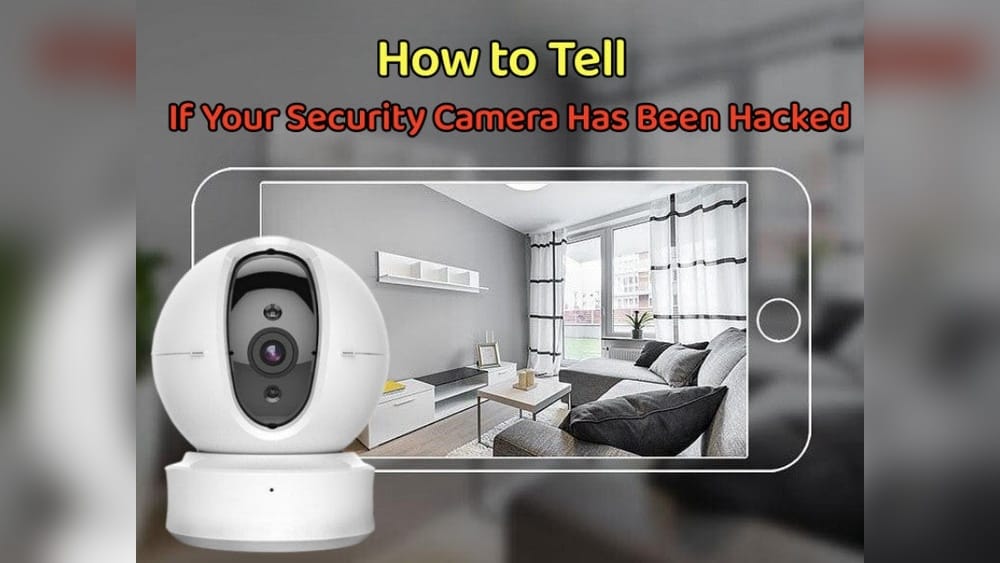
Every year, security cameras become more common in homes and businesses. People trust them to protect their property, loved ones, and privacy. But these cameras can also become targets for hackers. If someone gains access to your camera, they can see inside your home, watch your business, or even use your device for bigger attacks.
Many people worry about their cameras, but few know how to spot signs of hacking. This guide explains how to tell if your security camera has been hacked, what you can do, and how to keep your devices safe.
Why Security Cameras Get Hacked
Security cameras are attractive targets for cybercriminals. Most connect to the internet, making them easy to reach from anywhere in the world. Hackers often want to:
- Spy on people: Watch live feeds or record videos to invade privacy.
- Steal personal data: Find sensitive information such as addresses, routines, or business secrets.
- Use devices for attacks: Turn cameras into tools for larger cyber attacks (like botnets).
Security cameras from popular brands have been hacked in the past. In 2021, hackers broke into thousands of Verkada cameras, gaining access to hospitals, schools, and factories. In 2016, the Mirai botnet attack used hacked cameras to shut down parts of the internet. These events show that security cameras are not always safe.
Common Signs Your Security Camera Has Been Hacked
Many camera owners do not notice when their devices are hacked. Hackers often try to hide their actions. Still, there are clear signs you can watch for:
1. Strange Noises Or Voices
If your camera has a speaker or microphone, listen for odd sounds. Hackers sometimes use audio features to scare or tease users. You might hear:
- Voices talking when no one is there
- Music or noise from the camera
- The camera repeating your words
This is a strong sign that someone else has access.
2. Unusual Camera Movements
Many modern cameras can pan, tilt, or zoom. If your camera moves by itself, especially when you are not controlling it, it could be hacked. Hackers often move cameras to see different parts of a room or to track people.
3. Unexpected Light Activity
Most cameras have lights that show when they are recording, streaming, or updating. Watch for:
- LED lights turning on or off without your action
- Lights blinking in strange patterns
- The camera working when it should be off
These actions can mean someone else is controlling the camera.
4. Altered Settings
Check your camera settings often. Hacked cameras may show:
- Changed passwords or usernames
- New users added to the device
- Settings changed, such as recording times or alerts
- Unusual email addresses or phone numbers linked
If you see changes you did not make, your camera may be compromised.
5. Poor Performance Or Strange Errors
Hacked cameras may work poorly. Look for:
- The camera suddenly disconnects from Wi-Fi
- Slow video streaming or lagging
- Device crashes, reboots, or freezes
- New error messages
These problems can be caused by hackers using your camera or changing its software.
6. Unknown Videos Or Pictures
If you find videos or pictures you did not record, this is a strong warning. Hackers may use your camera to record their own clips or take snapshots.
7. Increased Data Usage
If your camera uses more internet than usual, it may be streaming or sending data to hackers. Check your router or camera app for spikes in data usage.
8. Unusual Access Logs
Many cameras keep logs of who accessed them. Look for:
- Logins from unknown locations or IP addresses
- Unusual login times (like late at night)
- Repeated failed login attempts
These logs can show if someone is trying to break in.
9. False Security Alerts
You may receive alerts about motion or sound that do not match what is happening in your home. This can be caused by hackers testing your camera or changing settings.
10. Your Camera Appears Online In Public Searches
Some websites list open cameras that anyone can view. Search for your camera’s IP address or brand online. If you see your feed on a public site, your camera is likely hacked.
How Hackers Break Into Security Cameras
Understanding how hackers get into cameras helps you spot and prevent attacks. Most hacks happen through:
Weak Passwords
Many cameras come with default passwords like “admin” or “12345. ” Hackers use these to break in easily. Some people forget to change them, which makes their cameras vulnerable.
Outdated Firmware
Camera software (firmware) needs regular updates. Old firmware may have security holes. Hackers look for devices running outdated versions and exploit them.
Open Ports And Remote Access
Cameras often use ports to connect to the internet. If these ports are open, hackers can find and access the device. Remote access features can be risky, especially if not protected by strong passwords or encryption.
Poor Encryption
Some cameras send data without encryption, meaning anyone can intercept and read the video feed. Hackers use tools to listen to these unprotected streams.
Vulnerable Apps
Camera apps on phones or computers may have weak security. If a hacker gets into your app, they may control your camera.
Physical Access
If someone can physically reach your camera, they can reset it, steal it, or plug in harmful devices. Always place cameras out of easy reach.
Real-world Examples And Data
Security camera hacking is not rare. A 2022 study by Cybersecurity Ventures found that over 15% of home cameras worldwide had security flaws that could allow hacking. In 2021, a hacker accessed a family’s baby monitor and spoke to their child. In another case, an office camera was used to spy on workers for weeks before anyone noticed.
Hackers do not always target expensive systems. Cheap cameras from unknown brands are often more vulnerable. Even popular brands are not always safe. For example:
- In 2019, over 700,000 cameras were found on a public website, showing live feeds from homes, stores, and schools.
- The Mirai botnet attack used over 100,000 hacked cameras to take down major websites.
These numbers show how important it is to check your cameras for signs of hacking.
Comparing Safe Vs. Vulnerable Cameras
Not all cameras are equally risky. Here is a comparison of features that make cameras more or less likely to be hacked:
| Feature | Safe Cameras | Vulnerable Cameras |
|---|---|---|
| Default Password | Changed, strong password | Unchanged, weak password |
| Firmware Updates | Regular, automatic updates | No updates or manual only |
| Encryption | Data encrypted (SSL/TLS) | No encryption |
| Remote Access | Protected, limited access | Open ports, easy access |
| Brand Reputation | Known, trusted brands | Unknown, cheap brands |
Choosing a camera with strong security features makes hacking harder.
How To Check If Your Camera Is Hacked
If you suspect your camera has been hacked, take these steps:
1. Inspect Physical Device
Look at your camera for signs of tampering. Check if it has been moved, reset, or unplugged. Make sure no strange devices are plugged in nearby.
2. Review Camera App And Settings
Open your camera’s app or web dashboard. Check:
- User accounts
- Passwords
- Device logs
- Settings (especially remote access)
Look for anything unusual.
3. Check Network Activity
Use your router’s app or dashboard to see which devices are connected. Look for unfamiliar connections or high data usage.
4. Search Online
Search your camera’s IP address or brand online. Use websites that show public feeds. If you find your feed, your camera is exposed.
5. Run Security Tests
Some camera brands offer security scan tools. Use these to check for weak passwords, outdated firmware, or exposed ports.
6. Update Everything
If you suspect hacking, update your camera’s firmware and app. Change passwords and disconnect the camera from the internet until you are sure it is safe.
What To Do If Your Camera Is Hacked
If you confirm your camera has been hacked, act quickly:
- Disconnect the camera from the internet to stop the hacker.
- Change all passwords: Use strong, unique passwords for the camera, app, and router.
- Update firmware and apps: Install the latest updates from the manufacturer.
- Remove unknown users: Delete any strange accounts or linked devices.
- Scan for malware: Use antivirus or security tools on your phone or computer.
- Reset the camera: If needed, do a factory reset to remove any changes.
- Contact support: Report the hack to the camera manufacturer.
- Check other devices: Hackers may attack more than one device. Scan your network for other risks.
- Change Wi-Fi settings: Update your router password and security settings.
Acting fast limits the damage and helps you regain control.
Preventing Security Camera Hacks
Stopping hacks is easier than fixing them. Follow these tips to keep your camera safe:
Change Default Passwords
Always change the camera’s password during setup. Use a strong password with letters, numbers, and symbols. Avoid simple words like “camera” or “123456. ”
Keep Firmware Updated
Check for firmware updates every month. Many brands offer automatic updates. If not, visit their website to download the latest version.
Use Encryption
Choose cameras that encrypt video streams and data. Look for features like SSL/TLS or AES encryption.
Limit Remote Access
Disable remote access unless you need it. If you use remote viewing, protect it with strong passwords and two-factor authentication.
Secure Your Network
Use a strong Wi-Fi password and enable network encryption (WPA2 or WPA3). Place cameras on a separate network if possible.
Monitor Access Logs
Review logs often to spot unknown users or strange logins. Set alerts for failed login attempts or new devices.
Update Camera Apps
Keep your camera’s mobile and desktop apps updated. Outdated apps can have security flaws.
Choose Trusted Brands
Buy cameras from brands with good reputations. Cheap, unknown brands often lack strong security.
Place Cameras Carefully
Put cameras in places where hackers cannot reach them easily. Avoid locations near windows or doors where someone could physically access the device.
Enable Two-factor Authentication
If your camera app supports it, turn on two-factor authentication. This adds an extra layer of protection.
Comparing Wired Vs. Wireless Cameras
Wireless cameras are popular because they are easy to install and move. Wired cameras are often seen as safer. Here’s how they compare:
| Type | Security Level | Risk of Hacking | Ease of Use |
|---|---|---|---|
| Wired | High (harder to access remotely) | Lower | Harder to install |
| Wireless | Medium (depends on setup) | Higher | Easy to install |
If you need the safest option, wired cameras are harder to hack. But they require more work to set up.
What Beginners Often Miss
Many beginners believe their camera is safe just because it works well. But security depends on many details:
- Default settings: Cameras often start with weak security. Always check and change defaults.
- App permissions: Camera apps may ask for extra permissions. Limit these as much as possible.
- Hidden cameras: Some cameras are hidden behind other devices or objects. Hackers can find and use them if they are connected to your network.
Another common mistake is ignoring firmware updates. Hackers often attack devices with known flaws, and updates fix these risks. Always keep your camera’s software current.
Credit: reolink.com
Extra Tips For Business Security Cameras
Businesses often use many cameras. This creates more risks. To protect your business:
- Use a central management system to control all cameras.
- Set strict rules for who can access cameras.
- Train staff to spot signs of hacking.
- Hire an IT expert to check camera security often.
- Delete old video files and logs that are no longer needed.
A hacked business camera can cause big losses. Good security practices are essential.
Comparing Camera Brands By Security Features
Many brands claim their cameras are secure. But features can vary. Here’s a comparison of three popular brands:
| Brand | Default Password Change | Automatic Firmware Updates | Encryption | Two-Factor Authentication |
|---|---|---|---|---|
| Arlo | Required | Yes | Yes | Yes |
| Ring | Recommended | Yes | Yes | Yes |
| Dahua | Optional | No | Partial | No |
Brands like Arlo and Ring offer strong security. Cheaper brands may lack important features.
Credit: pro-vigil.com
What To Avoid When Setting Up Cameras
Many users make mistakes when installing cameras:
- Ignoring password changes: Always change the default password.
- Skipping updates: Update the camera’s firmware and app regularly.
- Using public Wi-Fi: Never connect cameras to open networks.
- Sharing access: Do not give camera access to people you do not trust.
- Leaving cameras exposed: Place cameras where others cannot easily reach or tamper with them.
Avoid these mistakes to keep your camera safe.
How Often Should You Check Your Camera?
You should check your camera’s security at least once a month. Look for:
- Updated firmware and apps
- Changed settings or accounts
- Strange activity in logs
- Data usage spikes
If you notice anything unusual, act quickly.
Credit: facilitiesmanagementadvisor.com
The Role Of Manufacturers And Updates
Manufacturers play a big role in camera security. Good brands offer:
- Regular firmware updates
- Strong password requirements
- Clear security guides
Before buying a camera, check how often the company releases updates and what security features they offer. If they rarely update their devices, your camera could become vulnerable over time.
Legal And Privacy Concerns
Hacked cameras can cause legal problems. In many places, it is illegal to record people without their consent. If a hacker uses your camera to spy on others, you could face legal action. Always inform people if cameras are in use, and protect devices to avoid breaking the law.
When To Replace Your Camera
Sometimes, it is better to replace an old or hacked camera than to fix it. Consider buying a new camera if:
- The device cannot be updated
- The brand does not offer security support
- The camera has been hacked more than once
- You see repeated strange activity
Newer cameras often have stronger security features.
Useful Resources
If you want to learn more, visit the Federal Trade Commission (FTC) for camera security tips: FTC Security Guide. This site explains how to protect home cameras and what to do if you are hacked.
Frequently Asked Questions
How Do Hackers Find Security Cameras?
Hackers use software to scan the internet for devices with open ports. They also search for cameras using default passwords or outdated firmware. Some websites list cameras that are exposed online.
Can Wired Cameras Be Hacked?
Wired cameras are harder to hack remotely but can still be attacked if connected to a network. Physical access is required for most attacks, but poor network security can expose wired devices.
What Should I Do If I See My Camera Feed Online?
Immediately disconnect your camera from the internet. Change all passwords and update firmware. Contact the manufacturer for help and check your other devices for signs of hacking.
Are Baby Monitors At Risk Of Hacking?
Yes, many baby monitors are cameras with weak security. Always change the default password, update firmware, and secure your Wi-Fi network to protect them.
How Can I Tell If Someone Is Watching Through My Camera?
Look for signs like camera movement, strange noises, increased data usage, and altered settings. Check access logs for unknown users or logins from strange locations. If you suspect spying, act quickly to secure your device.
Security cameras can help keep you safe, but only if you protect them from hackers. Knowing the signs of hacking and how to prevent attacks is essential for privacy and peace of mind. If you follow these steps, you can enjoy the benefits of your camera without the risks.
Always stay alert, update your devices, and use strong passwords. With good security habits, you can outsmart hackers and keep your home or business safe.