
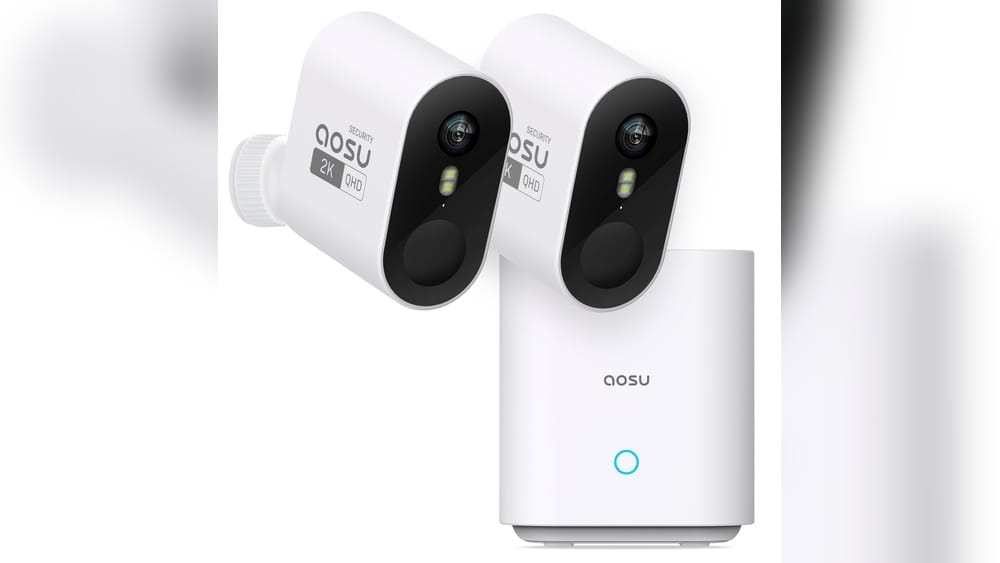
When it comes to home security, a reliable camera can make all the difference. With so many brands available, it’s easy to feel overwhelmed by choices that promise safety but often deliver mixed results. If you’re considering Aosu as your next security camera, you probably want clear, honest answers: Is Aosu actually a good security camera for your needs? Will it keep your home safe, deliver sharp video, and be easy to use? In this in-depth guide, you’ll find real-world insights, data, and comparisons, so you can decide with confidence.
What Is Aosu And Who Is It For?
Aosu is a brand focused on smart home security, especially wireless security cameras and video doorbells. The company markets itself as offering easy setup, AI-powered features, and affordable pricing compared to some of the big names like Arlo, Ring, or Google Nest. But is this marketing true in daily use?
Aosu’s main customers are homeowners and renters looking for DIY security solutions. Most Aosu cameras are designed to be installed in minutes, without wiring or professional help. They connect to your Wi-Fi and let you view footage from your phone, tablet, or computer. This makes them popular with people who want to avoid complicated systems or monthly contracts.
While Aosu is not as famous as some older brands, it’s growing fast thanks to positive reviews and competitive features. The company’s main products include:
- Aosu Wireless Security Cameras (indoor/outdoor)
- Aosu Video Doorbells
- Aosu Floodlight Cameras
Aosu is also known for using local storage (microSD cards) in many models, which saves you from paying monthly cloud fees. However, this also means you need to check how secure your storage is, and whether cloud backup is available if your device is stolen.
Key Features Of Aosu Security Cameras
To decide if Aosu is a good security camera, it helps to look at the features that matter most for home or small business use.
High-resolution Video
Most Aosu cameras provide 2K QHD (2560 x 1440 pixels) or 1080p Full HD video quality. This is important if you want to identify faces, cars, or license plates clearly. Some newer models even support 4K resolution, but for most homes, 2K is more than enough.
A typical Aosu camera offers:
- Sharp daytime images with accurate color
- Night vision (infrared or color, depending on the model)
- Wide viewing angles (often 135° to 166°)
Smart Motion Detection
Aosu uses AI-based motion detection to reduce false alerts from pets, wind, or shadows. Many models offer person detection and activity zones, so you only get notified about important movement.
You can adjust:
- Motion sensitivity (low, medium, high)
- Alert zones (choose areas to monitor, like your front door)
- Alert types (notifications, sirens, or recording)
Easy App Control
The Aosu app (iOS/Android) is the main way to access your camera’s live feed, review events, or customize settings. Some features include:
- Instant notifications for motion or sound
- Two-way talk (speak to visitors or scare off intruders)
- Playback of recorded events
- Multiple camera management
Storage Options
Aosu stands out by offering local storage (up to 256GB microSD card support) on most cameras. This is a big plus for privacy and cost savings. Some models also support cloud storage for a fee, which adds extra backup in case the camera is stolen.
Weather Resistance
Outdoor Aosu cameras usually have IP65 or IP67 weatherproof ratings. This means they can handle rain, snow, and dust — but it’s still wise to install them under some cover for longer life.
Battery Life And Power
Most wireless models use rechargeable batteries, lasting 4–6 months per charge (based on average use). Wired options are also available, which remove the need to recharge but require installation near a power outlet.
Integration And Compatibility
Aosu cameras work with Amazon Alexa and Google Assistant, so you can view camera feeds on smart displays or use voice commands. However, Apple HomeKit support is not available as of mid-2024.
Security And Privacy
Aosu claims to use bank-level encryption for video streams and stored footage. This helps protect your data from hackers. Still, privacy depends partly on your home network security and regular firmware updates.
How Aosu Cameras Compare With Competitors
It’s easy to find specs on paper, but how does Aosu perform against better-known brands? Here’s a side-by-side look at what you get.
| Feature | Aosu 2K Wireless | Arlo Pro 4 | Ring Stick Up Cam |
|---|---|---|---|
| Video Quality | 2K QHD | 2K QHD | 1080p HD |
| Local Storage | microSD (up to 256GB) | Requires hub | No |
| Cloud Storage | Optional | Subscription | Subscription |
| Battery Life | 4–6 months | 3–6 months | 2–6 months |
| AI Motion Detection | Yes | Yes | Limited |
| Two-Way Audio | Yes | Yes | Yes |
| Price (approx.) | $79–$129 | $159–$199 | $99–$129 |
| Smart Home | Alexa, Google | Alexa, Google, HomeKit | Alexa, Google |
Main insight: Aosu matches or beats big brands in video quality and offers local storage without extra cost. However, it doesn’t support Apple HomeKit, and its brand reputation is newer.
Real-world Performance: What Users Say
Online reviews and user feedback reveal much more than spec sheets. Here’s what real buyers say about Aosu cameras after months of use.
Video Quality
Users often praise the clear 2K video and wide field of view. Even at night, the infrared vision shows faces and objects up to 30 feet away. However, some people note that the color night vision feature (available on select models) works best with a streetlight or porch light nearby.
Motion Alerts And Detection
Aosu’s motion alerts are generally fast and accurate. Many users report fewer false alarms than with older brands, especially after setting up activity zones. However, in busy areas (like near a sidewalk), you may still get several alerts per day unless you fine-tune the sensitivity.
App Experience
The app is easy to set up and offers all key features. Still, some users find that playback can be slow if using large microSD cards or older phones. Occasional bugs, like failed notifications, have been reported but are usually fixed with app updates.
Battery Life
Most reviewers say the battery lasts 4–6 months with normal use (10–20 motion events per day). Cold weather can reduce battery life, and frequent live viewing also drains power faster. Wired models or solar panels are available for high-traffic areas.
Installation
Aosu cameras are praised for quick setup—most people install them in under 30 minutes. The magnetic base and simple app pairing are highlights. However, the mounting hardware feels “basic” compared to premium brands, so it’s smart to check your kit before final installation.
Customer Support
Support is available via email and chat. While responses are usually fast, Aosu doesn’t have 24/7 phone support like some major brands. Return policies are clear (usually 30 days), and warranty coverage is typically one year.

Credit: www.sepr.es
Strengths Of Aosu Security Cameras
Choosing a camera should be about more than just price. Here’s where Aosu really shines:
- Excellent value for money: Features like 2K video, AI detection, and local storage are usually found in much pricier models.
- No monthly fees required: Store footage locally for free.
- Simple installation: Even for beginners or renters.
- Good battery life: Fewer recharges than some rivals.
- Strong privacy control: Local storage means your videos don’t leave your home unless you choose cloud backup.
- Smart detection: AI helps reduce annoying false alerts.
- Flexible power options: Battery, wired, or solar panel add-on.
Non-obvious insight: Aosu’s use of large microSD cards (up to 256GB) means you can store weeks of footage locally, a key difference from competitors that force cloud subscriptions.
Weaknesses And Limitations
No security camera is perfect. Here are some areas where Aosu falls short:
- No Apple HomeKit support: If you’re all-in with Apple smart home, Aosu isn’t for you.
- Cloud storage costs extra: Unlike some brands that bundle short-term cloud storage, Aosu charges for this backup.
- App can lag with large cards: If you use a 256GB card and have hundreds of events, playback may slow down.
- Build quality is decent but not premium: The plastic housings are durable but don’t feel as “solid” as some top-end brands.
- Limited advanced integrations: Automation features are not as deep as with Arlo or Google Nest.
- Customer support hours: No 24/7 phone line; mainly online support.
- No continuous recording: Most models record only when motion is detected, not 24/7.
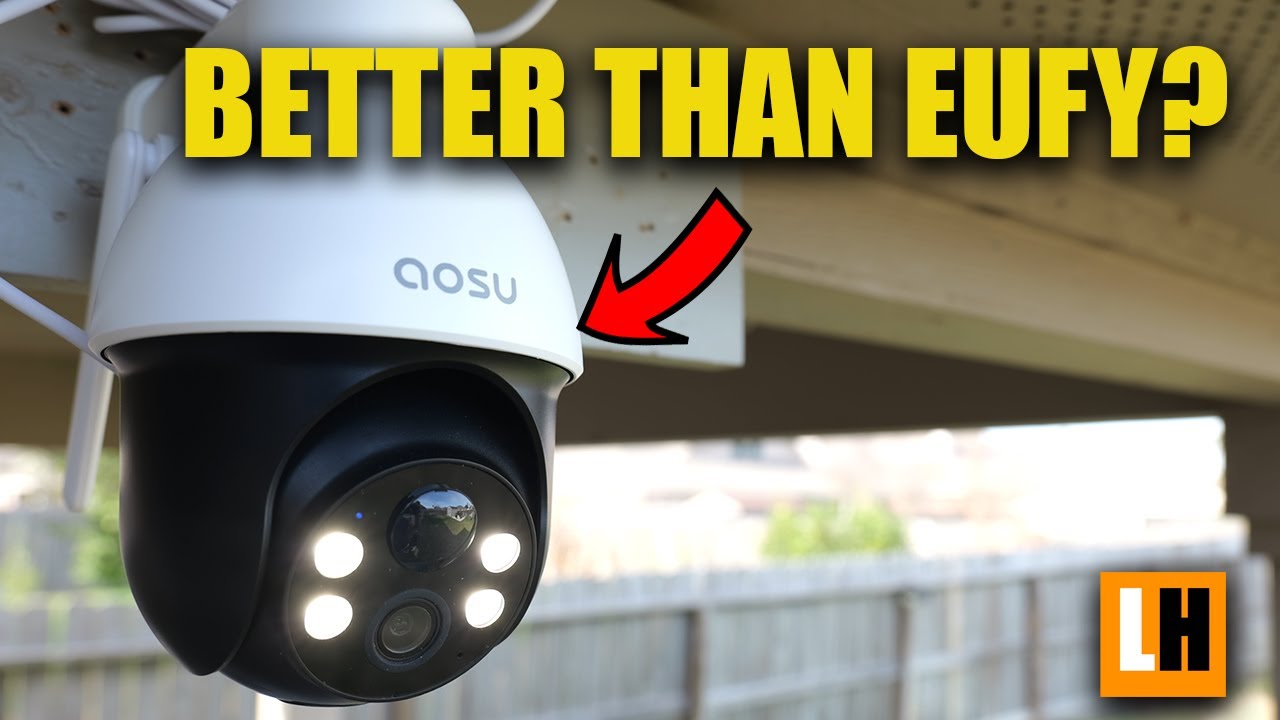
Non-obvious insight: If your main concern is camera theft or vandalism, local storage alone is risky—thieves could take both camera and footage unless you add cloud backup.
Credit: www.youtube.com
Deep Dive: Popular Aosu Models
To help you choose, here’s a closer look at three best-selling Aosu cameras.
Aosu 2k Wireless Outdoor Security Camera
- Resolution: 2K QHD
- Field of View: 166°
- Night Vision: Infrared
- Battery Life: 4–6 months
- Storage: MicroSD, optional cloud
- AI Detection: Person and motion
This is the most popular Aosu model. Users love the wide viewing angle, strong battery, and accurate motion alerts. It’s ideal for front yards, driveways, or garages.
Aosu 2k Video Doorbell Camera
- Resolution: 2K QHD
- Field of View: 166°
- Night Vision: Infrared
- Battery: 180 days per charge (claimed; real-world is 3–5 months)
- Two-Way Audio: Yes
- Storage: MicroSD
This video doorbell offers clear video and strong night vision. The two-way talk feature is handy for deliveries or visitors. It installs quickly with a bracket and connects to your Wi-Fi.
Aosu Floodlight Cam Pro
- Resolution: 2K QHD
- Floodlight Brightness: 2,000 lumens
- Night Vision: Color
- Power: Wired
- AI Detection: Person, package, vehicle
Great for backyards or dark areas, this model adds a bright floodlight and color night vision. The floodlight can be set to trigger by motion, and you can talk to visitors through the camera.
Tip: The floodlight model is best for areas with existing power wiring; battery models are more flexible but less bright at night.
Setting Up And Using Aosu Cameras: Step-by-step
If you’re new to smart cameras, you might wonder how tough the setup really is. Here’s a typical process for Aosu wireless cameras:
- Charge the camera (if battery-powered) using the included USB-C cable.
- Download the Aosu app from your app store.
- Create an account and follow the in-app guide.
- Insert the microSD card if you want local storage.
- Add the camera by scanning the QR code on the device or packaging.
- Name your camera and set its location (front door, backyard, etc. ).
- Mount the camera using the bracket and screws (included).
- Adjust viewing angle and test video in the app.
- Set up motion zones, alerts, and schedules as needed.
Most users finish in 15–30 minutes. The app walks you through each step, and you can move the camera later if your needs change.
Common mistake: Skipping the firmware update. Always update your camera’s firmware before finalizing setup—this avoids bugs and improves security.
Practical Tips For Getting The Most From Aosu Cameras
To maximize your investment, consider these real-world tips:
- Install cameras 7–9 feet high for the best balance of face detection and theft protection.
- Angle slightly down to reduce glare from lights or sun.
- Use activity zones to cut down on false alerts from passing cars or pets.
- Test Wi-Fi strength before installing—weak signal leads to missed footage.
- Recharge before battery is low (below 10%), as cold weather drains batteries faster.
- Lock your microSD card slot if possible, to avoid tampering.
Extra insight: Backup critical clips to your phone or cloud regularly. Local storage is great, but if your camera is stolen, you lose the footage unless you’ve backed it up.
Who Should (and Shouldn’t) Choose Aosu?
Aosu is a strong choice if you want:
- Affordable, high-quality video
- No monthly fees required
- Easy DIY installation
- Good privacy controls
- Flexible indoor/outdoor use
It’s not the best fit if you need:
- Apple HomeKit integration
- 24/7 professional monitoring
- Continuous recording (NVR/DVR style)
- Premium build materials
- Advanced automations with other smart home devices
Best for: Homeowners, renters, small businesses, and anyone new to DIY security.
Not ideal for: People in the Apple HomeKit ecosystem, or those who want advanced smart home routines and integrations.
Common Buyer Mistakes To Avoid
Many new buyers make the same errors with security cameras. Here’s how to avoid them with Aosu:
- Ignoring Wi-Fi coverage: Cameras need strong Wi-Fi. Test the signal at installation spots before you buy.
- Buying too few cameras: One camera rarely covers all entry points. Plan for at least front and back coverage.
- Forgetting about power: If you buy a wired model, make sure you have a nearby outlet or can run a cable.
- Not budgeting for cloud storage: If you want off-site backup, factor in the cost.
- Not updating firmware: Skipping updates can leave your camera vulnerable to hackers.
- Overlooking privacy: Set strong passwords and enable two-factor authentication in the app.
Helpful tip: Read the user manual and app FAQ before installation. A few minutes of prep can prevent days of frustration later.
Aosu Camera Pricing: What To Expect
Aosu is known for competitive pricing. Here’s a snapshot of average prices (as of June 2024):
| Model | Resolution | Power | Local Storage | Price Range (USD) |
|---|---|---|---|---|
| 2K Wireless Outdoor | 2K QHD | Battery | Yes | $79–$129 |
| 2K Video Doorbell | 2K QHD | Battery | Yes | $99–$129 |
| Floodlight Cam Pro | 2K QHD | Wired | Yes | $139–$179 |
| Indoor 2K Cam | 2K QHD | Wired | Yes | $39–$59 |
Compare these to rivals like Arlo, Ring, and Google Nest, which can cost $150–$250 per camera (plus cloud fees).

Credit: www.amazon.com
Security And Privacy: How Safe Is Your Data?
Aosu claims to use AES 128-bit encryption for all video streams and stored clips. This is the same level of security used by many banks. The app requires a password, and you can enable two-factor authentication for extra safety.
However, every device is only as secure as your home network. To protect your footage:
- Change the default password after setup.
- Update firmware whenever notified.
- Secure your Wi-Fi with WPA2 or WPA3 encryption.
- Disable remote viewing if you don’t need it.
For more details on smart home security standards, check the official Consumer Reports Home Security Camera Guide.
Aosu Customer Service And Warranty
Aosu offers a 1-year limited warranty on most cameras. This covers defects in materials and workmanship but not accidental damage or misuse. Support is available by email and chat (usually 12 hours per day, not 24/7).
If you buy from Amazon or the official Aosu website, you usually get a 30-day return window. Always keep your receipt and packaging in case you need to make a claim.
Final Thoughts: Is Aosu A Good Security Camera?
Aosu delivers impressive video quality, AI-powered detection, and flexible storage at a price most competitors can’t match. For homeowners and renters who want to boost security without a steep learning curve or ongoing fees, Aosu is an excellent choice. While it lacks some advanced integrations and luxury build, the value for money is hard to beat.
If your top priorities are easy setup, no contracts, and privacy, Aosu is worth serious consideration. Just be sure to check your Wi-Fi strength, plan your coverage, and use both local and cloud backup for critical footage.
Frequently Asked Questions
What Is The Difference Between Aosu And Other Security Camera Brands?
Aosu focuses on affordable, high-quality cameras with local storage and AI detection. Unlike some brands, Aosu does not require cloud subscriptions, though it offers them. It’s less established than Arlo or Ring but offers similar features for less money.
Can I Use Aosu Cameras Without A Subscription?
Yes, you can use Aosu cameras with just local storage (microSD card). Cloud storage is optional and only needed if you want off-site backup or remote access to past events.
How Long Does The Battery Last On Aosu Cameras?
With typical use (10–20 motion events per day), Aosu camera batteries last 4–6 months before needing a recharge. Cold weather and frequent live viewing can reduce battery life.
Does Aosu Offer Continuous Recording?
Most Aosu models use motion-activated recording only. They do not support 24/7 continuous recording like some NVR systems, but this helps save storage space and battery life.
Is Aosu Secure And Private?
Aosu uses encryption to protect your video streams and local storage. For maximum privacy, always update firmware, use strong passwords, and enable two-factor authentication in the app.