
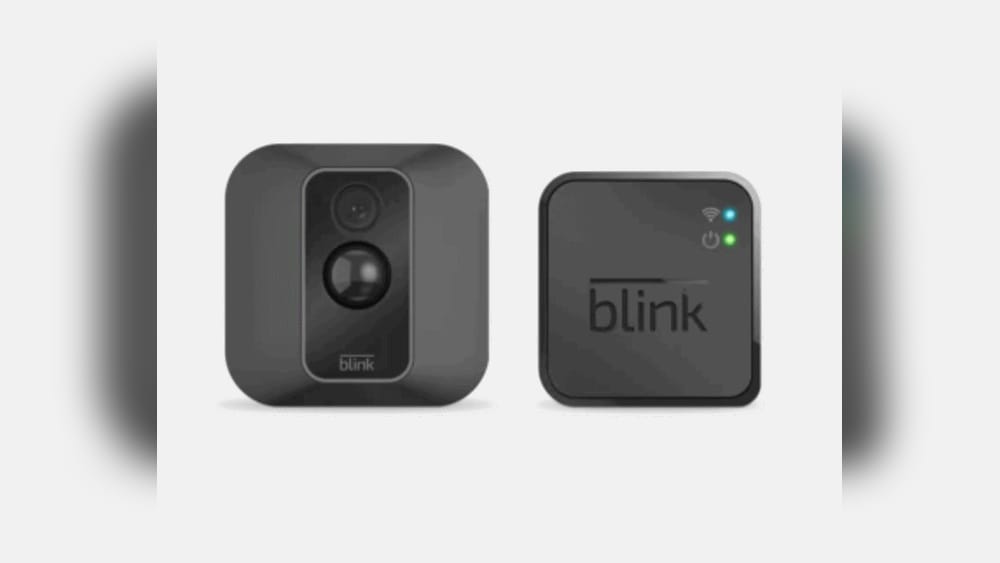
When you look for a home security camera, the choices can feel overwhelming. Many brands promise safety, but you want something simple, reliable, and affordable. Blink, an Amazon-owned company, is often one of the first names you see. But is Blink a good security camera?
This is a question many homeowners, renters, and small business owners ask before spending their money. In this guide, you’ll get a clear, honest look at what Blink offers—its strengths, its weaknesses, and how it truly compares to others. Whether you’re a first-time buyer or thinking of switching from another brand, you’ll find everything you need to make a confident decision.
What Is Blink?
Blink is a brand of wireless security cameras owned by Amazon. The company started in 2014 and became popular for offering affordable, easy-to-use cameras that don’t require complicated wiring or contracts. Blink makes indoor and outdoor models, video doorbells, and accessories. The cameras work with Wi-Fi and are controlled through a smartphone app. Their main selling points are low price, easy setup, long battery life, and integration with Amazon Alexa.
Main Features Of Blink Security Cameras
Understanding the core features helps you know what to expect from Blink. Here’s what most Blink cameras offer:
- Battery-powered: Most Blink cameras use AA lithium batteries, promising up to two years of life.
- Wireless installation: No drilling or wires needed; you can put them almost anywhere.
- HD video: Most models record in 1080p HD.
- Motion detection: Cameras only record when movement is detected, saving battery and storage.
- Two-way audio: You can listen and talk through the camera using your phone.
- Cloud and local storage: Videos can be saved to the cloud (with a subscription) or locally using a USB drive.
- Smart home integration: Works with Amazon Alexa for voice control and automation.
These features sound great, but how do they work in real homes? Let’s dive deeper.

Credit: www.cnet.com
Blink Camera Product Lineup
Blink offers a simple lineup, making it less confusing for buyers. Each model has its own strengths.
| Model | Best For | Resolution | Battery Life | Weatherproof | Price (USD) |
|---|---|---|---|---|---|
| Blink Outdoor | Outside monitoring | 1080p | Up to 2 years | Yes | $99.99 |
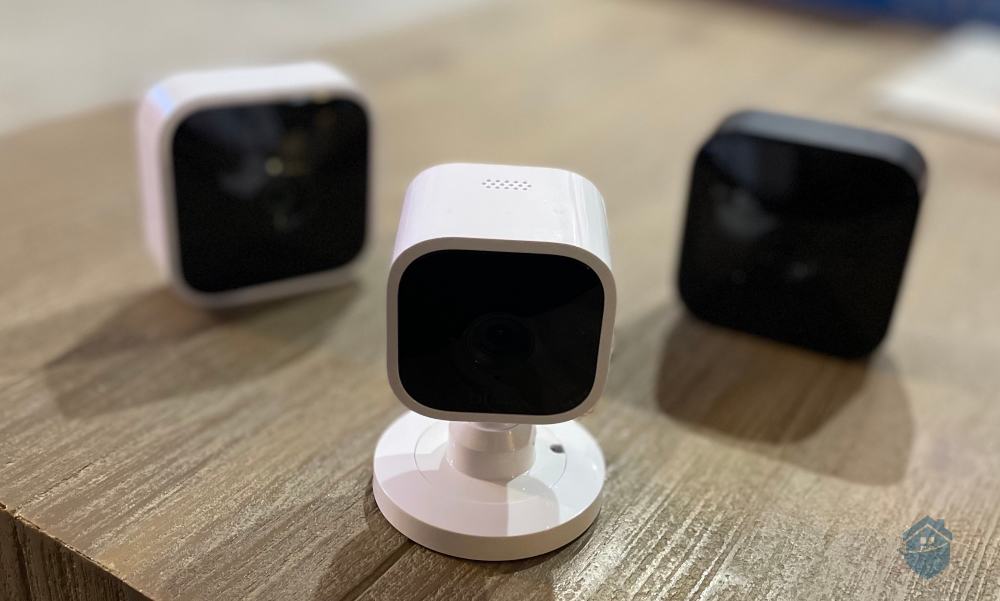
| Blink Indoor | Inside rooms | 1080p | Up to 2 years | No | $79.99 |
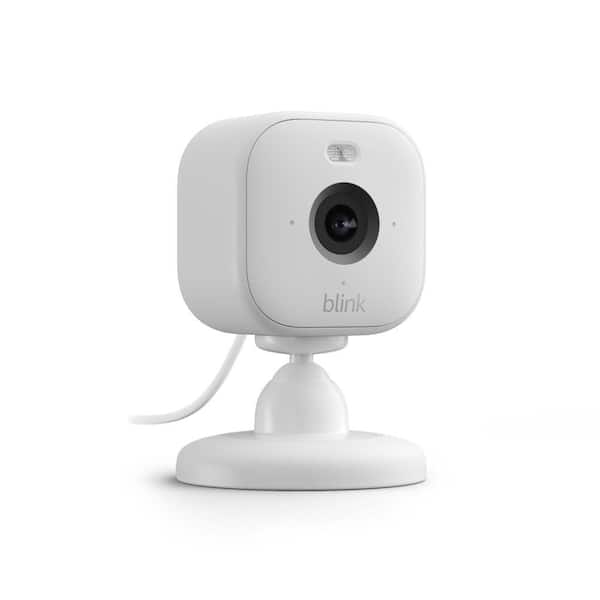
| Blink Mini | Entry-level, plug-in | 1080p | Not battery-powered | No | $34.99 |
| Blink Video Doorbell | Front door | 1080p | Up to 2 years | Yes | $49.99 |
Non-obvious insight: Blink’s lineup is small by design. Fewer choices mean less confusion, especially for people new to home security.
How Easy Is Blink To Set Up?
One of Blink’s biggest selling points is quick setup. Even if you’re not tech-savvy, you can install these cameras in minutes.
- Unbox and insert batteries: Most models use AA lithium batteries (included).
- Download the Blink Home Monitor app: Available for both iOS and Android.
- Create or log in to your Blink account.
- Add your camera: The app guides you through connecting to your Wi-Fi.
- Place the camera: Mount it using the included hardware or simply set it on a shelf.
No wires, no drilling (unless you want to mount it high up), and no need for a professional installer. This makes Blink very attractive for renters or people who don’t want to damage walls.
Practical tip: Make sure your Wi-Fi signal is strong where you want to place the camera. Weak Wi-Fi leads to video lag or missed recordings—a problem beginners often miss.
Video Quality And Performance
A security camera is only as good as its video. Blink cameras record in 1080p HD, which is the current standard for home cameras.
Daytime Performance
During the day, Blink cameras offer clear, sharp images. Faces, license plates, and details are easy to see within about 20 feet. Wide-angle lenses capture large areas, but like most budget cameras, image quality drops slightly at the edges.
Night Vision
All Blink models have infrared night vision. This means they can see in the dark using invisible light. The picture is black-and-white at night, and while you can see people and objects, fine details are sometimes lost. The range is about 20 feet in total darkness.
Some more expensive brands offer color night vision, which Blink does not.
Motion Detection
Blink cameras use passive infrared sensors to detect movement. You can set the sensitivity and even create “activity zones” to ignore certain areas (like a waving tree). When motion is detected, the camera records a short clip and sends an alert to your phone.
Hidden detail: Blink cameras have a short “cooldown” time after each motion event. This means if someone walks by, triggers the camera, and then lingers, there may be a short gap before the next recording. This is different from continuous recording, which Blink does not offer.
Battery Life: Hype Vs Reality
Blink advertises up to two years of battery life. This is possible but depends on usage.
- Low activity (few motion events per day): Batteries can last close to two years.
- High activity (busy streets, lots of motion): Expect 6–12 months, sometimes less.
Frequent live viewing or two-way audio also reduces battery life. It’s important to use AA lithium batteries (not alkaline) for the best performance. Some users make the mistake of using regular AA batteries, leading to frustration when cameras die quickly.
Expert tip: Place cameras where unnecessary triggers are minimized, like away from moving bushes or busy sidewalks.
Credit: www.homedepot.com
Storage Options: Cloud Vs Local
Blink gives you two ways to store your video clips:
Cloud Storage
- Requires a paid subscription (about $3/month per camera or $10/month for unlimited cameras).
- Videos are stored for up to 60 days.
- Easy to view and share clips from anywhere.
Local Storage
- No monthly fee.
- Requires the Blink Sync Module 2 and a USB drive (sold separately).
- Stores clips locally, but you must be on the same Wi-Fi network to view them.
| Storage Type | Cost | Access | Retention |
|---|---|---|---|
| Cloud | $3–$10/month | Anywhere | Up to 60 days |
| Local | Free (after hardware) | Home Wi-Fi only | USB size limit |
Beginner’s mistake: Many first-time buyers think Blink has free cloud storage. In fact, you only get cloud storage with a paid plan. Local storage is the only free option (after you buy the hardware).
Smart Home Integration
Blink is designed for Amazon Alexa. You can arm or disarm cameras, show live feeds on Echo Show devices, and receive alerts through Alexa routines. However, Blink does not work with Google Home or Apple HomeKit. If you’re already in the Amazon ecosystem, Blink fits in well. If you use Google or Apple, you’ll miss out on smart features.
Non-obvious advantage: You can use Alexa voice commands to bring up live video instantly—useful if you hear a noise and want to check your cameras hands-free.
Mobile App Experience
The Blink Home Monitor app is simple and straightforward. You can:
- View live video from any camera
- See motion alerts and recorded clips
- Adjust settings for each camera (motion zones, sensitivity, etc.)
- Arm/disarm the system
Most users find the app easy to use, though some wish for more advanced features. For basic monitoring and alerts, it does the job well.
Watch out: Notifications can be delayed if your phone’s power-saving settings restrict background data. Always allow the Blink app to run in the background for real-time alerts.
Price: How Blink Stacks Up
Blink is positioned as a budget-friendly security option. Here’s how its main cameras compare to some popular competitors:
| Brand / Model | Price (USD) | Resolution | Battery Life | Cloud Storage | Works with Alexa |
|---|---|---|---|---|---|
| Blink Outdoor | $99.99 | 1080p | Up to 2 years | $3/month | Yes |
| Arlo Essential | $129.99 | 1080p | Up to 6 months | $2.99/month | Yes |
| Ring Stick Up Cam | $99.99 | 1080p | Up to 1 year | $3/month | Yes |
| Wyze Cam Outdoor | $73.99 | 1080p | Up to 6 months | $1.99/month | Yes |
Blink often matches or beats competitors on price, especially when you factor in battery life and the option for free local storage.
Pros And Cons Of Blink Security Cameras
It’s helpful to see the good and the bad side by side.
Pros
- Affordable: Lower price than most big-name brands.
- Easy to install: Great for DIY users and renters.
- Long battery life: Less hassle changing batteries.
- Wire-free: Place them almost anywhere.
- Good app experience: Simple controls and settings.
- Local storage option: Avoids ongoing fees if you buy the Sync Module 2.
Cons
- No continuous recording: Only records when motion is detected.
- Cooldown period: Short gaps between motion clips.
- Cloud storage requires a subscription: No free cloud backup.
- Limited smart home compatibility: Works only with Alexa, not Google or Apple.
- Basic video quality: Good, but not as sharp as premium brands.
- Night vision lacks color: Black-and-white only at night.
Security And Privacy
Blink uses AES 256-bit encryption to protect video clips and data sent over Wi-Fi. Only people with your Blink account can view your videos. If you use local storage, your clips are saved on your USB drive, not in the cloud.
Hidden risk: If you use weak passwords or share your account, someone else could access your cameras. Always use strong, unique passwords and enable two-factor authentication in the app.
How Reliable Is Blink?
Most Blink users report stable performance. Cameras rarely drop offline if Wi-Fi is strong. Motion detection is consistent, and battery life matches expectations when settings are managed well. However, like all wireless cameras, Blink can struggle in areas with poor Wi-Fi or extreme temperatures (very hot or very cold).
Real-world example: In a small business with three Blink Outdoor cameras, one owner reported changing batteries only once in 18 months. Motion alerts were reliable, but the camera missed one late-night event because the cooldown period was too long. This highlights Blink’s strengths and its main limitation for critical security needs.
Who Should Buy Blink?
Blink is a good fit if you:
- Want a budget-friendly, easy-to-use camera
- Prefer wire-free installation
- Are okay with motion-based recording (not 24/7)
- Use Amazon Alexa for smart home control
- Need cameras for small homes, apartments, or as a supplement to other systems
Blink may not be right if you:
- Require continuous recording (for high-risk areas)
- Need smart home integration beyond Alexa
- Want the highest video quality or color night vision
- Need advanced features like person or package detection
Credit: www.safehome.org
Real User Reviews And Feedback
Looking at buyer feedback gives a better sense of real performance.
- On Amazon, Blink Outdoor has over 250,000 reviews with an average rating of 4.5 out of 5 stars.
- Users like the long battery life, simple app, and easy setup.
- Common complaints: Missing events during cooldown, occasional Wi-Fi dropouts, and the need for a subscription for cloud storage.
Insight: Many users buy Blink as a starter system, then add more cameras as they gain confidence. Some use Blink together with other brands to cover different parts of their home.
How Does Blink Compare To Other Camera Brands?
Blink Vs. Ring
Both Blink and Ring are owned by Amazon. Ring offers more advanced features like continuous recording (with some models), better motion detection, and wider smart home support. However, Ring cameras are more expensive, and most are not battery-powered.
Blink Vs. Arlo
Arlo is known for better video quality, more smart home compatibility (including Google and Apple), and features like color night vision. But Arlo cameras cost more, and their battery life is usually shorter.
Blink Vs. Wyze
Wyze is another budget brand with affordable cameras. Wyze offers free cloud storage (for short clips), color night vision, and more smart features. However, Wyze’s outdoor cameras have shorter battery life and can be less reliable in extreme weather.
Summary: Blink wins on battery life and simplicity but loses to premium brands on features and smart home integration.
Tips For Getting The Most From Blink
- Optimize camera placement: Avoid busy roads or trees that trigger false alerts.
- Use activity zones: Set in the app to ignore areas that cause unwanted recordings.
- Update firmware: Keep cameras and app updated for best performance and security.
- Use local storage: If you want to avoid monthly fees, invest in the Sync Module 2 and a good USB drive.
- Check Wi-Fi: Use a Wi-Fi extender if needed to ensure strong signal at each camera location.
- Set realistic expectations: Blink is excellent for basic monitoring, but not a replacement for a full professional security system.
Common Mistakes To Avoid
- Using alkaline batteries: Always use AA lithium for the best lifespan.
- Ignoring Wi-Fi strength: Weak signal means missed recordings.
- Assuming free cloud storage: Only local storage is free after buying the module.
- Placing cameras in direct sunlight: Can overheat the camera and reduce battery life.
- Not adjusting motion sensitivity: Defaults may be too high or too low for your space.
Frequently Asked Questions
How Long Do Blink Camera Batteries Really Last?
Most users get 6–24 months depending on how much motion the camera detects and how often they use live view or two-way audio. Low-traffic areas get closer to two years. High-traffic spots will need new batteries more often.
Do Blink Cameras Require A Monthly Subscription?
You do not need a subscription to use the cameras, view live footage, or store clips locally (with a Sync Module 2 and USB drive). However, if you want to save videos to the cloud and access them from anywhere, you’ll need a subscription plan.
Can Blink Cameras Be Used Outdoors In All Weather?
Blink Outdoor and Video Doorbell models are weather-resistant and can handle rain, snow, and heat. The Indoor and Mini models are not weatherproof and should only be used inside. Extreme cold or heat can reduce battery life or performance.
Is Blink Easy For Beginners To Set Up?
Yes, Blink is one of the easiest security cameras to install. The app guides you step by step, and the cameras are wireless, so you don’t need to run cables or hire a professional. Most people finish setup in under 15 minutes per camera.
Can I Use Blink With Other Smart Home Devices?
Blink works best with Amazon Alexa. You can use voice commands and see live feeds on Echo Show devices. However, Blink does not support Google Home or Apple HomeKit at this time. If you want wide smart home compatibility, consider other brands.
A security camera should give you peace of mind, not headaches. Blink delivers on its promises for most users: it’s affordable, easy to use, and reliable for basic monitoring. But like every product, it has trade-offs. If you understand what Blink does well—and where it falls short—you can decide if it’s the right fit for your home or business. For more details, you can check the official Blink website.
Remember, the best security camera is the one that fits your needs, your budget, and your lifestyle. Blink is a great choice for many, but always think about what matters most for your own safety and comfort.