
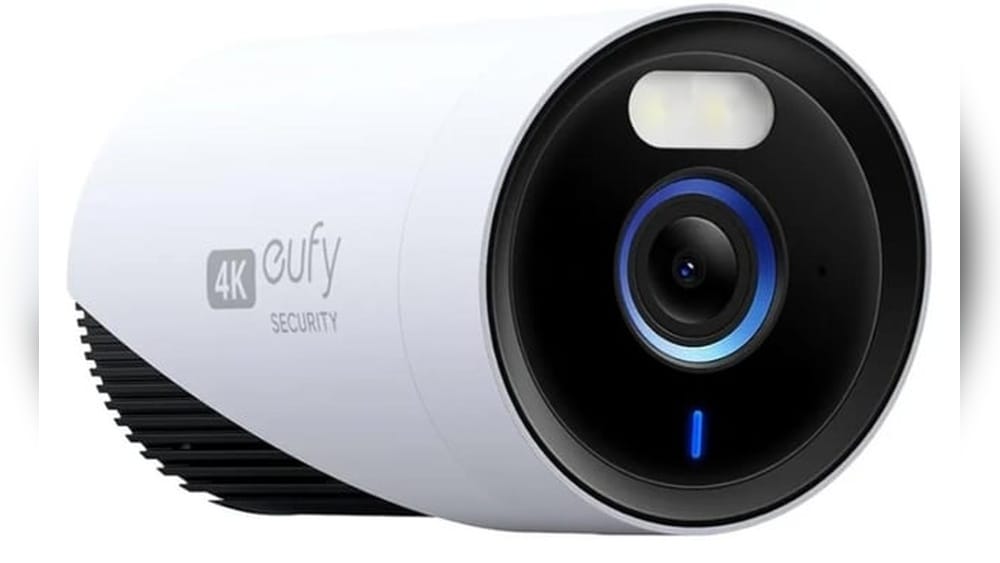
Choosing a security camera for your home or business is a big decision. You want something reliable, easy to use, and worth your investment. In recent years, Eufy security cameras have become popular for people looking for smart, affordable surveillance. But is Eufy really a good security camera brand? This article takes a close look at Eufy—how their cameras perform, what makes them unique, and what you should know before buying. If you’re considering Eufy for your security needs, keep reading to find out if it’s the right choice for you.
What Makes A Good Security Camera?
Before judging if Eufy is good, it’s important to understand what makes a security camera worth buying. The best cameras offer a mix of clear video quality, strong security features, and easy use. Here are some of the most important factors:
- Video resolution – Can the camera show clear details, even at night?
- Motion detection – Does it alert you quickly and avoid too many false alarms?
- Storage options – Can you store video locally, or do you need a paid cloud plan?
- Smart home integration – Does it work with Alexa, Google Assistant, or Apple HomeKit?
- Reliability – Does it keep working during power or internet outages?
- Privacy – How does it protect your data from hackers?
- Price and value – Do you get good features for the cost?
A good camera should balance these features, not just focus on one.
Eufy Security Camera Overview
Eufy is a brand by Anker Innovations, a well-known electronics company. Eufy started making smart home products in 2016 and quickly expanded into security cameras and video doorbells. Their cameras are known for being wire-free, offering local storage, and not forcing users to pay monthly fees. Their product line covers both indoor and outdoor cameras, with several popular models.
Some of Eufy’s most recognized cameras include:
- EufyCam 2C
- Eufy Solo IndoorCam
- EufyCam 3 (S330)
- Eufy Video Doorbell
Each camera has different features and price points, but all follow Eufy’s focus on privacy and easy use.
Credit: www.amazon.com
Video Quality: How Clear Is Eufy Footage?
One of the first things people ask is, “How good is the video?” Eufy cameras are often praised for their crisp, detailed video, even at night.
Resolution And Frame Rate
Most Eufy cameras record in 1080p Full HD. Some newer models, like the EufyCam 3, offer 4K Ultra HD. This higher resolution means you can see faces, license plates, and other details more clearly.
The frame rate is usually 15-20 frames per second. This is enough for smooth video, but not as fast as some pro-level cameras. For home use, this is rarely a problem.
Night Vision
Eufy uses infrared LEDs for night vision. People say the night footage is sharp and covers a wide area. Newer outdoor cameras have color night vision, which helps you see important details even in low light.
Field Of View
The field of view ranges from 100° to 135° depending on the model. This is wide enough to cover large areas but not so wide that things look stretched or warped.
Data Table: Eufy Video Specs Compared
Here’s how three top Eufy cameras compare:
| Model | Resolution | Night Vision | Field of View | Frame Rate |
|---|---|---|---|---|
| EufyCam 2C | 1080p | Infrared | 135° | 15 fps |
| EufyCam 3 | 4K Ultra HD | Color Night Vision | 135° | 15 fps |
| Solo IndoorCam | 2K | Infrared | 125° | 20 fps |
Eufy’s video quality stands out, especially in cameras with 2K or 4K. For most homes, 1080p is enough, but 2K and 4K are good for large spaces or if you want to zoom in without losing detail.
Motion Detection And Alerts
A camera is only useful if it can warn you about real threats. Eufy cameras use AI-based motion detection. This means they try to tell the difference between people, pets, and moving cars.
Person Detection
Many Eufy models have human detection. This reduces false alarms from animals, wind, or passing cars. Some cameras also detect faces or recognize family members.
Custom Activity Zones
You can set up activity zones in the Eufy app. This lets you choose which parts of the camera’s view will trigger alerts. For example, you can ignore a busy street and only get alerts for your front porch.
Speed And Reliability Of Alerts
Eufy’s notifications usually arrive within 2–5 seconds after motion is detected. This is fast enough for real-time awareness. However, Wi-Fi issues or app bugs can sometimes delay alerts.
Two Non-obvious Insights
- Camera Placement Affects Detection: If you place the camera too high or too low, the AI might miss people or trigger on shadows. Eufy works best when installed at the recommended height—usually about 7 feet.
- Pet Mode for Indoor Cameras: Some Eufy indoor models let you set “pet mode.” This reduces notifications caused by pets moving around, which is helpful if you have animals at home.
Storage: Local Vs. Cloud
One thing that makes Eufy stand out is its focus on local storage. Unlike many brands, you don’t need a subscription to save video clips.
Local Storage
Most Eufy cameras save video to a microSD card (up to 128GB) or a HomeBase hub with built-in memory. Some models let you use a USB drive. Local storage means:
- Your data stays in your home, not on a company server.
- You don’t pay monthly fees for basic storage.
- Video is still safe if your internet goes down.
Cloud Storage
Eufy does offer optional cloud plans. These start at about $3/month per camera. Cloud storage is useful if you want a backup in case the camera is stolen or destroyed. However, most people choose Eufy to avoid these fees.
Data Table: Eufy Storage Options
Here’s a look at the main storage options:
| Model | Local Storage | Cloud Storage | Included Storage | Max SD Card Size |
|---|---|---|---|---|
| EufyCam 2C | HomeBase (16GB) | Optional | 16GB eMMC | N/A |
| Solo IndoorCam | microSD | Optional | None | 128GB |
| EufyCam 3 | HomeBase (16GB/expandable) | Optional | 16GB, upgradable via HDD | N/A |
Practical Tips
- Always use a high-quality SD card for best performance. Cheap cards can fail and lose your footage.
- Backup important clips if something happens—like a break-in—since a thief could steal the camera and the SD card.
Privacy And Security Features
In the age of hacking, privacy is a big concern. Eufy promotes itself as a privacy-focused brand, but it’s important to look closer.
Local-only Option
Eufy lets you keep all footage local. This means less risk of hacking compared to cloud-only cameras. You can also view footage on your phone without sending it to Eufy’s servers.
Encryption
Eufy uses AES-128 encryption for video data. This is similar to the technology banks use for online transactions. Video sent from the camera to your phone is also encrypted.
Two-factor Authentication
You can enable two-factor authentication (2FA) for your Eufy account. This adds an extra layer of protection if someone tries to log in.
Privacy Mode And Masking
Some Eufy models have privacy zones—you can block out areas you don’t want recorded, like a neighbor’s window. Indoor cameras can also be set to shut off or rotate away when you’re home.
Past Security Incidents
In 2021, Eufy faced criticism for a bug that briefly let some users see other people’s camera feeds. Eufy responded quickly and fixed the issue, but it’s a reminder to always keep software updated.
Insight: What Beginners Miss
Many new users forget to set strong passwords or enable 2FA. This is the first thing you should do when setting up any smart camera.

Credit: www.eufy.com
Battery Life And Power Options
How long a camera lasts between charges is a big deal, especially outdoors.
Wireless Battery-powered Cameras
Eufy’s outdoor cameras use rechargeable batteries. Most promise up to 180 days (6 months) per charge. Real-world use shows 3–5 months with regular motion. Cold weather or lots of activity can shorten battery life.
Wired And Plug-in Models
Indoor cameras and some outdoor models use wall power. This means no battery changes, but you need a nearby outlet.
Solar Panel Option
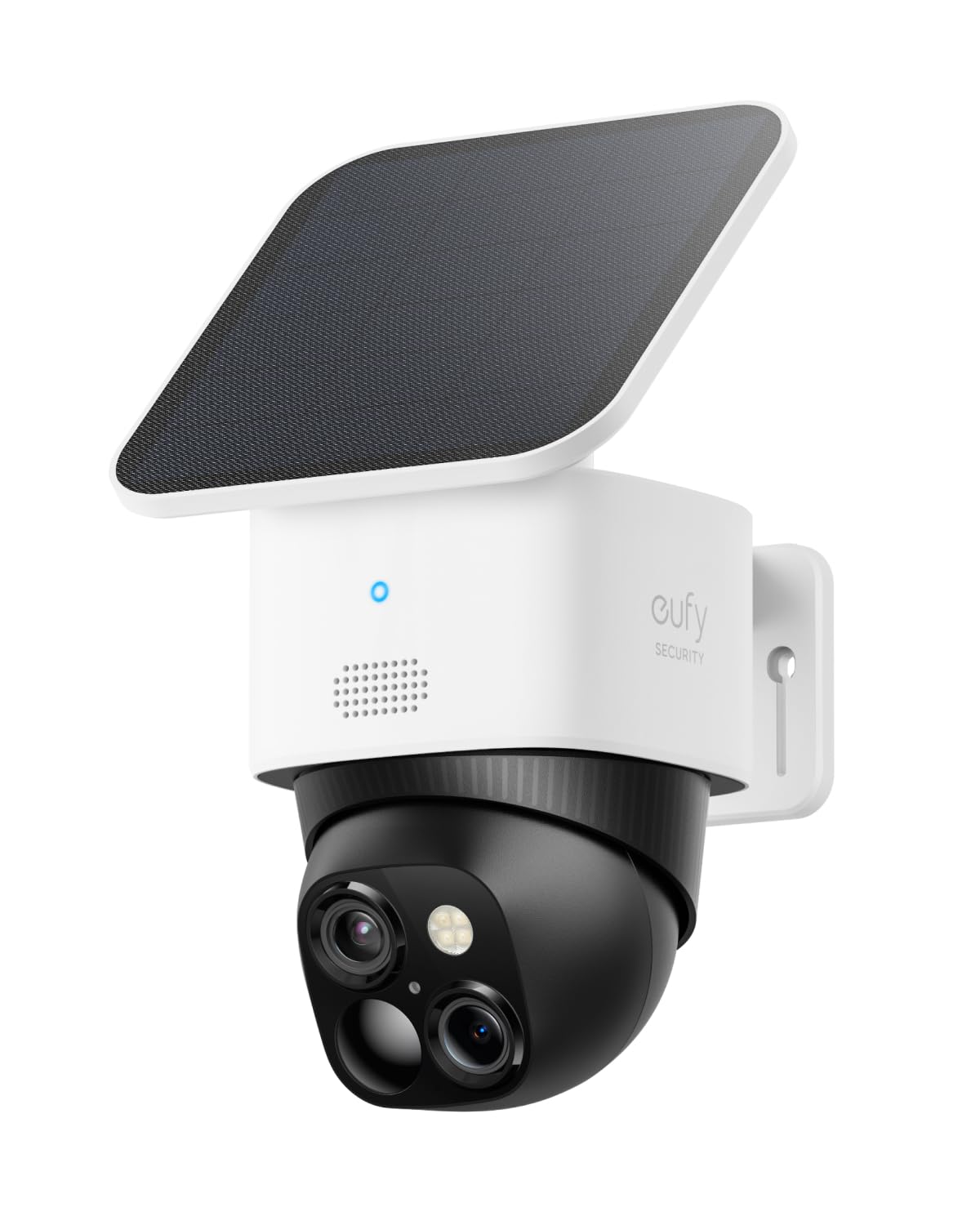
For some outdoor cameras, Eufy offers a solar panel. This can keep the battery topped up year-round if placed in a sunny spot.
Comparison Table: Power Options
| Model | Power Source | Battery Life (claimed) | Solar Option |
|---|---|---|---|
| EufyCam 2C | Battery | 180 days | Yes |
| Eufy Solo IndoorCam | Plug-in | N/A | No |
| EufyCam 3 | Battery | Up to 365 days | Yes |
Practical Guidance
- Place outdoor cameras where you can easily reach them to recharge. Even with long battery life, you’ll need to take them down every few months.
- If you want zero maintenance, solar panels are a smart upgrade.
Smart Home Integration
Many buyers want their security cameras to work with other smart devices. Eufy supports the most popular platforms, but with some limits.
Works With
- Amazon Alexa
- Google Assistant
- Apple HomeKit (only some models)
You can view live feeds on smart displays (like Echo Show) or use voice commands.
What’s Missing?
- No official support for Samsung SmartThings or IFTTT.
- Not all models work with HomeKit. Check before buying if you need Apple integration.
Insight: Homekit Secure Video
If you use Apple HomeKit Secure Video, your video is encrypted and analyzed on your Apple device, not Eufy’s servers. However, you lose some Eufy app features when using HomeKit mode.

Credit: me.pcmag.com
Eufy App Experience
The Eufy Security app is the main way to control your cameras. It’s available for iOS and Android.
Ease Of Use
Most users find the app simple and clear. You can:
- View live and recorded video
- Set up notifications
- Create activity zones
- Talk through two-way audio
Reliability
The app is updated regularly. Some users report occasional bugs or connection problems, but these are not common. If your Wi-Fi is weak, you may see delays.
Multi-user Support
You can share access with family members. Each person can have their own alerts and settings.
Non-obvious Tip
- Set up “Geofencing” to arm or disarm cameras automatically when you leave or arrive home. This avoids false alarms when you’re moving around your own house.
Installation And Setup
Eufy cameras are known for easy DIY installation.
Wireless Models
Battery-powered cameras can be mounted with just a few screws. No wires mean you can place them almost anywhere. The setup process usually takes 10–20 minutes per camera.
Wired Models
Indoor plug-in cameras need a power outlet. Setup is still easy, but you’ll need to hide the cord.
Homebase Hub
Some Eufy cameras require a HomeBase hub. This device manages storage and connects to your Wi-Fi. Setup is simple—plug it in, connect to your router, and use the app to add cameras.
Common Mistakes
- Don’t mount cameras too high. They work best at head level for recognizing faces.
- Test the Wi-Fi signal at the install spot before drilling holes. Weak signals cause video drops.
Price And Value: Is Eufy Worth The Money?
Eufy is not the cheapest, but it’s more affordable than many big-name brands like Arlo or Nest. The real value comes from no required cloud fees.
Typical Prices (2024)
- EufyCam 2C 2-Cam Kit: Around $180-$220
- Solo IndoorCam: $35-$50 per camera
- EufyCam 3 2-Cam Kit: $400-$500
What You Get
- Free local storage (no forced monthly fees)
- Strong features like person detection and night vision
- Good app and smart home support
Cost Over Time
If you compare Eufy to brands like Ring or Nest, those often require a $3–$10/month subscription per camera for cloud storage. Over 2–3 years, Eufy can save you $100–$200 per camera.
How Eufy Compares To The Competition
How does Eufy stack up against other popular brands like Arlo, Ring, and Wyze?
Eufy Vs Arlo
- Arlo often has better integration with smart home systems and more advanced features, but usually requires a subscription for cloud storage.
- Eufy offers free local storage and longer battery life, but fewer advanced detection options.
Eufy Vs Ring
- Ring has a huge ecosystem and works well with Alexa, but requires a subscription for video history.
- Eufy is better for privacy and has no required cloud fees.
Eufy Vs Wyze
- Wyze is cheaper and offers cloud storage, but has had more security concerns.
- Eufy is more reliable and has better privacy controls.
Table: Feature Comparison
| Feature | Eufy | Arlo | Ring | Wyze |
|---|---|---|---|---|
| Local Storage | Yes | Some models | No | Yes |
| Cloud Subscription Required | No | Yes (for most features) | Yes | No (optional) |
| Max Video Resolution | 4K | 4K | 1080p | 2K |
| Battery Life | Up to 1 year | 3–6 months | Varies | 3–6 months |
| HomeKit Support | Some models | Some models | No | No |
Real-world User Experiences
Reading specs is helpful, but real user reviews give a better idea of what to expect.
Positive Feedback
- Clear video, even at night
- Long battery life means less hassle
- No monthly fees for basic features
- Easy to install and use
Common Complaints
- Motion detection can be too sensitive or not sensitive enough (needs tuning)
- App sometimes has bugs or slow notifications
- Not all models support HomeKit
- Limited advanced features compared to some competitors
Example: Outdoor Use
A homeowner in Minnesota installed EufyCam 2C outdoors. Even after a harsh winter, the camera battery lasted over 4 months, and the footage was still clear. The only issue was needing to clean snow off the lens.
Example: Apartment Use
A renter used the Solo IndoorCam to watch pets. The camera sent too many alerts at first, but after adjusting the activity zones and enabling pet mode, it worked well.
Who Should (and Should Not) Buy Eufy Cameras?
Eufy Is A Great Fit If:
- You want no monthly fees and local storage
- Privacy is important to you
- You want easy DIY installation
- You want long battery life for outdoor use
Eufy May Not Be Right If:
- You need advanced features like package detection or police integration
- You want the best possible smart home support (especially with IFTTT or HomeKit)
- You have a very large property and need dozens of cameras (Eufy’s HomeBase has limits)
Unique Insight
New users often overlook firmware updates. Eufy regularly adds features and fixes bugs through updates, so always keep your cameras updated for the best performance.
The Verdict: Is Eufy A Good Security Camera?
After looking at video quality, storage, privacy, price, and user experience, it’s clear: Eufy is one of the best choices for most homeowners and renters who want a smart, affordable camera with no required monthly fees. The video is clear, the app is easy to use, and the privacy features are stronger than most competitors.
However, Eufy is not perfect. If you need advanced smart home features, or if you want the absolute best AI detection, you might prefer a different brand. But for everyday security, Eufy offers a strong mix of value, privacy, and ease of use.
If you want to dig even deeper into Eufy’s privacy and technology, check out the official Eufy Security site for the latest product details.
Frequently Asked Questions
How Long Do Eufy Camera Batteries Really Last?
Most Eufy outdoor cameras claim up to 180 days (6 months) per charge. In real use, expect 3–5 months if you have lots of motion or cold weather. Using a solar panel can keep batteries charged year-round.
Do You Need To Pay Monthly For Eufy Cameras?
No. Eufy’s main selling point is free local storage. You can add optional cloud plans if you want, but most people never need to.
Are Eufy Cameras Easy To Install Yourself?
Yes. Wireless models can be mounted in about 10–20 minutes with basic tools. The app guides you step by step. Wired models just need a nearby outlet.
Can Eufy Cameras Be Hacked?
No camera is 100% safe, but Eufy uses strong encryption and lets you keep all video local. Use strong passwords and enable two-factor authentication for the best security.
Does Eufy Work With Alexa, Google, Or Homekit?
Eufy works well with Alexa and Google Assistant for voice control and smart displays. Some models support Apple HomeKit, but not all—always check before buying.