
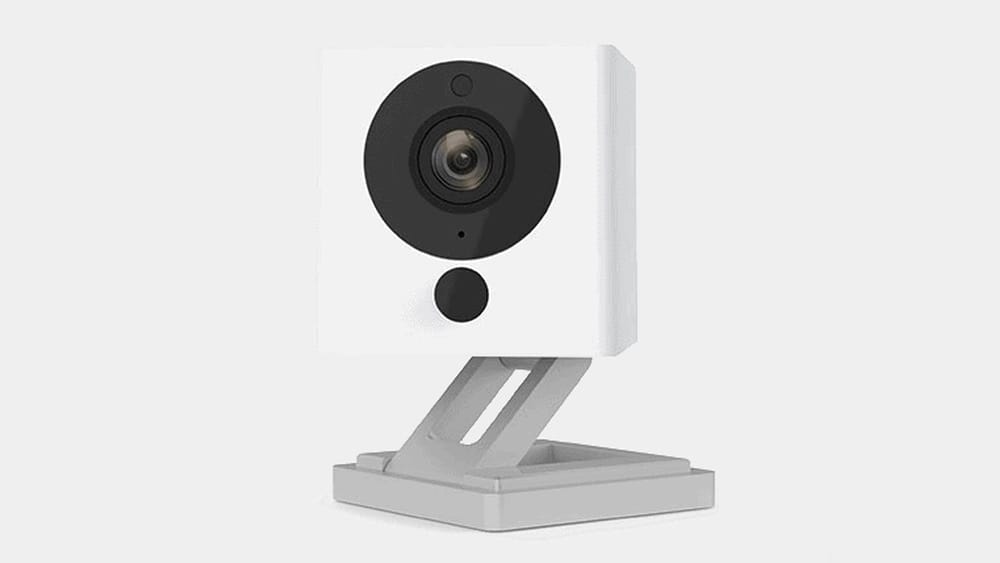
Choosing a home security camera is not a simple decision. You want something reliable, affordable, and easy to use. That’s why Wyze has become a popular name. But is Wyze really a good security camera for your needs? In this guide, you’ll find an honest, in-depth look at Wyze cameras from a practical angle. We’ll cover real-world performance, features, costs, and how Wyze compares to other brands. If you’re thinking about buying a Wyze camera or you’re just curious, you’ll find everything you need to know here—without confusing tech jargon.
What Is Wyze And Why Is It Popular?
Wyze is an American company that launched in 2017. Their main goal is to make smart home products that almost anyone can afford. Wyze cameras started as budget-friendly options with basic features. Over time, they’ve added more advanced models with better image quality, person detection, and smart home integrations.
One big reason for Wyze’s popularity is the price. Many Wyze cameras cost less than $50, while competitors like Arlo or Nest can be two to five times more expensive. For people who want home security without spending hundreds of dollars, Wyze seems like a great deal.
But price isn’t the only thing that matters. Let’s see how Wyze cameras perform in the real world.
Wyze Camera Models: Choices And Key Features
Wyze now offers several camera models. Here are the most common options and what makes them different:
| Model | Resolution | Indoor/Outdoor | Night Vision | Audio | Special Features | Price (approx.) |
|---|---|---|---|---|---|---|
| Wyze Cam v3 | 1080p | Both | Color night vision | 2-way | IP65, siren, microSD slot | $35 |
| Wyze Cam Pan v3 | 1080p | Indoor | Color night vision | 2-way | 360° pan, tilt, patrol mode | $43 |
| Wyze Cam Outdoor v2 | 1080p | Outdoor | IR night vision | 2-way | Battery powered, travel mode | $74 |
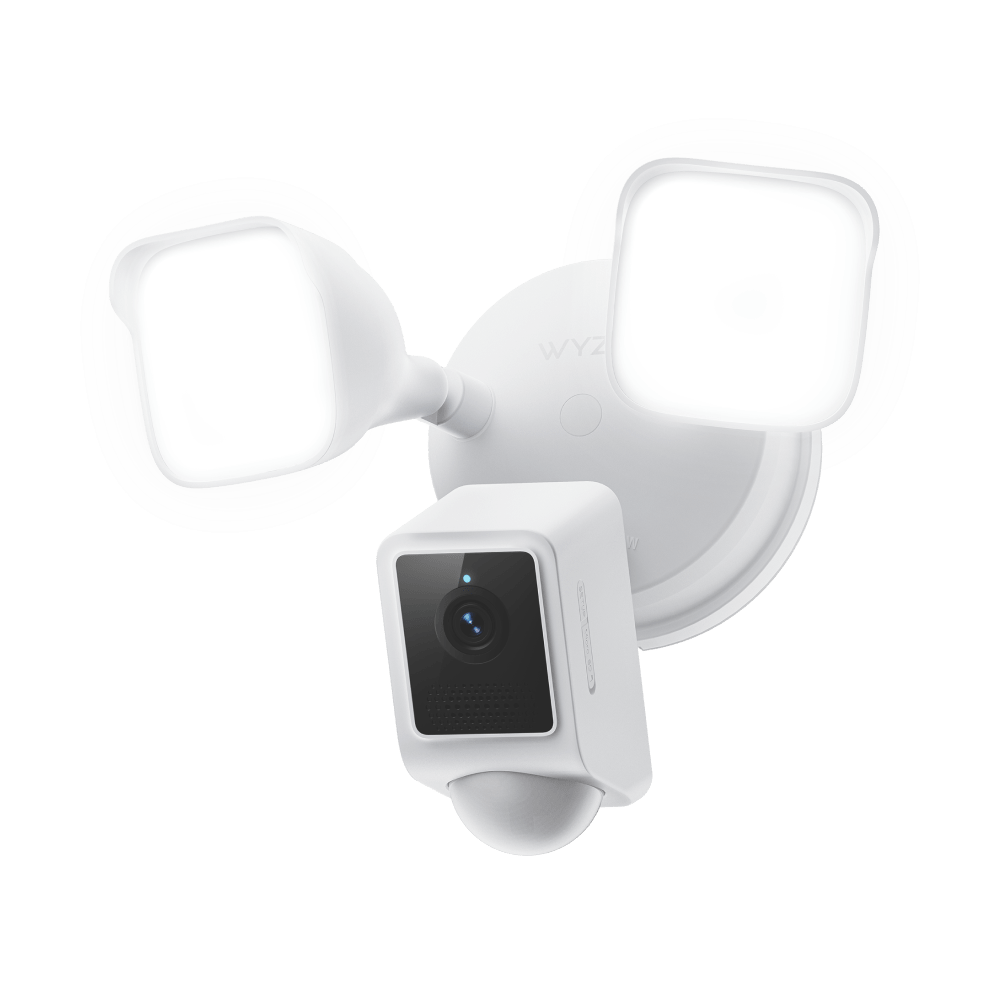
| Wyze Cam Floodlight | 1080p | Outdoor | Color night vision | 2-way | 2600-lumen floodlight | $85 |
| Wyze Video Doorbell Pro | 1440p | Outdoor | Night vision | 2-way | Battery or wired, chime included | $94 |
Most users choose the Wyze Cam v3 because it works both indoors and outdoors, has color night vision, and is extremely affordable. But other options are available if you need something specific, like a doorbell camera or a wide-area view.
How Easy Is Wyze To Set Up And Use?
A camera is only useful if you can install and use it without stress. This is where Wyze usually shines.
- Simple Setup: Most Wyze cameras can be installed in about 10 minutes. You plug in the camera, download the Wyze app, scan a QR code, and connect to Wi-Fi. There’s no need for professional installation.
- Mounting Options: The Wyze Cam v3, for example, comes with a magnetic base and mounting kit. You can put it on a shelf, stick it to metal, or use screws.
- User-Friendly App: The Wyze app (iOS and Android) lets you view live video, talk through the camera, and get alerts. The interface is clean and simple, though some users find it gets slow if you connect many cameras.
Non-obvious insight: If your Wi-Fi signal is weak, Wyze cameras can struggle. Place cameras near your router for the best results, or use a Wi-Fi extender.
Tip: Always update the Wyze app and camera firmware. Many features and security improvements come through these updates.
Video Quality And Night Vision: Does Wyze Deliver?
For most people, the main job of a security camera is to provide clear video—day or night.
Daytime Video: Wyze cameras record in 1080p HD (except the Video Doorbell Pro at 1440p), which is enough to see faces, cars, and pets clearly within 20–30 feet. In good lighting, the image is crisp and colors are accurate.
Night Vision: This is where the newer Wyze models stand out. The Wyze Cam v3 and Floodlight use color night vision, which uses a special sensor to show more detail and color at night—if there’s at least some light, like a streetlamp or porch light. In total darkness, cameras switch to black-and-white infrared.
Real-World Example: Users often report that they can read license plates or recognize people’s faces at night with the v3, if the camera is positioned well.
Potential Issue: In heavy rain, fog, or through glass, night vision quality drops. This is common with most security cameras, not just Wyze.
Motion Detection And Smart Alerts
Wyze cameras use motion detection to tell you when something happens. Here’s how it works:
- Pixel-based detection: The camera looks for changes in the image. This can trigger alerts for shadows, trees, or pets.
- Person Detection: With a Wyze subscription, the camera uses AI to tell the difference between people, pets, vehicles, and general motion. This reduces false alarms.
Customizable Zones: You can set “detection zones” in the app, so the camera only alerts you when there’s motion in a certain area (like a doorway, not a tree).
Practical Tip: Person Detection is only available if you pay for Wyze Cam Plus (see section on costs). Without it, expect more false alerts.
Non-obvious insight: If you have a busy street in your camera’s view, turn off all-motion alerts and use zones and AI detection, or you’ll get hundreds of notifications a day.
Recording And Storage Options
How and where your camera saves video is critical for privacy and convenience.
Cloud Storage
Wyze offers free cloud recording, but there are limits:
- Free Plan: Records 12-second video clips when motion is detected. There is a 5-minute “cooldown” between clips. If something happens right after a clip, you might miss it.
- Wyze Cam Plus (Paid): Records full-length clips as long as there is motion, with no cooldown. Also adds person, vehicle, and package detection.
Local Storage
All Wyze cameras (except the doorbell) have a microSD card slot. If you add a card (up to 256GB), you can:
- Record continuous video 24/7
- Save motion events with no cooldown
- View footage from the app or by removing the card
Cloud vs. Local:
| Feature | Cloud (Free) | Cloud (Cam Plus) | Local (microSD) |
|---|---|---|---|
| Video Length | 12 seconds | Unlimited | Up to card size |
| Cooldown | 5 minutes | None | None |
| AI Detection | No | Yes | No |
| Remote Access | Yes | Yes | Yes (live and playback) |
Non-obvious insight: If you want full event history without a monthly fee, buy a microSD card for each camera. The app lets you view all video remotely as long as the camera is online.
Credit: www.wyze.com
Smart Home Integrations
Many people want their security camera to work with other smart devices.
Wyze works with:
- Amazon Alexa
- Google Assistant
- IFTTT (If This Then That)
You can ask a smart speaker to show your Wyze camera feed on a screen. For example, “Alexa, show me the front door. ” You can also connect Wyze cameras with other Wyze products (locks, sensors, lights).
What’s missing: Wyze cameras do not support Apple HomeKit (as of June 2024). If you use only Apple Home, you’ll need a different camera.
Non-obvious insight: Automations with IFTTT sometimes have a delay of several seconds. If you need instant triggers (like a siren when motion is detected), it’s better to use Wyze’s built-in rules.
How Reliable Are Wyze Cameras?
Reliability is a key part of any security system. Here’s what to expect:
- Connectivity: Wyze cameras depend on Wi-Fi. If your internet is unstable or slow, cameras may disconnect or fail to send alerts. Most problems users report are due to Wi-Fi issues, not the camera itself.
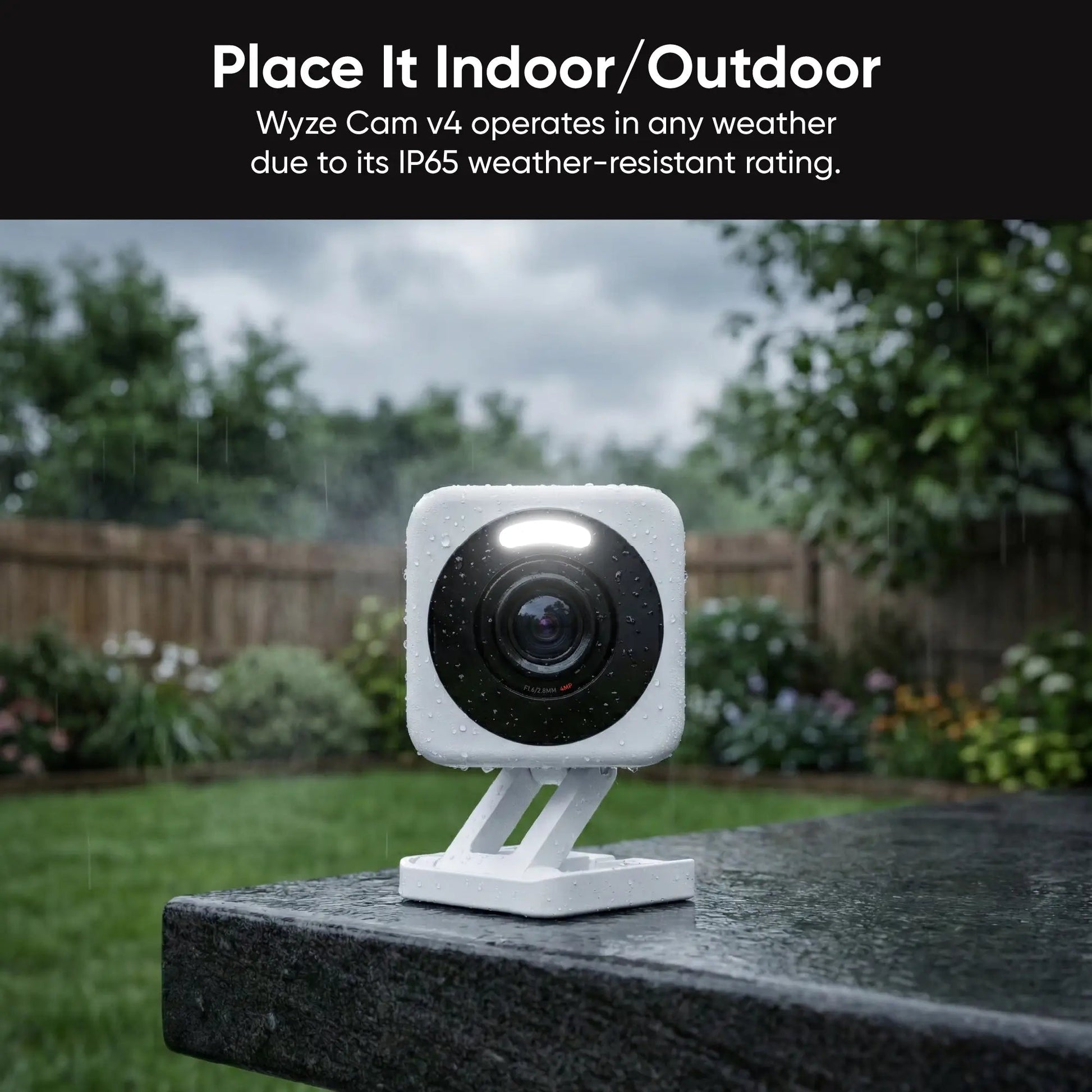
- Weather Resistance: The v3 and outdoor models are rated IP65, meaning they handle rain, snow, and dust. However, avoid placing them in direct sun for long periods, as heat can damage electronics over time.
- Firmware Updates: Wyze releases regular updates to fix bugs and add features. Sometimes, updates can cause issues (rarely), but Wyze usually responds with fixes quickly.
- Customer Support: Wyze support is mainly online chat and email. Some users say response times are slow during busy periods.
Practical tip: Connect your cameras to a dedicated 2.4GHz Wi-Fi network if possible. Wyze cameras do not support 5GHz Wi-Fi.
Privacy And Security: How Safe Is Your Data?
Whenever you use a camera with cloud features, data privacy is a concern.
- Encryption: Wyze uses end-to-end encryption for video streams, both on your local network and in the cloud.
- Two-factor Authentication: You can enable this in the Wyze app for extra protection.
- Data Center Location: Wyze stores cloud data on servers in the United States.
- Privacy Controls: You can turn off motion recording, disable the camera, or block the lens physically if needed.
Past Incidents: In December 2019, Wyze reported a data leak affecting some customer information (not video). The company took steps to improve security, but it’s a reminder that no cloud service is risk-free.
Non-obvious insight: If privacy is your top concern, use only microSD card storage and keep the camera on a closed local network.
Subscription Costs: What Do You Really Pay?
One reason Wyze is so appealing is the low upfront price. But do you need a subscription? Let’s break down the costs:
- Camera Price: Most Wyze cameras cost between $35 and $100.
- Cloud Plan (Wyze Cam Plus): About $2.99 per camera per month, or $19.99 per year.
- MicroSD Card: $10–$30 one-time cost, depending on size.
Are Subscriptions Required? No. Cameras work with free cloud clips and local storage. But you get more features with Cam Plus.
Hidden Costs: If you add 4–6 cameras and want Cam Plus for all, you’ll pay about $80–$120 per year. Still, this is less than most other brands.
Example: Ring cameras require a $40/year subscription for basic video history, and their cameras usually cost over $100 each.
How Does Wyze Compare To Other Security Cameras?
To see if Wyze is a good security camera, let’s compare it with some popular brands.
| Brand | Lowest Price | Resolution | Cloud Fee | Local Storage | Special Features |
|---|---|---|---|---|---|
| Wyze | $35 | 1080p/1440p | $2.99/mo (optional) | Yes (microSD) | Color night vision, AI alerts |
| Arlo | $99 | 1080p–4K | $4.99/mo (required for most features) | Yes (base station) | Wire-free, advanced AI |
| Ring | $59 | 1080p | $3.99/mo | No | Easy install, neighborhood alerts |
| Nest (Google) | $99 | 1080p/2K | $6/mo (Nest Aware) | No (some models) | Facial recognition, Google Home |
| TP-Link Tapo | $30 | 1080p | $3.49/mo (optional) | Yes (microSD) | Pan/tilt, privacy shutter |
Wyze Pros:
- Lowest price for decent quality
- No subscription required for basic use
- Color night vision on main models
- Works with Alexa and Google
Wyze Cons:
- No HomeKit support
- Some advanced features need a subscription
- Relies heavily on good Wi-Fi
Non-obvious insight: If you want a camera for a vacation house or temporary use, Wyze is excellent because of low cost and easy setup. For high-risk sites (like a business), more expensive brands may offer better durability and support.
Real-world Performance: What Do Users Say?
Online reviews and forums give a clear picture of what it’s like to own a Wyze camera.
Positive Feedback
- Easy to set up: Most people are up and running within 15 minutes.
- Good image quality for price: Users are often surprised by how clear the video looks, especially at night.
- Affordable expansion: Users can add more cameras without breaking the bank.
Common Complaints
- App glitches: Some users report lag, especially when viewing playback or switching between many cameras.
- Wi-Fi dependence: If your internet drops, you lose remote access and alerts (though local recording still works).
- False alerts: If you don’t set up zones and person detection, you may get too many notifications.
Example User Story
A family in Ohio used Wyze Cams to watch their driveway and back yard. After a car break-in, the Wyze Cam v3 caught clear video of the suspect at night, which they gave to police. They noted that setting up detection zones and using a microSD card made their system more reliable.
Wyze Camera Lifespan And Durability
How Long Can You Expect A Wyze Camera To Last?
- Average Lifespan: Most users report 2–4 years of regular use. Some have cameras running for over 5 years.
- Weatherproofing: The v3 and outdoor models handle cold, rain, and dust. Avoid direct sun or extreme heat.
- Battery Models: The Wyze Outdoor Cam battery lasts 3–6 months per charge, depending on settings and activity.
Tip: Bring outdoor cameras inside during severe storms or if you live in a very hot climate.
Who Should Buy A Wyze Camera?
Wyze cameras are a good fit for people who:
- Want affordable, basic security for home, apartment, or small business
- Don’t need 4K video or advanced features
- Are comfortable setting up devices with a smartphone app
- Don’t mind using cloud services or microSD cards
Not the best choice if you:
- Need Apple HomeKit integration
- Have frequent Wi-Fi problems
- Want professional installation and 24/7 monitoring
Common Beginner Mistakes To Avoid
- Not using a microSD card: Without one, you’ll miss many events unless you pay for a subscription.
- Forgetting to set up detection zones: This leads to too many false alerts.
- Ignoring firmware updates: Out-of-date cameras can have bugs or security issues.
- Placing cameras behind windows: Night vision doesn’t work well through glass due to reflections.
- Mounting too high or low: Place cameras at eye level for best face and detail capture.
Practical tip: Test camera placement with live view before drilling holes or attaching mounts.
Latest Improvements And Updates
Wyze continues to add features through software and hardware updates:
- Wyze Cam v3 Pro: Offers better AI and faster alerts
- Web View: Watch your cameras on a web browser (beta as of 2024)
- Improved AI: Person and package detection accuracy has improved, with fewer false alarms
- New Accessories: Wyze now offers solar panels for outdoor cameras and better mounts
For more on Wyze’s latest features, you can check their official release notes.
Credit: www.wyze.com
Final Verdict: Is Wyze A Good Security Camera?
Wyze cameras offer excellent value for money. You get clear video, easy setup, and useful smart features without a high price tag. For basic home security, Wyze is hard to beat.
However, Wyze is not perfect. If you need advanced features, top-level privacy, or a system that works with Apple HomeKit, you might prefer a more expensive brand. And like any Wi-Fi camera, the experience depends on your internet connection.
If your main goals are affordable security, simple setup, and flexibility, Wyze is a very good choice. Just be sure to use a microSD card, set up detection zones, and keep your app updated for the best results.
Frequently Asked Questions
Is Wyze A Good Camera For Outdoor Use?
Yes, the Wyze Cam v3 and Wyze Cam Outdoor v2 are designed for outdoor use. They are IP65 rated, which means they handle rain and dust well. For the best results, mount them under an eave or overhang to protect from direct sun and heavy snow.
Does Wyze Work Without Wi-fi?
Wyze cameras need Wi-Fi to set up, view live video, and get alerts. However, if you add a microSD card, the camera can record video locally even if Wi-Fi drops. You won’t get notifications until the connection returns, but you can view all footage later.
Do You Need A Subscription To Use Wyze Cameras?
No. Wyze cameras work with free basic cloud storage (12-second clips) and local microSD recording. A Cam Plus subscription adds longer clips and better AI, but it’s optional. Most basic users do not need a subscription.
Can Wyze Cameras Be Hacked?
Like any smart device, Wyze cameras could be at risk if you use weak passwords or don’t update firmware. Wyze uses strong encryption and two-factor authentication to keep accounts secure. Always use unique, strong passwords and enable security features for best safety.
How Does Wyze Compare To Ring Or Arlo?
Wyze is much cheaper than Ring or Arlo, but offers similar basic features. Ring and Arlo have more advanced options, better integration with their own systems, and sometimes higher reliability. For most home users, Wyze provides the best balance of price and performance.
If you’re looking for affordable, reliable security and don’t need premium features, Wyze is a smart pick.
Credit: www.wyze.com