
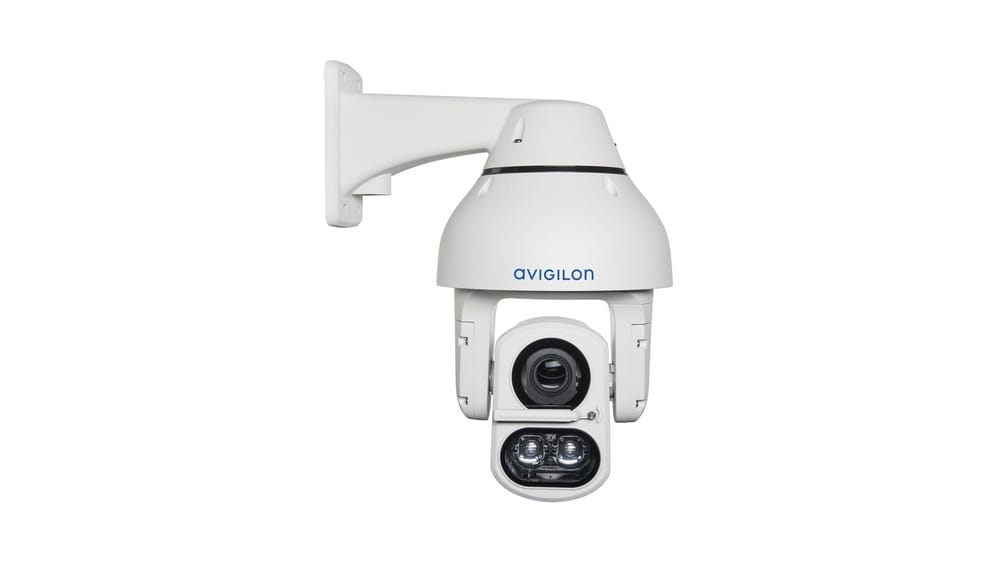
Have you ever wondered how security cameras can follow someone across a room, zoom in to read a license plate, or automatically track moving objects? These actions seem advanced, but they are possible thanks to PTZ cameras. PTZ stands for Pan-Tilt-Zoom, and these cameras have transformed the way people monitor spaces in homes, businesses, stadiums, and even on TV shows. Understanding PTZ cameras is important if you want to improve your security, livestream events, or even just keep an eye on things remotely. This guide breaks down everything about PTZ cameras using simple language, real-world examples, and practical advice. Whether you are a beginner or planning to buy one soon, you’ll get all the details you need in the next few minutes.
What Is A Ptz Camera?
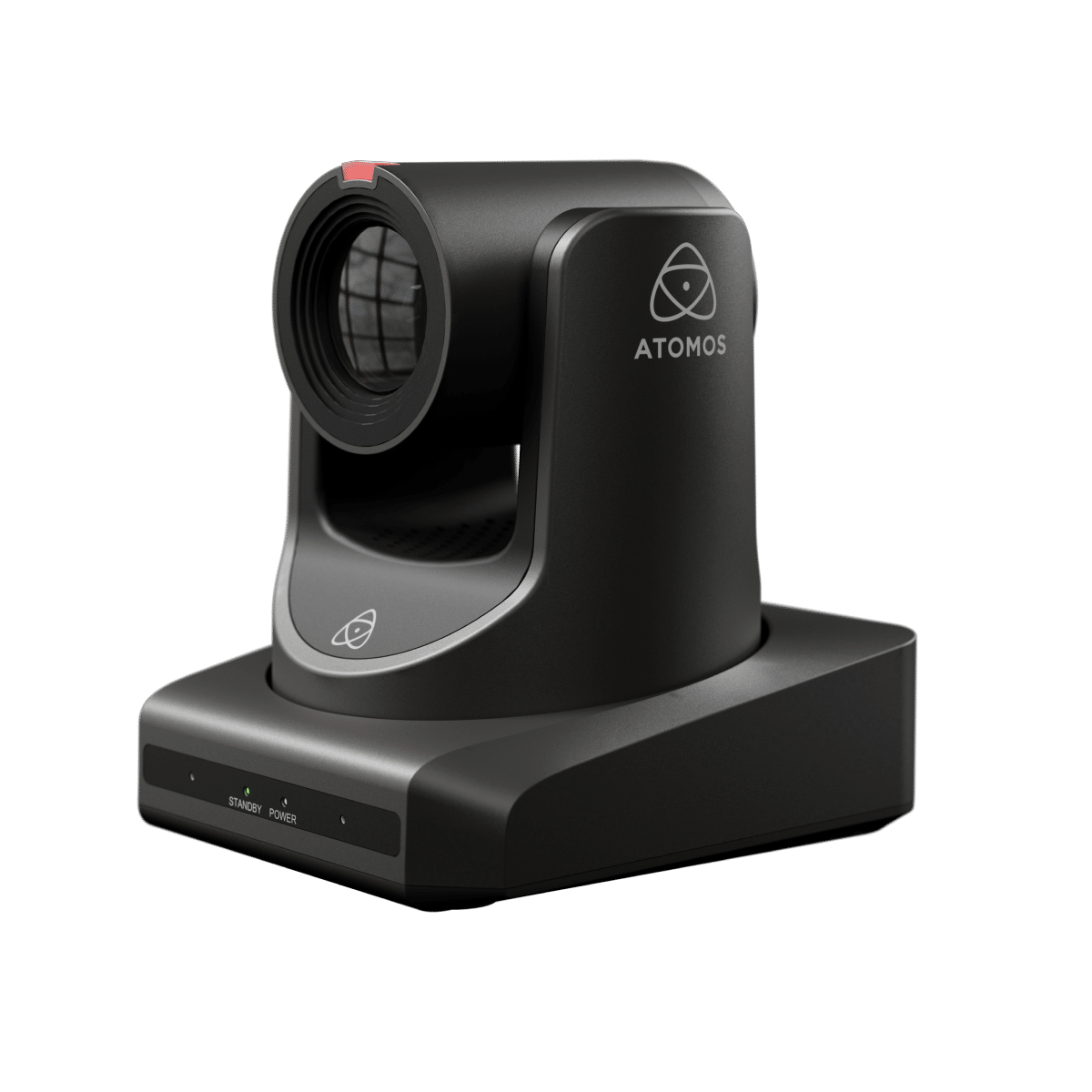
A PTZ camera is a type of video camera that can pan (move left and right), tilt (move up and down), and zoom (enlarge or shrink the image). Unlike fixed cameras that only look in one direction, PTZ cameras can move in many ways, either by remote control or automatically. This flexibility makes them useful in many places, from shopping malls to football stadiums.
How Ptz Cameras Work
PTZ cameras have motors inside that let them move their lens in different directions. A user can control these movements with a joystick, a computer, or even a smartphone app. The zoom feature lets you see details far away, such as a face in a crowd or a car’s license plate. Some PTZ cameras also have automatic tracking, following a moving person or object without needing someone to control them.
A basic PTZ camera setup usually includes:
- The camera itself with a motorized base
- A control device (joystick, app, or computer software)
- Power and network connections
PTZ cameras often connect to network video recorders (NVRs) or digital video recorders (DVRs) for storing footage.
Main Features Of Ptz Cameras
- Pan: The camera rotates left and right, often up to 360 degrees.
- Tilt: The camera moves up and down, usually between 90 to 180 degrees.
- Zoom: The camera lens changes the field of view, letting you see far or close objects in detail.
- Preset Positions: Users can save camera positions and quickly return to them.
- Auto-Tracking: Advanced models can follow moving objects or people automatically.
- Remote Control: PTZ cameras can be moved and zoomed from anywhere, as long as you have an internet connection.
What Makes Ptz Cameras Different?
Traditional fixed cameras are like having a window that never moves. PTZ cameras are like having a camera on a robot arm—you can look in many directions and zoom in or out as needed. This flexibility means one PTZ camera can often do the job of several fixed cameras.
Types Of Ptz Cameras
PTZ cameras come in different styles and for different uses. Choosing the right one depends on what you need.
By Installation Location
- Indoor PTZ Cameras: Designed for use inside buildings, these are smaller, lighter, and often less weatherproof.
- Outdoor PTZ Cameras: Built to survive rain, sun, and wind, these cameras are often larger and have protective housings.
By Control Method
- Manual PTZ Cameras: Controlled by a person using a joystick or software.
- Automatic PTZ Cameras: Use motion detection or artificial intelligence to move and zoom without human input.
By Network Connection
- Analog PTZ Cameras: Connect with traditional coaxial cables, often used in older security systems.
- IP PTZ Cameras: Use the internet or local network for video and control, making them easier to use remotely.
By Special Features
- Infrared PTZ Cameras: Can see in the dark using infrared light.
- Wireless PTZ Cameras: Connect to the internet via Wi-Fi, with no need for network cables.
- Explosion-Proof PTZ Cameras: Built for dangerous environments, like factories with chemicals.
Real-world Examples
- Traffic Monitoring: PTZ cameras on highways can zoom in to check license plates or watch traffic jams.
- Event Broadcasting: TV stations use PTZ cameras to follow athletes in a stadium or speakers on a stage.
- Business Security: Stores use PTZ cameras to keep an eye on different parts of the shop without needing many cameras.
Key Components Inside Ptz Cameras
Understanding what’s inside a PTZ camera helps you know how they work and what features to look for.
Motorized Base
The motorized base is what allows the camera to pan and tilt. High-quality motors mean smoother movement and less noise. If you want clear video, especially when zooming in, smooth movement is essential.
Camera Lens
PTZ cameras use varifocal lenses. These lenses can change their focal length, which means you can zoom in or out without losing focus. The lens’s quality affects how clear the video will be, especially at high zoom.
Image Sensor
The image sensor captures light and turns it into a video image. Larger sensors usually mean better image quality, especially in low light. Many PTZ cameras use sensors similar to those in DSLR cameras.
Control Interface
This is the part that communicates with the user. Some cameras use a joystick controller. Others use software or mobile apps. The control interface also handles preset positions and auto-tracking.
Network And Power Connections
Most modern PTZ cameras use Power over Ethernet (PoE), which means one cable can provide both power and network connection. Others use separate cables for video, power, and data.
Protective Housing
For outdoor PTZ cameras, the housing is important. It protects the camera from weather, dust, and even vandalism. Some housings are heated for cold environments.
Where Are Ptz Cameras Used?
PTZ cameras are found in many places because of their flexibility and powerful features. Here are some common uses:
Security And Surveillance
- Shopping Malls: Security staff can follow suspicious people across different floors.
- Airports: Staff monitor large areas and zoom in for details when needed.
- Public Spaces: PTZ cameras can cover wide parks or streets, reducing the number of cameras required.
Broadcasting And Live Events
- Sports Events: PTZ cameras can follow athletes or zoom in on the action.
- Concerts: Camera operators can focus on different performers without moving the camera physically.
- Churches or Schools: PTZ cameras make livestreaming easy, letting one person control multiple camera angles from a control room.
Industrial And Traffic Control
- Factories: PTZ cameras monitor dangerous equipment from a safe distance.
- Traffic Lights and Roads: Authorities can zoom in on accidents or traffic jams.
Home Use
Some people use PTZ cameras in large homes or on properties with multiple buildings. With one camera, you can monitor your driveway, backyard, and entry doors.
Wildlife And Research
Scientists use PTZ cameras to watch animals in the wild without disturbing them. The zoom and movement features let them see details from far away.
Ptz Cameras Vs. Fixed Cameras
Understanding the difference between PTZ and fixed cameras helps you decide which is best for your needs. Here is a comparison for clarity:
| Feature | PTZ Camera | Fixed Camera |
|---|---|---|
| Field of View | Wide (moves in many directions) | Limited (fixed position) |
| Zoom | Optical and digital zoom | Usually digital only |
| Control | Remote/manual/automatic | No control (static) |
| Coverage | One camera covers large area | Needs multiple cameras |
| Cost | Higher per camera | Lower per camera |
| Best Use | Large, dynamic areas | Small, fixed locations |
Non-obvious insight: PTZ cameras can sometimes miss events if they are pointed in the wrong direction, while fixed cameras are always watching the same spot. For full coverage, some users combine both types.
Key Benefits Of Ptz Cameras
Why do people pay more for PTZ cameras? The main benefits include:
Flexible Coverage
A single PTZ camera can cover a wide area, reducing the need to buy and install several fixed cameras. This saves money on hardware and installation.
Remote And Automated Control
You can control PTZ cameras from anywhere. Some models even let you control the camera from your smartphone. Automated tracking means the camera can follow people or cars on its own, reducing the need for a human operator.
Zoom With Clarity
Optical zoom means you can get close-up views without losing image quality. This is useful for recognizing faces or reading license plates from far away.
Preset Positions
Users can set up preset positions for the camera to move quickly between different areas. For example, a security guard can press a button to look at the entrance, then another button to check the parking lot.
Integration With Alarms And Analytics
Modern PTZ cameras can connect to alarms or software that detects movement, sound, or even specific behaviors. The camera can move and zoom automatically when something important happens.
Deterrence
The movement of a PTZ camera is visible, which can make people think twice before doing something wrong. Criminals are less likely to act if they see a camera that follows their movement.
Cost-effective For Large Areas
In places like airports or stadiums, using a few PTZ cameras instead of many fixed cameras can lower costs for wiring, maintenance, and monitoring.

Credit: avonic.com
Limitations And Challenges Of Ptz Cameras
PTZ cameras are not perfect for every situation. Here are some common challenges and things beginners often miss:
Blind Spots
While a PTZ camera can move, it can only look in one direction at a time. If something happens behind the camera while it is zoomed in on another spot, that event will not be recorded. This is why large systems often mix PTZ and fixed cameras.
Cost
PTZ cameras are more expensive than basic fixed cameras. The motors, lenses, and control systems add to the price. Installation may also be more complex, especially for outdoor or networked models.
Complexity Of Use
Learning to control a PTZ camera takes some practice. If you want to use advanced features like presets and auto-tracking, you may need training.
Maintenance
Moving parts can wear out over time, especially if the camera is used a lot or exposed to bad weather. Regular maintenance is important to keep the camera working smoothly.
Bandwidth And Storage
Because PTZ cameras often record high-quality video and move to cover different areas, they can use more internet bandwidth and storage space. If you have many cameras, make sure your network and storage can handle it.
Security Risks
Since PTZ cameras are often connected to networks or the internet, they can be targets for hackers. Always use strong passwords and keep your camera’s software updated.
Non-obvious insight: When using auto-tracking, the camera might follow moving objects that are not important, like animals or blowing trash. Adjusting sensitivity settings is important to avoid wasting storage or missing real events.
How To Choose The Right Ptz Camera
Selecting the right PTZ camera depends on your goals and budget. Here are the main factors to consider:
1. Location (indoor Or Outdoor)
Outdoor cameras need to be weatherproof and sometimes heated. Indoor cameras can be smaller and less expensive.
2. Zoom Power
Look at the optical zoom rating, usually shown as 10x, 20x, 30x, etc. More zoom helps in larger areas but costs more.
3. Image Quality
Check the resolution—Full HD (1080p) is common, but some cameras offer 4K. Higher resolution means clearer images, especially when zoomed in.
4. Night Vision
If you need to monitor areas at night, choose a camera with strong infrared (IR) night vision.
5. Control Options
Decide if you want to control the camera by joystick, computer, app, or let it move automatically. Some systems offer all these choices.
6. Connectivity
- Analog: Good for older security systems.
- IP (Network): Best for modern, flexible systems with remote access.
7. Power Supply
Power over Ethernet (PoE) simplifies installation, needing only one cable. Otherwise, you’ll need both power and video cables.
8. Integration
If you already have an alarm or smart home system, make sure the PTZ camera can connect to it.
9. Price
Set a budget, but remember that the cheapest camera might miss important features like zoom or night vision.
10. Warranty And Support
Check for warranties and technical support. PTZ cameras are more complex than fixed cameras, so good support can save headaches.
Example Of Common Buyer Mistake
A user buys a PTZ camera with high zoom but puts it in a small room—most of the zoom power goes unused. Always match camera features to your real needs.
Credit: www.atomos.com
Ptz Camera Specifications: What Matters Most
Manufacturers list many specifications, but not all are equally important. Here’s a breakdown of the key specs and what they mean:
| Specification | What It Means | Why It Matters |
|---|---|---|
| Optical Zoom | How much the camera can zoom in without losing quality | Important for seeing distant details clearly |
| Resolution | Number of pixels (e.g., 1080p, 4K) | Higher is better for clarity |
| Pan Range | How far the camera can turn left/right | Wider range means more coverage |
| Tilt Range | How far the camera can move up/down | More tilt means better vertical coverage |
| IR Range | How far night vision works | Crucial for nighttime security |
| PTZ Speed | How quickly the camera can move | Faster speed tracks moving objects better |
| Weather Rating (IP66/IP67) | How well the camera resists water and dust | Essential for outdoor use |
| Auto-Tracking | Can the camera follow moving objects? | Good for unattended monitoring |
| Preset Positions | Number of saved camera positions | Helps with fast area checks |
| Power Supply | PoE, AC, or DC power options | Impacts installation choices |
Tip: Prioritize optical zoom, resolution, and weather rating if you need outdoor security.
Setting Up A Ptz Camera: Steps And Tips
Installing a PTZ camera is more involved than a simple indoor webcam. Here’s how the process usually works:
1. Choose The Right Location
Pick a high spot with a clear view of the area you want to monitor. Avoid places with obstacles like trees or signs that block the camera’s view.
2. Mount The Camera
Use sturdy mounts, especially for outdoor cameras. Make sure the mount can handle the camera’s weight and movement. Some models include ceiling or pole mounts.
3. Run Cables
If using PoE, you only need one cable for power and data. For analog or non-PoE models, run video, power, and control cables.
4. Connect To Network Or Recorder
Connect the camera to your NVR, DVR, or network switch. Follow the manufacturer’s setup steps for your specific system.
5. Test Pan, Tilt, Zoom
Use the control interface to test all movements. Set and save preset positions for important areas.
6. Set Privacy Zones
Most PTZ cameras let you block out private areas (like windows or backyards) so you don’t record things you shouldn’t.
7. Adjust Sensitivity
Fine-tune motion detection or tracking to avoid false alarms from pets, leaves, or cars.
8. Secure The System
Change default passwords, update firmware, and limit access to trusted users. This reduces the chance of hacking.
9. Maintain Regularly
Check the camera for dust, spider webs, or weather damage. Update software as needed.
Practical tip: If you’re setting up multiple PTZ cameras, label your cables and keep a diagram of camera positions. This saves time if you need to troubleshoot later.

Credit: www.cctvcamerapros.com
Popular Brands And Models
The PTZ camera market has many brands, each with strengths and weaknesses. Here are a few leading names:
- Axis Communications: Known for high-quality network PTZ cameras with excellent image quality and reliability.
- Hikvision: Offers a wide range of affordable PTZ cameras for both home and business.
- Dahua: Popular for outdoor PTZ cameras with strong weather protection.
- Sony: Used in TV studios and events for broadcast-level video.
- Bosch: Focuses on industrial and public safety PTZ models.
- Logitech: Makes smaller PTZ cameras for conference rooms and video calls.
When choosing a brand, look for good warranties, active software updates, and positive customer reviews.
Recent Trends In Ptz Camera Technology
PTZ cameras have improved a lot in the last few years. Here are some new trends and features to watch for:
Ai-powered Tracking
Modern PTZ cameras can use artificial intelligence to recognize people, cars, or even specific behaviors. This means more accurate tracking and fewer false alarms.
Higher Resolution
4K and even 8K PTZ cameras are becoming available. Higher resolution means better detail, especially when zooming in.
Integration With Cloud Systems
Some PTZ cameras can send video directly to the cloud. This makes it easier to view footage from anywhere and share clips if needed.
Wireless And Mobile Ptz Cameras
Battery-powered and Wi-Fi PTZ cameras are now available, making installation much easier in places without power outlets.
Better Low-light Performance
New sensors and software help PTZ cameras see in the dark, even without infrared lights.
Cybersecurity Improvements
Manufacturers are adding better encryption and security features to prevent hacking.
Non-obvious insight: Some PTZ cameras now come with two-way audio, letting you talk to people in the camera’s view—useful for access control or customer service.
Cost Breakdown: What Affects Ptz Camera Price?
PTZ cameras can range from under $100 for basic home models to several thousand dollars for industrial systems. Here’s what affects the price:
- Zoom Power: More zoom usually means a higher price.
- Image Quality: 4K cameras cost more than HD models.
- Weatherproofing: Outdoor and explosion-proof housings add to the cost.
- Control Features: Auto-tracking and smart analytics require better hardware.
- Brand and Warranty: Well-known brands with good support often charge more.
Example: A basic indoor PTZ camera for video calls might cost $90–$200. An outdoor PTZ security camera with 30x zoom and night vision could be $500–$1,500. Broadcast-level PTZ cameras for TV studios often cost $2,000 or more.
How To Get The Most From Your Ptz Camera
To maximize your investment, follow these best practices:
- Plan Camera Placement: Make sure you cover all important areas with minimal blind spots.
- Mix with Fixed Cameras: Use a combination for best coverage—fixed cameras for critical spots, PTZ cameras for flexible monitoring.
- Train Operators: If you have staff, make sure they know how to use all features.
- Use Presets and Automation: Set up common views for fast checks and use auto-tracking where possible.
- Review Footage Regularly: Don’t just record—review clips to find patterns and improve security.
- Keep Software Updated: Regular updates reduce risks and add new features.
- Monitor Network Usage: Make sure your internet and storage can handle the video quality you need.
If you need more details about PTZ camera technology, you can check the Wikipedia page on PTZ cameras.
Frequently Asked Questions
What Does Ptz Stand For?
PTZ stands for Pan-Tilt-Zoom. This means the camera can move left and right (pan), up and down (tilt), and zoom in or out. These movements let one camera cover a large area.
How Far Can A Ptz Camera See?
The viewing distance depends on the optical zoom power and the camera’s image quality. Some high-end PTZ cameras can clearly see faces or license plates from hundreds of feet away, especially with 20x or 30x zoom.
Can I Control A Ptz Camera From My Phone?
Yes, many modern PTZ cameras offer apps for smartphones and tablets. You can move the camera, zoom, and even watch live video from anywhere with an internet connection.
Are Ptz Cameras Good For Home Use?
PTZ cameras can be great for large homes, long driveways, or properties with multiple buildings. For small apartments, a fixed camera may be enough. Consider your coverage needs before buying.
What Is The Difference Between Optical And Digital Zoom?
Optical zoom uses the camera’s lens to make objects look closer without losing quality. Digital zoom just enlarges the image, often making it blurry. For best results, choose a PTZ camera with strong optical zoom.
PTZ cameras offer a powerful way to watch over large and dynamic spaces. Their ability to move and zoom sets them apart from regular security cameras. With proper setup and use, a PTZ camera can make security, broadcasting, or event recording smarter and more flexible.
Remember to consider your real needs, compare features, and keep your system secure. With the right PTZ camera, you’ll get peace of mind and control that fixed cameras simply can’t match.