

Smart locks are transforming the way we protect our homes and manage access to our spaces. For many people, the idea of locking and unlocking doors with a traditional key feels normal. But as technology advances, smart locks offer a new level of convenience, security, and control. If you have ever lost your keys, wondered if you locked the door, or needed to let a guest in while you were away, smart locks could be the answer.
A smart lock is more than just a digital version of a regular lock. It’s a connected device that lets you control your door using your smartphone, voice commands, or even set it to unlock automatically as you arrive home. Many smart locks also keep a log of who comes and goes, and allow you to share digital keys with friends or service people. In this article, we will explore how smart locks work, their main features, benefits, types, and what you should know before choosing one. We’ll also look at some challenges and answer common questions to help you decide if a smart lock is right for you.
What Is A Smart Lock?
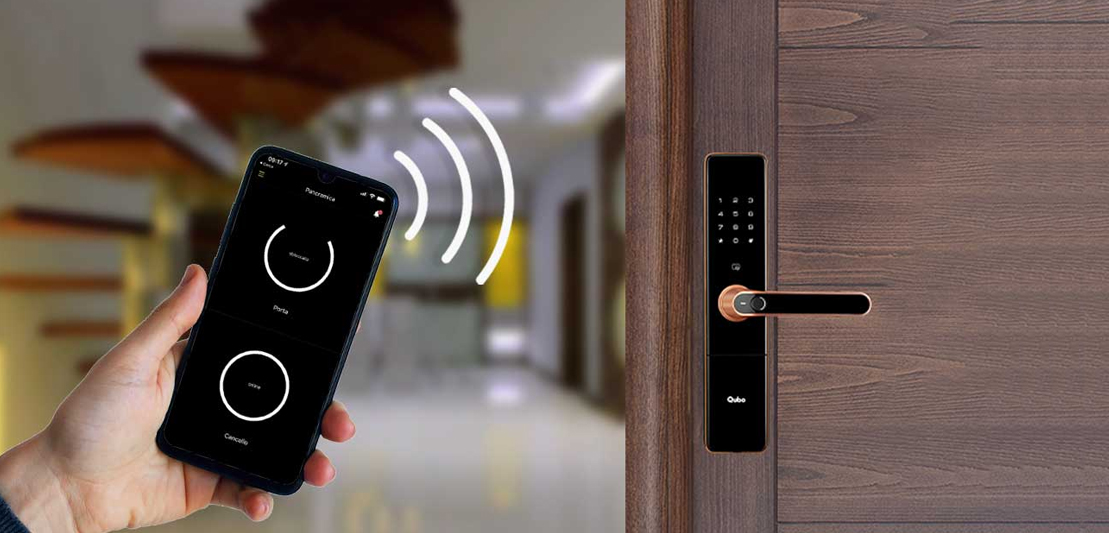
A smart lock is an electronic lock that can be controlled and monitored through a mobile device, such as a smartphone or tablet, or integrated with a home automation system. Unlike traditional locks that rely solely on physical keys, smart locks use wireless communication (like Bluetooth, Wi-Fi, or Z-Wave) to connect with other devices. This allows users to lock and unlock doors remotely, grant temporary or scheduled access, and receive alerts about lock activity.
Smart locks can be installed on front doors, back doors, gates, and even interior doors. Some models replace your existing deadbolt, while others attach to your current lock and use the original key as a backup.
How Do Smart Locks Work?
Smart locks use a combination of hardware and software to provide access control. Here’s a simple breakdown:
- Lock Mechanism: At the core, a smart lock has a motor or actuator that turns the lock bolt. This part is similar to a regular lock, but it’s powered by batteries.
- Wireless Connectivity: Most smart locks use Bluetooth, Wi-Fi, or Zigbee/Z-Wave to connect to your smartphone or smart home hub. Bluetooth is used for short-range connections, while Wi-Fi allows remote control over the internet.
- Mobile App: You control the smart lock through a dedicated app. The app lets you lock and unlock the door, check its status, and create digital keys for guests.
- Authentication: Smart locks support different ways to verify your identity, such as PIN codes, fingerprints, or even voice recognition.
- Power Source: Smart locks are usually battery-powered. Some have backup keys or power ports in case the batteries die.
Example: Imagine you’re at work, and a friend arrives at your house early. With a smart lock, you can unlock the door for them from your phone, even if you’re miles away.
Key Features Of Smart Locks
When comparing smart locks, several features stand out. These features help you find the right lock for your needs.
1. Remote Access
With Wi-Fi enabled smart locks, you can lock or unlock your door from anywhere in the world. This is useful if you forget to lock your door or want to let someone in while you’re away.
2. Keyless Entry
You don’t need to carry a physical key. You can unlock the door using your phone, a PIN code, a fingerprint, or even a voice command with a smart speaker.
3. Activity Monitoring
Most smart locks keep a history of who entered and when. This is helpful if you want to know when your kids get home or if a service person arrived as scheduled.
4. Guest Access
You can create temporary or permanent digital keys for family, friends, or service providers. Some locks let you set schedules, so a cleaner can only enter during certain hours.
5. Integration With Smart Home Systems
Smart locks can work with other smart devices like cameras, alarms, and lights. For example, unlocking the door can turn on the hallway lights automatically.
6. Auto-lock And Unlock
Some smart locks can detect your phone and unlock the door as you approach. They can also lock the door after a set time, so you never have to wonder if you forgot.
7. Voice Control
Many smart locks work with voice assistants like Amazon Alexa, Google Assistant, or Apple HomeKit. You can lock the door with a simple voice command.
8. Multiple User Codes
You can assign different codes to different people. This makes it easy to track who is coming and going.
9. Battery Alerts
Smart locks alert you when their batteries are running low, so you can replace them before losing access.
10. Tamper Alerts
If someone tries to break in or remove the lock, you get an instant notification.
Types Of Smart Locks
Smart locks come in different designs and use various unlocking methods. Understanding these types can help you pick the best one for your situation.
1. Deadbolt Replacement
These locks completely replace your existing deadbolt. They offer a clean look and often include both keyless and physical key access.
2. Retrofit Smart Locks
Retrofit models attach to your existing deadbolt. They are easy to install and let you keep your current keys as a backup.
3. Lever-style Smart Locks
These are used on doors with handle-style locks, often for interior doors in homes or offices.
4. Mortise Smart Locks
Common in older buildings, mortise locks fit into a pocket cut into the door. Smart mortise locks combine the handle and lock in one unit.
5. Padlocks
Some smart locks are designed as padlocks for gates, lockers, or storage units. They are weather-resistant and work with smartphones or codes.
Types By Unlocking Method
Smart locks also differ in how you unlock them. Here are the most popular options:
- Smartphone (Bluetooth/Wi-Fi): Unlock via a mobile app.
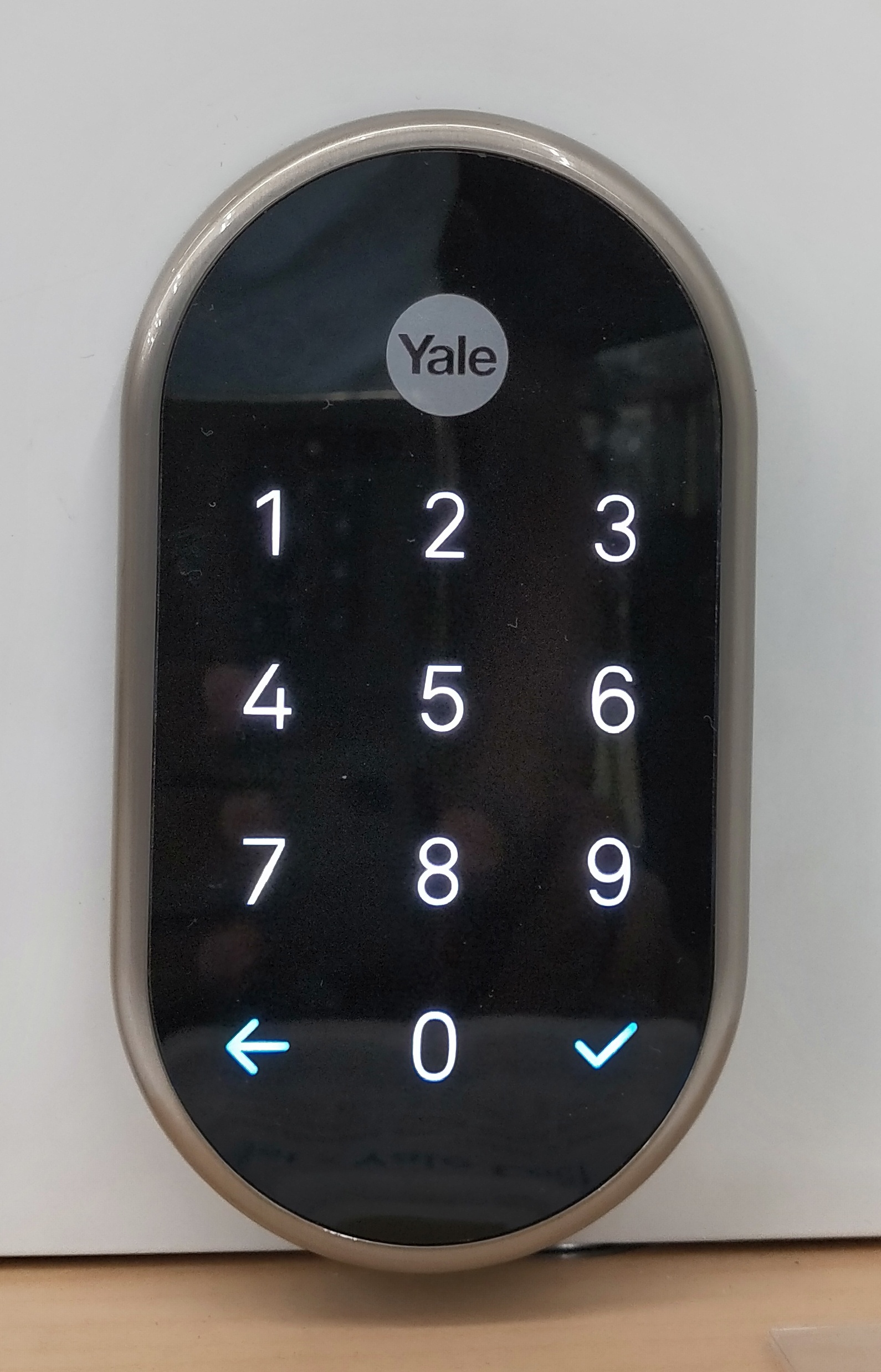
- PIN Code: Enter a code on a keypad.
- Fingerprint: Use biometric fingerprint recognition.
- RFID Card: Tap a card or fob to unlock.
- Voice Command: Use a smart speaker or voice assistant.
- Physical Key: Some smart locks still offer a keyhole as a backup.
Credit: www.gharjunction.com
Advantages Of Smart Locks
Switching to a smart lock brings many benefits. Here’s why more people are choosing them.
1. Convenience
No more searching for keys or worrying about forgetting them. You can unlock your door with your phone, code, or fingerprint. You can also lock the door with one tap or voice command.
2. Enhanced Security
Smart locks provide detailed records of access, send alerts for suspicious activity, and allow remote control. You can quickly disable lost or stolen digital keys without changing the lock.
3. Flexible Access
Easily give guests or workers temporary access, and revoke it anytime. You don’t need to make extra keys or worry about them being copied.
4. Integration With Other Devices
Smart locks can work with security cameras, alarms, and other smart home devices for a unified security system.
5. Peace Of Mind
You can check your lock status from anywhere and get alerts if something goes wrong.
Non-obvious insight: Many people overlook the value of activity logs. If a package is missing, you can see exactly when the door was unlocked and by whom.
Disadvantages And Limitations
While smart locks have many advantages, it’s important to know their limitations.
1. Dependence On Power
Smart locks run on batteries. If you ignore battery alerts, you might get locked out.
2. Potential Hacking Risks
Like any connected device, smart locks can be targets for hackers. Choosing a lock with strong encryption and regular software updates reduces this risk.
3. Cost
Smart locks are more expensive than standard locks. Prices typically range from $100 to $300 or more, depending on features.
4. Compatibility Issues
Not all smart locks fit every door. Some require specific door thickness or lock types.
5. Mechanical Failure
Like any mechanical device, parts can wear out or fail.
Non-obvious insight: Some smart locks still allow entry with a physical key, which is useful if the battery dies or there’s a technical issue.
Credit: en.wikipedia.org
Key Considerations When Choosing A Smart Lock
Picking the right smart lock involves more than just choosing the coolest features. Here’s what to consider:
1. Door Compatibility
Check your door’s thickness, type, and lock style. Not all smart locks fit all doors. For example, some retrofit models only work with standard deadbolts.
2. Power Source
Most smart locks use AA or AAA batteries. Some offer rechargeable batteries or even solar panels for outdoor models.
3. Connectivity
Choose Bluetooth for simple, nearby use, or Wi-Fi for full remote access. If you already have a smart home hub, look for locks with Zigbee or Z-Wave support.
4. Security Features
Look for two-factor authentication, encryption, and tamper alerts. Some locks use advanced fingerprint sensors, which are harder to spoof.
5. Ease Of Installation
Some smart locks require professional installation, especially mortise or lever-style models. Others are easy DIY projects.
6. Backup Options
Consider locks with a physical key or external battery port for emergencies.
7. Integration
If you use smart home devices, make sure the lock works with your system (Amazon Alexa, Google Home, Apple HomeKit, etc. ).
8. User Management
Check how many users/codes you can add. Some locks limit the number of digital keys or codes.
9. Price
Set a budget. Higher-priced locks usually have more features, but basic models may be enough for your needs.
10. Brand Reputation And Support
Choose well-known brands with good customer support and regular software updates.
Popular Smart Lock Brands
Here are some of the most recognized smart lock brands, known for quality and reliability:
- August – Famous for retrofit designs and easy installation.
- Schlage – Offers high-security smart locks with built-in alarms.
- Yale – A well-known lock brand with a wide range of smart options.
- Kwikset – Known for affordable, user-friendly smart locks.
- Ultraloq – Focuses on fingerprint and multi-method access.
- Level – Creates locks that are nearly invisible and fit inside the door.
- Nuki – Popular in Europe for retrofit models.
- Lockly – Known for touchscreen keypads and advanced security.
- Samsung – Offers stylish locks with RFID and fingerprint options.
- Bosma – Features locks with built-in cameras.
Each brand has its strengths. For example, August is ideal for renters who can’t change their door hardware, while Schlage and Yale focus on high-security deadbolts.
Comparison: Smart Locks Vs Traditional Locks
To see the differences clearly, here’s a side-by-side comparison:
| Feature | Smart Lock | Traditional Lock |
|---|---|---|
| Access Method | App, code, fingerprint, key | Physical key only |
| Remote Control | Yes (Wi-Fi/Bluetooth) | No |
| Activity Log | Yes | No |
| Guest Access | Yes, digital keys | Physical key copy |
| Price | High | Low |
| Power Source | Batteries | None |
| Vulnerability | Hacking, power loss | Lock picking, key loss |
Real-life Uses For Smart Locks
Smart locks are not just for tech lovers. They solve real problems for many people:
- Families: Parents can see when kids arrive home or let them in without giving them a key.
- Short-term Rentals: Owners can send digital keys to guests and change them for each stay.
- Elderly or Disabled: Easier access without fumbling for keys.
- Pet Sitters/Cleaners: Temporary access without sharing permanent keys.
- Offices: Control and monitor access for employees.
Example: An Airbnb host can send a code to a guest that only works during their stay, improving security and convenience.

Credit: www.nytimes.com
Security: Are Smart Locks Safe?
Security is the main concern for most people. Smart locks have both strengths and risks.
Strengths:
- Harder to pick than regular locks.
- Allow for fast disabling of lost digital keys.
- Send instant alerts for forced entry or tampering.
Risks:
- Hackers may try to break in digitally.
- Weak passwords or old software can be exploited.
- Power loss can disable some features.
How to Stay Safe:
- Use strong, unique passwords.
- Update the lock’s software when prompted.
- Enable two-factor authentication if possible.
- Choose locks from trusted brands.
Non-obvious insight: Some smart locks have a built-in alarm that sounds if someone tries to force open the door, which adds an extra layer of protection.
Installation: What To Expect
Installing a smart lock can be simple or complex, depending on the model and your door type.
Diy Installation
Retrofit smart locks are designed for easy DIY installation. You usually just need a screwdriver and basic skills. These locks often come with clear instructions and videos.
Professional Installation
If you choose a mortise or lever-style smart lock, or if your door is non-standard, professional installation is safer. This ensures correct alignment and smooth operation.
What You’ll Need
- Screwdriver (and sometimes a drill)
- Measuring tape
- Smartphone for setup
Tip: Before buying, measure your door’s thickness and check for any special requirements.
The Cost Of Smart Locks
Smart locks range from $100 to $400 or more. Basic Bluetooth models start around $100, while advanced Wi-Fi models with fingerprint or camera features can cost over $300. Remember to factor in the cost of batteries and, if needed, professional installation.
Hidden cost: Some smart locks require a separate Wi-Fi bridge or hub for remote access, which adds $30–$80 to the price.
Comparing Top Smart Lock Features
Here’s a quick look at how five popular smart locks compare on important features:
| Brand/Model | Remote Access | Keyless Entry | Auto-Unlock | Voice Control | Physical Key |
|---|---|---|---|---|---|
| August Wi-Fi Smart Lock | Yes | Yes | Yes | Yes | Yes |
| Schlage Encode | Yes | Yes | No | Yes | Yes |
| Yale Assure SL | Yes | Yes | Yes | Yes | No |
| Ultraloq U-Bolt Pro | Yes | Yes | Yes | Yes | Yes |
| Level Bolt | Yes | Yes | Yes | Yes | Yes |
Smart Lock Maintenance Tips
Smart locks need some care to stay reliable:
- Change batteries every 6–12 months or as soon as you get a low battery alert.
- Update the app and firmware regularly for security fixes.
- Clean the keypad or fingerprint sensor to keep it working well.
- Test the physical key every few months to make sure it still works.
- Check alignment if the lock seems stiff or hard to turn.
Non-obvious insight: Some smart locks slow down or act strangely when batteries are low. Replacing batteries early can prevent unexpected lockouts.
Future Trends In Smart Locks
Smart lock technology is moving fast. Here’s what’s coming next:
- More Biometric Options: New locks may use facial recognition or palm scanning for even faster access.
- Improved Battery Life: Advances in low-power chips mean fewer battery changes.
- Stronger Security: Better encryption and automatic software updates.
- Integration with Delivery Services: Some locks work with package drop-off services for secure deliveries.
- AI-powered Features: Locks that learn your patterns and detect unusual activity.
For more on smart home security, the Wikipedia Smart Lock page gives additional technical details.
Frequently Asked Questions
What Happens If The Smart Lock Battery Dies?
Most smart locks send low battery alerts well before they run out. Many models include a backup keyhole or an emergency power option (like a 9V battery terminal) to unlock the door if the batteries fail.
Can Smart Locks Be Hacked?
While no device is 100% secure, reputable smart locks use strong encryption. Always use strong passwords and update your lock’s software to reduce the risk of hacking.
Are Smart Locks Difficult To Install?
Many retrofit smart locks are easy to install with basic tools. However, some types (like mortise or lever locks) may need professional help for correct fitting.
Do Smart Locks Work With All Doors?
Not all locks fit every door. Before buying, check your door’s measurements and lock type. Many brands have compatibility guides to help you choose the right model.
Can I Still Use A Regular Key With A Smart Lock?
Some smart locks keep a traditional keyhole as a backup. Others, especially keypad-only models, do not. If you want a physical key option, check the lock’s features before buying.
Smart locks are making homes and businesses safer, more convenient, and more connected. With the right choice, you can enjoy peace of mind and never worry about lost keys again.