
Security cameras are everywhere. They watch over stores, homes, offices, and even public streets. Their job is to give us a clear, reliable view of what’s happening. But sometimes, when you check the footage, you see something strange. A blurry figure appears, or an object seems to float in two places at once. These are called ghost images. They can be confusing, even scary, and they cause many people to worry about the quality of their security system. In reality, ghost images are usually technical problems, not paranormal events.
Understanding what causes ghost images is important for anyone who uses security cameras. These visual errors can make footage hard to use. They can hide important details or make it tough to see what really happened during an incident. In some cases, they might even cause false alarms or misunderstandings.
If you’re a business owner, homeowner, or security professional, knowing why ghost images appear helps you fix them and keep your property safe.
This article explains the main causes of ghost images on security cameras. We’ll look at what these images are, why they happen, and how you can prevent them. You’ll learn about different types of camera technology, installation errors, environmental factors, and more.
Whether you’re new to security cameras or have used them for years, you’ll find practical tips and expert insights here.
What Are Ghost Images?
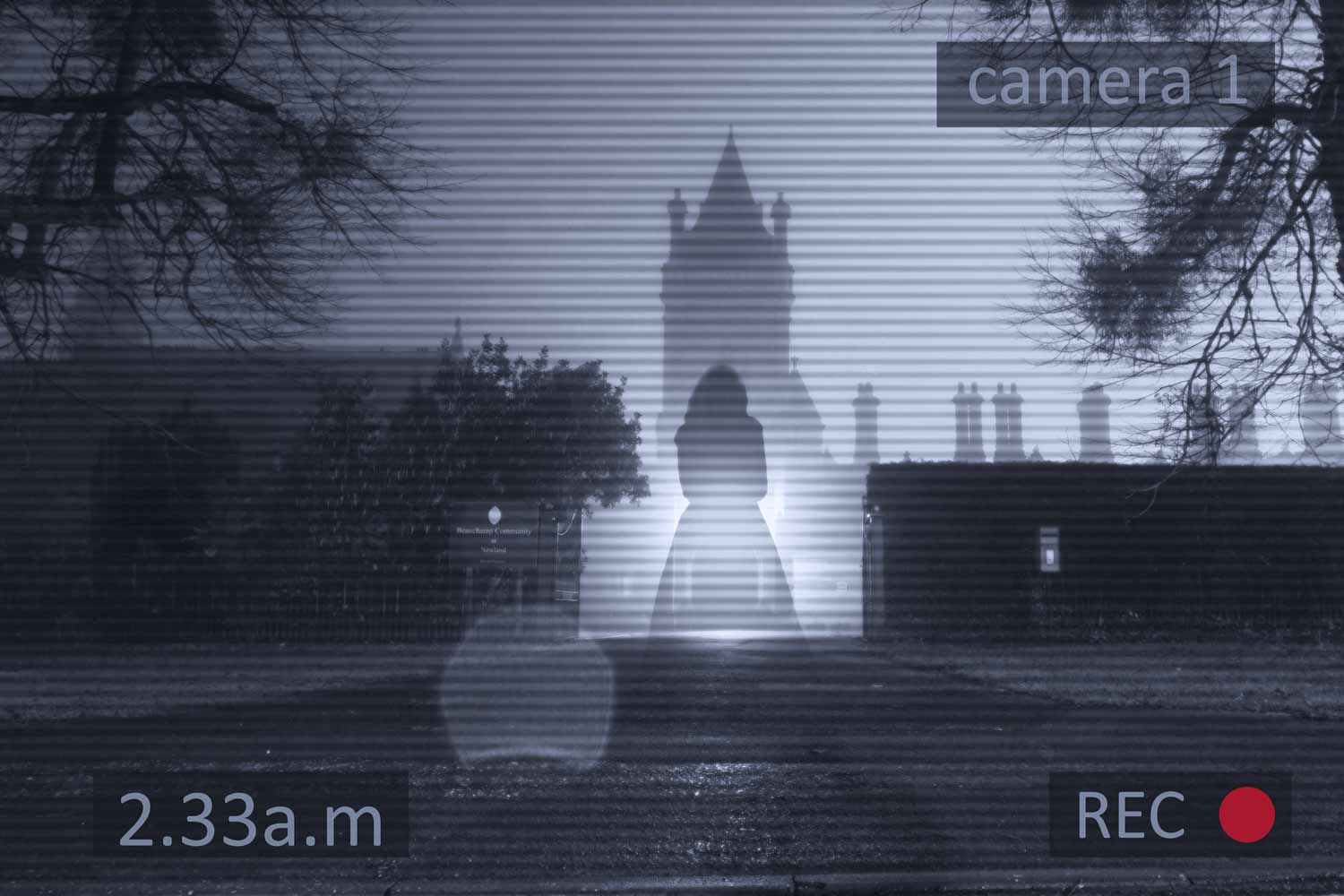
A ghost image, also called ghosting, is a visual problem where you see a faint duplicate of an object in a camera’s footage. This duplicate can look like a shadow, a transparent copy, or a blurry outline next to the real object. Sometimes, ghost images move with the object, and sometimes they seem to stay still while the object moves.
Ghost images are different from other camera problems like noise, color distortion, or pixelation. They usually appear as a second image that overlaps or follows the real one. Ghosting can happen on live video, recorded footage, or even in still pictures from the camera.
Ghost images can cause several problems:
- Make it hard to identify people or objects
- Confuse motion detection systems
- Lead to false alarms or missed events
- Lower the value of your security footage as evidence
Not all ghost images are the same. Some are barely noticeable, while others make footage useless. The type and severity of ghosting often depend on the cause.
Main Causes Of Ghost Images On Security Cameras
Many factors can create ghost images. Some are related to the camera’s design, others to how it’s installed or used. Let’s break down the most common causes and how each one affects your footage.
1. Signal Interference
Signal interference is one of the top reasons for ghost images, especially in analog security cameras. When the camera sends its video signal through a cable, outside electrical signals can mix with it. This happens most often with coaxial cables used for older CCTV systems.
Common sources of interference:
- Power lines running close to the camera cable
- Heavy electrical equipment nearby
- Wireless devices causing radio frequency (RF) interference
- Poorly shielded or damaged cables
When interference happens, the video signal gets mixed with extra noise. This can produce ghost images, flickering, or wavy lines on the screen. The ghost might move or change based on what’s causing the interference.
Tip: Use high-quality, shielded cables and keep them away from power sources to reduce interference.
2. Reflections And Light Glare
Light is a big factor in how cameras work. When strong light hits the camera lens at certain angles, it can bounce around inside the lens system. This creates internal reflections, which show up as ghost images or bright spots.
Common light sources that cause reflections:
- Sunlight at sunrise or sunset
- Streetlights or headlights at night
- Bright indoor lights aimed at the camera
Glass surfaces, like windows, can also reflect light back into the lens. This creates a double image or a bright halo around objects. Dome cameras are especially prone to this if their covers are dirty or scratched.
Tip: Angle your cameras away from direct light sources and keep lenses and covers clean.
3. Camera Sensor Limitations
Every camera has a sensor that captures light and turns it into an image. Some sensors, especially lower-quality or older models, struggle in tough lighting. They may not process fast movement well or deal with changes in brightness.
Key sensor issues that cause ghosting:
- Slow shutter speed: Moving objects appear in more than one place at once.
- Low frame rate: The camera doesn’t update fast enough, leaving trails or afterimages.
- Overexposure: Strong light overwhelms the sensor, creating glowing or doubled images.
These problems are more common in budget cameras or those designed for indoor use but used outdoors.
Tip: Choose cameras with modern sensors, good low-light performance, and adjustable settings.
4. Poor Cable Quality Or Installation
The quality of your camera’s wiring has a big impact on image clarity. Cheap, thin, or worn-out cables can cause signal loss. This loss often shows up as ghost images, weak colors, or fuzzy details.
Common cable issues include:
- Using cables longer than recommended (signal fades over long distances)
- Old cables with broken shielding
- Loose or corroded connectors
- Mixing different cable types in one system
If multiple cameras share a power supply or ground, it can also create interference that leads to ghosting.
Tip: Use the right cable for your camera type and check all connections regularly.
5. Video Ground Loop
A ground loop happens when there are two or more ground points in the video system at different voltages. This creates a loop for electrical current, which can add unwanted signals to your video feed. The result is often ghost images, rolling lines, or color problems.
Ground loops are common in large buildings, multi-camera systems, or when cameras are far from the recorder.
Tip: Use ground loop isolators and make sure all equipment shares a single ground point if possible.
6. Image Processing Problems
Modern cameras use software to process and improve images. But sometimes, these algorithms cause artifacts like ghost images. For example, digital noise reduction can blur moving objects, making them appear twice. Some cameras use motion compensation that guesses where objects are, but if it’s wrong, you get ghosting.
Firmware bugs or poor-quality software also cause image problems, especially after updates or in cheaper brands.
Tip: Keep camera firmware up to date and test image settings for your environment.
7. Multi-path Signal Reflection
In wireless security cameras, signals travel through the air from the camera to the recorder. If there are many walls, metal surfaces, or glass between them, the signal can bounce around. This is called multi-path reflection. The receiver gets the same signal from two or more paths, but with tiny delays. This causes ghost images, stuttering, or doubled outlines.
Wi-Fi cameras in offices, warehouses, or homes with lots of metal and glass are most at risk.
Tip: Place your wireless cameras and receivers where the signal path is as clear as possible.
8. Environmental Factors
The area around your camera can cause ghosting too. High humidity, fog, or rain can scatter light, making objects look blurry or doubled. Cobwebs, dust, or insects on the lens can create ghost-like shadows or streaks.
Heat waves (from the sun or nearby machinery) can bend light, causing strange visual effects that resemble ghost images.
Tip: Clean cameras regularly and consider weatherproof models for outdoor use.
9. Faulty Camera Hardware
Sometimes, ghost images point to a hardware failure inside the camera. A damaged sensor, cracked lens, or broken internal connection can all cause strange images. Water damage, voltage spikes, or age can wear out camera parts over time.
If you swap cables and power supplies but still see ghosting, the camera itself may need repair or replacement.
Tip: Replace old cameras every 5-7 years or if you notice recurring image problems.
10. Signal Crosstalk
When multiple video cables run close together, signals can “leak” from one to another. This is called crosstalk. It can create faint images from one camera appearing on another camera’s feed, like a ghost overlay.
Crosstalk happens most in dense cable runs, cheap cables, or when cables are bundled without shielding.
Tip: Keep video cables separated and use shielded cables for long or crowded runs.
How Different Camera Technologies Handle Ghost Images
Not all security cameras are affected by ghosting in the same way. The type of camera you use—analog, digital, or IP—changes which problems you’re most likely to see.
Here’s a comparison of how different camera types deal with ghost images:
| Camera Type | Common Ghosting Causes | How Often It Happens |
|---|---|---|
| Analog CCTV | Signal interference, ground loops, poor cables | High |
| Digital (HD-CVI/TVI/AHD) | Signal loss, cable issues, sensor limits | Medium |
| IP (Network) Cameras | Image processing, network lag, wireless reflection | Low to Medium |
| Wi-Fi Cameras | Multi-path reflection, interference, low bandwidth | Medium |
Analog cameras are most affected by electrical issues, while IP cameras are more likely to have software or network-related ghosting. Choosing the right camera for your setting helps reduce the risk.
Real-world Examples Of Ghost Images
Understanding ghost images is easier with real examples. Here are some situations where ghosting has caused problems in actual security setups.
- Retail Store Cash Register
- Problem: At night, footage showed a faint double of the cashier’s hand during fast movement.
- Cause: Old analog camera with long cable run near power lines. The electrical interference added a ghost hand.
- Parking Lot Camera
- Problem: During sunrise, cars had bright halos and double outlines.
- Cause: Direct sunlight hit the dome camera lens, causing internal reflection.
- Warehouse Wi-Fi Camera
- Problem: People walking past metal shelves appeared in two places at once.
- Cause: Wireless signal bounced off metal, causing multi-path reflection.
- Home Security System
- Problem: Insects crawling on the lens at night created moving ghost shapes.
- Cause: Bugs attracted to infrared light, plus dirty lens scattering the IR.
- Office Building
- Problem: One camera showed a faint copy of another camera’s view.
- Cause: Video cables bundled together, causing crosstalk.
These examples show that ghost images are not rare, and their causes can vary widely.
The Science Behind Ghost Images
To fully understand ghost images, it helps to know some basic science behind how cameras work.
When a camera captures a scene, light enters the lens and hits the sensor. The sensor turns light into electrical signals, which are then processed and sent to a monitor or recorder. At each step, problems can happen:
- Optical phase: Light can bounce inside the lens, causing reflections.
- Electrical phase: Signals can mix, fade, or get delayed, creating ghost copies.
- Digital phase: Software can misinterpret or blend images, especially with fast movement.
Many ghost images come from a mix of these phases. For example, a dirty dome cover (optical) and a long, unshielded cable (electrical) together make ghosting much worse.
Here’s a simple breakdown of how each phase can create ghost images:
| Phase | Common Ghosting Effect | How to Fix |
|---|---|---|
| Optical | Reflections, halos, double outlines | Clean lens, adjust angle, use sunshades |
| Electrical | Faint duplicates, rolling images | Upgrade cables, fix grounding, avoid interference |
| Digital | Trails, afterimages, motion blur | Update firmware, adjust settings, use better cameras |
Understanding where in the process the problem happens makes it easier to fix.
How To Prevent And Fix Ghost Images
If you notice ghost images on your security cameras, don’t worry—many problems can be fixed with a few simple steps. Prevention is even better. Here’s a practical guide to keep your footage clear.
Regular Maintenance
- Clean camera lenses and covers at least once a month. Use a soft cloth and lens cleaner.
- Check for dust, cobwebs, or water spots, especially on outdoor cameras.
- Inspect cables for damage, loose connectors, or signs of wear.
Correct Installation
- Use the right type of cable for your camera (coaxial for analog, Ethernet for IP).
- Avoid running video cables parallel to high-voltage power lines.
- Keep cables as short as possible and use proper shielding.
- Make sure all equipment shares a single ground point to prevent ground loops.
- For wireless cameras, minimize obstacles between camera and receiver.
Adjust Camera Placement
- Position cameras away from direct sunlight or bright lights.
- Use sunshades or hoods for outdoor cameras.
- Avoid placing cameras behind glass or reflective surfaces when possible.
Upgrade Hardware And Firmware
- Choose cameras with modern sensors and good low-light performance.
- Update camera firmware regularly to fix bugs and improve processing.
- Replace old cameras or cables every few years.
Optimize Camera Settings
- Adjust shutter speed and frame rate for your environment. Faster settings reduce motion blur and ghosting.
- If your camera has WDR (Wide Dynamic Range) or DNR (Digital Noise Reduction), test different levels to find the best balance.
- Use ground loop isolators if you have problems with rolling or ghost images.
Troubleshoot Step-by-step
If you see ghost images, try these steps:
- Check live view and recorded footage—is the problem in both?
- Clean the lens and check for objects or dirt.
- Swap cables and connectors to see if the problem moves.
- Try the camera in a different location or with a different power source.
- Update firmware and reset settings to default.
- If problems continue, consult a professional or replace the camera.
Non-obvious insight: Sometimes, ghosting only appears at certain times of day (like sunrise or sunset) due to light angles. Schedule test recordings at different times to spot these hidden issues.
Credit: reolink.com
New Advances That Reduce Ghost Images
Modern camera technology is fighting back against ghosting. Here are some of the latest improvements:
- AI-powered image processing: Artificial intelligence can tell the difference between real objects and reflections or noise, making images clearer.
- Better lens coatings: New anti-reflective coatings reduce internal reflections, even in dome or glass-covered cameras.
- 4K and high-frame-rate sensors: Higher resolution and faster capture rates make it less likely for moving objects to appear as ghosts.
- Improved cabling systems: PoE (Power over Ethernet) reduces the need for long analog cables, cutting down on electrical interference.
If you’re upgrading your system, look for cameras and recorders that offer these features. They may cost more upfront, but they provide much better image quality and reliability.
Ghost Images Vs. Other Video Issues
It’s easy to confuse ghost images with other video problems. Here’s a quick guide to help you tell them apart:
- Ghosting: Faint duplicate images, usually from interference or reflection.
- Motion blur: Streaks or smears behind moving objects, often from slow shutter speed.
- Pixelation: Blocky, low-detail images from compression or low bandwidth.
- Lag/freezing: Video stops or jumps, usually from network or hardware issues.
- Noise: Random dots or static, common in low light or with bad sensors.
Knowing the difference helps you fix the problem faster. For more on video problems, check resources from the IFSEC Global website.
Credit: pro-vigil.com
Professional Help: When To Call An Expert
Sometimes, ghost images are easy to fix. But if you’ve tried all the basic steps and still have problems, it’s time to call a professional. Here’s when you should get expert help:
- You see ghost images on many cameras at once (could be a system-wide issue).
- The problem started after a power surge, lightning, or equipment upgrade.
- You’re not comfortable working with electrical systems or climbing to adjust cameras.
- The camera is under warranty or part of a managed security service.
A professional can test your system with specialized tools, find hidden electrical problems, and recommend the best fix.
Frequently Asked Questions
What Is The Main Cause Of Ghost Images On Security Cameras?
The main cause is usually signal interference. This can come from nearby electrical equipment, power lines, or poor-quality cables. Other common causes include reflections from light, dirty lenses, and camera sensor limitations.
Can Ghost Images Be Fixed Without Replacing The Camera?
Yes, in many cases. Cleaning the lens, upgrading cables, adjusting settings, or moving the camera can fix most ghosting problems. Only severe hardware failures require replacing the camera.
Are Ghost Images Dangerous Or A Sign Of Hacking?
Ghost images are almost never caused by hacking. They are technical problems with the camera, wiring, or environment. While they can make footage less useful, they do not mean your system is being attacked.
Do Wireless Cameras Have More Ghosting Problems Than Wired Ones?
Wireless cameras can have ghosting from multi-path reflection (signals bouncing off surfaces), but wired cameras are more likely to have ghosting from interference or bad cables. Each type has its own risks.
Will Upgrading To A 4k Camera Solve Ghost Image Problems?
A 4K camera can help, as it has a better sensor and image processing. But if you use poor cables or install it badly, ghost images can still appear. Always combine good hardware with proper installation.
Security camera ghost images are frustrating, but they don’t have to ruin your surveillance. With the right knowledge and a bit of care, you can fix most problems and keep your footage clear. If you ever feel stuck, remember that experts are ready to help—so your security stays strong, day and night.
Credit: pro-vigil.com