
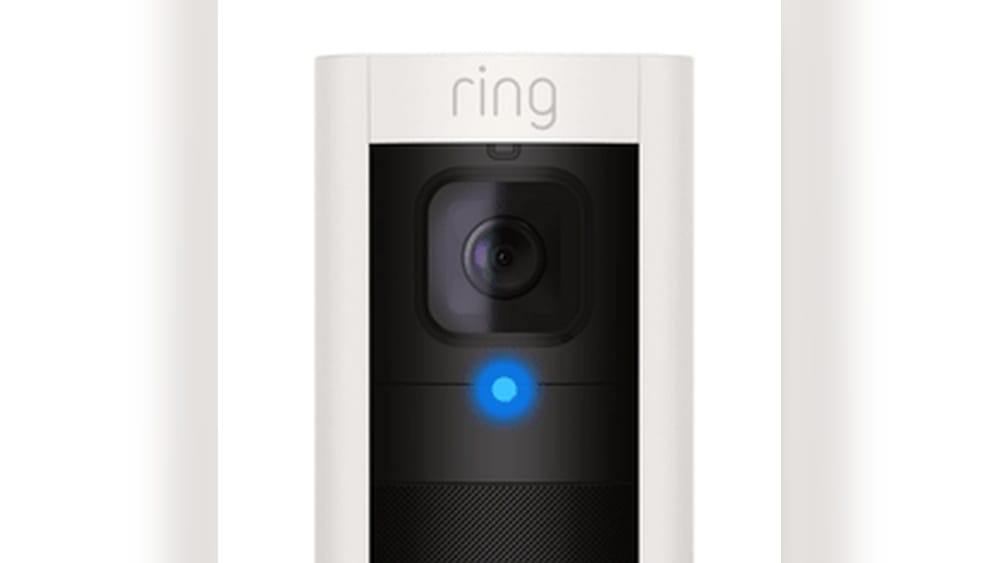
A solid red light on a Ring camera can be worrying for many users. You might wonder if your camera is broken, offline, or facing a security issue. If you see this light, don’t panic. This article will explain what a solid red light means, why it appears, and how you can fix it.
With clear explanations, practical steps, and expert tips, you’ll understand your Ring camera better and keep your home secure.
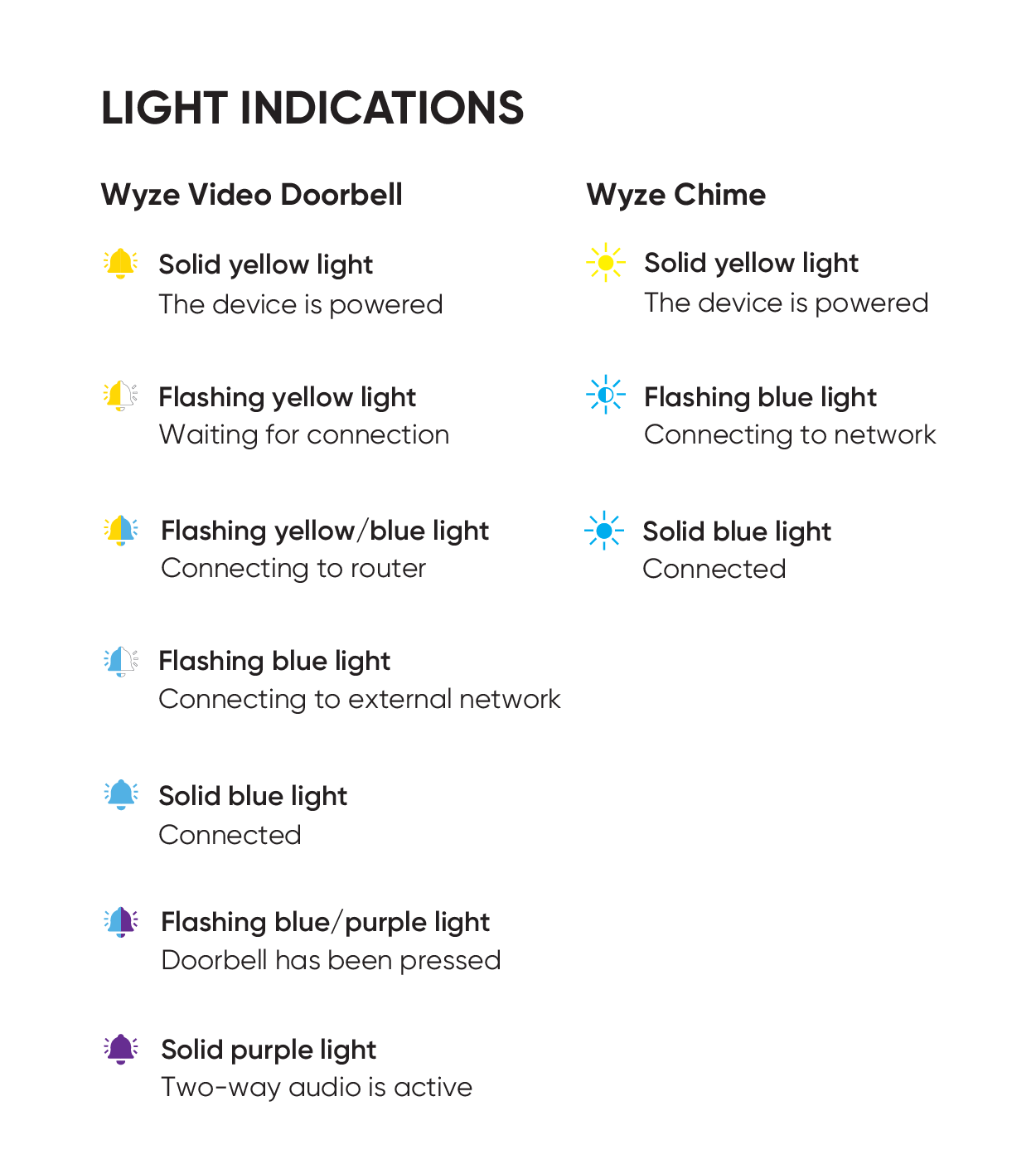
Understanding Ring Camera Light Indicators
Ring cameras use different lights to show their status. These lights help you know if your camera is working, updating, or has a problem. Most Ring cameras use blue, white, or red lights. Each color and pattern has a special meaning.
A solid red light is different from the blinking lights you might see during setup or recording. This steady red glow is important because it’s usually a sign that your camera needs attention. Some users ignore it, thinking it’s normal, but it often means something is wrong. Knowing what each light means helps you fix problems faster and keep your camera working well.
Common Ring Camera Light Patterns
You’ll notice different light patterns depending on what your camera is doing. Here are some common ones:
- Blinking Blue: Connecting to Wi-Fi or setting up
- Solid Blue: Live video is being viewed
- Blinking White: Reset or firmware update in progress
- Solid Red: Error or issue requiring action
Not all Ring models use the same lights. Check your camera’s manual if you’re unsure. However, a solid red light almost always means a problem you should not ignore.
What Does A Solid Red Light On Ring Camera Mean?
When you see a solid red light on your Ring camera, it is almost always a warning. The exact meaning can depend on your camera model, but here are the most common reasons:
- Connection Lost: The camera can’t reach your Wi-Fi network.
- Power Problem: There’s a power supply issue or the battery is very low.
- Firmware Error: The software inside your camera failed to update or crashed.
- Hardware Failure: There may be a serious problem inside the camera.
- Privacy Mode: Some models use a red light to show video/audio is off for privacy.
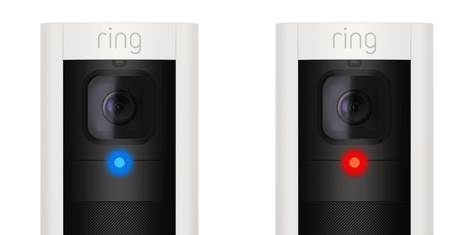
Many users believe a solid red light means the camera is recording. This is a common myth. In most Ring devices, recording is shown by a blue light, not red. The red light is a signal that the camera isn’t working as it should.
Solid Red Light: Model Differences
Below is a quick comparison of how different Ring cameras use the red light:
| Ring Camera Model | Solid Red Light Meaning | Action Needed |
|---|---|---|
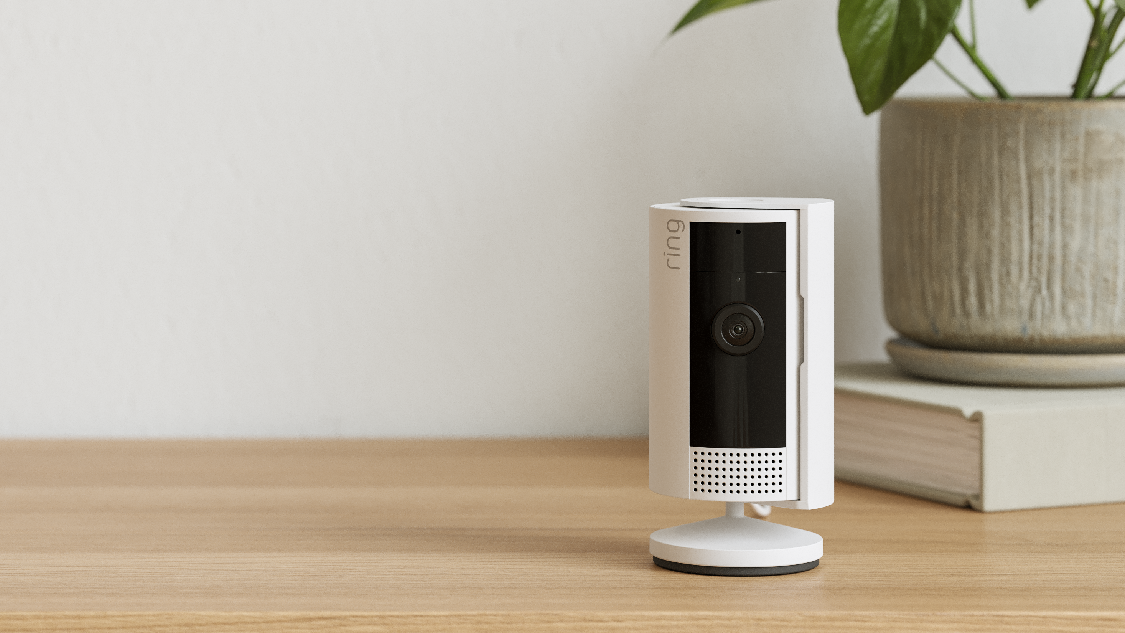
| Ring Indoor Cam | Connection or power issue | Check Wi-Fi and power |
| Ring Stick Up Cam | Firmware or hardware error | Restart or reset device |
| Ring Video Doorbell (some versions) | Privacy mode active | Check app settings |
| Ring Floodlight Cam | Camera error or offline | Reconnect to network |
Always check your user manual for your exact model. But in every case, a steady red light means something needs your attention.
Why Does A Solid Red Light Appear On Ring Cameras?
Understanding the cause helps you solve the problem quickly. Let’s look deeper at the main reasons for a solid red light.
1. Connection Lost
If the camera can’t connect to your Wi-Fi, it shows a red light. This may happen if:
- Your router is off or far from the camera
- The Wi-Fi password changed
- There’s network interference
Most people don’t realize that even a short Wi-Fi drop can trigger the red light. Sometimes, the camera won’t reconnect on its own and needs manual help.
2. Power Issues
A solid red light can mean the camera isn’t getting enough power. This could be due to:
- A loose plug or cable
- Dead or nearly empty battery (for battery-powered models)
- Faulty power adapter
Some users miss the fact that USB cables can wear out and stop delivering power. Try a different cable or adapter if you suspect this.
3. Firmware Error
Cameras need software updates to stay secure and work well. If an update fails or the firmware becomes corrupted, you may see a solid red light. This often requires a reset or even a manual update.
4. Hardware Failure
Internal problems, such as a damaged circuit or sensor, can trigger the red light. This is less common but usually means you need professional support or a replacement.
5. Privacy Mode Activated
On select Ring models, the red light means the camera is in privacy mode. This mode stops video or audio recording for privacy reasons. It’s easy to forget you turned this on in the app.
Hidden Causes Beginners Miss
Some beginners overlook simple issues:
- Overloaded Wi-Fi network: Too many devices can slow your connection and cause camera errors.
- Router updates or restarts: If your router reboots for updates, cameras can disconnect and show a red light.
- Recent password change: When you change your Wi-Fi password, all devices, including your Ring camera, need to reconnect using the new password.
How To Troubleshoot A Solid Red Light On Ring Camera
If you see a solid red light, don’t panic. Follow these steps to find and fix the problem.
Step 1: Check Camera Power
- Make sure the camera is plugged in properly.
- For battery-powered models, remove the battery and charge it fully. Use the original charger if possible.
- Try another power outlet or USB cable to rule out a bad connection.
Step 2: Test Your Wi-fi Connection
- Use your phone near the camera to check Wi-Fi signal strength.
- If the signal is weak, move your router closer or use a Wi-Fi extender.
- Restart your router to clear any issues.
- Make sure you entered the correct Wi-Fi password in the Ring app.
Step 3: Restart Or Reset The Camera
- Unplug the camera (if wired) and wait 30 seconds before plugging it back in.
- For battery models, remove and reinsert the battery.
- Press and hold the setup/reset button (usually on the back or bottom) for 20 seconds to perform a full reset.
Important: Resetting the camera often solves software bugs, but you’ll need to set up your camera again using the Ring app.
Step 4: Update The Firmware
- Open the Ring app and check for updates in your device settings.
- If an update is available, install it and wait for the process to finish.
- Do not unplug the camera during an update.
Step 5: Check Privacy Settings
- Go to the Ring app.
- Tap on your camera device.
- Look for any privacy or recording settings that might be turned on. Switch them off if you want the camera to work.
Step 6: Contact Ring Support
If the solid red light stays on after all these steps, contact Ring customer service. They can check for hardware problems and guide you through advanced fixes. Sometimes, the camera may need a replacement.
Troubleshooting Table
Here’s a quick guide to common problems and solutions:
| Problem Detected | Likely Cause | Solution |
|---|---|---|
| Solid red light, no camera view | Lost Wi-Fi connection | Restart router, reconnect camera |
| Red light after charging battery | Battery not inserted correctly | Remove and reinsert battery |
| Red light after firmware update | Firmware error | Reset camera, reinstall firmware |
| Red light, app says privacy on | Privacy mode active | Turn off privacy in app |
| Red light, camera warm or unresponsive | Hardware failure | Contact Ring support |
When Is A Solid Red Light Not A Problem?
There are rare times when a solid red light is normal:
- Infrared night vision: Some Ring cameras use small red LEDs for night vision. These lights are dim and not as bright as the error red light. They help the camera see in the dark but are usually only visible up close.
- Privacy feature: When you activate privacy mode, the red light means your video and microphone are off by your choice, not a technical problem.
It’s important to know the difference between these normal lights and an error signal. If the red light is bright, steady, and you can’t use your camera, it’s a warning.
How To Prevent Solid Red Light Problems
Regular care can stop most red light problems before they start. Here’s how:
Keep Software Updated
Always update your camera’s firmware through the Ring app. Updates fix bugs and improve performance. Set your app to notify you about new updates.
Use A Stable Power Source
Plug your camera directly into a wall outlet when possible. Avoid long or cheap USB cables, as they can cause power drops. For battery cameras, keep a spare battery charged.
Maintain A Strong Wi-fi Signal
Place your camera within 20–30 feet of your router for the best signal. If you have a large house, use a mesh Wi-Fi system or extenders.
Monitor Device Settings
Check your privacy and recording settings every few weeks. Family members or guests sometimes change settings without telling you.
Check For Physical Obstructions
Things like thick walls, metal objects, or large appliances can block Wi-Fi. Move your router or camera for a clear signal path.
Practical Tips Most Beginners Miss
- Label your Wi-Fi and device cables: Helps you reconnect quickly after a power outage or move.
- Add your Ring camera to your Wi-Fi router’s priority list: Most routers let you give top priority to security devices, reducing disconnects.
- Protect your camera from weather: Water damage can cause hardware errors, even indoors if humidity is high.
Credit: support.wyze.com
Real-life Examples: Solid Red Light Issues And Solutions
Case 1: Wi-fi Drop During Storm
Maria in Houston lost Wi-Fi during a thunderstorm. Her Ring Stick Up Cam showed a solid red light and stopped recording. She restarted her router, but the red light stayed. After resetting the camera and reconnecting to Wi-Fi, the light turned off, and her camera was back online.
Insight: Sometimes, a power surge resets your router’s settings. Always check both the camera and the router after a storm.
Case 2: Privacy Mode Confusion
Ben set privacy mode on his Ring Indoor Cam before a family party. He forgot to turn it off. The next day, he saw a solid red light and worried the camera was broken. In the app, he saw “Privacy Mode: On.” Turning it off made the red light disappear.
Insight: Always check app settings before trying a reset. Privacy mode can look like an error to new users.
Case 3: Hardware Failure
Sam’s Ring Floodlight Cam showed a solid red light and would not respond, even after resets. He called Ring support, who confirmed a hardware issue. The camera was replaced under warranty.
Insight: If basic troubleshooting fails, don’t waste time—contact support early.
The Importance Of Responding Quickly
A solid red light should never be ignored. Security cameras protect your home, so a warning light means your safety could be at risk. If your camera isn’t working, you lose the ability to record or see what’s happening around your property.
Data from Ring’s support forums shows that over 70% of users who act quickly can fix the problem themselves. Waiting too long can make things worse, especially if the issue is with power or firmware.
Comparing Ring Camera Issues: Red Light Vs Other Indicators
It’s easy to confuse the red light with other camera signals. Here’s a comparison to help you understand:
| Light Color & Pattern | What It Means | Recommended Action |
|---|---|---|
| Solid Red | Error, lost connection, or privacy mode | Troubleshoot or check app settings |
| Blinking Blue | Setup or connecting to Wi-Fi | Wait or finish setup in app |
| Solid Blue | Live view or recording in progress | No action needed |
| Blinking White | Firmware update or reset | Wait for update to finish |
Pro tip: Only the solid red light means there’s a problem you must solve. Blue and white lights are usually normal.
What To Do If The Red Light Comes Back
Sometimes the solid red light returns after you fix it. This usually means there’s a deeper problem. Here’s what you can do:
- Check for Wi-Fi interference: Other electronics or thick walls may block the signal.
- Replace old cables or adapters: Weak power can cause repeated errors.
- Move your camera: Try a different room closer to your router.
- Update your router firmware: Old routers can drop connections, causing camera issues.
- Check for device limits: Some routers only allow a certain number of devices. Remove unused devices if needed.
If you fix the problem and the red light still comes back, it’s time to contact support. There may be a hardware issue that needs a repair or replacement.
Credit: ring.com
How Ring Camera Updates Affect The Red Light
Many users don’t realize that updates can sometimes trigger a solid red light. If an update fails or your camera loses power during an update, the device may not work until you reset it.
Tip: Always plug in your camera and keep it connected during updates. If you see a red light after an update, try resetting the camera and checking the app for update status.
Is Your Camera Still Recording With A Solid Red Light?
Usually, a solid red light means the camera is not working and is not recording. However, if the camera is in privacy mode, it’s not recording by your choice. If the red light is due to a technical error, all recording stops until you fix the problem.
Fact: Ring cameras are designed to stop all recording if they detect a power or connection problem. This protects your privacy and security.
Credit: ring.com
When To Replace Your Ring Camera
If you’ve tried all troubleshooting steps and the red light is still on, your camera may be broken. Most Ring cameras have a one-year warranty. Contact Ring support for a replacement if your device is still covered.
Signs you may need a replacement:
- Camera is hot to the touch
- No response to reset or power cycling
- Red light appears after every fix
Before buying a new camera, ask support if your device is eligible for an exchange.
Solid Red Light And Home Security
A solid red light means your camera can’t do its job. For homes with only one camera, this leaves a security gap. For homes with multiple cameras, check if the red light appears on more than one device. If yes, the problem may be with your Wi-Fi or power system.
Pro tip: Test your entire security system every few months. A quick check can catch problems early, before you lose important footage.
Can You Turn Off The Red Light?
There’s no way to turn off the solid red light without fixing the problem. Covering the light with tape is not safe or recommended. The best way to “turn off” the red light is to solve the problem causing it.
If you want to disable the camera for privacy, use the app’s privacy mode. This is safer and gives you control over your device.
Should You Be Worried About Hacking?
Many people worry that a solid red light means someone is hacking their camera. In most cases, this is not true. The red light is a sign of a technical or user problem, not a security breach.
However, always use strong passwords and enable two-factor authentication on your Ring account. This keeps your camera safe from hackers. For more security advice, visit the official Ring Support Center.
Frequently Asked Questions
Why Is My Ring Camera Showing A Solid Red Light But Still Records Video?
Usually, a solid red light means your camera is not recording. If you still see recordings, check if the light is for infrared night vision, not an error. Night vision LEDs are dim red and normal. A bright, steady red light means a problem that can stop recording.
How Do I Reset My Ring Camera If The Red Light Won’t Go Away?
Find the reset button on your camera (usually on the back or bottom). Press and hold it for 20–30 seconds. Wait for the light to change. Then, set up your camera again in the Ring app. This often clears errors causing the red light.
Is A Solid Red Light The Same On All Ring Camera Models?
No. Most Ring cameras use a solid red light to show a problem, but a few models use it for privacy mode or night vision. Always check your camera’s manual or the Ring app for your model’s exact meaning.
Can Wi-fi Problems Cause A Solid Red Light On My Ring Camera?
Yes. If your camera loses its Wi-Fi connection, it often shows a solid red light. Fix by moving the camera closer to your router, restarting the router, or reconnecting in the app.
Should I Cover The Red Light If I Don’t Want To See It?
No. Covering the red light hides the warning but does not fix the problem. Always solve the cause of the red light to keep your camera working and your home secure.
A solid red light on your Ring camera should never be ignored. It’s a valuable warning that helps you protect your home and your privacy. By understanding what the light means, following smart troubleshooting steps, and caring for your camera, you can quickly solve most issues.
If you ever feel stuck, Ring support is just a call or click away. Stay alert, keep your devices updated, and your Ring camera will serve you well for years to come.