
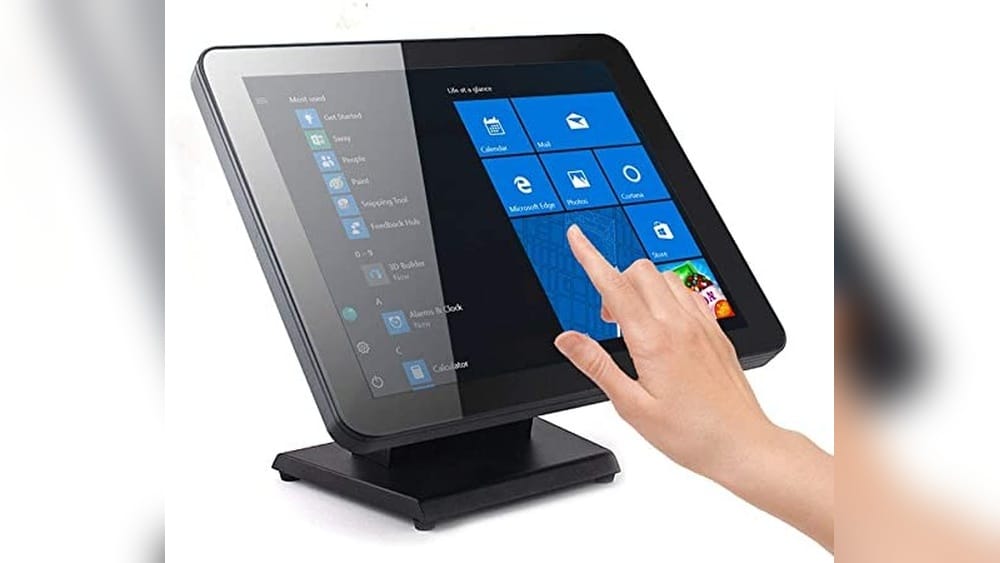
A touch panel is a familiar part of modern life, yet many people use one every day without thinking about how it works or why it matters. From smartphones and tablets to ticket kiosks and ATM machines, touch panels have changed the way we interact with technology.
But what exactly is a touch panel? Why are they so popular, and how do they fit into different industries? This article will help you understand touch panels in a clear and practical way, whether you are a student, a business owner, or just curious about the technology behind the glass.
What Is A Touch Panel?
A touch panel is an input device that lets you control a screen using your fingers or a special pen called a stylus. Instead of using a keyboard or mouse, you can tap, swipe, drag, or pinch directly on the display. Touch panels are sometimes called touchscreens, but “touch panel” often refers to the hardware layer that detects your touch, not just the screen you see.
Most touch panels are made of several thin layers. The outermost layer is glass or plastic, which protects the sensitive parts inside. Beneath this surface is a layer that senses touch, using methods like electrical signals or light. When you touch the panel, it detects your finger’s position and sends this information to a computer or device.
This simple idea has made touch panels a key part of phones, tablets, ATMs, self-service checkouts, car dashboards, medical devices, and even smart home controls. Touch panels are popular because they are easy to use—even for people who do not know much about computers.
History And Evolution Of Touch Panels
Touch panels have a longer history than most people think. The first touch-sensitive device was invented in the 1960s. E.A. Johnson, a British engineer, created an early version at the Royal Radar Establishment. These early panels were used in air traffic control.
In the 1970s, touch panels became more practical. Dr. G. Samuel Hurst developed the resistive touch panel. This technology was cheaper and easier to use in different products. By the 1980s, touch panels started appearing in consumer devices, like cash registers and information kiosks.
The real explosion came with the launch of the Apple iPhone in 2007. Its capacitive touch panel allowed for smooth, multi-finger gestures like pinch-to-zoom. This made touch panels feel natural and fun. Today, nearly every smartphone, tablet, and many computers use some type of touch panel.
Two insights beginners often miss:
- Touch panels are not all the same: Different technologies offer different strengths, such as durability, multi-touch, or clarity.
- Software matters too: Good touch panels need smart software to detect gestures, avoid accidental touches, and provide feedback.
How Do Touch Panels Work?
Touch panels sense touch by detecting changes in electrical signals, pressure, or light. The main types of touch panel technology are resistive, capacitive, infrared, and surface acoustic wave. Each works differently and is best for certain uses.
Basic Operation
When you touch a panel, your finger or stylus changes something inside the layers—like pressing two sheets together or blocking a light beam. Sensors detect this change and tell a computer the exact location. The system then responds, such as opening an app or drawing a line.
Layers Of A Touch Panel
Most touch panels have these layers:
- Protective cover: Glass or plastic to shield the sensors.
- Touch-sensitive layer: Detects touch using electrical, pressure, or light changes.
- Display screen: Shows images or information underneath the touch layer.
- Controller chip: Converts the touch into data the device can use.
The quality of each layer affects clarity, sensitivity, and durability.
Main Types Of Touch Panels
Touch panels come in several varieties. Understanding these types helps you choose the right one for your needs.
Resistive Touch Panels
Resistive touch panels have two thin, flexible layers with a small gap between them. When you press the surface, these layers touch, creating an electrical connection. The system measures the position and sends the data to the device.
- Pros: Work with any object (finger, stylus, glove). Low cost. Durable to some extent.
- Cons: Less sensitive. Cannot detect multiple touches at once. The surface can wear out over time.
Common uses: ATMs, industrial controls, older GPS devices.
Capacitive Touch Panels
Capacitive touch panels use the electrical properties of your body. The panel has a special layer that holds a small electrical charge. When your finger touches the surface, it changes this charge. Sensors at the edges measure the change to find the touch point.
- Pros: Very sensitive. Supports multi-touch (like pinch-to-zoom). Glass surface is tough and scratch-resistant.
- Cons: Needs a conductive object (usually a finger). Doesn’t work well with gloves unless they are special. More expensive than resistive panels.
Common uses: Smartphones, tablets, laptops, modern kiosks.
Infrared Touch Panels
Infrared touch panels use a grid of invisible light beams above the screen. When you touch the surface, your finger blocks some beams. Sensors detect which beams are blocked and locate the touch.
- Pros: No layers on top of the display, so image quality is very high. Works with any object. Very durable.
- Cons: Sensitive to dirt and dust. More expensive. Can be affected by strong sunlight.
Common uses: Large interactive displays, museum exhibits, factory controls.
Surface Acoustic Wave (saw) Touch Panels
SAW touch panels send sound waves across the surface of the glass. When you touch the screen, you absorb some waves. Sensors detect the change and pinpoint where you touched.
- Pros: Clear images, as nothing is placed over the display. Works with finger, gloves, or stylus.
- Cons: Can be damaged by water, dust, or scratches. More costly.
Common uses: Information kiosks, medical devices, office touchscreens.
Other Touch Panel Types
There are also optical imaging and projected capacitive panels, each with unique strengths. Projected capacitive panels are common in advanced smartphones and can detect many fingers at once.
Below is a comparison of the most common touch panel types:
| Type | Input Method | Multi-Touch | Durability | Cost |
|---|---|---|---|---|
| Resistive | Finger, stylus, glove | No | Medium | Low |
| Capacitive | Finger (conductive) | Yes | High | Medium-High |
| Infrared | Any object | Yes | Very High | High |
| SAW | Finger, stylus, glove | Yes | Medium | Medium-High |
Where Are Touch Panels Used?
Touch panels are found in nearly every industry. They make technology easy and fast to use, even for people with little technical skill.
Consumer Electronics
- Smartphones and tablets: The most common use. Touch panels allow users to type, play games, browse the web, and more.
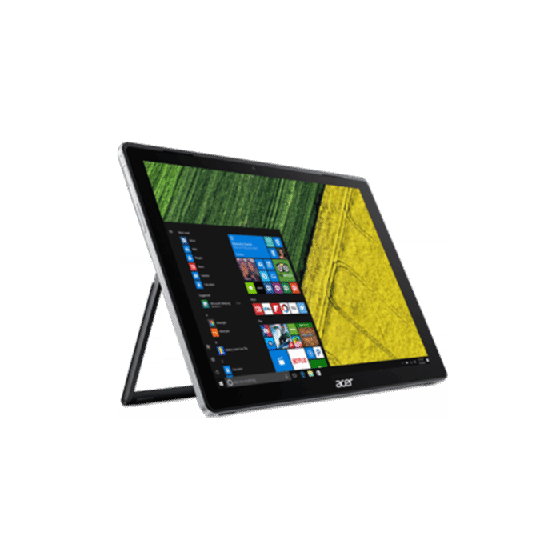
- Laptops and hybrid devices: Touch panels add flexibility, letting users tap or draw directly on the screen.
Retail And Self-service
- ATMs: Allow customers to withdraw money or check balances quickly.
- Self-checkout kiosks: Let shoppers scan and pay for items themselves.
- Ticket machines: Make it easy to buy tickets for travel, movies, or events.
Industrial And Commercial
- Factory controls: Workers can operate machines and check data with gloves on.
- Point-of-sale systems: Cashiers can ring up sales quickly and accurately.
Automotive
- Car infotainment systems: Drivers use touch panels to control music, navigation, and climate.
- Electric vehicle chargers: Touch panels make it easy to start or stop charging.
Healthcare
- Patient monitors: Nurses and doctors can quickly check or enter information.
- Surgical equipment: Touch panels must be reliable and easy to clean.
Education
- Interactive whiteboards: Teachers and students can write, draw, or move objects during lessons.
- Learning tablets: Simple, touch-based controls are ideal for children.
Public Spaces
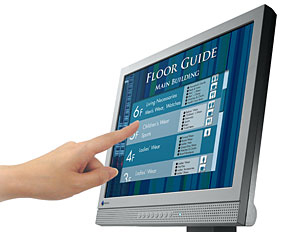
- Information kiosks: Visitors can find maps, schedules, or directions.
- Voting machines: Some elections now use touch panels for casting ballots.
A non-obvious insight: Touch panels are often chosen not just for ease of use, but for hygiene. In hospitals and food service, touch panels are easier to clean than keyboards.
Advantages Of Touch Panels
Touch panels offer many benefits over traditional input devices like keyboards or mice.
Intuitive Use
Touch panels are easy for people of all ages and backgrounds. Even young children or seniors can use a touch panel without much training.
Space-saving
A touch panel combines the input and display in one device, saving desk or counter space. This is useful in small shops, cars, or portable devices.
Fast And Direct Interaction
Touch panels let users interact directly with what they see. You can tap a button or drag a slider without moving a mouse or using extra keys. This speeds up common tasks.
Flexible Design
Touch panels can show different buttons, menus, or controls for each task. This makes them ideal for devices that need to change quickly, like cash registers or medical monitors.
Accessibility
People with disabilities may find touch panels easier to use, especially with features like large icons, voice commands, or vibration feedback.
Credit: www.techtarget.com
Disadvantages And Challenges
Despite their strengths, touch panels are not perfect for every situation.
Accidental Touches
It is easy to make mistakes by touching the wrong part of the screen, especially on small devices.
Limited Precision
For tasks that need high accuracy (like drawing detailed art or working with small objects), a mouse or stylus may be better.
Dirty Or Wet Environments
Grease, dust, or water can make touch panels hard to use. Some panels are better than others in these conditions, but all need regular cleaning.
Glove And Stylus Issues
Some touch panels do not work with gloves or regular pens. Special styluses or gloves are needed for these cases.
Cost
High-quality touch panels, especially large or multi-touch ones, can be expensive.
Durability
Constant touching can wear out the surface or leave scratches. Choosing the right material and technology is important for long life.
Important Factors When Choosing A Touch Panel
If you need to pick a touch panel for a device or project, consider these key points:
- Type of Use: Will the panel be used by many people, with gloves, or in a public space?
- Size and Shape: What screen size is needed? Will the panel be flat or curved?
- Touch Technology: Do you need multi-touch, or is single touch enough?
- Environment: Will it be used outdoors, in bright light, or in wet conditions?
- Durability: Does it need to survive heavy use, scratches, or cleaning with chemicals?
- Clarity and Brightness: Will the touch layer make the display less sharp?
- Cost: What is the budget? Are cheaper options good enough, or do you need top quality?
- Power Consumption: For battery devices, low power use is important.
A common mistake: Picking the cheapest panel can cost more in the long run if it fails often or needs frequent cleaning.
Below is a summary table comparing key selection factors for three popular touch panel uses:
| Application | Best Panel Type | Key Needs | Potential Issues |
|---|---|---|---|
| Smartphone | Capacitive | Multi-touch, clarity | Glove use, cost |
| Factory Control | Resistive | Works with gloves, durable | Single touch, less sharp |
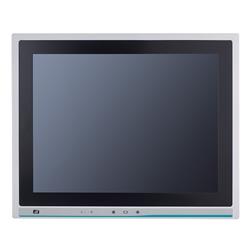
| Kiosk | Infrared | Durable, high clarity | Dust/sunlight issues |
Credit: www.axiomtek.com
Touch Panel Features And Options
Modern touch panels offer many extra features. Here are some of the most important:
- Multi-touch support: Lets users use two or more fingers for gestures.
- Haptic feedback: The panel vibrates or clicks to confirm a touch.
- Palm rejection: Useful for drawing; ignores the palm so only the pen counts.
- Water resistance: Panels can be made to work even when wet.
- Anti-glare coating: Helps with use in bright sunlight.
- Gesture recognition: Panels can detect swipes, pinches, or circles as special commands.
Some panels are even designed for flexibility—they can bend or fold, as seen in new foldable phones.
How Touch Panels Affect User Experience
A good touch panel can make a device feel fast, friendly, and modern. A bad one leads to frustration. Here’s why:
- Responsiveness: The best panels react instantly to light touches.
- Accuracy: The touch matches exactly where the finger lands.
- Consistency: The panel works the same way every time, even after years of use.
For example, Apple’s iPhone became popular not just for its software but because its touch panel felt more “alive” than earlier phones. This was due to better hardware, software, and careful design.
A less obvious insight: Many user complaints about devices are not about the software—they are about poor touch panel quality, especially in cheap phones or kiosks.
Credit: www.eizoglobal.com
The Future Of Touch Panels
Touch panel technology continues to evolve. Here are some trends to watch:
Flexible And Foldable Panels
New materials allow touch panels to bend or fold, making devices more portable. Phones and tablets that open or close like books are already on the market.
Better Outdoor Use
Manufacturers are working on panels that work well in sunlight, with anti-reflective coatings and brighter displays.
Advanced Sensing
Future panels may sense not just touch, but force (how hard you press), temperature, or even your fingerprint. This could add security or new ways to control devices.
Touchless Control
Some panels will not need a touch at all. Gesture sensing can detect your hand above the screen, which is useful in medical or industrial settings where cleanliness is critical.
Integration With Ai
Smart panels will use artificial intelligence to guess what you want to do, correct errors, or improve accessibility.
A practical tip: As features grow, so do costs and complexity. It’s wise to balance new options with real needs.
Common Problems And Solutions
Even the best touch panels can have issues. Here are some frequent problems and how to fix them:
- Unresponsive touch: Often caused by dirt, moisture, or a faulty connection. Clean the panel and check cables.
- Ghost touches: The panel detects touches you didn’t make. This can be from static electricity, water, or damaged sensors.
- Calibration errors: Sometimes the touch doesn’t match the display. Most panels have a calibration mode to fix this.
- Scratches or cracks: Use a screen protector and clean gently. Deep damage may require replacement.
A less-known insight: Sometimes, software updates can fix touch problems, especially for smartphones and tablets.
How To Care For A Touch Panel
To make your touch panel last longer:
- Clean regularly with a soft, damp cloth. Avoid harsh chemicals.
- Use screen protectors to prevent scratches.
- Avoid sharp objects on the surface—fingernails, keys, or pens not made for touch.
- Don’t press too hard. Most panels need only a light touch.
- Update software when possible for best performance.
- Check for proper grounding in industrial settings to avoid electrical problems.
For panels in public spaces, consider anti-microbial coatings to reduce the spread of germs.
Real-world Examples
Smartphones
The Samsung Galaxy S series uses advanced projected capacitive panels for fast, accurate, multi-finger use. Apple’s iPhone uses similar technology, tuned for smooth gestures.
Self-service Kiosks
McDonald’s and airports use large infrared panels. These can handle millions of touches per year and are easy to clean.
Industrial Machines
Factories often use resistive panels, which work even with gloves or in dirty conditions.
Medical Devices
Patient monitors use capacitive or SAW panels for reliability and ease of cleaning.
A practical insight: The “best” touch panel depends on the situation. There’s no one-size-fits-all solution.
Standards And Regulations
Touch panels in critical uses (like medical or automotive) must meet strict standards:
- Durability tests: Panels are checked for millions of touches.
- EMC (Electromagnetic compatibility): Ensures panels don’t interfere with other devices.
- Water and dust resistance: Rated by IP codes (like IP65).
- ADA compliance: Panels in public spaces must be accessible to people with disabilities.
Manufacturers list these ratings. Check them before buying for demanding environments.
Touch Panels Vs. Other Input Devices
How do touch panels compare to keyboards, mice, or voice control?
| Input Device | Speed | Learning Curve | Best For | Limitations |
|---|---|---|---|---|
| Touch Panel | High (for simple tasks) | Very Easy | Everyday devices, kiosks | Precision tasks |
| Keyboard | Very High (typing) | Medium | Writing, data entry | Bulky, less portable |
| Mouse | High (detailed work) | Easy | Design, office work | Needs flat surface |
| Voice Control | Varies | Easy (basic commands) | Hands-free, accessibility | Noisy places, privacy |
Environmental Impact
Touch panels, like all electronics, have an environmental cost. They use rare materials and energy to produce. Recycling is possible, but not always easy.
Some companies are working to make panels more eco-friendly by:
- Using less toxic materials
- Designing for easier recycling
- Reducing power use with smarter chips
A practical tip: Choose quality panels that last longer. This reduces waste and saves money over time.
For more on the science and history behind touch technology, you can visit the Wikipedia touchscreen page.
Frequently Asked Questions
What Is The Difference Between A Touch Panel And A Touchscreen?
A touch panel usually means the hardware layer that senses touch, while a touchscreen often refers to the complete display with touch capability. In practice, people use both terms to mean the same thing.
Can Touch Panels Work With Gloves?
It depends on the type. Resistive and infrared panels work with gloves. Capacitive panels need special gloves or a stylus designed for touch.
How Long Do Touch Panels Last?
Most modern touch panels are rated for millions of touches. The exact lifespan depends on the type, quality, and environment. Heavy public use can wear out panels faster, but many last for years.
Are Touch Panels Safe For Children?
Yes, touch panels are generally safe. For children, choose devices with tough glass and parental controls. Keep them clean to avoid germs.
Can I Repair A Broken Touch Panel?
Some touch panels can be replaced if cracked or unresponsive, especially in phones and tablets. For built-in panels (like in kiosks or cars), repairs may require a professional.
Touch panels are everywhere, shaping how we live, work, and play. Understanding how they work—and what to look for—will help you make smart choices, whether buying a device, designing a product, or just satisfying your curiosity.