
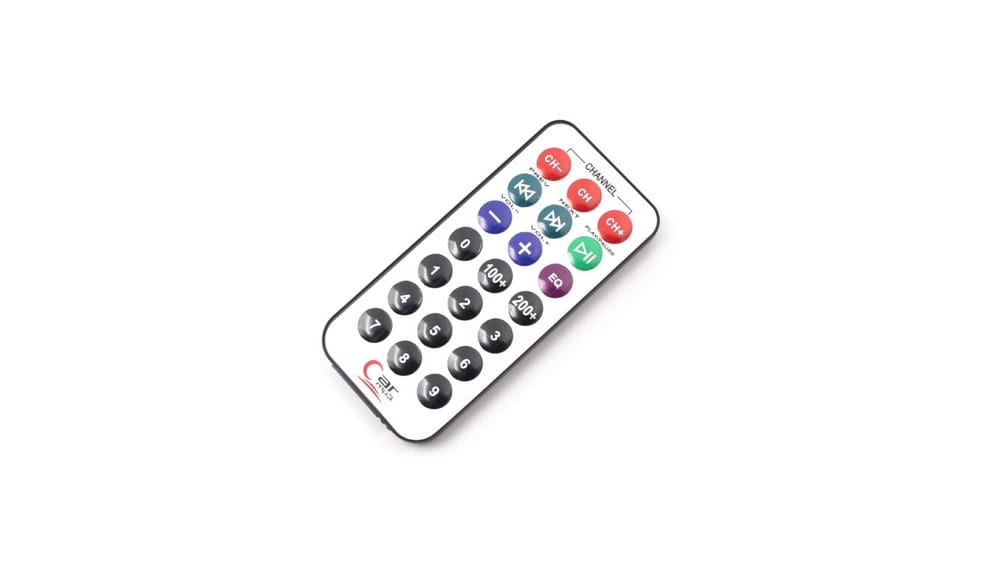
What Is An Infrared Remote Control
Imagine changing the TV channel without leaving your chair. Or dimming the lights in your living room with a small device. These simple actions are possible because of infrared remote controls. Even though they are so common, many people do not know how they actually work. Understanding the basics of infrared (IR) remote controls can help you use your devices better, fix problems, and even set up smart home systems.
Infrared remote controls have been part of daily life since the late 20th century. From TVs and air conditioners to projectors and fans, they help us manage electronics easily. But what exactly is an infrared remote control? How does it send commands without wires?
Why do some remotes work from a distance, while others do not? This article will explain the science, history, types, and practical uses of IR remote controls, plus their advantages and limitations. If you want to know how your remote works or are curious about the future of wireless control, you will find clear answers here.
The Basics: What Is An Infrared Remote Control?
An infrared remote control is a handheld device that uses infrared light to send signals wirelessly to another device, such as a television, DVD player, or air conditioner. The remote converts button presses into coded pulses of infrared light, which are invisible to the human eye. The device being controlled has a built-in sensor that detects these signals and interprets them as commands.
The core idea is simple: transmit information using light. But instead of visible light, infrared remotes use a wavelength just beyond what humans can see—typically around 940 nanometers. This kind of light does not pass through walls but works well in open spaces within a room.
Most IR remotes are powered by small batteries and have a limited range, usually between 5 to 10 meters. The devices they control must be in the “line of sight” of the remote, meaning there should be no solid object blocking the path between the remote and the device.
A Brief History Of Infrared Remote Controls
The journey of the remote control did not start with infrared technology. The earliest remote controls used wires, and then radio waves. The first wireless TV remote, called the “Flashmatic,” appeared in 1955 and used visible light. However, it was sensitive to sunlight and often changed channels by itself.
The real breakthrough came in the 1970s and 1980s, when engineers began using infrared LEDs to send signals. This new approach solved many early problems. IR remotes were less affected by sunlight and could be mass-produced cheaply. By the 1990s, almost every TV and VCR came with an IR remote.
Today, infrared remote controls are everywhere, even as newer technologies like Bluetooth and Wi-Fi start to appear. Their low cost, reliability, and simplicity keep them popular for many household devices.
Credit: diyables.io
How Infrared Remote Controls Work
Understanding how an IR remote works involves both hardware and software. Let’s break down the main parts and the process.
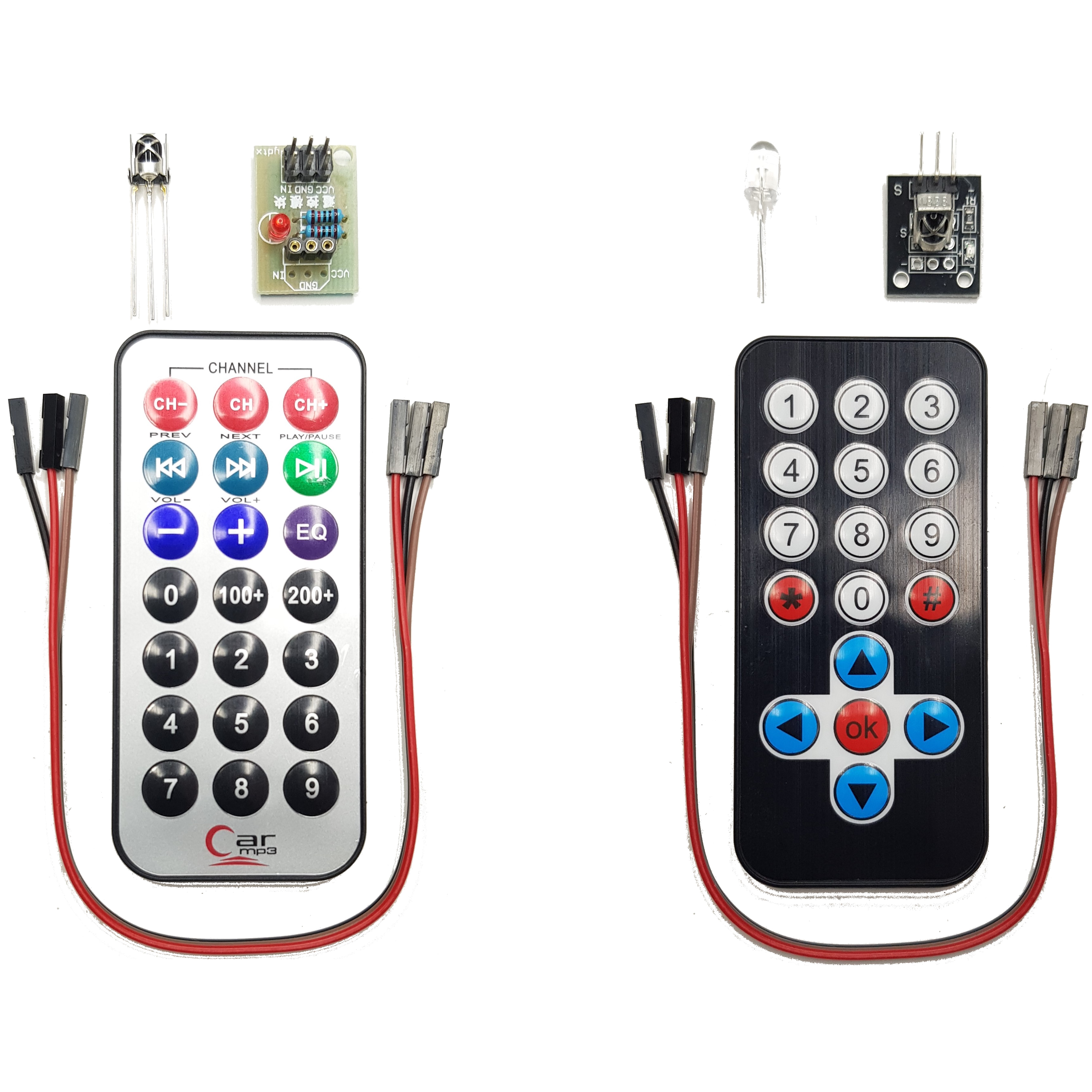
Key Components
- Buttons: Each button on the remote corresponds to a specific action, like “Volume Up” or “Power.”
- Microcontroller: This small chip reads which button is pressed and creates a digital code for that action.
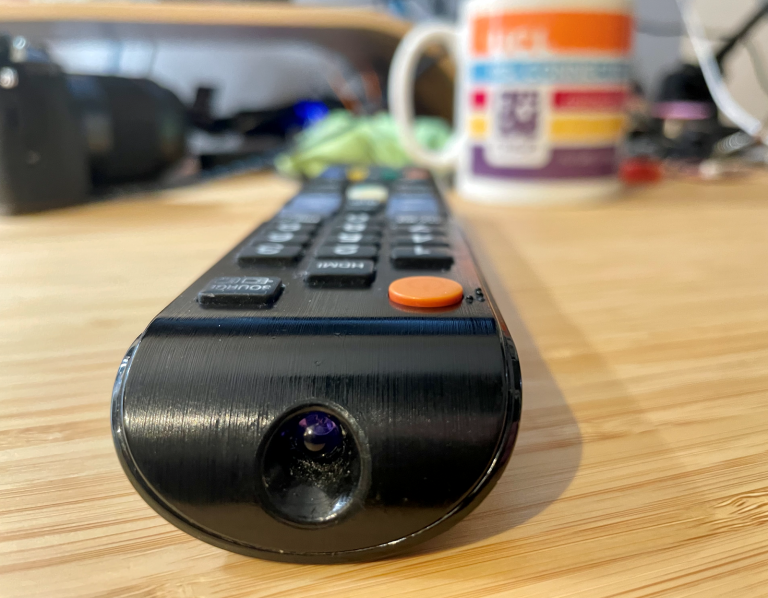
- Infrared LED: The LED emits infrared light in short bursts (pulses) to send information.
- Power Supply: Usually small batteries, such as AAA or coin cells.
On the receiving end, the controlled device has:
- IR Receiver (Sensor): Detects incoming infrared pulses.
- Decoder Circuit: Converts the received pulses back into digital commands.
- Main Controller: Executes the command (e.g., turns up volume).
The Communication Process
When you press a button:
- The microcontroller generates a unique binary code for that button.
- This code is sent to the IR LED.
- The IR LED flashes the code as a series of quick light pulses.
- The receiver on the device “sees” these pulses and passes them to a decoder circuit.
- The device performs the action, like changing the channel.
The signal is sent using a method called modulation. Most IR remotes use a carrier frequency (often around 38 kHz) to separate their signal from other light sources in the room, such as sunlight or lamps.
Example: Changing The Channel On A Tv
- You press “Channel Up.”
- The remote sends a coded sequence using infrared light.
- The TV’s sensor picks up the flashes, recognizes the “Channel Up” command, and adjusts the channel.
Key Features Of Infrared Remote Controls
Although IR remotes may look simple, they have several features that make them effective for everyday use:
- Wireless operation: No wires between remote and device.
- Line-of-sight required: The remote and receiver must “see” each other.
- Limited range: Usually works best within 5-10 meters.
- Simple design: Most IR remotes are lightweight, small, and easy to use.
- Low cost: Cheaper to manufacture than other wireless options.
- Battery powered: Usually uses replaceable or rechargeable batteries.
Credit: www.ucl.ac.uk
Types Of Infrared Remote Controls
Not all IR remotes are the same. They can be divided by function, complexity, and design.
By Function
- Single-device remotes: Control only one type of device, such as a TV or fan.
- Universal remotes: Programmed to control multiple devices from different brands.
- Learning remotes: Can “learn” signals from other remotes by recording their output.
By Complexity
- Basic remotes: Have only a few buttons for simple tasks.
- Advanced remotes: Include extra functions like macros (one button does many things) and programmable buttons.
By Design
- Classic remotes: Physical buttons and IR LED.
- Touchscreen remotes: Feature a digital screen with virtual buttons.
Special-purpose Remotes
- Projector remotes: Designed for presentations, often with built-in laser pointers.
- Air conditioner remotes: Include settings for temperature, fan speed, and mode.
- Smart home remotes: Some IR remotes are part of smart hubs, allowing you to control old devices with new apps.
Infrared Remote Control Protocols
An important part of IR remote technology is the communication protocol—the set of rules for sending and receiving data.
Common Protocols
- NEC: One of the most used protocols for TVs, DVD players, and air conditioners.
- Sony SIRC: Popular for Sony devices.
- Philips RC-5 and RC-6: Found in many European electronics.
- Panasonic, Samsung, LG, and others: Each brand may use its own protocol.
Each protocol defines:
- The carrier frequency (usually 36–40 kHz)
- How data is encoded (the timing and length of pulses)
- The structure of the command (address, device code, command code)
Devices from different brands often cannot understand each other’s protocols unless you use a universal remote that supports multiple types.
Why Protocols Matter
If you try to use the wrong remote with your TV, it will not work because the codes do not match. Universal remotes solve this by storing many protocols and codes for different devices.

Credit: www.amazon.com
Applications Of Infrared Remote Controls
IR remote controls are used in many places:
- Televisions: The most common use. Every TV comes with an IR remote.
- Audio systems: Control volume, input source, and track selection.
- Air conditioners: Adjust temperature, mode, timer, and fan speed.
- Projectors: Switch inputs, focus, and power on/off.
- Set-top boxes: Change channels, record, and access menus.
- Fans and lights: Some modern ceiling fans and LED lights use IR remotes.
- Cameras: Trigger the shutter or start video recording remotely.
- Toys and robots: Some remote control cars and robots use IR for simple commands.
Non-obvious insight: Some hearing aids can be adjusted using tiny IR remotes, letting users fine-tune settings discreetly.
Advantages Of Infrared Remote Controls
Why are IR remotes still so popular, even with new wireless technologies available?
- Low cost: Infrared LEDs and sensors are cheap to make and widely available.
- Simplicity: Easy to use for people of all ages.
- Reliability: Few moving parts, less to break.
- No radio interference: Unlike radio-based remotes, IR is not affected by Wi-Fi or Bluetooth signals.
- Battery life: IR remotes often last months or even years on a single set of batteries.
- Security by line-of-sight: The signal does not pass through walls, so neighbors cannot accidentally control your devices.
Limitations Of Infrared Remote Controls
IR remotes are not perfect. They have some drawbacks:
- Line-of-sight needed: Any object between the remote and device blocks the signal.
- Limited range: Usually does not work beyond 10 meters.
- No feedback: The remote does not know if the command was received.
- Sunlight interference: Strong sunlight or some lamps can disrupt the IR signal.
- One-way communication: Most IR remotes cannot receive data back from the device.
- Device confusion: If multiple devices use similar IR codes, one remote may control both by mistake.
Non-obvious insight: IR remotes are almost impossible to use outdoors in direct sunlight, which is why most outdoor devices use radio-based remotes.
Infrared Vs. Other Remote Control Technologies
While IR remotes are common, they are not the only choice. Here is a quick comparison between infrared, radio frequency (RF), Bluetooth, and Wi-Fi remotes:
| Technology | Range | Line-of-Sight Required? | Battery Life | Cost | Common Uses |
|---|---|---|---|---|---|
| Infrared (IR) | 5–10 meters | Yes | Long | Low | TV, AC, Audio |
| Radio Frequency (RF) | 20–50 meters | No | Medium | Medium | Garage, Car Keys |
| Bluetooth | 10–30 meters | No | Short | High | Game Consoles, Smart TVs |
| Wi-Fi | Up to 100 meters | No | Short | High | Smart Home, Streaming |
As shown above, IR remotes are best for simple, line-of-sight control where cost and battery life matter more than advanced features.
How To Test And Troubleshoot Infrared Remote Controls
Sometimes, your remote stops working, and you do not know why. Here are steps to check if your IR remote is working:
- Check the batteries: Weak batteries are the most common cause.
- Test the IR LED: Infrared light is invisible, but most smartphone cameras can “see” it. Point your remote at your phone’s camera, press a button, and look for a flashing light on the screen.
- Clean the remote: Dust or sticky buttons can block electrical contacts.
- Check for obstacles: Make sure nothing is blocking the path between the remote and the device.
- Try another remote: If available, use a second remote to see if the problem is with the device or the remote.
If the remote still does not work, it may have a hardware problem. In that case, replacing it is usually cheaper and easier than repairing it.
How Universal Remotes Work
A universal remote can control many devices from different brands. It stores a large set of codes and protocols. You set it up by entering a code for your device or by scanning until the remote finds the right one.
Some universal remotes can “learn” codes from your original remote by recording the IR signals. This is helpful if you have lost the manual or your device is not listed.
Non-obvious insight: Many smartphones can act as IR remotes if they have a built-in IR blaster, or you can use a small external IR adapter.
Infrared Remote Control In Smart Homes
Smart homes often use Wi-Fi or Bluetooth to control devices, but many older electronics use only infrared. To bridge this gap, there are smart IR blasters—small boxes that can send IR signals, controlled by your phone or voice assistant.
For example, you can set up your smart speaker (like Alexa or Google Home) to turn on your TV using a smart IR blaster. This way, you can control both old and new devices from one app.
Design And Engineering Of Infrared Remotes
Designing an IR remote involves both electronics and user experience. Here are some key points:
Electronics
- Power efficiency: Most remotes are designed to use very little power, so batteries last a long time.
- Signal strength: The IR LED must be bright enough for the receiver to detect at a distance, but not so strong that it wastes power.
- Durability: Remotes are often dropped or stepped on, so they must be sturdy.
User Experience
- Button layout: Important buttons (like “Power” or “Volume”) are usually larger and easier to find.
- Ease of use: Too many buttons can confuse users. Simpler remotes are often more popular.
- Accessibility: Some remotes use raised dots or special shapes to help visually impaired users.
Safety And Environmental Impact
Infrared remotes are generally safe. IR light is non-ionizing, so it does not damage skin or eyes in normal use. However, shining a strong IR LED directly into your eyes for a long time is not recommended.
Environmental impact comes mainly from battery disposal and electronic waste. Most remotes use small batteries, which should be recycled properly. As technology advances, many old remotes end up in landfills. Universal and smart remotes can help reduce waste by replacing multiple single-use remotes.
The Future Of Infrared Remote Controls
While new wireless technologies are growing, IR remotes are not going away soon. Manufacturers keep improving them:
- Better range and sensitivity: Newer IR sensors can detect weaker signals.
- Integrated smart features: Some remotes now include voice control or touchscreen displays.
- Hybrid remotes: Combine IR, RF, and Bluetooth in one device, so you can control everything from one place.
Non-obvious trend: Even as TVs and set-top boxes move to Bluetooth or Wi-Fi, many air conditioners, fans, and other appliances will continue using IR for years due to cost and simplicity.
Practical Tips For Using Infrared Remotes
- Aim carefully: Make sure the remote points toward the device’s sensor.
- Avoid direct sunlight: Too much sunlight can weaken the IR signal.
- Keep the remote clean: Dirt or sticky buttons can cause malfunctions.
- Replace batteries in pairs: Mixing old and new batteries can cause leaks or weak signals.
- Store remotes safely: Avoid dropping or stepping on them.
Fun Facts About Infrared Remotes
- The first TV remote, called the “Lazy Bones,” appeared in 1950 and was connected by a wire.
- Infrared light can pass through some thin materials, like plastic wrap, but not through walls.
- Many pets, especially dogs and cats, cannot see infrared light, so remotes do not bother them.
- The Guinness World Record for the largest remote control is over 4 meters long!
How To Extend The Life Of Your Infrared Remote
- Use quality batteries: Cheap batteries may leak and damage the remote.
- Store in a cool, dry place: High heat or humidity can damage electronics.
- Avoid dropping: Internal parts can break or become loose.
- Clean gently: Use a soft cloth and avoid harsh chemicals.
- Check for firmware updates: Some advanced remotes can be updated with new codes.
Common Myths About Infrared Remotes
- Myth: IR remotes can give you eye problems.
- Fact: Normal use is safe; IR light is not strong enough to cause harm.
- Myth: All remotes work with all devices.
- Fact: Devices need matching codes and protocols.
- Myth: You must point directly at the sensor.
- Fact: IR light can bounce off walls or ceilings, but direct aim works best.
Case Study: Universal Remote For A Modern Living Room
A family has a TV, soundbar, set-top box, and air conditioner—all with separate IR remotes. They keep losing remotes and get frustrated switching between them.
Solution: They buy a universal remote and a smart IR blaster. The universal remote controls the TV and soundbar, while the IR blaster connects to their smart home app for the set-top box and air conditioner. Now, they can control everything from one place—by remote, app, or even voice.
Tip: When setting up a universal remote, always test each function to make sure the right codes are selected.
Data: Infrared Remote Adoption Worldwide
| Device Type | Estimated Global Units (2023) | % Using IR Remotes |
|---|---|---|
| TVs | 1.7 billion | 95% |
| Air Conditioners | 1.1 billion | 98% |
| Audio Systems | 800 million | 90% |
| Set-Top Boxes | 500 million | 85% |
| Smart TVs (with Bluetooth/Wi-Fi) | 400 million | 40% |
These numbers show that IR remotes are still the most common way to control household electronics.
Frequently Asked Questions
What Is The Main Advantage Of Using An Infrared Remote Control?
The main advantage is simplicity and low cost. IR remotes are easy to use, require little power, and are inexpensive to produce. They are reliable for controlling a single device in a room, which is why they are so widely used.
Can Infrared Remote Controls Work Through Walls?
No, IR remotes need a line of sight between the remote and the device. Infrared light cannot pass through walls or most solid objects. However, IR signals can sometimes bounce off walls or ceilings if the surface is reflective enough.
Why Do Some Remotes Interfere With Each Other?
If two devices use the same IR protocol and codes, one remote might control both devices by accident. This happens most often with devices from the same brand or with universal remotes that use popular codes. To avoid this, choose devices from different brands or use remotes with unique codes.
How Can I Control My Old Ir Devices With My Smartphone?
You can use a smart IR blaster. This is a small box that connects to your smartphone via Wi-Fi or Bluetooth and sends IR signals to your devices. Some smartphones also have a built-in IR blaster. Many apps can turn your phone into a remote if the hardware supports it.
Are Infrared Remote Controls Being Replaced By Other Technologies?
Newer devices are starting to use Bluetooth and Wi-Fi remotes, especially smart TVs and streaming boxes. However, IR remotes remain common for TVs, air conditioners, and other appliances because they are cheap, reliable, and easy to use. It is likely that IR remotes will be around for many more years.
Infrared remote controls are a simple but powerful technology that changed how we interact with electronics. Whether you are switching TV channels, cooling your room, or managing a smart home, understanding how IR remotes work can help you get the most from your devices. For further reading, you can visit the Wikipedia page on remote controls to explore more technical details and history.