
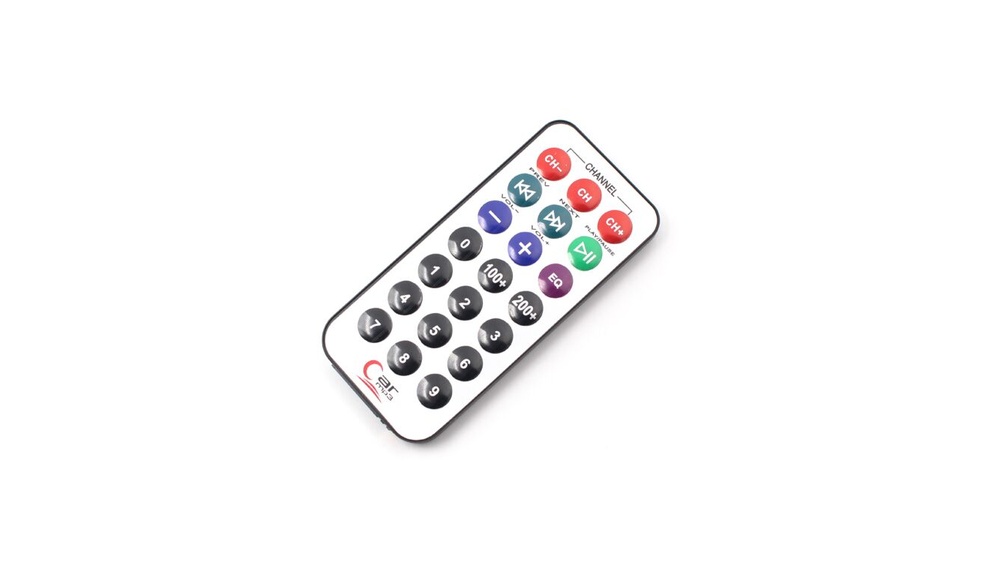
Every day, millions of people use their TVs, air conditioners, and audio systems with just the press of a button. But how do these remote controls actually work? The answer often lies in a technology called infrared remote control. Though you might never see the invisible light being sent, this simple technology has changed the way we interact with electronics. Whether you want to turn up the volume from across the room or change the channel without getting up, infrared remote controls make life easier. In this article, you’ll learn exactly what infrared remote control is, how it works, where it’s used, and why it’s still the most common way to wirelessly control home electronics.
What Is Infrared Remote Control?
An infrared remote control is a wireless device that uses invisible light to send commands to another electronic device. The light, called infrared (IR) radiation, is just beyond the range of what human eyes can see. When you press a button, the remote sends a series of IR pulses. The receiver in your device “sees” these pulses and understands what you want it to do—like changing the TV channel or adjusting the temperature.
Infrared remotes are everywhere. They are simple, reliable, and cheap to make. Most people have several at home, for their TV, DVD player, or air conditioner. The technology is more than 40 years old but is still widely used because it works well for many everyday tasks.
How Does Infrared Remote Control Work?
The main idea behind an infrared remote is simple: send a coded signal using invisible light, and have a sensor on the device receive and understand it. But there’s more happening than meets the eye.
Main Components
- Transmitter (The Remote)
- Contains buttons, a small processor, and an infrared LED (light emitting diode).
- The processor converts each button press into a code.
- The LED flashes IR light in a pattern that matches the code.
- Receiver (The Device)
- Usually, a small black window on the front of your TV or other device.
- Inside is a photodiode that detects IR light and sends the signal to the device’s processor.
Step-by-step Signal Process
- Button Press: You press a button on the remote.
- Code Generation: The remote’s processor turns this into a unique digital code.
- IR LED Flashes: The IR LED quickly blinks on and off, sending the code as pulses of light.
- Signal Reception: The device’s IR sensor detects the flashes and converts them back to digital code.
- Command Execution: The device’s processor recognizes the code and performs the action (volume up, channel change, etc. ).
Line-of-sight
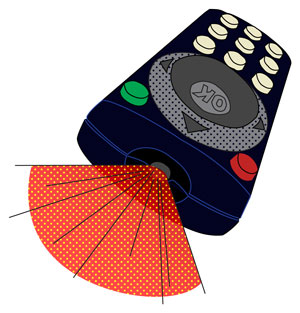
Infrared light cannot pass through walls or most solid objects. This is why you must point the remote directly at the device. If something blocks the path, the signal usually won’t work.
The Science Behind Infrared Light
Infrared light is a type of electromagnetic radiation. It sits between visible light and microwaves on the electromagnetic spectrum. The wavelength is longer than visible red light but shorter than microwaves, usually from 700 nanometers (nm) to 1 millimeter (mm).
- Human eyes can’t see infrared, but many devices can detect it.
- Common TV remotes use IR light with a wavelength around 940 nm.
Why Use Infrared?
- Safe for Humans: IR is non-ionizing, so it’s not dangerous at the levels used in remotes.
- Low Power: Remotes can run for months or years on small batteries.
- Simple Circuitry: Easy to build and add to consumer devices.
- Less Interference: IR does not cause radio interference with other devices.
Types Of Infrared Remote Controls
Not all IR remotes are the same. Over time, different designs and features have appeared.
Single-function Remotes
These remotes control only one device, such as a TV or a fan. They have a limited number of buttons and codes.
Universal Remotes
A universal remote can control many devices, even from different brands. They contain multiple code sets and can be programmed for TVs, audio systems, and more. Some can even “learn” codes from other remotes.
Smart Remotes
Newer remotes may include both IR and other wireless technologies (like Bluetooth or Wi-Fi). This lets them control smart TVs or streaming boxes from any direction, not just line-of-sight.
Learning Remotes
These remotes can “record” codes from other remotes. You point two remotes at each other and press the button, and the learning remote copies the IR code.
Key Features Of Infrared Remote Control
Infrared remote controls offer several important features:
- Simple design: Few moving parts, making them durable.
- Low cost: Cheap to manufacture and replace.
- Reliable at short range: Work well within one room, usually up to 10 meters (about 33 feet).
- Low power use: Batteries last a long time.
- Multi-device support: Universal remotes can control multiple devices.
Advantages Of Infrared Remote Control
Why do so many devices still use IR remotes, even with new wireless options around? Here are some key advantages:
- Affordable: The technology is cheap, so it’s used in millions of products.
- Simple to Use: Most people already understand how to use them.
- Low Power Needs: Only needs a small battery.
- Reliable in One Room: Works well if you are close to the device.
- No Pairing Needed: Unlike Bluetooth, there’s usually no setup.
Infrared is also not affected by Wi-Fi or cell phone signals, so it works even if your network is down.
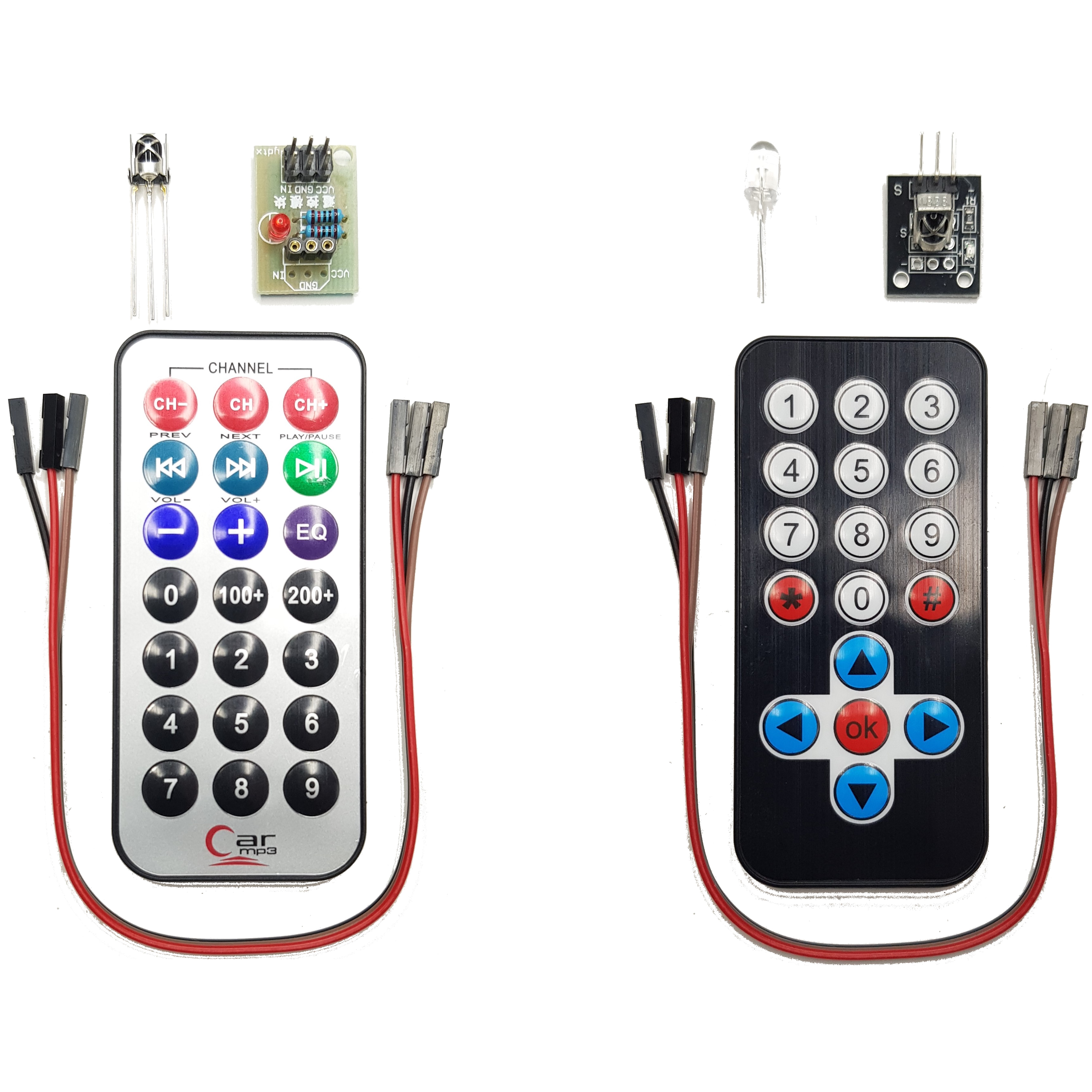
Credit: diyables.io
Disadvantages And Limitations
Even though IR remotes are popular, they have some drawbacks:
- Line-of-Sight Needed: Signals can’t go through walls or furniture.
- Short Range: Usually only works up to 10 meters.
- Can Interfere: Sunlight or other IR sources can cause problems.
- Limited Data: Can only send simple commands, not large data.
Some smart TVs now use radio-frequency (RF) remotes to solve these problems.
Comparison: Infrared Vs. Other Remote Technologies
To better understand where IR fits in, here’s a direct comparison with other common remote technologies.
| Feature | Infrared (IR) | Radio Frequency (RF) | Bluetooth |
|---|---|---|---|
| Range | Up to 10 meters | Up to 30 meters | Up to 100 meters |
| Line-of-Sight Needed | Yes | No | No |
| Interference with Light | Yes | No | No |
| Battery Life | Long | Medium | Short |
| Complexity | Simple | Medium | High |
| Cost | Low | Medium | High |
Infrared is best for simple, cheap remotes in one room. RF and Bluetooth are better for longer range and do not need direct pointing.
Infrared Remote Control Protocols
A protocol is the set of rules for how data is sent. There are several popular IR protocols, each with its own way of encoding signals.
Common Ir Protocols
- NEC Protocol: Used in many TVs. Sends a 32-bit code, easy to decode.
- Sony SIRC: Used in Sony devices. Uses a different timing for each bit.
- Philips RC-5/RC-6: Used in Philips and some European devices.
Each protocol decides how many times a signal repeats, how long each pulse lasts, and how to handle errors.
Why Protocols Matter
If your remote uses a different protocol than your device, it won’t work. Universal remotes need to support many protocols.
Real-world Examples Of Infrared Remote Control
Infrared remotes are not just for TVs. Here are some real-world examples:
- TVs and Set-Top Boxes: The most common use worldwide.
- Air Conditioners: Use IR for temperature and mode settings.
- Audio Systems: Control volume, tracks, and sources.
- Projectors: Change input, adjust brightness, power on/off.
- Camera Triggers: Some digital cameras use IR to trigger the shutter.
- Toys: Many remote-controlled toys use IR for simple movement.
Credit: www.cablewholesale.com
Inside An Infrared Remote: Components And Circuitry
Let’s look at what’s inside a typical IR remote:
Main Components
- Buttons and Keypad: Let you select commands.
- Microcontroller: Converts button presses into codes.
- Infrared LED: Sends the IR signal.
- Battery: Powers the circuit.
- Plastic Case: Holds everything together.
When a button is pressed, the microcontroller sends a series of electrical pulses to the IR LED. The LED emits IR light in a coded pattern.
Common Circuit Design
Most remotes use a simple circuit. Some use a single chip to handle all tasks—reading buttons, encoding data, and sending signals.
In the receiver (like your TV), a photodiode detects the IR pulses. A small amplifier boosts the signal, and the device’s processor decodes the command.
How Devices Decode Infrared Signals
Decoding IR signals is a key part of how remotes work. Here’s how it happens:
- Light Detection: The IR sensor detects the incoming pulses of light.
- Signal Amplification: The weak signal is made stronger.
- Demodulation: The device extracts the digital code from the pulses.
- Processing: The main processor reads the code and decides which command to run.
Most IR signals are “modulated,” meaning the light blinks at a specific frequency (like 38 kHz). This helps the receiver ignore background IR from sunlight or lamps.
How To Test If Your Remote Is Working
Ever wonder if your remote is working, even if your TV is not responding? Here’s a quick tip:
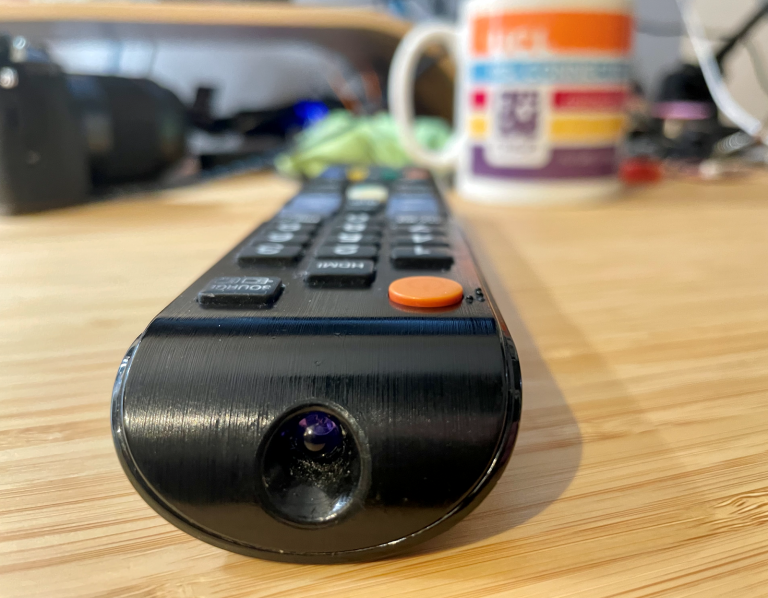
- Use Your Smartphone Camera: Point the remote at your phone’s camera and press a button. You should see a flashing light on your phone’s screen, even though you can’t see it with your eyes.
This works because most phone cameras can “see” IR light.
Infrared Remote Control In Smart Homes
With the rise of smart homes, IR remote controls are getting upgrades. Many smart hubs include IR “blasters” that can control old and new devices from one place. Some smart speakers or apps can send IR commands using a hub, so you can use your voice to control your TV or air conditioner.
Security And Privacy In Infrared Remote Control
Infrared remotes are generally safe to use. They do not send private data, only commands like “volume up” or “turn off.” However, there are a few things to know:
- Signal can be copied: Anyone with a programmable remote can copy your IR signal.
- Short range: Makes it harder for someone to control your devices from outside your home.
Compared to Wi-Fi or Bluetooth, IR is less of a privacy risk.
Common Problems And Troubleshooting
Even the best IR remotes sometimes fail. Here are frequent issues and what you can do:
- Dead Batteries: Most common cause. Replace with new ones.
- Blocked Sensor: Make sure nothing is in front of the device’s sensor.
- Dirty Remote Window: Clean both the remote and receiver window.
- Strong Sunlight: Bright sunlight can overpower the IR signal. Try closing curtains or moving closer.
- Broken Remote: Sometimes the LED or circuit breaks. Test with a phone camera.
If the remote still doesn’t work, check if the device’s IR receiver is working.
Environmental Impact And Recycling
Most IR remotes use plastic cases and small batteries. While each remote uses little material, billions are made every year. Recycling old remotes and batteries is important to reduce waste. Some stores collect old electronics for recycling.
The Future Of Infrared Remote Control
Will IR remote controls disappear? Not anytime soon. While smart remotes and voice assistants are growing, IR is cheap, simple, and works well for most people. Some new remotes combine IR with Bluetooth or Wi-Fi, giving you the best of both worlds.
Non-obvious insight: Some universal remotes and smart home hubs can “blast” IR signals in all directions, so you don’t have to point them directly at devices. This solves the line-of-sight problem in modern homes.
Comparison: Infrared Remote Vs. Smartphone Apps
With the rise of smartphone apps, many devices can be controlled from your phone. Here’s how they compare to traditional IR remotes:
| Aspect | Infrared Remote | Smartphone App |
|---|---|---|
| Ease of Use | Simple, immediate | May require app, pairing |
| Batteries | Small, long-lasting | Uses phone battery |
| Compatibility | Works with most IR devices | Needs IR blaster or Wi-Fi device |
| Features | Basic control | Advanced (timers, voice control) |
| Cost | Low | Free (but needs phone) |
Non-obvious insight: Many new phones do not include an IR blaster, so they can’t control old devices unless you buy an extra accessory.
Health And Safety Considerations
IR remotes are safe to use. The amount of infrared light is very low and does not heat up your skin or eyes. Unlike some wireless devices, IR remotes do not emit radio waves, so there’s no risk of interference with medical devices.
How To Choose The Right Remote Control
If you need a new remote, consider these factors:
- Device Compatibility: Make sure the remote supports your brand and model.
- Type: Do you want a basic, universal, or smart remote?
- Features: Some remotes glow in the dark, have large buttons, or support macros (multiple actions with one button).
- Price: Basic IR remotes are cheapest. Smart remotes cost more but offer extra features.
- Build Quality: A sturdy remote will last longer.
Infrared Remote Control In Industry
While most people use IR remotes at home, they are also used in business and industry:
- Conference rooms: Control projectors and screens.
- Hospitals: Adjust beds or call for help.
- Factories: Some machines use IR for simple controls, since it’s immune to radio interference.
The History Of Infrared Remote Control
The first remote controls used wires, then radio. The first commercial IR remote was the “Zenith Space Command” in 1956, which actually used ultrasound. In the 1980s, true IR remotes became standard because they were cheaper and easier to use. Today, IR is the most common type of remote control worldwide.
How To Program A Universal Ir Remote
Programming a universal remote can be easy if you follow these steps:
- Find the Code: Look up the code for your device in the remote’s manual.
- Enter Programming Mode: Usually, press and hold a button until a light flashes.
- Input the Code: Enter the code using the number keys.
- Test Functions: Try power, volume, and other buttons to see if they work.
Some remotes can “learn” codes by copying signals from your old remote.
Fun Facts About Infrared Remote Controls
- The average US home has at least 4 IR remote controls.
- Some pets, like certain snakes, can actually “see” infrared light.
- The IR LED in a remote flashes several thousand times per second when you press a button.
Frequently Asked Questions
What Devices Use Infrared Remote Controls?
Infrared remote controls are used in TVs, air conditioners, audio systems, projectors, fans, camera triggers, and even some toys. Most home electronics that need simple commands use IR remotes.
How Can I Tell If My Remote Is Sending A Signal?
You can point your remote at a smartphone camera and press a button. If the remote is working, you’ll see a flashing light on the camera screen, even though you can’t see the light with your eyes.
Credit: www.ucl.ac.uk
Why Does My Infrared Remote Work Only When Pointed Directly At The Device?
Infrared light travels in a straight line and can’t go through walls or solid objects. That’s why you need a clear line-of-sight between the remote and the device’s sensor.
Can Sunlight Affect My Infrared Remote?
Yes, strong sunlight or bright lamps can interfere with IR signals. Sunlight contains IR radiation, which can “drown out” the remote’s signal. Try to use your remote away from bright light or move closer to the device.
Are Infrared Remote Controls Being Replaced By Other Technologies?
While some new devices use Bluetooth, Wi-Fi, or RF remotes, infrared is still the most common choice for TVs and home electronics because it’s cheap, reliable, and easy to use. Many smart remotes now include both IR and newer wireless technologies.
If you want to explore more about electromagnetic radiation and how IR fits into the bigger picture, you can visit this Wikipedia infrared article.
Infrared remote control has remained a key technology for decades because it’s simple, affordable, and gets the job done. Whether you use a basic remote or a smart home system, the invisible power of infrared light is always at your fingertips.