
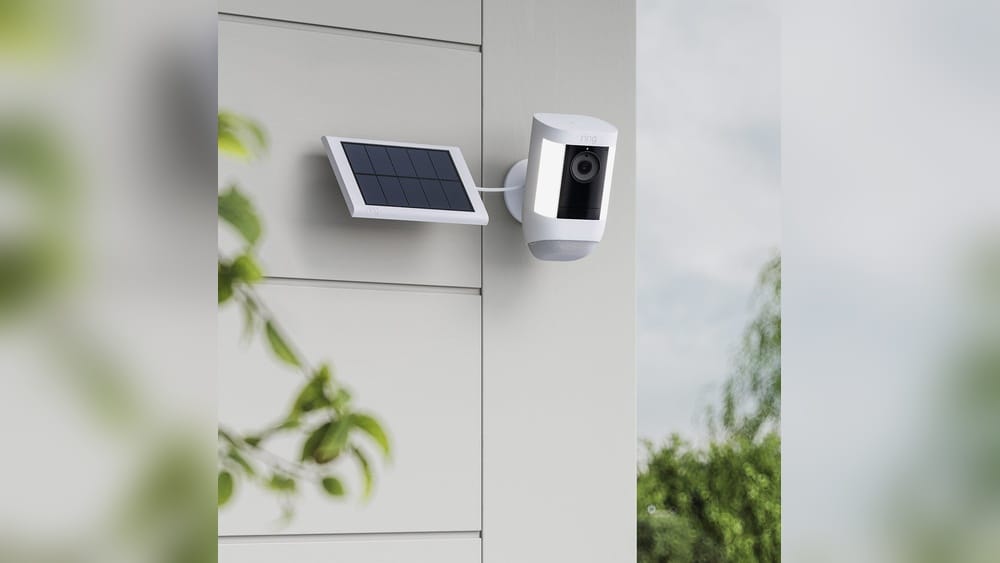
If you want to power your Ring cameras with solar energy, you’re not alone. Many homeowners and renters are searching for ways to keep their cameras running without worrying about charging batteries or dealing with complicated wiring. Solar panels offer a smart, eco-friendly solution, but not all Ring cameras are compatible with them.
Choosing the right combination can be confusing, especially if you’re trying to avoid mistakes or wasted money. In this guide, you’ll learn exactly which Ring cameras work with solar panels, how solar power integration works, and what you need to know before making your decision.
Understanding Ring Cameras And Solar Panels
Before picking a solar-powered solution, it’s important to understand how Ring cameras and solar panels work together. Ring offers several camera models, each with different power needs. Some are designed for battery use, while others require a constant wired connection. Solar panels are made to work with specific Ring models—usually those that use batteries.
A solar panel for a camera is a small device that collects sunlight and converts it into electricity. This energy charges the Ring camera’s battery during the day, so the camera can keep working at night or on cloudy days. The goal is to reduce or eliminate the need to manually recharge the camera’s battery.
However, a common misconception is that any Ring camera can be powered by any solar panel. In reality, compatibility depends on the camera model, the type of panel, and your installation location. Some panels are designed by Ring, while others are third-party options.
Which Ring Cameras Work With Solar Panels?
Not every Ring camera is compatible with solar panels. To avoid buying the wrong equipment, here’s a detailed look at the Ring cameras that officially support solar charging.
Ring Stick Up Cam (battery)
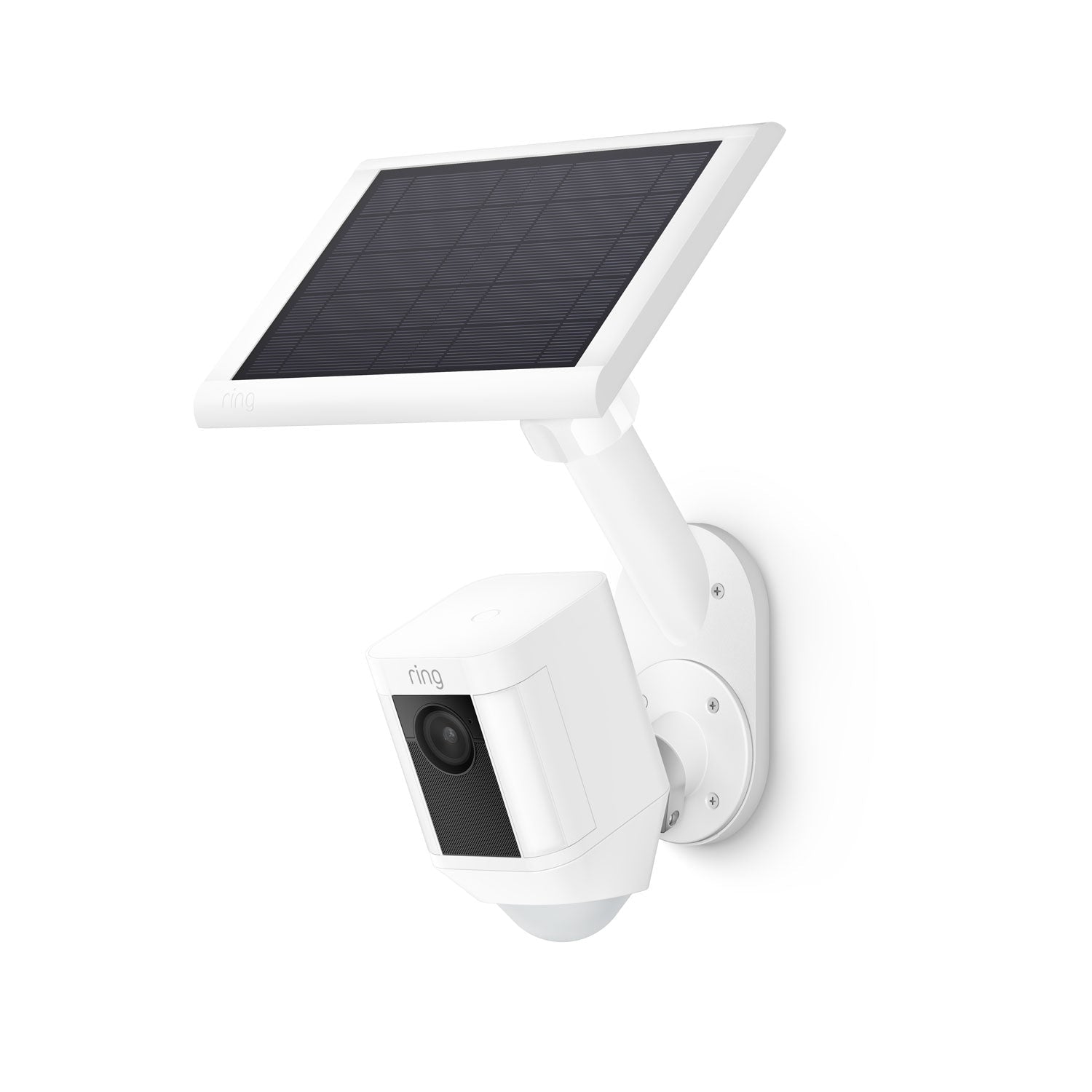
The Ring Stick Up Cam Battery is one of the most popular Ring cameras for solar power. It’s designed to run on a rechargeable battery, and Ring offers an official solar panel accessory for it. This camera works well indoors and outdoors, and the solar panel can keep the battery charged with just a few hours of direct sunlight each day.
Ring Spotlight Cam (battery)
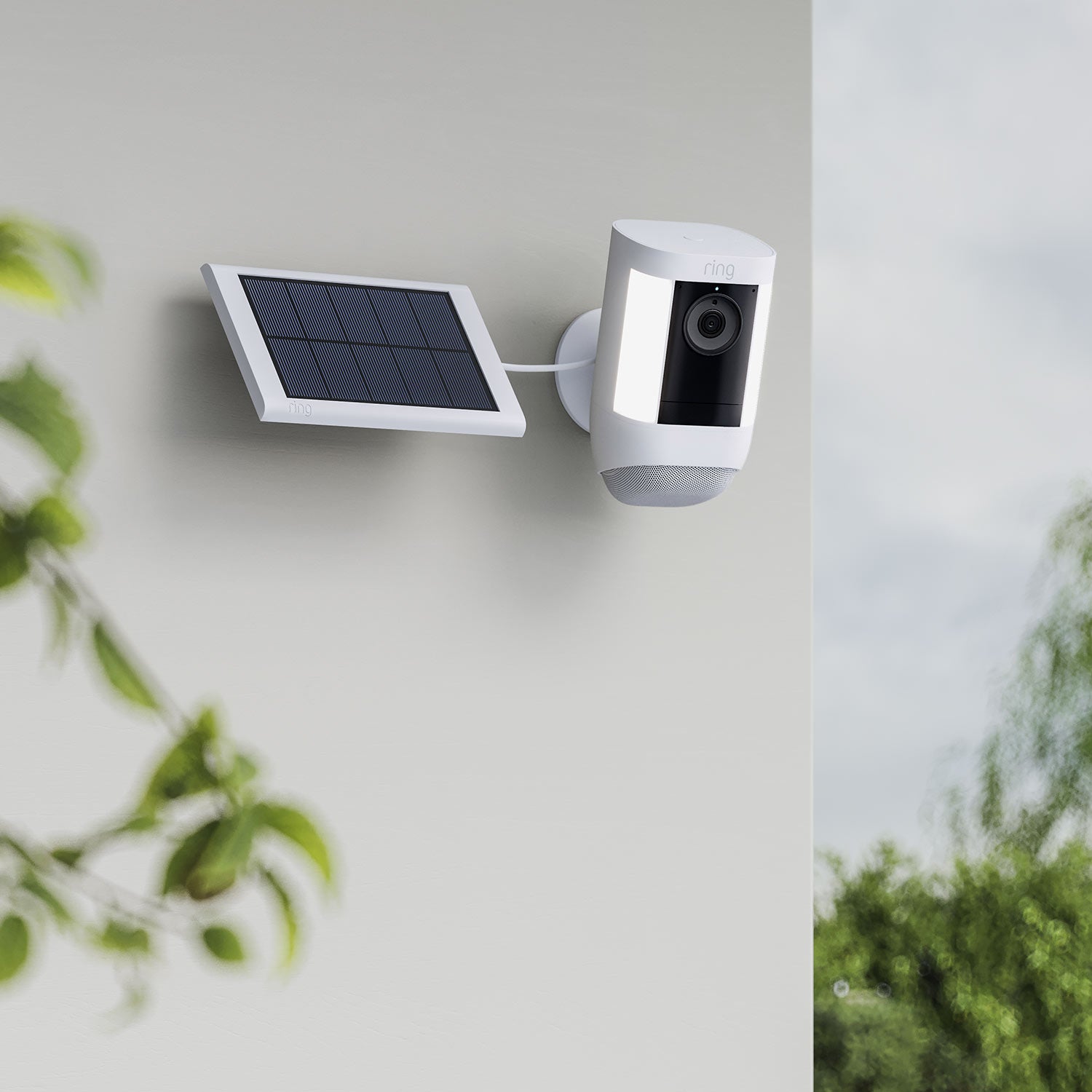
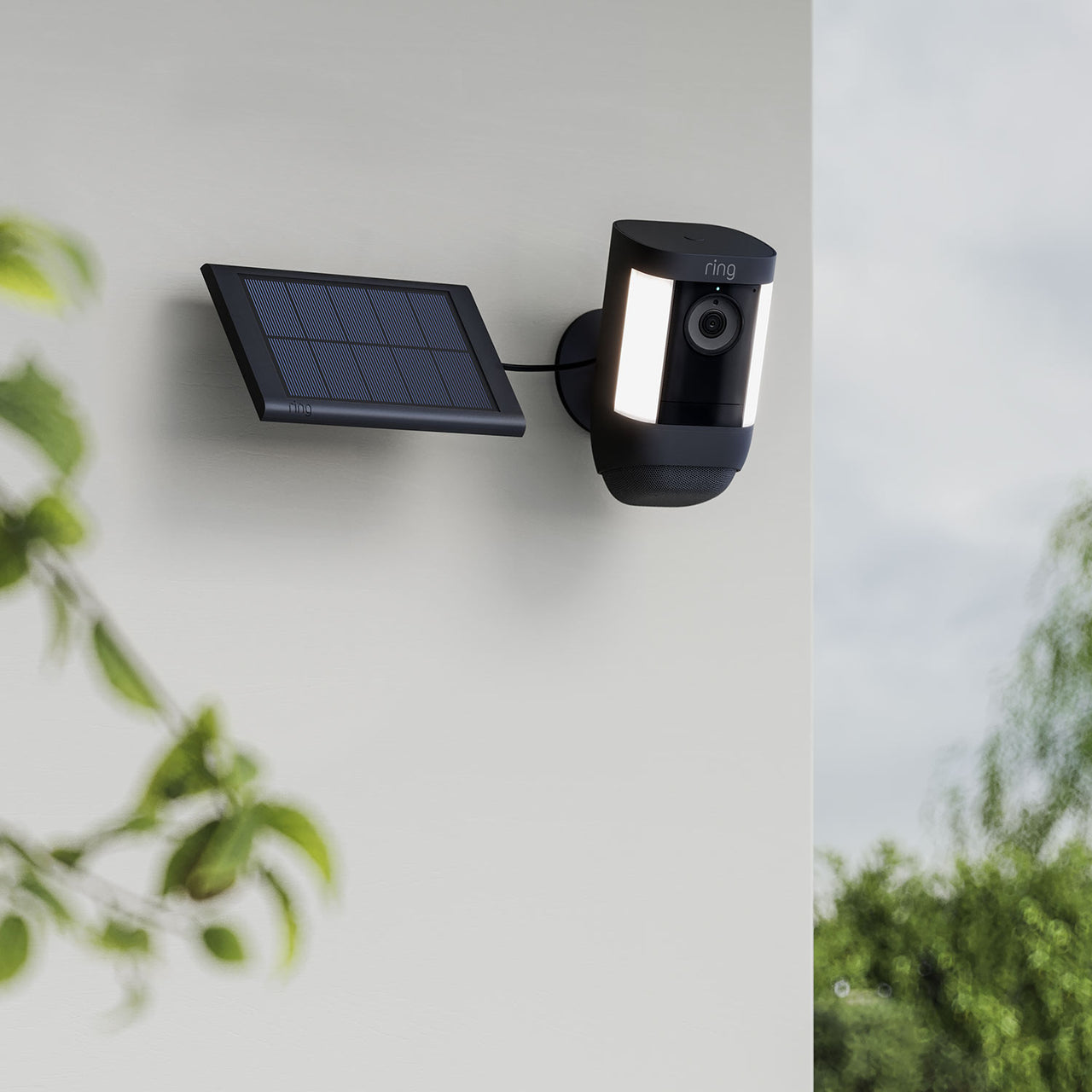
The Ring Spotlight Cam Battery is another model that pairs easily with a solar panel. This camera has built-in spotlights and a battery compartment. With the official Ring Solar Panel, you can maintain the battery charge and avoid frequent manual charging.
Ring Spotlight Cam Plus (battery)
The Spotlight Cam Plus Battery is a newer, improved version of the original Spotlight Cam. It’s compatible with the Ring Solar Panel, and also works with the upgraded Ring Solar Panel (USB-C) for even faster charging.
Ring Spotlight Cam Pro (battery)
The Spotlight Cam Pro Battery features advanced motion detection and HDR video. It works with the Ring Solar Panel (USB-C), which is designed to deliver more efficient charging for high-performance cameras.
Ring Stick Up Cam Pro (battery)
The Stick Up Cam Pro Battery is a higher-end version of the Stick Up Cam, offering enhanced audio and video. It’s compatible with both the classic Ring Solar Panel and the USB-C version.
Ring Video Doorbell 2, 3, 3 Plus, And 4
The Ring Video Doorbell 2, 3, 3 Plus, and 4 models are all battery-powered and support solar charging. Ring makes a special Solar Charger Mount that goes behind the doorbell and collects sunlight to keep the battery topped up. This is a different product from the regular solar panel.
Ring Video Doorbell Plus And Pro Series
The Ring Video Doorbell Plus (Battery) also works with a solar charger mount. However, the Ring Video Doorbell Pro models are hardwired only and do not support solar panels.
Compatibility Table
To make things clearer, here’s a quick reference showing which Ring cameras are compatible with solar panels or chargers:
| Ring Camera Model | Solar Panel Supported | Type of Solar Accessory |
|---|---|---|
| Stick Up Cam (Battery) | Yes | Ring Solar Panel |
| Stick Up Cam Pro (Battery) | Yes | Ring Solar Panel, Ring Solar Panel (USB-C) |
| Spotlight Cam (Battery) | Yes | Ring Solar Panel |
| Spotlight Cam Plus (Battery) | Yes | Ring Solar Panel, Ring Solar Panel (USB-C) |
| Spotlight Cam Pro (Battery) | Yes | Ring Solar Panel (USB-C) |
| Video Doorbell 2, 3, 3 Plus, 4 | Yes | Ring Solar Charger Mount |
| Video Doorbell Plus (Battery) | Yes | Ring Solar Charger Mount |
| Floodlight Cam Series | No | N/A |
| Indoor Cam Series | No | N/A |
| Video Doorbell Pro Series | No | N/A (hardwired only) |
How Ring Solar Panels Work
Ring solar panels are designed to make powering your cameras as simple as possible. These panels use a basic plug-and-play setup: you mount the panel in a sunny spot and connect the cable to your Ring device’s battery port.
Solar Panel Power Output
The standard Ring Solar Panel delivers about 2-2.2 watts of power in direct sunlight. That’s usually enough to keep a battery-powered Ring camera running, assuming there’s at least a few hours of sunlight each day. The Ring Solar Panel (USB-C) is slightly more powerful, delivering up to 3.5 watts for newer cameras that require more energy.
Installation Tips
- Face the panel south (in the Northern Hemisphere) to maximize sunlight.
- Avoid shade from trees, buildings, or roofs.
- Use the included mounting kit for best stability.
- Clean the panel every few months to remove dust or debris.
Limitations Of Solar Charging
Solar panels work best when they get direct sunlight for at least 3-4 hours per day. If your installation spot is shady or faces north, the panel may not fully charge your camera. In winter, shorter days can also reduce performance. If you use your camera heavily (lots of live views or recordings), the battery may drain faster than the solar panel can recharge.
Which Ring Cameras Do Not Work With Solar Panels?
It’s just as important to know which Ring cameras cannot be powered by solar panels. These cameras either require constant AC power or are designed for indoor use only.
Floodlight Cam Series
The Ring Floodlight Cam and Floodlight Cam Pro require hardwired power to operate their high-powered lights and camera. There is no solar panel option for these models.
Wired-only Stick Up Cam And Spotlight Cam
If you have a Ring Stick Up Cam Wired or Spotlight Cam Wired, these models do not have battery ports, so solar panels are not compatible.
Indoor Cam Series
The Ring Indoor Cam is intended for indoor use and must be plugged into a wall outlet. There is no battery option, so solar panels will not work.
Video Doorbell Wired And Pro
The Ring Video Doorbell Wired and Video Doorbell Pro are designed only for hardwired installation. They do not support battery use or solar charging.
Credit: en-uk.ring.com
Choosing The Right Solar Panel For Your Ring Camera
Not all solar panels are created equal. When selecting a solar panel for your Ring camera, pay attention to these key factors:
- Compatibility: Always check if the solar panel is designed for your exact camera model. Ring’s own panels are guaranteed to work with their supported cameras, but third-party panels may not always fit or charge properly.
- Connector Type: Older Ring cameras use a barrel plug, while newer models (like Stick Up Cam Pro and Spotlight Cam Pro) use USB-C connectors. Using the wrong connector will prevent charging.
- Panel Size and Power Output: Larger panels collect more sunlight and provide more power. If you live in a cloudy area, consider a higher-wattage panel for better performance.
- Mounting Options: Some panels come with adjustable mounts, allowing you to aim them for maximum sun exposure. Others have fixed brackets.
- Cable Length: Longer cables give you more flexibility for installation, especially if your camera is far from a sunny spot.
Ring Vs. Third-party Solar Panels
Ring’s official solar panels are reliable and covered by their warranty. However, several third-party brands offer compatible panels, sometimes at lower prices or with longer cables. If you choose a third-party panel, make sure it’s certified for your exact Ring model and connector type.
Reviews and user feedback are helpful here.
Comparison: Official Ring Panel Vs. Third-party Panel
Here’s a quick comparison for clarity:
| Feature | Ring Official Solar Panel | Third-Party Solar Panel |
|---|---|---|
| Compatibility | Guaranteed | Varies by model |
| Warranty | 1 year | Varies (often 6-12 months) |
| Build Quality | High, weatherproof | Quality varies |
| Cable Length | 13 ft (standard) | Range: 10-20 ft |
| Price | Higher | Lower |
| Customer Support | Full Ring support | Brand-dependent |
How To Set Up A Ring Camera With A Solar Panel
Setting up a solar-powered Ring camera is straightforward if you follow these steps:
- Install the Camera: Mount your battery-powered Ring camera where you want surveillance.
- Charge the Battery Fully: Before using solar power, charge the camera’s battery with the included USB cable until it’s 100%. This ensures the solar panel only needs to maintain the charge.
- Mount the Solar Panel: Find a spot that gets at least 3-4 hours of direct sunlight each day. Use the mounting bracket to secure the panel at the best angle.
- Connect the Cable: Plug the solar panel’s cable into the camera’s charging port. For doorbells, attach the solar charger mount before mounting the doorbell.
- Check the Ring App: Open the app to make sure the camera is receiving “solar power.” The app will show a small sun icon if the connection is successful.
- Adjust as Needed: If you’re not getting enough charge, try adjusting the panel’s angle, cleaning the surface, or moving it to a sunnier location.
Common Mistakes To Avoid
- Placing the panel in shade: Even a little shadow can reduce performance.
- Wrong connector type: Check if your camera uses USB-C or barrel plug.
- Skipping the initial battery charge: Solar panels maintain charge but are not designed to charge a fully dead battery quickly.
- Ignoring weather and seasons: Winter and cloudy days can reduce solar output.
How Solar Power Affects Ring Camera Performance
Using solar panels with your Ring camera can reduce maintenance and keep your camera working all year. However, it’s important to set realistic expectations.
- Continuous Power: Solar panels do not make your camera “off-grid.” They keep the battery topped up, but if you use live view or record video often, you might still need to recharge the battery occasionally.
- Cloudy Days and Winter: Solar charging slows down during long periods of clouds or short daylight hours. In these cases, the camera may use more power than it receives.
- Heavy Use: If your camera triggers frequently (busy street, pets), it will use more battery. Solar can help, but may not cover all power needs.
Real-world Example: Solar Panel Success And Challenges
One homeowner installed a Ring Spotlight Cam Battery with a Ring Solar Panel on a garage facing south. In summer, the camera stayed fully charged for months without manual charging. In winter, with only 2-3 hours of weak sunlight, the battery level dropped slowly but never fully died.
Another user tried to power a Stick Up Cam Battery with a third-party solar panel on a north-facing wall. The panel only received indirect light and couldn’t keep up with the camera’s power needs. After switching to a higher-wattage panel and moving it to a roof with better sun exposure, the problem was solved.
Insight: Panel placement matters more than panel size. Even the best solar panel won’t work if it’s shaded or facing the wrong direction.
Factors That Affect Solar Charging Performance
Several factors influence how well a solar panel charges your Ring camera:
- Sunlight hours per day: More sun means more power.
- Panel angle: Aim the panel to match your location’s latitude for best results.
- Temperature: Extreme cold can reduce battery efficiency.
- Camera usage patterns: More motion events or live views drain the battery faster.
If you live in an area with long, dark winters, it may be wise to check battery levels more often or have a backup charging plan.
Environmental Benefits And Cost Savings
Solar panels help reduce your carbon footprint by using renewable energy instead of electricity from the grid. Over time, you’ll also save on electricity bills, although the savings for a single camera are modest. The bigger benefit is less hassle—no more climbing ladders or taking down cameras to recharge them.
Non-obvious insight: Even when powered by solar panels, Ring cameras still need a Wi-Fi connection. Solar power only replaces the battery, not the need for internet access.
Credit: ring.com
Future-proofing: Choosing Cameras With Usb-c Ports
Ring is moving toward USB-C connectors for new cameras and solar panels. USB-C offers faster charging and a more secure connection. If you’re buying a new Ring camera, choosing a model with USB-C can make it easier to find compatible solar panels in the future.
Troubleshooting Solar Charging Issues
If your Ring camera isn’t charging from its solar panel, check these common issues:
- Loose connection: Make sure the cable is plugged in firmly.
- Dirty panel: Clean off dust, leaves, or snow.
- Panel location: Move the panel to a sunnier spot.
- Battery health: Old batteries may hold less charge.
- App update: Make sure your Ring app is up to date to show accurate charging status.
If these steps don’t solve the problem, consult Ring’s support or check their help articles at Ring Support.
What About Solar Security Kits?
Some retailers offer Ring camera + solar panel bundles or “solar security kits.” These kits include a compatible camera, battery, and a solar panel with all mounting hardware. If you’re setting up a new camera, these bundles simplify shopping and ensure compatibility.
Tip: Always double-check that the kit is for the battery-powered version of the camera, not the wired version.
Is It Worth Using Solar Panels For Ring Cameras?
For most users, solar panels make maintaining Ring cameras easier and greener. They’re especially valuable if your camera is in a hard-to-reach spot or you don’t want to climb a ladder every few months. However, solar is not a magic solution—it depends on sunlight, and you may still need to check battery levels occasionally.
Advanced users: If you have multiple cameras or want to power other smart devices, consider larger solar panels with more outputs, but always check warranty implications.
Credit: en-uk.ring.com
Frequently Asked Questions
Do Ring Cameras Run Only On Solar Power, Or Do They Need A Battery Too?
Ring cameras that use solar panels still require a battery. The solar panel charges the battery, but does not power the camera directly. If the battery is removed or dies, the camera will stop working, even if the panel is in the sun.
Can I Use A Solar Panel With Ring Floodlight Cam Or Indoor Cam?
No. The Floodlight Cam and Indoor Cam are designed for wired power only. They do not have battery ports and cannot be powered by a solar panel.
How Many Hours Of Sun Does My Ring Solar Panel Need Each Day?
For best results, aim for at least 3-4 hours of direct sunlight per day. Less sunlight means the battery may eventually drain, especially with heavy camera use or during winter.
Can I Use A Third-party Solar Panel With My Ring Camera?
Yes, but make sure it’s certified for your exact Ring camera model and uses the correct connector (barrel plug or USB-C). Read user reviews to avoid low-quality or incompatible products.
Does Adding A Solar Panel Affect My Ring Warranty?
Using official Ring solar panels keeps your warranty intact. Some third-party panels may void the warranty if they cause damage—check Ring’s warranty policy and consider sticking with official accessories for peace of mind.
Solar power is a smart way to keep your Ring cameras running with less effort and more sustainability. By matching the right camera and solar panel, and following installation best practices, you can enjoy hassle-free security—and spend less time worrying about batteries.