
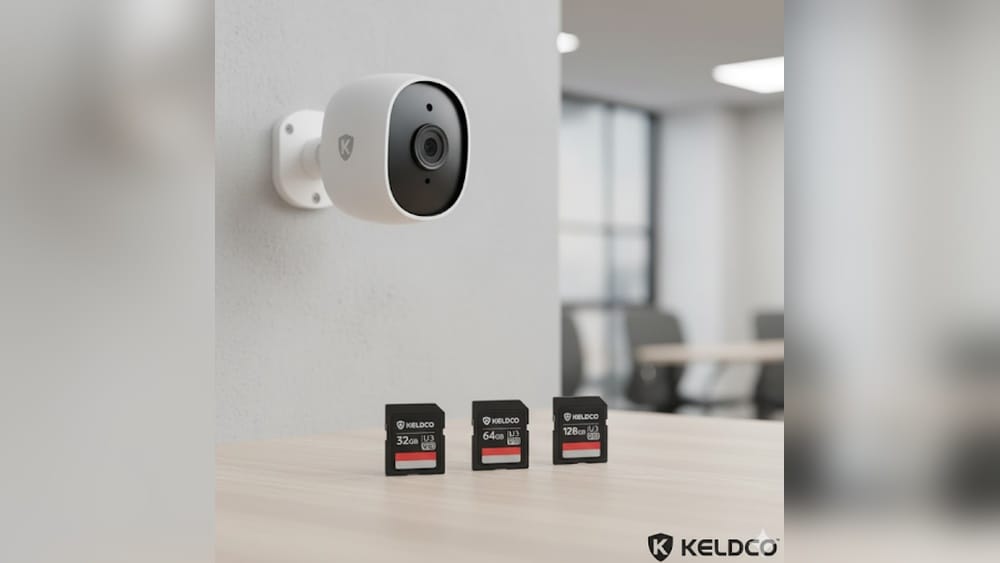
Home security cameras have become an essential tool for protecting homes and families. They help you monitor your property, deter intruders, and provide peace of mind whether you’re at home or away. But when you set up a security camera, one question often comes up: what size TF card (also known as microSD card) should you use? Choosing the right storage size is more important than many people realize. It affects how much footage you can keep, how well your camera works, and even how easy it is to review past events.
This guide will help you understand everything you need to know about selecting the best TF card size for your home security camera. We’ll break down how storage works, what factors influence your choice, and give you practical advice to avoid common mistakes.
If you’re setting up a new camera or thinking about upgrading your current system, you’ll find clear answers here.
What Is A Tf Card And Why Does Size Matter?
A TF card (TransFlash card) is the old name for what we now call a microSD card. These tiny memory cards are used in many devices, including smartphones, drones, dash cams, and especially home security cameras. The card stores all the video footage your camera records. When something happens—like a person walking by or a package delivery—the camera saves the video file to the TF card.
Why does the card’s size (storage capacity, measured in gigabytes or GB) matter? The answer is simple: the bigger the card, the more video you can store before the camera starts to overwrite old files. If you choose a card that’s too small, you might lose important footage because it gets erased too soon. If you buy a card that’s much bigger than you need, you’re wasting money and may run into compatibility problems.
How Home Security Cameras Use Tf Cards
Most home security cameras support TF cards as local storage. Instead of sending all video to the cloud (which can be expensive or require a subscription), the camera writes footage directly to the card. This is useful for:
- Continuous recording (the camera records 24/7)
- Motion-activated recording (the camera only records when it detects movement)
- Event-based recording (the camera saves short clips when something specific happens, like a door opening)
Each recording mode uses storage differently. Continuous recording fills up a card much faster than motion-activated mode, for example.
Storage Cycles And Overwriting
Most cameras use a “loop recording” system. When the card fills up, the camera automatically deletes the oldest footage to make room for new recordings. This keeps the camera running without you needing to replace the card. But if the card is too small, you might only have a few hours or days of footage before it’s gone.
Common Tf Card Sizes For Home Security Cameras
TF cards come in many sizes, but not all are suitable for security cameras. The most common sizes you’ll see are:
- 16GB
- 32GB
- 64GB
- 128GB
- 256GB
- 512GB
Let’s compare what each size offers.
| Card Size | Approx. Recording Time (1080p HD) | Best For | Common Problems |
|---|---|---|---|
| 16GB | 1-2 days (continuous), 3-7 days (motion) | Short-term use, testing | Fills quickly, frequent overwrites |
| 32GB | 2-4 days (continuous), 7-14 days (motion) | Small apartments, low-activity areas | Limited history, not for high-traffic |
| 64GB | 5-8 days (continuous), 2-3 weeks (motion) | Average homes, moderate traffic | May be unsupported by old cameras |
| 128GB | 10-16 days (continuous), 1 month+ (motion) | Most home setups | Compatibility check needed |
| 256GB | 2-4 weeks (continuous), 2-3 months (motion) | High-activity, businesses | Expensive, not always supported |
| 512GB | 1-2 months (continuous), 4-6 months (motion) | Special cases, long-term backup | Often unsupported, costly |
Note: These times are estimates. Actual storage length depends on camera quality, bitrate, and settings.
Factors That Affect How Much Storage You Need
Choosing the right card isn’t just about picking the biggest number. Several key factors change how much space you really need.
1. Video Resolution
The higher the resolution (like 720p, 1080p, or 4K), the more space each video file takes. A 4K camera uses much more storage than a 1080p camera for the same time period.
- 720p: Lower quality, smaller files
- 1080p (Full HD): Most common, good balance of clarity and size
- 2K/4K: Very sharp, but uses a lot of storage
If your camera lets you adjust resolution, check what it’s set to—this affects how long your card will last.
2. Frame Rate And Bitrate
- Frame rate (measured in frames per second or fps): Higher frame rates (like 30fps) make video smoother but need more space.
- Bitrate (data per second): A higher bitrate means better quality and larger files.
Many cameras use variable bitrate, adjusting quality based on what’s happening in the scene. This means storage use can change day to day.
3. Recording Mode
- Continuous recording fills up cards fastest.
- Motion detection saves space by only recording when movement is detected.
- Event-based can be even more efficient, only saving specific clips.
If your camera faces a busy street, motion mode might record almost as much as continuous. For a backyard with little activity, motion mode could triple your storage time.
4. Camera Location
A camera inside a quiet hallway will use less storage than one pointed at a busy front yard. Think about how much action your camera will see.
5. Number Of Cameras
If you have a multi-camera system, each one usually needs its own TF card. Multiply your storage needs by the number of cameras.
6. Camera Compatibility
Not all cameras support large TF cards. Some older models have a maximum supported size—often 32GB or 64GB. Always check your camera’s manual or specs before buying a card.
Non-obvious insight: Some cameras need you to format the card in the camera itself, not on your computer, to work correctly with larger cards.
How To Calculate The Right Tf Card Size For Your Needs
To avoid guessing, you can estimate how much storage you really need. Here’s a simple way:
- Check your camera’s resolution and bitrate (find this in the app or manual).
- Decide how many days of footage you want to keep before it overwrites.
- Use this formula:
- For 1080p video at 2 Mbps: About 1GB = 1 hour of footage.
- So, 24 hours = 24GB.
- For 7 days: 24GB x 7 = 168GB.
But most people use motion detection, which records less than half the time. In that case, you might only need 64GB to 128GB for a week’s worth of events.
Example Calculation
Say your camera records in 1080p, motion-activated, and you want 2 weeks of footage. You estimate about 8 hours of motion per day.
- 8 hours x 14 days = 112 hours
- 1GB per hour = 112GB
- A 128GB card will cover you, with room to spare.
Pro tip: Always round up a little. It’s better to have extra space than to miss a key event.
Tf Card Speed And Durability: What Else Matters?
Storage size is important, but so is speed and endurance. Not all TF cards are created equal—especially for security use.
Speed Classes
Cameras need cards that can write data quickly. Look for:
- Class 10: Minimum 10 MB/s, good for HD video
- UHS-I/U1 or U3: U1 (10 MB/s), U3 (30 MB/s), best for 4K or high-bitrate cameras
A slow card can cause missed frames, choppy video, or errors.
Endurance Cards
Security cameras write data all the time. Standard cards (meant for phones or photos) can wear out quickly, leading to card failure and lost footage. High-endurance cards are designed for continuous recording.
Non-obvious insight: Cheap cards from unknown brands often die within months in security cameras—even if they promise big sizes.
Look for cards labeled “high endurance,” “video monitoring,” or “industrial” for the best results.

Credit: www.eufy.com
Should You Buy The Largest Card Possible?
It’s tempting to buy the biggest card you can afford, but it’s not always the best move.
Reasons To Avoid Oversized Cards
- Compatibility: Many cameras won’t recognize cards above 128GB or 256GB.
- Wasted money: You might never fill a huge card if your camera uses motion detection.
- Longer loop time: If you rarely check footage, you could miss old events before you notice something happened.
- Formatting issues: Some large cards need special formatting (like exFAT instead of FAT32) and may not work out of the box.
When Large Cards Make Sense
- You use continuous recording and want maximum history.
- Your camera supports large sizes (check manual).
- The area monitored is very busy (front gate, public entrance).
- You need long backup without cloud storage.
How To Check Your Camera’s Tf Card Support
Not every camera supports every TF card size or format. Here’s how to find out what works:
- Read the manual: Look for “Max TF card size” or “Supported storage.”
- Check the manufacturer’s website: Most list compatible sizes and types.
- Look at the camera’s slot: Some are marked with max size (e.g., “max 128GB”).
- Ask customer support: If unsure, contact the brand’s support team.
- Test with a smaller card first: If you have an old card, try it before buying a new one.
Pro tip: If your camera says “supports up to 128GB,” bigger cards probably won’t work—even if you format them.
Best Practices For Managing Tf Card Storage
Even with the right card, you need good habits to keep your system running smoothly.
Format Cards Regularly
Formatting (erasing and preparing the card) every few months keeps it healthy and reduces errors. Some cameras let you do this in the app.
Check For Errors
If your camera stops recording or shows errors, try reformatting or swapping cards. Cards do wear out over time.
Back Up Important Footage
If something important happens, save the video to your phone or computer before it’s overwritten. Don’t trust the card as your only backup.
Label And Rotate Cards
If you have several cameras, label cards with dates or locations. Rotating cards (swapping them out every few months) can extend their life and reduce risk.
Card Size Recommendations For Different Use Cases
Let’s break down practical card size choices for common situations.
1. Single Indoor Camera, Motion Detection
- Recommended size: 32GB–64GB
- Why: Usually only records when someone is home; 2–3 weeks of clips typical.
2. Outdoor Camera, High Traffic
- Recommended size: 128GB–256GB
- Why: More motion triggers, need longer history.
3. Continuous 24/7 Recording
- Recommended size: 128GB minimum; 256GB+ preferred
- Why: Cards fill up quickly; bigger size means more days saved.
4. Vacation Home Or Remote Property
- Recommended size: 128GB
- Why: Enough space for infrequent checks, but not likely to fill fast.
5. Multi-camera System
- Recommended size: 64GB–128GB per camera
- Why: Balances cost and storage; add more cards as you add cameras.
6. 4k Or High-resolution Cameras
- Recommended size: 128GB minimum; 256GB if budget allows
- Why: Higher quality means bigger files; avoid running out of space.
Typical Mistakes When Choosing A Tf Card
Many homeowners make avoidable errors when buying TF cards for security cameras. Here are the most common:
- Assuming all cards are the same: Cheap cards can fail quickly.
- Buying cards that are too big for the camera: Wastes money, causes errors.
- Ignoring speed and endurance ratings: Leads to corrupted or missing videos.
- Not formatting cards as the camera requires: Some cameras need FAT32, others exFAT.
- Using old, worn-out cards from other devices: These may fail faster in always-on cameras.
Table: Common Security Camera Brands And Tf Card Limits
Here’s a quick look at what popular brands generally support.
| Brand | Typical Max TF Card Size | Notes |
|---|---|---|
| Wyze | 32GB–256GB | Newer models support 256GB |
| Arlo | 128GB | Depends on model, check manual |
| Reolink | 256GB | Some models support up to 256GB |
| Eufy | 128GB | Most models support 128GB |
| Xiaomi | 64GB–256GB | Varies by region and model |
| TP-Link (Tapo) | 256GB | Many support 256GB after firmware update |
| Amcrest | 128GB | Check manual for each model |
Always check your specific model’s support before buying.
Credit: www.xlrsecurity.com
How To Install And Set Up A Tf Card In Your Security Camera
Getting your card in and working is simple, but there are a few tips to avoid problems.
- Turn off the camera before inserting or removing the card.
- Insert the card gently, label side up (check the slot direction).
- Power on the camera and use the app or web interface to format the card.
- Check recording status to make sure the camera recognizes the card.
- Set your preferred recording mode (continuous, motion, event).
Practical tip: If your camera doesn’t see the card, try formatting it as FAT32 on your computer, then re-insert.
Alternatives To Tf Card Storage
TF cards are convenient, but not the only option for storing security footage.
Cloud Storage
Many brands offer cloud recording, storing footage off-site. This is safer if your camera is stolen or damaged, but often costs a monthly fee.
Network Video Recorder (nvr)
For multi-camera systems, you can use an NVR (a box that records and manages video from several cameras). This is best for advanced users or business setups.
Hybrid Systems
Some cameras let you use both cloud and TF card storage, so you have a local backup and off-site copy.

Credit: www.eufy.com
Real-world Examples: Card Size And Recording Time
Let’s look at some real-world examples so you can see how card size, recording mode, and quality affect storage.
| Camera Type | Recording Mode | Card Size | Days of Footage (Approx.) |
|---|---|---|---|
| Basic indoor 1080p | Motion detection | 32GB | 10–14 days |
| Outdoor 2K camera | Continuous | 128GB | 5–7 days |
| High-traffic 4K | Motion detection | 256GB | 30+ days |
| Entry-level 720p | Continuous | 16GB | 1–2 days |
Remember, actual results depend on how busy the camera’s view is and how often it records.
How To Choose A Reliable Tf Card Brand
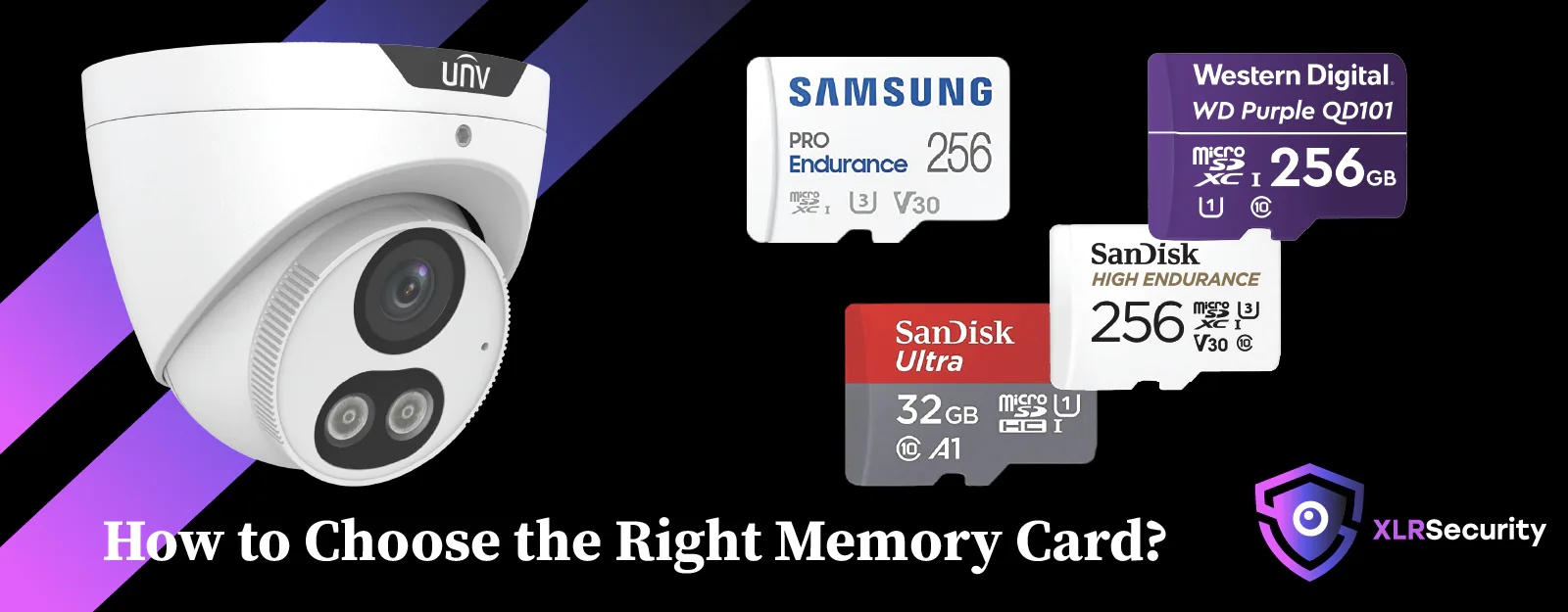
Not all TF cards are equal. For security cameras, the best brands are known for high endurance and reliability. Trusted choices include:
- SanDisk High Endurance
- Samsung PRO Endurance
- Kingston High Endurance
- Transcend Industrial
- Lexar High Endurance
Avoid cards from unknown or generic brands, especially if the price seems too good to be true.
Non-obvious insight: Even top brands offer “regular” and “endurance” lines. Always choose the endurance version for security use.
How To Maintain And Replace Tf Cards
TF cards wear out with constant writing. Signs of a failing card include:
- Camera stops recording
- Video files are missing or corrupted
- Camera shows “No card” or “Format needed” messages
Replace cards every 1–2 years for best reliability, or sooner if you record 24/7 or in high-traffic areas.
Store backup cards in a cool, dry place. Keep a spare handy in case of sudden failures.
Security And Privacy: Local Storage Vs Cloud
Using a TF card means your video stays local. This can be more private, but has some risks:
- If the camera is stolen or destroyed, you lose the footage.
- Anyone with camera access can remove the card.
Cloud storage is safer for backup but less private and usually not free.
Hybrid tip: Some cameras let you auto-upload important events to the cloud when motion is detected, combining both worlds.
Environmental Factors: Where You Place The Camera Matters
- Extreme heat or cold can damage TF cards over time.
- Outdoor cameras should use industrial or high-endurance cards.
- If your camera is in a dusty or humid area, check the card slot for corrosion or buildup every few months.
Summary: Quick Recommendations
If you want an easy answer:
- For most home security cameras, a 64GB or 128GB high-endurance TF card is the safest bet.
- Always check your camera’s maximum supported size before buying.
- Use motion detection to maximize storage time.
- Replace cards every 1–2 years for reliability.
- Format and check cards regularly.
If your situation is unusual (lots of cameras, 4K recording, very high traffic), adjust up to 256GB or more—but only if your camera supports it.
Frequently Asked Questions
What Is The Difference Between A Tf Card And A Microsd Card?
There is no real difference today. TF card was the original name for what became the microSD card. All modern home security cameras that say “TF card” mean microSD.
Can I Use A Regular Microsd Card Instead Of A High-endurance Card?
You can, but regular microSD cards are not designed for constant writing. They may fail faster, leading to lost footage. For security cameras, always choose a high-endurance model for best results.
How Do I Know If My Camera Supports A 128gb Or 256gb Tf Card?
Check your camera’s manual or the manufacturer’s website. Look for “Maximum supported card size.” If you can’t find it, ask customer support or test with a smaller card first.
What Happens When The Tf Card Is Full?
Most cameras use loop recording: when the card is full, the oldest video is deleted automatically to make space for new footage. This keeps the camera recording without you having to do anything.
Where Can I Learn More About Sd And Tf Card Standards?
For deeper technical details, see the official SD Association website, which explains microSD card types, capacities, and compatibility.
A well-chosen TF card keeps your security camera reliable, your footage safe, and your home protected. Take a few minutes to check your camera’s needs and buy the right card—you’ll thank yourself the next time you need to review important video.