
Why Is My Eufy Camera Not Charging With Solar Panels?
Solar-powered security cameras are becoming more popular every year. Many people choose Eufy cameras for their reliable features and easy installation. Adding a solar panel sounds like the perfect solution—set it and forget it, with no need to climb ladders to recharge batteries.
But sometimes, things don’t go as planned. You connect your solar panel, and days later, you realize your Eufy camera’s battery is not charging. This can be frustrating, especially if you expected a “zero maintenance” security setup.
Let’s explore why your Eufy camera might not be charging with solar panels, how to fix common issues, and what you need to know to get the most from your solar-powered system. This guide will help you troubleshoot step-by-step, avoid beginner mistakes, and understand the real reasons behind charging problems.
How Eufy Cameras And Solar Panels Work Together
Eufy wireless cameras are designed to work on battery power. Many models, like the EufyCam 2C, EufyCam 3, and Eufy SoloCam, support charging via a USB cable. When you add a compatible solar panel, it should keep the battery topped up, so you never need to take the camera down for charging.
Most solar panels for Eufy cameras use a micro-USB or USB-C connector and output around 5V at 2A, which matches what the camera needs. The idea is simple: the solar panel collects sunlight, converts it to electricity, and sends it to your camera’s battery.
But it’s not always plug-and-play. Several things can go wrong, leading to slow charging, no charging, or battery drain. Understanding how the system works helps you spot what’s missing.
Key Components
- Eufy camera: Battery-powered, with a USB charging port.
- Solar panel: Provides 5V DC output, usually 2-5 watts.
- Cable: Connects the panel to the camera (length and quality matter).
- Sunlight: The “fuel” for your panel; without enough, charging stops.
If any part of this chain fails, your camera may not charge.
Most Common Reasons Why Your Eufy Camera Is Not Charging
Several issues can cause your Eufy camera to stop charging or charge too slowly with a solar panel. Let’s break down the most common causes and how to check for each one.
1. Incompatible Solar Panel
Not all solar panels work with Eufy cameras. Some panels are made for other brands (like Ring or Arlo) and have different voltage, amperage, or connectors. Even panels labeled “universal” may not supply enough power.
What to check:
- The panel’s output must match your camera’s charging requirements (usually 5V, 2A).
- The connector should fit tightly and securely.
- The panel should be designed for continuous outdoor use.
Example: If you use a 5V/1A panel, it might not give enough current to charge during cloudy days or heavy camera usage.
2. Poor Sunlight Exposure
Solar panels need direct sunlight for several hours a day. If your panel is in the shade for most of the day, behind a window, or facing the wrong direction, it won’t generate enough power.
What to check:
- Is the panel facing south (in the Northern Hemisphere) or north (Southern Hemisphere)?
- Are there trees, roofs, or other obstacles blocking sunlight?
- Does the panel get at least 4-6 hours of direct sunlight daily?
Tip: Even small shadows on part of the panel can drop output by 50% or more.
3. Dirty Or Damaged Solar Panel
Over time, dust, pollen, bird droppings, and leaves can cover your panel and block sunlight. Scratches or cracks from storms or impacts also reduce efficiency.
What to do:
- Clean the panel gently with a soft, damp cloth every month.
- Inspect for cracks or discoloration.
- Replace damaged panels quickly.
Non-obvious insight: Even a thin film of dust can cut solar output by 10-20%. Many people forget to clean their panels.
4. Loose Or Damaged Cable Connections
Solar panels use weatherproof cables, but these can loosen, corrode, or break. A poor connection means less power reaches your camera.
What to check:
- Is the cable firmly plugged into both the panel and the camera?
- Are there signs of corrosion (green/white powder) on the connectors?
- Is the cable free from cuts or animal damage?
5. Wrong Camera Settings
Some Eufy cameras allow you to set power management modes or disable charging. In rare cases, firmware bugs can stop charging even if everything else is fine.
What to check:
- Open the Eufy Security app.
- Go to the camera’s settings.
- Check for any “Power Source” or “Battery Optimization” options.
- Update the camera firmware if available.
6. High Camera Power Usage
If your camera is recording too often—maybe due to high traffic, false motion alerts, or live streaming—it can use more power than the solar panel provides. This leads to slow charging or battery drain.
What to check:
- How often is the camera recording or sending alerts?
- Are you using continuous live view?
- Is your motion sensitivity set too high?
7. Cold Weather Or Extreme Heat
Batteries and solar panels both lose efficiency in cold or very hot weather. Below 32°F (0°C), charging slows down or stops. Above 104°F (40°C), charging can also pause to protect the battery.
What to do:
- If you live in a cold climate, expect slower charging in winter.
- Try to mount panels where they get winter sun but not extreme heat.
- Don’t panic if charging drops during a cold snap; it usually recovers.
8. Faulty Battery Or Camera
If your camera’s battery is old, swollen, or defective, it may stop accepting a charge from any source. Sometimes the camera’s charging circuit fails.
What to check:
- Try charging the camera with a regular USB charger indoors.
- If it won’t charge from the wall, the battery or camera may need service.
- Contact Eufy support if your camera is under warranty.
9. Using A Very Long Cable
Long cables can cause voltage drop, meaning less power reaches the camera. If you use a cable longer than 10 feet (3 meters), this can be a real problem.
What to do:
- Use the shortest cable possible.
- Use a thick, high-quality cable rated for outdoor use.
- Avoid cheap extension cables.
10. Defective Solar Panel
Solar panels can fail from water damage, bad solder joints, or manufacturing defects. Even new panels sometimes don’t work.
What to check:
- Try the panel with another device, like a USB power meter or phone.
- Replace the panel if it doesn’t work in direct sunlight.
11. Not Enough Solar Panel Wattage
If your panel is too small (for example, 2 watts instead of 5), it may not generate enough power on cloudy days or for high-usage cameras.
What to check:
- Look at your camera’s average daily power use.
- Upgrade to a larger panel if needed.
How To Troubleshoot Eufy Camera Solar Charging Problems
When your Eufy camera isn’t charging, go through these steps in order. Fixing the right issue can save you hours of frustration.
Step 1: Confirm Compatibility
Check the solar panel’s specs (voltage, amperage, connector type) against your camera’s manual. If the panel is not designed for Eufy cameras, it may not work properly.
Step 2: Inspect Sunlight Positioning
Stand next to your panel at noon. Is the sun shining directly on it? If not, adjust the angle or move it to a sunnier spot.
- Panels should face the equator (south in North America, north in Australia).
- Tilt the panel at an angle equal to your latitude for best results.
- Avoid mounting under eaves, trees, or next to walls.
Step 3: Clean And Inspect The Panel
Wipe the panel with a damp cloth. Look for cracks, yellowing, or loose wires. Remove any debris or spider webs.
Step 4: Check Cable Connections
Unplug and re-plug both ends of the cable. Check for corrosion or bent pins. Replace the cable if you see wear or damage.
Step 5: Test With A Wall Charger
Disconnect the solar panel and charge the camera indoors using the supplied USB cable and charger. If charging works, the camera’s charging circuit is fine.
Step 6: Review Camera Settings
Open your Eufy app. Make sure the camera is set to allow charging. Check for firmware updates. Some updates fix charging issues.
Step 7: Monitor Camera Usage
Look at how often your camera is triggered. Reduce motion sensitivity, set up activity zones, or lower video quality if usage is very high.
Step 8: Test The Solar Panel Directly
Use a USB voltmeter or connect the panel to a small USB device (like a phone or power bank) to see if it charges. If not, your panel may be faulty.
Step 9: Consider The Weather
Remember, even the best solar panels produce much less power on cloudy days or in winter. Your camera may use more power than the panel supplies during these periods.
Step 10: Replace The Panel Or Camera If Needed
If you’ve tried everything and the camera still won’t charge, one of the devices may be defective. Try another camera or panel to isolate the problem.
Real-world Examples And Data
To understand how much power your camera and solar panel need, let’s look at some real numbers.
| Eufy Camera Model | Average Power Use | Recommended Panel Size |
|---|---|---|
| EufyCam 2C | 150-200 mAh/day | 3-5 watt |
| Eufy SoloCam S40 | 300-400 mAh/day | 5-8 watt |
| EufyCam 3 (S330) | 250-350 mAh/day | 5 watt |
Insight: A 3-watt panel produces about 600 mAh per day in ideal sun, but clouds, shadows, and dirt cut this by 30-60%. Always choose a panel larger than your minimum daily need.
Comparing Solar Panel Performance
Not all solar panels are equal. See this comparison of two popular third-party panels for Eufy cameras:
| Feature | Panel A | Panel B |
|---|---|---|
| Power Output | 3.5 watt | 5 watt |
| Cable Length | 10 ft | 13 ft |
| Connector | Micro-USB | USB-C |
| Weatherproofing | IP65 | IP66 |
| Direct Sun Output (cloudless day) | 700 mAh/day | 950 mAh/day |
Observation: Panel B charges faster and works better in low light, but its longer cable means careful installation is needed to avoid voltage drop.
How Weather And Seasons Affect Charging
Solar panels work best in strong sunlight and warm (not hot) temperatures. Here’s how weather changes performance:
| Condition | Expected Output | Impact on Charging |
|---|---|---|
| Clear summer day | 100% | Best performance |
| Partly cloudy | 60-80% | Slower charging |
| Overcast | 20-40% | May not keep up with use |
| Winter (low sun) | 30-60% | May need larger panel |
| Shaded all day | 5-10% | Not usable |
Tip: In winter, you may need to manually charge the camera once or twice if your panel is small or your area gets little sun.

Credit: www.youtube.com
Advanced Tips For Reliable Solar Charging
If you want your Eufy camera to stay charged year-round, consider these advanced solutions:
- Use a larger solar panel than you think you need. Panels up to 10 watts work for most Eufy cameras and handle cloudy days better.
- Add a USB power meter between the panel and camera to see real charging current. This helps spot weak panels or bad cables.
- Angle your panel for winter sun. In many places, the sun is much lower in the sky during winter. Tilt the panel up to 45-60° for best results.
- Use two panels with a Y-splitter for cameras with very high usage or in low-sun areas.
- Check the app battery graph. Most Eufy cameras let you see battery history—watch for drops during bad weather or high usage.
Non-obvious insight: Many users set up their solar panel in summer and never adjust the angle for winter. This leads to poor charging for months.
Common Mistakes And How To Avoid Them
Many people make the same errors when setting up solar charging for Eufy cameras. Avoid these to save time and money.
- Using an indoor solar panel or placing it behind glass. Solar panels must be outdoors and exposed.
- Choosing the cheapest panel without checking specs. Many cheap panels only output 1-2 watts, which is not enough.
- Mounting in permanent shade—even part of the day. Panels need direct sun for several hours.
- Ignoring the cable quality. Thin, long, or low-quality cables waste power.
- Forgetting to clean the panel every few months.
- Not updating camera firmware that can fix charging bugs.
- Expecting “set and forget” in all climates. Some manual charging is normal in winter or heavy usage.

Credit: www.youtube.com
Should You Use Third-party Solar Panels?
Eufy sells branded solar panels, but there are also many third-party options. These may be cheaper or larger but come with risks.
Pros of third-party panels:
- Often larger or more powerful for the price
- More choices for cable length and connector type
- Available with better weatherproofing
Cons:
- May not be fully compatible (wrong voltage/current)
- Warranty may not cover camera damage from third-party accessories
- Some have poor build quality
Recommendation: If you use a third-party panel, make sure it matches Eufy’s specs and is well-reviewed by other users.
You can find more about solar panel compatibility for Eufy cameras at the official Eufy Support Site.
How To Tell If Your Eufy Camera Is Charging
Sometimes the Eufy app only shows “battery charging” or “plugged in” but doesn’t give details. Here’s how you can check:
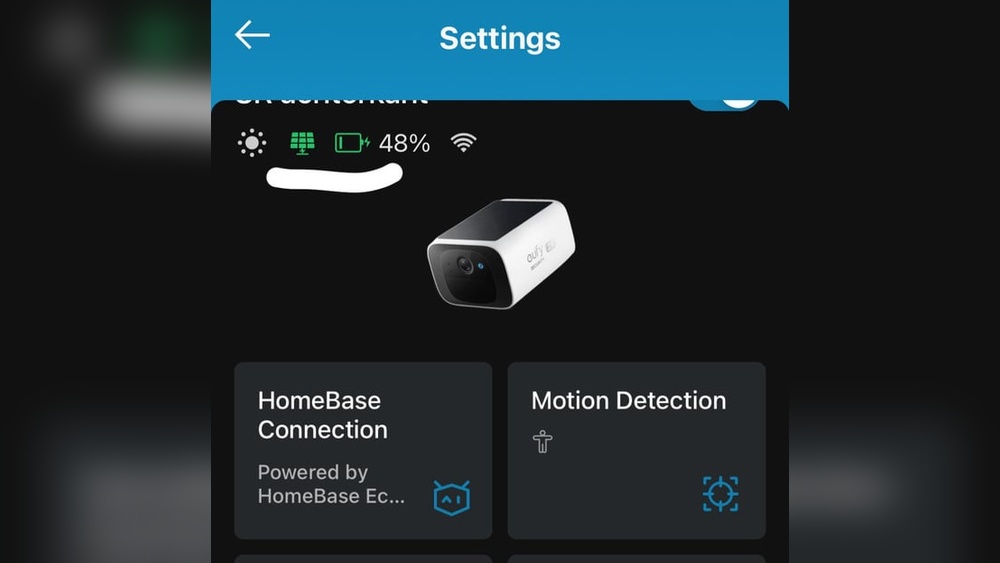
- Look for a charging icon (usually a lightning bolt) in the Eufy app.
- Some models have a small LED that turns on when charging.
- Check the battery percentage every day for a week. Is it staying steady or rising?
- Use a USB power meter to see if current is flowing from the panel.
Tip: If the camera always says “charging” but the percentage drops, something is wrong—likely not enough power.
When You Should Manually Charge Your Camera
Even with the best solar panel and setup, there are times you’ll need to charge the camera directly:
- In winter, during long periods of cloud or snow
- After weeks of heavy motion events or live streaming
- If the battery drops below 20% and doesn’t recover after several sunny days
Remove the camera and charge it with the supplied USB cable and wall charger. Reinstall when fully charged.
Is Solar Charging Right For You?
Solar charging is a great option for most Eufy camera users, but it’s not perfect for everyone.
Best for:
- Cameras in sunny locations with at least 4 hours of direct sunlight daily
- Users who want low maintenance
- Cameras that don’t record constantly
Not ideal for:
- Shady areas (under trees, eaves, or next to tall buildings)
- Places with long, dark winters
- High-traffic areas where the camera is always active

Credit: www.reddit.com
Frequently Asked Questions
Why Does My Eufy Camera Battery Drop Even With A Solar Panel?
This happens if your solar panel output is less than the camera’s daily usage. Reasons include not enough sun, a small panel, high camera activity, or dirty panels. Check sunlight, clean the panel, and reduce camera triggers.
Can I Use Any Solar Panel With My Eufy Camera?
No, you need a panel with the correct voltage (5V), amperage (2A), and connector (Micro-USB or USB-C). Panels for other brands or cheap “universal” panels often do not work.
How Do I Know If My Solar Panel Is Working?
Check for a charging icon in your Eufy app. You can also use a USB voltmeter to see if power is flowing. The battery percentage should stay steady or rise during sunny days.
Does Cold Weather Affect Charging?
Yes. Batteries and solar panels work less efficiently in cold temperatures. Charging slows down or stops below freezing. In winter, you may need to charge the camera manually.
What Should I Do If Nothing Works?
If you’ve tried a new panel, cable, and cleaned everything, but your Eufy camera still won’t charge, test charging with a wall charger. If that fails, the battery or camera may be faulty—contact Eufy support.
Smart solar charging for your Eufy camera is possible with a little care and the right setup. By understanding the system, avoiding common mistakes, and making small adjustments, you can enjoy truly “set and forget” security for years to come.